The Nomad's Journey
- By
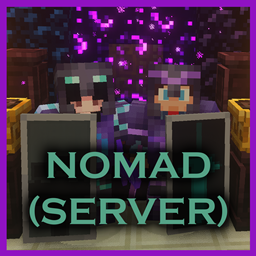
An Adventure Modpack with a variety of Mods, Datapacks, and Resourcepacks, designed to encourage Exploration and Adventure!
Welcome To Nomad!
Nomad is a Vanilla+ Modpack with 95 Mods, 16 Datapacks, and 17 Resource Packs, all Aimed to improve Exploration and Adventure throughout Minecrafts 3 Dimensions!
Huge thanks to Call Me Kevin for playing the modpack!
A Bit of History.
I slowly created this Modpack over the course of a month while playing survival Minecraft on Twitch. My goal was to never stay in one place for more than 1 Minecraft day, and to never build a main base. I traveled through the overworld, the nether, and the End, taking refuge in villages and abandoned ruins, fighting all sorts of Mobs, and exploring more new biomes than I can count. I was a Nomad, always moving, never settling; Hence the name of the Mod.
What’s in Here?
Nomad is a Vanilla+ Modpack for 1.20.1 Minecraft. It features 95 Mods, 16 Datapacks, and 17 Resource Packs carefully curated by me with my Love for Vanilla Minecraft, and semi hatred for mods that steer away from the Vanilla feel. It aims to enhance Vanilla Minecraft, bringing new biomes, mobs, structures and items to the game.
Included in this modpack are multiple Mods adding new biomes to all 3 of Minecraft's Dimensions, Several Structure improvement, addition, and overhaul mods, and many small Quality of Life changes specifically catered to a Nomadic Lifestyle.
Many of the Mods are small quality of life mods, but there are a few on the Larger side.
Images?
I am currently collecting images of the modpack for the images tab, please feel free to DM me on discord any images you take while in game! :D
Shaders?
I tried a variety of different shaders for the game, including BSL, Astralex, and Complementary, and I found that the Complementary Unbound Shader gave me minimal proformance issues while still making the game look great (Though I had to play on the "Very Low" preset). I have included it but you are welcome to use your own!
Backport or Newer Release version?
Many of the mods included I actually had to downgrade from 1.20.4 to use because other mods are either done being supported or just haven't updated to 1.20.4 yet. I will most likely NOT be able to Backport or Update this to newer or older versions of the game.
Fabric?/Literally any other mod loader?
I looked into this and there is no efficient way to port all of this over to a different mod loader sorry fabric stans :(
This pack does have the Forgified mod though if you wanna shove Fabric mods onto this modpack after downloading it.
Multiplayer?
I made a seperate version meant to be installed on Servers. It removes all Client side Only mods from the modpack, so that when you upload it to a server it doesn't crash trying to load them. That Version is ONLY meant to be loaded onto servers, you should join the server with the version of the modpack you are currently reading.
Contact?
The best way to contact me is through Discord. I generally reply imediatley and if not, then as soon as I can. I would do that for curse forge but I havent found a way for it to send me notifications.
IMPORTANT NOTICE BEFORE INSTALLING!!
You’re probably prepared for installing this many mods and addons to your game but in case you aren’t here are a few tips to optimize your performance: The Pack should be compatible with most proformance mods (Not Optifine). Secondly My laptop that I was running this on has 32GB of ram and an RTX 3070ti in it, and with shaders turned on I had major performance issues running the game at anything over a render and simulation distance of 10 without doing this next step.
I recommend changing your Forge installation to allow Minecraft to use More Ram. The default Minecraft is allowed to use is 2GB, which absolutely tanks your gameplay especially in some of the more intense biomes. You can change this by editing your installation and under “more options”, changing “-Xmx2G” in the “JVM Arguments” area to “-Xmx{number in gigabytes of ram you want minecraft to use}G”. So for me I changed it to
“-Xmx32G” so that Minecraft would use all 32GB of ram that I have on my Laptop. This allowed me to play with shaders on, with 32 Chunk render distance, at a max of 25fps. At 16 chunks, it was 30 and above.
You don't have to play with shaders on, which makes the game run really well, but I still recomend doing this even without shaders on. Some of the more intense biomes, especially in the nether, can sometimes be really laggy.
Installation:
Curse Forge App
Launching through the Curse Forge App should automatically install all Mods, apply all Datapacks to newly generated worlds, and auto enable all Resourcepacks.
Manually
If you chose to install the modpack manually, you will have to extract the zip file, and place the Mods, Resourcepacks, Datapacks, and Shaders, into their respective folders in your ".minecraft" directory, which you can find by using "Widows Key + R" to bring up the Run Menu, and typing "%appdata%". You will also need to download this Specific Version of Forge(47.3.10), and create an installation profile in the Minecraft launcher. Any extra folders not labled "Mods", Datpacks", "Resourcepacks", or "Shaderpacks", can go straight into your ".minecraft" folder and overwrite the any previously existing ones.
You can also find the directory for your Minecraft game manually if you know where to look (Typically it is in "C:\Users\UserName\AppData\Roaming\.minecraft")
I have put together a Spotify Playlist in case you're interested!
It features Artists like C418, and Lenna Raine, and many different melancholy video game OSTs from Minecraft, Celest, Undertale, Skyrim, Oblivion, Hollow Knight, and many more. All songs I thought gave a sort of "Wandering Nomad" Vibe to minecraft without having songs that un-immersed me.
For any creators the playlist Should be Copyright free since it's all video game OSTs. If it's not I appologize, message me please and I will take any songs off the playlist.
Rules I Gave myself that made the game more interesting.
-
Never stay in one area for more than 1 Minecraft Day(unless actively Mining)
-
Never Build a Main base. Temporary bases are fine and necessary but they have to be mobile. Nothing you can leave behind for later.
- Everything you need or want MUST be kept on your person, which means your furnace is going in your backpack, forcing you to optimize your inventory and only bring the essentials.
-
Physically go to a location before making a waypoint to fast travel to. This Mimics the "Discoverable Landmarks" feature games like Skyrim have. (Fast travel only works if cheats are enabled)
-
Do not fast travel to your grave. (Fast travel only works if cheats are enabled)
-
Only ever have 1 Travelers Backpack at a time.
-
You have to find generated beds in villages and structures to be able to sleep. No mobile beds.
Tips:
- Bundles will save your life, this modpack includes a datapack allowing them to be crafted with leather.
- I found The cow Backpack the most useful with its ability to cancel negative effects once every few minutes.
- Turn on Mob names for the Minimap and World Map.
- Do not underestimate Cave Centipedes!
- Utilize Farmer's Delight, the food options are incredibly useful, and enough ingredients spawn in loot chests to make really good meals.
- Having a frying pan makes smokers obsolete.
- You can smelt extra armor and tools all the way up to Netherite back into one ingot.
- Go through your keybinds first thing and make sure everything you'd want to use is binded to something familiar.
- Constantly check the map for structures and mobs.
- Most of the Larger Mods have wiki articles, you can look up enchantments, biomes, items, and mobs, if you're interested or confused.
- It's much easier to keep playing if you set smaller goals for yourself to complete ie:make a backpack, find a village, kill 10 zombies, etc.
- Rotten Flesh can be smelted into leather.
- Enchanted Items can have their enchantments grinded off of them and put on a book to apply to other items later. These Enchantments can also be duplicated with a "Rewriting Table" to apply to other items later
Mods:
(A lot of Mods have Multiple Creators and teams of people who work on them, I have only credited people marked with "Owner" on Curse forge otherwise the page would be filled with names and be incomprehesible)
Additional Lanterns By: SuperMartijn642
Additional Structures By: XxRexRaptorxX
Alex’s Caves By: sbom_xela
Alex’s Mobs By :sbom_xela
Anvil Never Too Expensive By: tinytransfem
AppleSkin By: squeek502
Better End By: Quiqueck
Better Nether By: Quiqueck
Biomes O’ Plenty By: Forstride
Blur By: tterrag1098
Chef’s Delight By: redstone3game
ChoiceTheorems's Overhauled Villages By: ChoiceTheorem
Default Options By: BlayTheNinth
Default Skill Tree By: Pufferfish
Enchanted Duplication By: Link_56
Enchantment Reveal By: CrownSheep
Entity Model Features By: traben_0
Entity Texture Features By: traben_0
Exposure By: mortuusars
Falling Leaves By: Cheaterpaul
Farmer’s Delight By: vectorwing
Farmers Structures By: BlackAuresArt
Friends & Foes By: Faboslav
Fusion (Connected Textures) By: SuperMartijn642
Grind Enchantments By: mschae23
Guard Villagers By: almightytallestred
Immersive Structures By: ChoiceTheorem
Immersive Structures II Nether Edition By: ChoiceTheorem
Inventory Totems By: Serilum
More Mob Variants By: nyuppo
More Villagers By: SameDifferent
Nethers Delight By: lumpazl
Not Enough Animations By: tr7zw
Not Enough Experience By: notsotedious
Nyctophobia By: finallion_13
Oculus By: Asek3
Ok Zoomer By: EnnuiLangeweile
Pufferfish’s Skills By: Pufferfish
Pufferfish’s Attributes By: Pufferfish
Quark By: Vazkii
Radiant Gear By: TheIllusiveC4
Raided By: Mrbysco
Realm RPG Fallen Adventurers By: nocubeyt
Red's More Structures By: redstone3game
Repurposed Structures By: telepathicgrunt
Serene Seasons By: TheAdubbz
Smelting Plus By: redstone3game
Snow Under Trees By: bl4ckscor3
Sound Physics Remastered By: henkelmax
Stackable Potions By: Cursed1nferno
Supermatijn642 Core By: SuperMartijn642
Tax Free Levels By: Fourmisain
The Graveyard By: finallion_13
Towns and Towers By: Biban_Auriu
Travelers Backpack By: Tiviacz1337
Travelers Titles By: YUNGNICKYOUNG
Villagers Respawn By: MacTso
WTHIT By: badasintended
Xaeros Minimap By: xaero96
Xaeros World Map By: xaero96
YUNG’s Better Desert Temples By: YUNGNICKYOUNG
YUNG’s Better Dungeons By: YUNGNICKYOUNG
YUNG’s Better End Island By: YUNGNICKYOUNG
YUNG’s Better Jungle Temples By: YUNGNICKYOUNG
YUNG’s Better Mineshafts By: YUNGNICKYOUNG
YUNG's Better Nether Fortresses By: YUNGNICKYOUNG
YUNG's Better Ocean Monuments By: YUNGNICKYOUNG
YUNG’s Better Strongholds By: YUNGNICKYOUNG
YUNG’s Better Witch Huts By: YUNGNICKYOUNG
YUNG's Bridges By: YUNGNICKYOUNG
YUNG’s Extras By: YUNGNICKYOUNG
Dependency, Library, and Proformance Mods:
Bad Packets By: badasintended
Balm By: BlayTheNinth
BCLib By: Quiqueck
Citadel By: sbom_xela
Collective By: Serilum
Connector Extras By:Su5eD
Cristel Lib By: Cristelknight
Curios API By: TheIllusiveC4
Embeddium/Ribidium Dynamic Lights Reforged By: Anthxny
Entity Culling By: tr7zw
FerriteCore By: malte0811
Forgified By: Su5eD
GeckoLib By: Gecko
GlitchCore By: TheAdubbz
Global Packs By: JTK222
ImmediatelyFast By: RaphiMC
Lithostitched By: Apollo
Memory Leak Fix By: FX_PR0CESS
Sinytra Connector By: Su5eD
TerraBlender By: TheAdubbz
Xenon By: Anthxny
YUNG’s API By: YUNGNICKYOUNG
Zeta By: Vazkii
Datapacks:
All Datapacks (Including Vanilla Tweaks) are Loaded into worlds automatically thanks to Global Packs By: JTK222, if they do not please leave a comment letting me know.
Curios Lantern Light Replacement By: Ayrta
Silktouchless Campfires By: Neopolitan
Repurposed Structures Better Dungeons Compatibility Pack By: telepathicgrunt
Repurposed Structures Better Jungle Temples Compatibility Pack By: telepathicgrunt
Repurposed Structures More Villagers Compatibility Pack By: telepathicgrunt
Resourcepacks
All Resourcepacks (including Vanilla Tweaks) should be automatically applied thanks to Default Options By: BlayTheNinth, if they are not you should be able to apply them manually.
AL's Boss Rush By: ALthegatorMC
AL's Boss Rush x Fresh Animations By: ALthegatorMC
AL's Enderman Revamped By: ALthegatorMC
AL's Enderman Revamped x Fresh Animations By: ALthegatorMC
AL's Skeletons Revamped By: ALthegatorMC
AL's Skeletons Revamped x Fresh Animations By: ALthegatorMC
AL's Spiders Revamped By: ALthegatorMC
AL's Spiders Revamped x Fresh Animations By: ALthegatorMC
AL's Zombies Revamped By: ALthegatorMC
AL's Zombies Revamped x Fresh Animations By: ALthegatorMC
Fresh Animations By: ">lx" rel="nofollow">FreshLX
Round Trees By: Motschen
Better Illagers By: creepermax123
AL's Creepers Revamped By: ALthegatorMC
Fresh Moves By: TrasTick
Fresh Compats By: Ithan
F.M.R.P By: Seb_Semos
Vanilla Tweaks Stuff:
Datapacks:
AFK Display
Armored Elytra
Bat Membranes
Cauldron Concrete
Double Shulker
Dragon Drops
Fast Leaf Decay
Graves
Larger Phantoms
More Mob Heads
Multiplayer Sleep
Player Head Drops
Timber
Unlock All Recipes
Crafting Tweaks:
(These are just more Datapacks but in the “Crafting Tweaks” Section of the Vanilla Tweaks Website, they install as one datapack)
Back To Blocks
Double Slabs
Rotten Flesh To Leather
Charcoal to Black Dye
Coal To Black Dye
Straight to Shapeless
Powder to Glass
More Trapdoors
More Bark
More Stairs
More Bricks
Craftable Gravel
Craftable Bundles (Rabbit Hide)
Craftable Bundles (Leather)
Unpackable Ice
Unpackable Nether Wart
Unpackable Wool
Resourcepacks:
(These all Install as ONE Resourcepack file)
Desaturated Purpur
Desaturated Oak
Vertical Nuggets
Brown Leather
Red Iron Golem Flowers
Rename 'Stem' to 'Log'
HD Sheild Banner Patterns
Pink End Rods
Unique Dyes
Animated Camp Fire Items
Ashless Campfires
Flint Tipped Arrows
Splash Bottle o' Enchanting
2D Spyglass
Accurate Spyglass
Accurate Scaffolding
Fencier Fences
Moss Carpet Overhang
Smoother Warped Planks
Consistent Bamboo Planks
Polished Stones to Bricks
Singular Glazed Terracotta
Darker Dark Oak Leaves
Golden Savanna
Lush Grass (Mostly) All 'Round!
Clearer Water
Shorter Short Grass
Whiter Snow
Variated Grass
Variated Cobblestone
Variated Moss
Variated Red Mushroom Blocks
Variated End Stone
Varieted Gravel
Variated Mycelium
Variated Bookshelves
Variated Villagers
Different Stems
Age 25 Kelp
Sticky Piston Sides
Clearer Banner Patterns
Visual Sapling Growth
Lower Shield
Lower Fire
Smaller Utilities
3D Bookshelves
3D Chiseled Bookshelves
3D Pointed Dripstone
3D Amethyst Crystals
3D Redstone Wire
3D Lily Pads
3D Iron Bars
3D Sugar Cane
3D Rails
3D Ladders
3D Items
3D Doors
3D Trapdoors
3D Fungi
3D Vines
3D glow Lichen
3D Sculk Veins
3D Stonecutters
3D Sun & Moon
Numbered Hotbar
Wither Hearts
Screaming Goats Meme
Item Stitching Fix
Updated Toast Textures
Updated Stat Icon Textures
Redstone Wire Fix
Consistent Blank Decorated Pot
Small Dropleaf Stem Fix
Big Dripleaf Stem Fix
Cactus Bottom Fix
Consistent Helmets
Brighter Rib Armor Trim
Hanging Sign Logs
Pixel Consistent Bat
Pixel Consistent Ghast
Pixel Consistent Beacon Beam
Pixel Consistent Elder Guardian
Pixel Consistent Wither
Pixel Consistent Tripwire
Pixel Consistent Signs
Pixel Consistent Experience Orbs
Pixel Consistent Guardian Beam
Soul Soil Soul Campfire
Blaze's Rods Fix
Slime Particle Fix
Nicer Fast Leaves
Corrected Item Holding
Double Slab Fix
Consistent Smooth Stone
Iron Bars Fix
Dont Eat The Bowl!
Proper Break Particles
Cloud Fog Fix
The Nomad's Journey Team