Forever Simple Settings
- By
Every addon's options in one big, resizable window, opened from a minimap button, a key binding or /fsettings, even in combat.
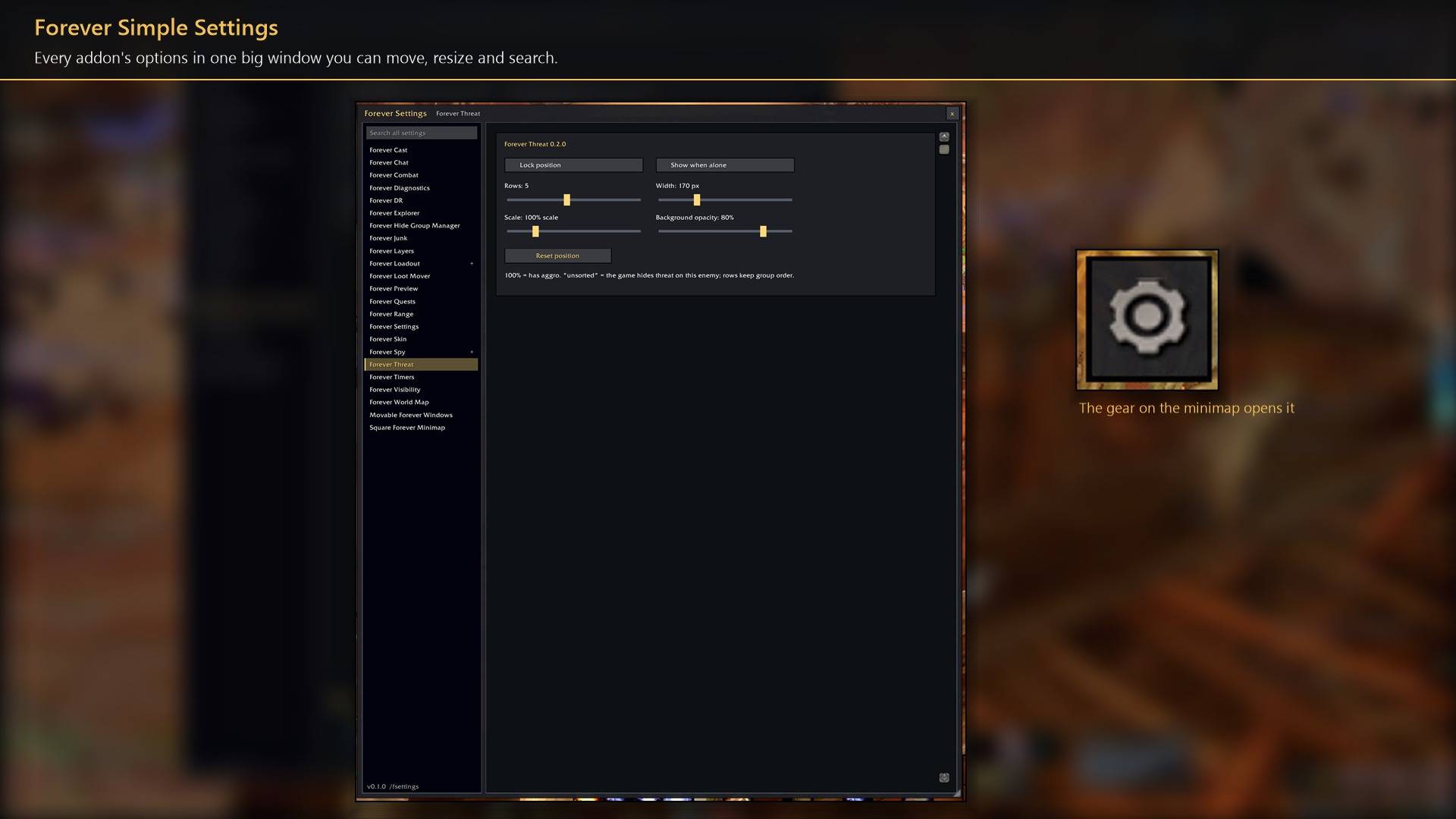
Every addon's options in one big window you can move, resize and search.
Description
Forever Simple Settings puts every addon's options in one big window you can resize, instead of the small fixed box in Options → AddOns. One click on the gear at the minimap's edge opens it, in combat too. In game it is listed as Forever Settings.
What you get
- Big and resizable. It opens almost as tall as your screen. Drag the title bar to move it and the bottom-right corner to resize it; size, place and the last page are remembered. Window scale (70% to 150%) makes the text larger or smaller.
- Every addon on the left. All the addons in Options → AddOns by name, with the open addon's subpages under it.
- Search all settings. Type a word such as
scale,soundorchat: only addons with a matching setting stay listed, with how many, and the open page shows only those settings. Enter opens the first match. Pages from other authors are listed when the word appears on them and shown whole. - The real pages. Each page is the addon's own Options page, not a copy, so a change here is the same change made in Options → AddOns.
- Walk with it open. Escape closes it out of combat and every other key still reaches the game. In combat, close it with its x.
The Forever Simple addons' own settings commands and buttons open their page here.
How to use it
- Left-click the gear on the minimap to open or close the window; right-click it to jump straight to an addon; drag it to move it around the minimap.
- Or bind a key under Options → Keybindings → AddOns → Toggle Forever Settings, or type
/fsettings. - Its own settings (window scale, the minimap gear) are in Options → AddOns → Forever Settings.
Works better with
These addons are optional. Install any of them alongside this one for more:
- Every Forever Simple addon with options (Bank, Cast, Chat, DR, Junk, Loadout, Market, Quests, Range, Skin, Threat, Visibility, World Map, Movable Windows): its settings command, such as
/fcast, opens its page right in this window, even in combat. - Forever Simple Square Minimap: the minimap gear slides along the square edge.
Feedback
Bugs and ideas: leave a comment on this page with a screenshot or the steps that cause it, and your class. I play one character, so reports from other classes and situations help most.
Forever Simple Settings Team