Forever Simple Market
- By
A compact auction house window: buy and sell, price history and depth, tooltip prices, and disenchant estimates that learn from your own disenchants.
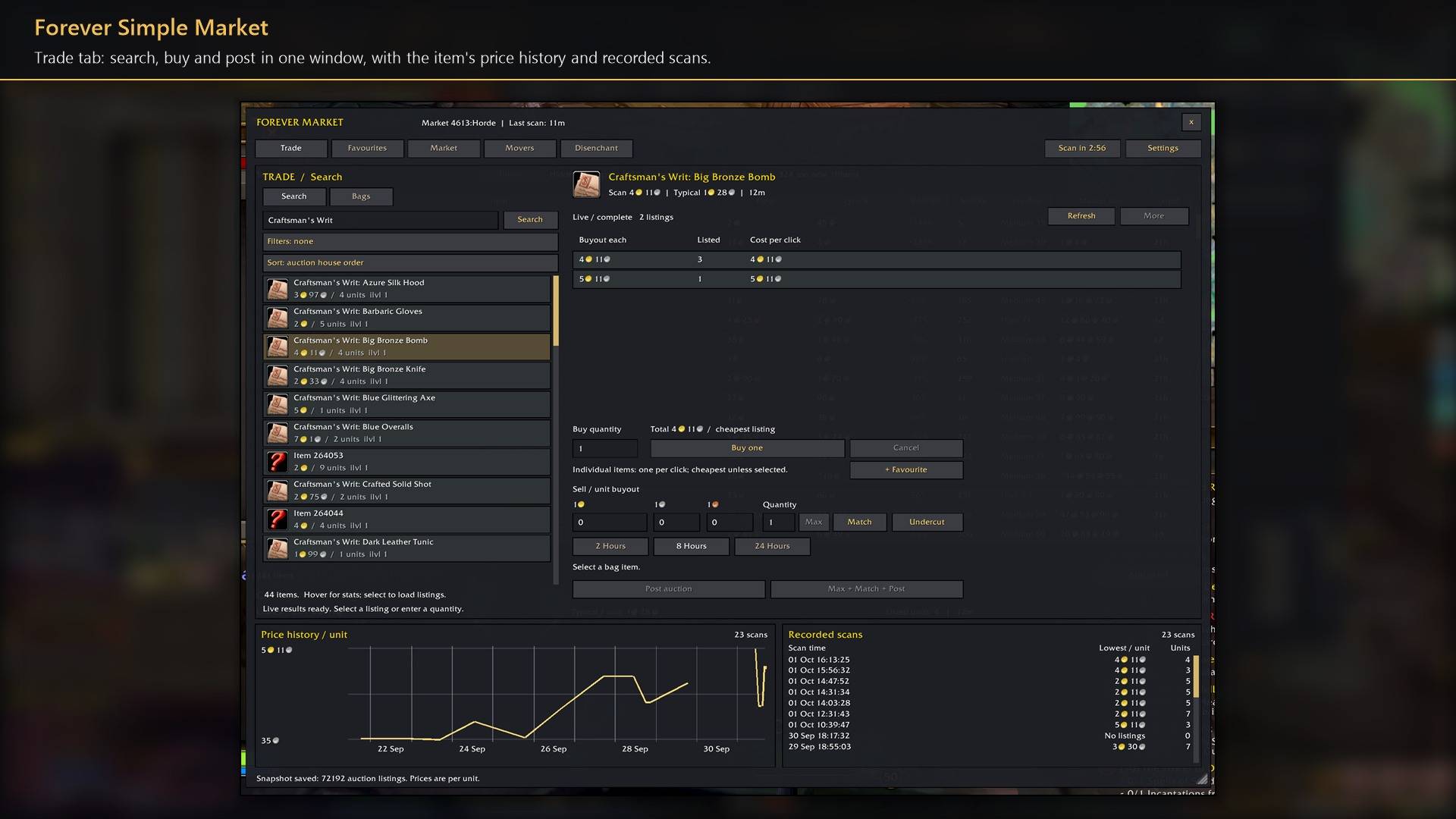
Trade tab: search, buy and post in one window, with the item's price history and recorded scans.
Description
Buy and sell at the auction house without the guesswork. Search, buy and post in one compact window, with each item's price history beside it, so you know a fair price before you click. Your scans are kept, so you can see what has moved and which items are worth buying to disenchant. In game it is listed as Forever Market.
Buy and sell
Trade. Search the live auction house by name, or pick an item from your bags. Each item fits on one thin line with its picture, like the auction house's own list; Full shows bigger rows with the level needed to use the item. What you type stays when you switch between Search and Bags. Listings show the price each and how many are listed; your own are marked Yours. Buy one buys the cheapest listing; for materials, type a quantity and buy at the total shown or less.
Post. Match fills in the cheapest price, Undercut goes just below it, and Max + Match + Post posts everything in your bags in one click. The total and the deposit show before you post. A price below the vendor price, or under half the usual price, waits for a second click.
Buying and posting work from your clicks only, never in combat.
Prices from your scans
Auctions. Your own auctions at the open auction house, each beside your last scan's lowest price: undercut in red, cheapest in green. Cancel one with a second click; the button names the deposit you lose.
Scan AH. One full scan of the auction house. The game allows one every 15 minutes per account; the button counts down. Scans are kept for 30 days (7 to 90), per realm and faction. The neutral auction house keeps a market of its own, so its few odd-priced listings never mix into your faction's prices. When another add-on runs a full scan, Forever Market reads and saves the same one, so you never scan twice.
Price history. A dated chart of each scan's going price per unit (what the cheapest real supply costs, so one tiny cheap stack can't drag it down), every recorded scan, and a typical price, worked out over the days you scanned with newer days counting more, that a stray cheap or overpriced listing can't set. The graph fits today's prices, with a Scale button (Recent, Full or Ratio) and 3 days, 7 days or All. A Scans tab lists every scan, and can hide a bad one from all your prices or delete it.
Favourites and lists. Your own lists of up to 200 items, plus ready-made lists of materials, consumables, bags and pets. Refresh loads live prices for the whole list.
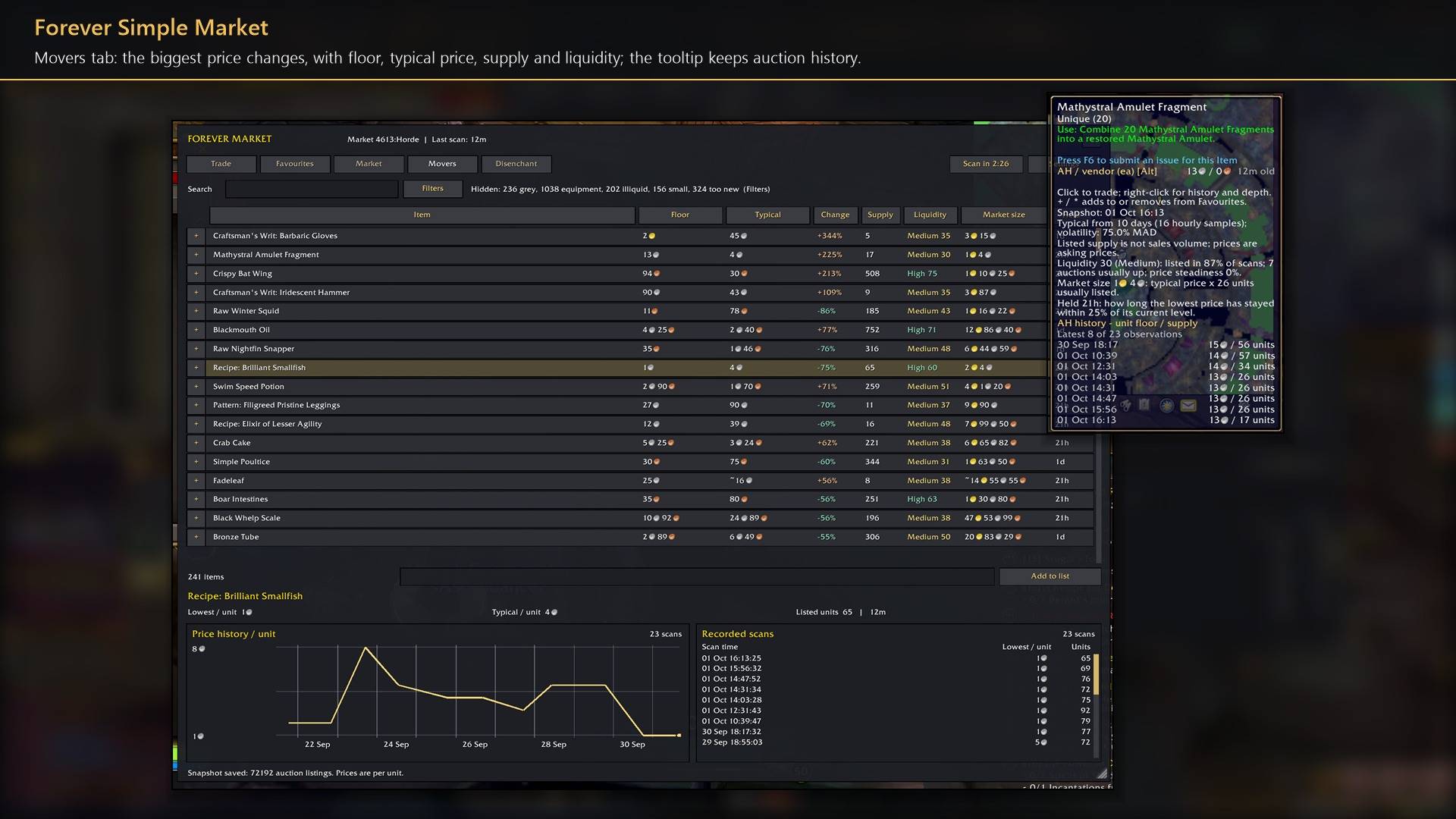
Tooltips. Item tooltips show the vendor and auction price per unit; hold Alt before hovering for the last eight scans. Hover a row in the window for typical price, liquidity, market size and scan history.
Movers
Items whose price is furthest from typical, with Liquidity (how often it is listed, by how many sellers, how steady), Market size and how long the price has Held. Grey items, thin markets and prices that have not held for 6 hours are hidden by default. Movers needs scans on three different days.
Disenchanting
Estimates. Weapon and armour tooltips show what a disenchant is worth at your scanned prices. Every disenchant you do is recorded, and the estimate learns from your results, also at an Arcane Salvager.
Disenchant tab. The weapons and armour from your last scan, ranked by disenchant value less the buyout. Click a row to buy it in Trade. Your Enchanting skill is not checked.
How to use it
- The window opens at an auctioneer. Click Scan AH once, then use Trade to buy and sell.
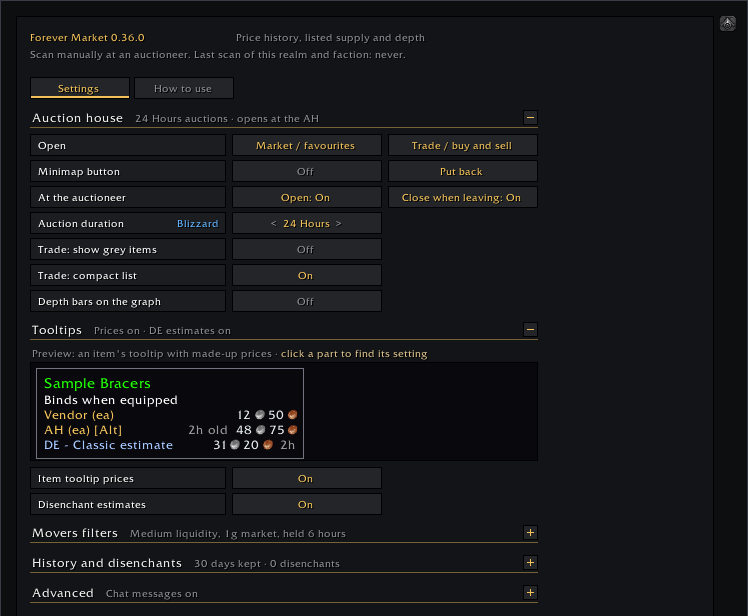
- Settings are in Options → AddOns → Forever Market, or type
/fmarket. The gear on the window's title bar has quick settings for tooltips and the auction house./fmarket showopens the window anywhere, with your saved prices.
Feedback
We read every comment and update our addons often; many changes started as a player's comment. Something not working? Tell me and I'll look into it.
Forever Simple Market Team

Owner