Forever Simple Visibility
- By
One page of graphics, camera and nameplate settings tuned to see the world and other players as clearly as possible, with your originals kept to restore.
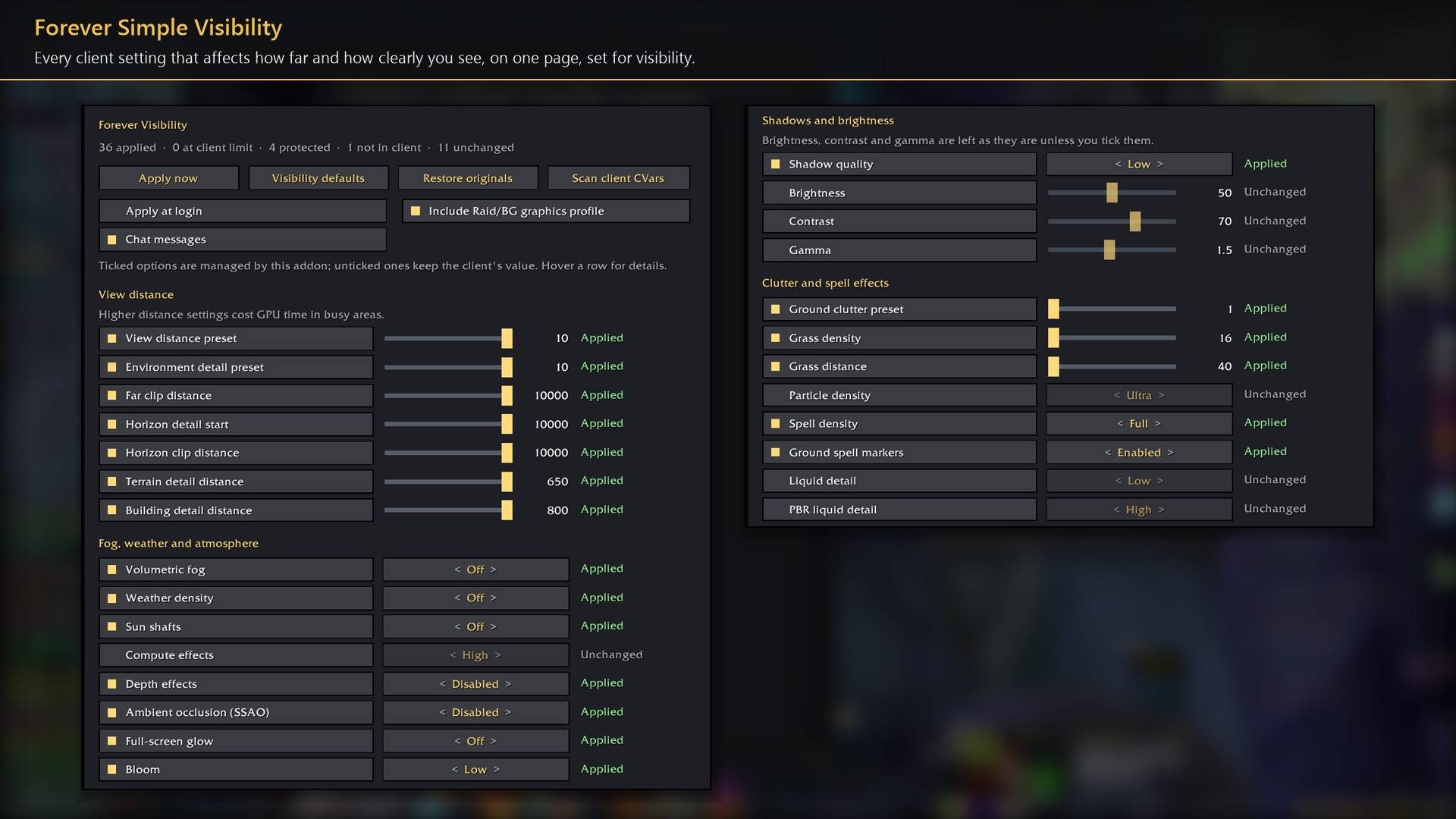
Every client setting that affects how far and how clearly you see, on one page, set for visibility.
Description
Forever Simple Visibility puts every client setting that decides how clearly you see the world, other players and yourself on one settings page. Five presets run from Max visibility to Max graphics, and each setting shows what it adds in looks, what it costs in visibility and how hard it works your graphics card. In game it is listed as Forever Visibility.
Presets
Max visibility, Free only, Balanced, Scenic, Max graphics. Each preset sets every row on the page at once. A fresh install starts at Max visibility. Change any row and it keeps your value until you pick a preset again.
Compare. Switches between your settings and maximum visibility, so you can see what each costs. A key binding does the same while you look around.
Your picture. Brightness, contrast and gamma are yours: no preset touches them. Suggested and Blizzard default set all three at once.
What it sets
- Looks against visibility. Anti-aliasing, water, ground clutter, ambient occlusion, weather, glow, bloom, sun shafts, depth effects, volumetric fog and shadows, grouped by how much visibility they cost. Each row rates looks, visibility cost and GPU load from none to three.
- Immersion. Death screen effect, tilt with terrain, head bob, camera and interface shake.
- Always at maximum visibility. View distance, horizon, object and building detail beyond Blizzard's sliders, texture quality, spell effects and ground spell markers, unit outlines, your own highlight, enemy nameplates, camera distance and field of view.
- Screen warnings off. The low-health flash and the full-screen nether effect are off in every preset; turn either back on in its row.
Nothing that shows gameplay information is hidden: spell effects stay at full in every preset. Settings the game does not let addons change are marked Protected, and changes made in combat wait until it ends.
How to use it
- Settings are in Options → AddOns → Forever Visibility, or type
/fvis. - Pick a preset at the top of the page, then hover any row for what it does and its value in each preset.
- Restore originals puts back every value from before the addon changed it. The Compare key is under Key Bindings → AddOns.
Works better with
These addons are optional. Install any of them alongside this one for more:
- Forever Simple Settings:
/fvisopens these options in its big, resizable window, even in combat, instead of the game's small Options window.
Feedback
Bugs and ideas: leave a comment on this page with a screenshot or the steps that cause it, and your class. I play one character, so reports from other classes and situations help most.
Forever Simple Visibility Team