Forever Simple Battleground Targets
- By
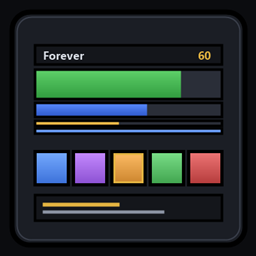
Every enemy and ally in a battleground in class colours with health bars, plus a flag carrier frame; click a name or a carrier to target them.
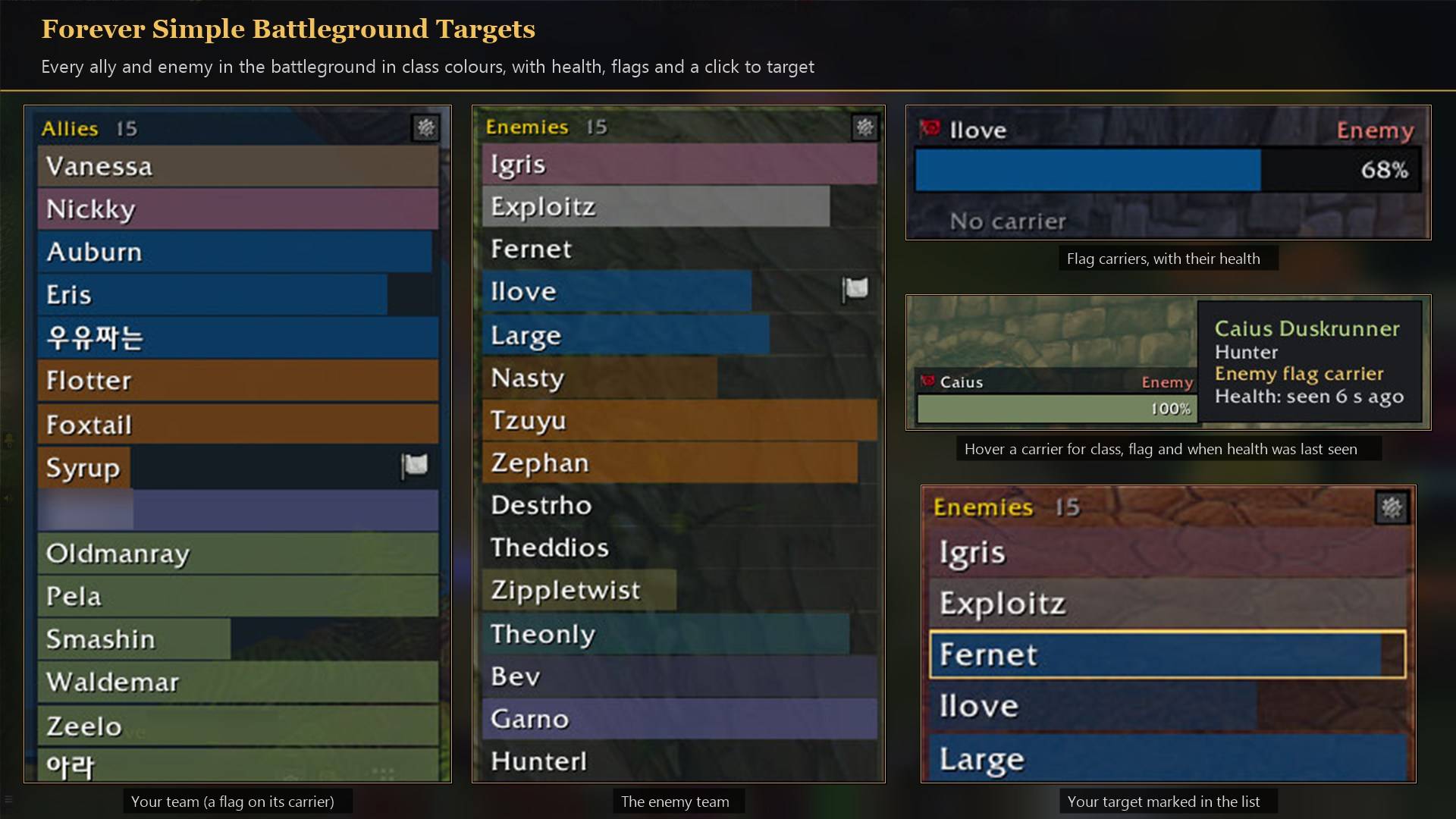
Every ally and enemy in class colours with health, a flag on the carrier, and a carrier frame with its tooltip.
Description
Forever Simple Battleground Targets shows everyone in a battleground: two small lists, enemies and allies, and the flag carriers in a frame of their own. Every row has the player's class colour and a health bar. Click a name or a carrier to target that player, in combat too. In game it is listed as Forever Targets.
Made for Warsong Gulch. The carrier frame keeps both flag carriers one click away, the enemy's on top, with their health. Target the enemy carrier to stop a capture, or watch your own carrier's health to know when to help, without hunting for them in the crowd. When a flag changes hands, the same slot targets the new carrier.
What it shows
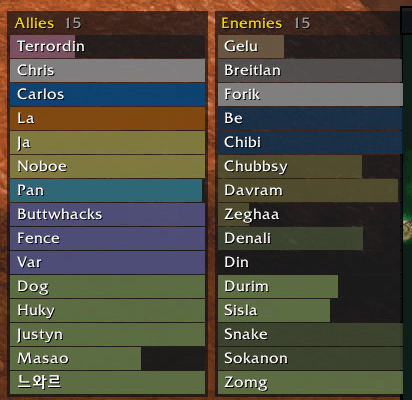
- Who. Every player on both teams, read from the battleground scoreboard, you included in Allies. Players who join appear within a few seconds.
- Rows. A health bar in the player's class colour with the name in white, sorted by class and then by name (or by name alone). Players from other realms show by name only unless Realm names is on.
- Health. Taken from anyone your team can see: your raid, your target, focus and mouseover, enemy nameplates, and every teammate's target. A bar dims when nobody has seen that player for 10 seconds and keeps their last health.
- Your target. Its row gets a gold outline.
- Flag carriers. A flag icon on the row of whoever holds a flag or another carried objective, in both lists. Blizzard's own flag carrier frames at the right of the screen are hidden; tick Blizzard flag carriers in the settings to bring them back.
- Columns. Warsong Gulch and Arathi Basin fit in one column; Alterac Valley spreads over three.
The carrier frame
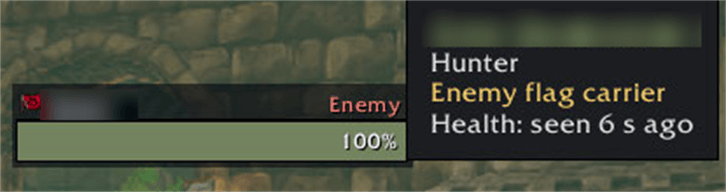
- Who: each player carrying a flag, both teams, enemies on top, with the flag they hold, Enemy or Ally, and a health bar in their class colour.
- Click to target the carrier, in combat too. When a flag changes hands, the same slot targets the new carrier.
- Hover for their class, the flag they carry and when their health was last seen.
- Place it like the lists: unlocked, it shows two sample carriers to drag and a corner to resize; Ctrl+click locks it. Turn it off under Carrier frame in the settings.
In combat
The game freezes click-to-target buttons during combat, so the lists keep their players until the fight ends: a player who leaves keeps a dimmed row, and players who join are counted in the title (+2 after combat) and get rows when combat ends. Health bars keep moving in combat.
What Forever does not allow
Health is shown as a bar only: the game lets an addon draw a player's health but not read it, so there are no numbers. An enemy nobody on your team can see keeps their last health, and range is not available. Arenas are not covered.
How to use it
- Settings are in Options → AddOns → Forever Targets (or
/ftargets). - At the top of the settings page, Unlock to move shows the lists so you can place them any time, and Show on screen plays samples on them.
- Outside battlegrounds the lists are hidden. Turn Lock position off (or
/ftargets unlock) to show sample players and drag each list by its title, or Ctrl+click a list. The gear on each list's title has quick settings, in combat too. - Choose Show enemies, Show allies, health bars, class-coloured bars, sorting, realm names and the target outline; Size sets rows per column, column width, scale and background opacity.
- Commands:
/ftargets lock,/ftargets unlock,/ftargets reset,/ftargets options,/ftargets help.
Works better with
These addons are optional. The Forever Simple PvP addons are made to run side by side in battlegrounds:
- Forever Simple Battleground Timers: Every battleground countdown as a bar: bases, flags, the gates and your next resurrection.
- Forever Simple Spy: Enemy players near you, with alerts, a Nearby list and kill-on-sight watchlists.
- Forever Simple DR: How far each crowd-control category has diminished on enemy players, on your target and their nameplates.
- Forever Simple Cooldowns: Enemy cooldowns from what hits you: one timer per use.
- Forever Simple Battle Map: Your battle map key opens a flat, resizable battle map with flags, graveyards and your group.
- Forever Simple Enemy Buffs: Enemy buffs as a row of icons on their nameplates, in fights too, with presets and a filter for every kind of buff.
Feedback
Bugs and ideas: leave a comment on this page with a screenshot or the steps that cause it, and the battleground you were in.
Forever Simple Battleground Targets Team