Forever Simple Loadout
- By
Equipment slot buttons with item menus, placed and attached where you like, and your own gear sets to swap in one click.
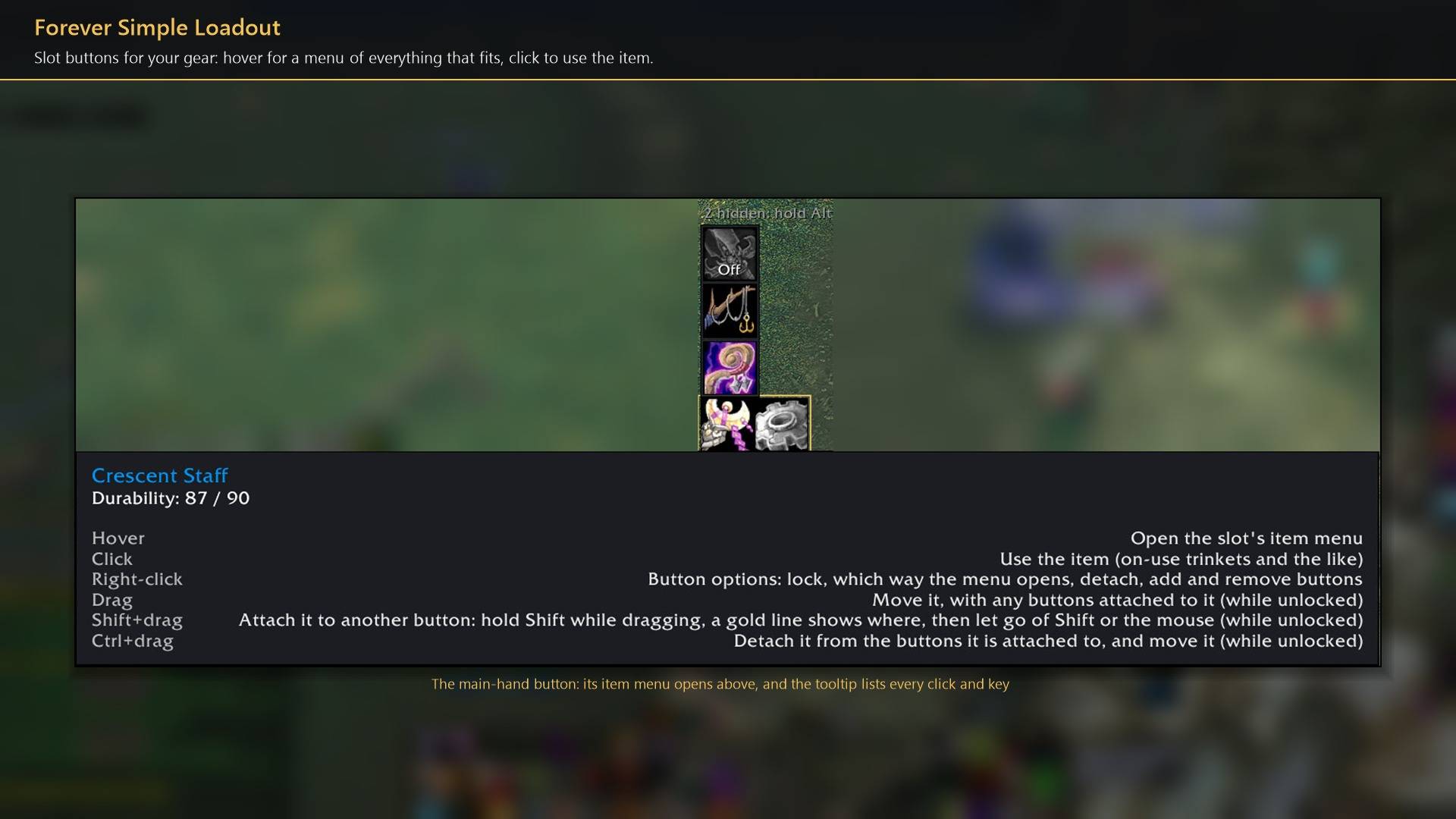
Slot buttons for your gear: hover for a menu of everything that fits, click to use the item.
Description
Forever Simple Loadout puts buttons for your equipment slots on screen. Hover one for everything in your bags that fits the slot and click to wear it; save whole outfits as sets and put them on with one click. In game it is listed as Forever Loadout.
Slot buttons
Item menus. Hover a button (or Shift+hover, or right-click, as you choose) for a menu of every item you carry that fits the slot. Click one to wear it; click the empty slot to take the item off. Alt+click hides an item you never want offered. Click the button itself to use the item, such as an on-use trinket.
Place them anywhere. Drag a button where you want it. Drop it beside another and it attaches there, with a gold line showing the side while you drag; attached buttons move together. Ctrl+click detaches one. Size, spacing and lock are in the settings.
Cooldowns. Buttons show the time left on items cooling down, and an on-screen alert says when an item you used is ready again (optionally at 30 seconds left too).
Sets
Click a slot in the set editor to choose what the set puts there: an item, Off (take it off) or Skip (leave it alone). Name it, pick an icon and save. Equip it from the Sets button's menu or with /fload equip <name>, which works in a macro. Back puts on what you wore before the last set.
Items are matched by item, so sets and hidden items keep working after you level.
In combat
Weapons change at once in combat. Armour and other slots wait until combat ends: the button turns orange with a small icon of what waits, and choosing it again cancels. Nothing changes while you are dead or casting.
How to use it
- Settings are in Options → AddOns → Forever Loadout, or type
/fload. - Add a button: click its slot in the settings page's slot grid, or Alt+click the slot on your character sheet. Alt+click your character on the sheet for the Sets button.
- Right-click a button to lock the buttons, choose which way its menu opens, or remove it. Every click and key is listed on the Mouse and keys settings page.
Works better with
These addons are optional. Install any of them alongside this one for more:
- Forever Simple Junk: It keeps the items in your Loadout gear sets and never sells them as junk.
- Forever Simple Settings:
/floadopens these options in its big, resizable window, even in combat, instead of the game's small Options window.
Feedback
Bugs and ideas: leave a comment on this page with a screenshot or the steps that cause it, and your class. I play one character, so reports from other classes and situations help most.
Forever Simple Loadout Team