Forever Simple Chat
- By
Chat that doesn't fade or vanish: saved history, drag-to-copy, clickable links, a spam filter and compact channel names.
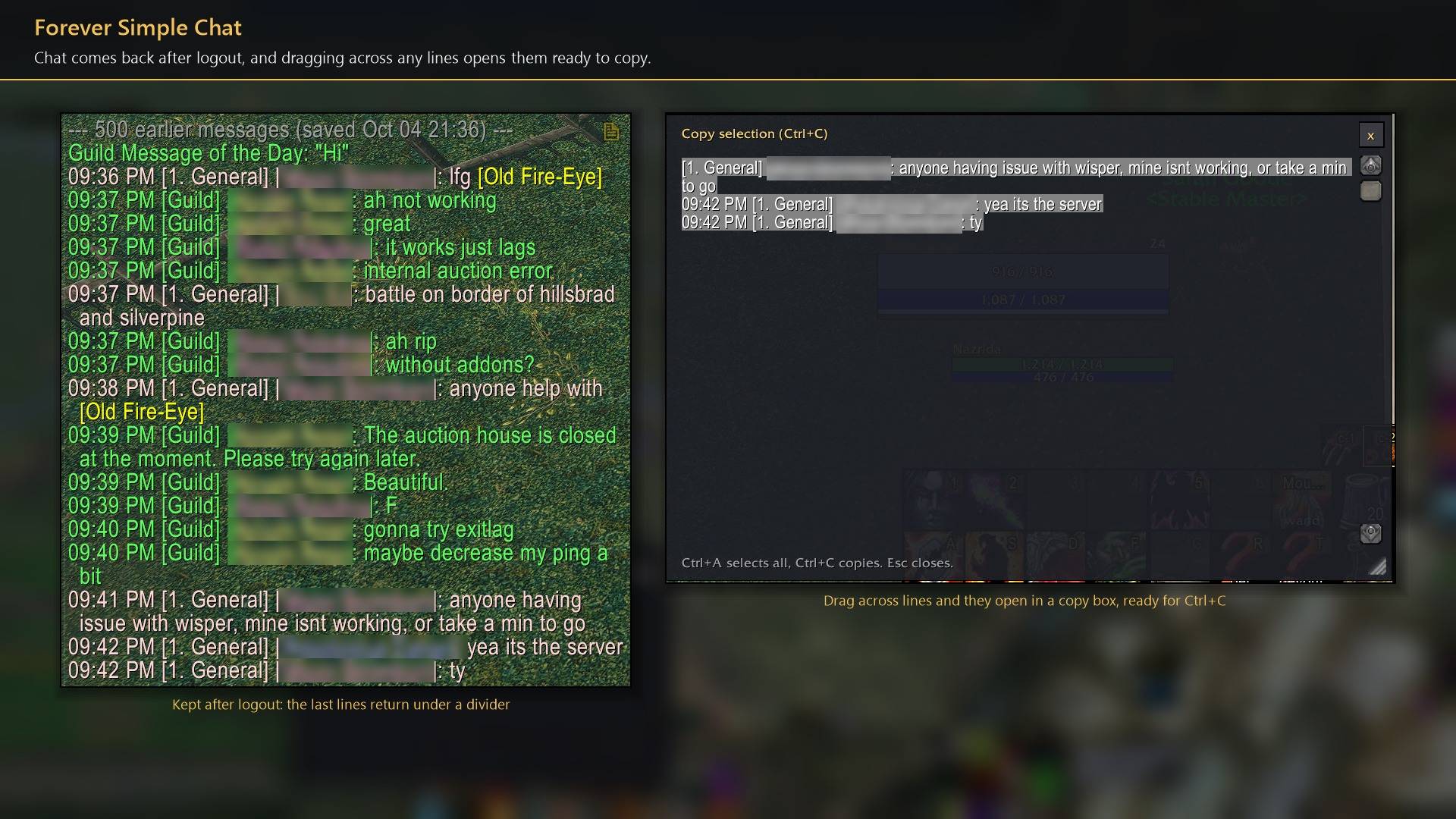
Chat comes back after logout, and dragging across any lines opens them ready to copy.
Description
Forever Simple Chat keeps your chat: text no longer fades, each window holds 1000 lines, and your recent chat comes back after a reload or logout. Drag across any line to copy it. In game it is listed as Forever Chat.
Chat that stays
- No fading. Lines stay until you scroll past them: 1000 per window, up to 5000.
- Kept after logout. Each window's recent lines come back after
/reloador logout, under a grey divider. Lines you typed come back too; press Up to reuse them. Whispers can be left out. - Copy. Drag across chat text and it opens in a copy box, ready for Ctrl+C. The copy button in a window's corner opens the whole window. Web addresses become links; click one to copy it.
Reading and typing
- Channel names.
[2. Trade - City],[2. Trade],[T]or[2]. Optional brackets around names, class-coloured names and grey timestamps. Hover an item, spell or quest link for its tooltip. - Filters. Hide join and leave lines, a player's repeated message in public channels, and words you block. Your name and your own highlight words stand out, with an optional sound.
- Windows. Font, outline and size for every window. Tabs always shown or only on mouseover; chat buttons and scroll bar can be hidden. Ctrl + wheel jumps to the top or bottom, Shift + wheel moves a page.
- Typing. Arrow keys work without Alt, and the input box can sit above the tabs.
/tt messagewhispers your target. - Compact style (on by default). Flat tabs with a gold line under the selected one and a flat input box. Turn it off for Blizzard's look.
While the game locks chat away from addons (some fights and PvP matches), those lines show exactly as Blizzard draws them, and they are not saved or copied.
How to use it
- Settings are in Options → AddOns → Forever Chat (or
/fchat). - Size and move the main chat window in Edit Mode (Esc → Edit Mode).
/clearand/clearallempty chat windows. Delete saved chat in the settings clears what is kept after logout.
Works better with
These addons are optional. Install any of them alongside this one for more:
- Forever Simple Settings:
/fchatopens these options in its big, resizable window, even in combat, instead of the game's small Options window.
Feedback
Bugs and ideas: leave a comment on this page with a screenshot or the steps that cause it, and your class. I play one character, so reports from other classes and situations help most.
Forever Simple Chat Team