Forever Simple Square Minimap
- By
A square minimap with a compact button row, coordinates, a clickable settings gear, adjustable icons, and a saved size and position.
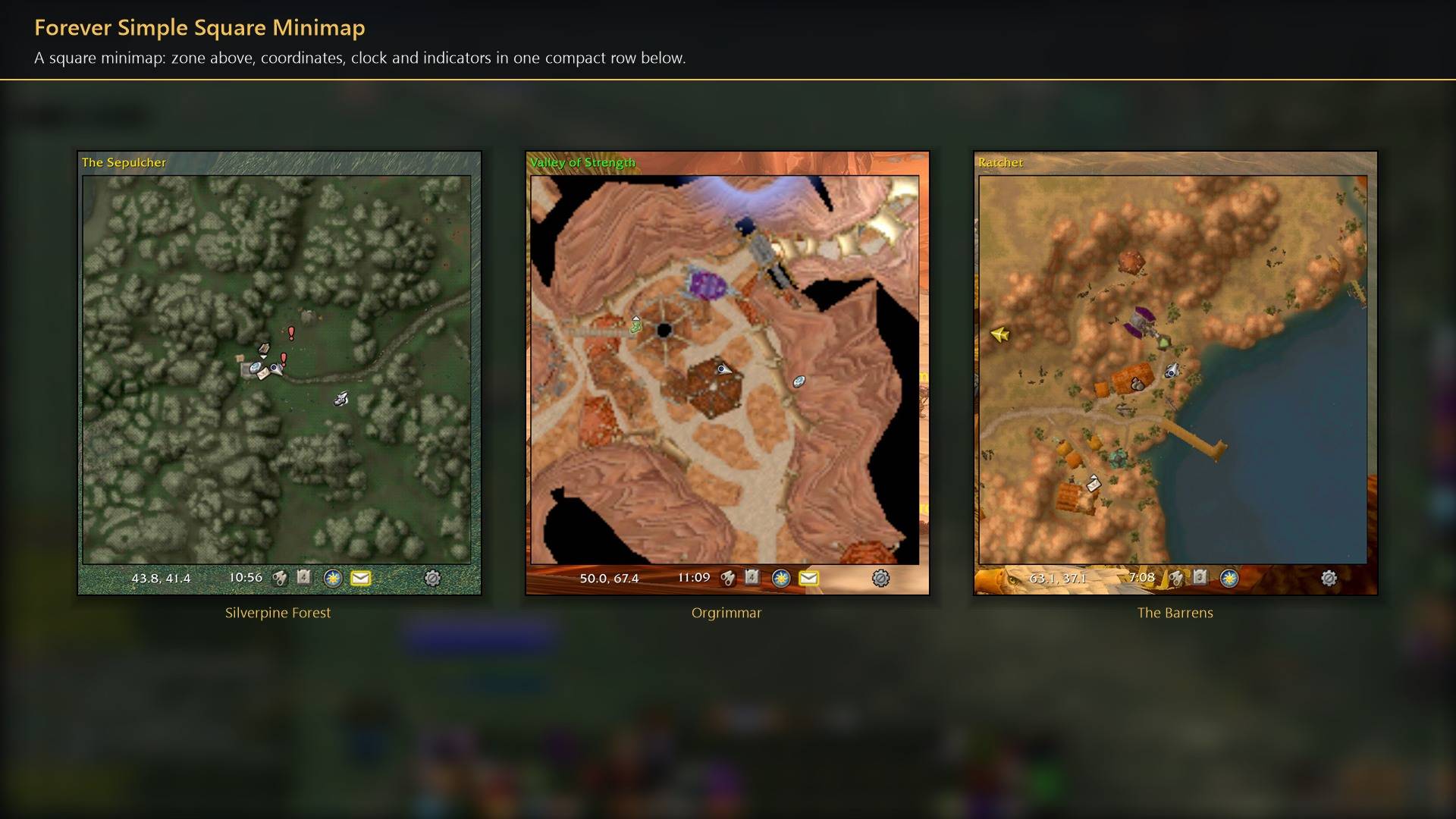
A square minimap: zone above, coordinates, clock and indicators in one compact row below.
Description
Forever Simple Square Minimap turns Blizzard's own minimap square, with a thin black outline, in World of Warcraft: Forever. In game it is listed as Square Forever Minimap.
- Square and tidy. Starts at 260 × 260 in the top right at the widest zoom. The round border and zoom buttons are hidden; mouse-wheel zoom, map blips, tooltips and pings work as before.
- One compact row under the map: coordinates, clock, tracking, calendar, the addon compartment, day/night, mail and instance indicators, each following Blizzard's own rules for when it shows. The zone name sits above the map.
- Settings gear in that row opens a small settings panel; the same options are in Options → AddOns → Square Forever Minimap.
Options: minimap size, tracker icon size on the map (50–300%), button row size, coordinates (with one decimal place), zone name, rotate with your facing, widest zoom at login, hide the quest-area ring, unlock to move, and reset. Size and position are saved account-wide. /fminimap opens the settings.
Works better with
These addons are optional. Install any of them alongside this one for more:
- Forever Simple Quests: Its minimap marks and patrol routes stay inside the square edge.
- Forever Simple Settings: Its minimap gear slides along the square edge.
Forever Simple Square Minimap Team