Forever Simple World Map
- By
Two maps, your choice: Blizzard's world map with minimap terrain, names and every flight master, or one seamless explorer map per continent with every dungeon.
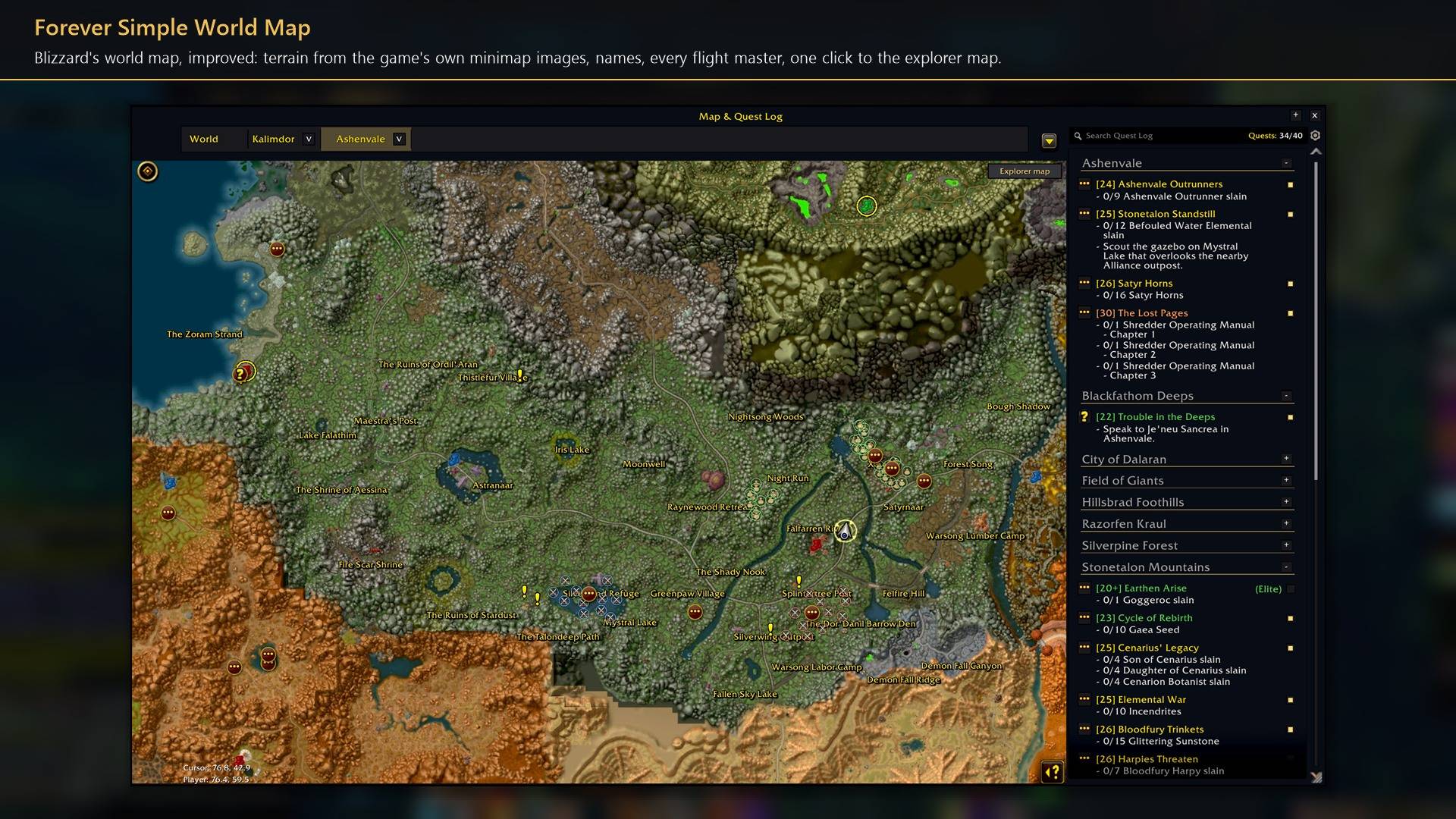
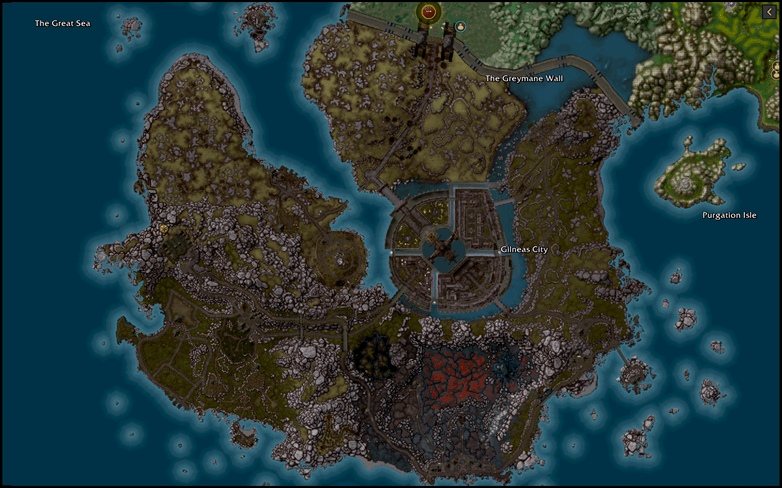
Blizzard's world map, improved: terrain from the game's own minimap images, names, every flight master, one click to the explorer map.
Description
Forever Simple World Map gives you two maps drawn from the game's own minimap images: Blizzard's world map with the whole land, every place name and every flight master, and the explorer map, one picture per continent with every dungeon and raid and its own quest log. In game it is listed as Forever World Map.
Quests on the explorer map need Forever Simple Quests for quest givers and objective marks. Without it the explorer map shows only the quests in your log, quests to pick up where the game lists them, and the area of the quest you track.
Blizzard's world map
- Terrain. Every outdoor zone, continent, capital and battleground shows the whole land, explored or not. Ironforge and Undercity show every floor.
- Names and level ranges. Every zone, town and landmark is named, the capitals by district, and each zone on a continent map has its level range under its name.
- Every flight master. Both factions, with a gold ring on each path this character has not learned yet.
- Zoom. Two more steps, up to 50% closer, and a map you reopen keeps its zoom.
The explorer map
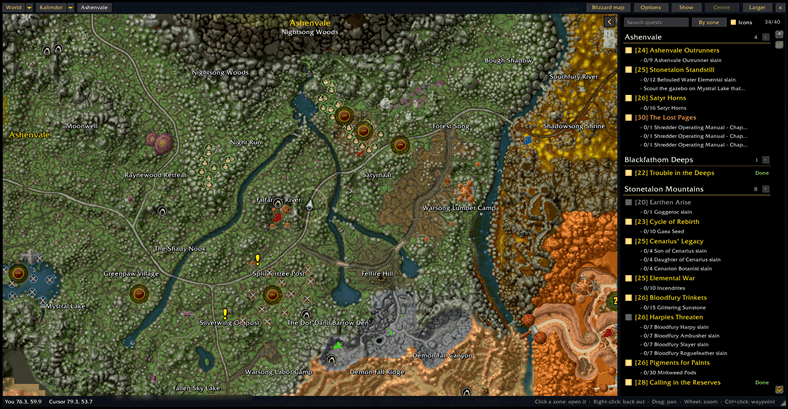
One picture per continent. Pan straight across zone borders and zoom from a whole continent down to the minimap's own detail. Click a zone or city to open it, right-click to step back out.
Dungeons and raids. 45 instances, the classic ones and Forever's own, put together room by room, with every classic boss as a skull with its name. The game gives addons no position inside a dungeon, so the map places you from the entrance and the boss you fight; Shift+right-click marks where you are.
Markers. Flight masters with the same gold rings, dungeon entrances, 324 caves, rares and treasures near you, your party and your waypoint. The Show menu turns each kind on or off; Marker size sets one size for all.
Quests. The quests in your log, glowing when ready to hand in; click one to track it. Its own quest log opens beside the map, with search, objectives, rewards, and Track, Focus, Share and Abandon. Quest givers and objective marks need Forever Simple Quests.
How to use it
- Click Explorer map at the top right of Blizzard's map: from then on M opens the explorer map. Blizzard map on its top bar switches back.
- Drag to pan, wheel to zoom, Ctrl+click for a waypoint.
- Settings: Options → AddOns → Forever World Map, or
/fmap.
Works better with
These addons are optional. Install any of them alongside this one for more:
- Forever Simple Quests: Quest givers and objective marks on the explorer map (click for a waypoint, Shift+click to hide a quest), an Icons box to switch them, and level ranges such as 18-21 in its quest log.
- Forever Simple Settings:
/fmapopens these options in its big, resizable window, even in combat, instead of the game's small Options window.
Feedback
Bugs and ideas: leave a comment on this page with a screenshot or the steps that cause it, and your class. I play one character, so reports from other classes and situations help most.
Made for World of Warcraft: Forever.
Forever Simple World Map Team