Forever Simple DR
- By
Diminishing returns on enemy players, shown on your target and on enemy nameplates: stage, stacks and time to reset.
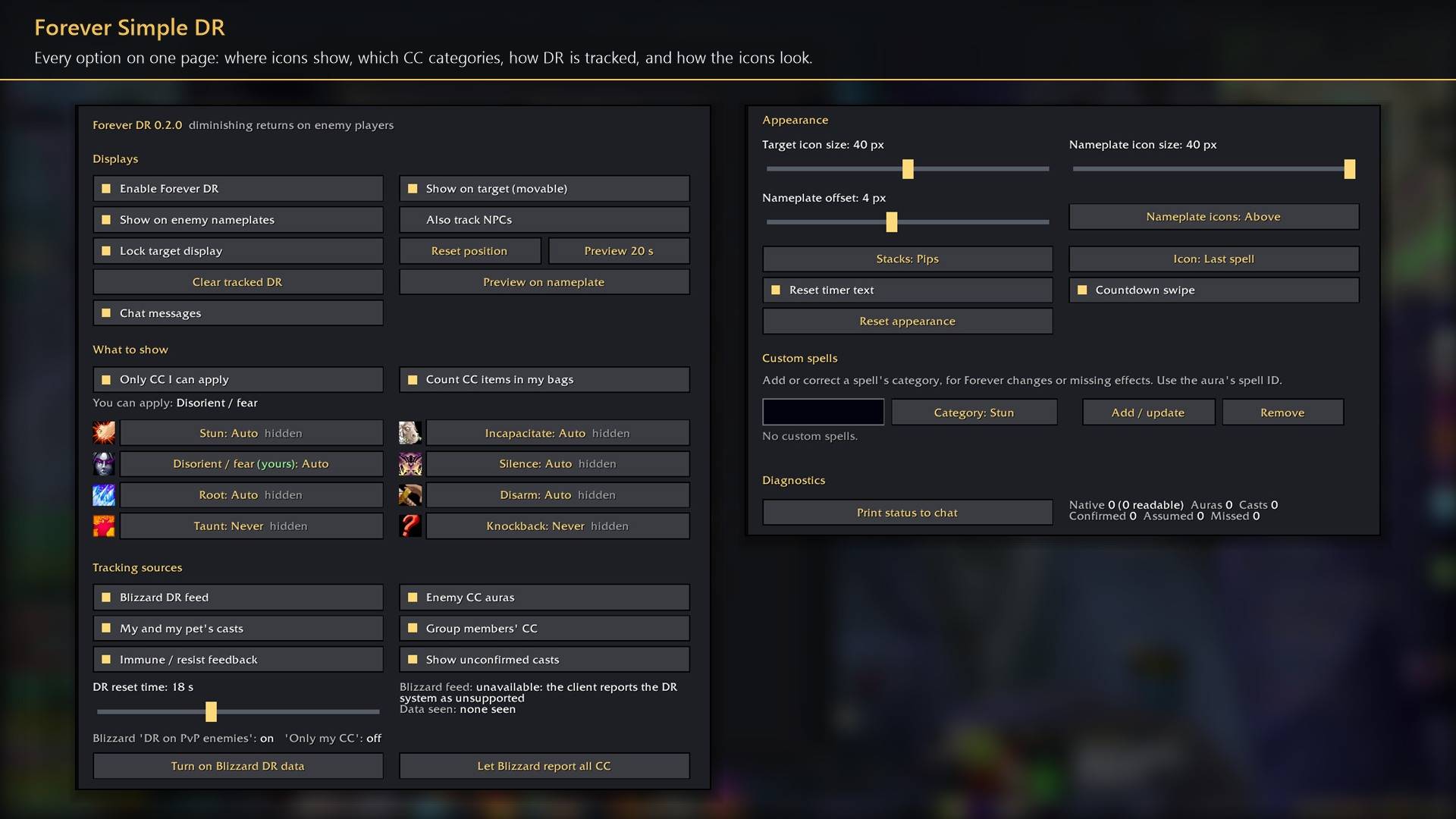
Every option on one page: where icons show, which CC categories, how DR is tracked, and how the icons look.
Description
Forever Simple DR shows diminishing returns on enemy players: how much shorter your next stun, fear or root will be, and when the enemy is immune. Icons sit on a movable bar for your target and above enemy nameplates, each with a timer until its category resets. In game it is listed as Forever DR.
Reading the icons
- Border colour. Yellow: the next CC in that category lasts 50%. Orange: 25%. Red: immune.
- Stacks. Pips, a count, or the next duration (50%, 25%, IMM).
- Icon. The last CC used in that category, or a fixed icon for the category.
- Timer. Time until the category resets (18 seconds by default, adjustable), with an optional swipe. A grey timer means part of the timing is estimated.
Hover an icon on the target bar for its applications, time to reset and last spell.
What it tracks
Eight categories. Stun, incapacitate, disorient or fear, silence, root, disarm, taunt and knockback. By default only the ones you can apply are shown, from your spells, your pet and CC items in your bags: a warlock sees fear, Death Coil and Spell Lock, not Polymorph. Set any category to Auto, Always or Never.
Every source it can see. Blizzard's own DR data, CC on your target, focus and nameplates from anyone (your group, items such as grenades, racials such as War Stomp), your and your pet's casts, and immune and resist messages.
Custom spells. Add a spell ID, or correct one, with its category.
Forever hides much of combat from addons, so an enemy is tracked only while it is your target, your focus or on a nameplate, and CC the addon could not confirm is shown grey.
How to use it
- Settings are in Options → AddOns → Forever DR (or
/fdr). - Under Blizzard data, click Turn on to switch on the game's own DR feed for exact timers.
/fdr unlockshows the target bar to drag; right-click it to lock. Preview 20 s (or/fdr preview) shows sample icons.- Also track NPCs adds hostile NPCs, using the PvP rules.
Works better with
These addons are optional. Install any of them alongside this one for more:
- Forever Simple Settings:
/fdropens these options in its big, resizable window, even in combat, instead of the game's small Options window.
Feedback
Bugs and ideas: leave a comment on this page with a screenshot or the steps that cause it, and your class. I play one character, so reports from other classes and situations help most.
Forever Simple DR Team