Proto Tools
- By
Tools and pre-release addons. Highlight while Stealth. Buff timers. Battleground timers. Proto Ledger. Auto tracking. Weapon buff bar and more.
Screenshot 2026-10-13 212759.png
Screenshot 2026-10-13 212813.png
Screenshot 2026-10-13 212835.png
Description
Proto Tools
The Proto Suite
 |
| Proto Suite every Proto addon in one download |
 |  |  |  |  |  |
| Core shared libraries | LFG + Chat group finder, chat filter | ServiceShop sell your services | Threat threat meters | UI chat, frames, bags | Map world map, dungeons |
 |  |  |  |  |  |
| Tools buffs, tracking, more | BG Timers battleground timers | Tongues talk cross-faction | Angler one-click fishing | Games play with friends | Auras your buff groups |
As we move into Forever release I will be updating these addons regularly, with a focus on fixing errors, finalizing features and ensuring full compatibility with the in-game API.
Small quality-of-life tools, each on its own switch and all off until you turn them on, your companion pet kept out, and Proto Ledger for your gold. The CurseForge app adds Proto Core (the shared code), Proto BG Timers (the battleground panel) and Proto Auras (your buffs and cooldowns as icons) with it, and it fits right in with Proto LFG + Chat, Proto UI, Proto ServiceShop, Proto Threat, Proto Tongues, Proto Angler, Proto Games and Proto Map.
Known issues / Improvements
- Prayer of Mending sound doesn't play in most fights: Forever hides the buff there, and the game's bounce sound stays muted
New in 0.0.31
- Prayer of Mending sound: your own sound when it bounces, any class (Settings > Proto Tools > Prayer of Mending, off by default)
- Proto Ledger waits while another Proto addon uses the auction house
Buff reminders
- See who's missing your buffs: in a group, out of combat, a pop-up names who needs Mark of the Wild, Fortitude, Arcane Intellect or your blessing
- Buff them in one click: click Buff on the pop-up, then the next person
- The right buff for each role: Thorns for the tank, Divine Spirit and Wisdom for casters
- Quiet in fights and boss fights
- Each buff on its own switch (Settings > Proto Tools > Buff reminders, off by default, or type /proto qol buffs)
Auto tracking
- Target a mob, track its kind: Track Beasts, Humanoids, Undead and the rest
- Three tracking modes: Improved Tracking (your target's kind), Zone Based (each zone's main mob kind as you enter it: graveyards Undead, satyr camps Demons) or PvP (always Track Humanoids). Settings > Proto Tools > Auto tracking > Mode
- Herbs and ore out of combat: Find Herbs, Find Minerals, Find Fish and Find Treasure, taking turns between the ones you know
- Dungeons too: each dungeon's main mob kind, and herbs and ore where it has them
- Off by default (Settings > Proto Tools > Auto tracking, or type /proto qol tracking)
Spell announcements
- Tell your group when you use a big spell: "Shield Wall up", "Power Infusion on Bob", "Resurrecting Bob", "Soulstone on Bob"
- Pick your spells: tank cooldowns, saves, resurrects and summons on by default; crowd control and group buffs to add. Click Choose spells…
- Off by default (Settings > Proto Tools > Spell announcements, or type /proto qol announce)
Auto Summon Companion
- Your companion pet always out: random, one of your favourites, or one you pick
- Timer: a different companion every 10 minutes, or as often as you set
- Never puts yours away, and waits while you're in a fight, mounted, flying or casting. Put it away yourself and it stays away until your next loading screen
- Hide companion in Battlegrounds: put away in a battleground, back when you leave (on by default)
- Off by default (Settings > Proto Tools > Companion, or type /proto qol pet for one now)
Battlegrounds
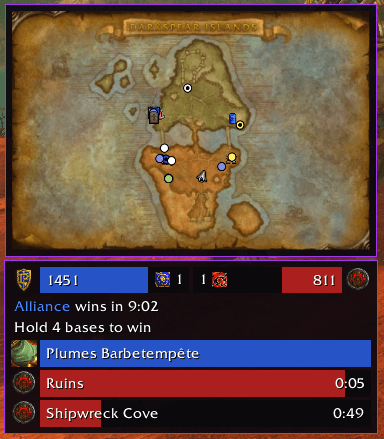
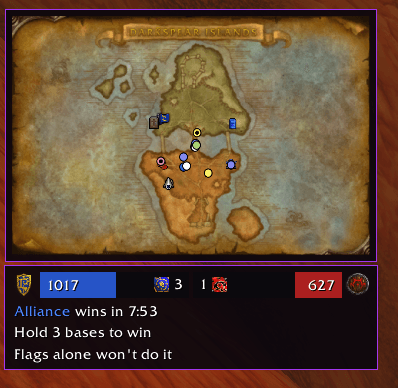
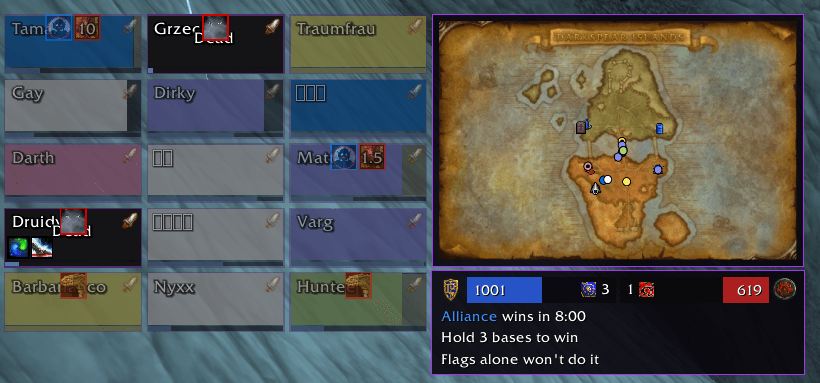
- Battleground panel and Battleground map: score, bases, time left, the flag and base timers, in Proto BG Timers, installed with Proto Tools (Settings > Proto BG Timers)
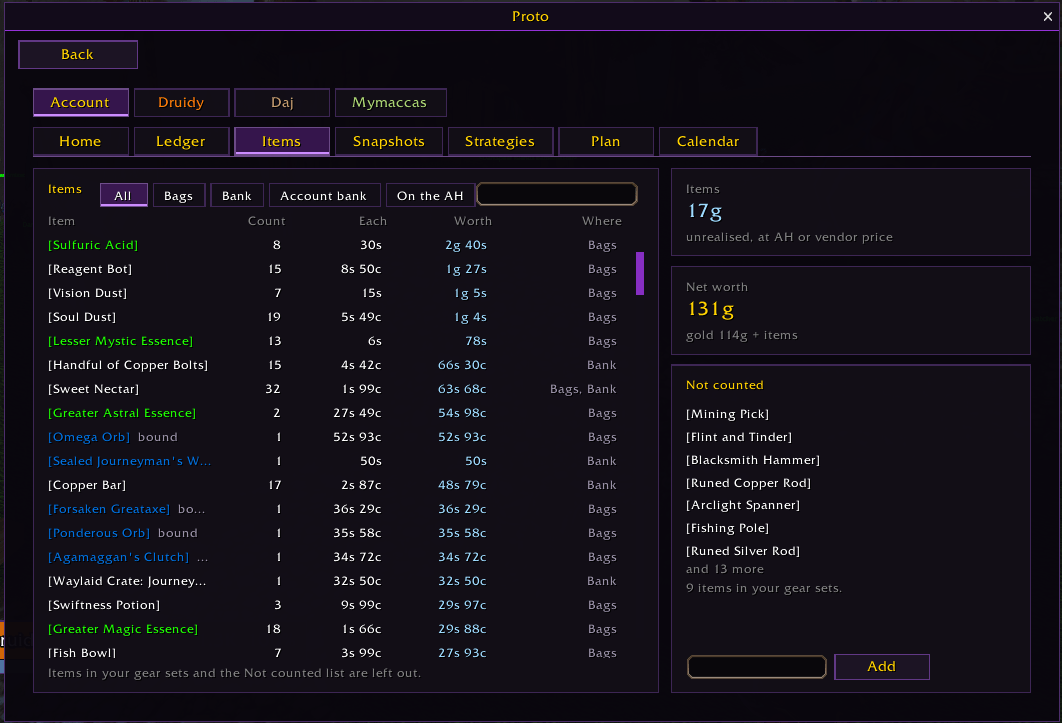
Proto Ledger: your gold, in and out
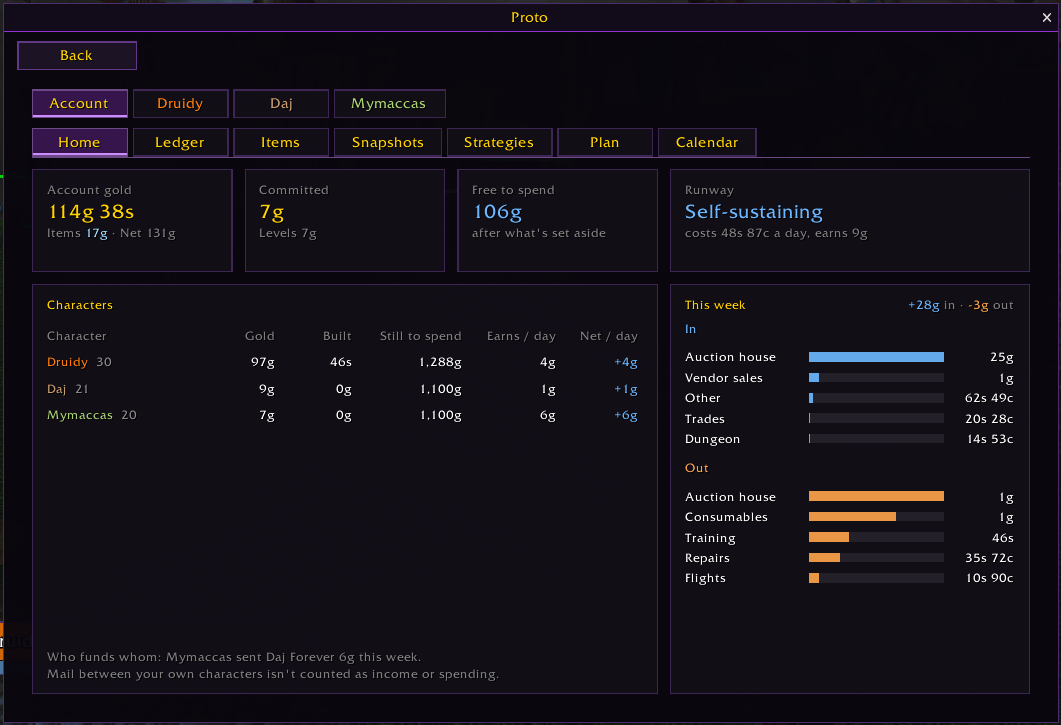
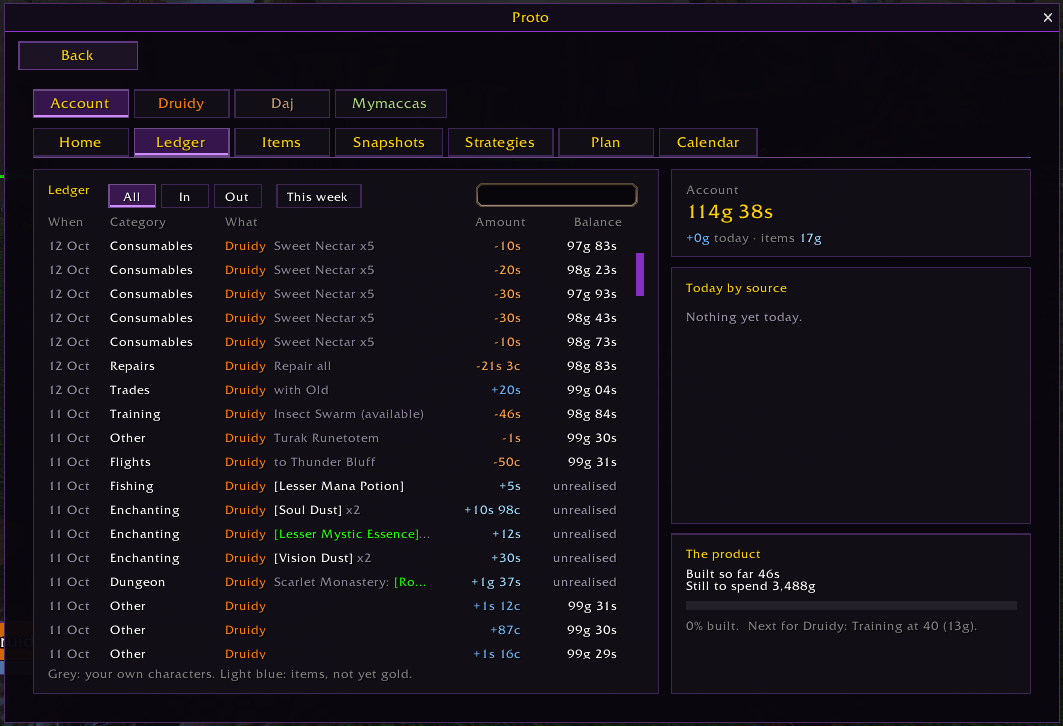
- Every copper in and out, by source: loot, quests, vendor, auction house, trades, mail, repairs, consumables, flights, training, pickpocketing. A running balance that always matches your gold
- Account and characters: the whole account on Home, a tab per character; gold mailed between your own characters counts as a transfer, not income
- Wish list: add an item (shift-click a link or type a name), priced from the auction house, and see when you'll have it at your usual earnings
- Running costs and runway: what you spend per played day, and how long your free gold lasts. A notice when it runs low, or when you pass your daily budget
- Upcoming costs: class training and mounts by level, corrected at every trainer visit
- Net worth: your bags, bank and auctions valued; looted items on their own lines, never counted as gold
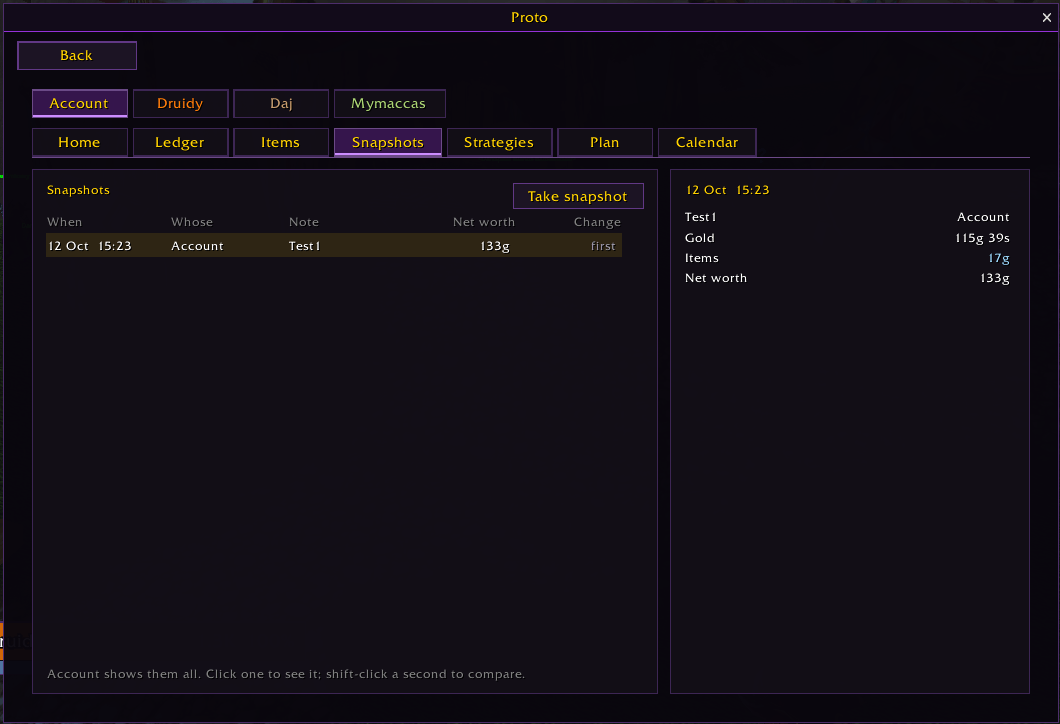
- Snapshots and strategies: take a snapshot, run a farming strategy, compare gold, items and XP per hour
- Calendar of your best and worst days, a data bar module and a Proto Home tile
- Type /proto ledger (Settings > Proto Tools > Ledger)
And more
- Hide the quest tracker (Settings > Proto Tools > Quests)
- Herbs and ore on the minimap coloured by your skill: red if you can't gather it yet, orange, yellow or green for a skill-up, with the skill it needs (Settings > Proto Tools > Herbs and ore, off by default)
- Weapon buffs bar: poisons, sharpening stones, oils and experience food in one bar. Left-click: main hand. Right-click: off hand. Only the stones your weapons take. Times turn red under 5 minutes, and the buttons glow red when a weapon has no buff, the food when you have no experience buff, with the buff's time left (Settings > Proto Tools > Weapon buffs, off by default)
- Loot key: scroll down (or a key you pick) loots the corpse in front of you, in fights too; Shift-scroll zooms out (Settings > Proto Tools > Looting, off by default)
- Quest windows: Space for the main button, 1-9 for the rest (Settings > Proto Tools > Quests)
- Soulstone alerts when you get or lose one (Settings > Proto Tools > Buff reminders, off by default)
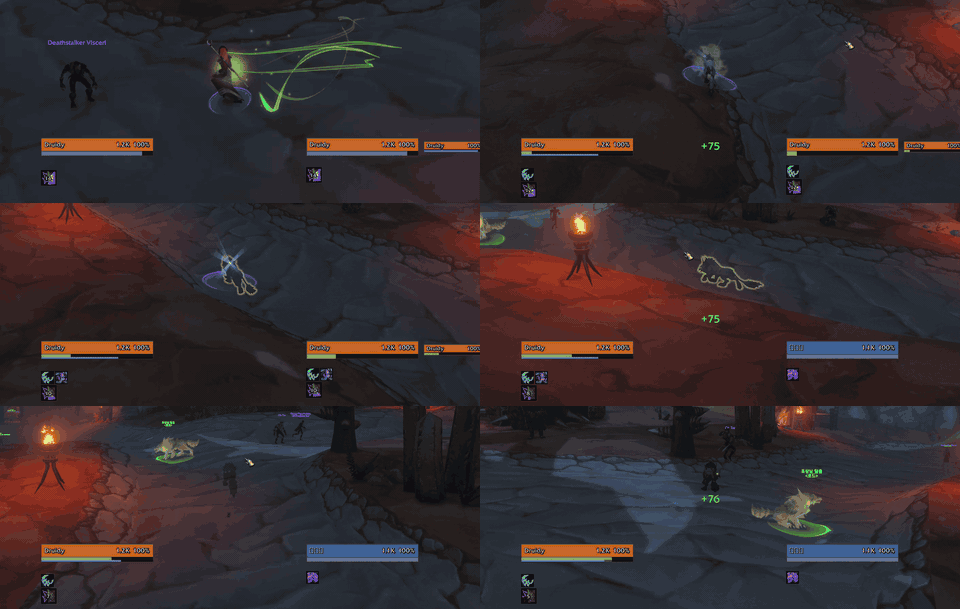
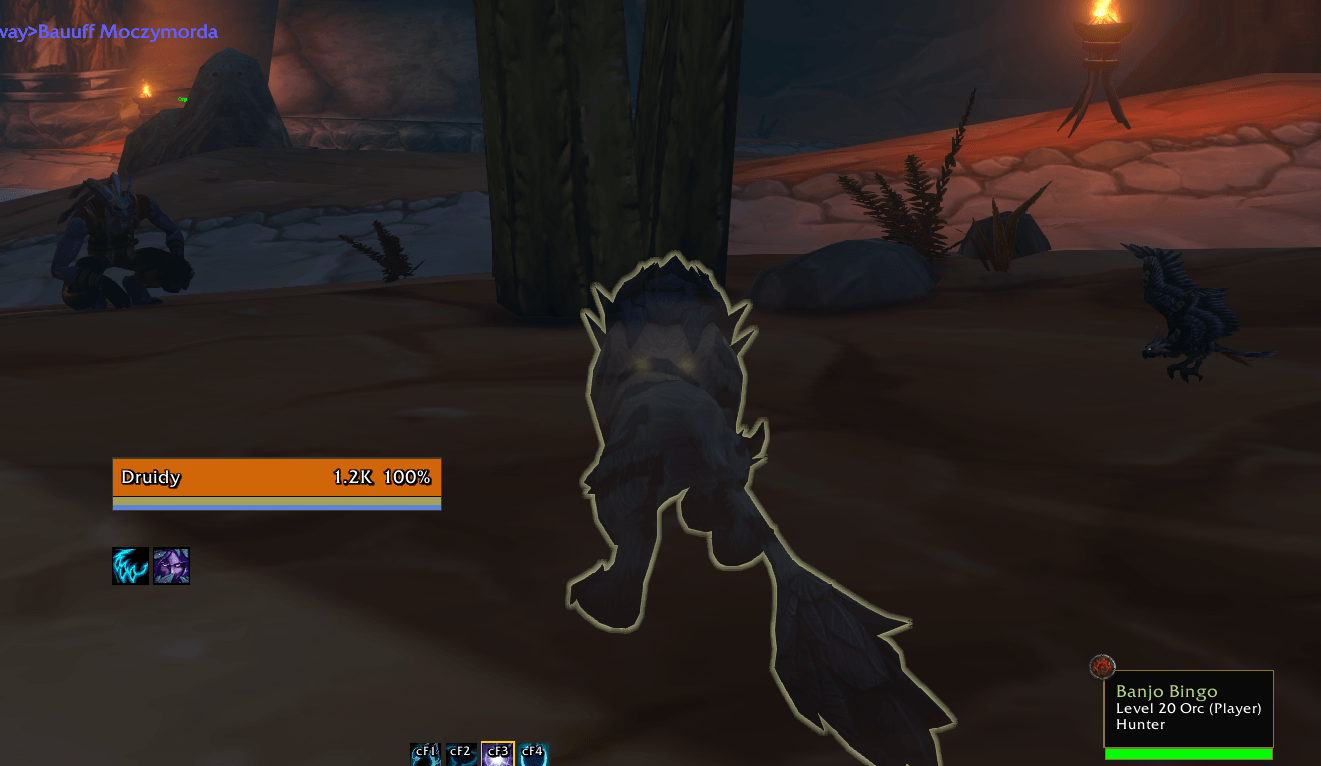
- Highlight me while stealthed: your Self Highlight (outline, circle or icon) shows in Stealth, Prowl and Shadowmeld, and goes back to how you had it when you leave stealth (Settings > Proto Tools > Stealth, off by default)
- Realm in the guild list: each member's realm on their row (Settings > Proto Tools > Guild, off by default)
- Hide the game's feedback and survey pop-ups, after quests and bosses (Settings > Proto Tools > Feedback and surveys, off by default)
Tick Highlight me while stealthed, then Prowl, Stealth or Shadowmeld: your outline shows while you're hidden and goes away when you leave stealth.
Proto Tools Team