Proto Map
- By
The world map redrawn: zoom from Azeroth into any zone, with your quests, flight masters, dungeons and their loot.
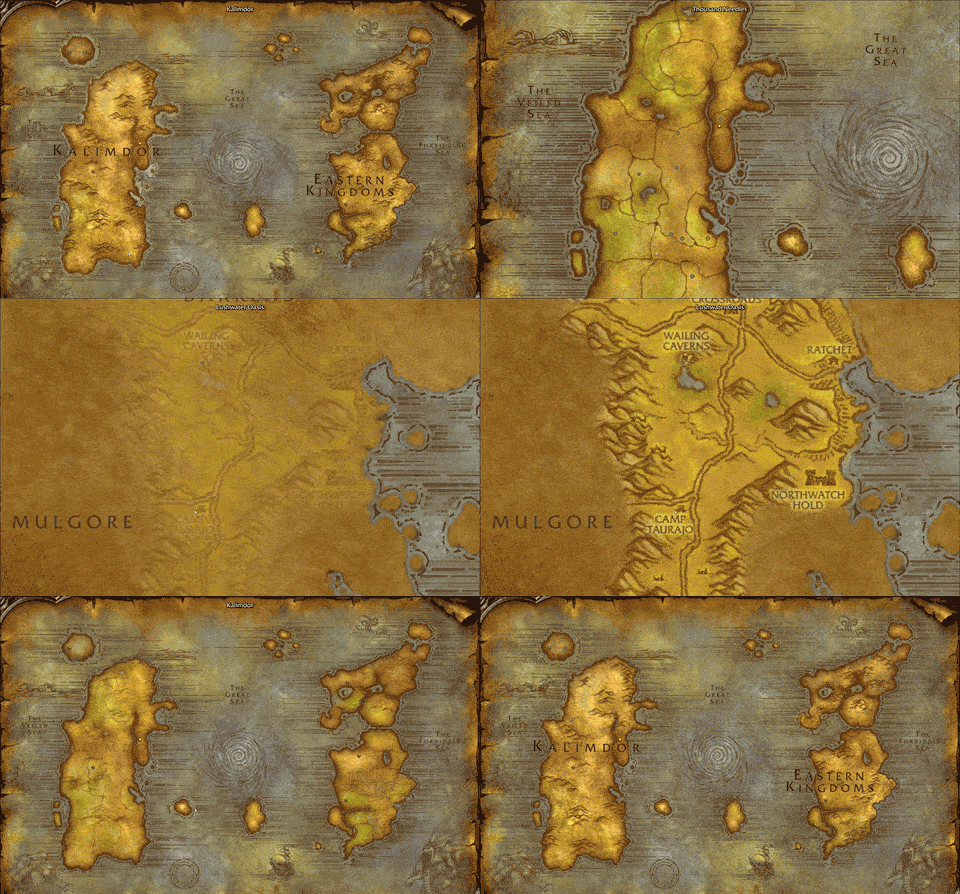
Scroll from Azeroth down to a zone and back.
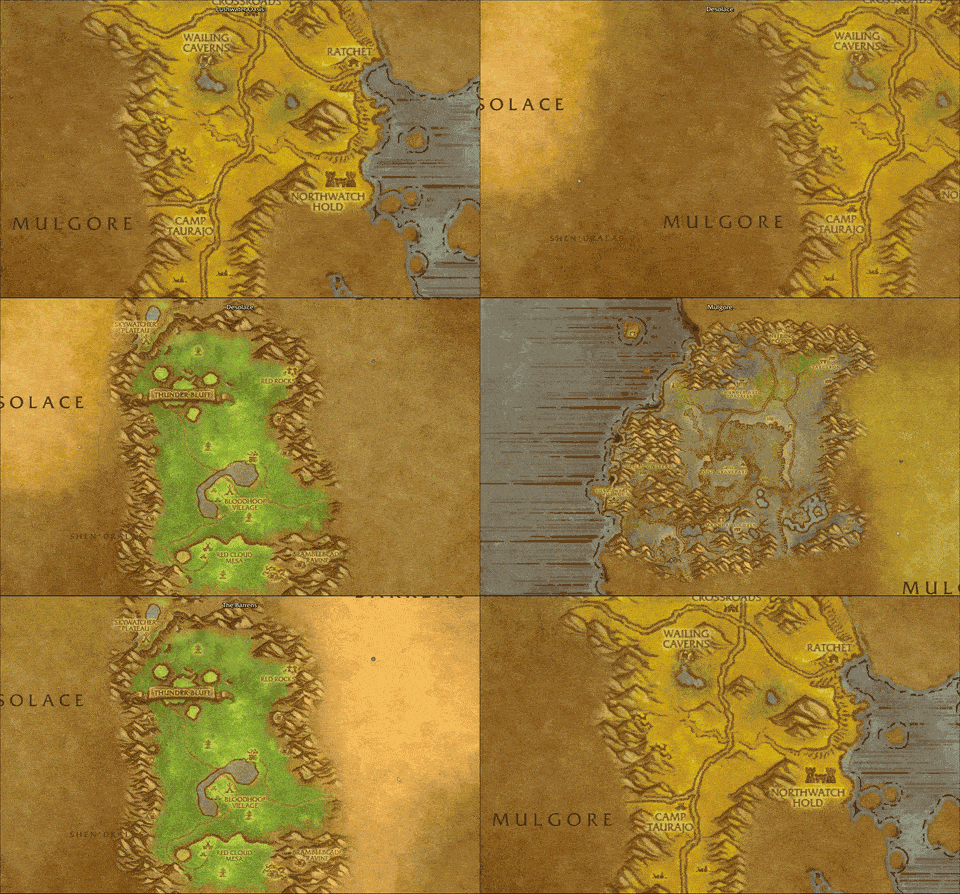
Glide between the Barrens, Mulgore and Desolace.
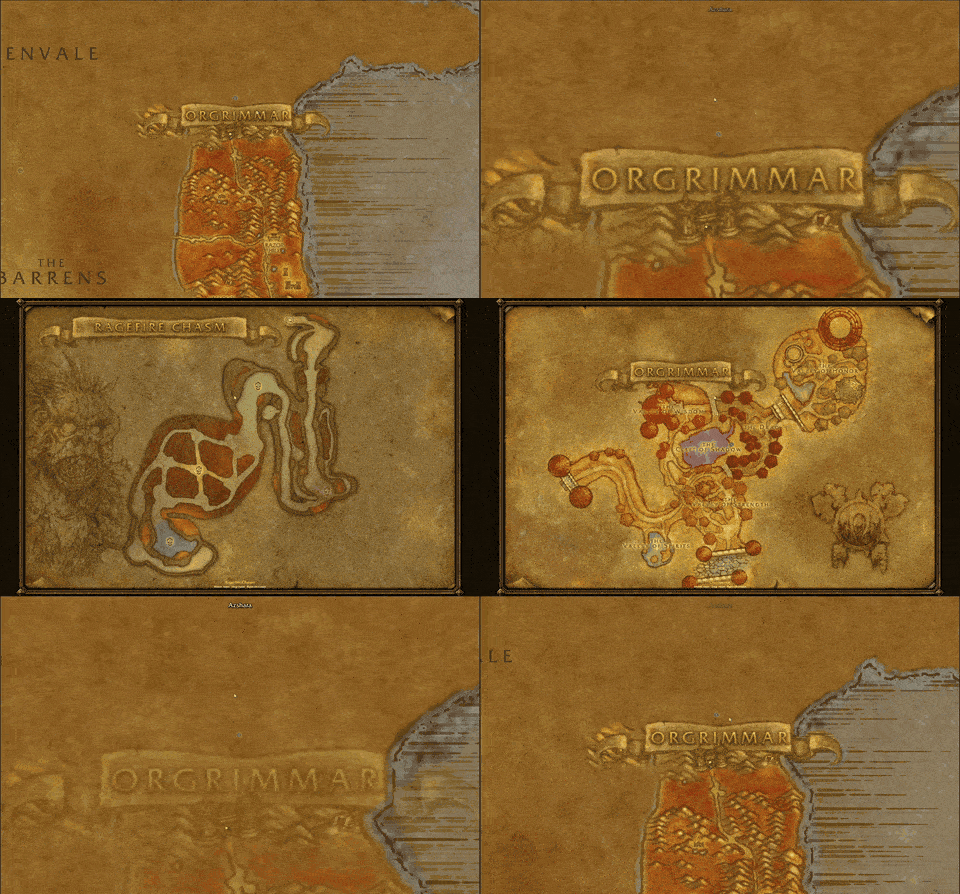
Into Ragefire Chasm, out to Orgrimmar, back to the world.
Description
Proto Map
The Proto Suite
 |
| Proto Suite every Proto addon in one download |
 |  |  |  |  |  |
| Core shared libraries | LFG + Chat group finder, chat filter | ServiceShop sell your services | Threat threat meters | UI chat, frames, bags | Map world map, dungeons |
 |  |  |  |  |  |
| Tools buffs, tracking, more | BG Timers battleground timers | Tongues talk cross-faction | Angler one-click fishing | Games play with friends | Auras your buff groups |
As we move into Forever release I will be updating these addons regularly, with a focus on fixing errors, finalizing features and ensuring full compatibility with the in-game API.
The world map redrawn as one map: zoom from all of Azeroth straight into any zone, no clicking in and out. Open the world map (M) as usual.
- Two Modes: Explorer and Whole map (the map's filter button > View). Undiscovered areas can be shown or hidden (Unexplored). Explorer view gives a real re-creation of the Classic map. Whole map is every map stitched together, across many hours in GIMP
- Performance Optimized: Heavily optimized, minimum FPS drops, even with a fully animated map. No Questie lag, Native icon support using HereBeDragons.
- AtlasLoot Revamped: I have moved AtlasLoot loot modules into Proto Map so it has a distinct minimal Blizzard style. I will eventually have a toggle to use Atlas map art for dungeons.
- Azeroth, modernised: Both continent maps, remade on blank parchment. Animated maelstrom and other little easter eggs. Animated ocean that scales with zoom level.
- Seamless is the goal: Many hours have been spent in GIMP with my Wacom, fading and blending the zones together. More work will be done, but the current result is extremely seamless (pun intended)
- Scroll to zoom, drag to move, from the whole world down to a zone
- Your quests with their blue quest areas, flight masters, cities, dungeon and raid entrances (Forever's new dungeons too) and battlegrounds on the map
- City and dungeon maps: scroll into a city or dungeon entrance (or click it) and its own map opens, framed; zoom and drag inside it, floors with < >, scroll out to go back
- Dungeons inside cities (Ragefire Chasm in Orgrimmar) open from the city's map
- Your group on the map, and your arrow turning with you
- The top bar and quest list follow the zone you're looking at
- Filter what shows: click the map's filter button > Filter (quest icons, quest areas, flight masters, cities, dungeons, battlegrounds)
- Dungeon loot with AtlasLoot installed: click the loot button above the quest log's for a dungeon's or raid's bosses and their loot, hover for the item; pick any dungeon, raid or AtlasLoot page from the list at the top
- Other addons' icons (Questie, HandyNotes, RXPGuides) stay on the map, city maps too, and DungeonJournal's Show on map pins show on it
- Mouse coordinates at the bottom middle of the map (Settings > Proto Map > World map > Mouse coordinates, on by default)
- Ctrl-click sets a map pin, right-click goes up a level
- Switch it off any time (Settings > Proto Map > World map, Proto Map in the world map)
Needs Proto Core (the CurseForge app adds it).
Known issues / Improvements
- Kalimdor and the Eastern Kingdoms only, in the game's own map style
- Big download: the map art is large
- Forever's new dungeons (Ruins of Lordaeron, Hall of Thanes, Excavation Site) have no map of their own yet
- AtlasLoot should be an optional setting, which it is not currently.
Note: I moved this out of Beta once most features were working, as I wanted it out there for people to use. Further map (blending / layering work) is happening as I get time (It's slow - I have massive GIMP projects with all zones and my custom layers I work off, although I am very happy with its current state) and the non-Blizzard map needs a lot of work. The game is missing some dungeon maps, I will leave them empty for now, will likely fill with AtlasLoot maps (if installed) at a later date.
New in 0.0.13
- Map pin clicks: click to track it, Ctrl-click to remove it, Shift-click to link it (open the world map, M)
Proto Map Team