Proto ServiceShop
- By
Seller and service provider assistant. Post professions, custom ads, easy link+invite. Enchanting Buddy for easy enchant and one-click DE.
Description
Proto ServiceShop
The Proto Suite
 |
| Proto Suite every Proto addon in one download |
 |  |  |  |  |  |
| Core shared libraries | LFG + Chat group finder, chat filter | ServiceShop sell your services | Threat threat meters | UI chat, frames, bags | Map world map, dungeons |
 |  |  |  |  |  |
| Tools buffs, tracking, more | BG Timers battleground timers | Tongues talk cross-faction | Angler one-click fishing | Games play with friends | Auras your buff groups |
As we move into Forever release I will be updating these addons regularly, with a focus on fixing errors, finalizing features and ensuring full compatibility with the in-game API.
Requires Proto Core
The CurseForge app installs it and Proto LFG + Chat with ServiceShop.
Sell enchants and services without the busywork: prices, auto-replies, trades, adverts and sales history, all in one window. Press K to open it. Part of the Proto Suite (above).
New in 3.6.11
- Faster price scans: 100 items in one search (click the auction house's Proto tab, Reputation > Scan prices)
- 89 more writ hand-in spots with the NPC's name (click the auction house's Proto tab, Reputation)
- Each buy's price in chat, the total and each (click the auction house's Proto tab, Reputation)
Sell enchants
ServiceShop answers your customers and does the thinking for you:
- Short, simple replies: customers link an enchant or their item and get your price, or "your mats + tip", and whisper inv for an invite. Prefer menus? Turn on Menu replies for !enchants, slots (!bracer) and the full list (Settings > Professions > Enchanting replies)
- Customers bring the mats: every enchant you know is on offer, and replies list the mats to bring + a tip (Settings > Professions > Enchanting)
- Targeted replies: someone asks for "stam to boots" and gets that enchant and your price, not your whole menu. Asked for a stat, they get your best enchant for it (still learning: tell me requests it misses)
- !mats: after your prices, customers whisper !mats for the mats to bring for those enchants (with Menu replies on)
- DTF Mode: DE For the Group: every disenchant counted and announced, then the mats split by roll or round robin (Settings > Professions > Enchanting)
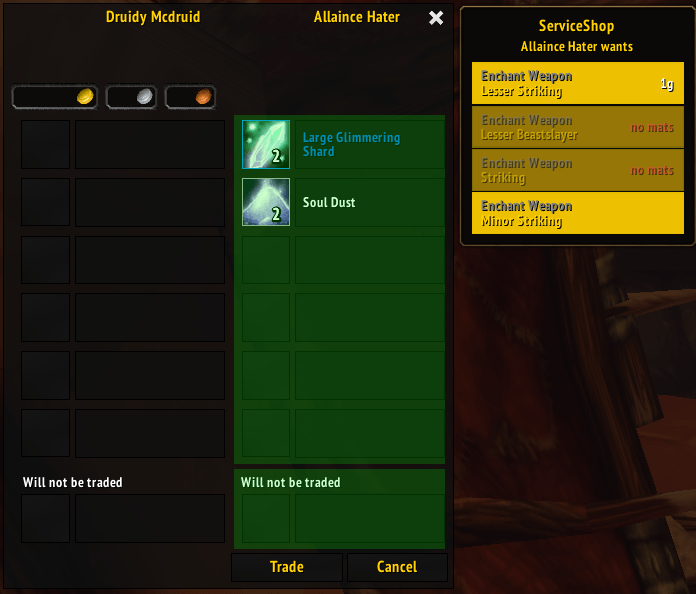
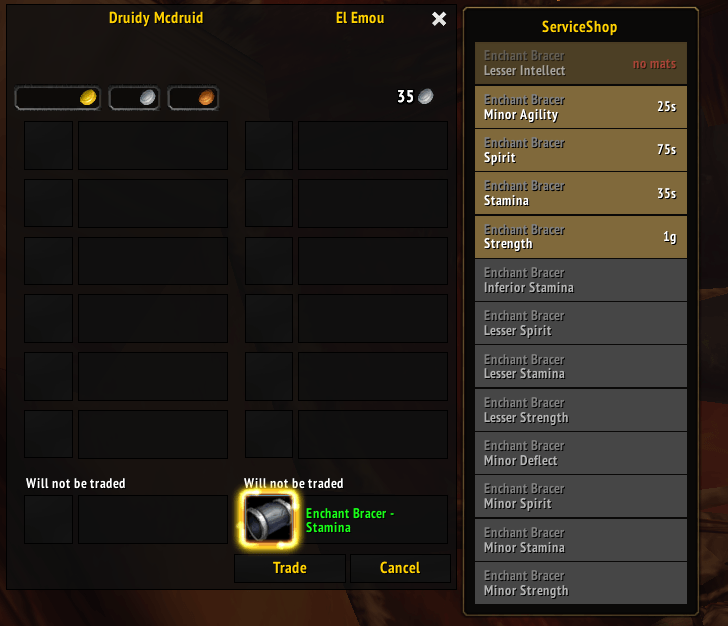
- One-click enchanting: when someone trades you, their enchants show beside the trade window. Click one to enchant (on by default). Keep the Enchanting window out of sight while you do (Settings > Professions > Enchanting trades, off by default)
- Bring your own mats: mats customers trade you are tracked and used first
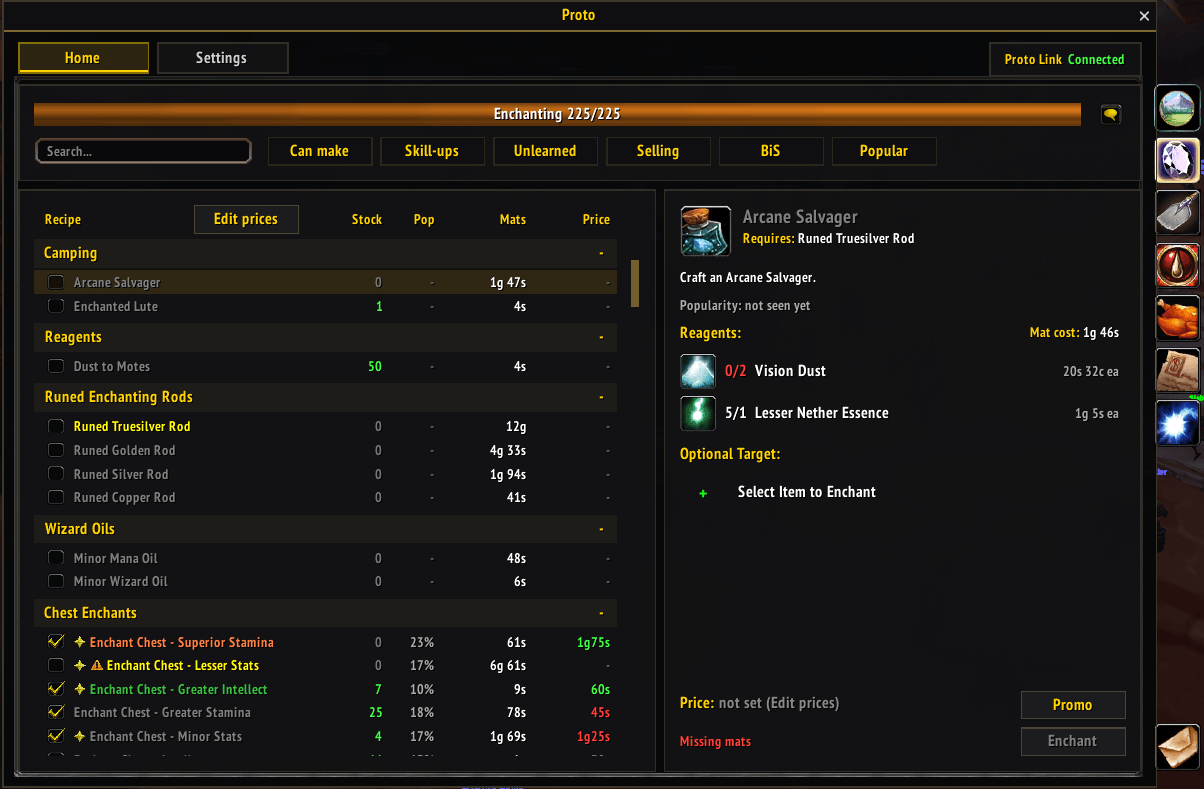
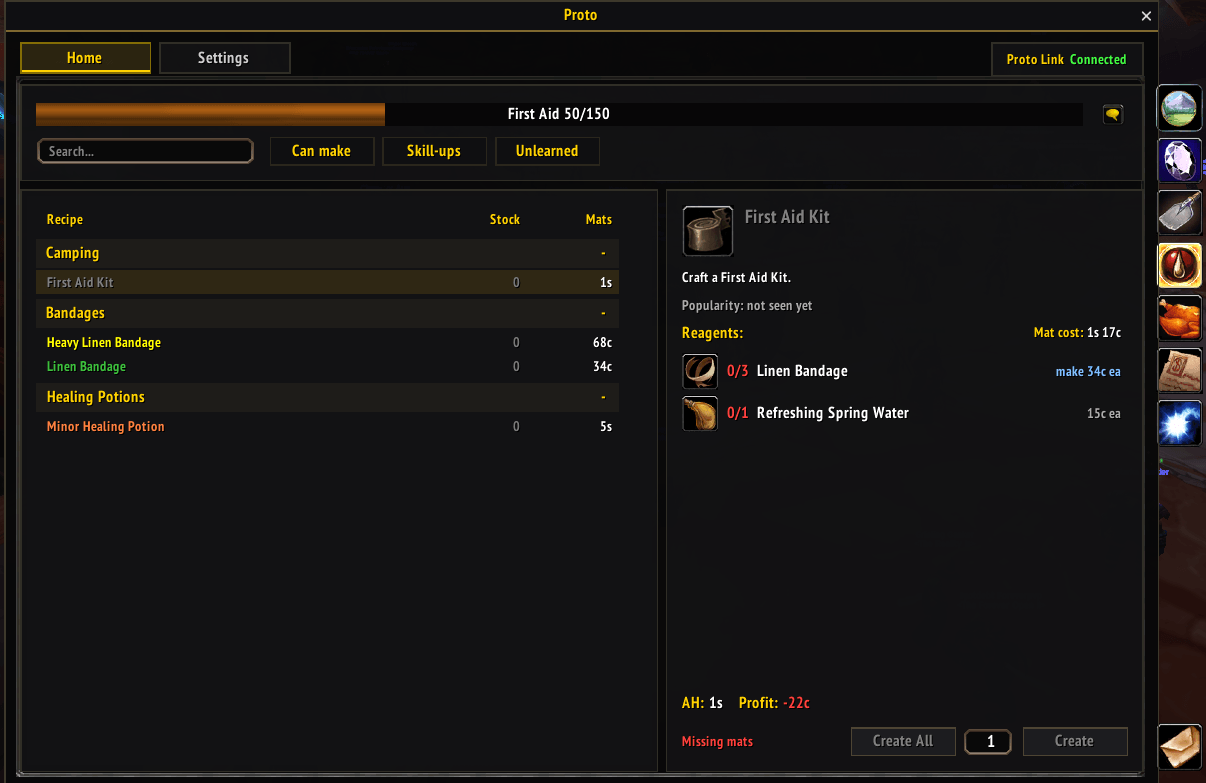
- Prices and profit: mat cost, price and profit for every enchant, with Auctionator or ServiceShop's own AH scan. Your other professions show a Profit column: what each item sells for on the AH, less the cut and mats, with reagents you make yourself at their own cost
- Bulk edit: click Bulk edit beside Edit prices to pick enchants (or All), put them in your shop, and price them at mats cost plus 10%, 20%, 50%, 100% or your own %
- Pop-up buttons: turn the Link, Link+Inv, Offer and Offer+Inv buttons on or off, each with its own text (Settings > Professions > Pop-up buttons)
Open Enchanting: tick what you sell, set prices, see your profit.
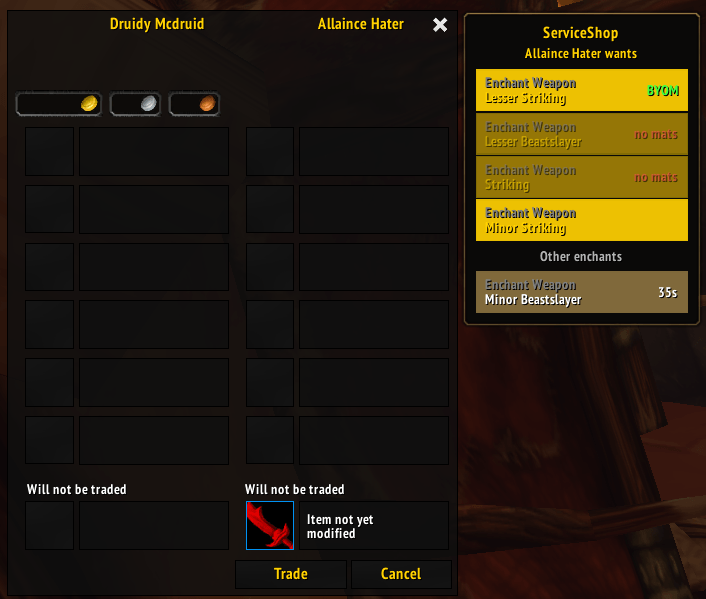
Someone trades you: their order beside the trade window. Click to enchant.
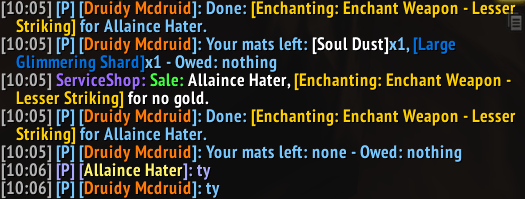
The mats they traded, what's been used and what's left.
Sell anything
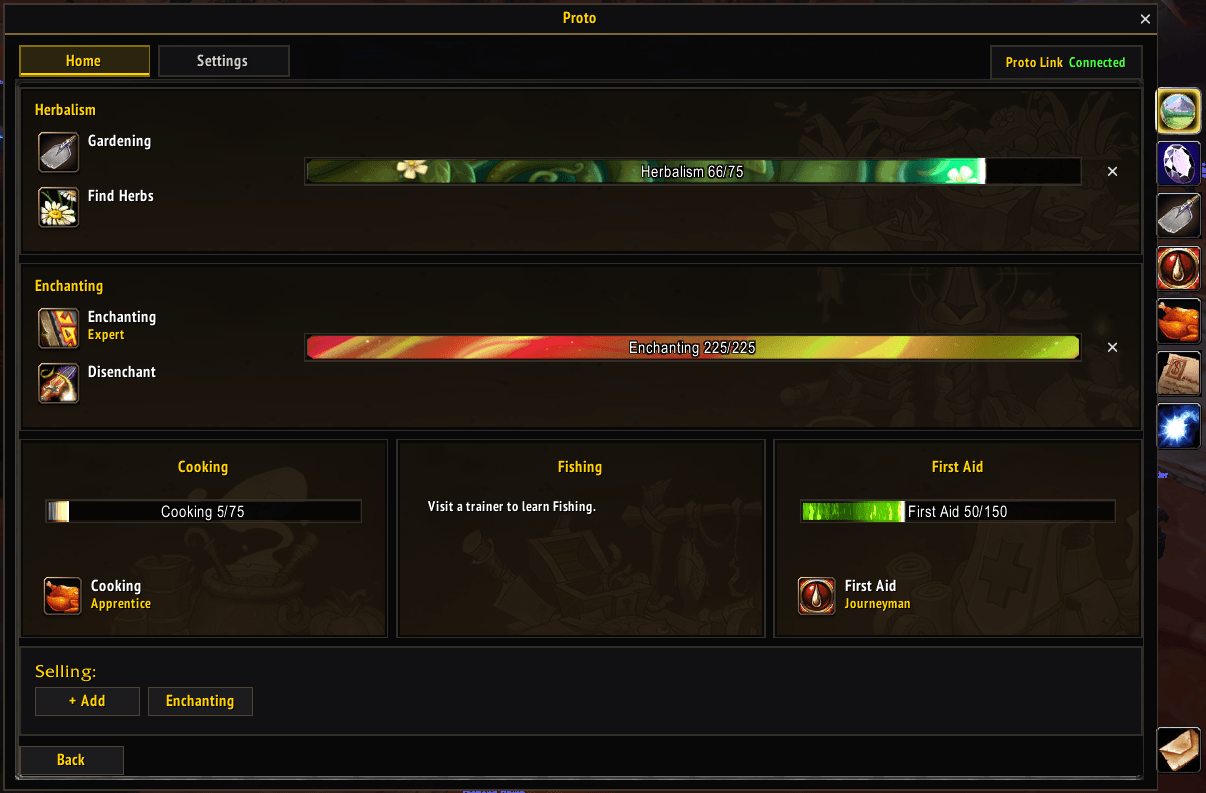
- Sell more than enchants: Alchemy, Tailoring, Blacksmithing, Leatherworking, Engineering, Cooking, First Aid, plus ores, herbs, leather, fish and lockpicking. Home > Selling > + Add, then tick what you sell and set prices. Buyers whisper !tailoring, !ores, !herbs and so on
- Combined Services advert: one ad with every profession you sell, and Make macro (Combined) to post it in one click (Settings > Advertising > Combined Services)
- Custom services: summons, portals, carries, anything. Each gets its own keywords, reply and advert
- Adverts: post to several channels at once. Click Ads, or type /proto adv. Pin keeps the Ads window open. It opens beside your profession window, or stays where you put it (Settings > Advertising > Ads window, Pin ads to profession window, on by default)
- Invites on request: customers whisper inv for an invite (Settings > General > Shop invites, on by default)
- Close in dungeons: your shop closes itself in dungeons and battlegrounds and reopens when you leave (Settings > Dungeons and Raids, on by default)
Any profession: what it sells for on the AH, your mats cost and profit. "make": a reagent you craft yourself, at its own cost.
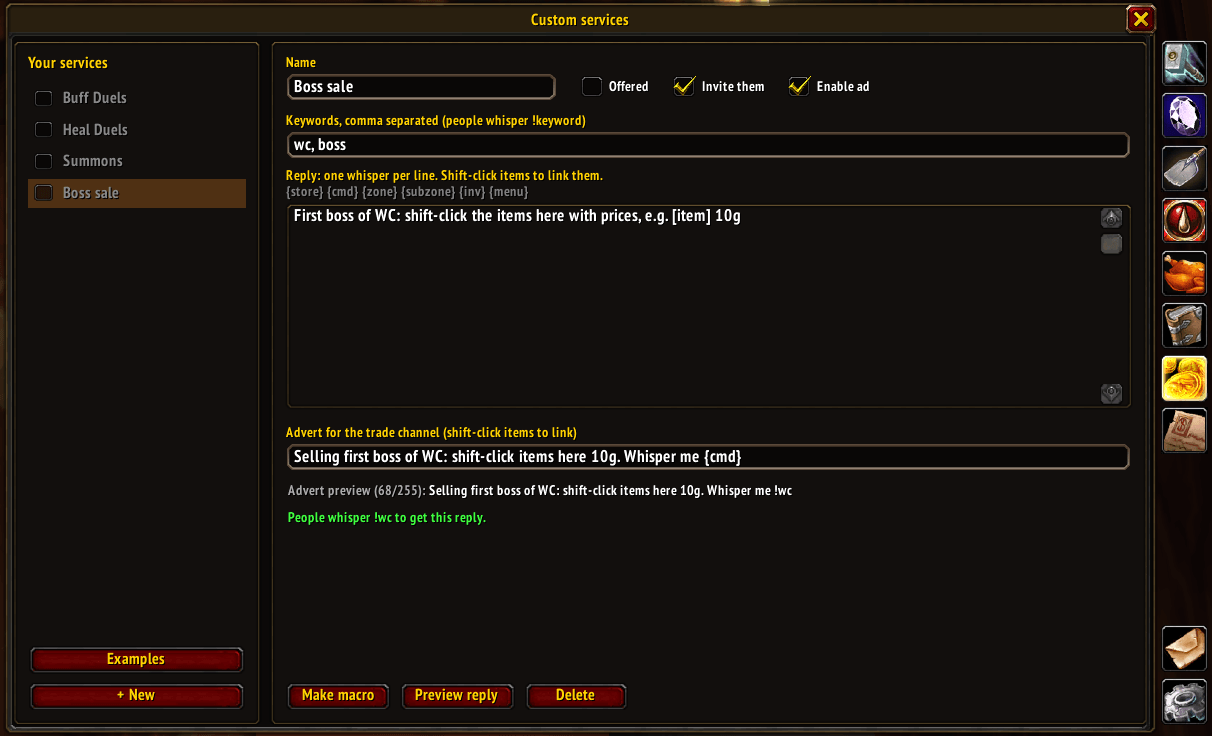
Click Custom services: your services on the left, the editor on the right.
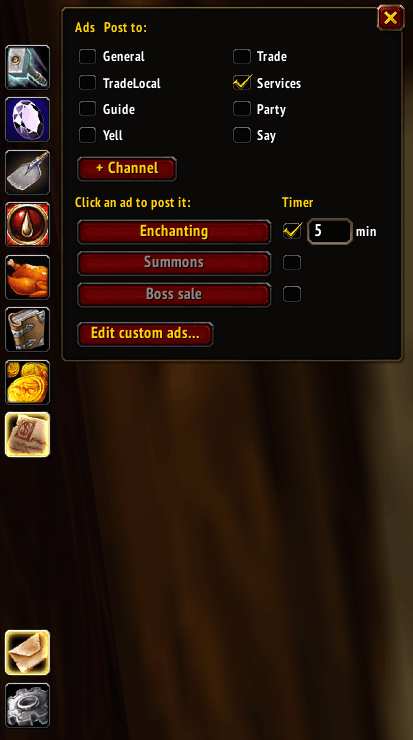
The Ads window: tick channels, click an advert to post it.
Your shop at a glance
- Home page: your professions with skill bars, and what you sell (Selling). Takings, ads and customers on its Proto Home tile
- Sales history: today, this week and all time, plus disenchants and customer mats
- Works in combat: the window stays open in a fight
Home: your professions with skill bars, and what you sell. Click + Add under Selling for more.
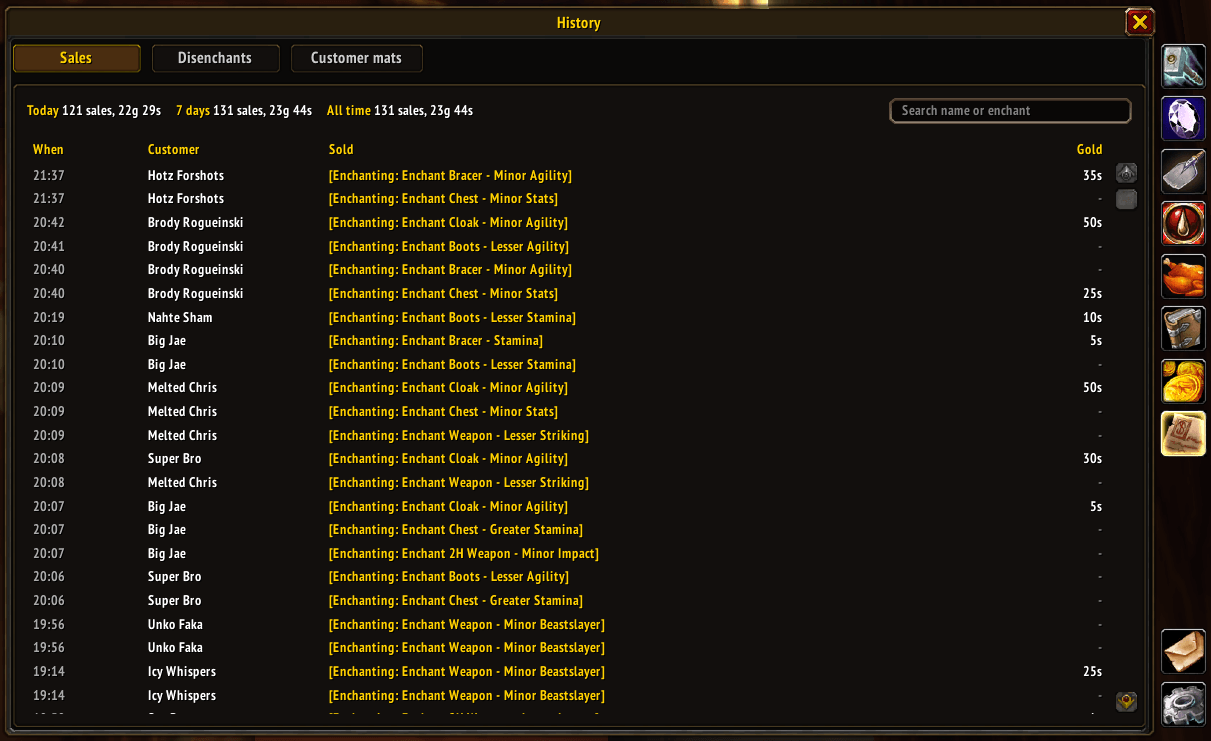
Click History: sales with today, 7 day and all time totals.
Disenchanting
- Shift-right-click gear in your bags to disenchant it. Items in an equipment set ask first
- Tooltips: what an item disenchants into, the odds and what it's worth
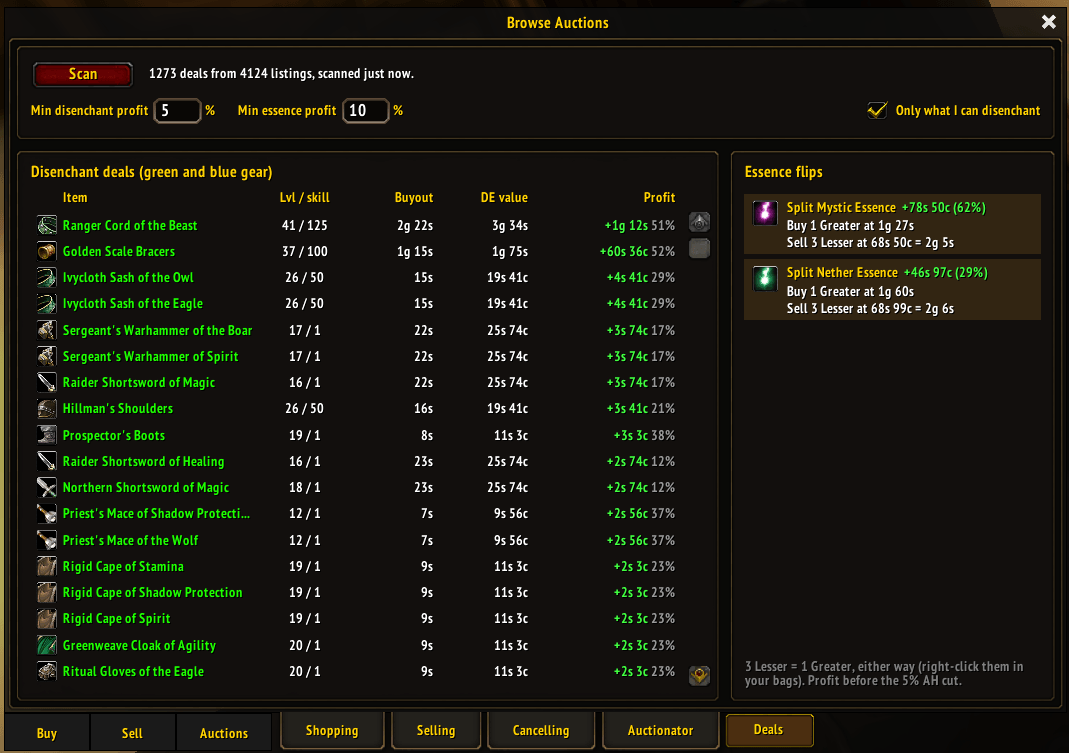
- AH deals: gear worth more disenchanted than its buyout. At the auction house, click the Proto tab, then Deals
- Reputation: the cheapest crates, receipts and writs for Durotar Supply and Logistics, with Buy. At the auction house, click the Proto tab, then Reputation
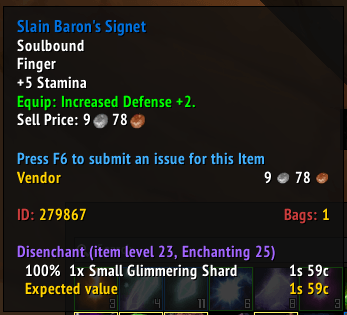
Hover an item: what it disenchants into, the odds and its value.
Deals: cheap gear to disenchant for profit, and essence flips.
Commands: /proto ss, /proto ss help (/sshop still works). /proto lists every Proto command
Some screenshots taken with ElvUI, newer ones with just Proto UI. Updated screenshots coming.
Proto ServiceShop Team