Proto UI
- By
A tidy chat window, square minimap, unit frames, and bags and bank windows in the Proto look.
Screenshot 2026-10-11 233020.png
Screenshot 2026-10-11 233037.png
Screenshot 2026-10-11 233050.png
Screenshot 2026-10-11 233056.png
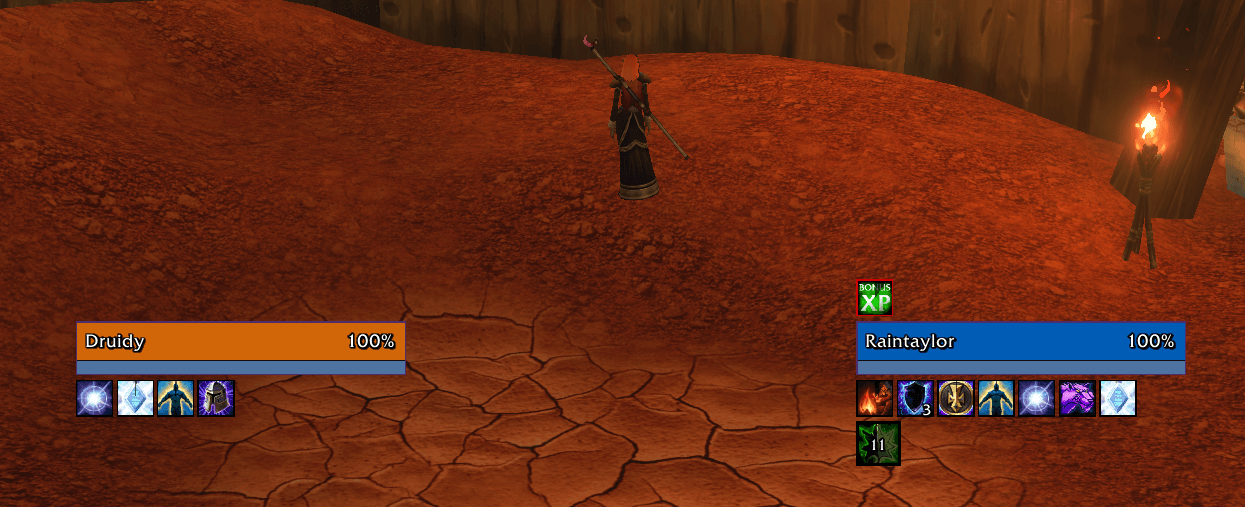
Screenshot 2026-10-11 233037.png
Description
Proto UI
The Proto Suite
 Core shared libraries |
 LFG + Chat group finder, chat filter |
 ServiceShop sell your services |
 Threat threat meters |
 UI chat, frames, bags |
 Tools buffs, tracking, more |
 Tongues talk cross-faction |
 Angler one-click fishing |
 Games play with friends |
New: Proto Angler has been released. One-click fishing: your pole on, bait, cast and reel in, then your weapons back.
New: Proto Games has been released. Deathroll, Chess, Rock Paper Scissors and Gamba with other players.
New: Proto Tongues has been released. Talk to the other faction. Everyone else hears lore-speak.
Important - Early Access Build
Beta: Proto UI is new and still being tested on Forever's beta. Expect bugs and rough edges, and things to change between versions. Each part starts off, so you can switch on one at a time. Feedback, ideas and bug reports are all welcome, and a screenshot of any Lua error helps a lot.
A tidy interface in the Proto look: a chat window, a square minimap, unit frames, party and raid frames, nameplates, and bags and bank. Each part is its own addon and starts off: switch on only what you want (Settings > Interface). Needs Proto Core (the CurseForge app adds it).
Known issues
- Battlegrounds: an XP bar error can show when a battleground starts or ends. (fixed in 0.0.3)
New in 0.0.3
- Fixes for Forever's latest client: no more errors from nameplates, party and raid frames, the chat window, Edit Mode or bag tooltips
- XP bar: stays hidden in battlegrounds too
Chat window
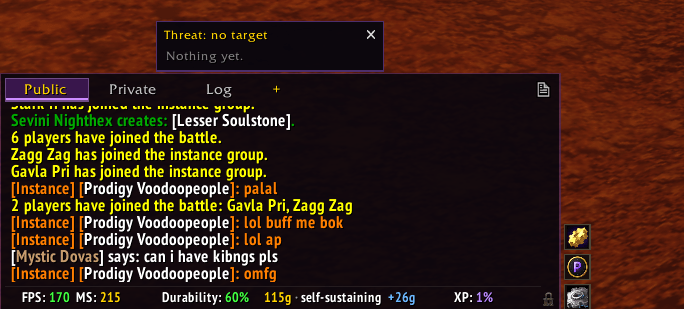
- Public, Private and Log tabs: everyone's chat, your whispers, and the combat log, each in its own tab
- Short channel names: [2. Trade - English] reads [2]
- Link tooltips on hover, and copy chat with its colours
- Bottom bar for your data (money, durability, XP, friends, guild, FPS and time), and the Game menu buttons in one tidy row. The game's XP bar is hidden
- Pick the background, font and font size. Type /proto chat
Square minimap
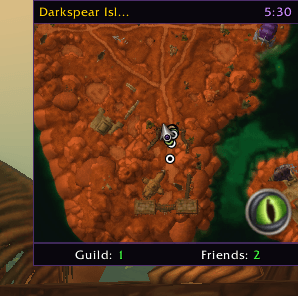
- A clean square minimap with a clock and your coordinates
- Data bar under it. Right-click the map: tracking. Middle-click: calendar
- Pick its size, and drag its top bar to move it. Type /proto map
Unit frames
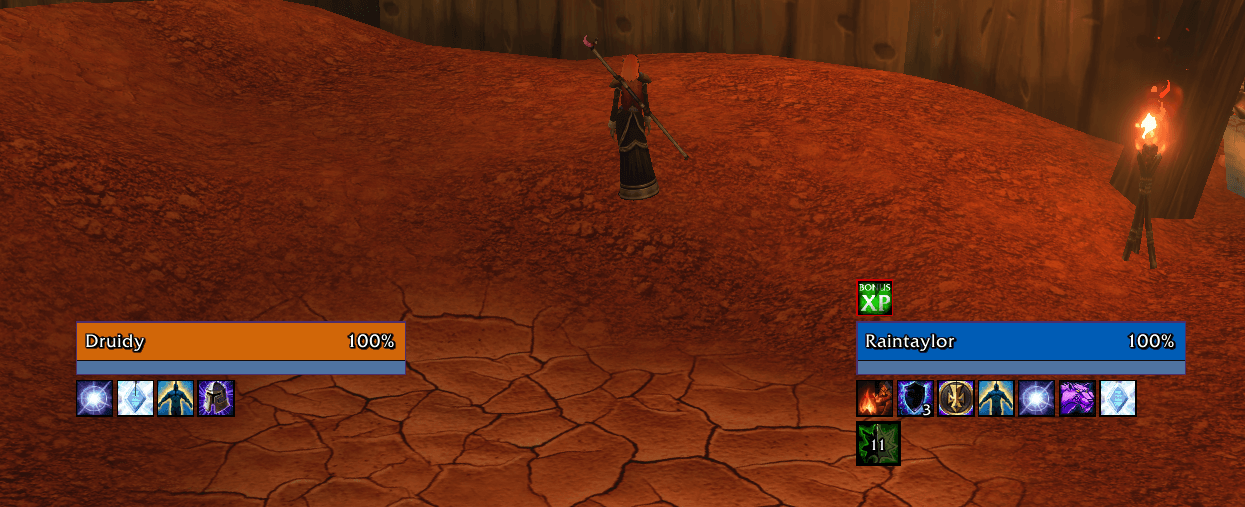
- Player, target, target-of-target and focus in the Proto look, with softer class colours
- Incoming heals and shields on the health bar, debuffs and buffs around the frame (tracking left out)
- Your mana in cat and bear form, and combo points while you have them
- Sizes for player, target and focus. Shift-drag to move them. Type /proto frames
Party and raid frames
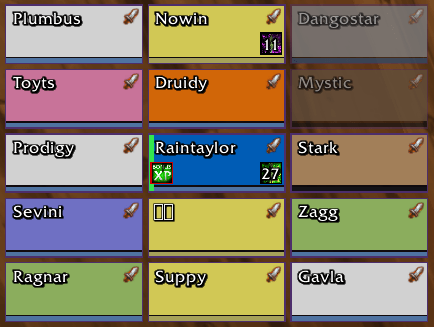
- One look for party and raid: name, health in class colour, role, raid marker, Dead and Offline
- Only what you need: debuffs, and your own heals over time and shields
- A green line on whoever you're targeting, a red edge when a mob is on them, faded out of range
- Size setting. Shift-drag to move them (Settings > Interface > Party and raid frames)
Nameplates
- Enemy nameplates with health and %, name, elite and rare marks, and raid icons
- Your target stands out: a white edge and a little bigger, the rest fade
- Threat at a glance: orange when you're close to pulling, red when it's on you. Tanks: yellow when you're losing it, orange when a mob gets off you, red when it's on a healer
- Cast bars, grey when the cast can't be interrupted
- Important auras: crowd control, your debuffs, and buffs you can purge or soothe
- Size setting. With Proto Threat, its threat label sits right beside them. Type /proto plates
Bags and bank
- Two tidy windows for your bags and your bank, with search and filters
- Sort in both windows; Auto-stack, Deposit and Withdraw at the bank (everything the filter shows, in one click)
- Bag slots: click the bag icon to see your bags. Drop a new bag on one to equip it
- Slots per row and slot size in Settings. Type /proto bags
Plays nicely
- Each part steps aside when ElvUI or another addon already does that job (ElvUI's chat, minimap, unit frames, nameplates or bags, Plater, Bagnon, AdiBags and the like)
- Tidier action bar: with Proto Bags or the chat window's Game menu on, the game's bag or menu buttons are put away, with both dragons, the page number and the empty menu bar box
- Proto UI in the AddOns list turns every part off at once
Type /proto. Part of the Proto family: Proto LFG + Chat, Proto ServiceShop, Proto Threat, Proto Tools, Proto Tongues.
Proto UI Team