Forever LootFinder
- By
Browse every WoW Forever item by slot: dungeon, raid, quest, crafted and vendor gear. Filter for your class, sort by Pawn and plan what to farm.
Description
Introduction
Forever LootFinder lists the gear you can get in Forever by equipment slot: dungeon drops, quest rewards, crafted items, vendor goods, reputation, PvP and event rewards. Filter and sort it to plan what to farm next.
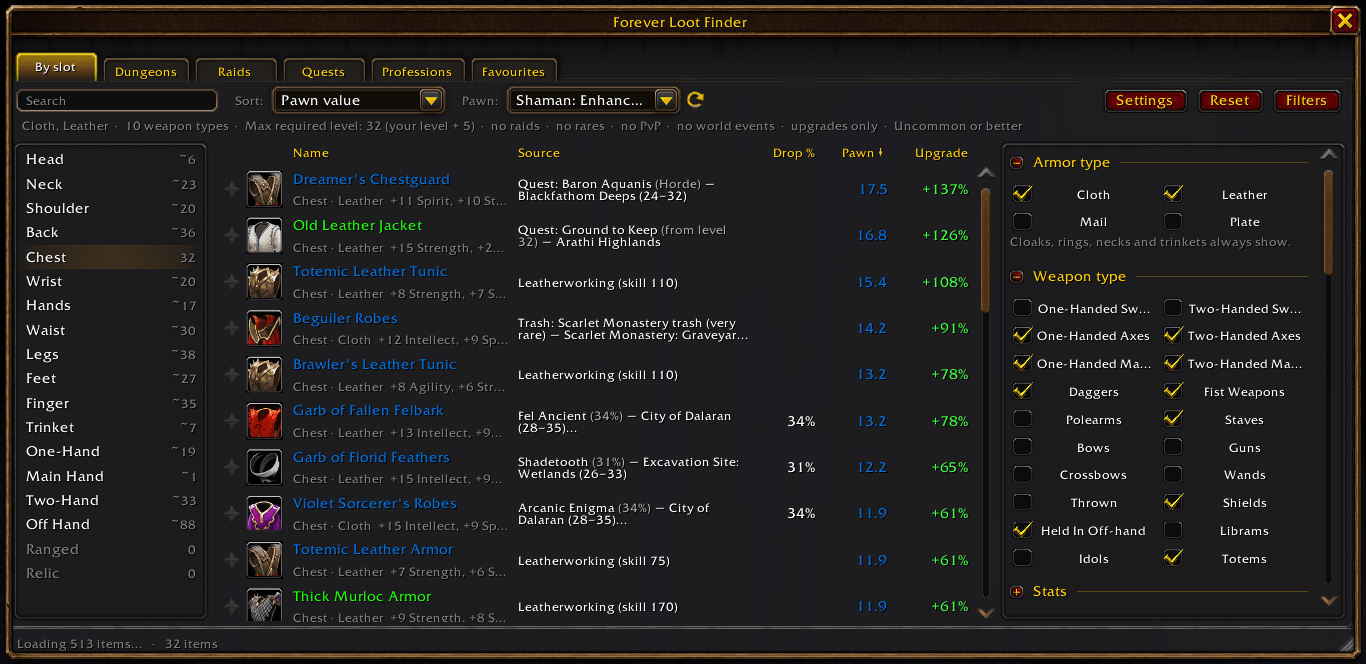
Pick a slot and see every item for it, with where it comes from and its level. Only what your class can use is listed: armor for your level and every weapon type your class can learn. Sort by item level, a stat, required level, dungeon level, weapon speed or DPS, or by your scale's score and upgrade percent (Pawn or GearQuest Forever). Mark favourites to get a reminder when you enter their dungeon and a notice when one drops.
Other addons
Forever LootFinder has no item lists of its own: it reads them from other addons. None is required, but the more you have, the more it lists. When two addons list the same item, it shows once.
Recommended:
- Pawn: item scores, upgrade percent and the "Upgrades only" filter.
- DungeonJournal: Forever's dungeons with their bosses, loot and quests, PvP rewards, and drop chances when it has them.
- Questie: quest rewards, vendors, creature drops and world drops.
- AtlasLoot Classic Forever: crafted gear, reputation, PvP and event rewards, world drops and drop chances. Its BiS lists can be added to your favourites.
- forever-db: every recipe with the item it makes, Forever's own included, and quest rewards, vendors and creature drops the others miss, with drop chances (mostly Classic's). The CurseForge app installs it with Forever LootFinder.
Also used if you already have them:
- ALL THE THINGS: Forever's dungeons, quest rewards, vendors, crafted gear, reputation, PvP and event rewards, and the skill each recipe is learned at on Forever.
- SkillUp Forever: the skill each recipe needs on Forever, and more crafted gear.
- GearQuest Forever: stat weights for every spec, Forever's new ones too, as scales next to Pawn's. Without Pawn, they score items and upgrades.
- Attune: quest rewards the others miss.
- SilverDragon: rare creatures and what they drop.
- Syndicator (comes with Baganator): what you own in your bags, bank and mail.
- Auctionator: auction prices and its shopping list.
- TomTom: waypoints. Without it, the game's own map pin is used.
Each one can be switched off under Settings > Addons.
Usage
/flf(or/foreverlootfinder) - open the window/flf config- open the settings/flf reset- move the windows back to the middle of the screen/flf fav <item>- add an item to your favourites/flf help- list all commands
You can also click the minimap button for the window (right-click for the settings) or set a key binding under Key Bindings > AddOns.
Features
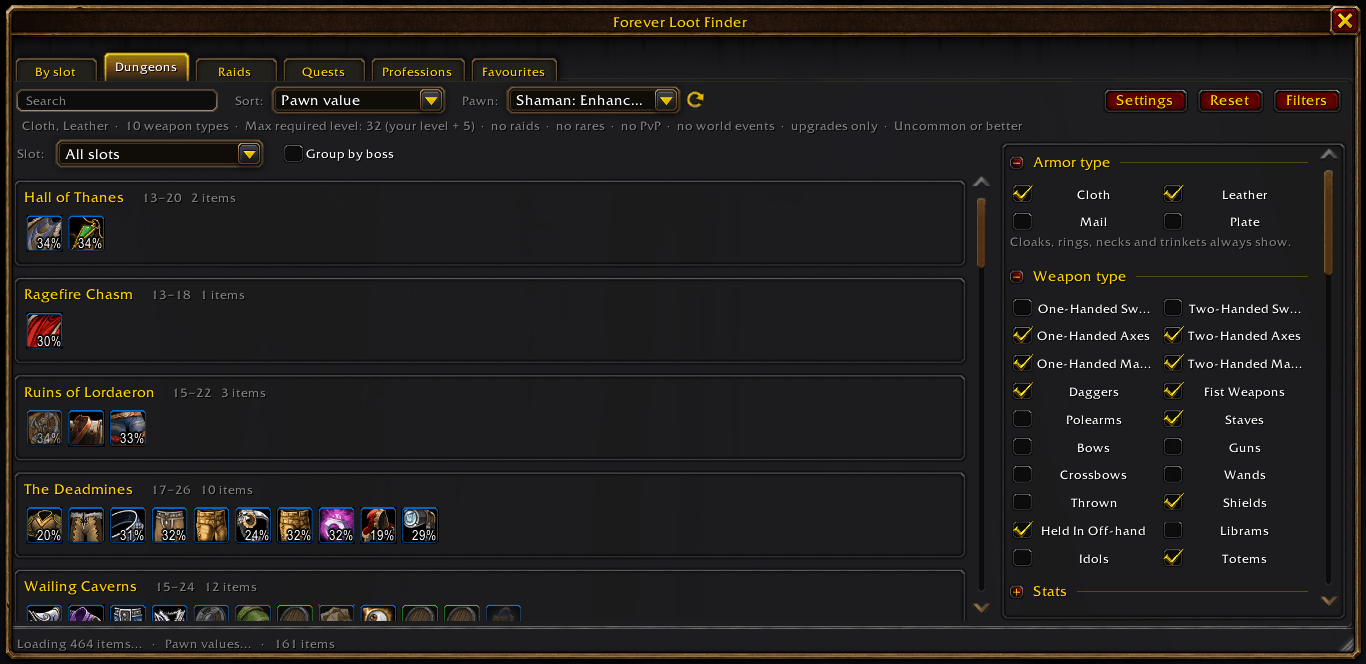
The By slot tab shows every slot on the left with how many items match. Click a column header to sort, right-click it to choose which columns to show. Dungeons shows a card per place with its items, and places for your level are highlighted. Raids and world bosses stay hidden until Forever opens its raids. Quests, Professions, Reputation, PvP and World events use the same cards for quest rewards, crafted gear and other rewards. Sets shows a card per item set your character can wear, its pieces by slot and where each one comes from.
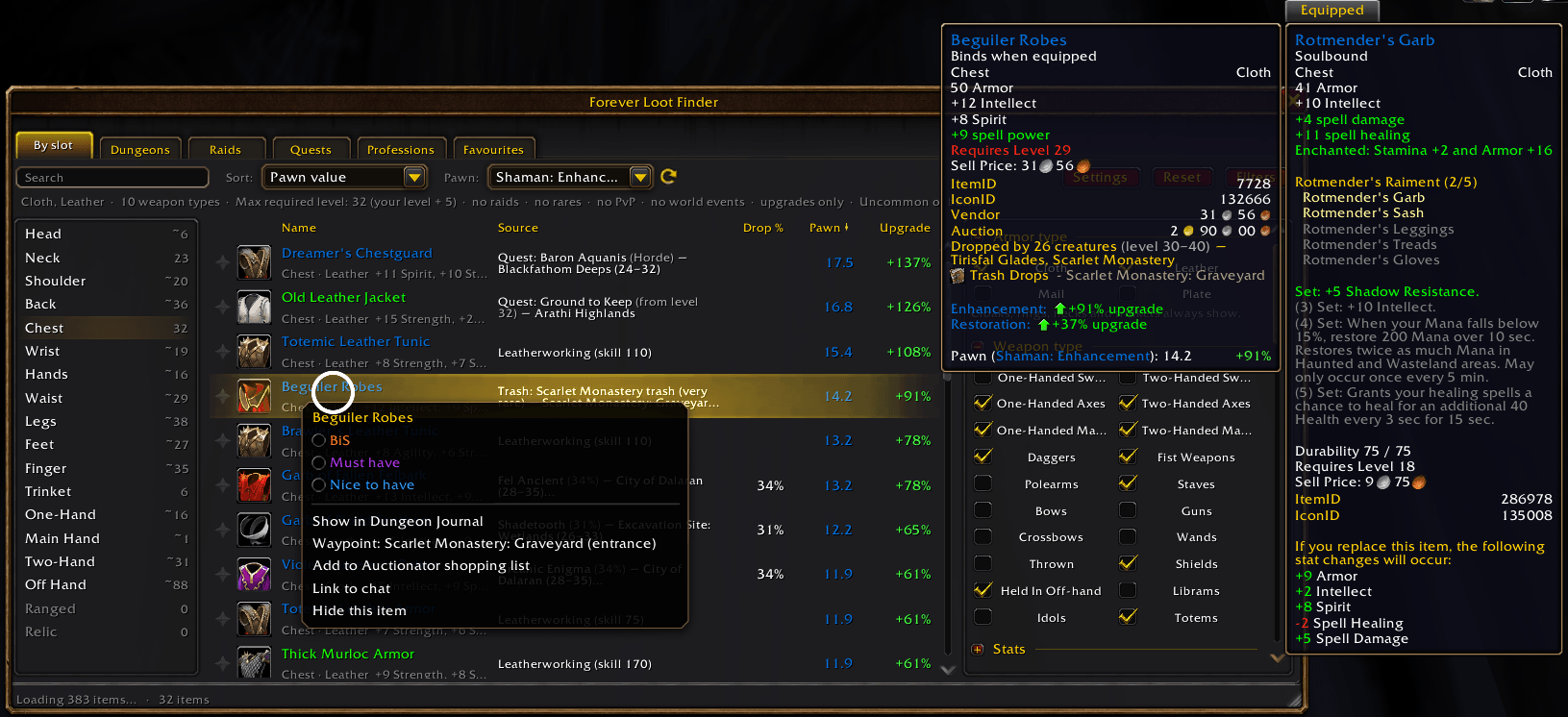
You can filter by armor and weapon type, stats, sources, drop chance, price, dungeons, required level, quality, binding, weapon speed, set pieces and more. Items another class or race can't use never show. Right-click an item to favourite it, open it in DungeonJournal, AtlasLoot or Questie, set a waypoint, search it in Auctionator, see its set or link it in chat.
Favourites come in three tiers (BiS, Must have, Nice to have), grouped by where to farm them, for all your characters. Use Add item on the Favourites tab to add any wearable item by name, ID or Shift-click, even one with no known source. When you enter a dungeon, a reminder lists your favourites there, and a notice pops up when one drops. Item tooltips show your favourite tier, and optionally which of your other characters want the item. You can export and import your favourites and settings.
Notes
Only what you look at is loaded from the server: the open slot, tab or favourites. Everything else shows what was saved last time, and rows still loading are greyed out. A "~" before a slot's count means some of its items haven't loaded yet, or aren't scored yet; open the slot to load them. Scores don't count set bonuses, and auction prices come from your own Auctionator scans.
Localisation
Slot, armor, weapon, stat and quality names come from the game, so most of the window is in your language already. The rest is in English and Russian.
Reporting bugs
Type /flf dump all, copy the text and send it to me on Discord with what you did and what went wrong.
💬 Discord: Nikyou ☕ Support: buymeacoffee.com/nikyou
Credits
Forever LootFinder reads its data from these addons. Thanks to their authors.
- DungeonJournal by Exehn
- QuestieDB and Questie by the Questie team
- AtlasLoot Classic Forever by sliccer
- Pawn by Vger
- Syndicator and Baganator by plusmouse
- Auctionator by plusmouse and Borjamacare
- Attune by CixiDelmont
- Silver Dragon by Kemayo
- ALL THE THINGS by Crieve and the ATT team
- forever-db by fatedfr
- SkillUp Forever by cjber
- GearQuest Forever by weber8210
Forever LootFinder Team

Owner