Proto LFG + Chat
- By
Group Finder and LFG overhaul, plus a Chat Filter. Auto-refreshing Group Finder + public channel posts in one browser. Custom Notifications. Filters spam and ads.
Description
Proto LFG + Chat
The Proto Suite
 Core shared libraries |  LFG + Chat group finder, chat filter |  ServiceShop sell your services |  Threat threat meters |  UI chat, frames, bags |
 Tools buffs, tracking, more |  BG Timers battleground timers |  Tongues talk cross-faction |  Angler one-click fishing |  Games play with friends |
I'm actively adding features, fixing bugs and testing it live myself. Feedback, comments and bug reports are all welcome, and a screenshot of any Lua error helps a lot. I hope you enjoy it!
A better Looking For Group, and trade chat cleaned up. Works on its own (the CurseForge app adds Proto Core, the shared code). Press I, or click its tile on Proto Home (left-click the minimap button).
Upcoming Changes
- Filter Improvements: High on my list currently for LFG is improving the filters, including filters for things like 'has a tank and 1 DPS' or 'has a healer and 3 DPS'. I'm also re-working the filter UI a bit. Please post any suggestions in the comments.
New in 1.9.7
- /who down to two settings: Use Proto /who and Results in Notifications (Settings > Chat and LFG > /who)
- /who with many results shows them again: type /who, and they come up in a pop-up or a line in chat
- Settings: plainer names and tips (Settings > Chat and LFG)
Group Finder
Proto's Group Finder replaces the game's restrictive Looking For Group and adds:
- Start from a category: Dungeons, Raids, Quests & Zones, Battlegrounds or Custom, then Start a group, Join a group or Browse groups
- Your group pinned at the top: roles, levels, zones and what you're listed for
- Every group in one list, at any level, not just the 100 the game shows
- The list stays fresh while you play: no Search button to keep clicking
- Dungeons outside your level range, which the game's LFG hides
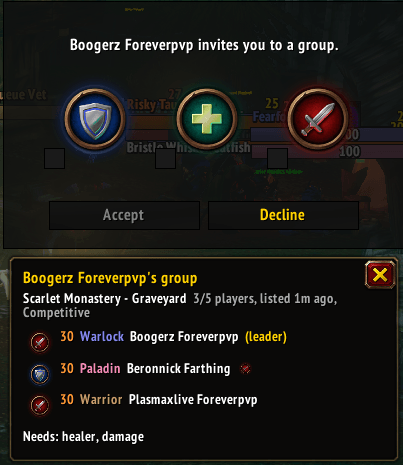
- See the group before you accept an invite: dungeon, roles, levels and classes
- Invites while you're already in a party pop up with that party's details
- List yourself for several dungeons at once: click List me
- Recruit fast: click Quick recruit to whisper group leaders (one click each) or post in General
- Works inside dungeons: find a replacement without leaving. Open Group Finder
- Real filters: roles needed, levels, classes, vibe. Click Filters
- Pick what I opens: LFG home, Group Finder, Chat or the game's window (Settings > General > Keys)

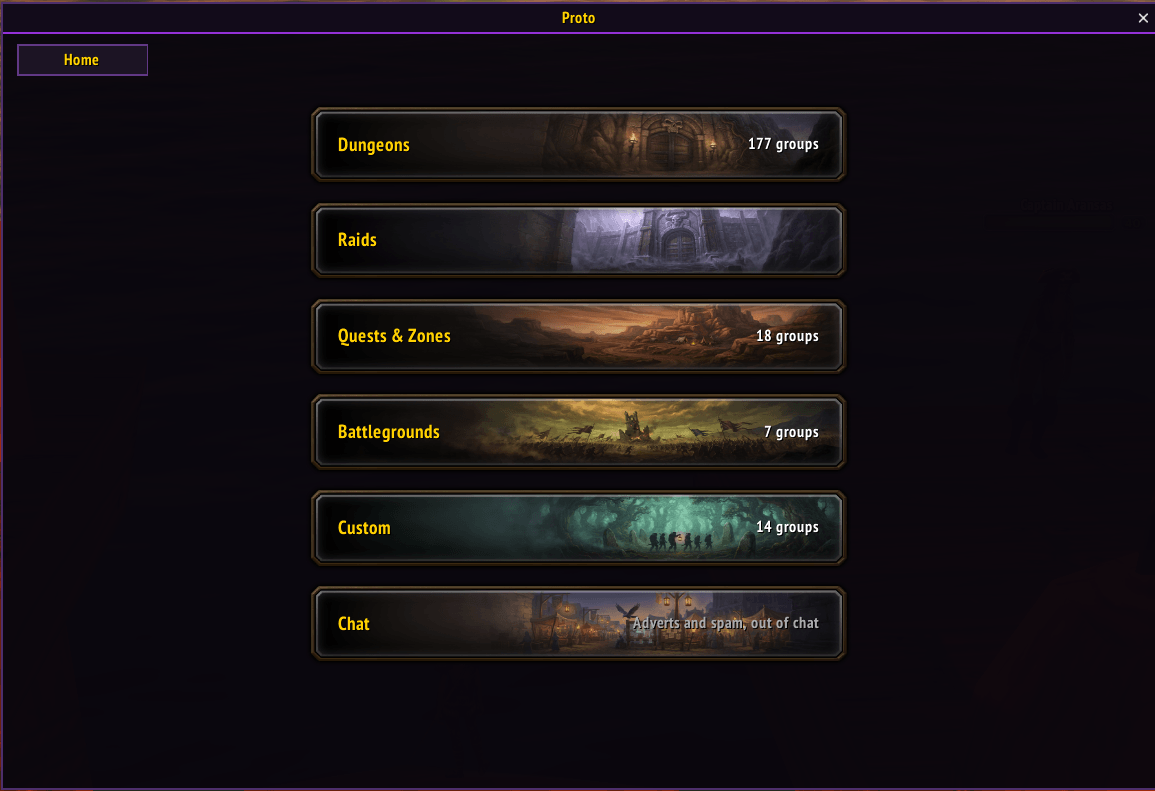
Click the Proto LFG + Chat tile on Proto Home: a banner per category with how many groups are listed.
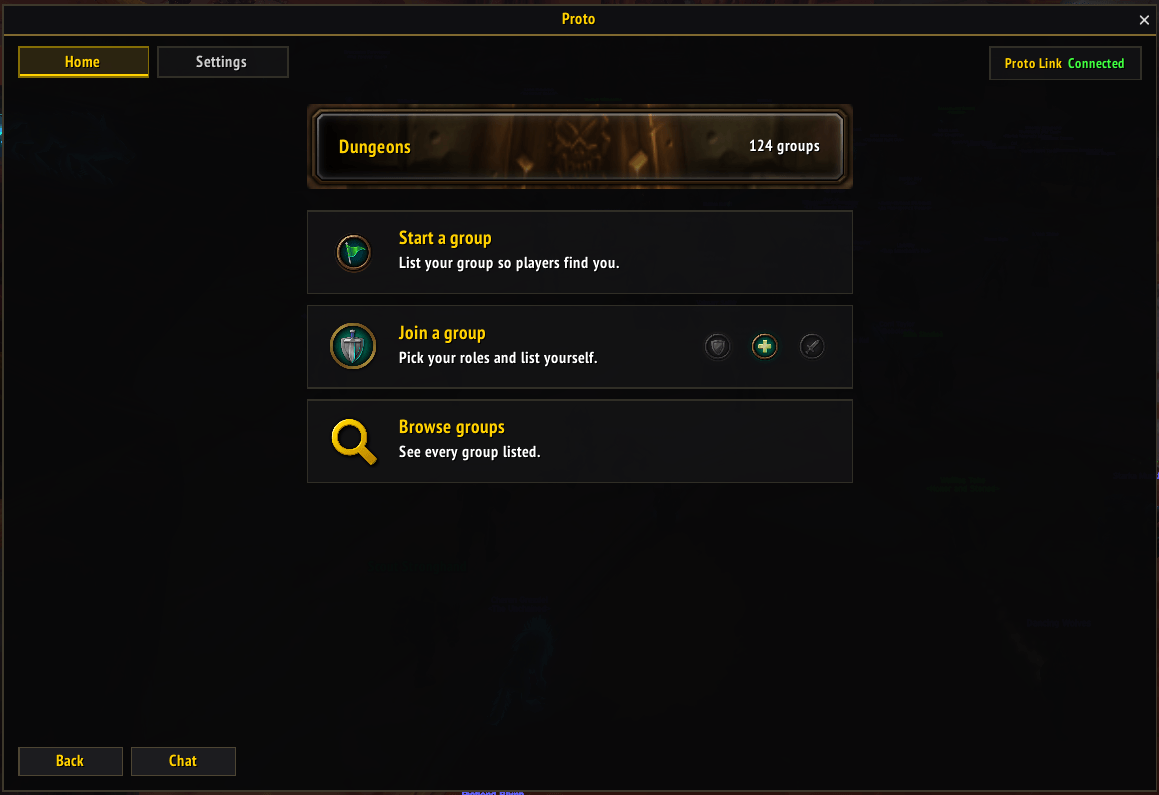
Pick a category: Start a group, Join a group with your roles, or Browse groups.

The list fills in as you play. Click a dungeon for just its groups. Click a group to whisper the leader.
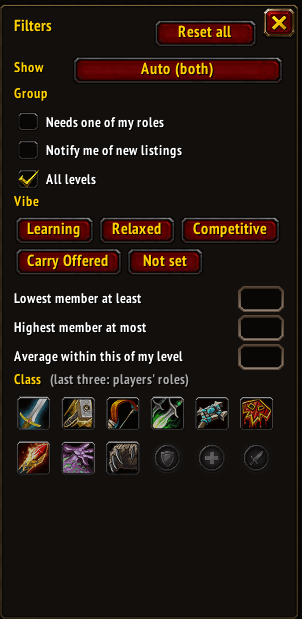
Click Filters: groups or players, roles you can fill, vibe, member levels and classes. (Older window, before 1.9.0)
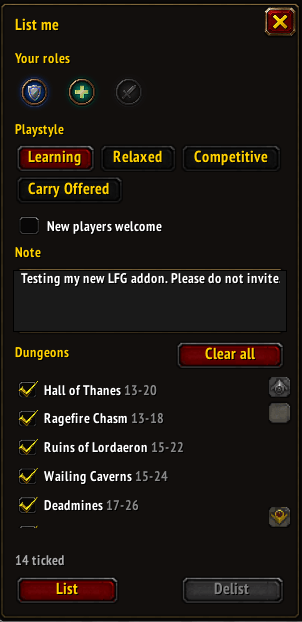
Click List me: your roles, a note and as many dungeons as you like. List, update or delist in one place. (Older window, before 1.9.0)
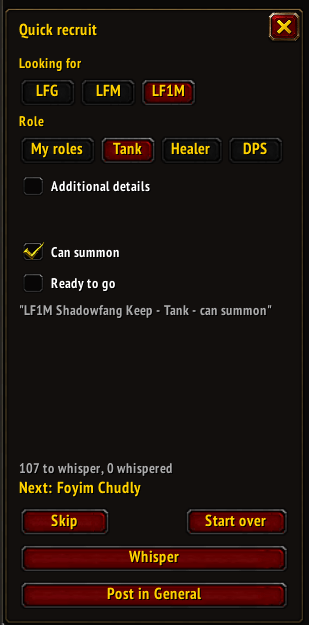
In a dungeon group, open Group Finder: your dungeon's players, filtered to the roles you need. (Older window, before 1.9.0)
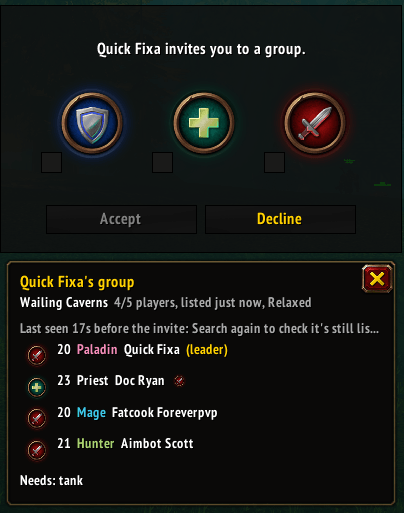
Someone invites you: see their dungeon, members and the roles they still need before you accept.
Invites while you're in a party
Proto pops up invites the game turns away: Whisper, Who or Inv.
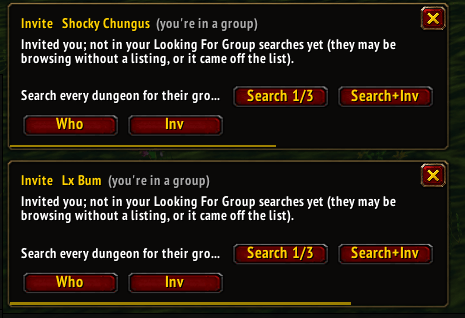
Their group not found yet: it's looked for while you play. (Search button removed in 1.8.6)
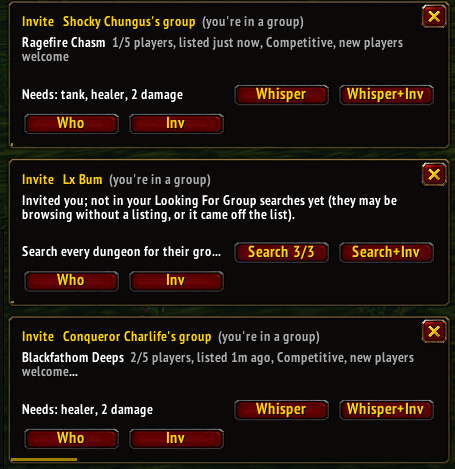
Found: their dungeon, how full they are and the roles they need.
Chat Filter
Proto's Chat Filter moves messages out of the common channels into a searchable browser:
- Guild, party, raid and whispers untouched
- Pick which channels are filtered: right-click Enabled (top right)
- Shops: every open ServiceShop with prices; click Buy to ask the seller for an invite (click Shops in the chat list)
- Find by category, profession, buying or selling
- LFG / LFM, Services, Classifieds, Guilds, Other, Non-English (with a threshold to keep those juicy memes), Spam
- Spam filter: gold sellers, layer spam, streamer spam, and auto-block spammers (Settings > Chat and LFG > Spam filter, on by default; auto-block off by default)
- See where they are: chat pop-ups show the poster's zone (Settings > Chat and LFG > /who, on by default)
- Right-click a name: See context, the chat around that message
- A pop-up for every new match: pick a category or search, then click Notify (top right)
- Who Results: every /who listed with who it found; click a name to whisper, right-click to invite. Click Full list to get past the game's 50-player limit (click Who Results in the chat list)
- Proto users get a purple P before their name (Settings > Chat and LFG > Priority filter, on by default)
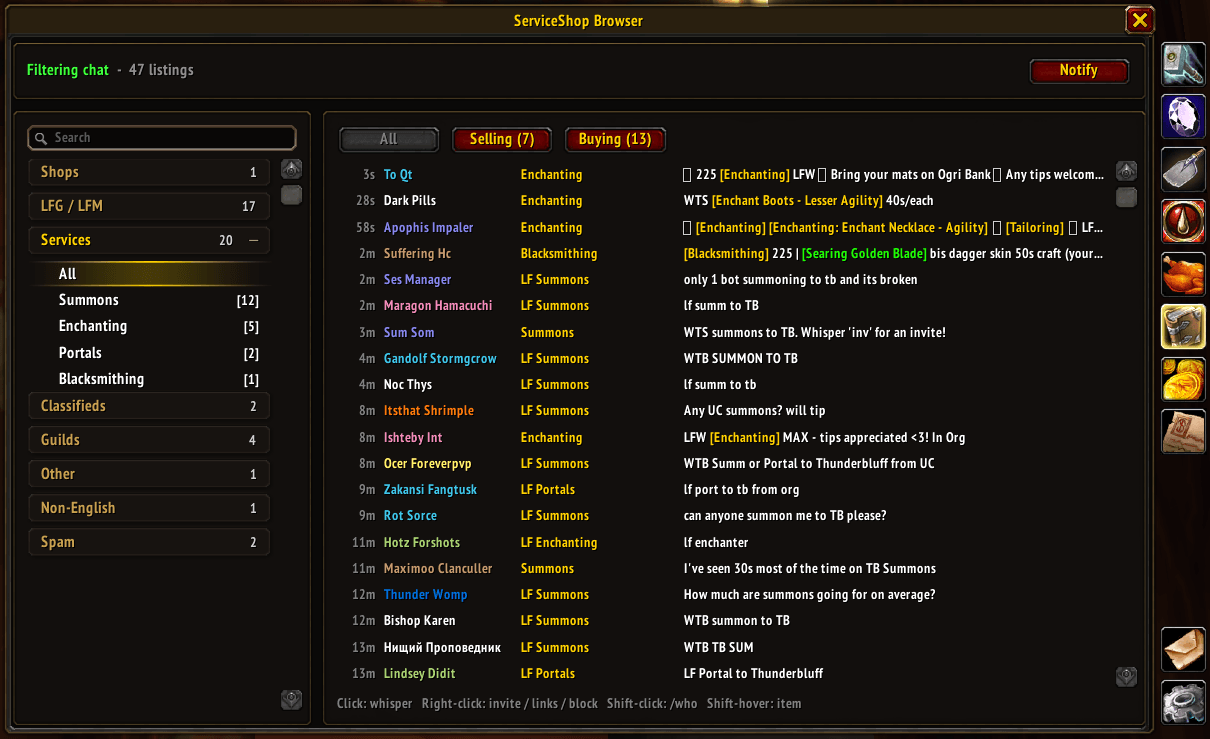
Trade chat sorted by category, newest first. Click Chat on LFG home.
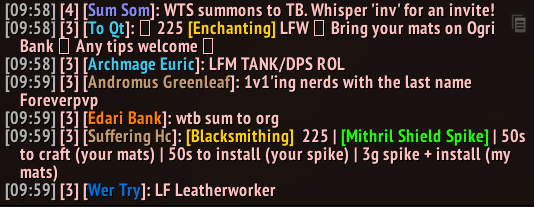
Trade chat without the filter: what it cleans up.
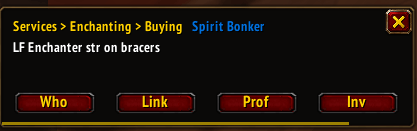
A pop-up for a new match: Who, Inv or Link in one click.
With ServiceShop
Proto ServiceShop adds your own shop: enchant prices, services, auto-replies, adverts and sales history. With both installed:
- Both open in one Proto window: left-click the minimap button for Proto Home
- Enchant requests in chat are matched to the enchants you sell, with Offer on the pop-up
Formerly ServiceShop Browser: same addon, your settings carry over. Commands: /proto lfg, /proto lfg help (/ssb still works)
Some screenshots taken with ElvUI, newer ones with just Proto UI. Updated screenshots coming.
Proto LFG + Chat Team