PrimeSocial
- By
A Gilded Card social hub for the PrimeSuite: friends and Battle.net in one list, custom groups, notes, guild, Who, logon toasts and three layouts.
Description
💬 Join the PrimeSuite Discord for support, bug reports, feature requests and update news:
👉 https://discord.gg/Vb9aSb7E4Y
Part of PrimeSuite: PrimeBars, PrimeChat, PrimeMinimap, PrimeQuestTracker, PrimeTooltip, PrimeNamePlates, PrimeMeter, PrimeBags and PrimeSocial all share one look and work together, with PrimeUnitFrames coming soon.
🆕 Latest update - v1.0.3
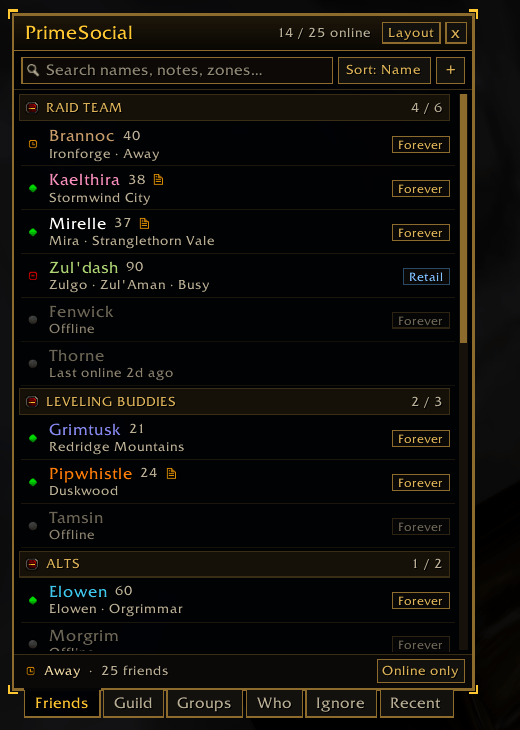
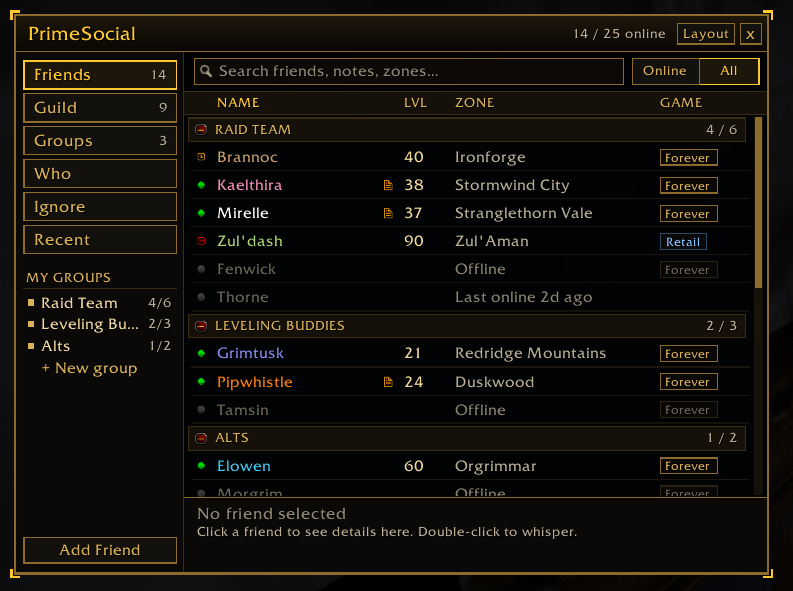
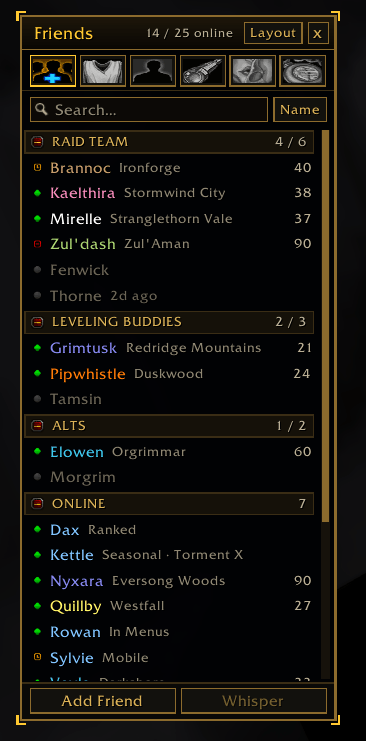
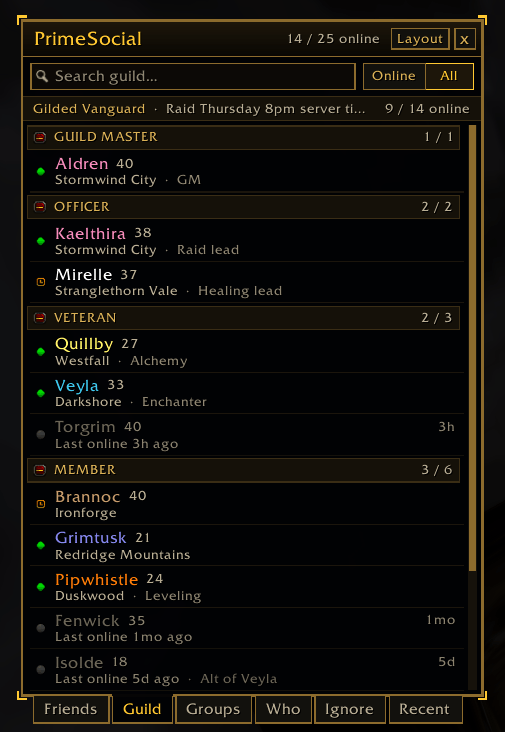
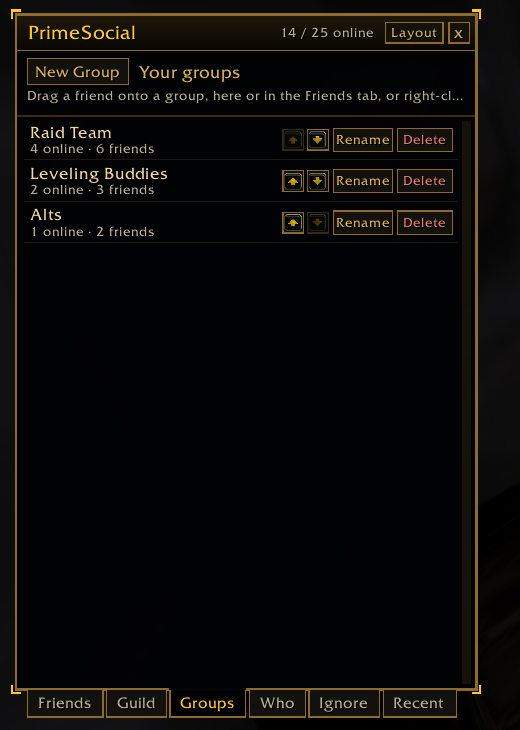
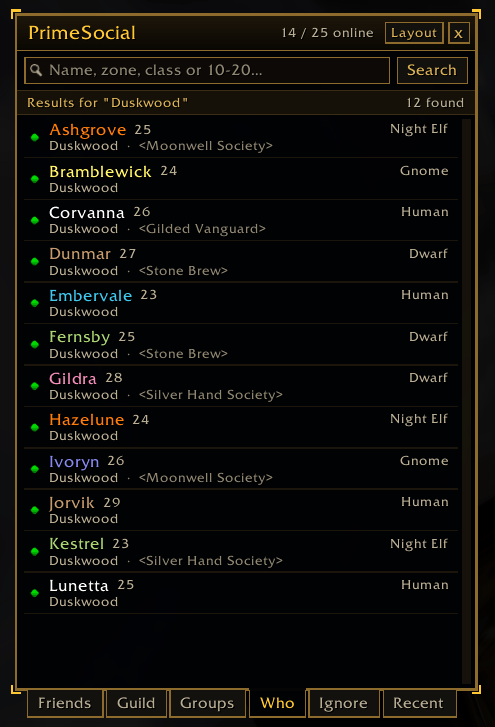
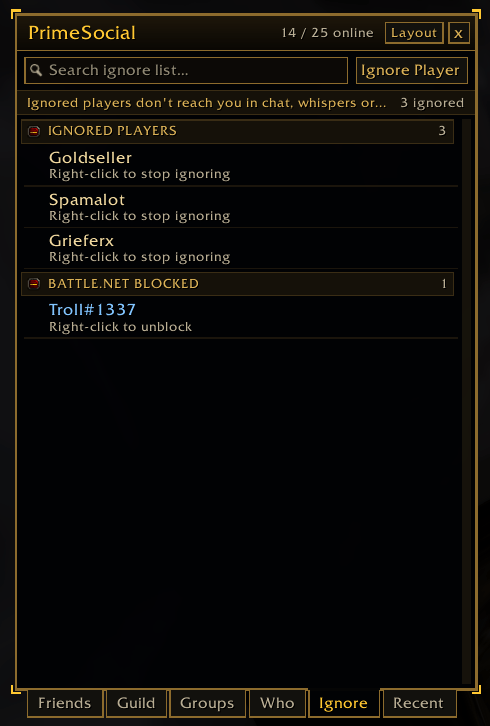
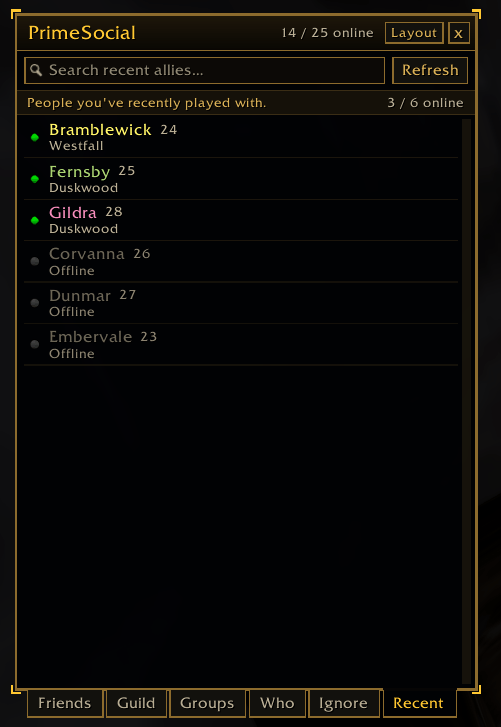
All names shown in the screenshots are made up. They are randomly generated sample characters, not real players. I dont have that many friends!
- New: First release of PrimeSocial, a Gilded Card social window that replaces Blizzard's Friends window.
- New: Character and Battle.net friends in one list, your own groups with drag and drop, and notes on friends.
- New: Guild, Who, Ignore and Recent tabs.
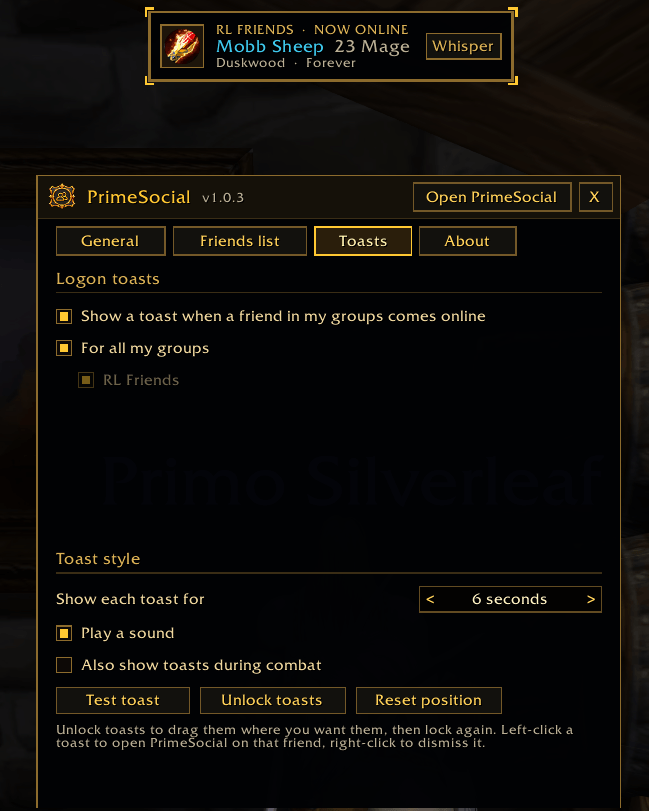
- New: Logon toasts when a friend in your groups comes online.
- New: Three layouts (Classic, Sidebar and Slim) and a full options window.
Full version history is in the Files tab (click a file to see its changelog).
PrimeSocial
PrimeSocial replaces Blizzard's Friends and Social window with one clean window for your friends, groups, guild, Who searches, ignore list and recent allies. It opens with the O key, Blizzard's social buttons, a keybind or /psocial. One download works on WoW Retail (12.1.5) and WoW Forever (Interface 16001).
Works best with PrimeChat - (https://www.curseforge.com/wow/addons/primechat)
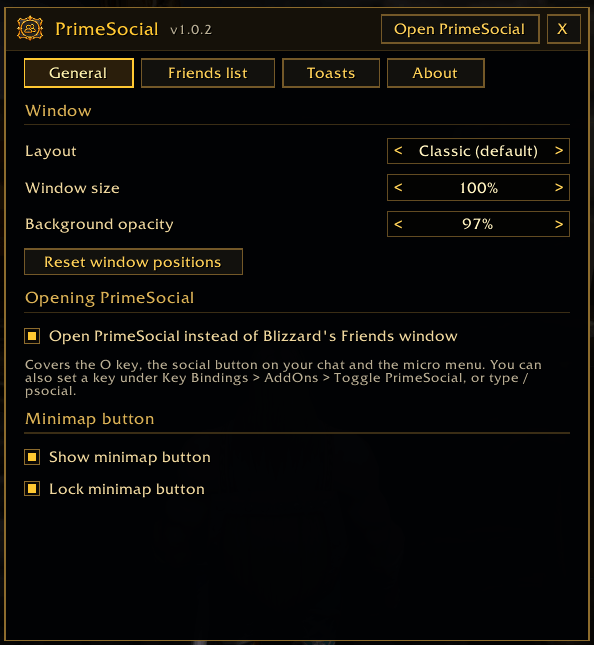
PrimeSocial works fine on its own. With PrimeChat, the social button on your chat window opens PrimeSocial directly. Without it, Blizzard's own social buttons and the O key open PrimeSocial instead of Blizzard's window. One switch in the options gives them all back to Blizzard's window.
Features
- One friends list: character friends and Battle.net friends together, and someone who is both only shows once
- At a glance: online, away or busy, class color, level, zone and which game each friend is playing, with online friends first
- Search: find friends by name, BattleTag, zone, class, realm or note
- Your own groups: make groups like Raid Team, Alts or Leveling Buddies, each with online counts. All your characters share them
- Drag and drop: drag a friend onto a group to add them. A "Drop on a group" panel opens beside the window while you drag
- Notes: write your own note on any friend. Notes show when you hover and can be searched
- Right-click menu: whisper, invite, request an invite, add to a group, edit your note or remove a friend. Double-click to whisper
- Guild tab: your roster grouped by rank, with online counts, last online, guild notes and officer notes when your rank can see them
- Who tab: search for players online by name, zone, class or level range, then whisper, invite, add or ignore them
- Ignore tab: your ignore list and Battle.net blocks in one place
- Recent tab: people you've recently played with
- Logon toasts: a gold card pops up when a friend in your groups comes online, with a Whisper button. Unlock toasts to move them anywhere
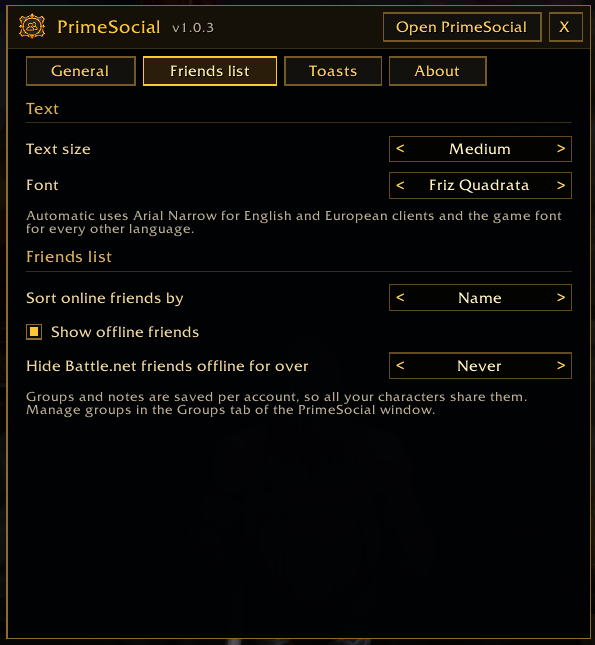
- Settings pages: General, Friends list, Toasts and About
- Quick access from a minimap button, a keybind and /psocial
Layouts
Classic (the default, Blizzard-sized with tabs along the bottom), Sidebar (wider, with tabs and your groups down the left) and Slim (a narrow, compact list). Switch any time with the Layout button. All three are on both Retail and WoW Forever.
The Prime Suite (optional)
PrimeSocial works on its own. These separate addons are designed to match it, and you can install any of them or none:
- PrimeBars
- PrimeChat
- PrimeMinimap
- PrimeQuestTracker
- PrimeTooltip
- PrimeBags
- PrimeUnitFrames (coming soon)
- PrimeNamePlates
- PrimeMeter
Getting started
- Install the addon and log in.
- Press O (or click the social button on your chat) to open PrimeSocial.
- Right-click the minimap button to open settings. Pick a layout, text size and font.
- Make a group in the Groups tab, then drag friends onto it.
- Set up logon toasts on the Toasts page.
Commands
- /psocial (or /pso) - open or close
- /psocial options - settings
- /psocial layout classic | sidebar | slim - switch layout
- /psocial sort name | level | zone - sort online friends
- /psocial replace - O key and social buttons open PrimeSocial or Blizzard's window
- /psocial reset - reset window positions and size
Notes
- Groups and notes are saved per account, so every character shares them.
- Who searches are limited to one every few seconds, like the game's own Who.
- Editing guild and officer notes needs a guild rank that allows it.
- All names shown in the screenshots are made up. They are randomly generated sample characters, not real players.
- If you report a bug, please say what you were doing and include any error text.
Created by PrimeCraze
Discord: https://discord.gg/Vb9aSb7E4Y
PrimeSocial Team