PrimeMinimap
- By
A square minimap for WoW Forever with a gold Prime frame, zone title, coordinates and clock, hover zoom buttons, tidy edge-snapping addon buttons, and a lockable, scalable layout that remembers its position.
Description
💬 Join the PrimeSuite Discord for support, bug reports, feature requests and update news:
👉 https://discord.gg/Vb9aSb7E4Y
Part of PrimeSuite: PrimeBars, PrimeChat, PrimeMinimap, PrimeQuestTracker and PrimeTooltip all share one look and work together.
PrimeMinimap
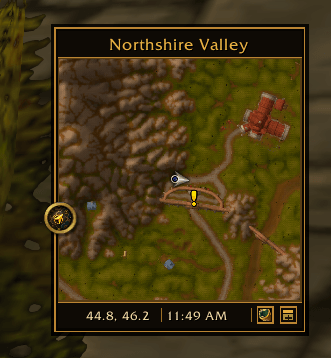
PrimeMinimap replaces the round Blizzard minimap with a clean square map in a dark and gold Prime frame, with a header for the zone name and a footer for coordinates, the clock and your tracking and calendar buttons. It is built for WoW Forever (Interface 16001).
Features
- Square map: a square minimap with the round Blizzard border and artwork hidden, framed by a header and footer.
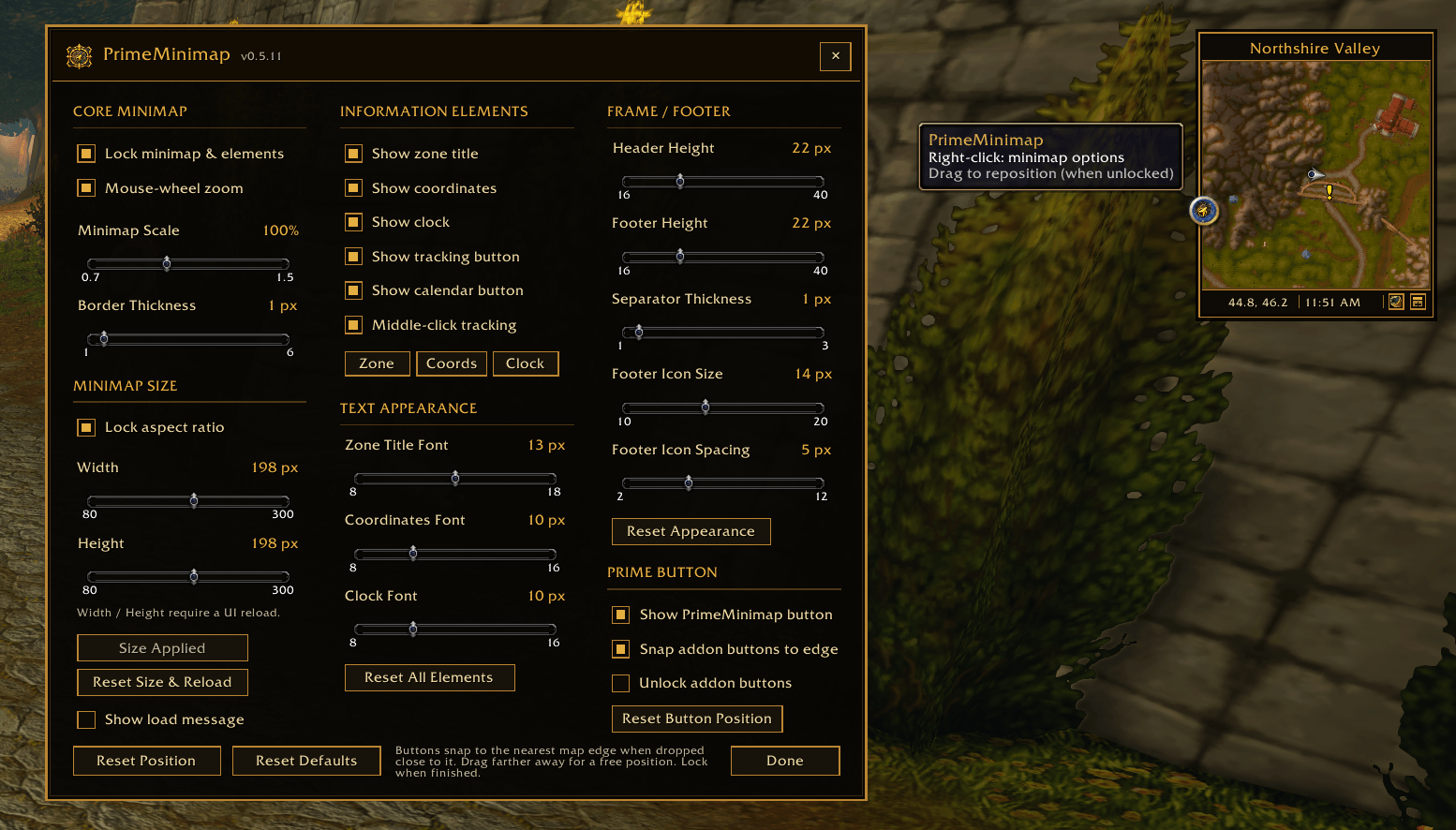
- Zone, coordinates and clock: each can be shown or hidden, dragged to a new spot while unlocked, and given its own font size.
- Clock: follows Blizzard's local time and 24-hour settings; click it to open the Blizzard clock, alarm and time settings.
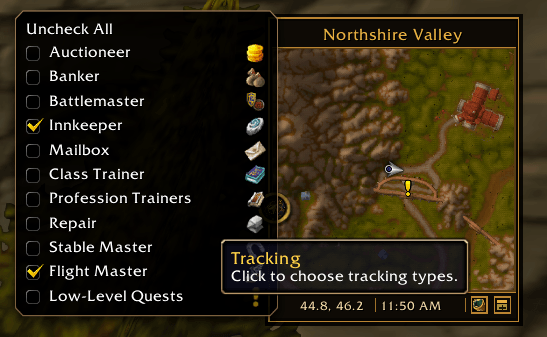
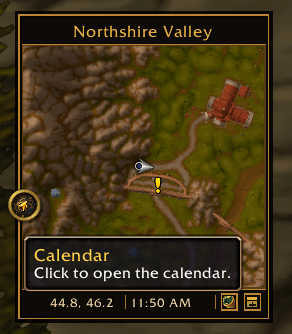
- Tracking and calendar: footer buttons for tracking and the calendar, each can be hidden; middle-click the map to open tracking (optional).
- Zoom: mouse-wheel zoom (optional) and small + / − buttons that appear at the bottom of the map when you hover it.
- Addon buttons: other addons' minimap buttons snap to the nearest map edge when dropped close to it, or stay wherever you put them; they can be unlocked on their own while the map stays locked.
- Appearance: map scale (70–150%), border thickness, header and footer height, separator thickness, and footer icon size and spacing.
- Map size: set the map's width and height (80–300 px), with an optional locked aspect ratio; applied with a UI reload.
- Position: lock or unlock to reposition; the map's position and scale are saved and restored after a reload.
- Layout Editor: movable with the PrimeBars Layout Editor.
- Resets: reset the position, size, appearance, info elements, the PrimeMinimap button position, or all settings.
Commands
- /pminimap or /pmmap - open or close the settings
- /pminimap lock - lock the minimap and its elements
- /pminimap unlock - unlock the minimap so it can be dragged
- /pminimap buttons - lock or unlock the addon buttons on their own
- /pminimap reset - move the minimap back to its default position
- /pminimap defaults - reset all settings to their defaults
- /pminimap version - show the installed version
The Prime Suite
PrimeMinimap works on its own. These Prime addons are designed to match it and are all optional:
- PrimeBars
- PrimeChat
- PrimeQuestTracker
- PrimeTooltip
With PrimeBars installed, its Layout Editor can move and lock PrimeMinimap along with the rest of your layout.
Getting started
- Extract the PrimeMinimap folder into Interface\AddOns and start the game.
- Right-click the PrimeMinimap minimap button to open the settings. Right-clicking the map or typing /pminimap also works.
- Untick Lock minimap & elements, then drag the map, the zone title, coordinates or clock to where you want them.
- To move only the addon buttons, tick Unlock addon buttons instead.
- Lock again when you are finished. Your layout is saved automatically.
Notes
- Settings are shared by all characters on the account.
- Changing the map's width or height needs a UI reload; the settings window has an Apply Size & Reload button.
- Blizzard's own + / − zoom buttons are hidden and replaced by PrimeMinimap's.
- PrimeMinimap has no profiles or presets of its own.
- This is an early release. If you report a bug, please say what you were doing and include any error text.
Created by PrimeCraze
Discord: https://discord.gg/Vb9aSb7E4Y
PrimeMinimap Team