PrimeBars
- By
Customizable action bars for WoW Forever with a built-in XP bar, one-click layout presets, a drag-and-drop layout editor, and a matching Prime addon suite.

primebarsmenu.png
primebars-defaultbarnew.png
primebars-options1.png



Description
💬 Join the PrimeSuite Discord for support, bug reports, feature requests and update news:
👉 https://discord.gg/Vb9aSb7E4Y
Part of PrimeSuite: PrimeBars, PrimeChat, PrimeMinimap, PrimeQuestTracker and PrimeTooltip all share one look and work together.
PrimeBars
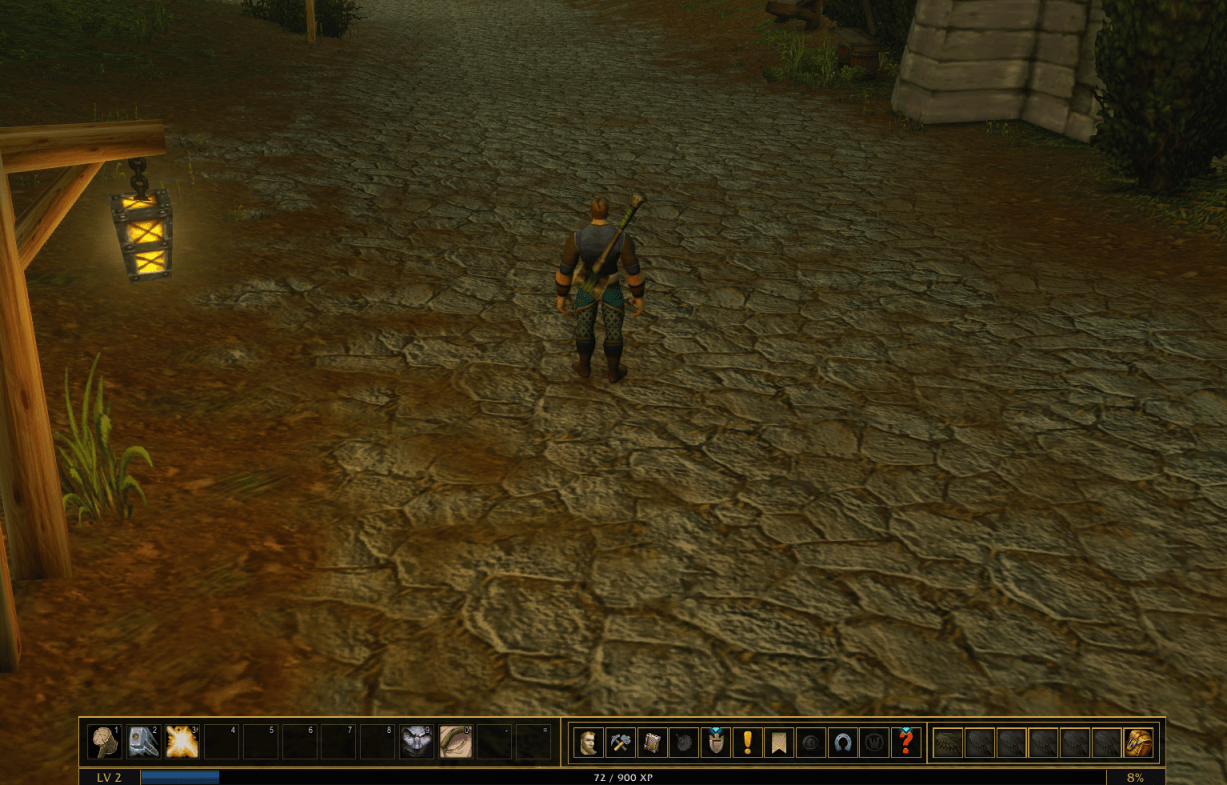
PrimeBars replaces the default action bars with a clean, fully customizable layout. Pick a preset, drag things where you want them, and you're done. Built for WoW Forever (Interface 16001).
Works best with PrimeChat
PrimeBars works fine on its own. Some of its built-in presets (2-Bar Layout, 3-Bar Layout, 3-Bar Layout - No BG, Side-By-Side and Side-By-Side - MiddleMap) are built around PrimeChat. They place the Micro Menu and Bag Bar above the PrimeChat window. Without PrimeChat those two bars sit apart from the others. Use Unlock Layout to move them wherever you like. The three Default presets don't depend on PrimeChat.
Features
- Action bars: four main bars plus additional bars, each with its own size, spacing, columns and button count
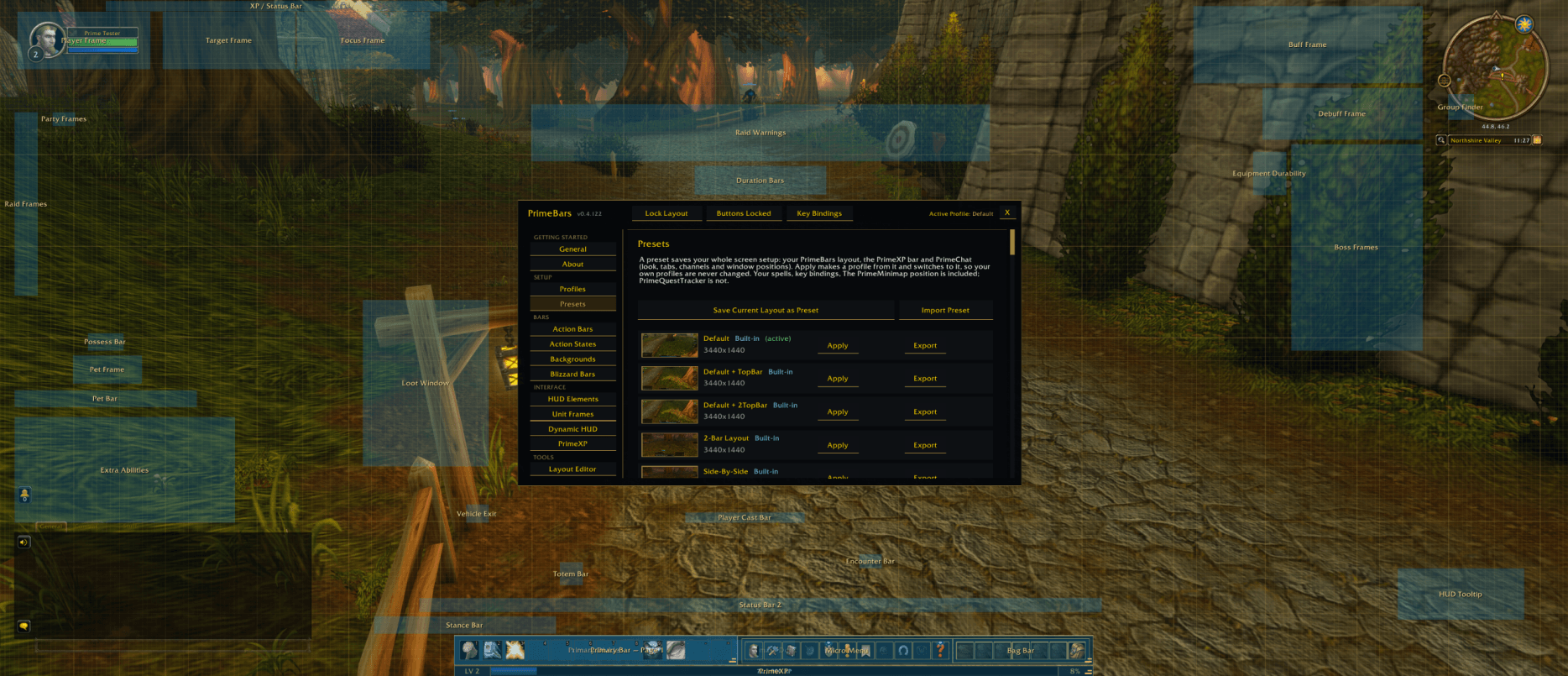
- Layout Editor: unlock and drag bars, docks and HUD pieces, with a grid, snapping and alignment guides
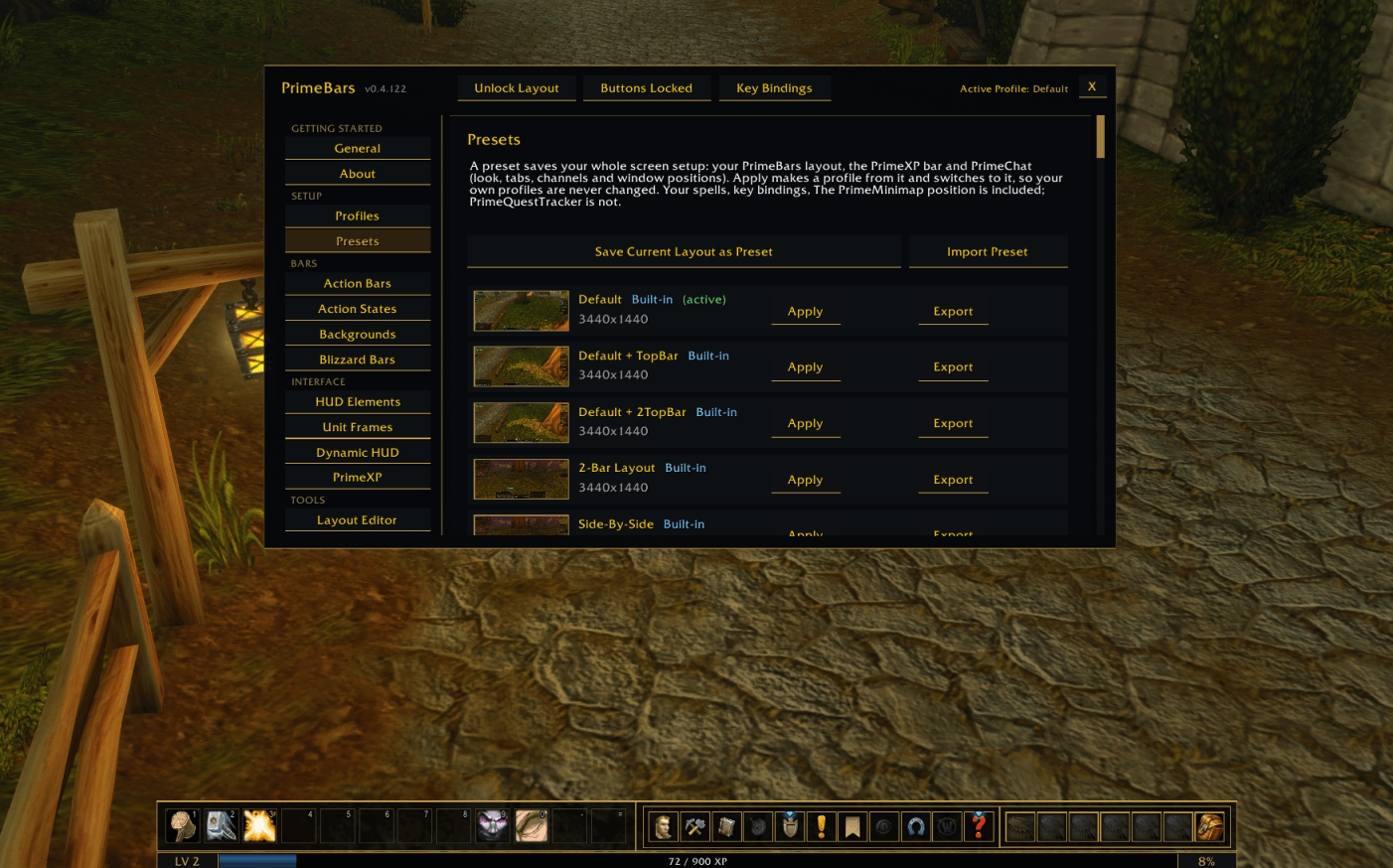
- Presets: built-in layouts you can apply in one click, plus save, rename, export and import your own
- Profiles: keep separate setups and switch between them
- PrimeXP: a built-in, configurable experience bar
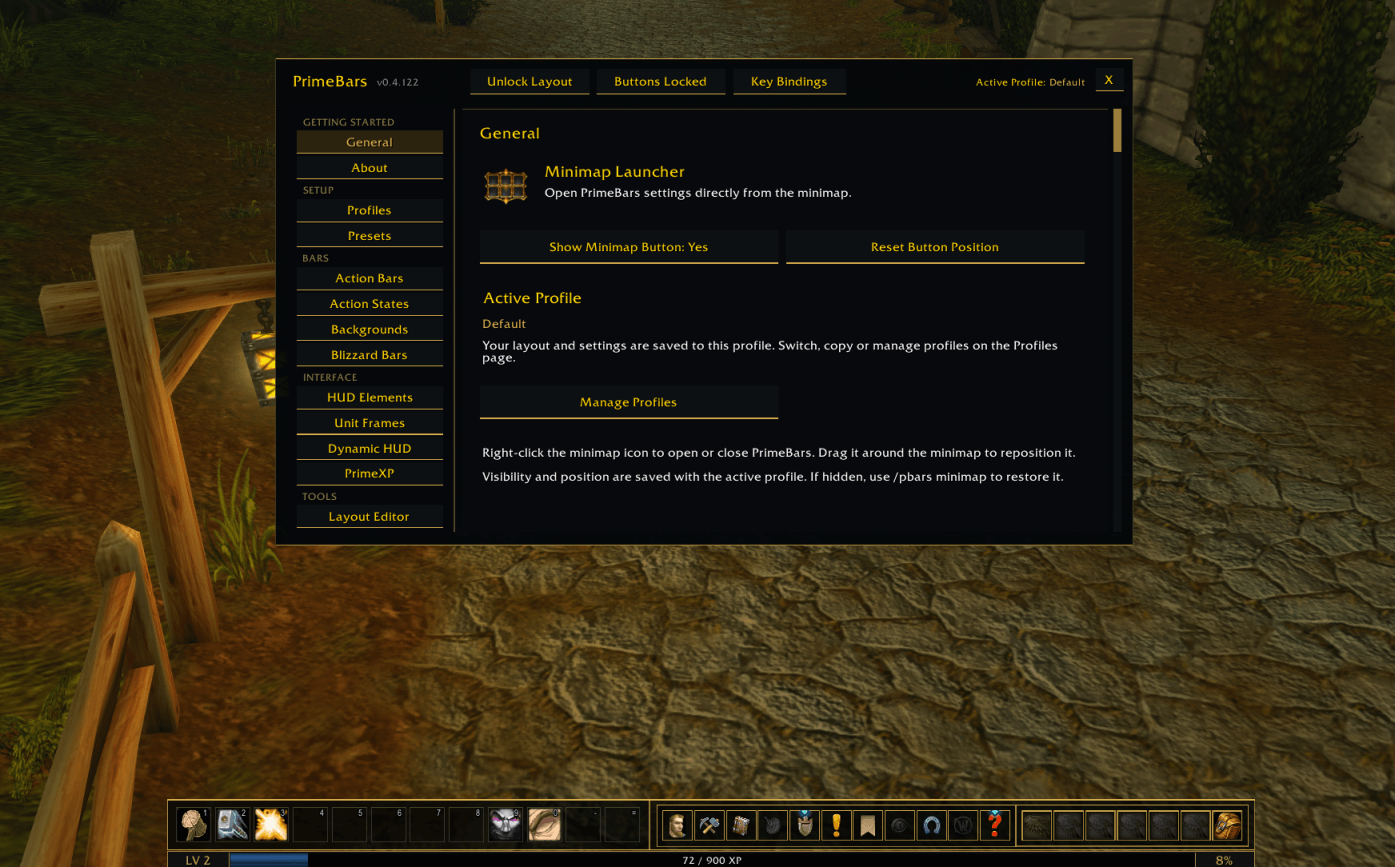
- Settings pages: Action States, Backgrounds, Blizzard Bars, HUD Elements, Unit Frames and Dynamic HUD
- Key bindings and button locking from the settings window
- Quick access from a minimap button and an Esc-menu button
Built-in presets
Default, Default + TopBar, Default + 2TopBar, 2-Bar Layout, Side-By-Side, Side-By-Side - MiddleMap, 3-Bar Layout and 3-Bar Layout - No BG.
A preset applies your PrimeBars layout and PrimeXP bar. If you have PrimeChat and PrimeMinimap installed, it also sets your chat window and moves the minimap to match.
The Prime Suite (optional)
PrimeBars works on its own. These separate addons are designed to match it, and you can install any of them or none:
- PrimeChat
- PrimeMinimap
- PrimeQuestTracker
- PrimeTooltip
Presets include the minimap position when PrimeMinimap 0.5.10 or newer is installed.
Getting started
- Install the addon and log in.
- Right-click the minimap button (or use the Esc-menu button) to open settings.
- Open Presets, choose a layout and click Apply.
- Use Unlock Layout to fine-tune, then lock it again.
- Save your own setups from the Presets page.
Notes
- The built-in presets were made on a 3440x1440 screen. On other resolutions, bars may sit in slightly different places. Use Unlock Layout to adjust them and save your own preset.
- Spells and key bindings are not part of a preset.
- This is an early release. If you report a bug, please say what you were doing and include any error text.
Created by PrimeCraze
Discord: https://discord.gg/Vb9aSb7E4Y
PrimeBars Team