PrimeChat
- By
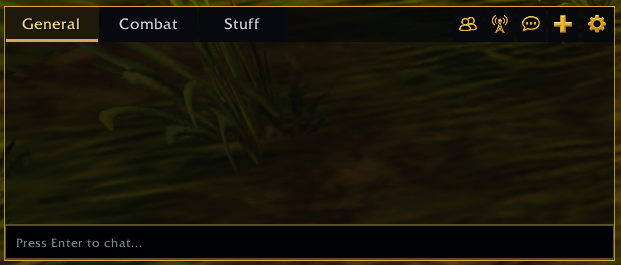
Customizable chat tabs and detachable windows for WoW Forever, with per-tab message filters, class-colored names, timestamps, font options and profiles you can export to other characters.
primechat.png
Description
💬 Join the PrimeSuite Discord for support, bug reports, feature requests and update news:
👉 https://discord.gg/Vb9aSb7E4Y
Part of PrimeSuite: PrimeBars, PrimeChat, PrimeMinimap, PrimeQuestTracker and PrimeTooltip all share one look and work together.
PrimeChat
PrimeChat rebuilds your chat into a clean, configurable panel with custom tabs, detachable windows, text formatting and reusable profiles. It is built for WoW Forever (Interface 16001).
Features
- Chat tabs - Permanent General and Combat tabs, plus your own custom tabs. Create, edit, rename and delete them on the Chat Tabs page.
- Message filters - Choose what each tab shows: Nearby (Say, Emote, Yell), Whispers, Party/Raid/Instance, Guild and Officer, Numbered Channels, Loot and Currency, Experience and Reputation, Trade Skills, System and Achievements, and NPC and Boss messages.
- Blizzard chat menu - Right-click any tab for Blizzard's full message and channel settings. Each tab's exact messages and channels are saved in your profile.
- Detached windows - Drag a tab out of the main window, or set it to Detached in the tab editor. Detached windows have their own title bar, resize grip and an optional typing row.
- Safe closing - Choosing Close Window on a tab asks first: Dock to General, Delete Tab or Cancel.
- Saved positions - The main window and every detached window keep their position and size in your profile, and are restored after /reload, login and Blizzard's Edit Mode.
- Screen edges - Windows cannot be dragged off screen, but can still sit flush against the edge.
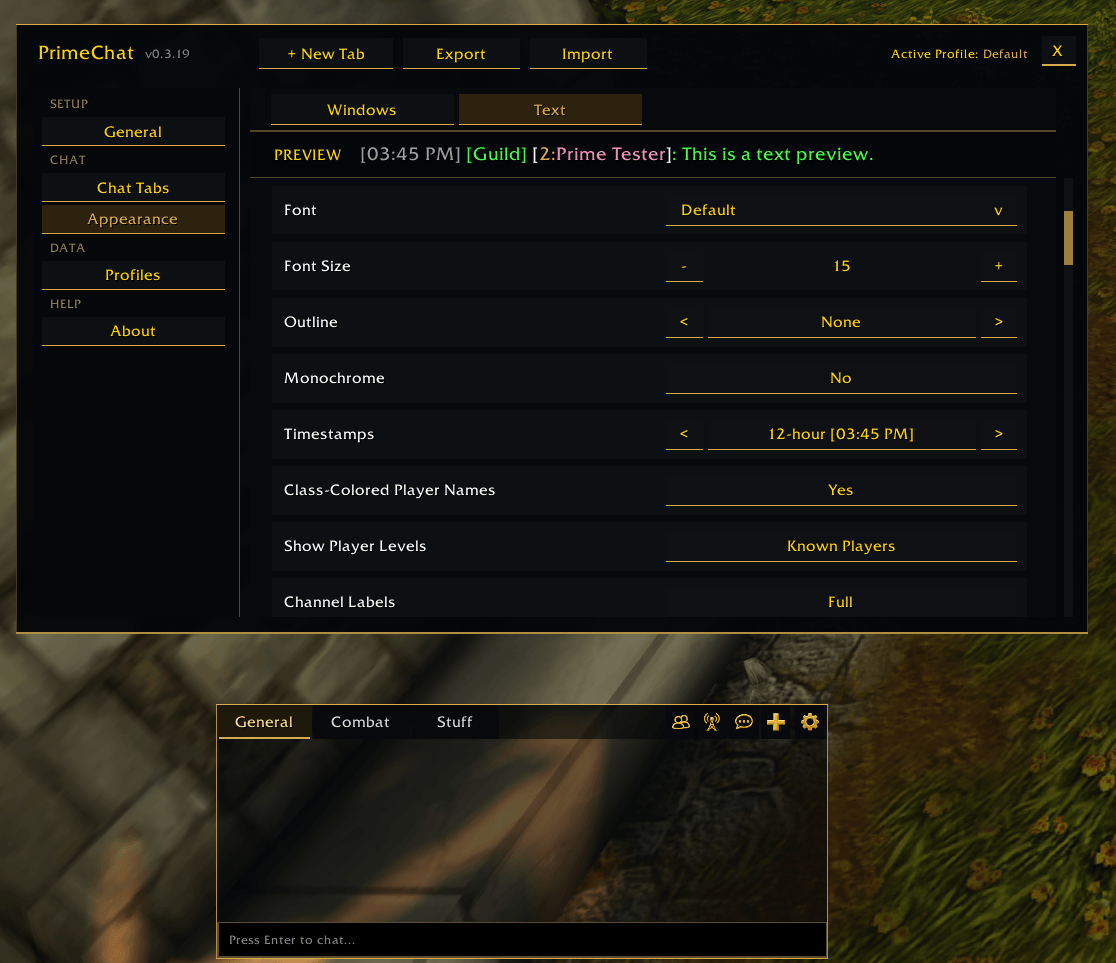
- Text formatting - Font (from the fonts built into the game), size 8-36, outline, monochrome and a live preview.
- Timestamps - Off, 12-hour, 24-hour, or 24-hour with seconds.
- Player names - Optional class-colored names and optional levels for known players, shown as [level:name].
- Channel labels - Full names or compact labels such as [G], [P], [R] and [W].
- Appearance - Background opacity for all windows, plus width and height for the main window or any detached window.
- Profiles - Named profiles shared by all characters on your account. Save copies, load, delete, or reset the active profile (with a confirmation).
- Export and import - Copy your whole chat setup as text, including tabs, each tab's messages and channels, and window layout, then import it on another character.
- Chat bar icons - Matching custom icons for Social, Channels, Chat Commands, New Tab and Settings, keeping Blizzard's original actions.
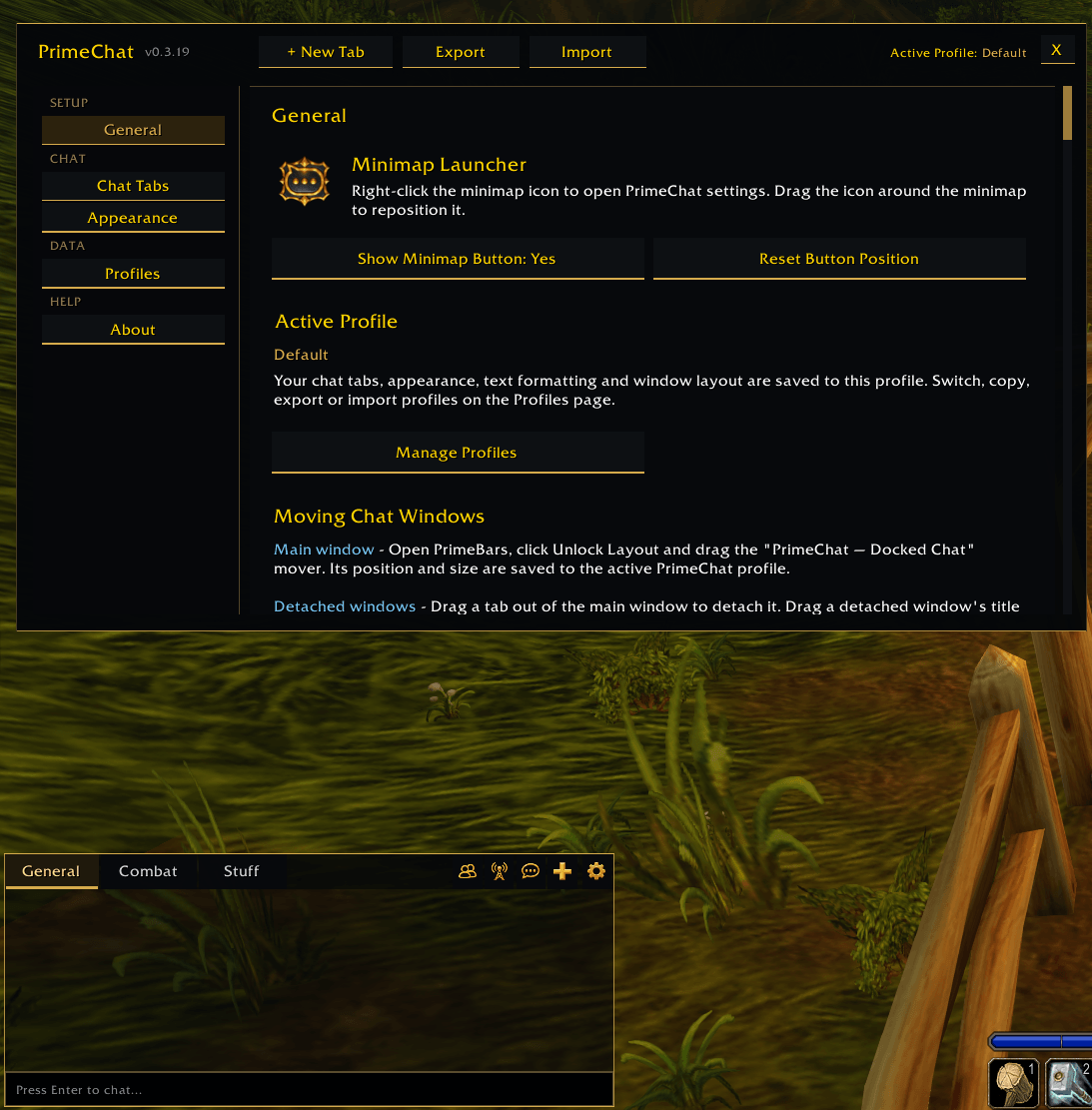
- Settings window - One window with General, Chat Tabs, Appearance, Profiles and About pages.
- Minimap button - Right-click to open the settings, drag to move it around the minimap. It can be hidden and its position reset.
Commands
- /pchat - Open or close the settings (/primechat also works)
- /pchat new - Create a new chat tab
- /pchat profile - Open profile management
- /pchat export - Show the active profile's export text
- /pchat import - Open the import box
- /pchat minimap - Show or hide the minimap button
- /pchat reset - Reset the active profile to its defaults
- /pchat version - Show the PrimeChat version
The Prime Suite
PrimeChat works on its own. It is designed to match these optional Prime addons:
- PrimeBars
- PrimeMinimap
- PrimeQuestTracker
- PrimeTooltip
With PrimeBars v0.4.80 or later, the main chat window and each detached window can be moved with the PrimeBars Layout Editor. Your PrimeChat profile is also included in PrimeBars' Export Setup and in PrimeBars layout presets.
Getting started
- Install PrimeChat, then fully restart WoW.
- Right-click the PrimeChat minimap button, or type /pchat, to open the settings.
- On Chat Tabs, click + New Tab, name it, choose its messages, choose Docked or Detached, and click Save Tab.
- On Appearance, set the window size and opacity (Windows tab) and the font, timestamps and name options (Text tab).
- Move a detached window by dragging its title bar. With PrimeBars installed, click Unlock Layout in PrimeBars to move the main chat window.
- On Profiles, export your setup to copy it to another character.
Notes
- Profiles are shared by all characters on your account. Each character chooses its own active profile.
- Only fonts built into the game can be chosen. WoW Forever does not load fonts from addon folders, and PrimeChat lists only the fonts your client can load.
- WoW limits the total number of chat windows, so you may need to remove a tab before you can add another.
- Layout changes are blocked during combat and apply afterward.
- PrimeChat keeps its windows where you saved them, so moving a chat window in Blizzard's Edit Mode does not stick.
- This is an early release. If you report a bug, please say what you were doing and include any error text.
Created by PrimeCraze
Discord: https://discord.gg/Vb9aSb7E4Y
PrimeChat Team