Nokkan's Consumables Tracker
- By
Nokkan’s Consumables Tracker is a lightweight addon that visually reminds you when you’re running low on important consumables, only when it actually matters.
nct_interface.jpg
nct_reminder_bar.jpg
nct_reminder_bar_dragable.jpg
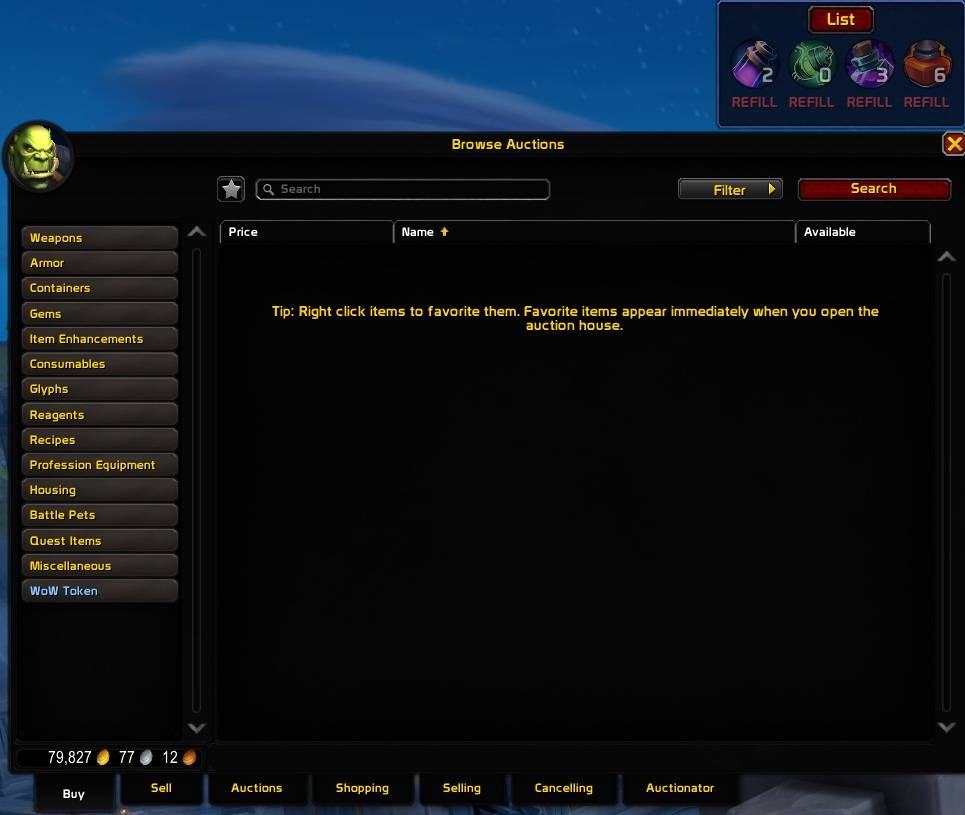
nct_AH_bar_anchored.jpg
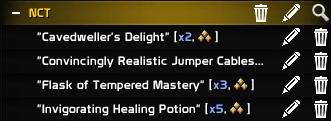
nct_Auctionator_List_integration.jpg
Description
Nokkan's Consumables Tracker
A lightweight reminder bar that shows up when you're running low on the consumables, reagents or ammo you chose to track, only where it actually matters: the main city, Mythic+ and the current raids.
Features
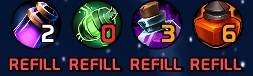
Smart reminder bar
- Shows only the consumables at or below the threshold you set, and hides when you're stocked
- Appears in the main city hub, inside this season's Mythic+ dungeons before the key starts, in this season's raids out of combat, and near their entrances so you can restock before going in (each one optional, or Everywhere)
- Clear REFILL label, or the amount needed, or count / threshold, or nothing
- Colour-coded stack counts that turn orange, then red, as you run out (big stacks shown as 1.2k)
- Eye-catching effects on low items: mix a Fade (pulse, breathe, blink), a gold Glow and a Motion (heartbeat, bounce, shake)
- Horizontal or vertical, optional background, hides in combat
- Smooth motion: icons pop in as items run low, restocked ones fade away and the rest glide into place
- Shift-click an icon to link it in chat or search it at the Auction House
Drag & drop setup
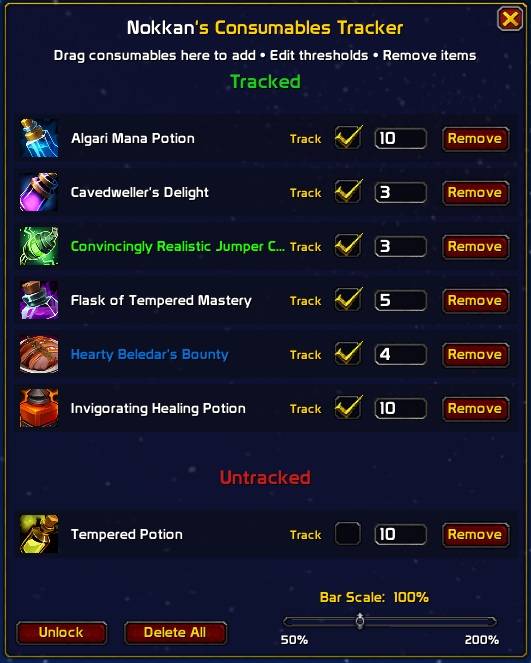
- Drag consumables, reagents or ammo from your bags straight onto the tracker window
- Reagents and ammo: spell reagents (seeds for Rebirth, runes, powders, soul shards…), crafting reagents (wood, cloth, herbs, parts…) and arrows or bullets are tracked just like potions and flasks
- The window lights up green, amber or red to tell you whether the item will be accepted
- A starting threshold is set from your current stacks
Clean tracker window
- Collapsible Tracked and Untracked sections with item counts
- Live search and a "tracked · low · out" summary
- A rounded stock meter on every item in its rarity colour, red once you're at or below your threshold, that glides to your new count (the gold marker in the middle is your threshold), and the bag count on its icon
- An on/off switch per item, and thresholds up to 9999 you can type, step with +/- or change with the mouse wheel (Shift = steps of 5, Ctrl = steps of 100)
- Remove items with confirmation, or reset everything with Delete All
- Choose the font, the border and the window's opacity; resize it while unlocked (never narrower than its contents)
- Collapsible sections that fold and unfold smoothly
- A Changelog button with the notes for the version you have installed
Per-character control
- One shared item list, with tracking and thresholds per character
Movable & scalable
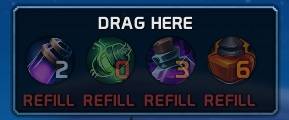
- Unlock the bar and drag it anywhere; it snaps to the screen's centre line
- Scale from 50% to 200%; position and scale are saved (the Auction House bar keeps its own size)
Auction House companion bar
- Shows your low consumables at the top right of the Auction House
- Auctionator: a List button builds a shopping list of everything you're missing, each at its exact rank, and opens it in the Shopping tab with the search already running
Minimap & Broker
- Tooltip lists every tracked item with its count, worst first
- Broker text ("2 low" / "Stocked") for Titan Panel, ChocolateBar and others
Masque support
- Skin the reminder bar's icons like the rest of your UI
Settings
Click Options at the bottom of the tracker window (open it with /nc), right-click the minimap button, or go to Options → AddOns and press Open.
The options slide out of the tracker's right edge in the same frame and colour as the tracker, with a page for each part of the addon. Click a section's heading to fold it away (it stays folded), and use the open page's sections listed in the sidebar to jump straight to one:
- Reminder Bar: lock or unlock the bar, its scale, direction, icon label, count position, background, and hiding in combat
- Effects: animate low items or not, and pick their Fade, Glow and Motion
- Zones: where the bar may appear, or Everywhere
- Appearance: the font (searchable, each shown in its own typeface), and the tracker window's border and opacity
- Options: show or hide the minimap button, reduce animations, or change their speed
Test Bar at the top of the options previews the bar with random low counts, so you can try styles before you need them. Every slider has a box beside it where you can type an exact value.
Commands
/ncor/nct: open or close the tracker/nc rescue: move the tracker and the reminder bar back to the middle of the screen
Uses the LibDataBroker-1.1, LibDBIcon-1.0 and LibSharedMedia-3.0 libraries, bundled under their own licenses.
More Addons
If you liked this addon, check out my other ones, you might like them too:
- Nokkan's WhatChuWant: Shows in unit tooltips who in your group is targeting that player or NPC, plus their item level and mount.
- Nokkan's StealthIO: Immersive screen darkening effect when entering stealth-like abilities even if you are not a rogue. All relevant classes / races are accounted for. Poison tracker/reminder for rogues.
- Nokkan's Graphics: A list of all the Graphic Options. Includes all the Options and CVar configurable
- Nokkan's AutoNeed: Automatically handles loot roll pop-ups in raids and dungeons. I know you are bored and sigh each time a Housing Decor shows up.
- Nokkan's Group Finder: Everyone looking for a dungeon or raid, from chat, the game's Group Finder and other players running the addon, in one window.
Nokkan's Consumables Tracker Team