Nokkan's AutoNeed
- By
Automatically handles loot roll pop-ups in raids and dungeons. I know you are bored and sigh each time a Housing Decor shows up.
auto_need_options.png
auto_need_player.png
loot_frame.png
Description
Nokkan's AutoNeed
Automatically rolls Need, Greed, Pass, or takes No Action on loot popups in raids and dungeons — so you never miss a toy, mount, recipe, or piece of gear again.
Disclaimer
In case you are using Raid Loot addons like RC Loot Council, etc that automatically pass on all loot when you raid with your guildies, this addon can impact that distribution if you have certain options selected. This addon works best in solo - pug - m+ scenarios as a QoL addon. Please don't make your Raid Leader - Loot Councilors mad. Happy looting.
Features
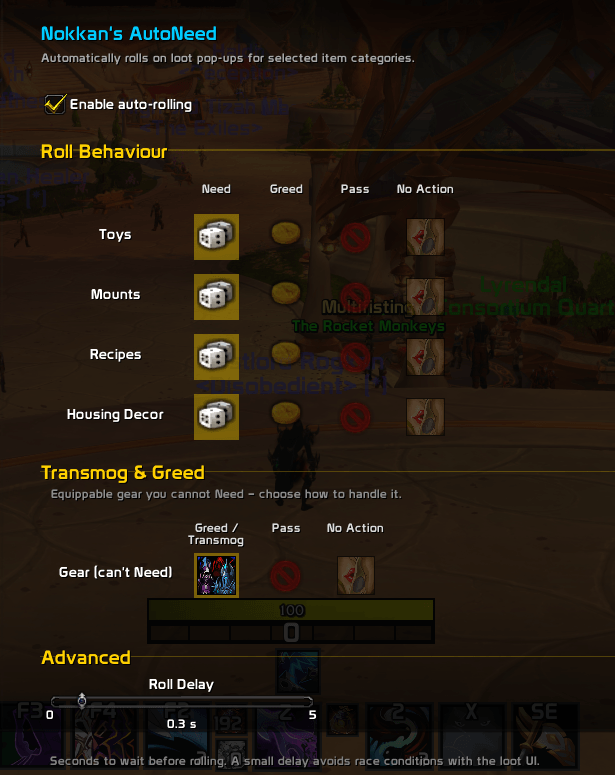
- Auto-rolls on loot popups for configurable item categories
- Per-category control — set each category independently
- Need → Greed fallback — if Need is unavailable, falls back to Greed automatically
- Transmog & Greed support — auto-rolls Transmog if available, otherwise Greed, on gear you can't Need
- Combat-aware — rolls made during combat are queued and fired when you leave combat
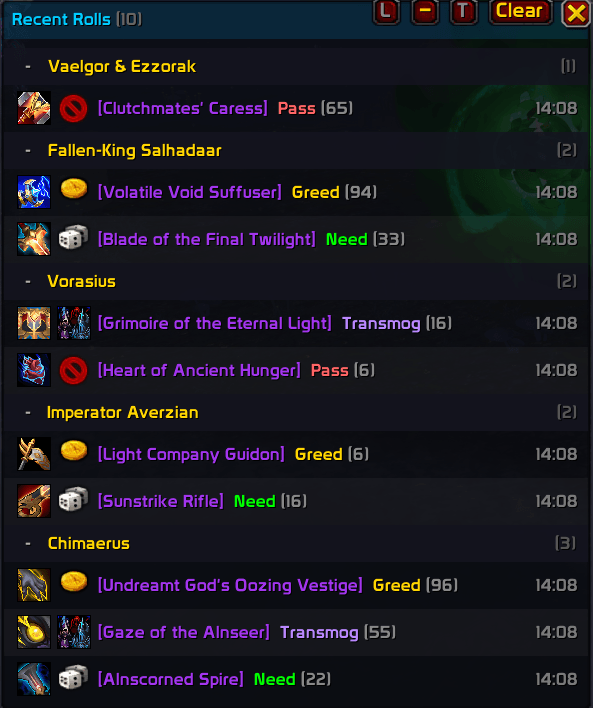
- Sperate Loot Window, in order to keep track of what the addon has rolled for you
- Loot History, in order to keep track of all the loots the addon has rolled for you
- Loot Toast Window after you leave a raid group showing a summary of things you rolled for during that session
- Loot Roll Normalisation for you statistic freaks out there
- Configurable roll delay — optional delay before rolling to avoid race conditions with the loot UI
- Loot history — per-character log of the last 100 items the addon rolled on, with timestamps and icons
- Live chat feedback — prints each handled roll to chat with inline item icons and roll type
- In-game options panel — full UI under ESC → Options → AddOns → Nokkan's AutoNeed
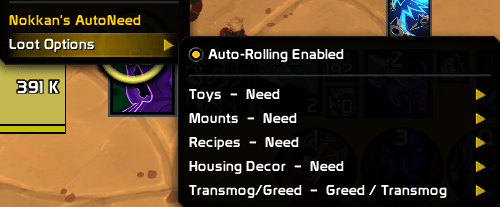
- Right-click context menu — quick access to all settings from your player portrait
More Addons
If you liked this Addon, check my other ones perhaps you like them too:
- Nokkan's Consumables Tracker. Track down your necessary consumables per character and be reminded when you are running out
- Nokkan's StealthIO Fancy stealth immersion. Decorative.
Any bugs / errors found on any of the above addons, feel free to send to Nokkan-Silvermoon.
Supported Item Categories
| Category | Options |
|---|---|
| Toys | Need · Greed · Pass · No Action |
| Mounts | Need · Greed · Pass · No Action |
| Recipes | Need · Greed · Pass · No Action |
| Housing Decor | Need · Greed · Pass · No Action |
| Transmog / Greed (gear you can't Need) | Greed/Transmog · Pass · No Action |
Slash Commands
/nan               — open the options panel
/nan toggle        — enable / disable the addon
/nan status        — show current settings
/nan toys          [need|greed|pass|none]
/nan mounts        [need|greed|pass|none]
/nan recipes       [need|greed|pass|none]
/nan housing       [need|greed|pass|none]
/nan transmog      [greedtransmog|pass|none]
/nan delay         [0–5]   — seconds to wait before rolling
/nan debug                 — toggle debug output
/nan history       [n]     — show last n loot history entries
/nan history clear         — clear loot history
Nokkan's AutoNeed Team