ForeverToasts
- By
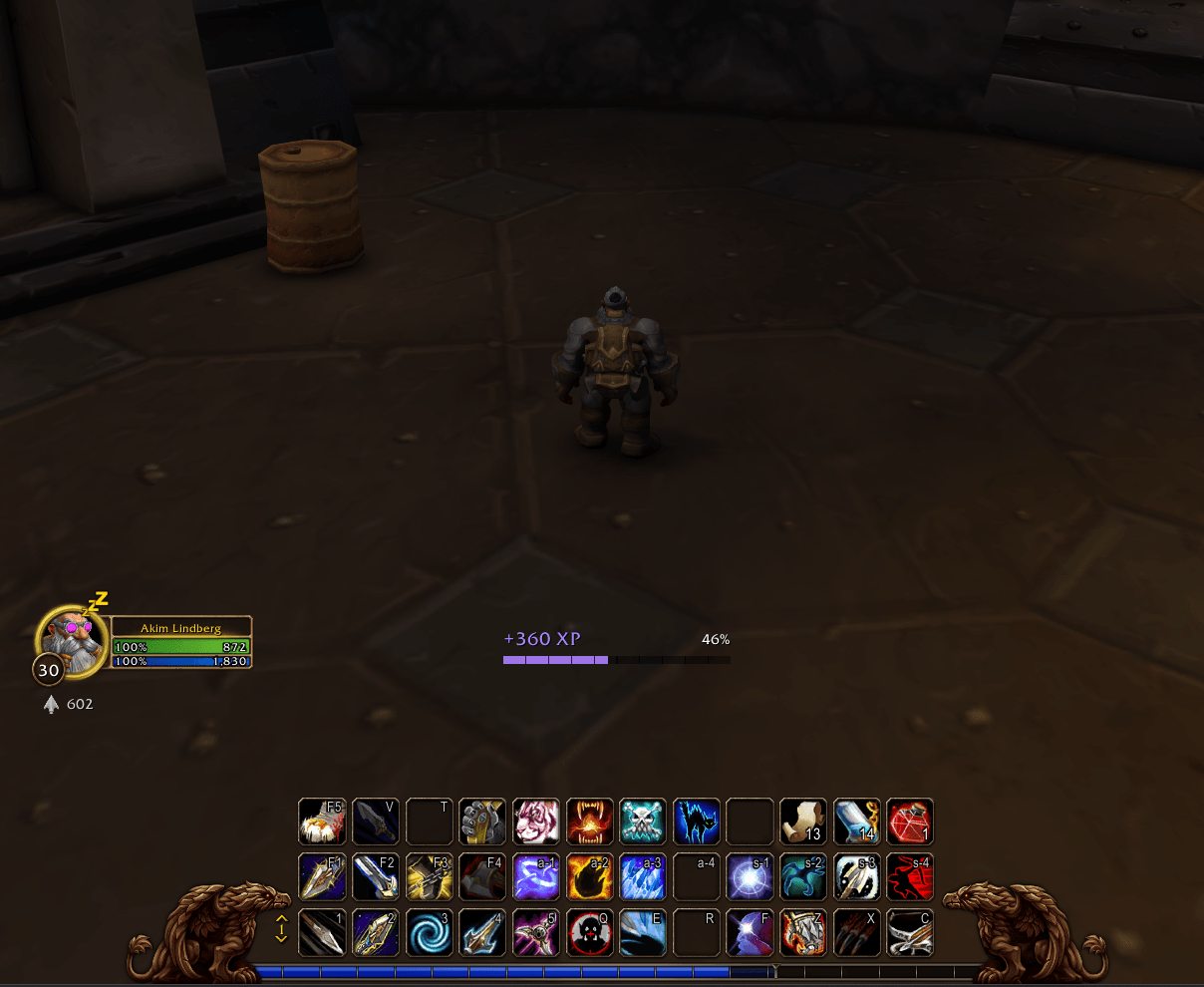
Animated notifications of your progress: loot, skills, experience, reputation, quests and a big level-up panel
Wow_tz7Srusxck.png
Wow_OjYEwxhO39.png
Wow_OarmozoOVL.png
Wow_9JZjWPEzoT.png
Wow_xheu3skELj.png
l9LqtnLSER.png
Description
ForeverToasts
See your progress, not read it in the chat: animated notifications for what you loot, the money you get, skill ups, experience, reputation and quest progress.
Features
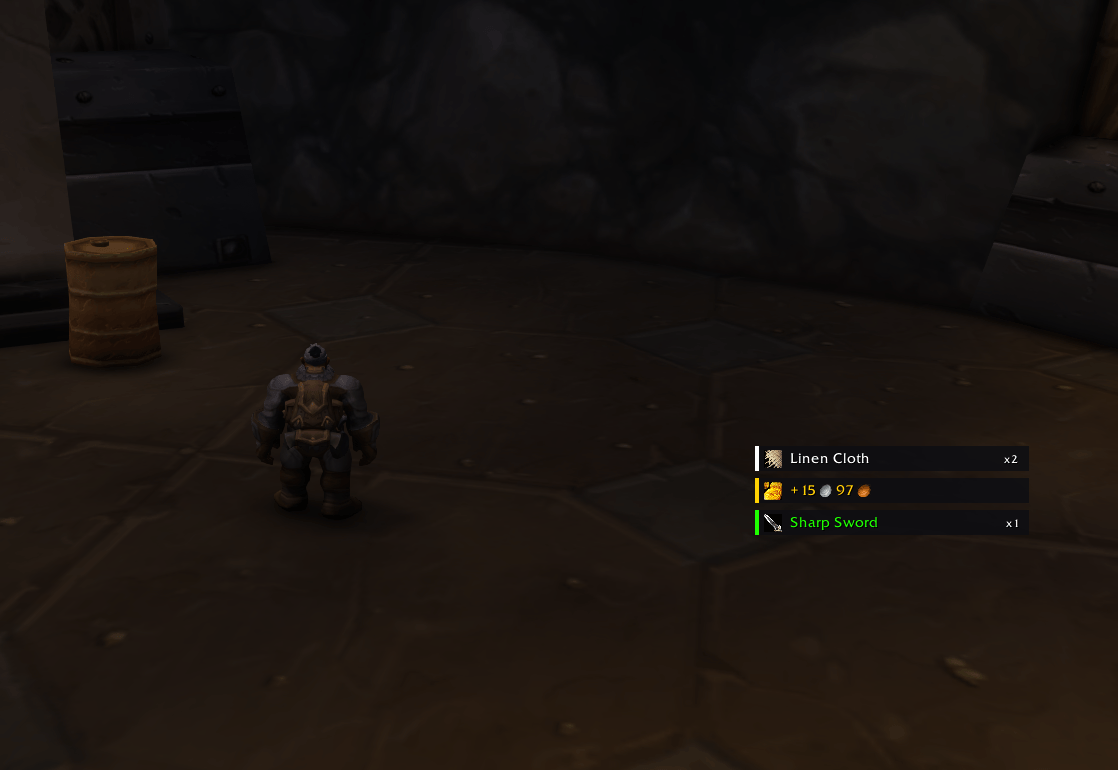
- Loot: every item that comes into your bags — loot, quest rewards, purchases, mail — with its icon and quality colour; the same item again adds up ("Linen Cloth x5"). Money too, added up. Choose the lowest quality to show.
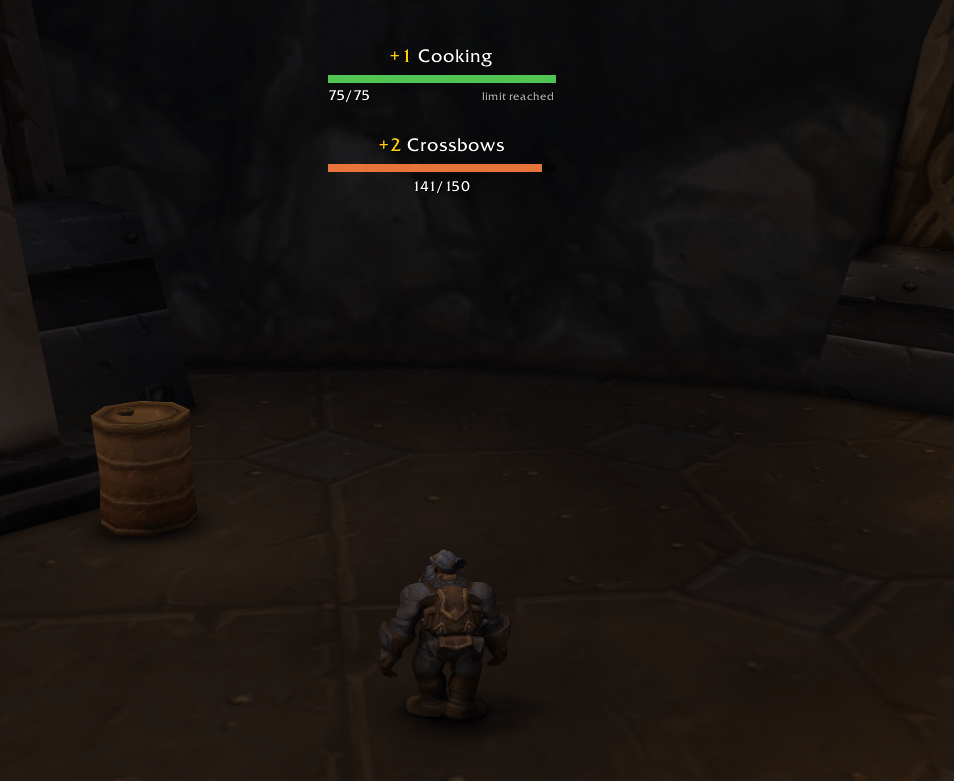
- Skills: weapon skills, professions, cooking, first aid, fishing — "+1 Mining" with a bar and "36/100", "limit reached" at the top. Minimalism or Classic style; a sound for skill ups if you like.
- Experience: "+350 XP" added up, with the level's progress.
- Reputation: every faction that moves in one compact notification, a row each: the gain added up, the standing's progress and each new standing.
- Quests: each objective as it moves, and "Complete" when you can hand it in; replaces the game's yellow progress line at the top of the screen.
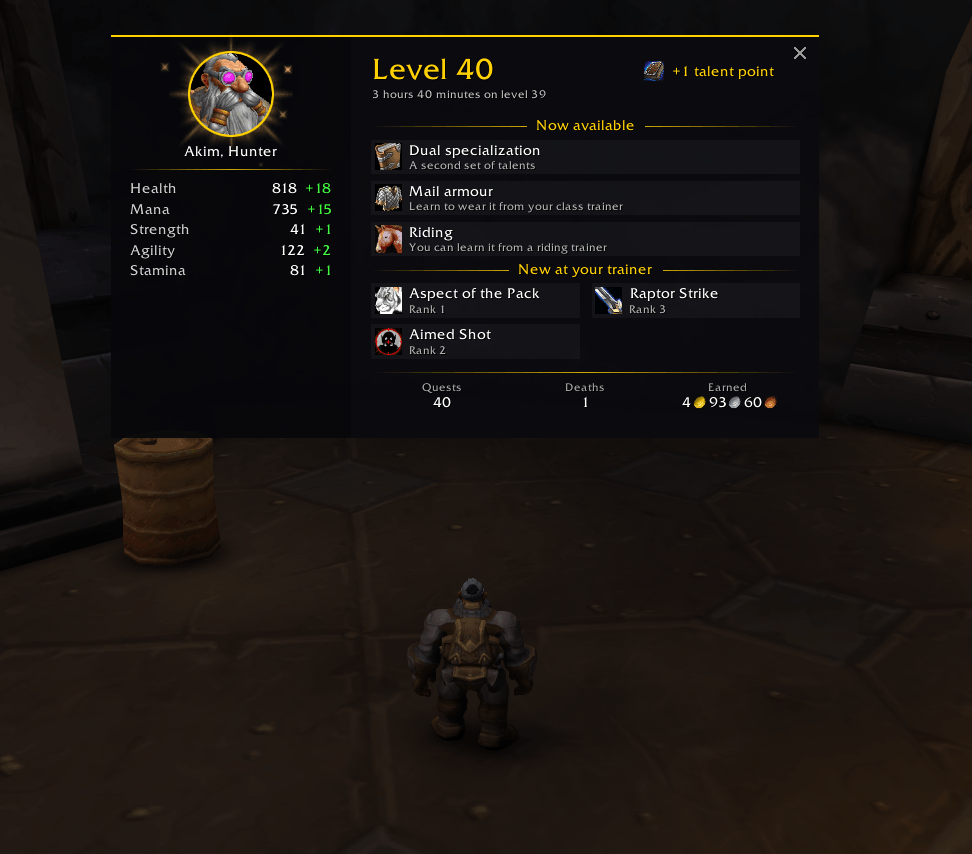
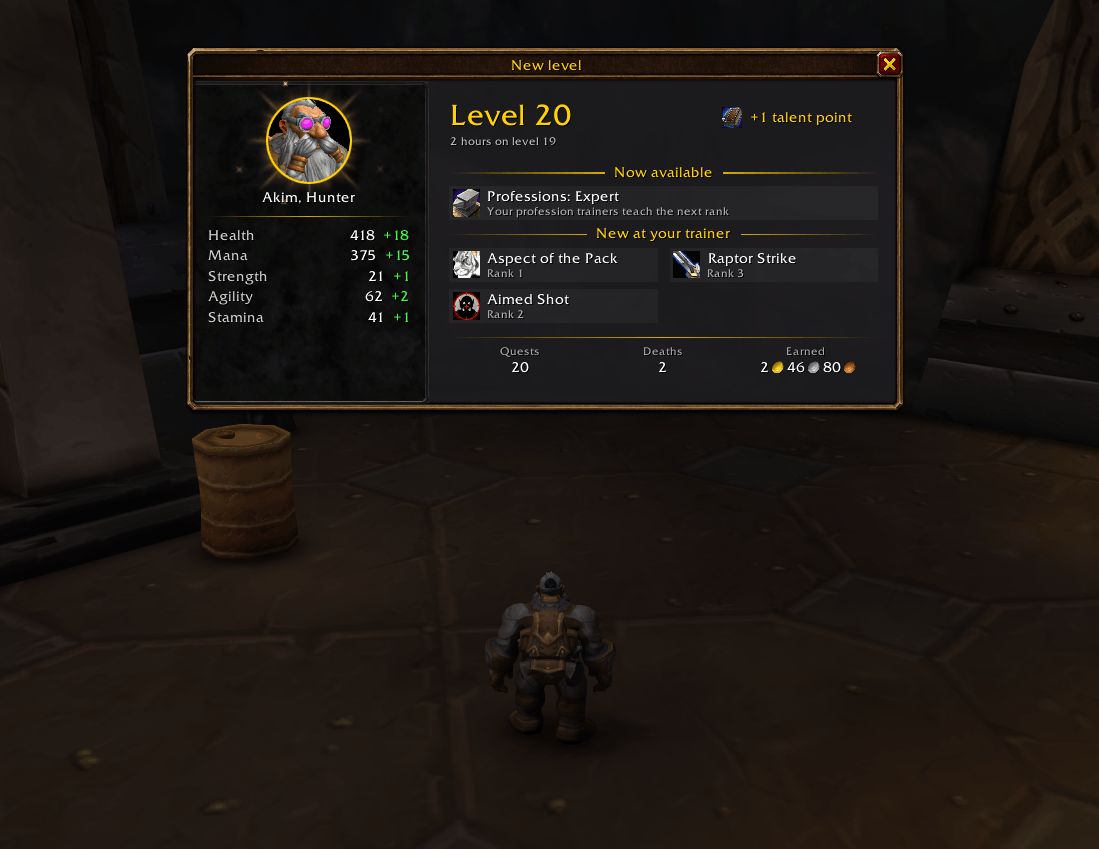
- New level: a large notification with your portrait, the time the level took, the health, mana and stats it gives, talent points, what the level opens (talents, riding, profession ranks...), the new abilities at your class trainer (with their tooltips) and how the level went. Missed it?
/ft last. - Every kind your way: on or off, opacity of the content and of the background, size, how many at once, how long they stay, which way the stack grows.
- Smooth animations: slide in, move along, fade out; hovering keeps a notification.
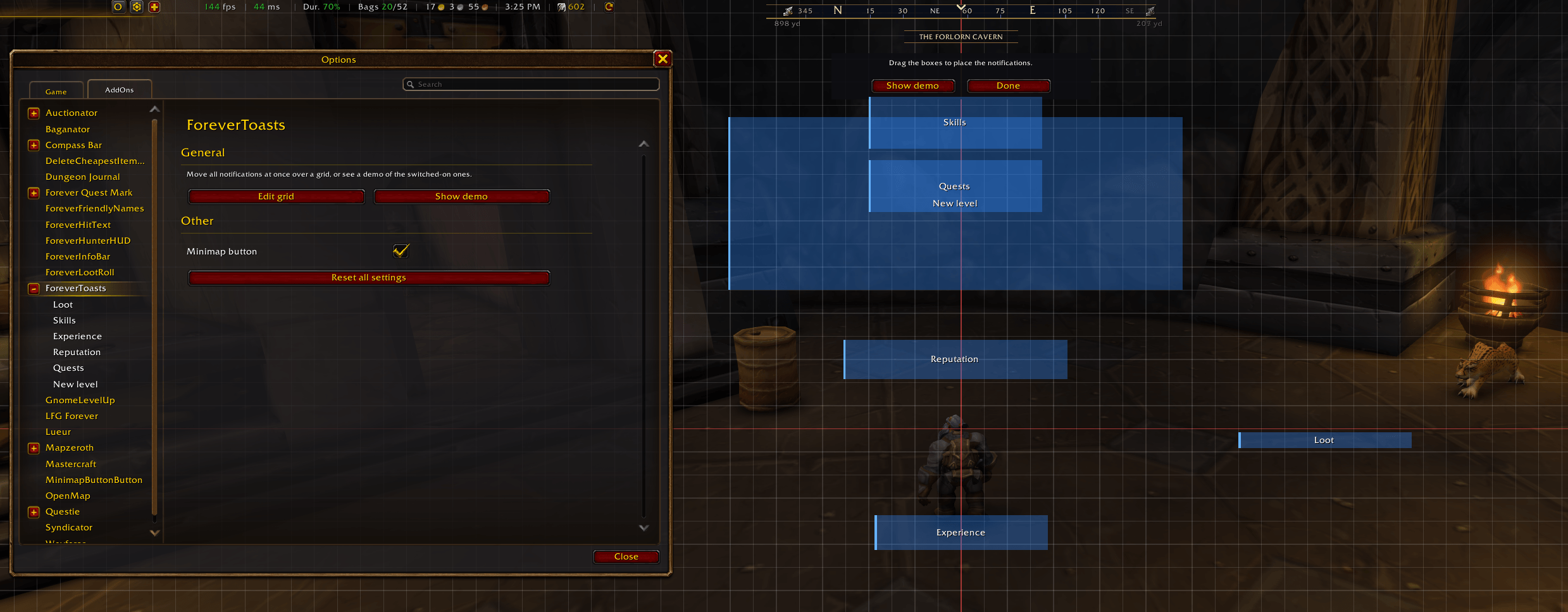
- Edit grid: move them all at once, and a demo to see how it looks.
- English and Russian.
Good to know
- Loot is found by comparing your bags, not by reading the chat: it works in any language and catches everything that comes in. Moving items between the bank and your bags shows nothing.
- While quest notifications are on, the game's yellow quest progress line is hidden; switch them off and it's back. Remove the addon and nothing is left behind.
- New abilities at the trainer: open your class trainer once with the window's Unavailable filter ticked, so the addon learns what comes at each level.
Commands
| Command | What it does |
|---|---|
/ft |
Open settings |
/ft demo |
Show the demo |
/ft move |
Move the notifications |
/ft last |
The last new level notification again |
/ft reset |
Reset all settings |
ForeverToasts Team