ForeverLootRoll
- By
Loot roll window for WoW: Forever: everyone’s rolls, leader, winner and roll history
Wow_iBcErISrSo.png
Wow_5KEE8kapFU.png
Wow_RdKesjWb5t.png
Wow_hXV2Fxcfp1.png
Wow_DVYP8EKIs7.png
Description
ForeverLootRoll
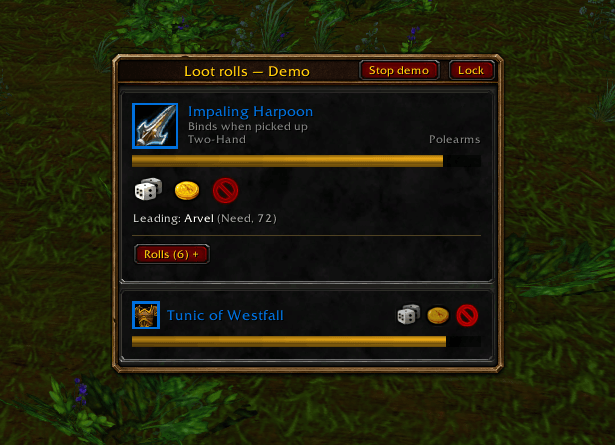
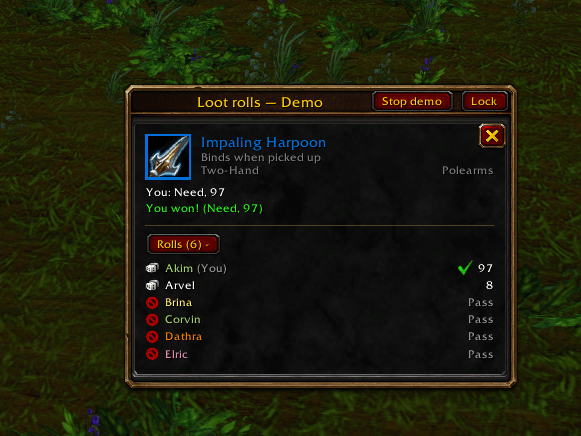
A loot roll window for World of Warcraft: Forever that shows what the default roll frame doesn't: who chose what, who rolled how much, who is leading and who won, plus a history of past rolls.
Features
- The item, up close. Icon, quality, binding, slot and type, like the item tooltip. Hover for the full tooltip, Shift-click to link it in chat, Ctrl-click to try it on.
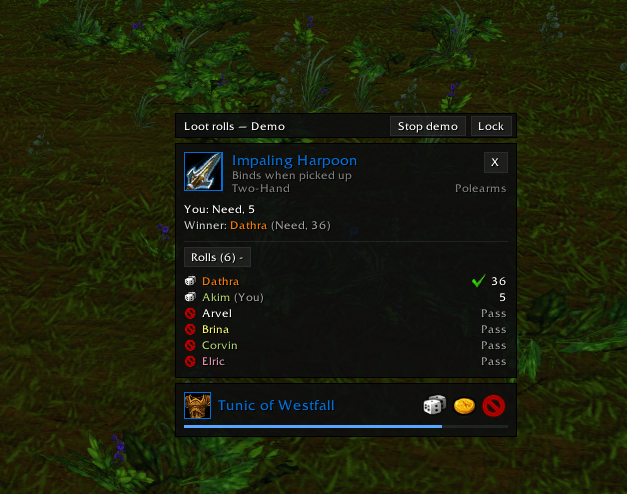
- Need, Greed, Pass. A timer that turns red when less than half of the time is left. After you choose, your choice stays marked with a check and the card stays where it was.
- Results as they come in. Your roll, the current leader and the winner, e.g. Leading: Arvel (Need, 87). Open the list on any card to see everyone's choice and roll.
- Several items at once. One card per item, including several copies of the same item. Up to 3 full cards (configurable); any further rolls you still need to decide on get compact cards, so the limit never keeps you from rolling.
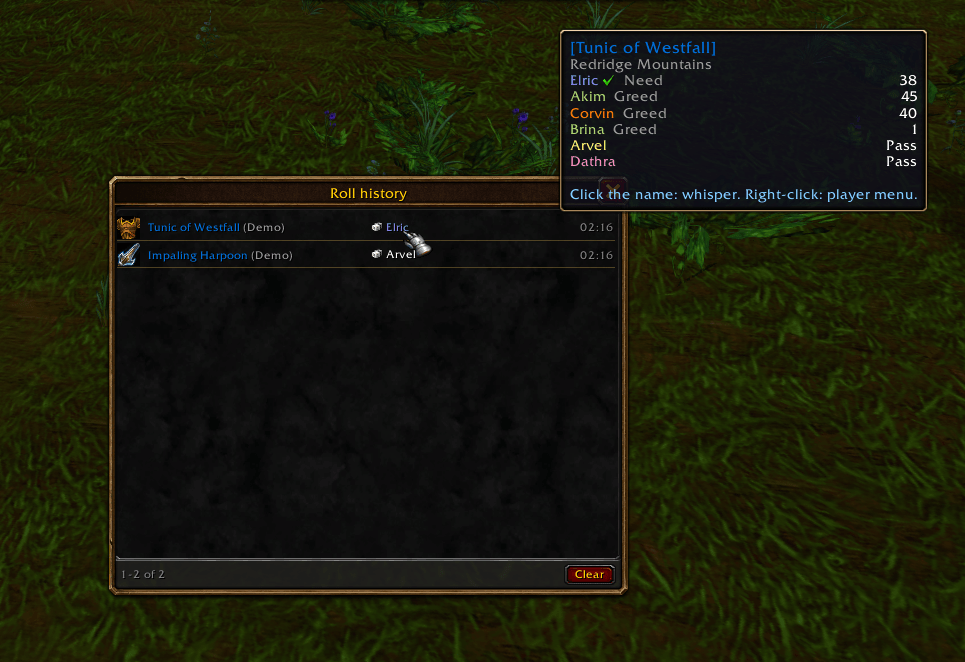
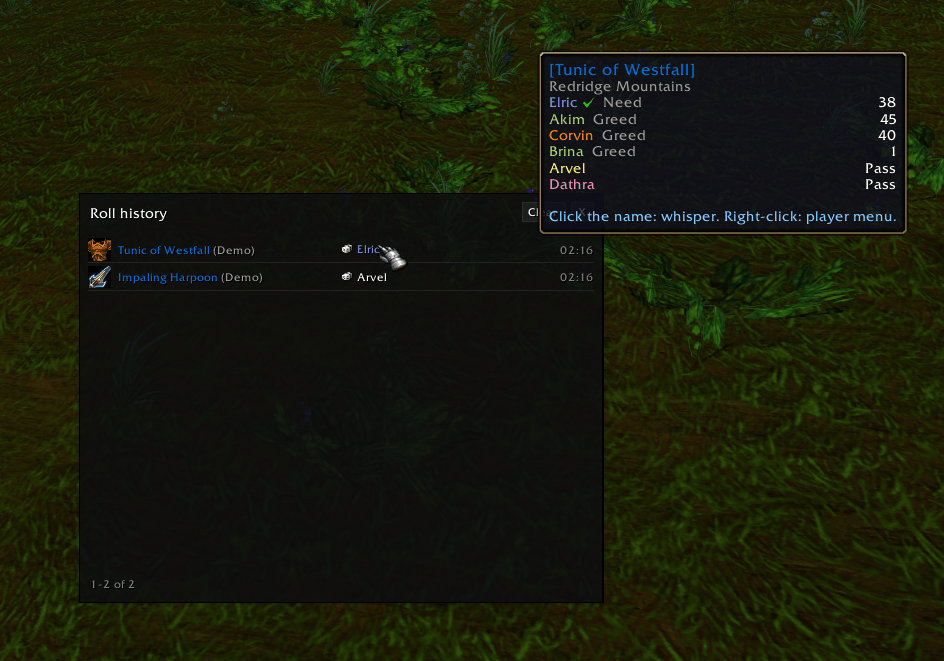
- Roll history. Every finished roll with the item, the winner, their roll and the time. Hover the winner to see everyone's rolls, click the name to whisper, right-click for the player menu. Optionally prints each result to your chat.
- Two looks. Classic is built from Blizzard's own panel templates, so it matches the WoW: Forever windows. Minimalism is a flat dark panel that fits light UIs such as EllesmereUI.
- Quick access. A dice on the minimap edge and in the minimap addons menu, or a separate button you can put anywhere. Left-click: roll history. Right-click: settings.
- Demo rolls with items from your own equipment, to try the settings and find a place for the window without waiting for a real drop.
- English and Russian.
Getting started
- Type
/flr demoto see sample rolls. - Type
/flrto open the settings (or Esc → Options → AddOns → ForeverLootRoll). Pick a theme, untick Lock window and drag the window by its title bar, then lock it again. - Type
/flr demoagain to stop the demo. From now on the window appears by itself when a roll starts.
Commands
| Command | What it does |
|---|---|
/flr |
Open settings |
/flr demo |
Start or stop demo rolls |
/flr history |
Open the roll history |
/flr unlock, /flr lock |
Allow moving the window, lock it again |
/flr theme classic / minimalism |
Switch the look |
/flr icon standard / separate |
Icon on the minimap, or a separate button |
/flr reset |
Reset settings and positions (history is kept) |
/flr help |
List all commands |
/lootroll works too.
Good to know
- Made for WoW: Forever. It uses the game's own loot roll and loot history data, the same as the default roll frame.
- Whether you may roll Need is decided by the game, never by the addon. A greyed-out button shows the game's reason when you hover it.
- The default roll frames are hidden while the addon is on. You can bring them back in the settings (takes effect after
/reload). - If a roll is missing from the game's loot history, results are read from the loot messages in chat (Backup: results from loot chat, on by default).
Feedback
Found a bug or have an idea? Leave a comment with what you did, what you expected and a screenshot if you can.
ForeverLootRoll Team