BlueprintBazaar
- By
The in-game library for Housing Blueprints — browse community builds, see exactly what YOU can build, and import in one click
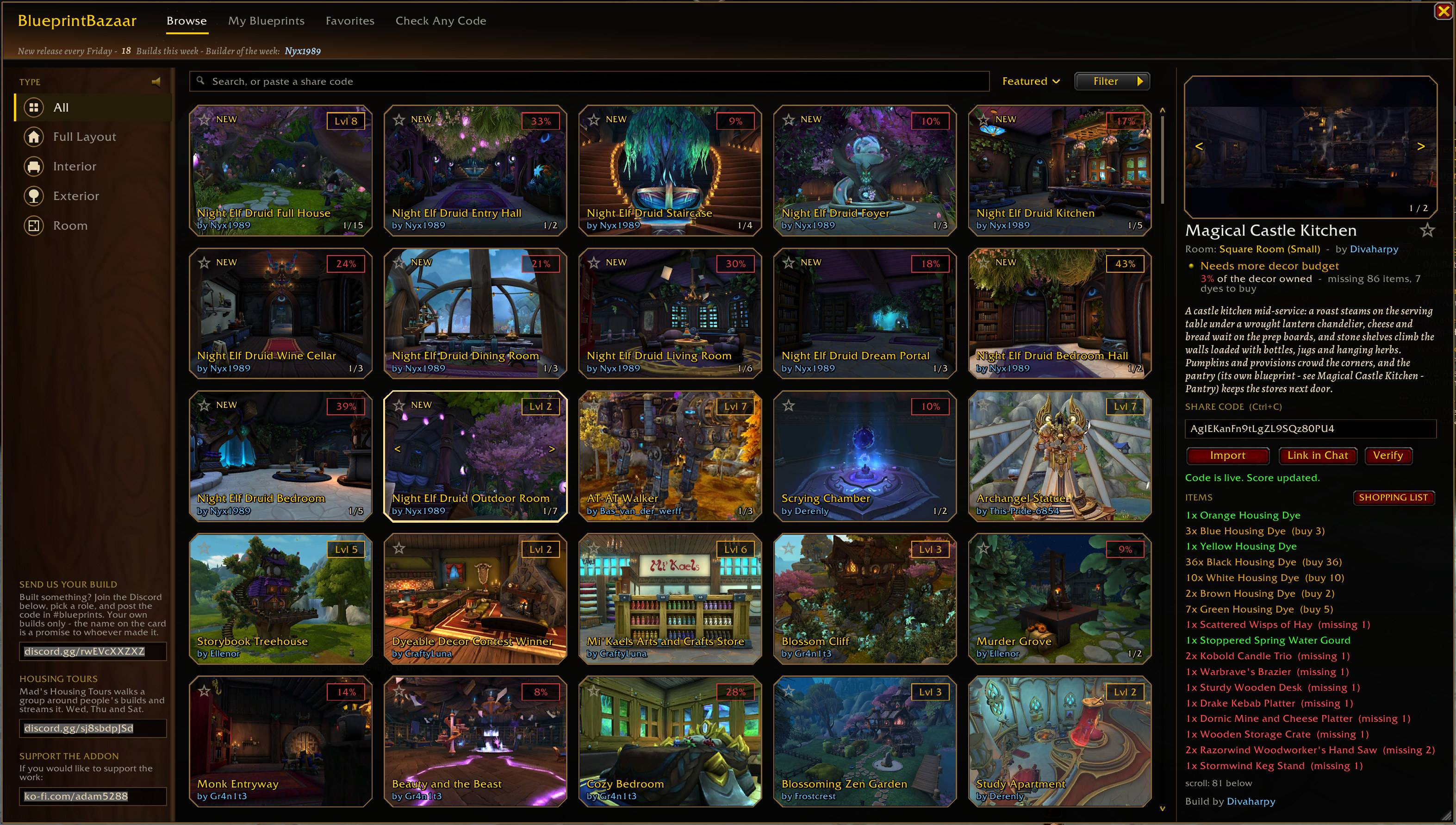
Open with /bb - search, filter and sort community builds. Click any card to see the full item list, buildability score and share code.
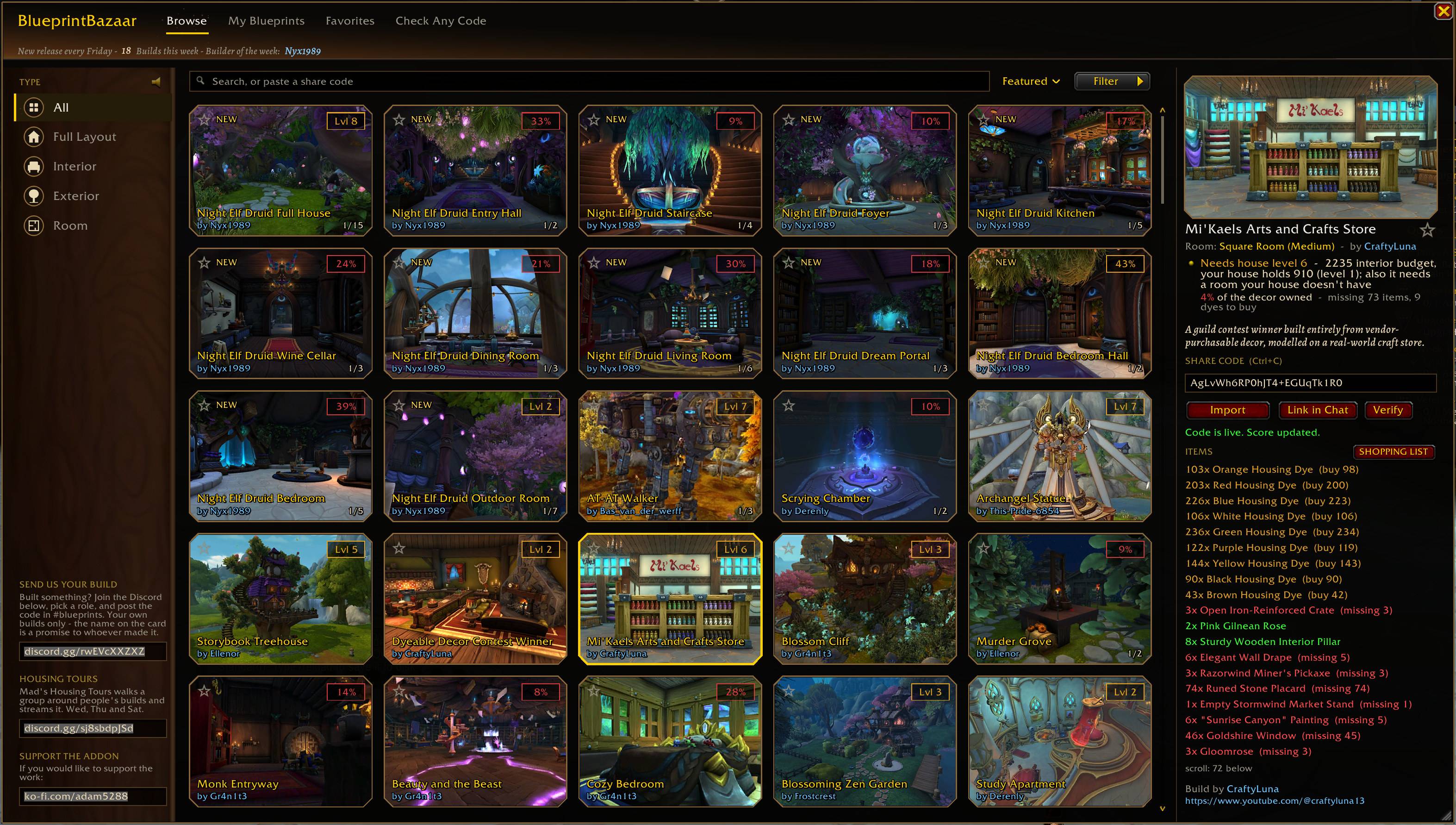
Every item in a build checked against your collection: green you have, red you are missing, with how many to buy. One click opens a shopping list.
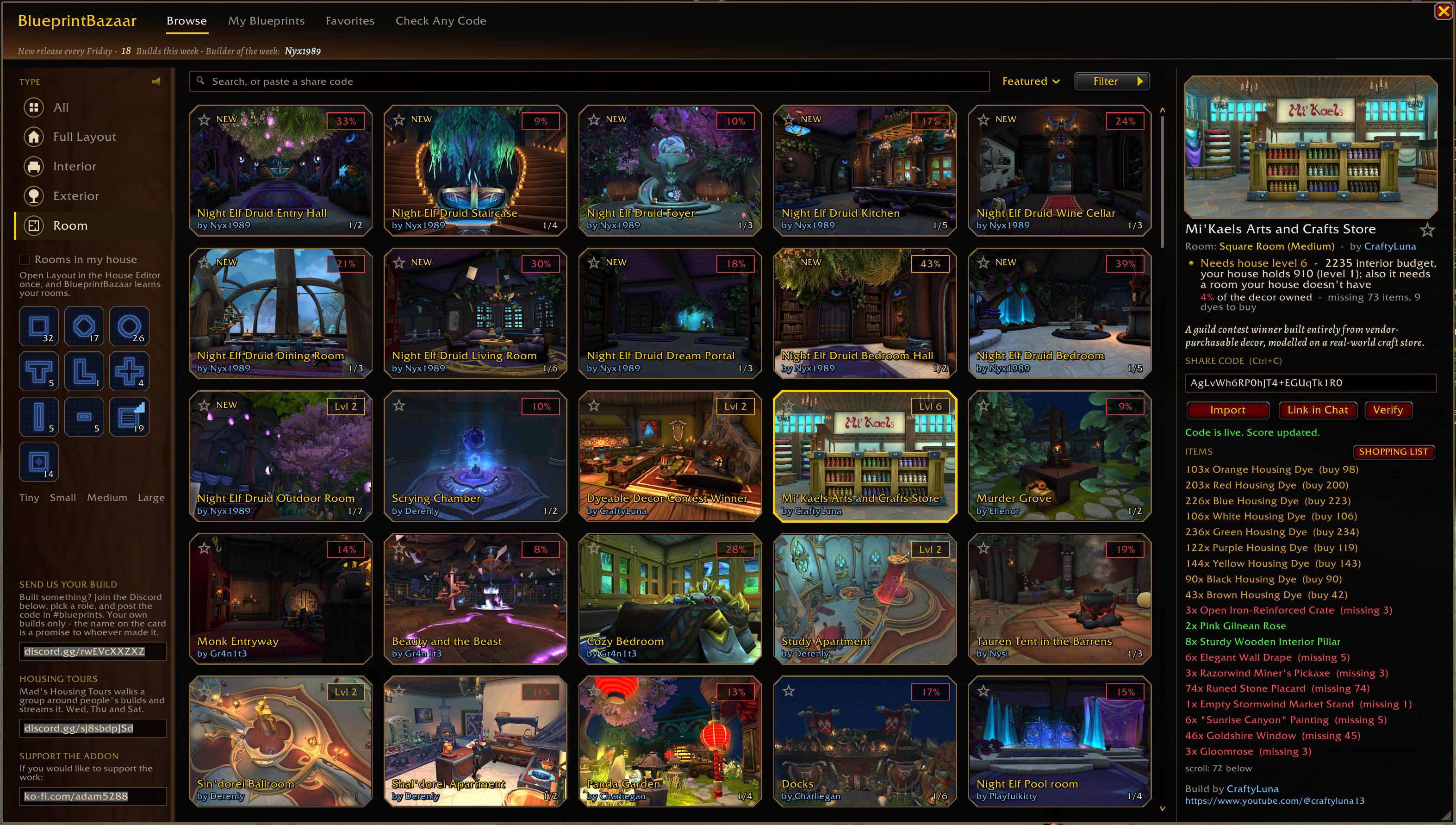
Rooms of every shape, the week's new builds stamped NEW, the builder's name on every card.
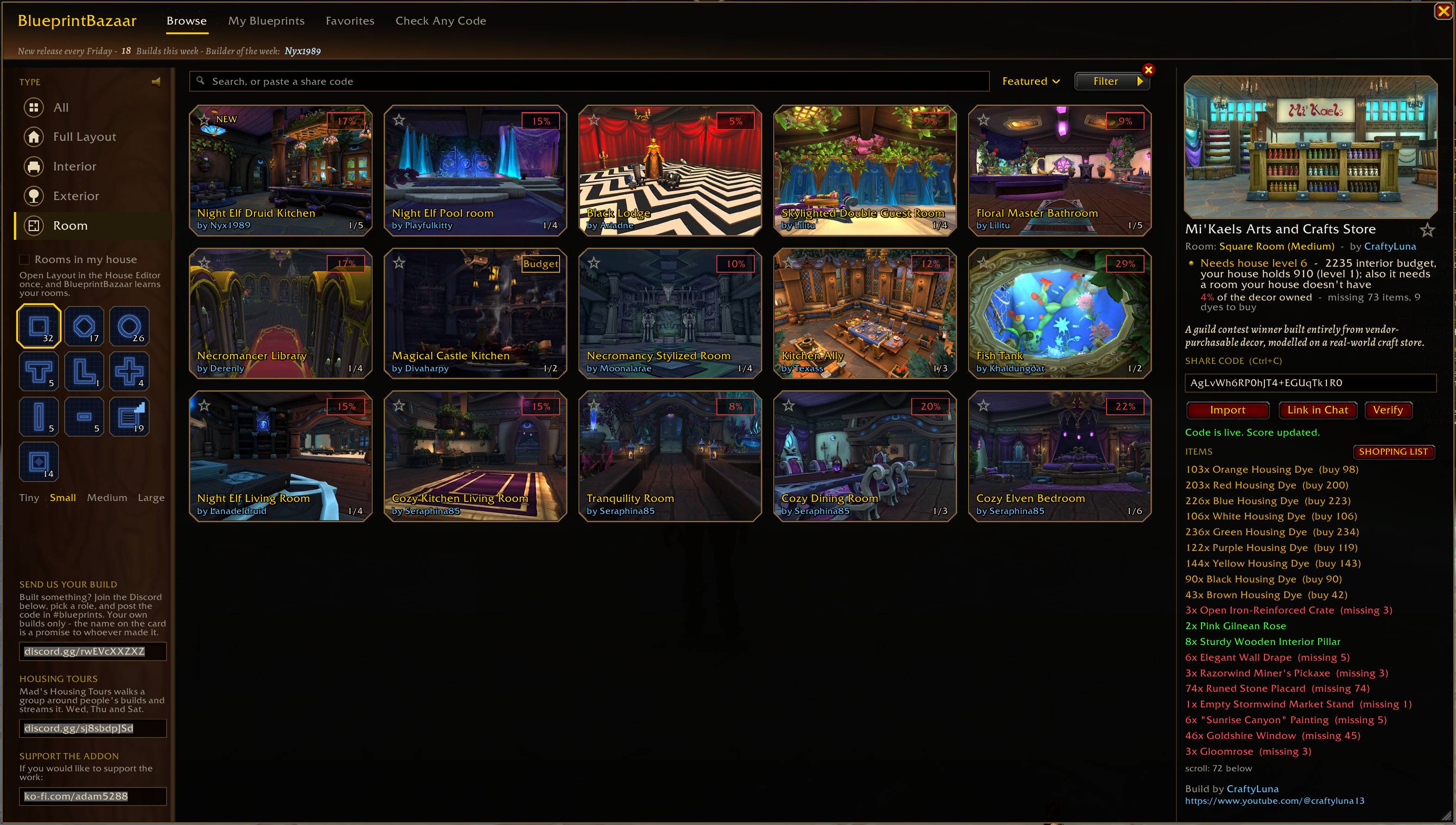
Filter by room shape and size. Open the House Editor once and the library learns the rooms in your house.
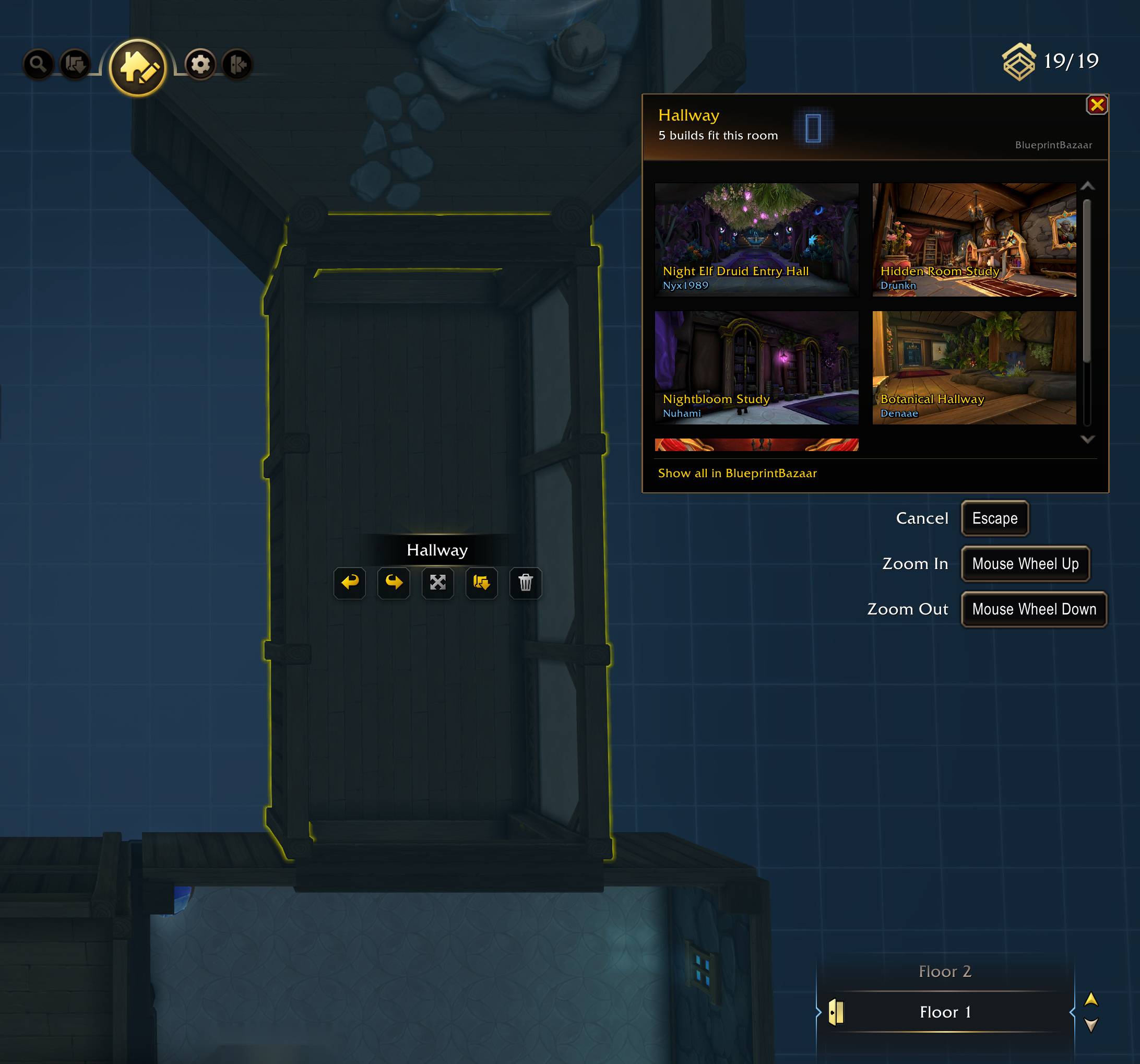
Select a room in Layout mode and a panel lists the builds that fit it, pictures and builders included.
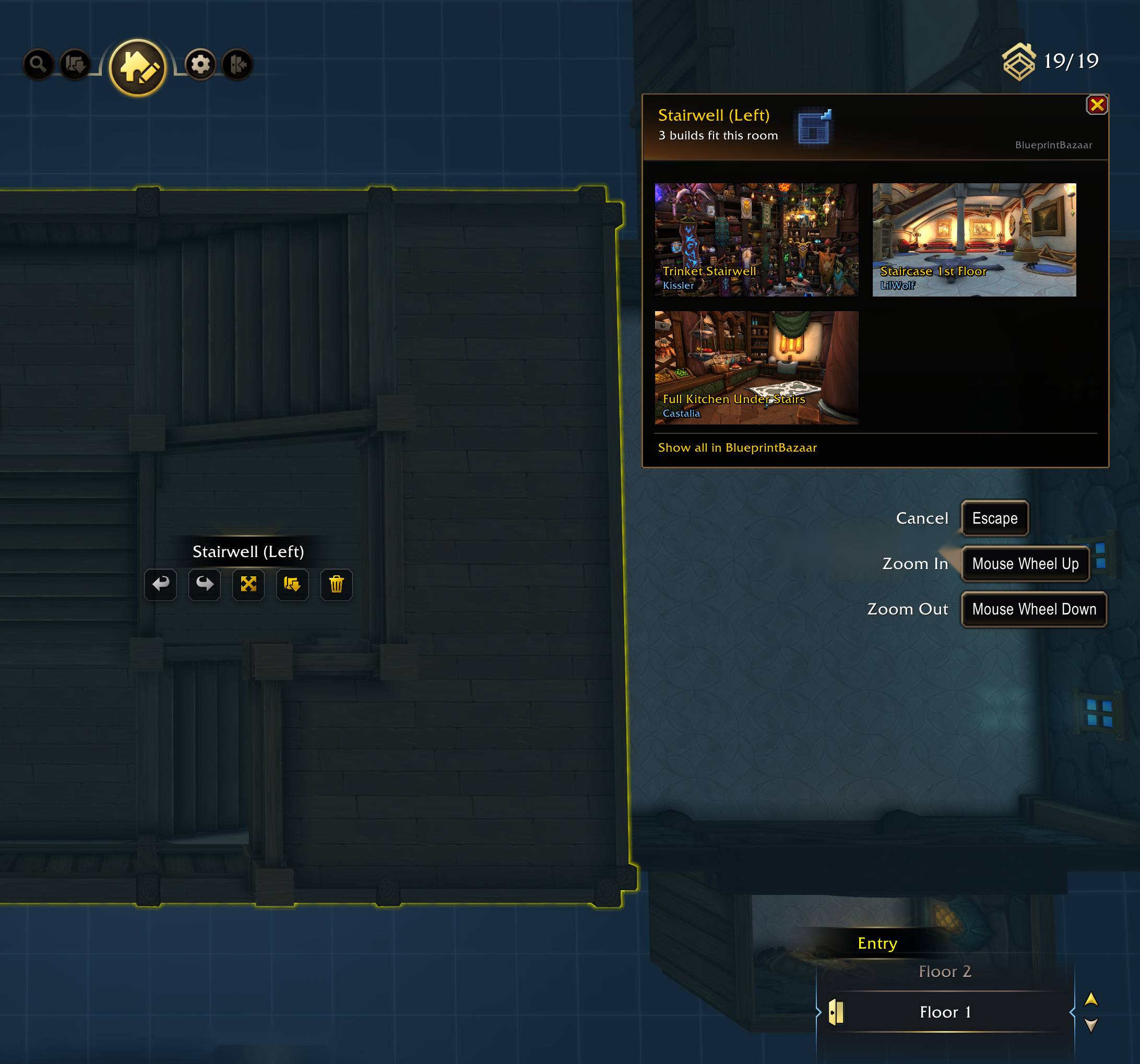
The panel follows the room you select. A stairwell gets only builds made for a stairwell.
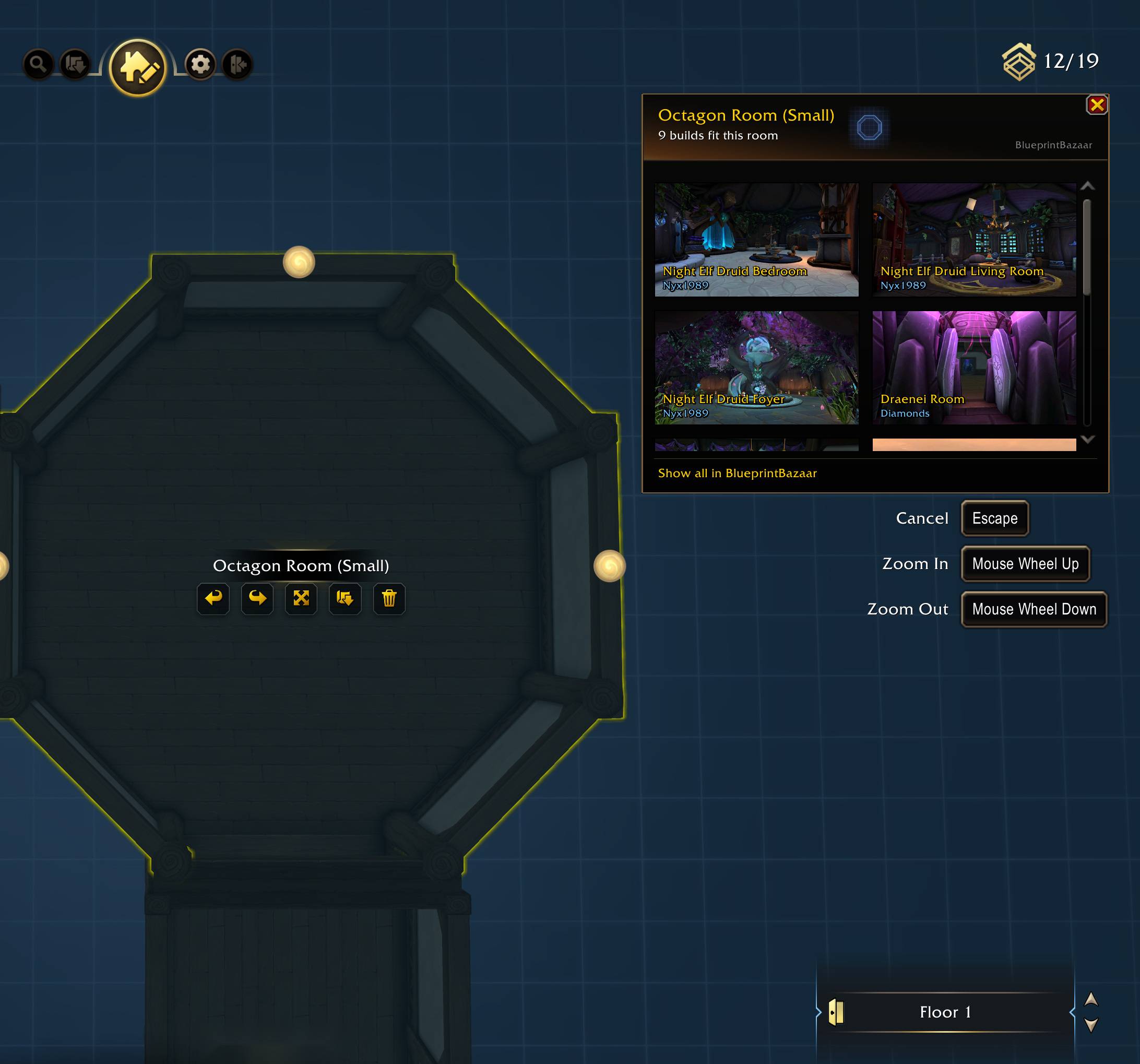
Octagon, T-shape, cross: the panel knows the shape and lists what fits it.
![Click a [Housing Blueprint] link in chat to inspect it instantly - live item list in green, one click to import.](https://media.forgecdn.net/attachments/1954/252/4b-jpg.jpg)
Click a [Housing Blueprint] link in chat to inspect it instantly - live item list in green, one click to import.
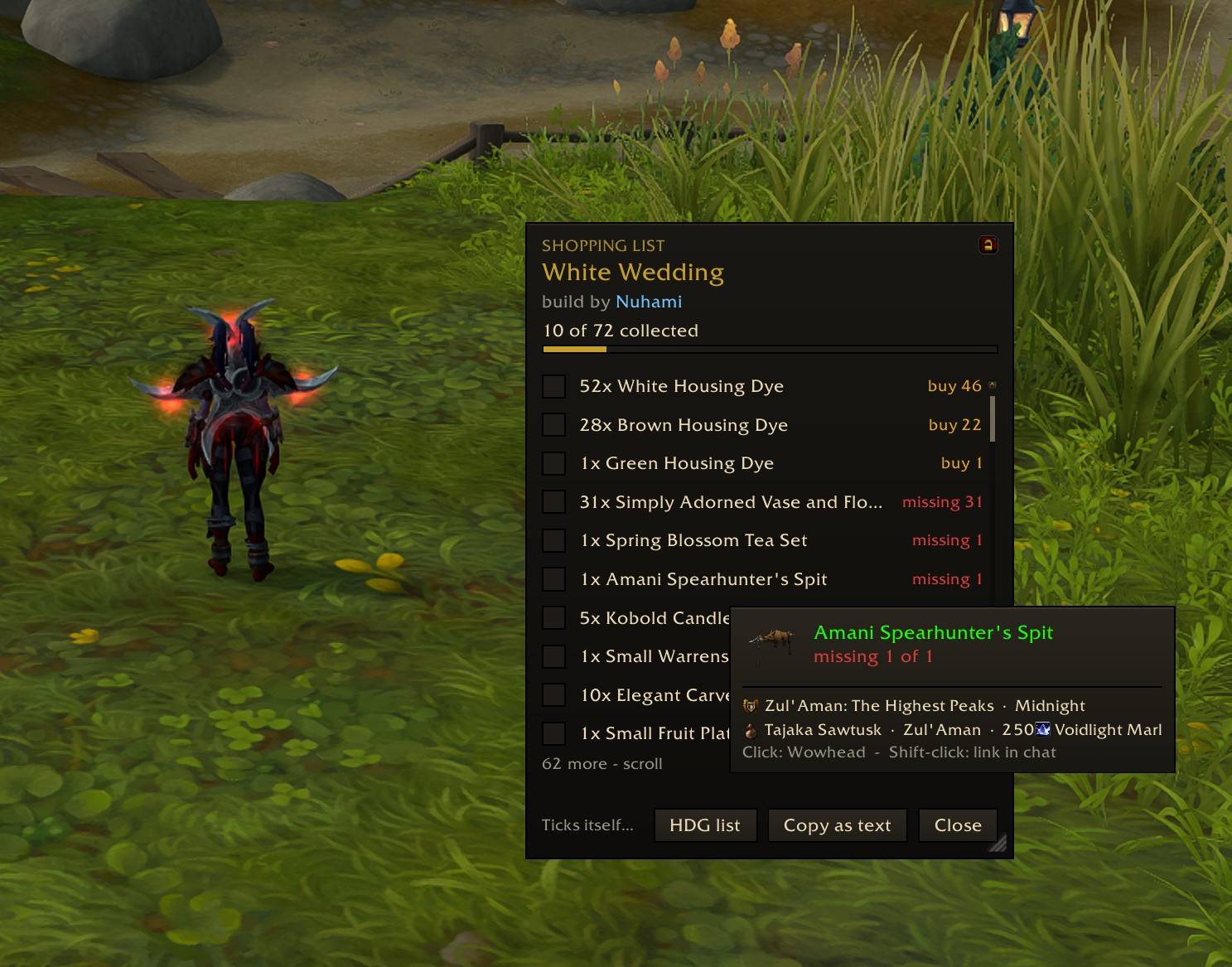
Hover an item to see where it comes from: vendor, zone and price, or the achievement or quest that unlocks it. Rows tick themselves off as you collect.
Description
BlueprintBazaar is the in-game library for WoW Housing Blueprints. Browse curated community builds, check what each one costs you, and import the ones you love — without ever leaving the game.
180 builds and growing, every one sent in by the person who made it, and more every Friday.
Why BlueprintBazaar?
Housing blueprints are shared as cryptic share codes scattered across Discord, Reddit and chat. BlueprintBazaar turns them into a browsable, searchable gallery — with pictures of every build, credit to the person who made it, and an answer to the one question a code always leaves open:
Can I build it?
Every blueprint gets an ownership score, worked out from your own collection:
- Green (80%+) — you own almost everything; go for it
- Amber / Red — see exactly which decor items you're missing
- 100% — you own all of it; import from the pane and you're done
The item list shows every missing piece, so you know what to hunt down before you commit. Dyes are counted as a shopping list rather than piece by piece, so a build you can almost finish reads like one.
Each build also says which room or house shell it goes in — "Room: Square Room (Tiny)" right under its name — so you know what to place before you import, and the addon says so again if the import is refused.
The shopping list
Every build carries a live shopping list: each missing piece a checklist row under a progress bar, ticking itself as you collect. Buy the last stools and the row crosses itself out while you stand at the vendor. Hover a line for the item's tooltip, click it for a Wowhead address, or take the whole list out of the game as text.
Got a code from somewhere else?
Most share codes never reach a gallery — they turn up in a chat, on a forum, or come from a friend. The Check Any Code tab takes those. Paste any code and you get the same answer as for a build on the shelf: what you already own, what you would still need to buy, and whether your house can take it. The codes you have checked are kept in a short list you can clear a line at a time.
Features
- Browse a curated library of community builds — search, filter by type (Full Layout / Interior / Exterior / Room) and faction, sort by budget or ownership
- Galleries — every entry has screenshots, and resting the mouse on a card flips through them
- Import from the pane — two clicks, the second one confirms; the addon says beforehand if your house won't take it
- Builds that come in pieces — a room and its closet, a hallway in three parts, a stairwell over two floors. Pick a part and the score, item list, shopping list and Import all follow it
- Whole houses, room by room — a build that is one room of a bigger house says which house and where in it, with arrows to walk from room to room
- Chat links — raw blueprint codes pasted in chat automatically become clickable [Housing Blueprint] links. Alt-click any blueprint link to inspect it instantly
- Check Any Code — a tab of its own for codes that are not in the library.
/bb code <sharecode>does the same from chat - Item lookup — click any item in a build's list for a copyable Wowhead address, or shift-click to link it in chat
- My Blueprints — your saved blueprint collection, however many you have, one click from any saved code to full inspection
- Favorites — star the builds you want to come back to
- New builds every Friday, stamped NEW for the week, with a builder of the week
Getting started
- Type
/bb(or/bazaar) to open the library - Click any build to see its score, item list and share code
- Click Import at your house — Blizzard's confirmation dialog shows budgets before anything changes
For builders
Every entry is added with the author's permission and full credit, with a link back to wherever they first showed it off when there is such a place, and removed any time they ask. Your own builds only: a rework of someone else's build is not listed, even with credit. The exception is a build made from a template its author published for exactly that, and it carries the template's credit.
Want yours in the library? Join discord.gg/rwEVcXXZXZ and post it in #blueprints with the share code as text, a couple of pictures, and the name you want credited. There is a pinned template in the channel to copy. Export the code as the very last thing you do — saving the build again afterwards kills the code.
Notes
- Requires patch 12.1 (Housing Blueprints API)
- Light on libraries: LibDBIcon for the minimap button, so Leatrix, ElvUI, SexyMap and friends can collect it, and nothing else. Virtualized UI built for large libraries
- All data stays local; the addon only talks to Blizzard's own blueprint API
If you would like to support the work: https://ko-fi.com/adam5288
The BlueprintBazaar Team


Owner