Layer-Swap
- By
See which layer you are on in WoW Forever, Classic Era and TBC Anniversary, ask for a swap with one click, and host swaps for others.
layerswap-screenshot.png
Description
See which layer you are on in WoW Forever, Classic Era and TBC Anniversary, ask a host for a swap, and host swaps for others.

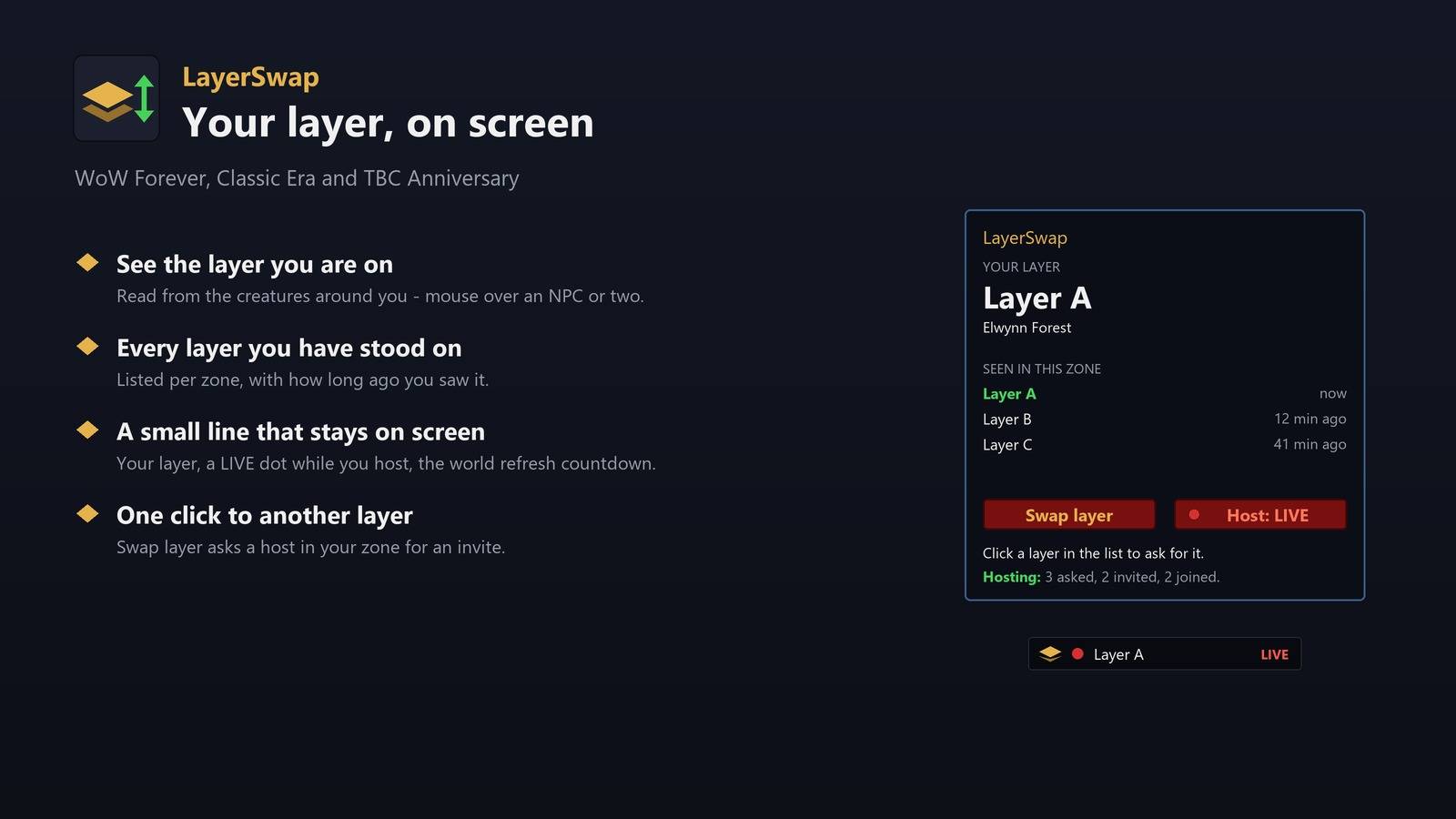
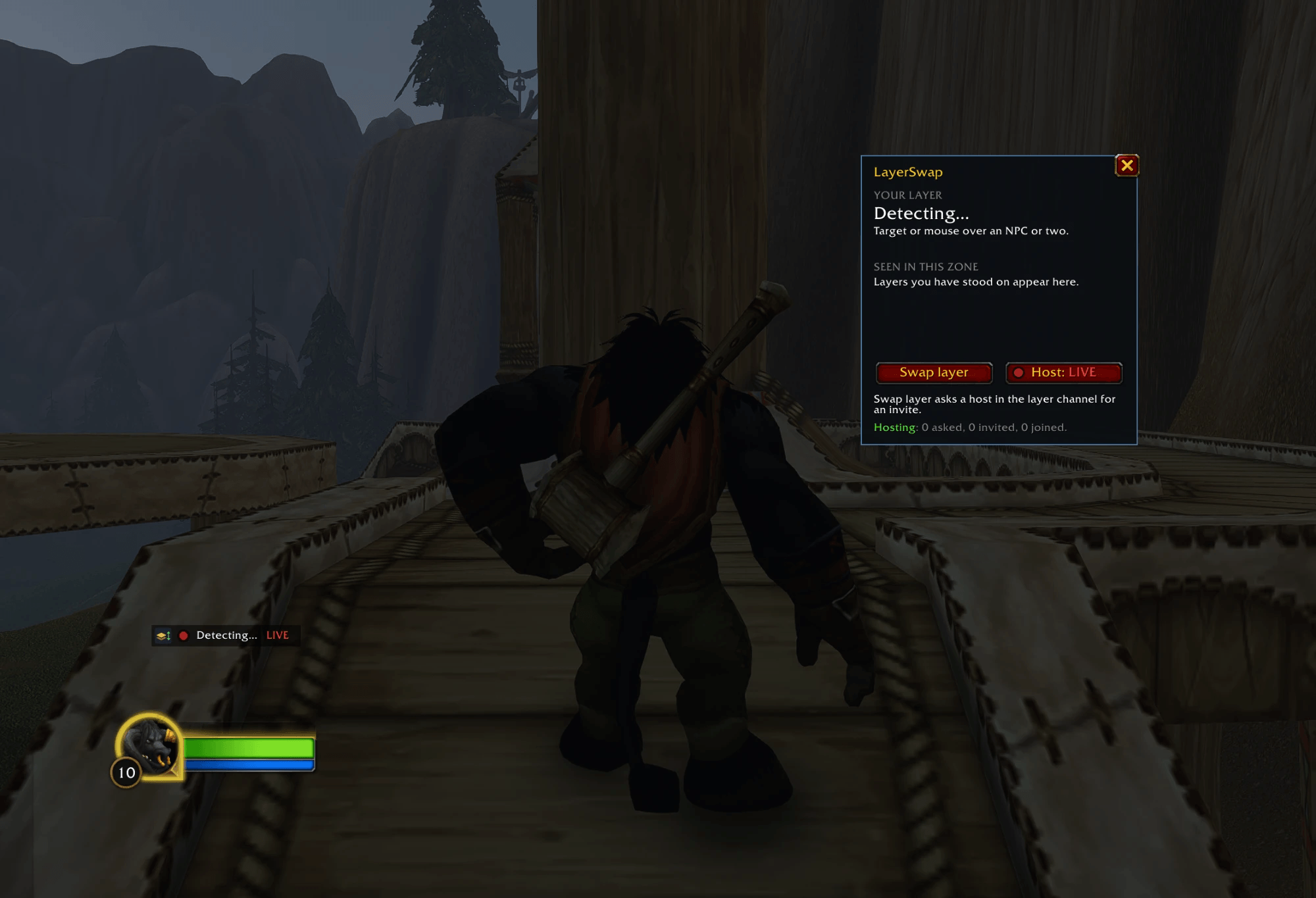
Your layer, on screen. /ls opens a small panel with the layer you are on, read from the creatures around you - mouse over or target an NPC or two. Layers you have stood on stay listed with how long ago you saw them. On Forever, when the game announces a world refresh, the panel counts down to it.
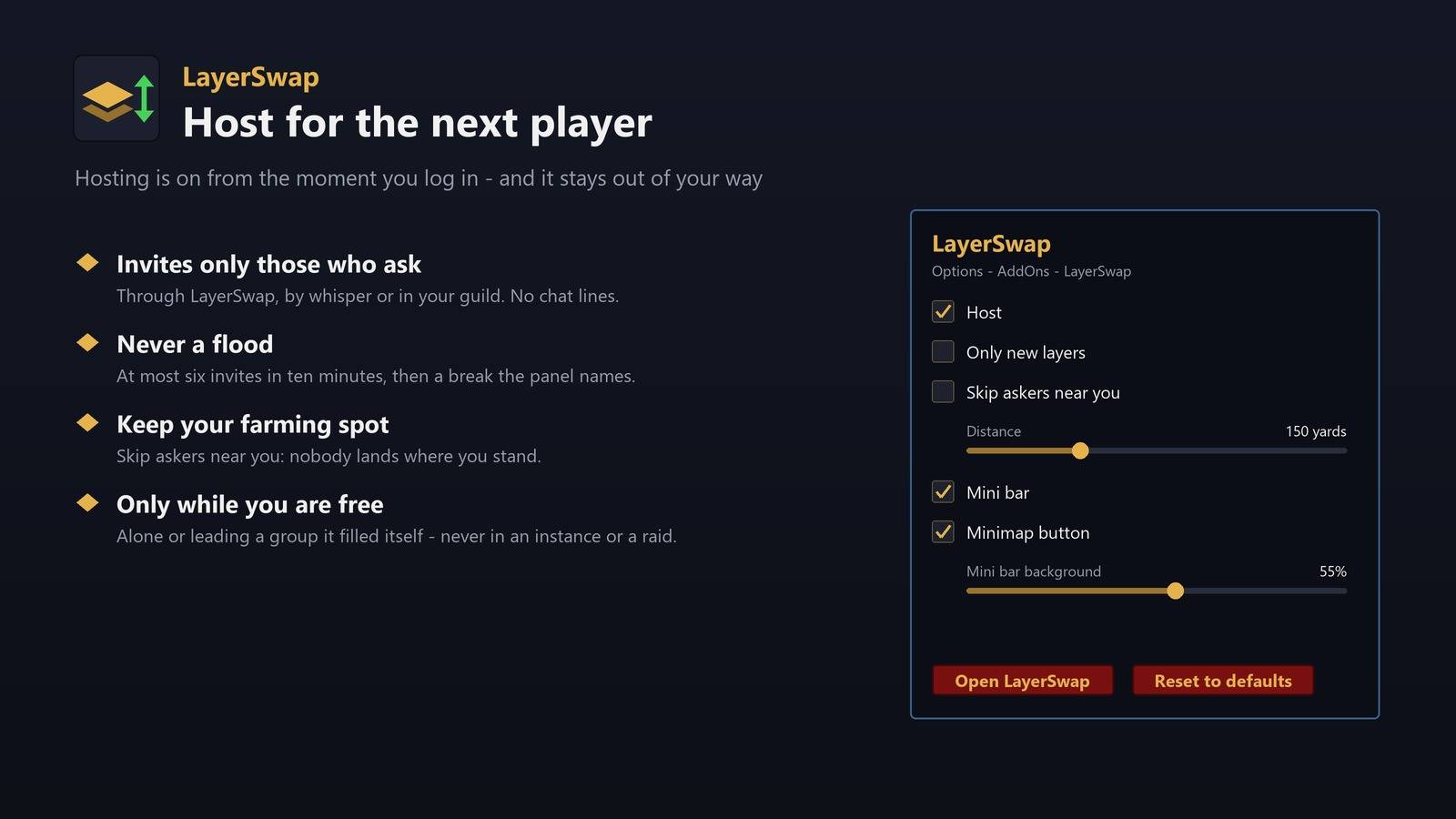
Always on screen. A small bar shows your layer on its first line and what LayerSwap is doing on its second - Hosting, Host off, a request under way or the world refresh countdown. Its logo is gold while you host, grey with Host off and green while a request runs. Click it for the panel, drag it anywhere, or right-click its logo for a list of the layers you can ask for. In a dungeon or a raid it shows the name of the place, since there are no layers in there. Right-click the bar to hide it; the Mini bar button in the panel brings it back. A box in LayerSwap's options, Mini bar on one line, puts the layer and the status side by side on a single line. How dark its background is - from see-through to solid - is a slider in LayerSwap's options. The minimap button opens the panel (left-click) or a small settings menu (right-click): the panel, Host, the mini bar, the minimap button and the game's options - LayerSwap has its own page under Options - AddOns too. Its Reset to defaults button - click it twice - puts every switch and slider on that page back as a new install has it.
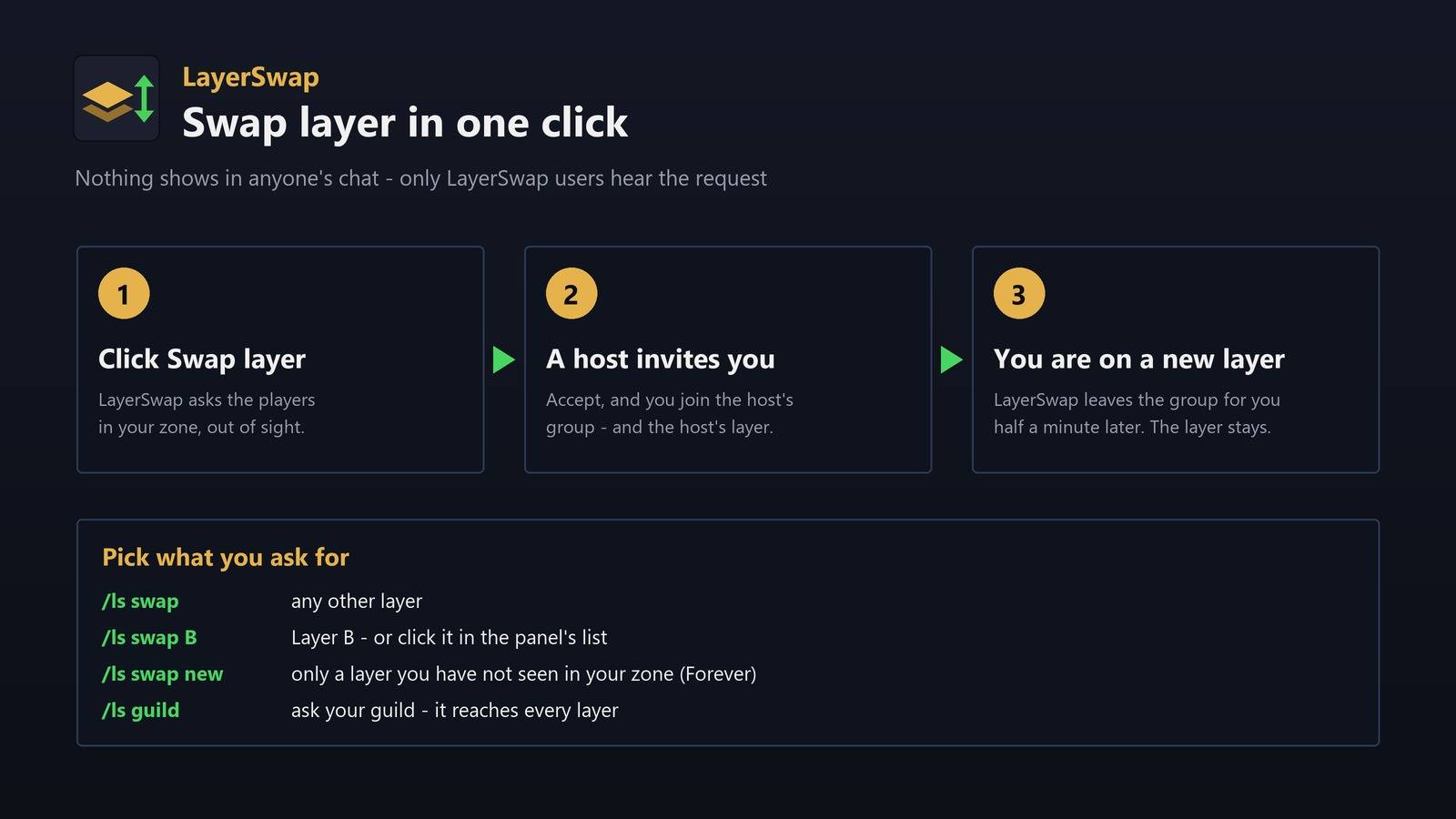
Swap layer. One click asks for an invite in the layer channel, where players already ask for and offer layers - and while it waits, the same button stops asking. Where the game does not let an addon post in chat - the live Forever realms do not - the click needs no channel at all: it asks the game for the players on your zone's map - all of them first, then one class at a time - and sends your request to each of them out of sight, the way addons talk to each other. LayerSwap players who answered you during the last week are asked first. A player it asked in the last six hours who did not answer is not asked again. When a host in your zone answers without having read its own layer yet, and no host on another layer invites you, Swap layer asks it once more so it can invite you. On Forever, a box in LayerSwap's options, Only new layers, makes it ask only for layers you have not seen in your zone in the last hour - /ls swap new does it for one request - and a host on a layer you have seen skips you. Only LayerSwap users receive it, and nothing shows in anyone's chat. Nothing goes to General; when no host on another layer answers in time, the panel points you to /ls guild, since your guild reaches every layer. The panel says when it searches, how many players your request reached and who heard you. Only a host in your own zone can move you, and the request names your zone, the layer you leave and your place on the zone map in a short tag at the end of the line, so a host in your zone on your own layer stays out, and a host that keeps its spot can skip you. Swap layer asks once your layer has been read. Where the game passes hidden messages between players, every LayerSwap user who hears your request answers out of sight, hosting or not, so the panel can tell you how many of them heard you and whether any of them hosts, a host on your own layer says so instead of inviting you for nothing, and the panel says so when the game is slow to pass those messages on. Click a layer in the panel's list to ask for that one, or type /ls guild to send the same request to your guild chat - LayerSwap never writes there by itself. Accept the invite and you join the host's group - and the host's layer. On Forever the new layer stays when you leave the group, and LayerSwap leaves the group of a LayerSwap host for you half a minute after the move, so the host is free for the next player. A box in LayerSwap's options, Auto leave, turns that off: you then stay in the group until you leave it yourself. LayerSwap reads the creatures around you after you join, and when they show that the host's group did not move you, it leaves the group by itself and opens the panel with Swap layer ready, one click away - never before 15 seconds, in case the move is only late. Should that host invite you again, the panel and chat say who it was - declining stays your choice. In a zone where only one layer has been seen, it tells you a busier zone has more.
Classic Era and TBC Anniversary. With Nova World Buffs installed, your layer shows NWB's number - the same "Layer 2" everyone running it sees - and Swap asks the way the other layer addons do ("inv layer 1,3" for any layer but yours), so the hosts already out there answer you. On TBC Anniversary your request carries your zone. After a swap LayerSwap tells you when you can leave the group: on Classic the new layer stays.
Host. LayerSwap hosts from the moment you log in: it invites players who ask for a layer out of sight from their own LayerSwap, in the layer channel, in General, in guild chat or by whisper. On Forever it invites only players who ask through LayerSwap, whisper you or ask in your guild - a line in General brings no invite there - and it sends at most six invites in ten minutes, then takes a break the panel names. It writes no chat line for an invite or a player who joins, and when a request arrives before it has read its own layer, it reads it from the creatures around you first. The Host button in the panel, /ls host or the Host box in LayerSwap's options turns it off until you log out - Host is on again at every login, since every host is a way out for the next LayerSwap player who asks; turning it off also removes the players it invited. While your own request waits, your host pauses. With Host off, the panel still counts the players who asked you. Other players' requests stay out of your chat windows; your host still reads and answers them. On Forever, a box in LayerSwap's options, Skip askers near you, makes it skip anyone who asks from within a distance you set - off to start - so a swap does not bring someone to the spot you are farming; the asker's place on the map comes with the request, and hosting sends nothing of yours. It answers only requests from its own zone, since a host in another zone does not move the asker. Where the game passes hidden messages between players, hosts that hear the same request take turns: one invites, the others stay free for the next request; elsewhere every host that can invite does, and the asker picks one. It only invites while you are alone or lead a group it filled itself, never in an instance or a raid, never the same player twice within a minute, and it stops when the group is full. On Classic it reads the layer numbers in a request and invites only when it stands on one that was asked for.
Commands
/ls- open the panel/ls mini- show or hide the small line/ls minimap- show or hide the minimap button/ls swap- ask for any other layer/ls swap B- ask for Layer B/ls swap new- ask only for a layer you have not seen (Forever)/ls swap 3- ask for NWB's layer 3 (Classic)/ls guild- ask your guild/ls stop- stop asking/ls host- start or stop hosting/ls kick- remove the players LayerSwap invited/ls spot- log where the game puts you (Forever)/ls status
Layer-Swap Team

Owner