Loot Beams - Rarity Light Beams for Dropped Items
- By
Valuable drops glow with a beam coloured by tier or by the item's own colour. In-game config, ItemPhysic support. Client-side.
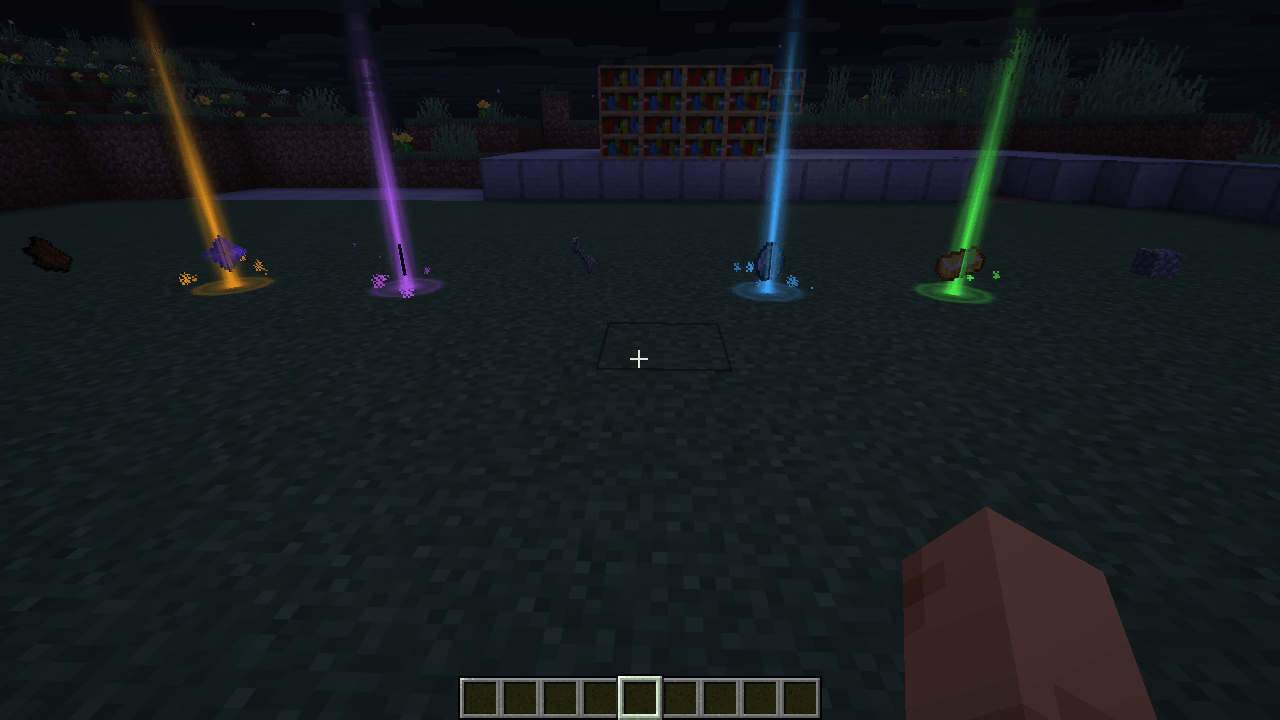
noite.png
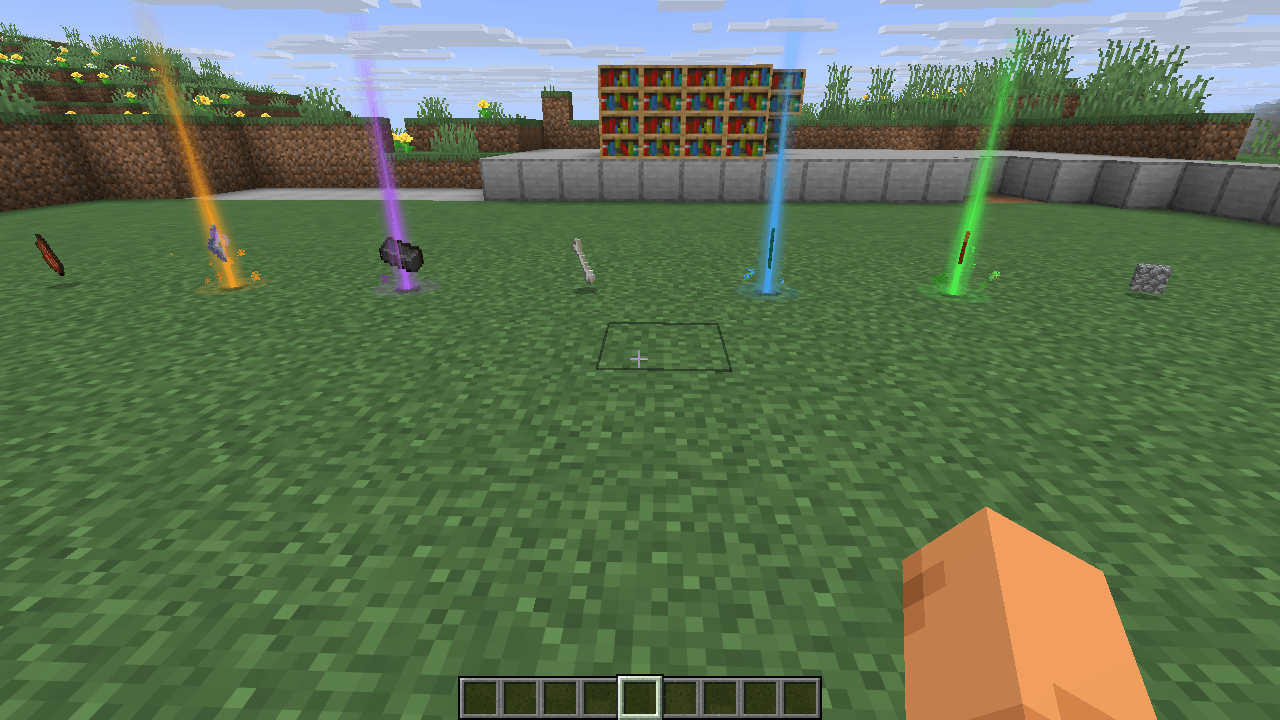
dia.png
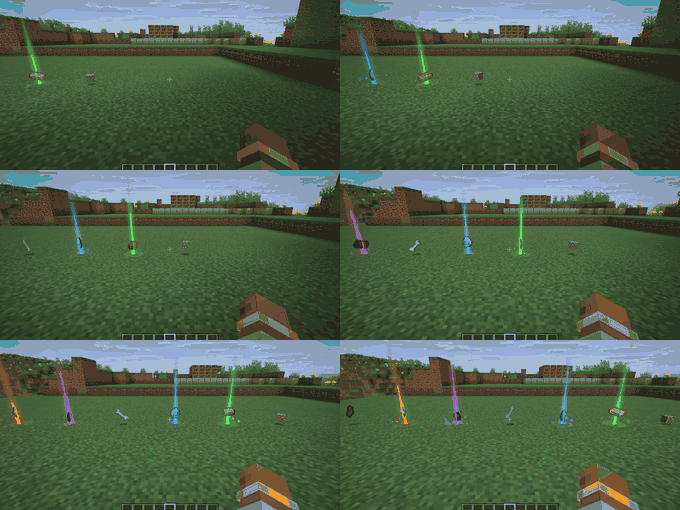
Description






Valuable drops glow with a soft beam coloured by what they are worth, so you never lose loot again. Client-side.
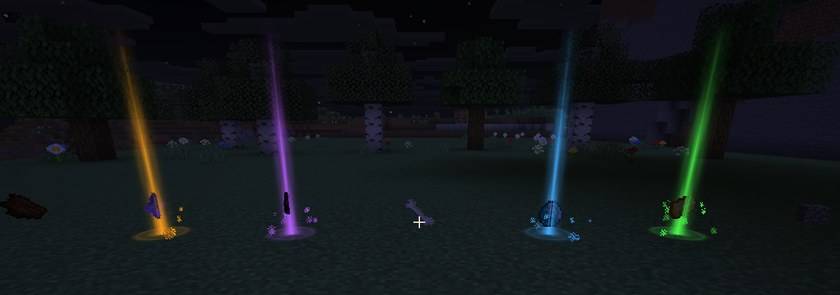
Four tiers, like loot games
Green - useful: gold, ender pearls, saddles, name tags, music discs.
Blue - rare: diamonds, emeralds, golden apples, enchanted books, anything enchanted.
Purple - epic: netherite, totems, elytra, tridents, shulker boxes, the mace.
Orange - legendary: enchanted golden apples, nether stars, hearts of the sea, the dragon egg, beacons.
Cobblestone, bones and rotten flesh get nothing, so a mob farm does not turn into a forest of light. Items from other mods get the tier of their own rarity, automatically.
Want every drop lit? Switch Beams on to Every item and the rest get a white beam.
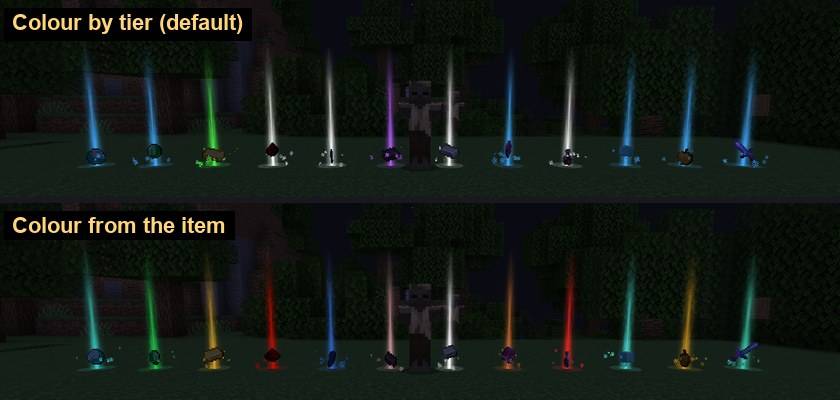
Or the item's own colour
Set Colour to By item and each beam takes its colour from the item's texture: emerald green, redstone red, lapis blue, gold yellow.
Potions and dyed leather use their tint. Grey and white items such as iron keep the tier colour, and very dark ones such as netherite are brightened. Only the colour changes, never which items get a beam.
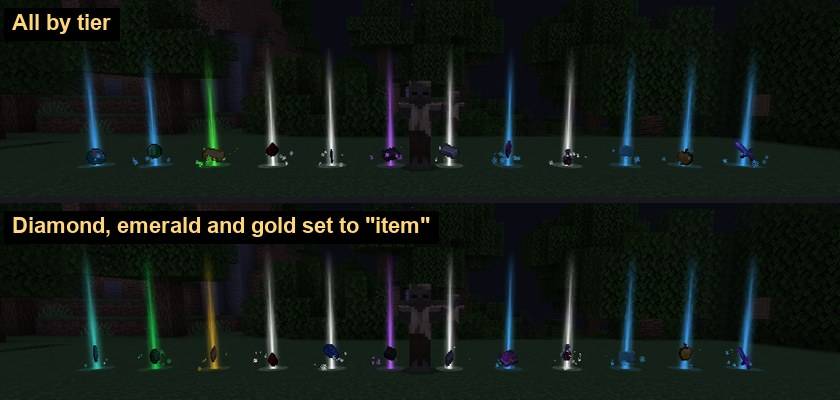
Only the items you choose
Keep the tier colours and pick a few items to glow in their own colour. In the picture only diamond, emerald and gold are set to Item colour; the rest stay by tier.
Any item can also get an exact colour of your own, as a #RRGGBB value.
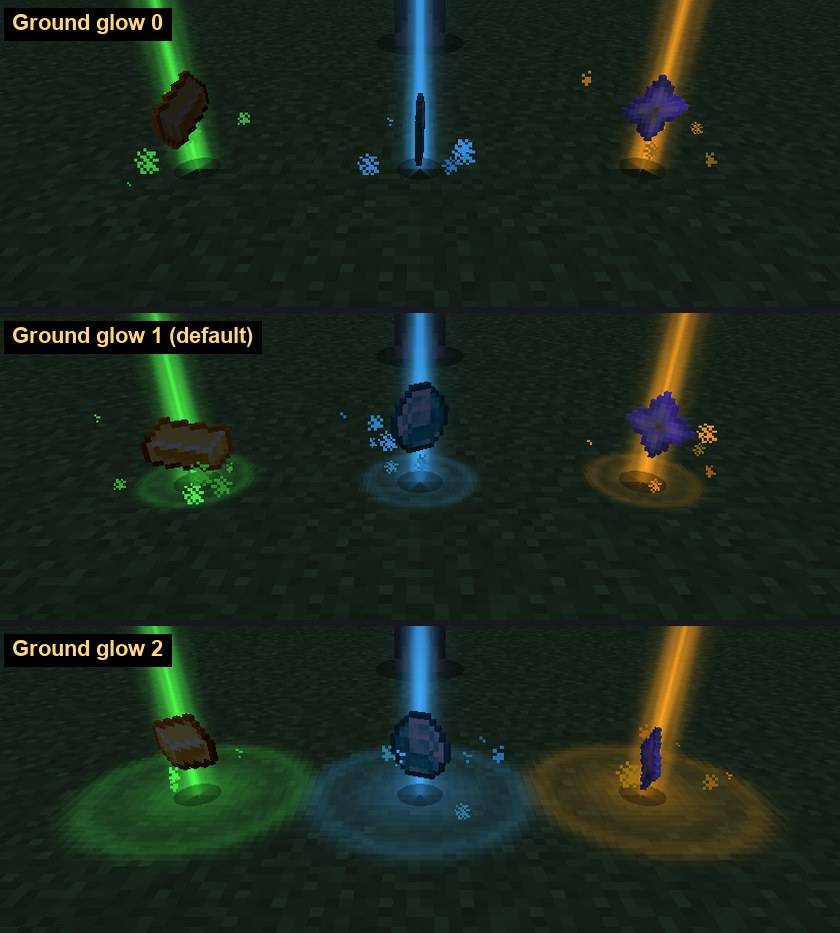
Ground glow, from none to wide
Each drop sits in a soft circle of light. Ground glow goes from off to 3x. The default is 1x.
Range, beam height and beam width have their own sliders.
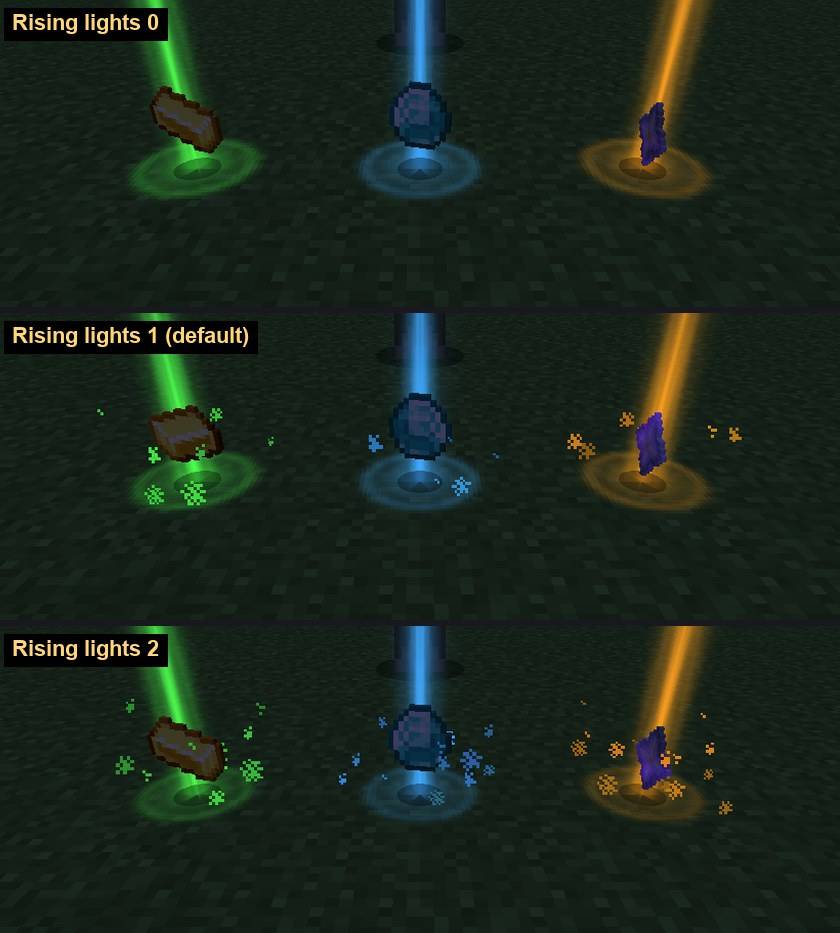
Rising lights
Small lights in the beam's colour float up from the item. Rising motes goes from off to 3x. The default is 1x.
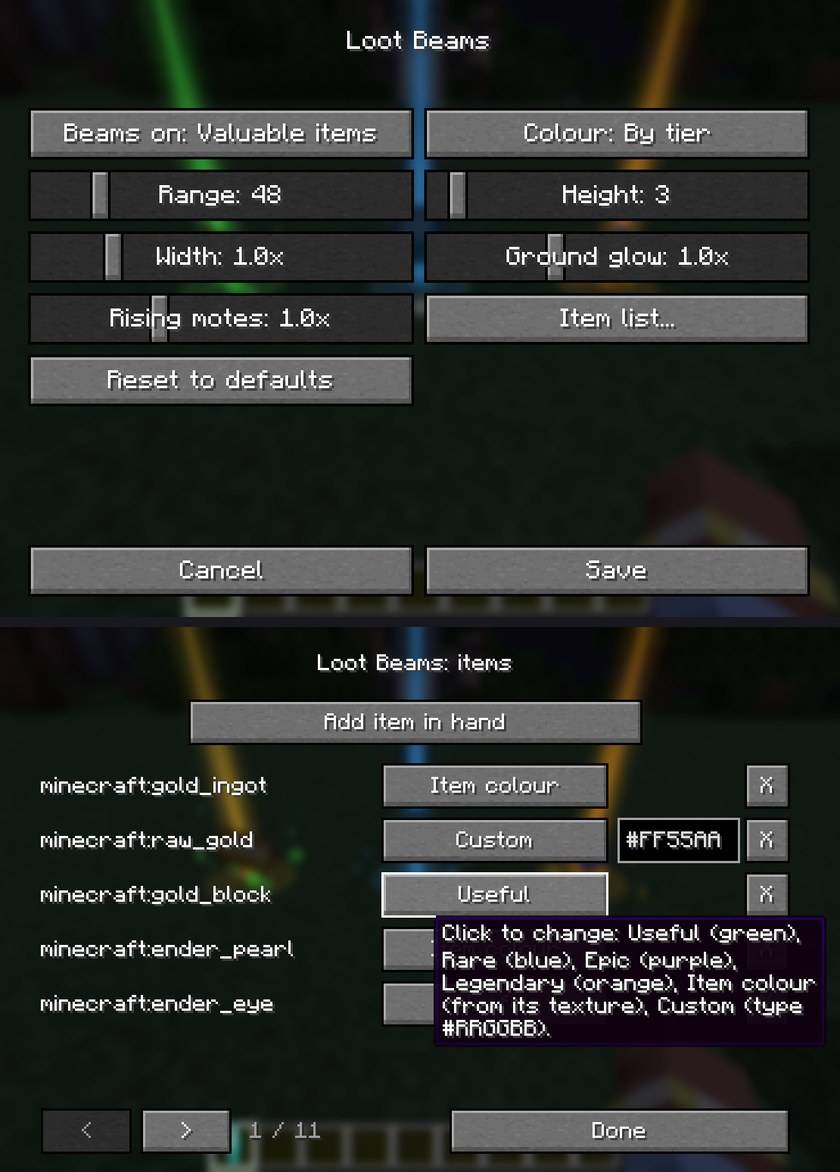
Settings in game
Open Mods > Loot Beams > Config. On Fabric this goes through Mod Menu (optional). Save applies the changes at once.
Item list... shows every item that gets a beam. Hold an item and press Add item in hand (it starts as Item colour), then click its button to pick a tier, Item colour or Custom (type a #RRGGBB). X removes it.
Everything is also in config/vitral_beams.json. A key to turn the beams on and off is in Controls (unbound, so it never clashes with your other keys).
Updating from 0.1.2? The defaults are the same, so nothing changes until you change it.
For modpack makers
✔ Feel free to include it in any modpack, no need to ask!
✔ Client-side only: nothing to install on the server. Works on any server, in single player and on Realms.
✔ Works with ItemPhysic (Full and Lite).
Versions
Fabric 26.3, Fabric 26.2, NeoForge 26.2, NeoForge 1.21.1 and Forge 1.20.1.
Playing Bedrock? Loot Beams for Bedrock is out too.
More mods
- Kill Shatter: mobs shatter into shards of their own skin instead of the white-smoke death. Four styles.
- Immersive Screens: every screen of the game in a theme (Halloween, Hologram, Winter, Space, Retro Arcade, Horror), with small animations.
- Boss Intros: cinematic boss titles and a victory card when you win.
- Boss Bars: animated health bars for every boss.
- Damage Numbers: floating damage numbers with gold crits.
Made by an indie dev with help from AI tools; every version is tested in game.
Like the mod? You can support future updates and new mods on Ko-fi. Totally optional, everything stays free.
Loot Beams - Rarity Light Beams for Dropped Items Team

Owner