Vitjas InfoHUD+
- By
Inspect blocks, tools and mob loot at a glance, with item icons and customizable health bars or hearts above mobs.
Vitjas InfoHUD+
Look at a block, dropped item or mob to see useful information without opening a guide. Vitjas InfoHUD+ combines a configurable target HUD with health bars or hearts above nearby mobs.
Settings: /vinfohud · Extended target details: /vinfohud details · Next loot page: /vinfohud details --page=2
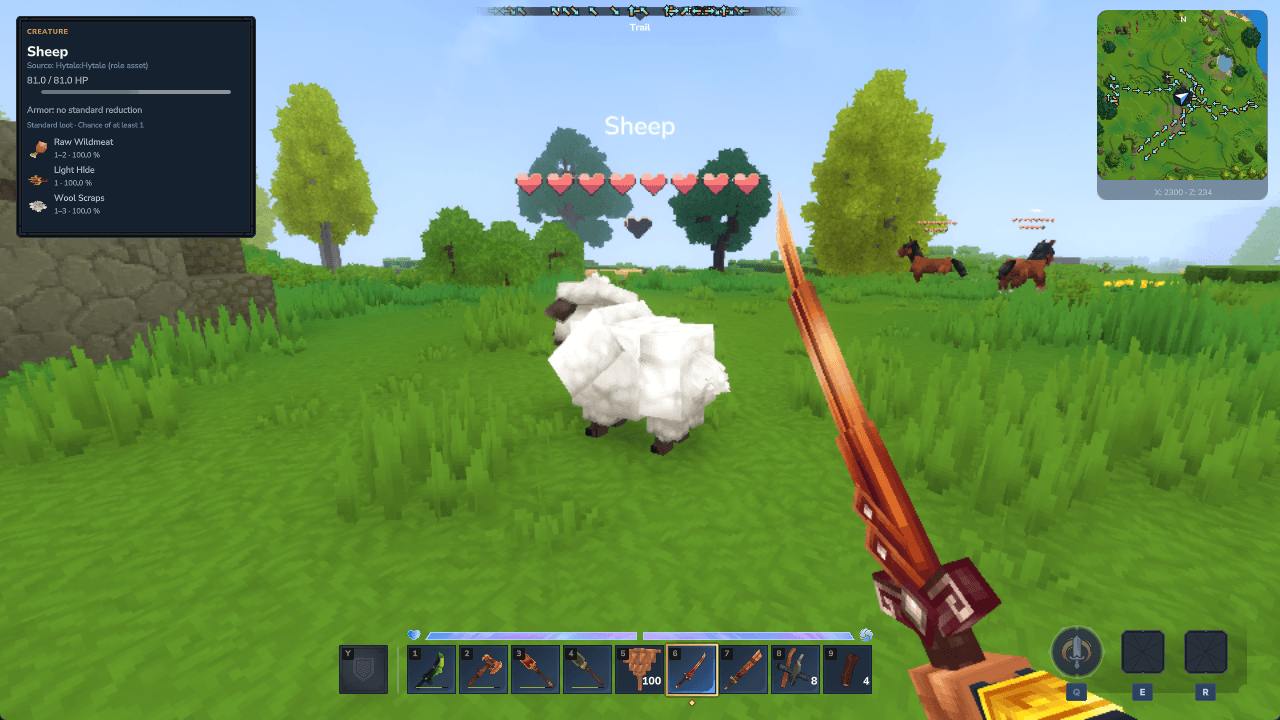
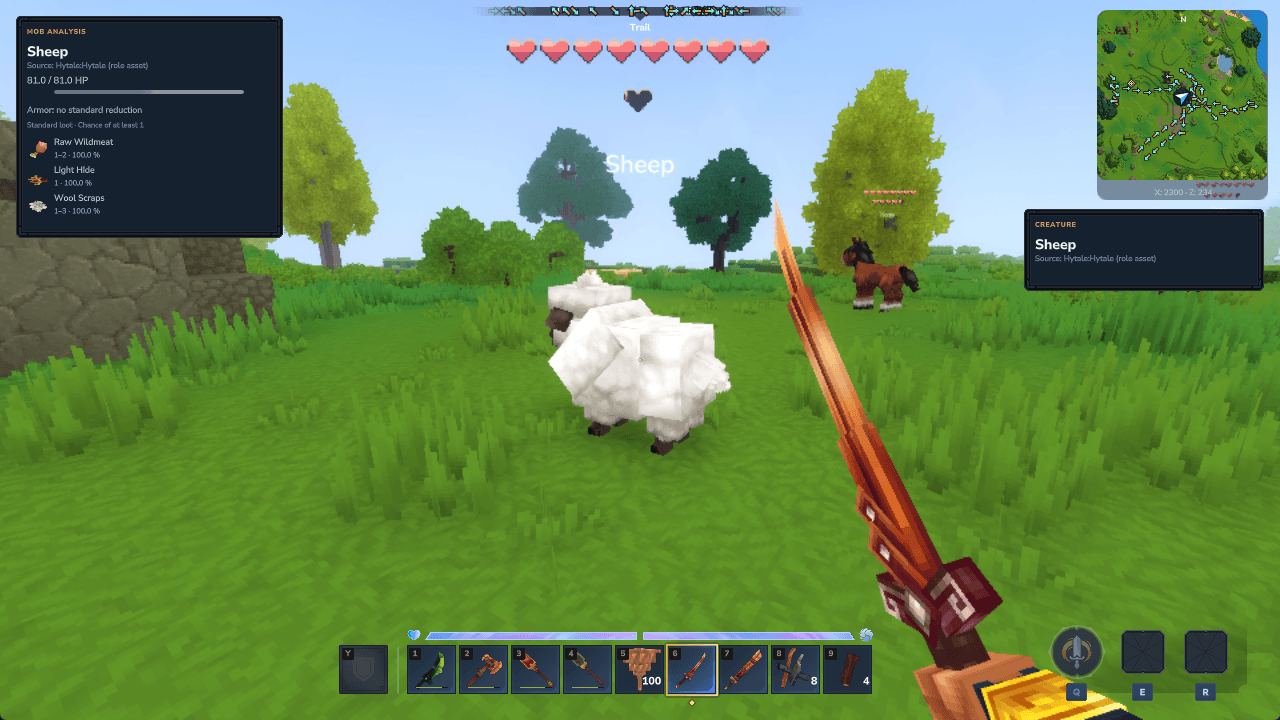
Mob health in the world
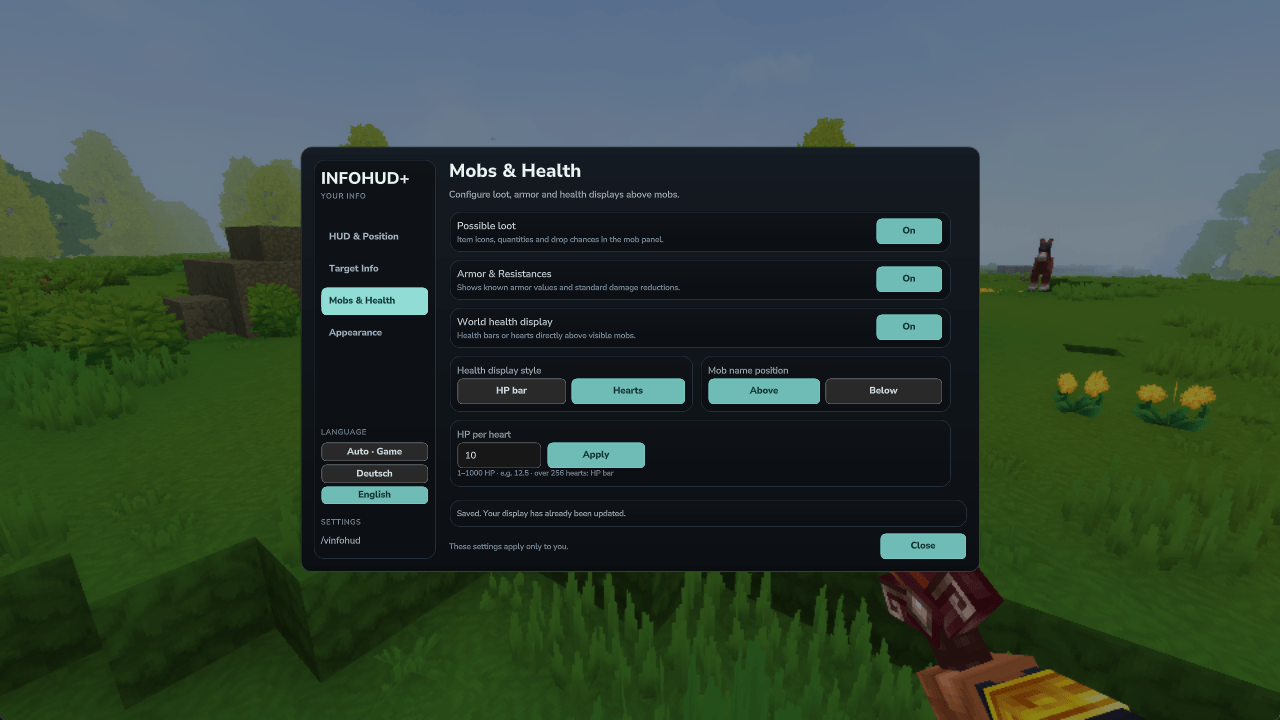
Choose compact HP bars or proportional hearts above nearby visible mobs. Set how many HP one heart represents, including decimal values. Names appear above the whole display by default, with an option to place them below. Both positions keep the name outside the health graphic. Displays with more than 256 hearts fall back to a compact HP bar.
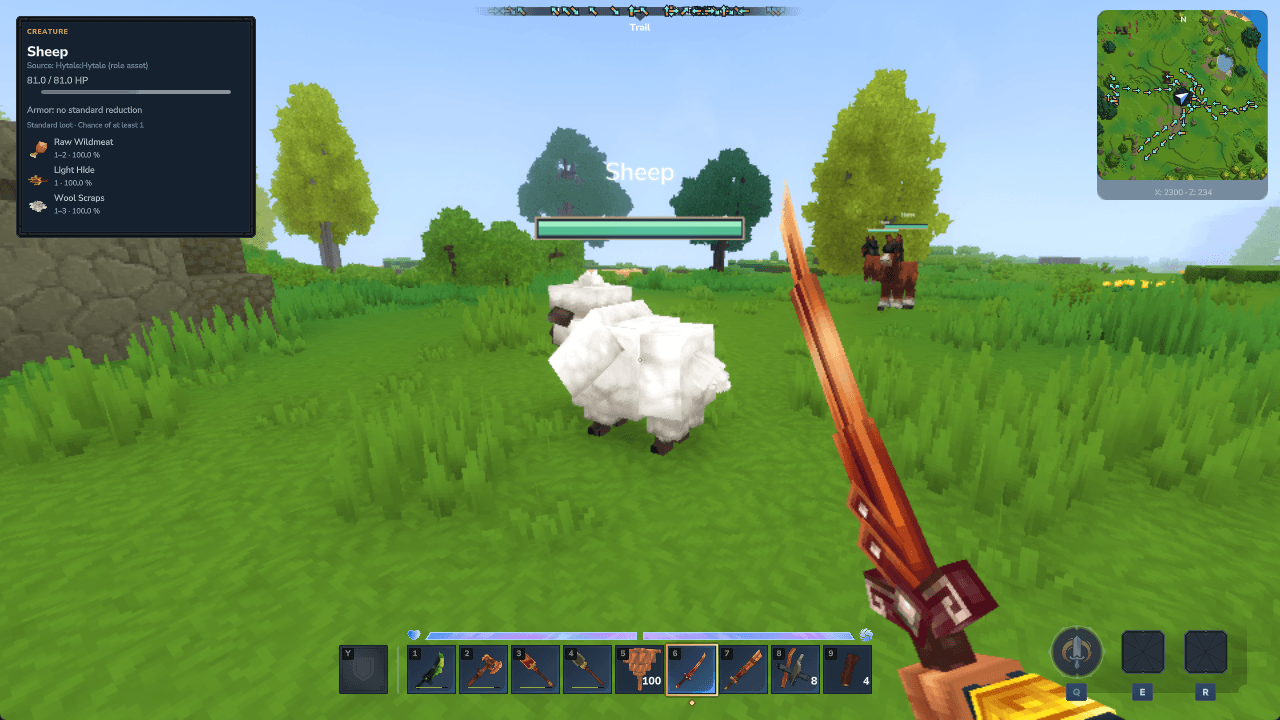
HUD close-up: mob health and loot icons
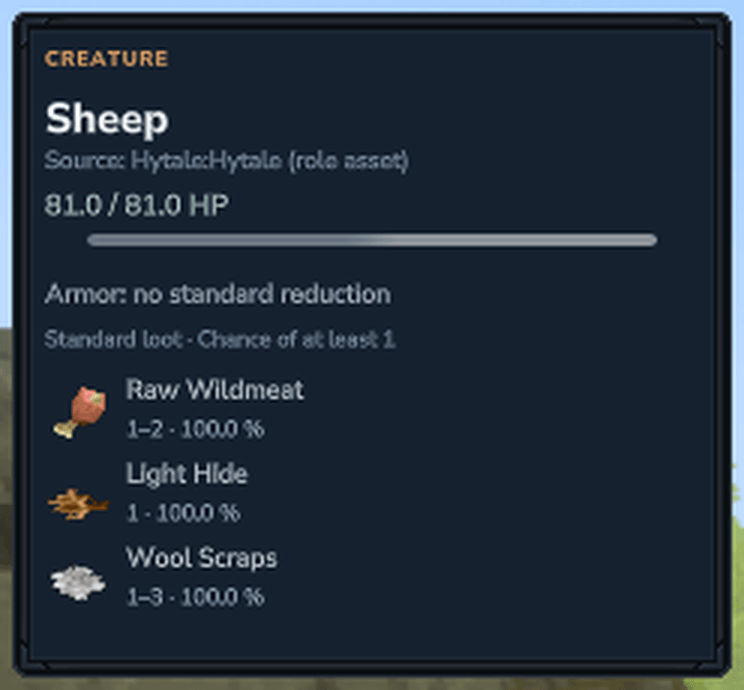
Mob loot, armor and resistances
Inspect current and maximum HP, available armor information and standard damage reductions. The possible loot list includes native item icons, quantities and the chance of receiving at least one item. Larger lists can be read through the paged details command.
Compatible plugins can also publish additional NPC death loot. This includes configurable essences from Vitja's Spawn Eggs 0.2.0, with their effective per-mob chances. Disabling the producer's drops removes its extra entries. Ordinary mob loot remains intact, and dynamic item-name arguments are resolved in the selected language. Additional scripted drops need published loot data; arbitrary private plugin logic cannot be inferred automatically.
Use the main target HUD or a separate mob panel, with independent positions. InfoHUD leaves room for the supported Vitja’s Minimap & Better Map HUD.
Know what your tool will do
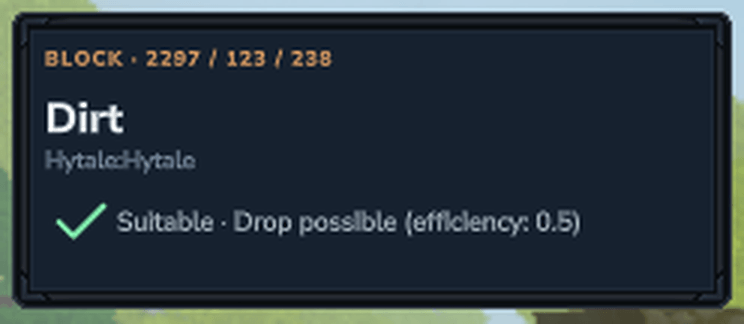
The held item and the block's standard gathering rules determine the indicator:
- Green check: a suitable tool with the material drop preserved.
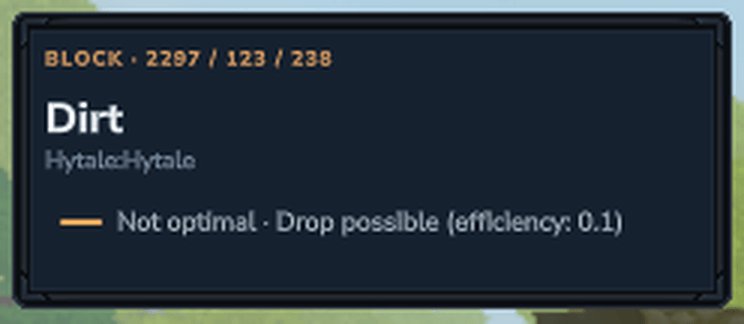
- Orange dash: the material drop is possible, but the tool is not optimal.
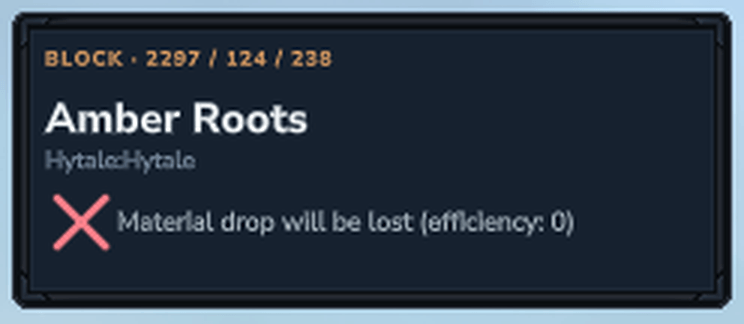
- Red X: the material drop is lost, no material drop is defined, or normal breaking is unavailable. The accompanying text distinguishes these cases.
- Gray question mark: the available rules do not establish the result.
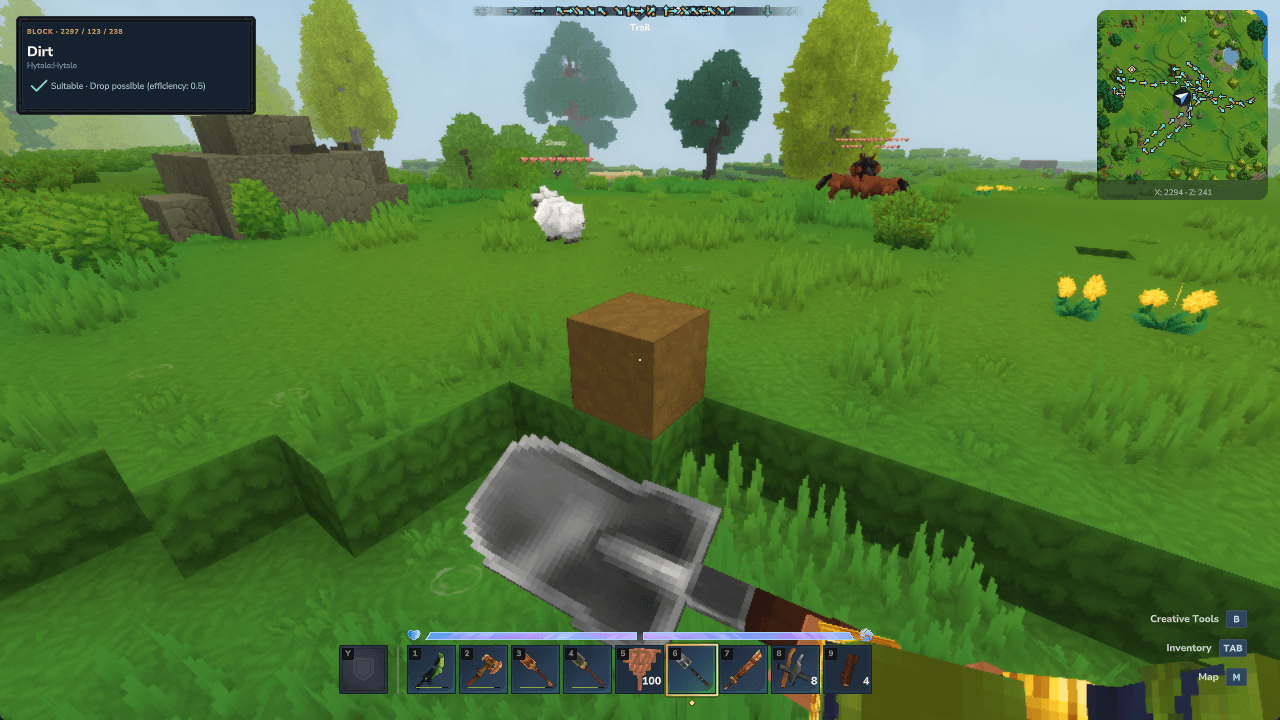
HUD close-up: suitable shovel — material drop preserved
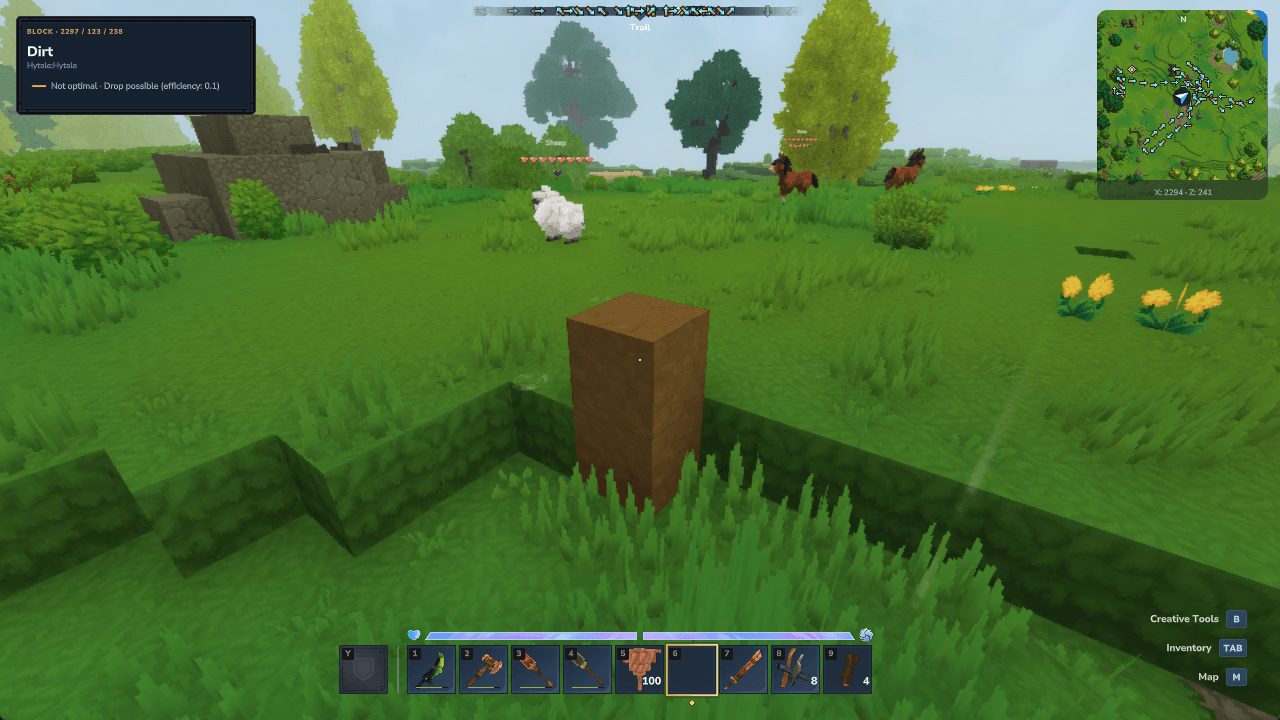
HUD close-up: suboptimal tool — material drop still possible
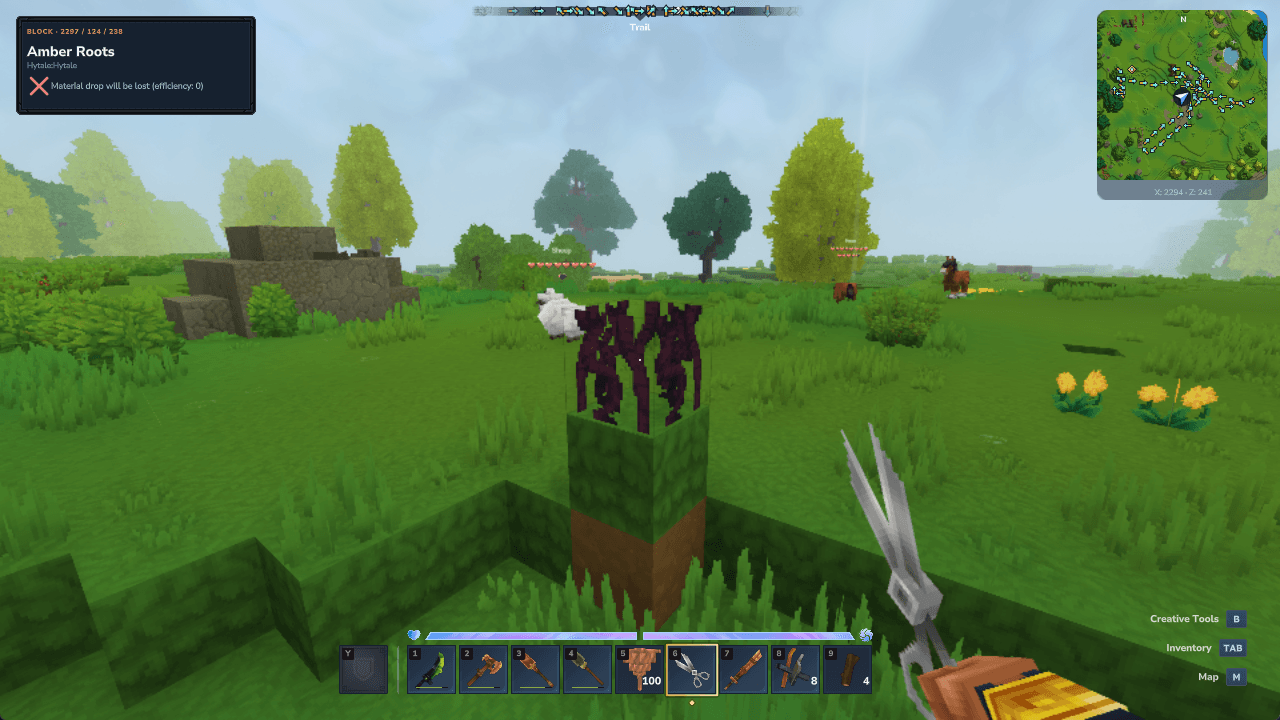
HUD close-up: material drop lost
Blocks, items and their source
Identify the block or dropped item you are looking at, its available asset-pack source, block coordinates or dropped-stack quantity. Registered mod content is resolved from the game's registries. Mob provenance describes the registered role asset rather than claiming which plugin originally spawned an individual mob.
Native named block states and display information supplied by compatible mods can appear as additional target fields. Mod authors can expose these through native display tags or the optional provider API; InfoHUD does not guess states from item IDs or read unrelated private plugin data.
Plants, soil and stations
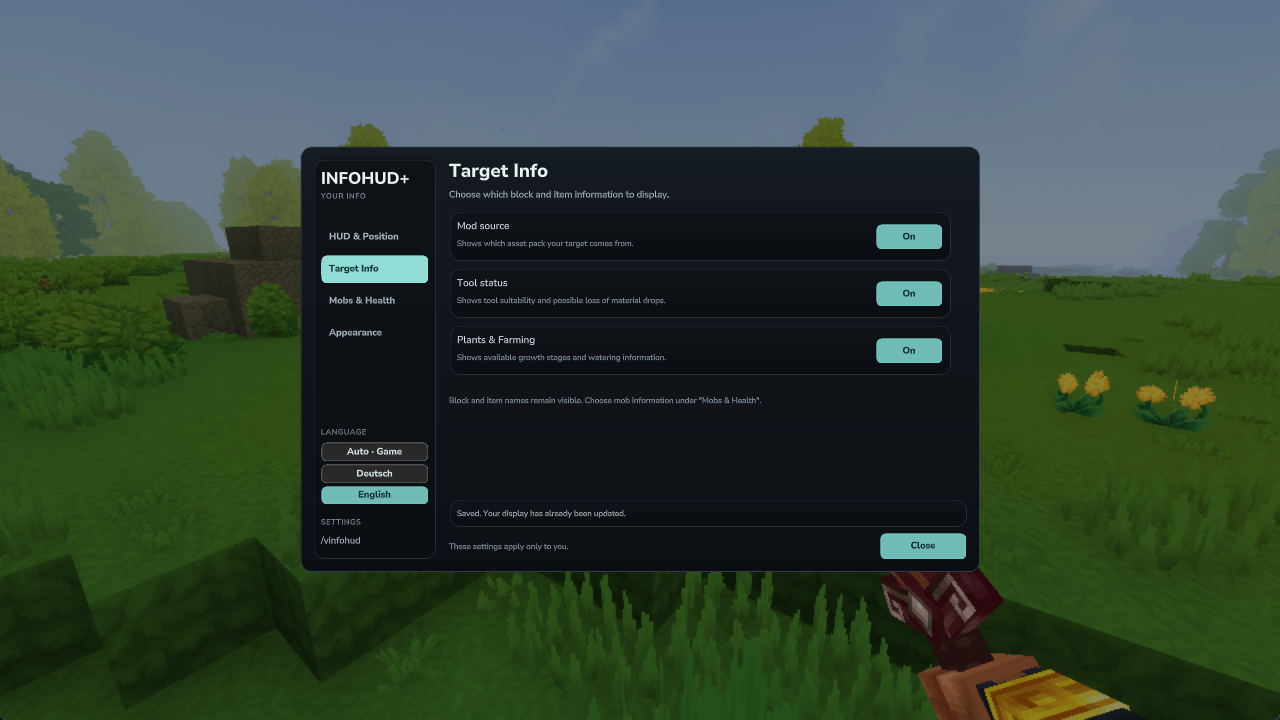
Read available crop growth stages, progress within the current stage, harvest availability and soil watering or fertilizer information. Workbenches show the available tier. Processing stations show their current activity and remaining processing time when those live values are available.
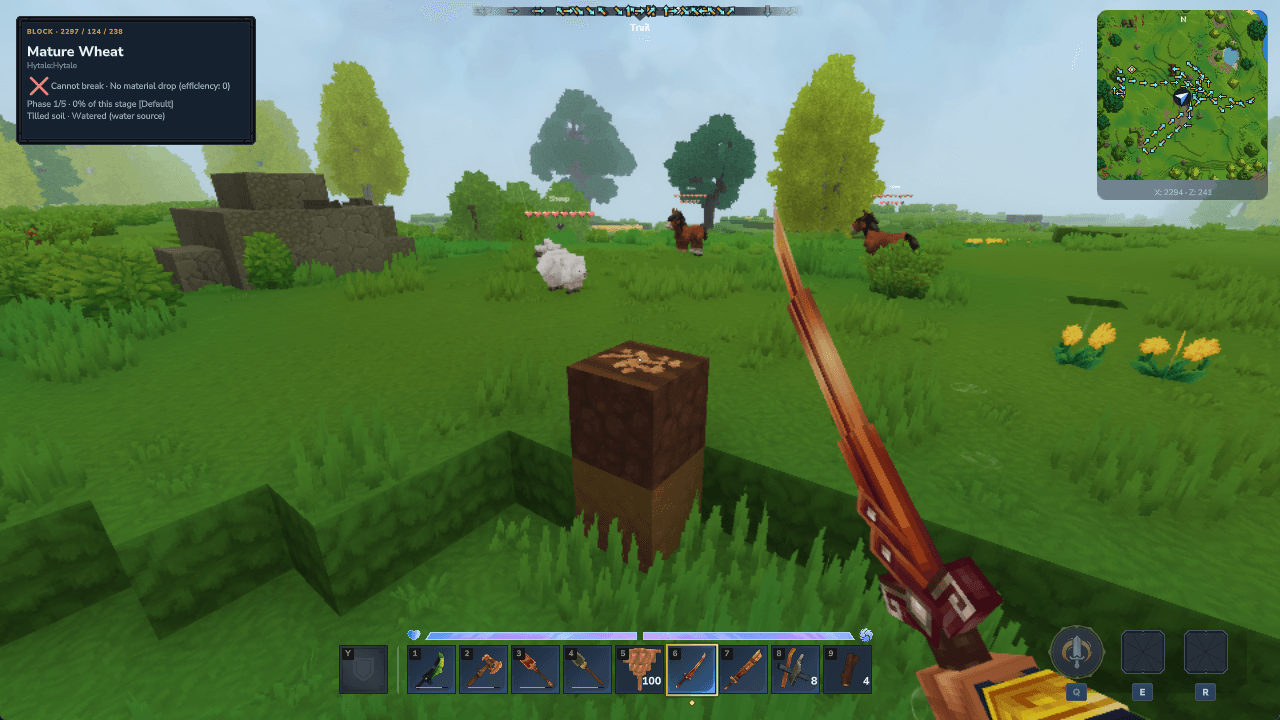
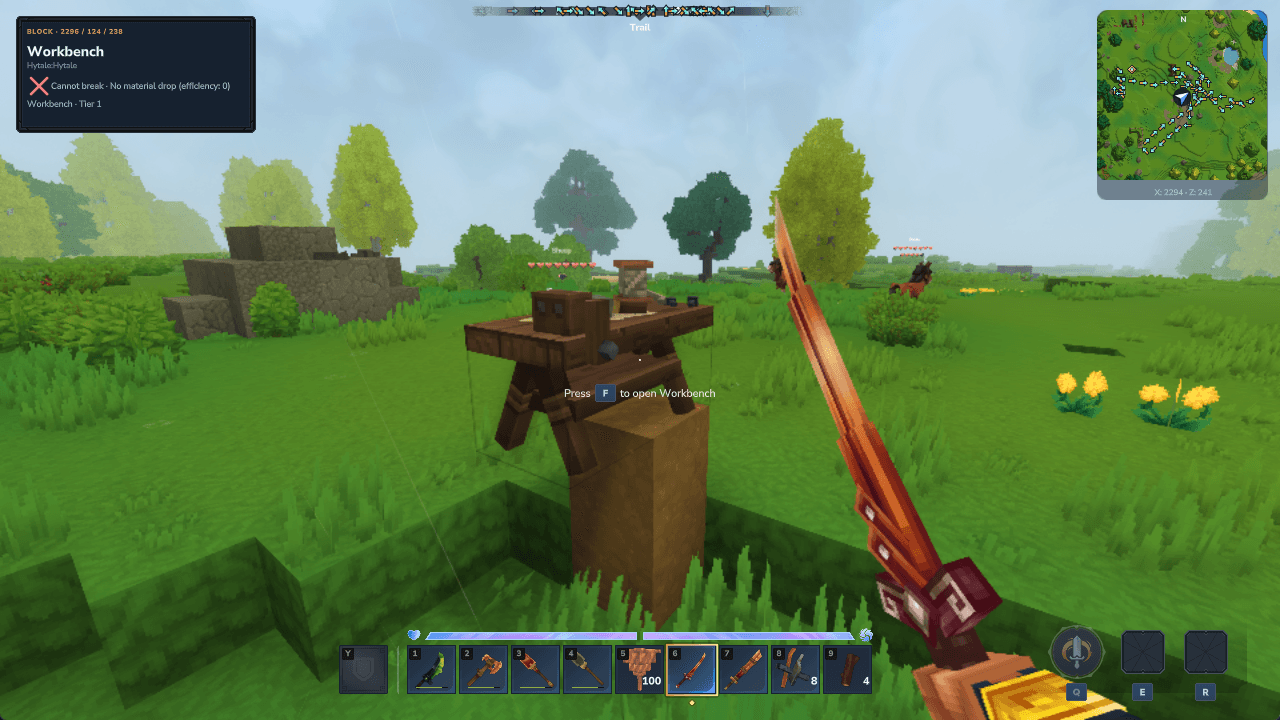
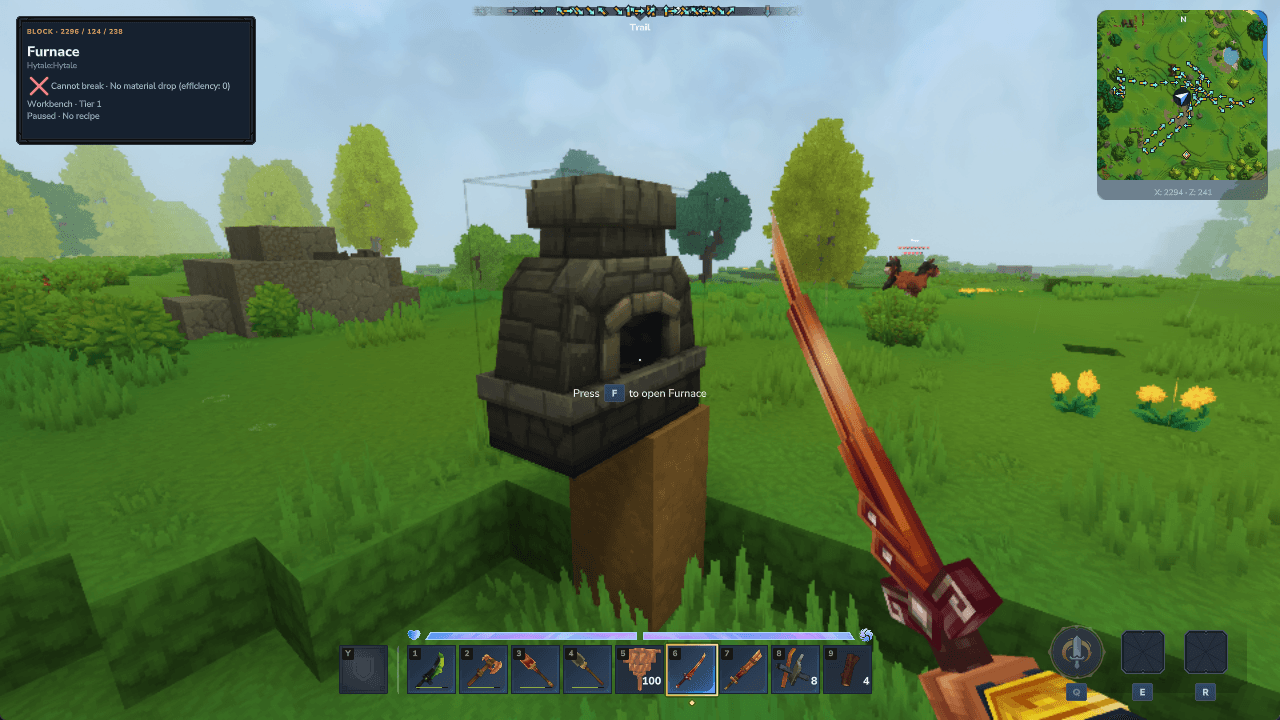
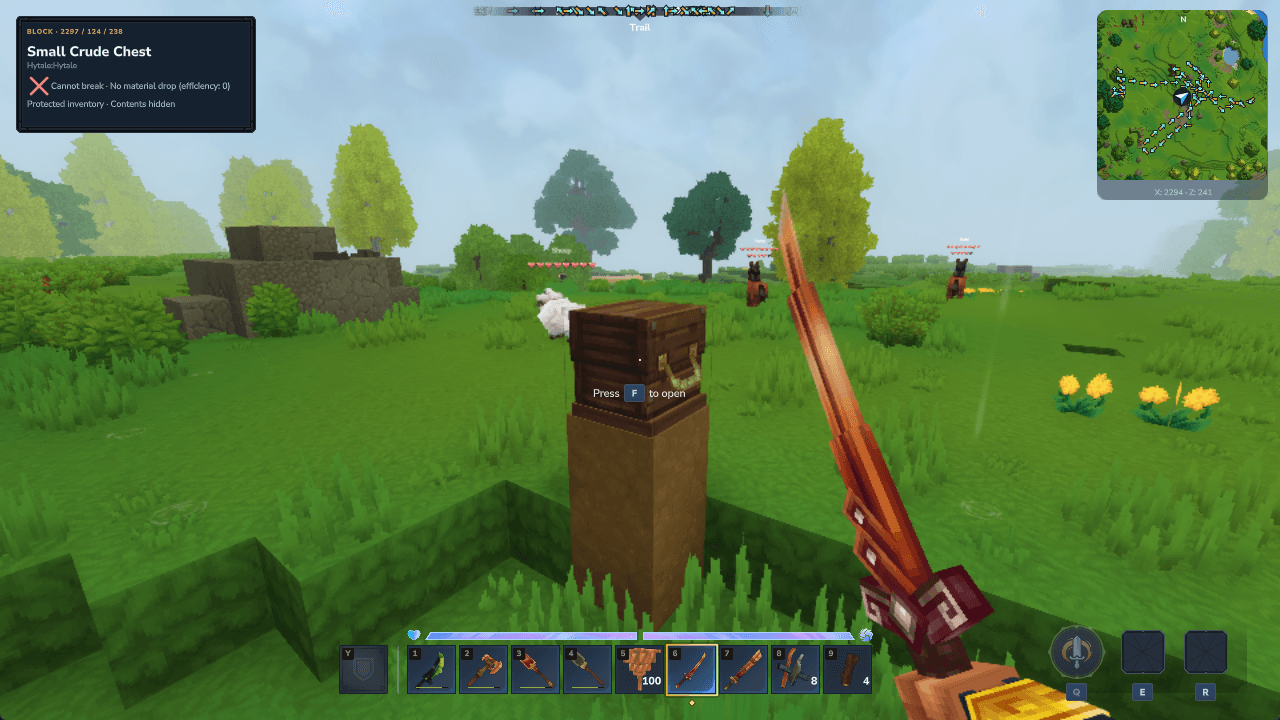
Container information with access checks
Looking at a closed container does not reveal its contents. Inventory summary data is available only while you already have that exact native container window open; closing it removes that access. Hytale's native inventory screen can hide custom HUD layers while it is open.
Your HUD, your settings
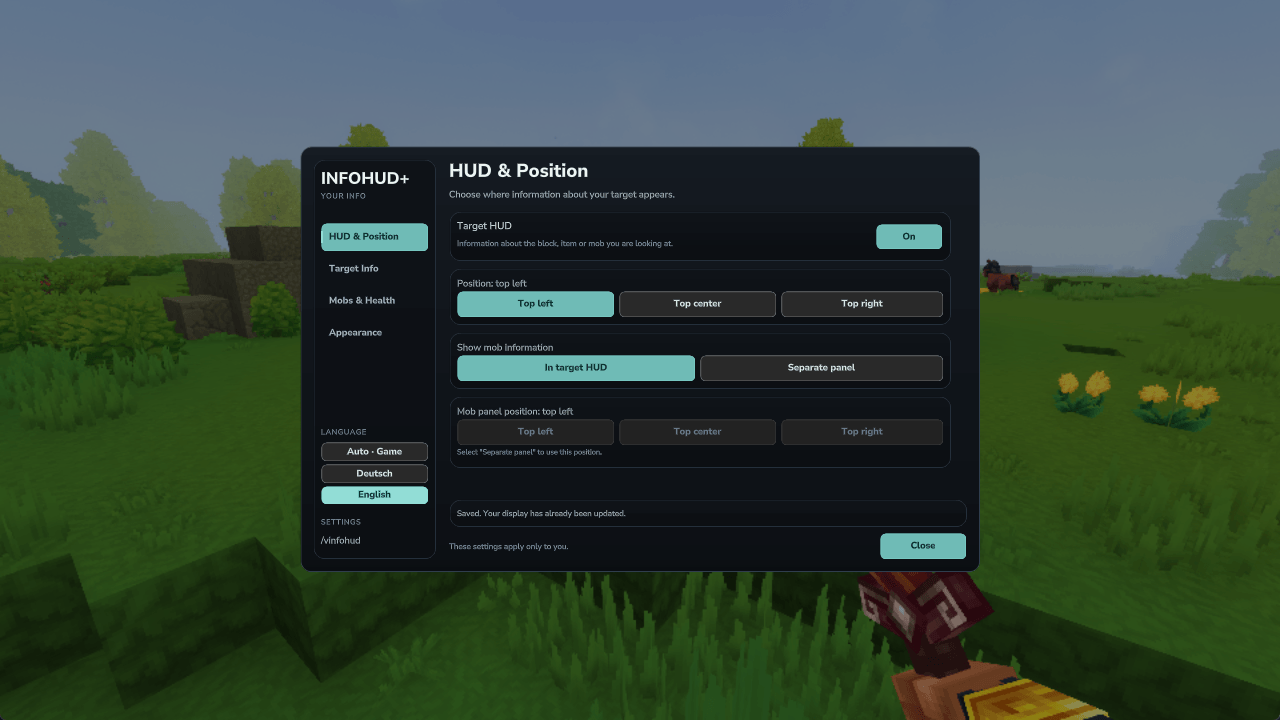
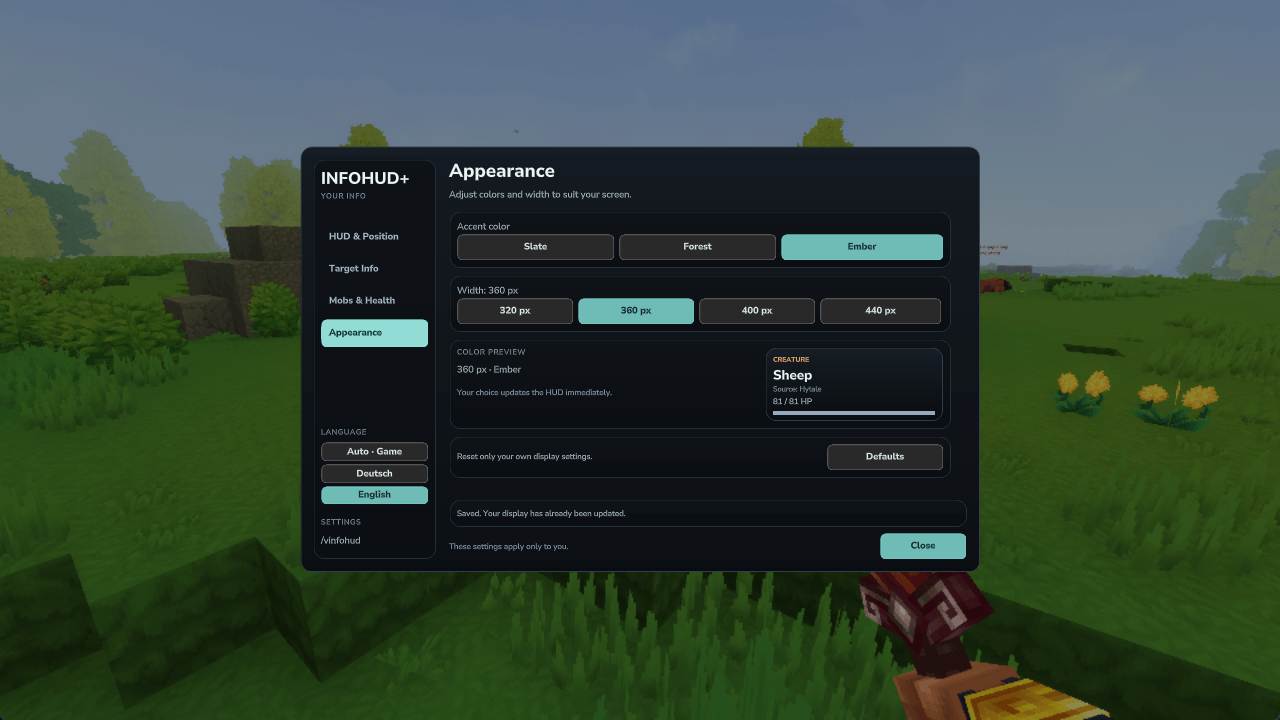
Four settings sections cover HUD placement, target information, mobs and health, and appearance. Choose independent panel positions, three accent themes and four widths. Changes are saved per player and update the display immediately.
The quick language selector offers Auto / Deutsch / English. Auto uses your game language, with English as the fallback. A manual selection changes only InfoHUD and is saved for your player; you do not need to change the main game's language.
Installation and compatibility
Install the compiled JAR in your Hytale server's mods folder, then restart the server. The required InfoHUD assets are included. The other Vitja mods are optional.
Supported series: Hytale 0.7.x (>=0.7.0 <0.8.0). Tested version: Hytale Release 0.7.2. Interface: English and German.
InfoHUD reads the available standard data; it does not change mob HP, damage or loot rolls. Special scripted drops, private plugin rules and unsupported data can be shown as unknown or unavailable. Armor and standard loot information are not a guarantee of every possible combat or drop outcome. Other players are excluded from target inspection.
Feedback and Suggestions
Feedback, suggestions and bug reports are welcome! Please leave a comment below or send me a private message through my CurseForge profile. For bug reports, please include your mod version, Hytale version and steps to reproduce the issue.
License and Custom Versions
Copyright © 2026 Vitja. All rights reserved. This mod and its original source code are proprietary. No permission is granted to redistribute the mod, publish its source code or release modified or derivative versions, except as required by applicable law or platform terms. Third-party game content remains owned by its respective rights holders.
For a custom version or an individual modification request, please contact me through CurseForge.
Support my Mods
If you enjoy my mods and would like to support their continued development and maintenance, you can leave a donation. Your support helps me keep improving, updating, and maintaining my mods. Thank you!
Vitjas InfoHUD+ Team