


Screenshot 2026-01-24 111626.png
Description
⚠️ Hytale v5 (0.5.2) Compatible
# ✅ 1.0.8 — Hytale v5 Update Adaptation
Compatibility update for the latest Hytale version — the Hytale update changed how sneak/crouch is reported by the client. The Filter Hopper UI is now adapted: it opens reliably again via Shift + Right-Click, detecting both crouching and forcedCrouching. No new features — pure compatibility adaptation.
# ✅ 1.0.7 — Hytale v5 Compatibility
Updated for Hytale Server v0.5.2. Now uses JOML math library for improved performance.
# ✅ 1.0.5 — Filter Hopper
A new hopper variant is here: the Filter Hopper — whitelist or blacklist items for precise automation control. Available across all 6 tiers (T1–T6) with 3 placement variants each.
# ✅ 1.0.4 — Tier System Update
Smart Hopper now supports 6 tiers (T1–T6) with increasing transfer capacity, plus unique icons and textures for every variant.
Randomizer Distributor Hopper/Priority Hopper
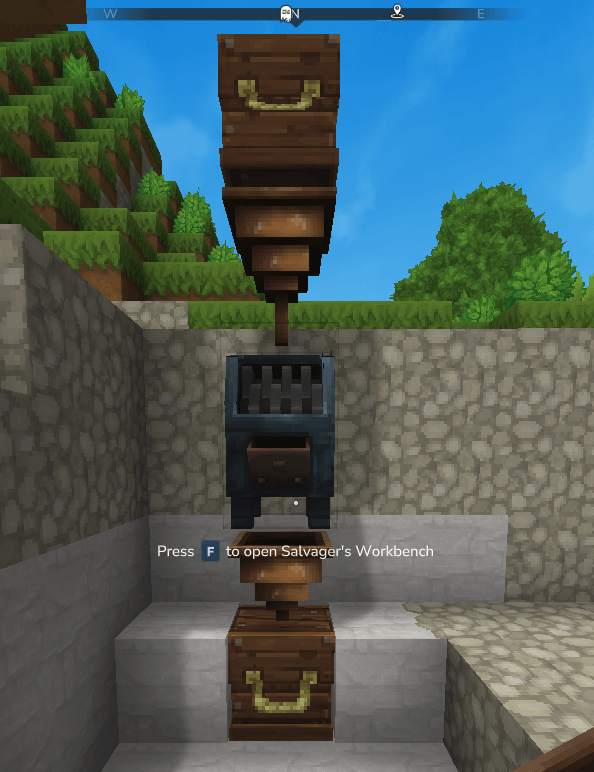
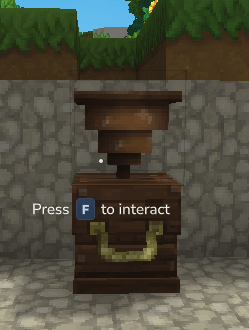
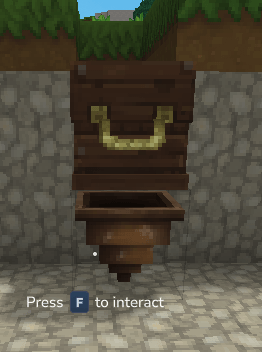
Smart Hopper for Hytale
Automate your world with precision, control — and intelligent item flow.
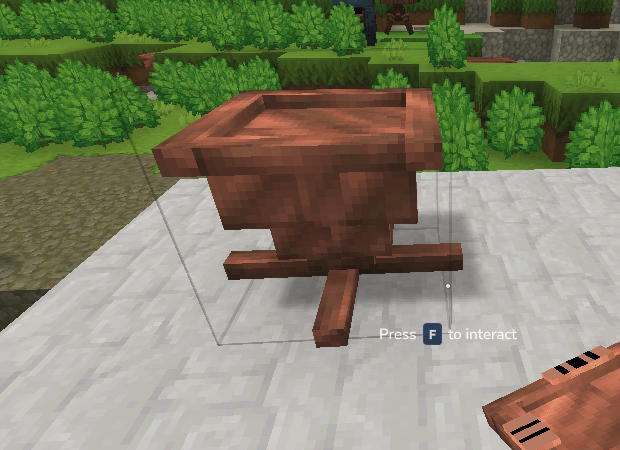
The Smart Hopper mod expands Hytale's automation with advanced, visually clear, Minecraft-inspired item transport mechanics. Build reliable storage systems, smart furnace setups, and complex processing lines — while always knowing exactly where your items will go.
Every hopper clearly shows its orientation and behavior directly on the model.
No guessing. No hidden logic. Just smart automation.
🚀 What's New in v1.0.5
🔍 Filter Hopper
A brand-new hopper variant with item filtering — control exactly which items pass through using Whitelist or Blacklist modes.
Three filter modes:
- NONE — All items pass through (default, behaves like a standard hopper)
- WHITELIST — Only items on the whitelist are allowed, everything else is blocked
- BLACKLIST — Items on the blacklist are blocked, everything else is allowed
Filter UI (Shift + Right-Click):
- Toggle between None / Whitelist / Blacklist modes
- Browse all game items with search and pagination
- Add items to your active filter list with one click
- Remove items from the filter by clicking them
The filter applies to all transfer operations — pull, push, and dropped item pickup.
Right-click (without shift) still opens the standard 5-slot hopper inventory.
Crafting: 10x tier bars + 1x Small Chest (higher cost than standard hoppers due to built-in filter logic).
🚀 What's New in v1.0.4
🏆 Hopper Tier System (T1–T6)
Every hopper variant is now available in 6 tier levels. Higher tiers transfer more items per tick — same tick interval, larger batches:
- T1 (Copper) → 1 item/tick
- T2 (Iron) → 2 items/tick
- T3 (Thorium) → 4 items/tick
- T4 (Cobalt) → 8 items/tick
- T5 (Adamantite) → 16 items/tick
- T6 (Mithril) → 32 items/tick
The tick rate stays at 0.4 seconds across all tiers. Tiers don't tick faster — they transfer a bigger stack per operation.
All 7 variants are available in all 6 tiers:
- Smart Hopper T1–T6
- Smart Hopper T1–T6 (Facing)
- Smart Hopper T1–T6 (Inverted)
- Smart Hopper T1–T6 (Distributor)
- Smart Hopper T1–T6 (Priority)
- Smart Hopper T1–T6 (Randomizer)
- Smart Hopper T1–T6 (Filter)
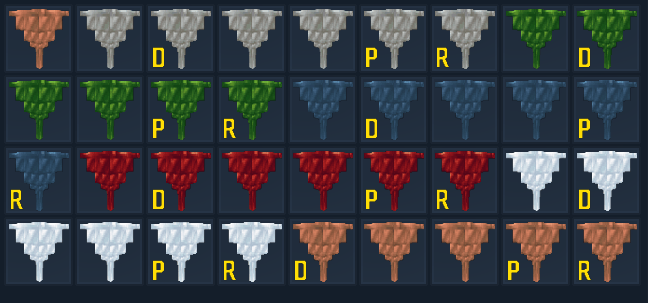
🎨 New Icons & Textures
- Every variant now has its own icon per tier (Distributor, Priority, Randomizer no longer share the standard hopper icon)
- Each tier has its own texture — same 3D model, different material appearance
- Standard/Facing/Inverted share their tier's icon (they're placement variants of the same hopper)
⚙️ Other Changes
- Max Stack Size increased from 10 to 100 for all hoppers
- Batch transfer with safety checks — no item loss, no slot overflow
- Consistent asset naming scheme across all tiers and variants
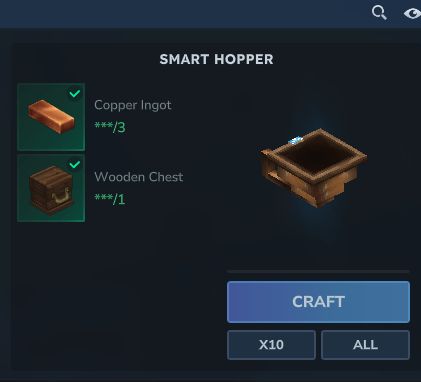
🛠️ Crafting
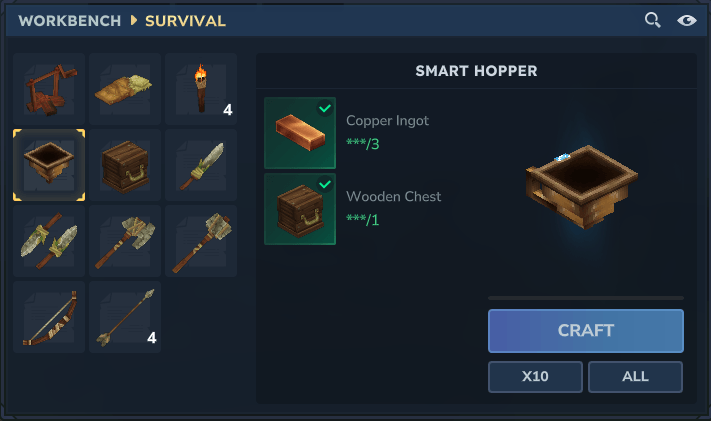
Standard, Distributor, Priority & Randomizer Hoppers — 3 tier bars + 1 chest:
- T1: 3x Copper Bar + 1x Small Chest
- T2: 3x Iron Bar + 1x Small Chest
- T3: 3x Thorium Bar + 1x Small Chest
- T4: 3x Cobalt Bar + 1x Small Chest
- T5: 3x Adamantite Bar + 1x Small Chest
- T6: 3x Mithril Bar + 1x Small Chest
Filter Hoppers — 10 tier bars + 1 chest (advanced filtering requires more material):
- T1: 10x Copper Bar + 1x Small Chest
- T2: 10x Iron Bar + 1x Small Chest
- T3: 10x Thorium Bar + 1x Small Chest
- T4: 10x Cobalt Bar + 1x Small Chest
- T5: 10x Adamantite Bar + 1x Small Chest
- T6: 10x Mithril Bar + 1x Small Chest
Facing and Inverted hoppers have no recipe — they are automatically created when placing a standard hopper on a wall or ceiling.
🚀 Core Features
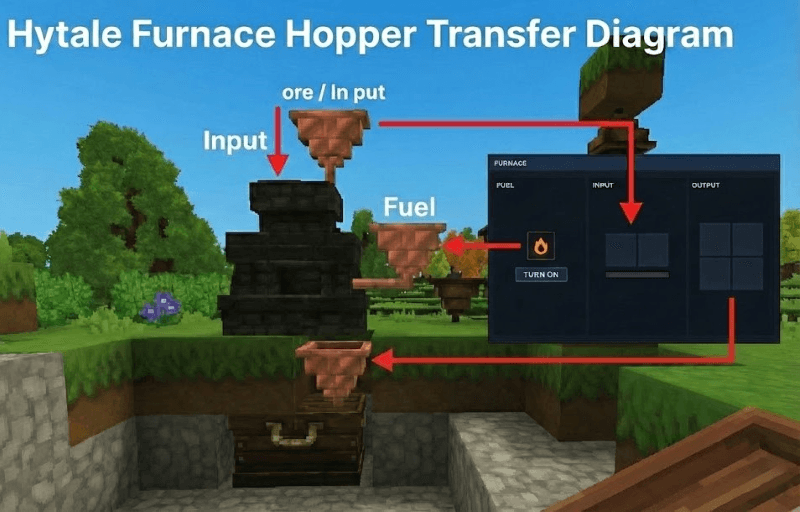
• Visual Placement Logic
Smart Hoppers automatically detect how they are placed (Floor, Wall, Ceiling) and visually reflect their behavior:
- Placed on top → points downward → feeds items
- Placed on the side → points sideways → feeds fuel
- Placed underneath → pulls items out
- Placed on the ceiling → fully inverted → pulls from below, pushes upward
This makes hopper behavior readable at a glance.
• Slot-Targeted Item Transfer (Minecraft-Style)
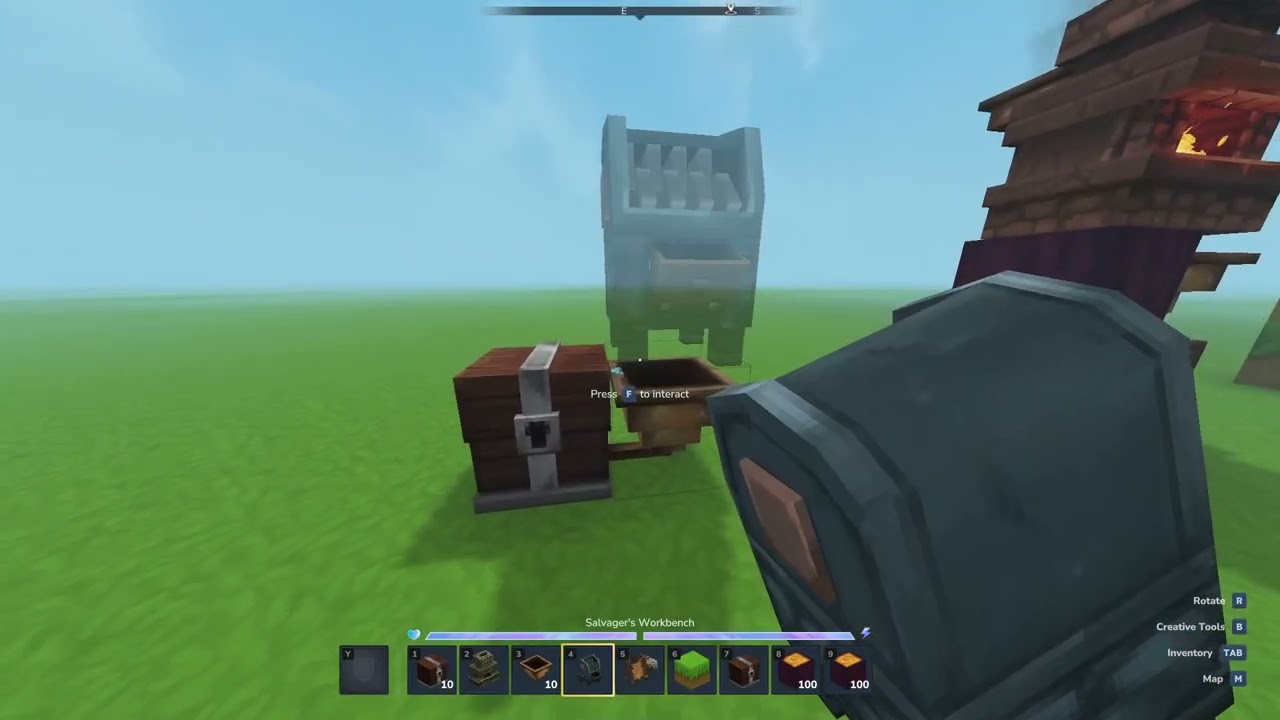
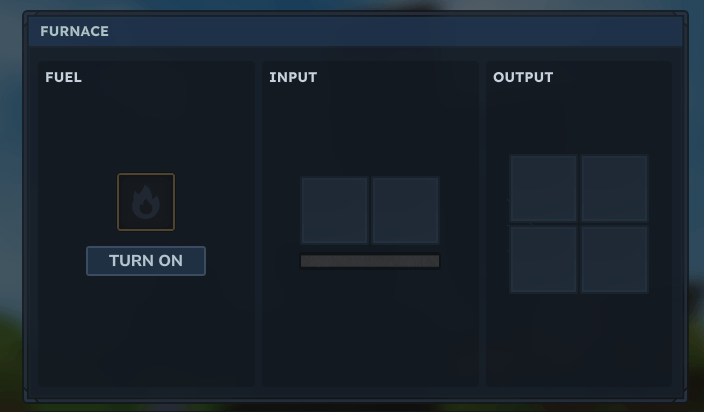
Smart Hoppers interact with machines based on placement:
- Top placement → Input slot
- Side placement → Fuel slot
- Bottom placement → Output slot / inventory extraction
Perfect control over automation without slot conflicts.
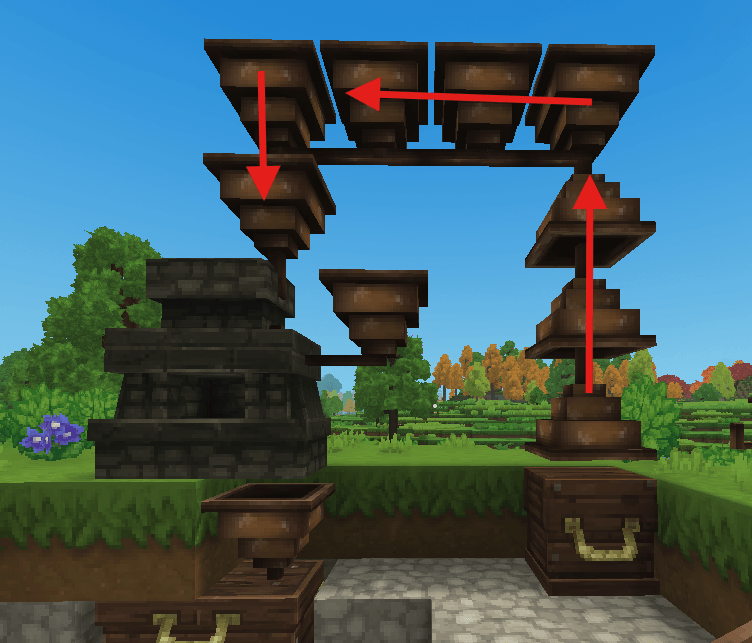
• Inverted (Ceiling) Hoppers
Ceiling-mounted hoppers are visually flipped and reverse their logic:
They pull items from below and push them upward — enabling vertical transport and compact elevator systems.
• Physics-Free Placement
Hoppers can float freely and connect directly to each other without support blocks.
Ideal for clean, compact automation builds.
• Dropped Item Pickup
Hoppers can collect dropped items from the ground, just like classic Minecraft hoppers.
• Seamless Automation
Fully compatible with salvagers, outer workbenches, furnaces, and machines.
🧠 Advanced Hopper Types
🔍 Filter Hopper
This hopper gives you full control over what passes through.
Function:
Three filter modes to decide exactly which items are allowed:
- NONE — All items pass through (default, behaves like a standard hopper)
- WHITELIST — Only items on the whitelist are allowed, everything else is blocked
- BLACKLIST — Items on the blacklist are blocked, everything else is allowed
Filter UI:
Sneak + f(Interact) opens the filter configuration UI(If you in creative fly its not work only if you charter is Sneaking):
- Toggle between None / Whitelist / Blacklist modes
- Browse all game items with search and pagination
- Add items to your active filter list with one click
- Remove items from the filter by clicking them
The filter applies to all transfer operations — pull from containers, push to containers, and dropped item pickup.
Right-click (without shift) still opens the standard 5-slot hopper inventory.
Available in all 6 tiers, all 3 placement variants (base, facing, inverted).
🔀 Distributor Hopper
This hopper ensures fairness.
Function:
Items are distributed evenly in a round-robin loop.
Item 1 → Output 1
Item 2 → Output 2
Item 3 → Output 3
… and so on.
Use Case:
Perfect for evenly splitting fuel across multiple furnaces or distributing items into parallel processing lines.
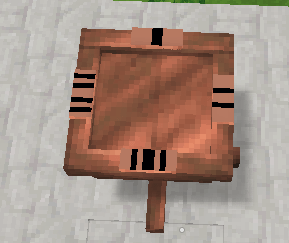
Visual Guide:
Numbers (1–4) on the model clearly show the exact output order.
🥇 Priority Hopper
This hopper follows a strict hierarchy.
Function:
Always tries Output 1 first.
If Output 1 is full or unavailable, it moves on to Output 2, then 3, then 4.
Use Case:
Ideal for overflow systems:
"Fill my main chest first — send excess items to backup or trash."
Visual Guide:
Marked sides (1–4) indicate priority.
Side 1 = Master Output.
🎲 Randomizer Hopper
This hopper embraces chaos.
Function:
Each item is sent to a completely random output.
No pattern. No fairness. Just randomness.
Use Case:
Great for gambling machines, random rewards, unpredictable systems — or just fun builds.
🛣️ Roadmap
Community requests are welcome — suggest features on Discord or CurseForge!
💬 Community & Support
We'd love your feedback!
- 💬 Discord: Join our Discord — roadmap, bug reports, ideas & support
- 🐛 Bugs & Ideas: Leave a comment on CurseForge or report on Discord
Automate smarter — and see exactly how it works.
Smart Hopper is actively maintained and will continue receiving feature updates.
Code (c) by [Vitja]. All Rights Reserved.
The Vitja's Hopper(funnel) Team
