Vitja's Helper (Item Guide, Recipes & Loot)
- By
An in-game item guide with recipes, loot sources, item stats, crafting trees and pinned material lists.
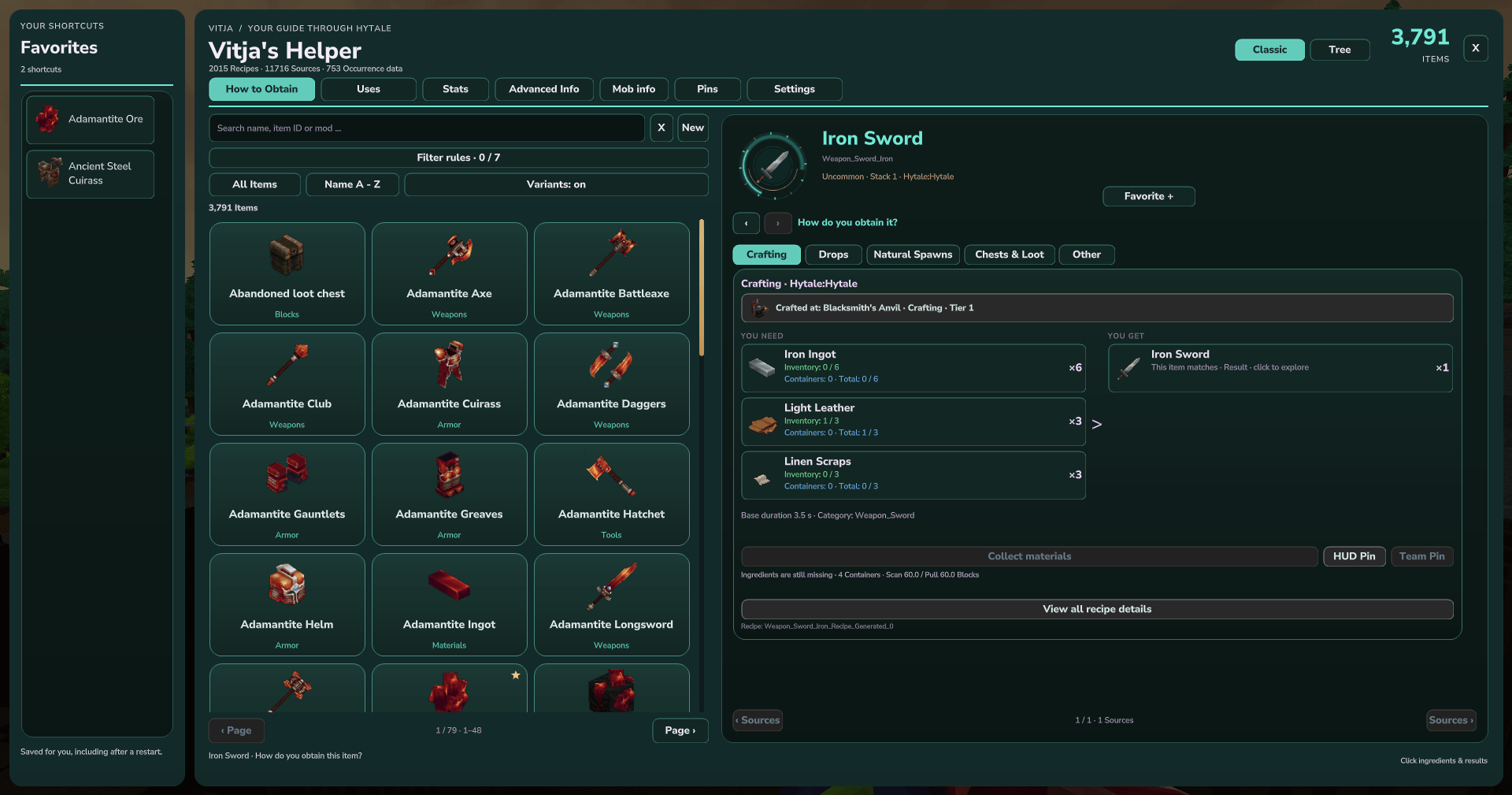
02-classic-crafting.png
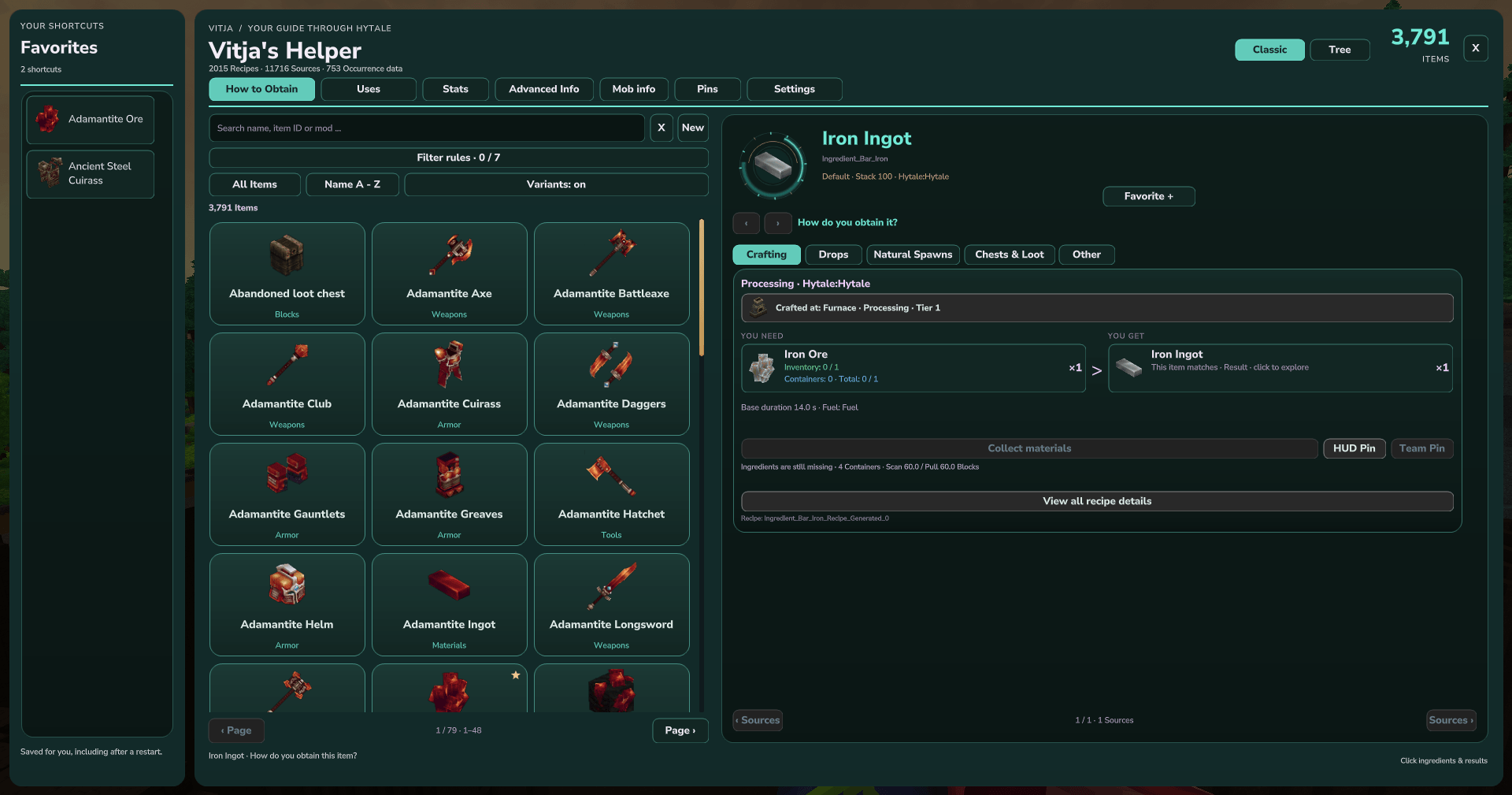
01-classic-recipes.png
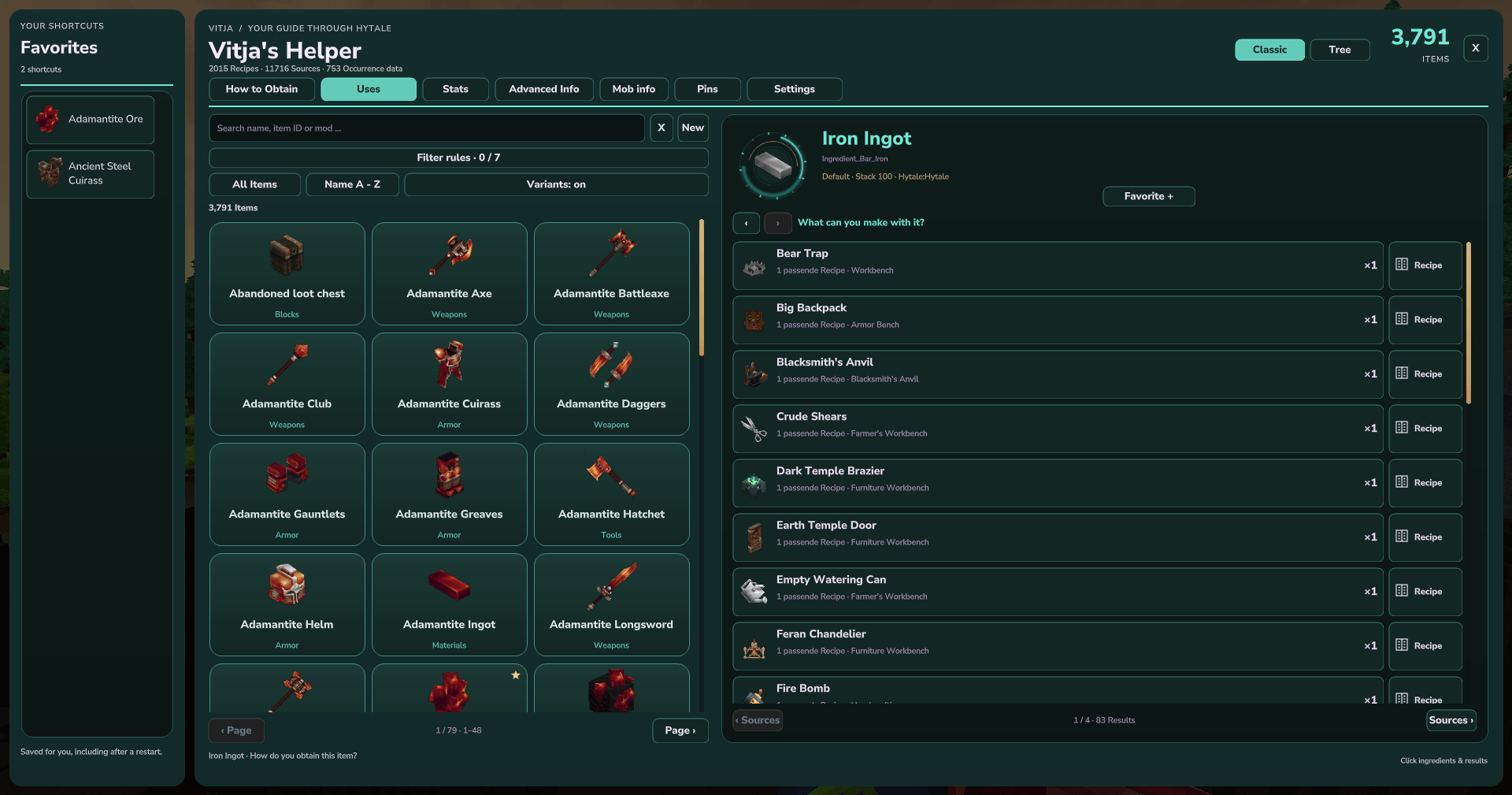
03-classic-uses.png
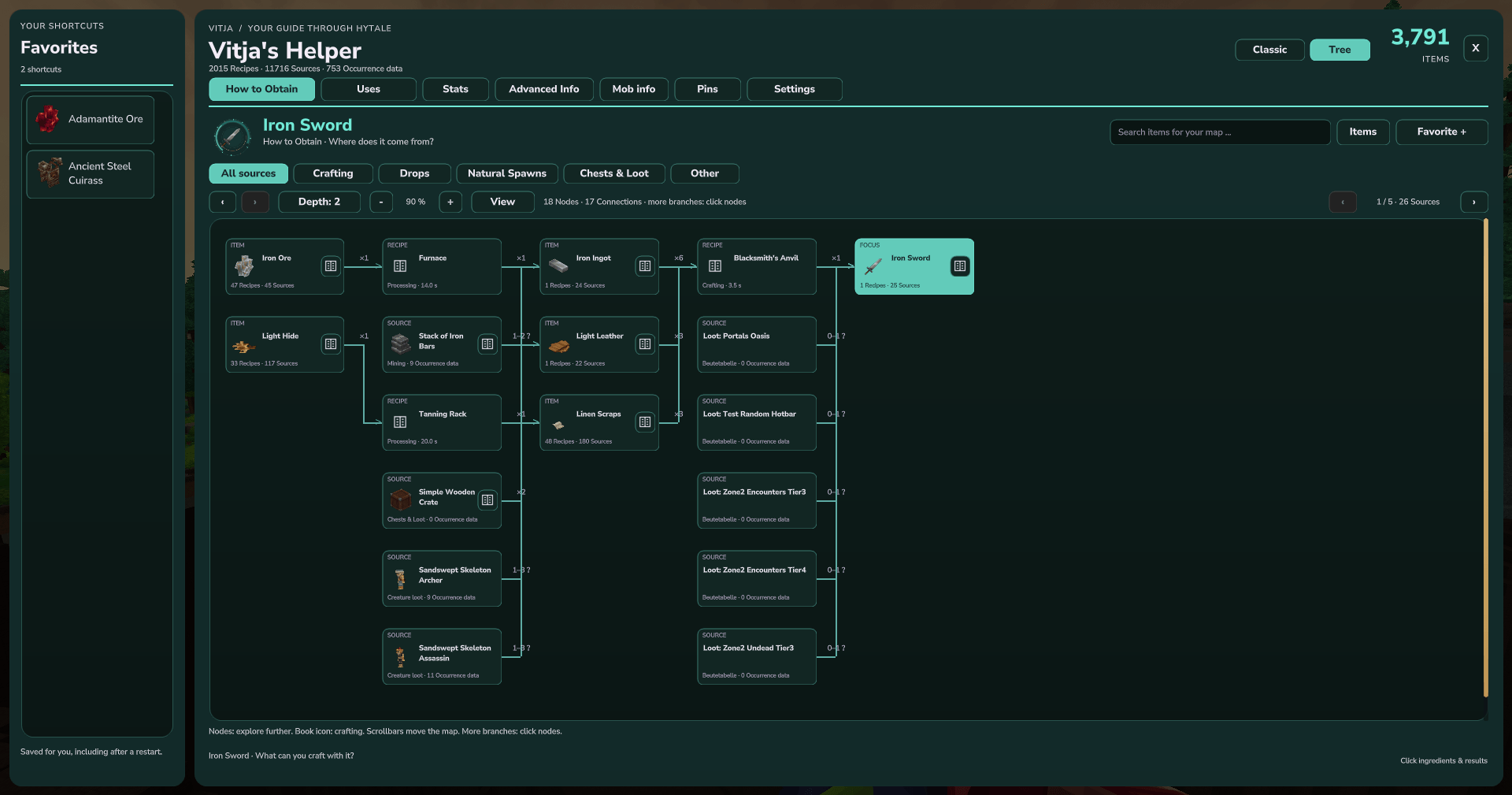
04-tree-recipes.png
05-tree-uses.png
Description
Vitja's Helper (Item Guide, Recipes & Loot)
Find out how to obtain an item, what you can make with it, and where its ingredients come from — without leaving Hytale. Vitja's Helper combines a searchable item catalog, recipes, crafting trees, loot information and material tracking in a native in-game UI.
Open the guide: enter /vhelp in the chat.
An iron sword recipe shows its workstation, ingredients and output.
Recipes and uses: keep following the ingredients
Search by item name, item ID or mod, then select an item. How to Obtain shows its recorded crafting, processing, drops, natural sources, chests and other ways of obtaining it. Recipes display ingredient quantities and alternatives, results, workstations, required tiers and available processing details such as duration and fuel.
Ingredients, results, workstations and mob sources are clickable. For example, start with an iron sword, follow its iron ingots to the furnace recipe, then inspect the iron ore's recorded sources. Back and forward buttons let you retrace your path.
Switch to Uses to see a compact, scrollable list of items that use the selected material. Click a result to explore its uses, or click its recipe button to see how to make it.
Browse items made with iron ingots and open their recipes directly.
Classic or Tree
- Classic combines item cards with a detailed recipe or information panel.
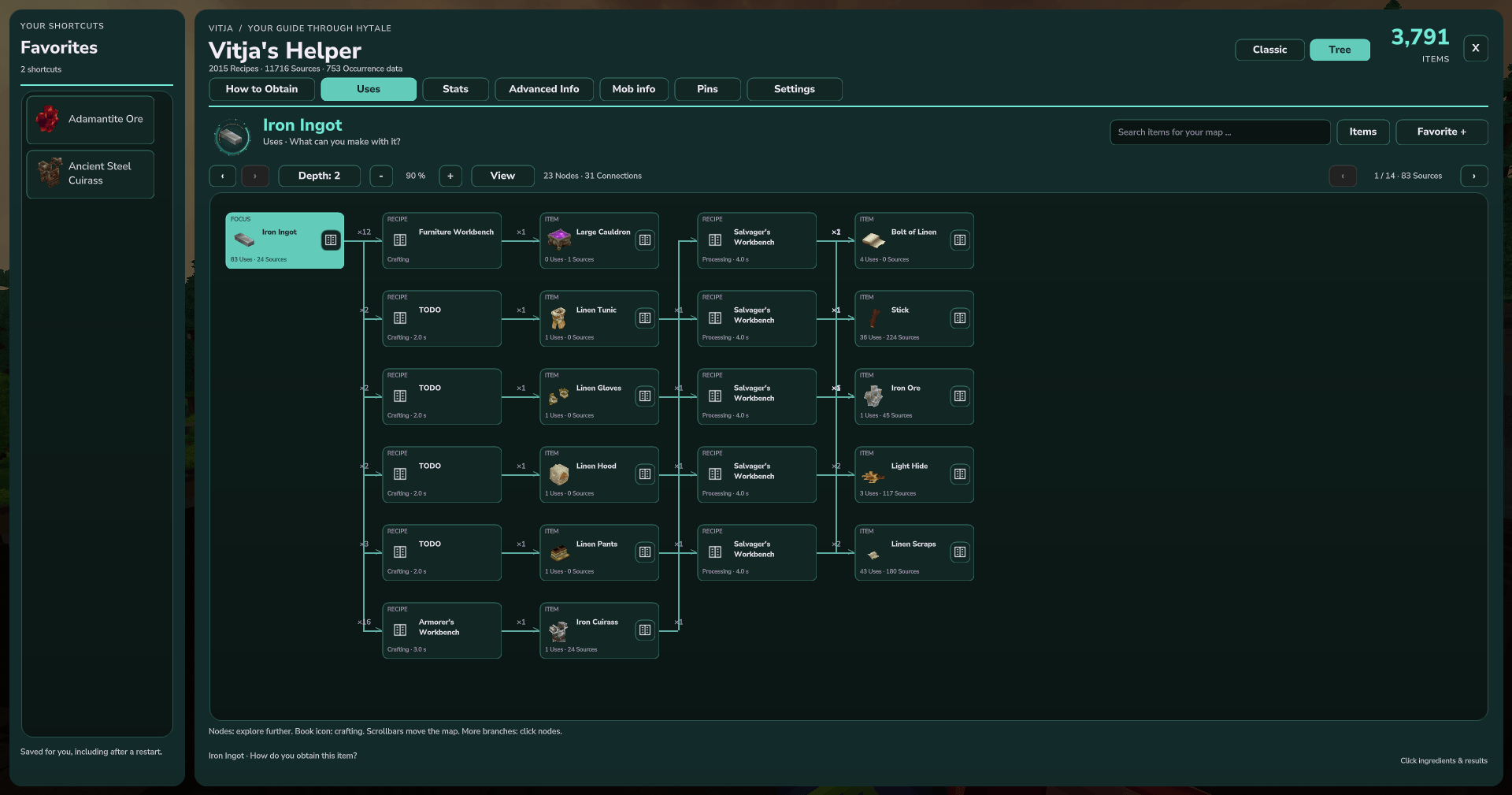
- Tree turns ingredient chains and uses into a connected map of items, recipes and sources. Click nodes to continue exploring; open recipe and source details directly from the map.
- Adjust the map's zoom and depth, search for another item, and browse additional branches. Recipe cycles are bounded so they do not expand endlessly.
Favorites stay visible in their own sidebar. The guide uses the available game window and saves favorites, view mode and appearance preferences per player.
A connected recipe map traces the iron sword through ingots, ore, leather and sources.
Explore the uses of iron ingots and their next processing steps as linked nodes.
Loot, mobs and natural sources
- Browse mobs with the preview images supplied by their loaded assets and see whether their icon and model files are available.
- Inspect recorded drops, loot tables and containers, with available chances and quantity ranges.
- Follow recorded biome, environment, prefab and spawn references where the game data provides them.
- Missing mob icons or models receive a clear message instead of showing an unrelated preview.
For supported native loot rules, percentages describe the chance of receiving at least one of the selected item from that loot rule. Quantity ranges include empty outcomes where applicable; a positive-hit range can be shown separately. These percentages do not describe the chance of finding the container or biome itself.
Compatible mods can also publish additional NPC death-drop tables. For example, with Vitja's Spawn Eggs 0.2.0 installed, the mob guide includes the matching essence and its configured chance, and the essence's item page links back to its mob source. Changes to those published tables are picked up automatically, including disabled drops and per-mob overrides. Normal mob loot remains included. Mods using private Java drop logic need a supported data or provider integration to expose that information.
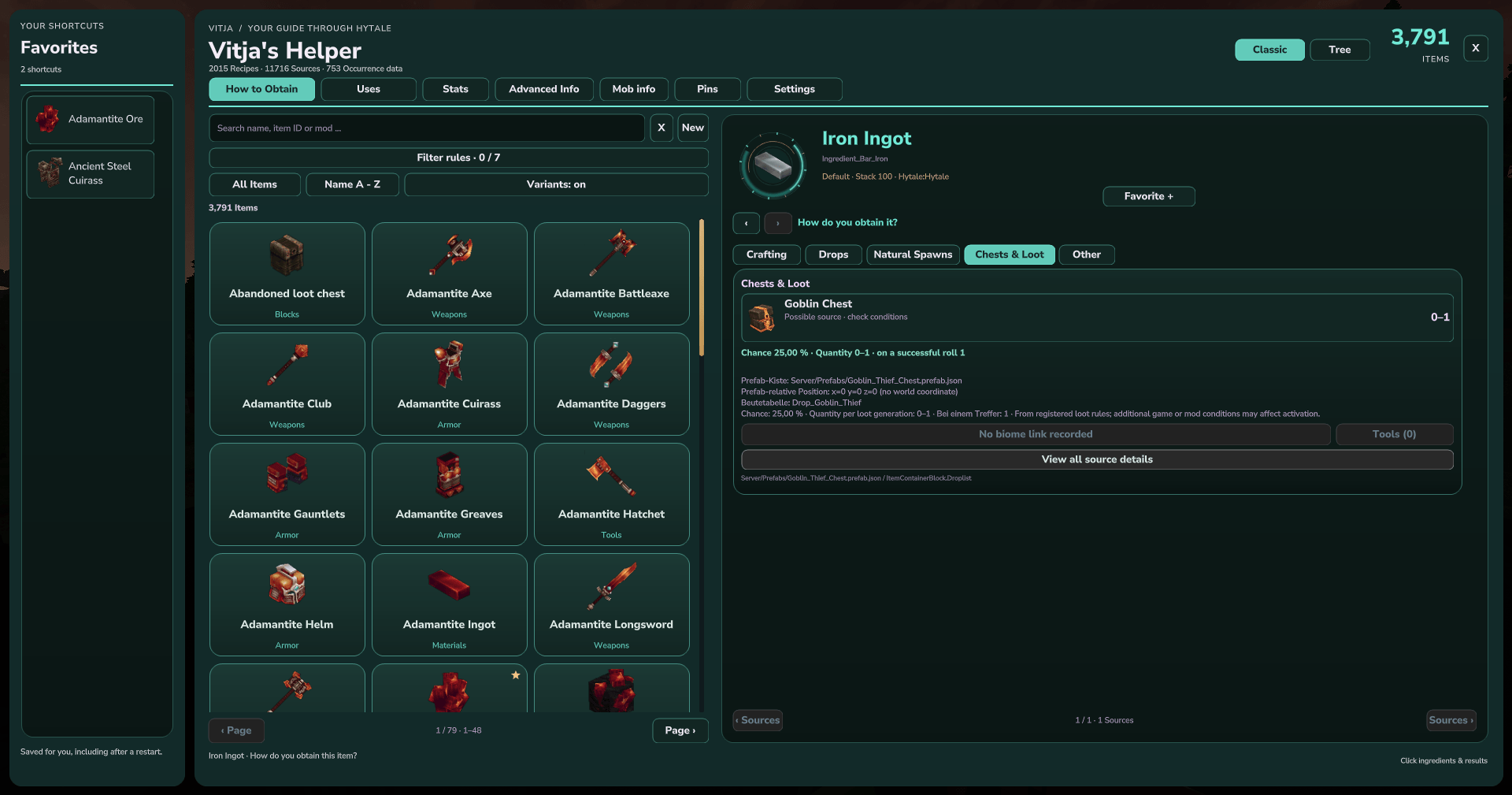
A recorded chest source shows a 25% item chance and a 0–1 quantity range.
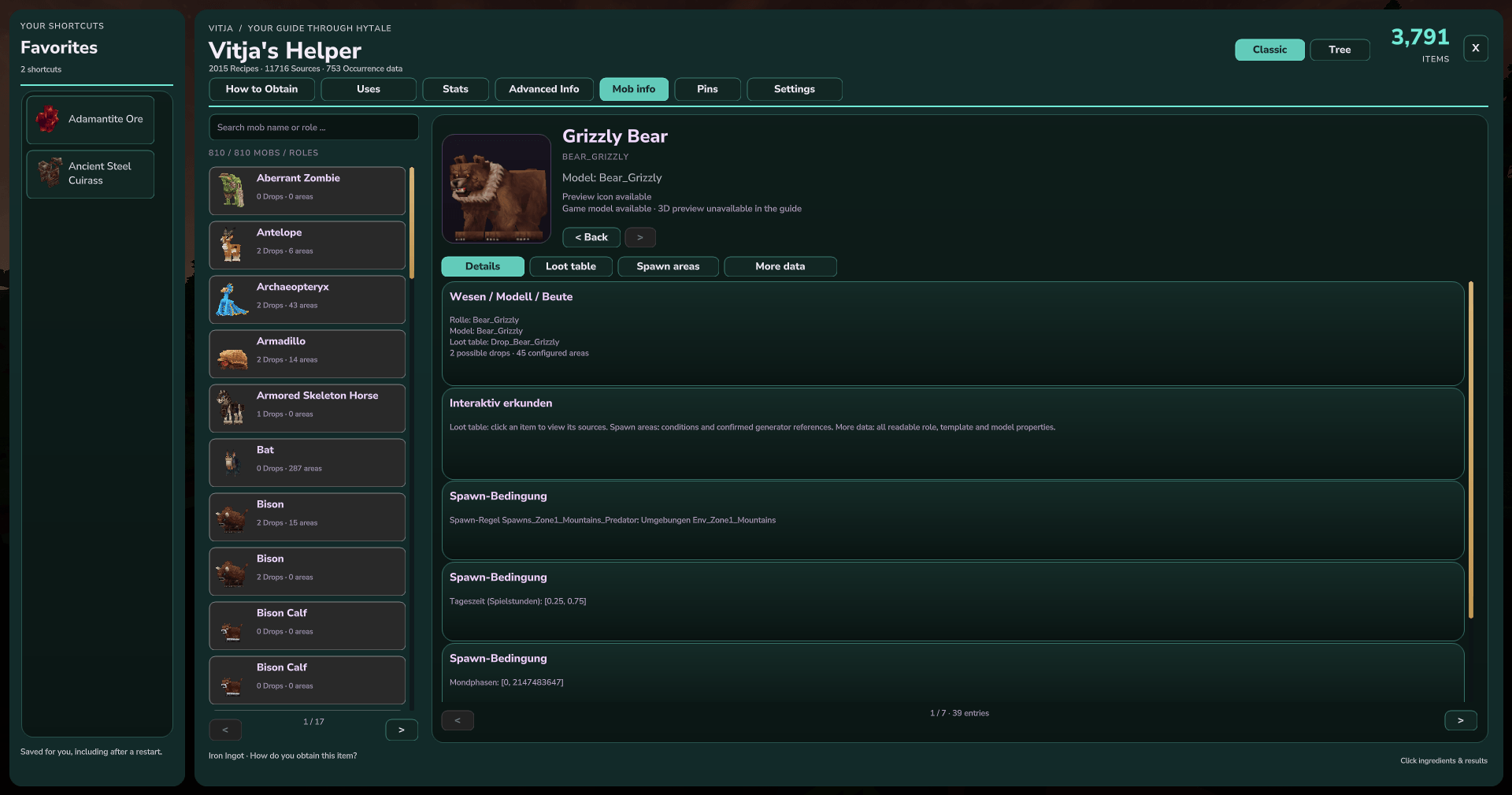
The mob guide displays the supplied preview image and recorded role, loot and spawn information.
Item information and stats
The Stats tab, guide hover tooltips and normal Hytale item tooltips use the same complete, labeled value list. Sections group general information, attributes and regeneration, protection, attacks and bonuses, tools, durability, gliding, containers and fuel. Rarity uses the item's native color; health is green, protection blue, attacks orange and durability gold. Values are emphasized so they are easy to scan.
Depending on the item, the list includes rarity, stack size, item level, equipment family, weapon/armor/tool properties, regeneration and knockback, repair and durability-loss information, resource contributions, fuel quality, container capacity and all ten glider values. Long stat lists and labels are not cut off; the Stats tab is scrollable. Advanced Info retains technical configuration details and source references.
Normal item tooltips retain Hytale's original descriptions and equipment details. Their extended values remain active when the guide is closed. Item images use the existing game and mod assets.
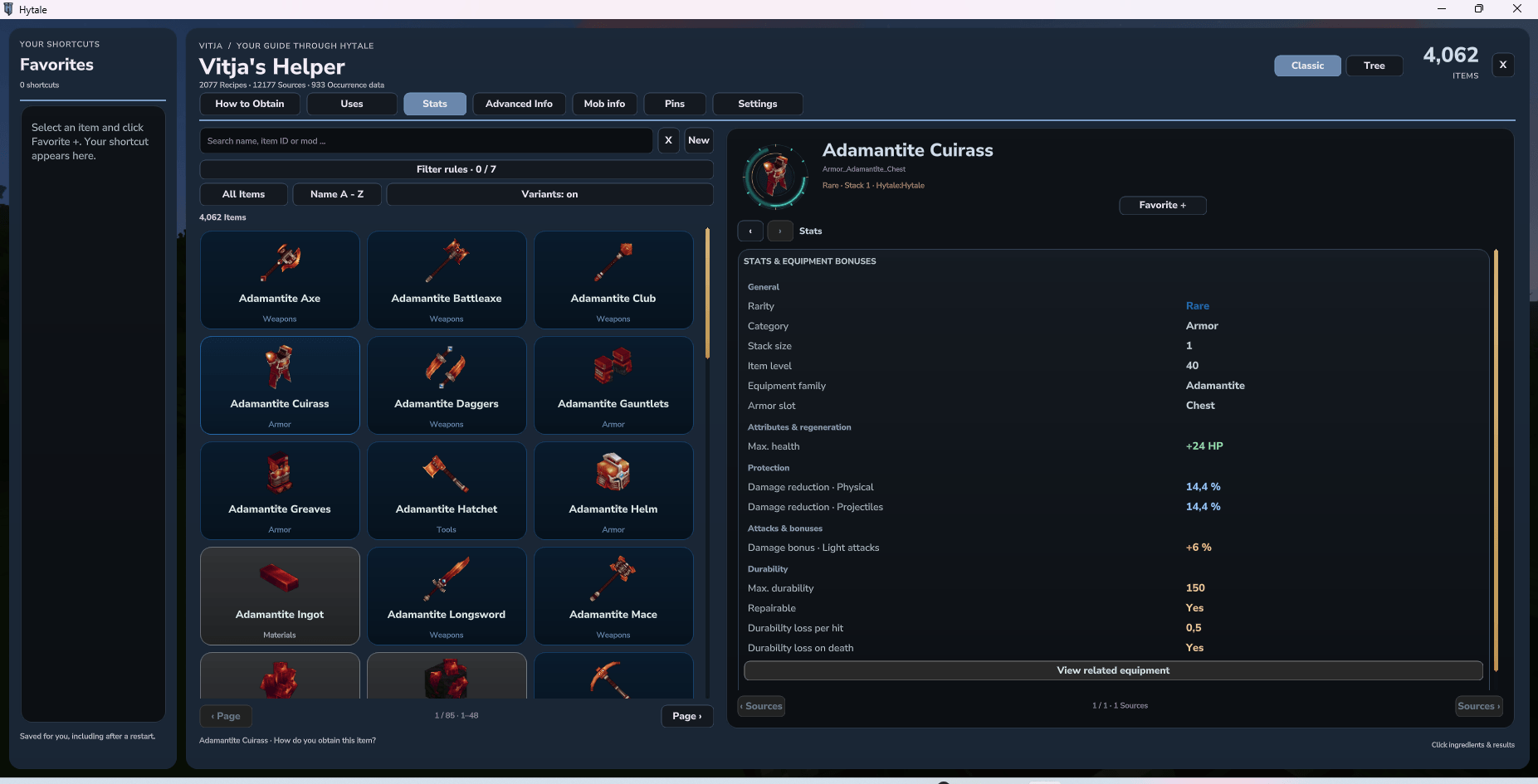
Adamantite Cuirass in 0.6.18: native rarity color, item level and family, health, protection, attack bonus, repair and durability values.
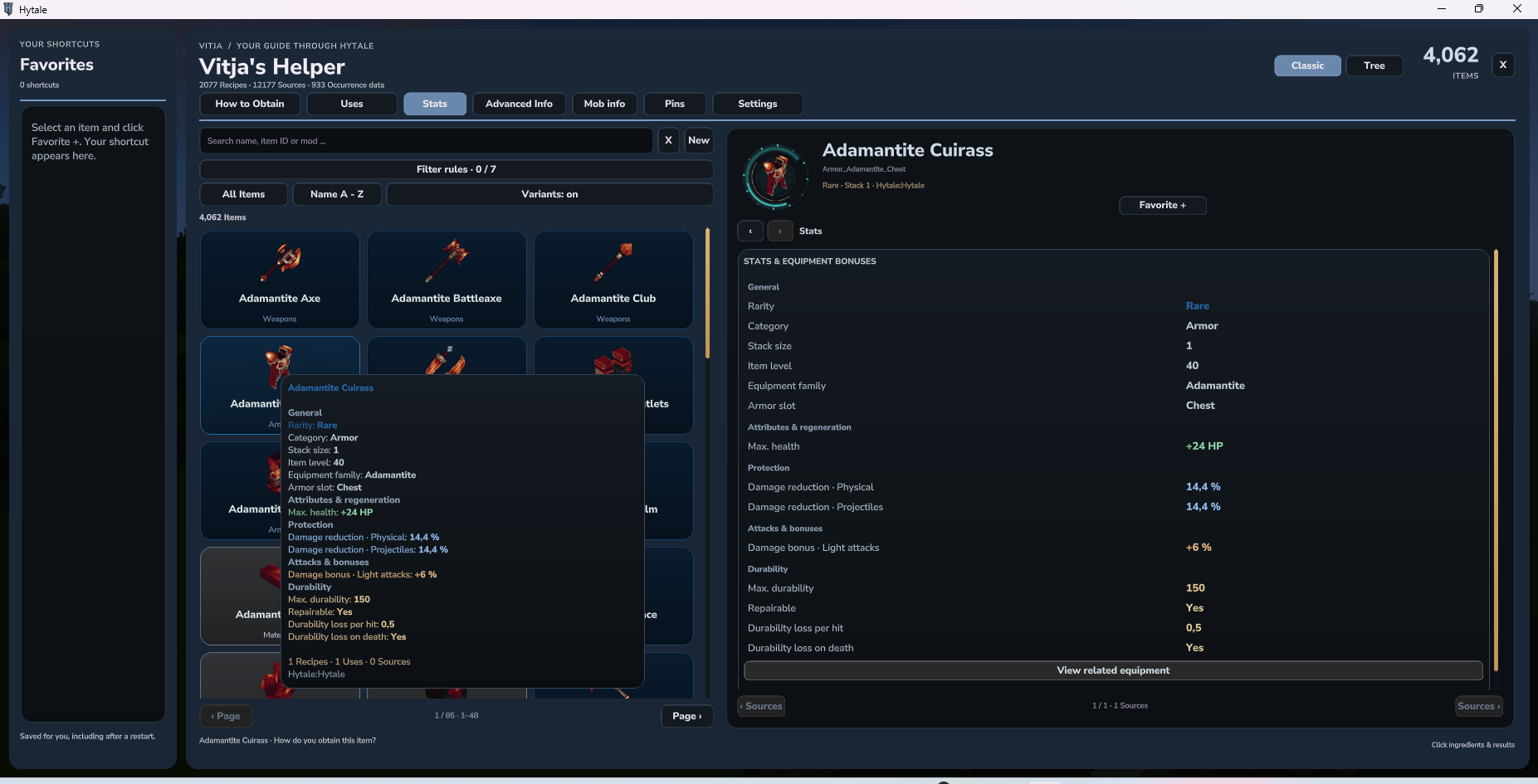
A real mouse hover shows a compact tooltip with the armor's health, protection, durability and guide references.
Favorites, material lists and HUD pins
Keep frequently used items in the left-hand favorites sidebar. Pin recipes to the HUD to see the target, ingredient icons and material counts while playing, even with the guide closed. Manage your pinned recipes and personal goals in Pins, and choose the left or right side of the HUD.
Recipe material counts distinguish your inventory from accessible nearby containers. Collect materials can retrieve the missing recipe ingredients from eligible containers when range, permissions, extraction rules and inventory space allow it. The default scan and collection radius is 60 blocks; server administrators can configure it.
Team tasks and protection integrations are available through the plugin's integration interfaces when a compatible integration is connected.
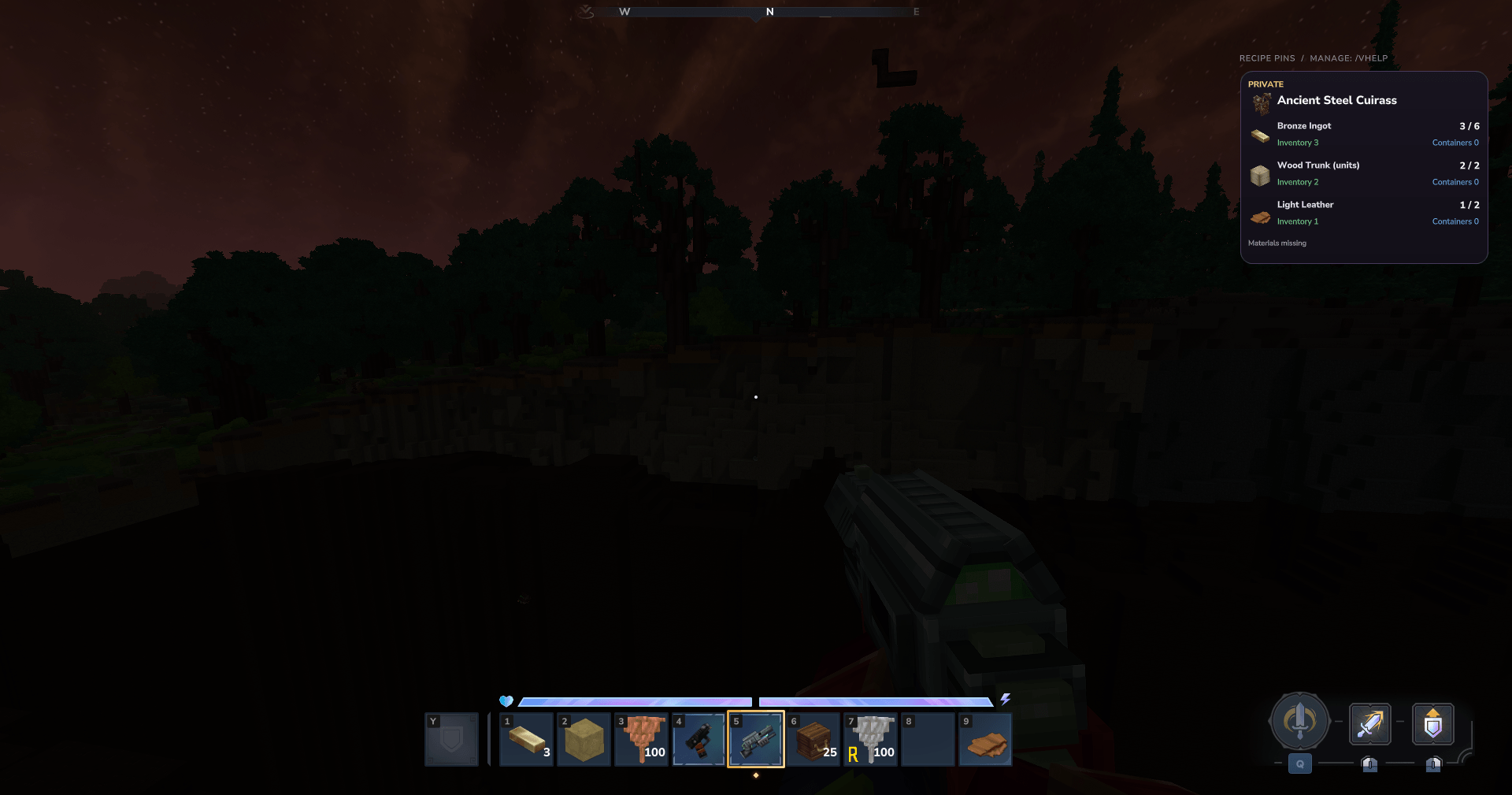
A pinned recipe remains visible with ingredient icons and inventory/container counts while the guide is closed.
Search, appearance and languages
- Search and sort the item catalog; include or hide technical variants.
- Combine up to seven filter rules for origins, categories, tags, names and quality.
- Hytale is the default dark blue/slate theme. Choose Rainbow, Teal, Amethyst, Ember or Nature, or select your own window and accent colors. Item slots keep their native rarity colors in every theme.
- Choose gentle, lively or disabled motion for the item ring and color effects.
- Automatic language follows the Hytale client: German locales use German; all other or unavailable client languages use English.
- Choose Automatic, English or Deutsch manually in Settings → Language. The saved preference covers the guide, its tooltips and the materials HUD. Item translations use the available game/mod text with an English fallback.
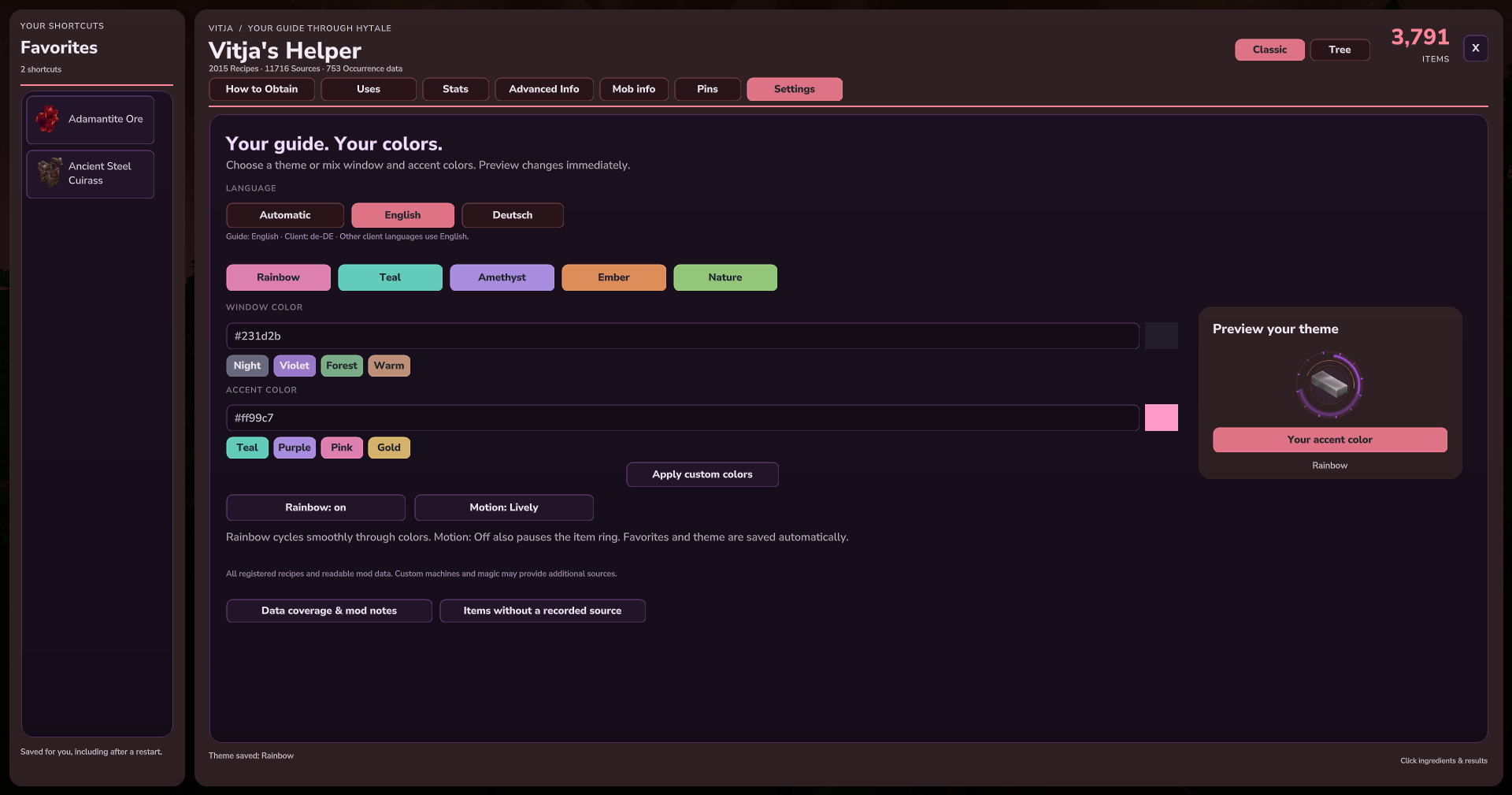
Choose a theme, window/accent colors, motion and Automatic/English/Deutsch.
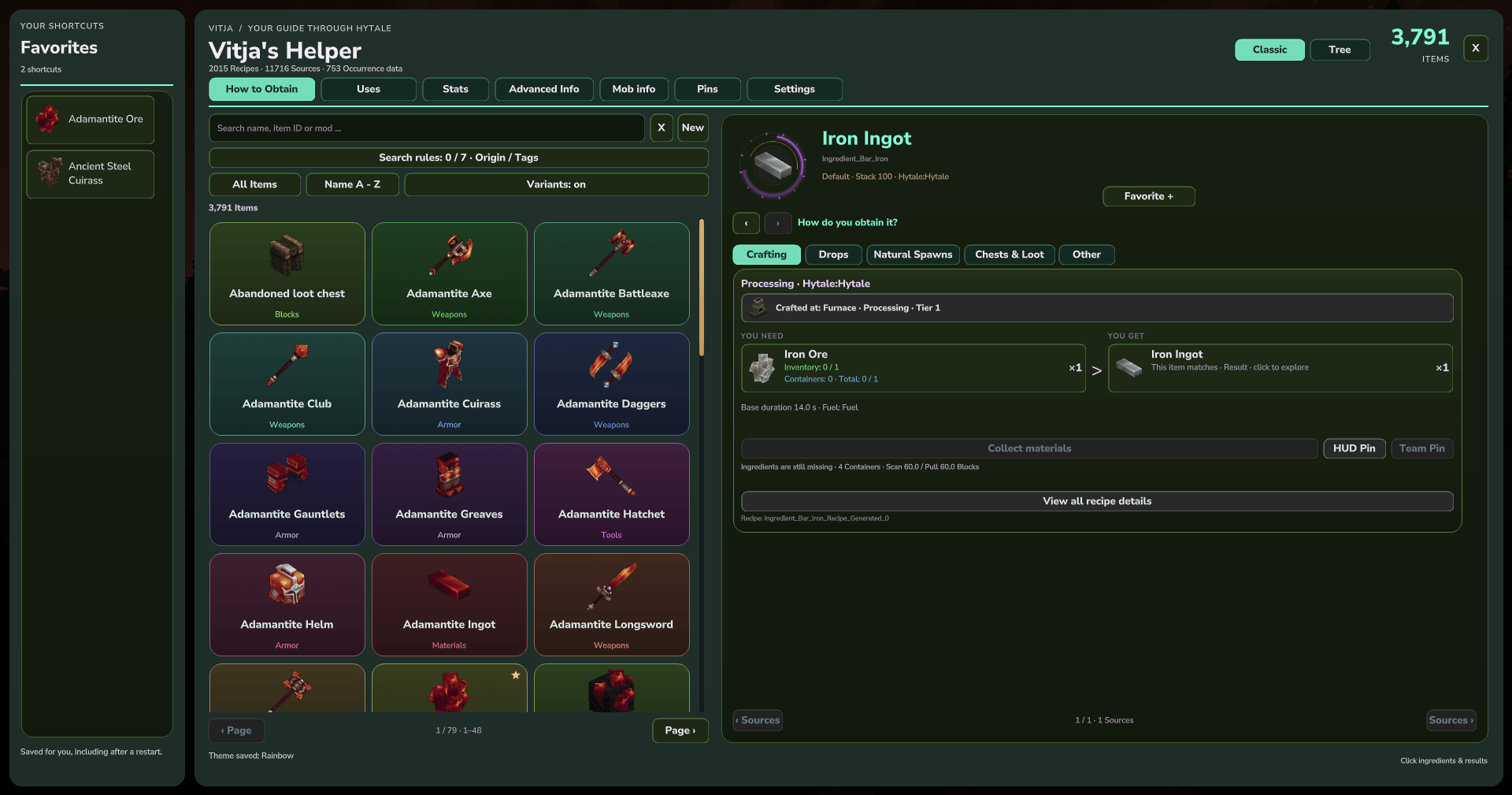
An earlier 0.6.13 example of the optional Rainbow theme. Hytale is now the default theme; current item slots retain their native rarity colors.
Installation
- Download a release compatible with your Hytale server version.
- Place the plugin JAR in the server's
modsdirectory. - Restart the server and connect to it.
- Type
/vhelpin chat.
The current 0.6.23 release supports Hytale Update 7 (0.7.0), 0.7.1 and 0.7.2. This patch was tested in-game on 0.7.2; older-version compatibility is based on API checks and prior release testing. The JAR includes the plugin and its native UI assets. CurseForge lists the game-version series as 0.7. Stats/tooltip screenshots show 0.6.18 on 0.7.1; older gallery examples show 0.6.13 on 0.6.1.
Updating from 0.6.18 or earlier: Stop the server and replace the previous Helper JAR, keeping only one Helper JAR in mods. Since 0.6.19, the internal plugin name and description match Vitja's Helper. Keep the existing Vitja_DevMod data folder: configuration, favorites, theme/language settings and pins are imported automatically on first start. Existing new-directory files take priority; the original files remain intact. No world reset is needed.
Mod support and data coverage
If an external asset file contains malformed JSON, the Helper retains complete, readable data and omits unreadable sections. English warnings identify the supplying Hytale or mod asset pack, file and parse problem, and explain whether data was retained or skipped. Repeated missing spawn-marker references are grouped, and unchanged warnings are not repeated on each refresh. Original asset files remain unchanged; missing data is not invented.
The catalog includes the items loaded by the server, including installed mods. The guide reads loaded item and recipe registries, supported asset formats, and recognized output/result entries from additional mod data. Mod authors can use the guide's provider interface to describe custom machines, magic systems or other scripted acquisition paths.
Custom Java logic cannot always be reconstructed automatically. Unknown paths and coverage gaps remain visible instead of receiving invented recipes, chances or locations. A missing recorded path does not necessarily mean the item is broken. Natural-source entries describe configured occurrences, rather than guaranteed coordinates in the current world.
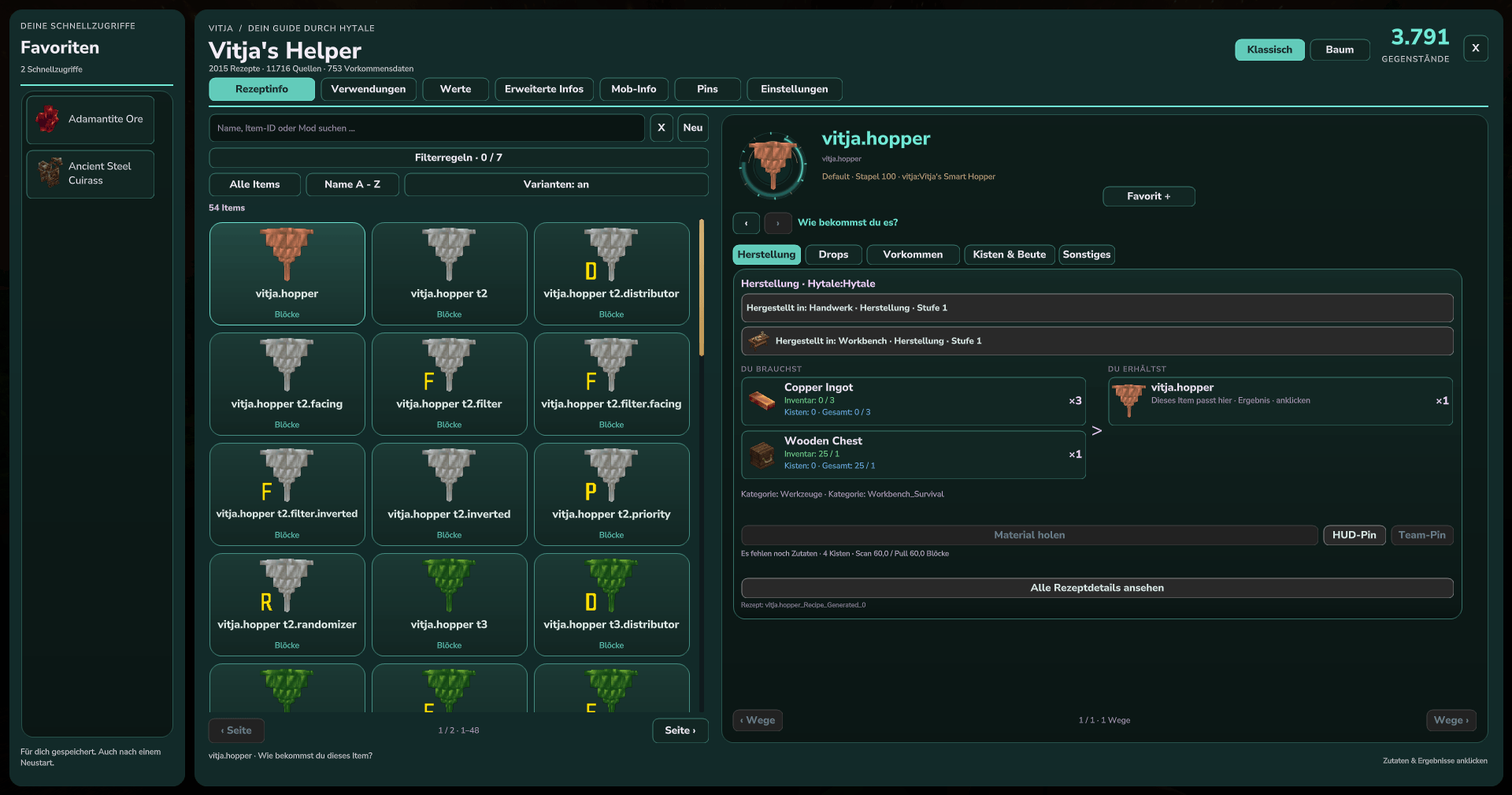
A registered item from the separate Smart Hopper mod shows its loaded icons, crafting stations, ingredients and result.
The screenshot gallery covers Classic recipes, Uses, both Tree directions, weapon and armor stats, natural sources, loot, mob information, filters, customization, languages and HUD pins.
Feedback and Suggestions
Feedback, suggestions and bug reports are welcome! Please leave a comment below or send me a private message through my CurseForge profile. For bug reports, please include your mod version, Hytale version and steps to reproduce the issue.
License and Custom Versions
All rights reserved, with explicit permission for modpacks and servers. You may use the official, unmodified compiled mod on private or public Hytale servers and distribute it as part of modpacks or server packs without asking for additional permission. Keep the license and Vitja's copyright notice with the mod. Supported configuration changes are allowed.
Copying, redistributing or reusing the source code, incorporating it into other projects, modifying the code or bundled assets, and publishing forks or modified versions require Vitja's prior written permission. Mandatory rights under applicable law remain unaffected. The complete license is included in the JAR as META-INF/LICENSE.
For a custom version or permission request, contact Vitja through this CurseForge project.
Support my Mods
If you enjoy my mods and would like to support their continued development and maintenance, you can leave a donation. Your support helps me keep improving, updating, and maintaining my mods. Thank you!
Vitja's Helper (Item Guide, Recipes & Loot) Team