
Vitjas InfoHUD+
- By

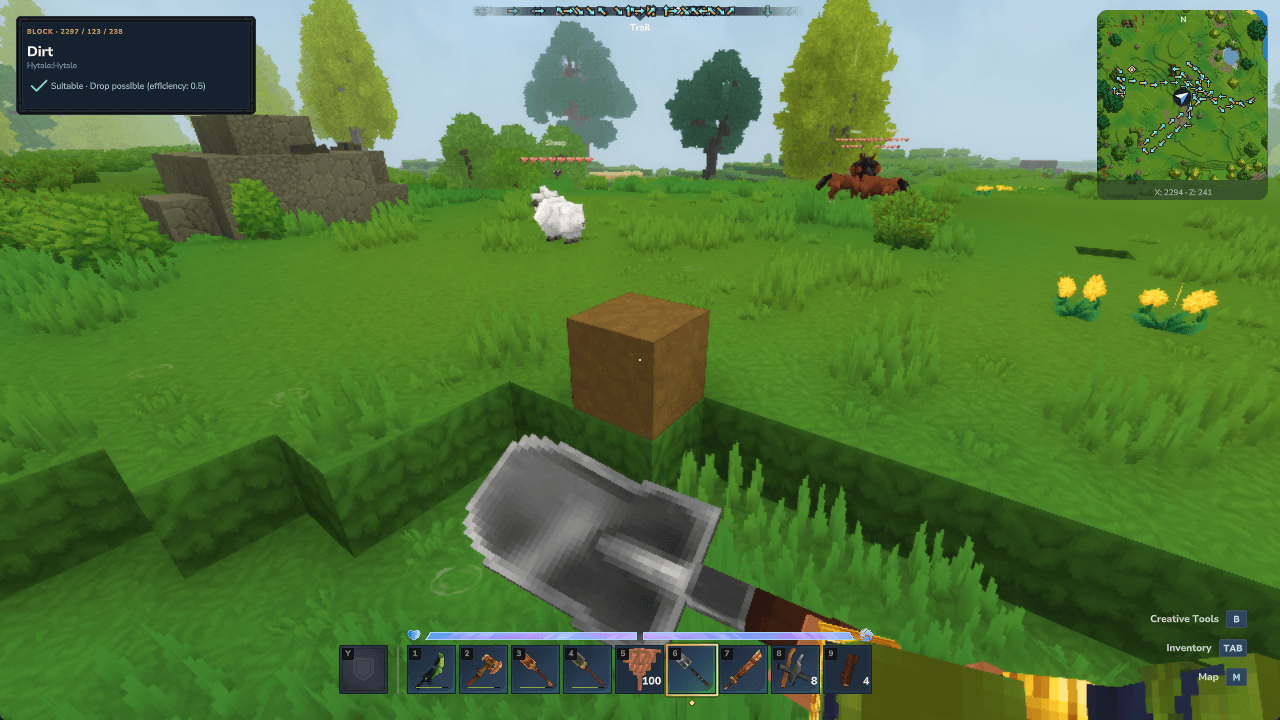
An iron shovel shows the green check when looking at Dirt. Daylight capture from Hytale 0.7.2.
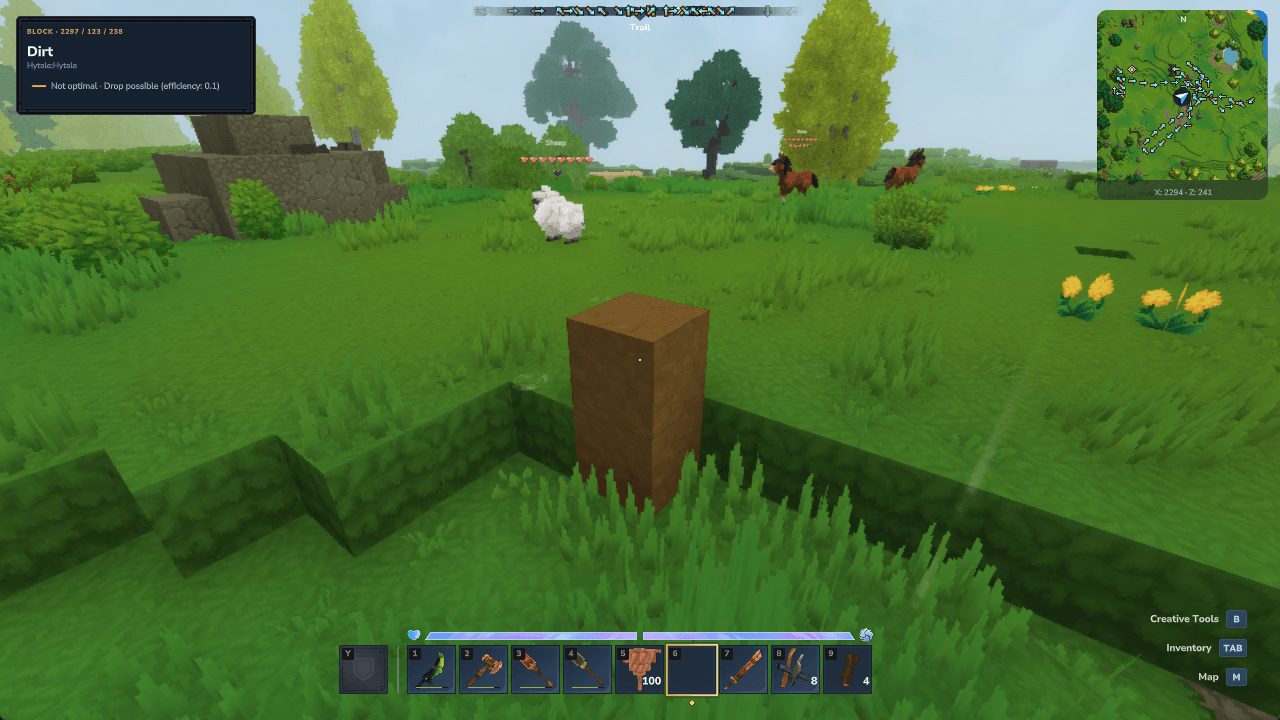
Bare hands on Dirt show the orange dash. The material drop remains possible.
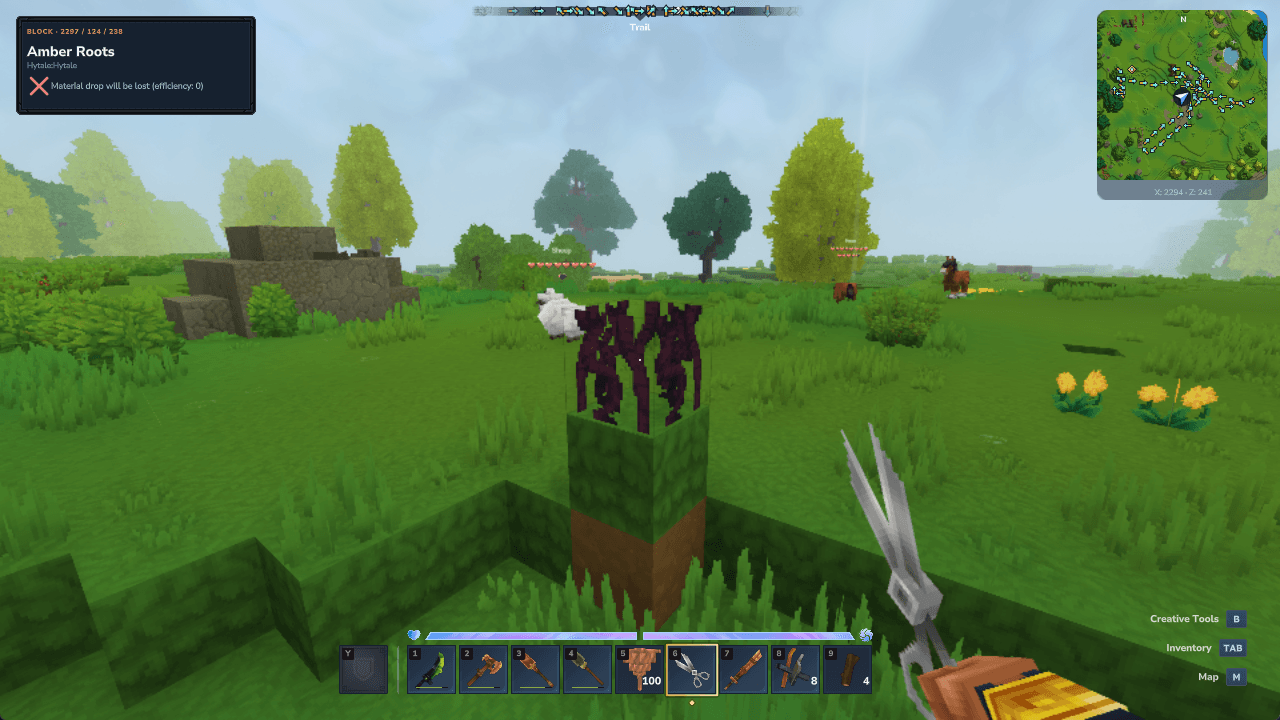
Shears on Amber Roots show the red X and explain the loss of the material drop.
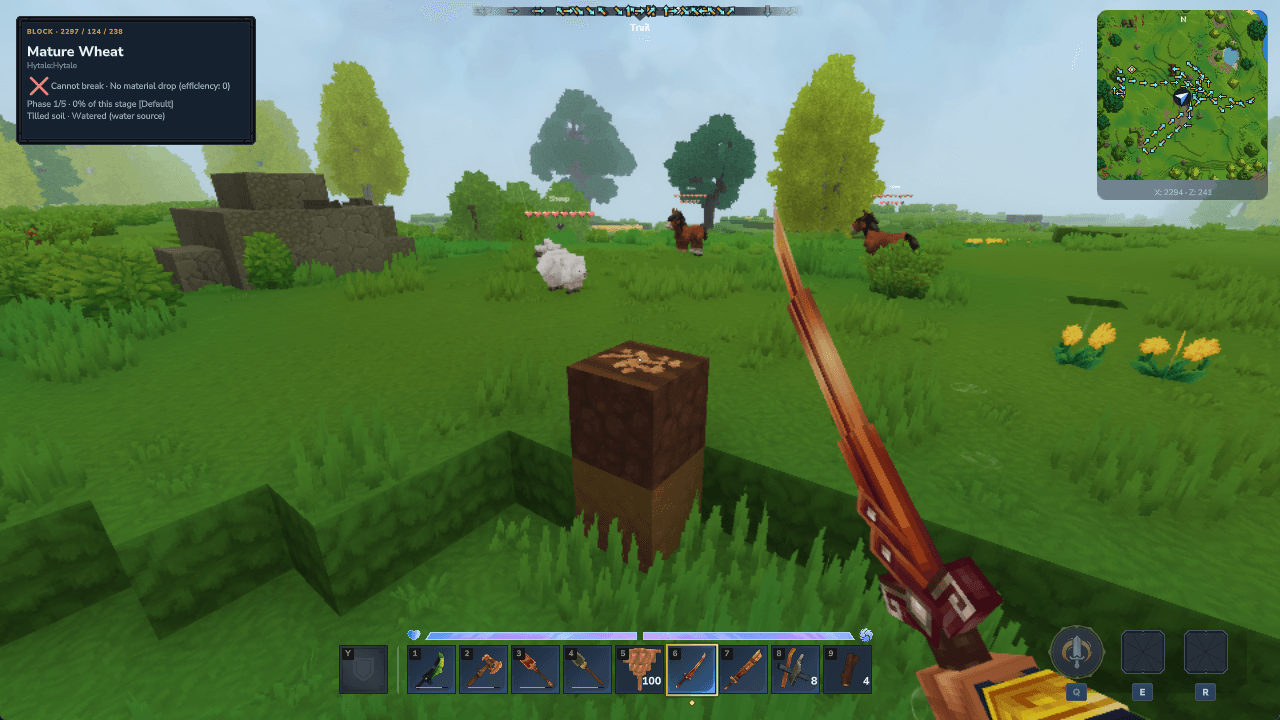
A real wheat crop displays its current growth phase, progress within that phase and the soil watering state.
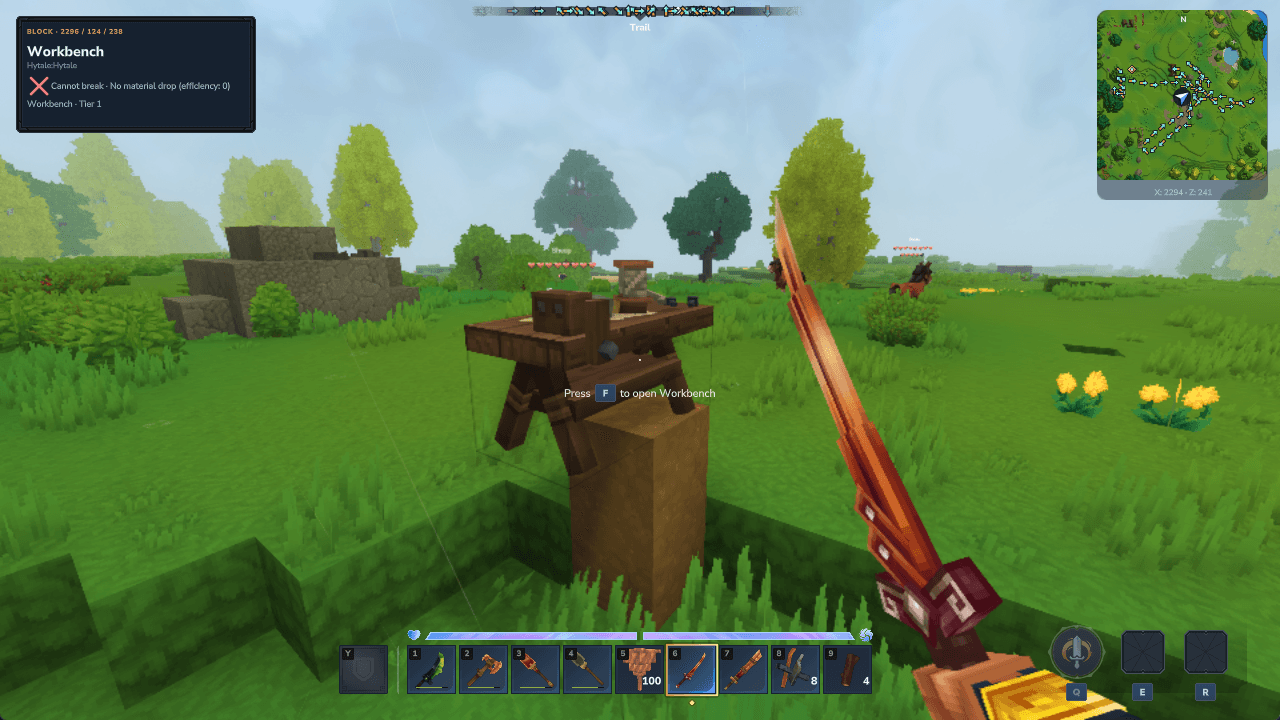
The target HUD reads Tier 1 from the live workbench instance.
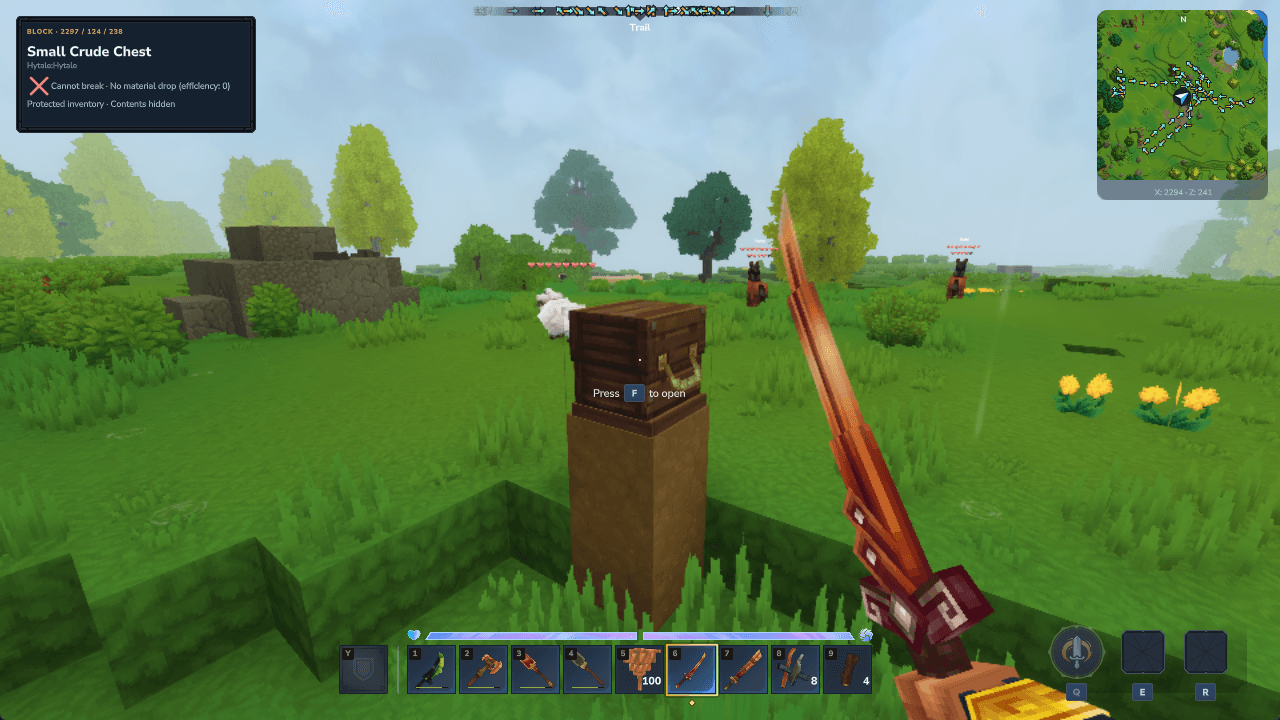
Looking at a closed chest identifies the block while keeping its inventory contents hidden.
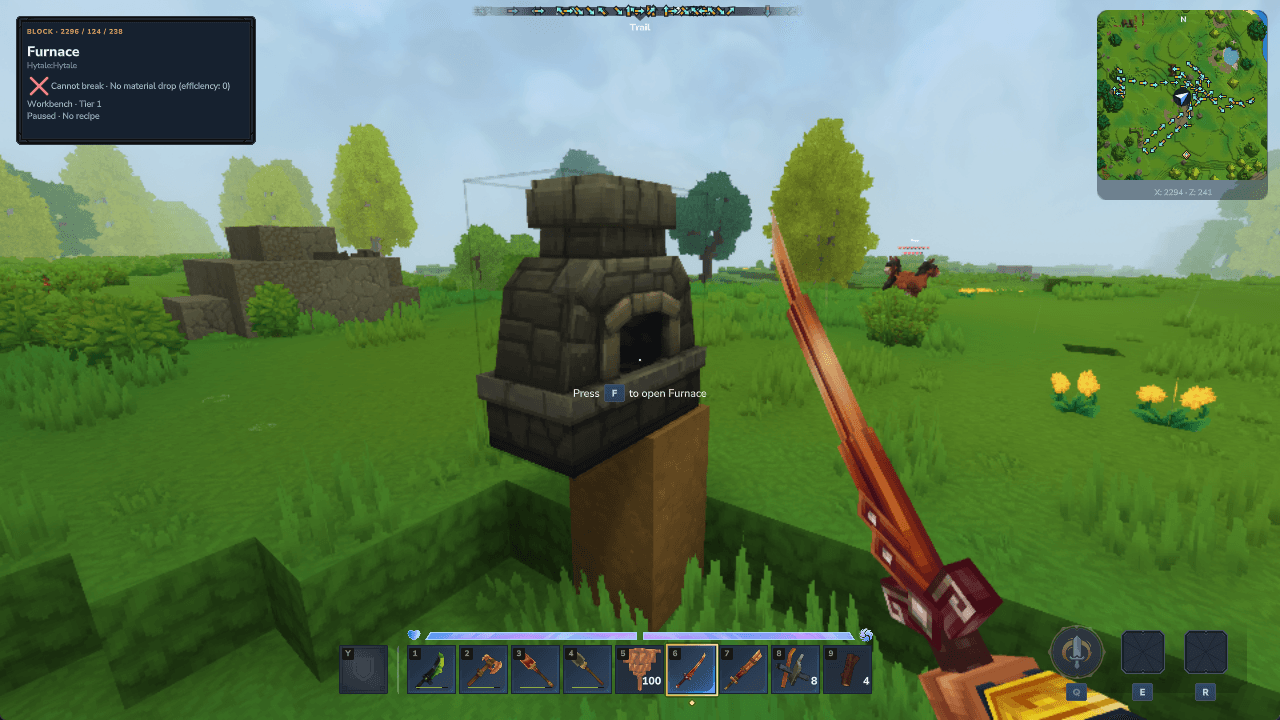
An empty furnace shows its live tier and the state Paused · No recipe.
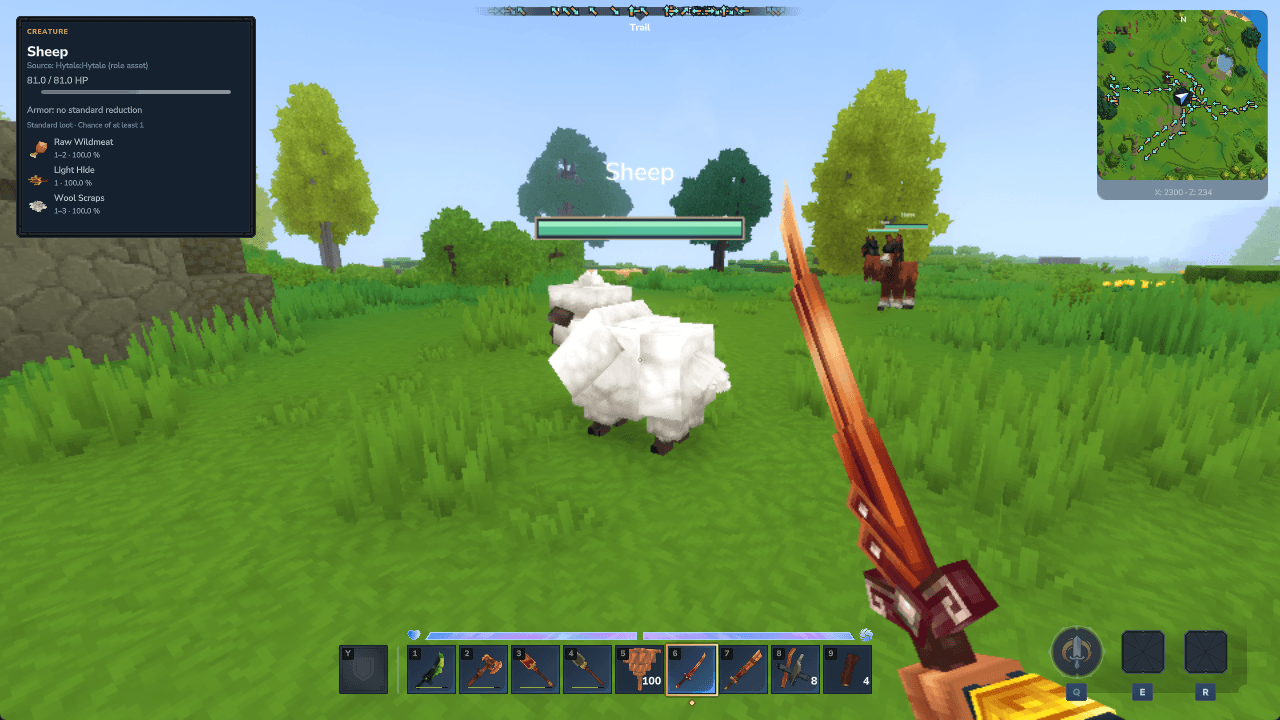
Compact health bars above mobs, plus target HP, armor information and native loot item icons in daylight.
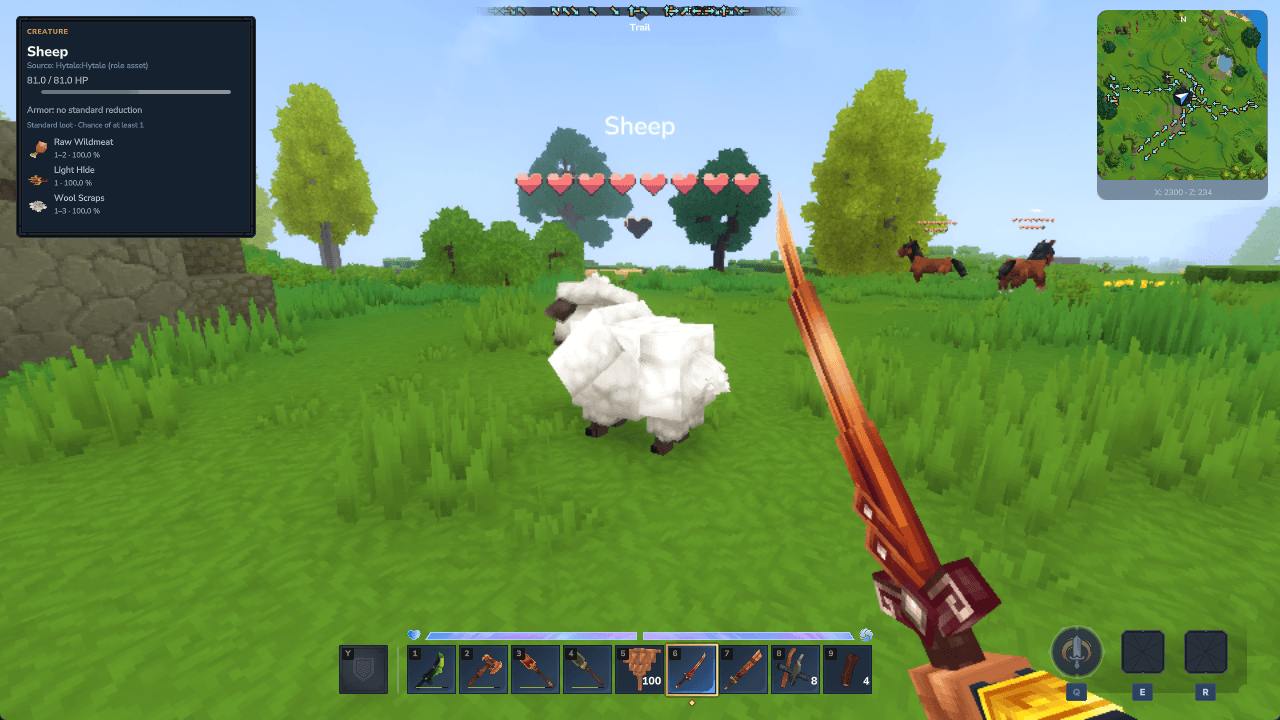
Hearts represent the configured HP per heart. The mob name remains above the whole display.
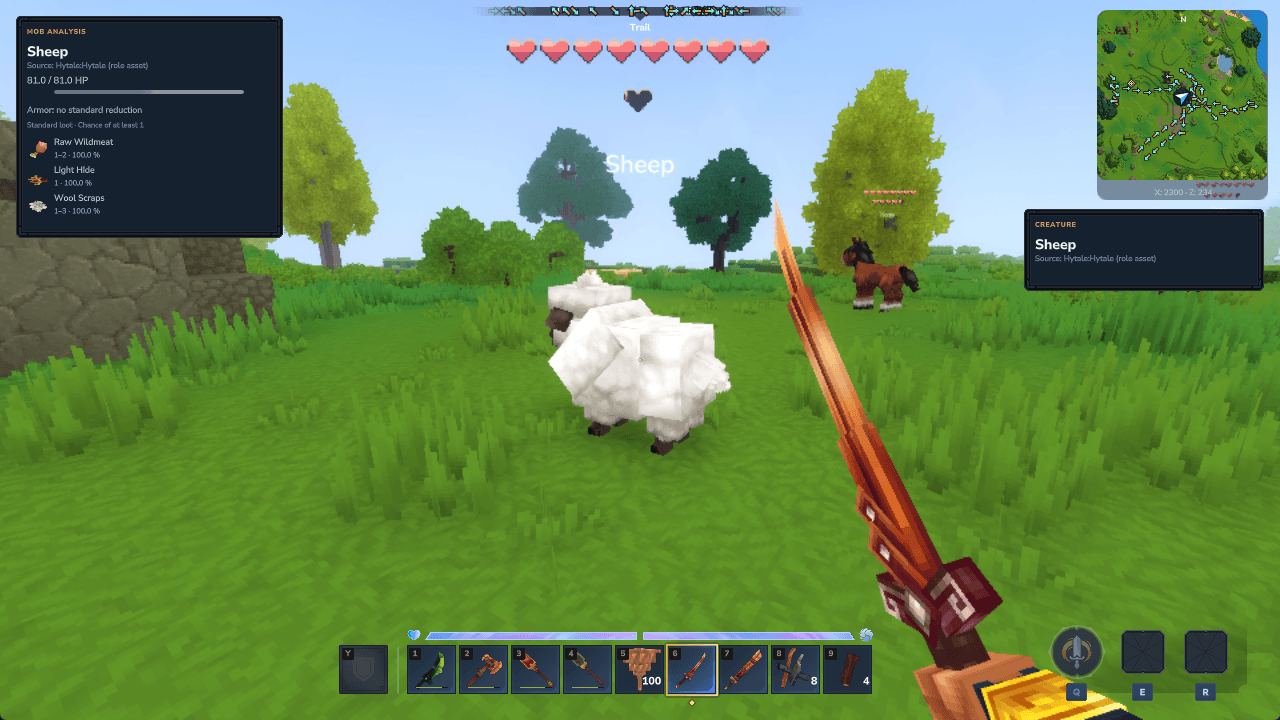
The mob panel sits on the left, the compact target panel leaves room for the minimap on the right, and the name appears below the hearts.
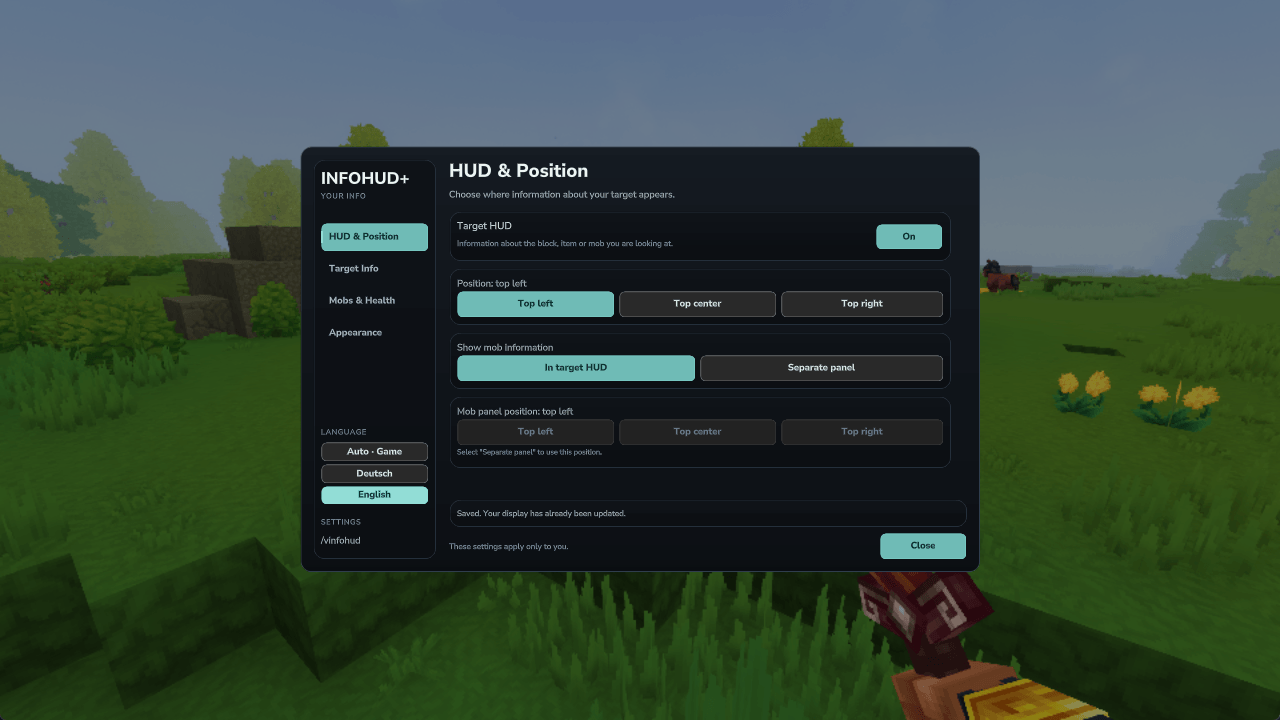
Choose independent HUD positions and switch Auto / Deutsch / English without changing the main game language.
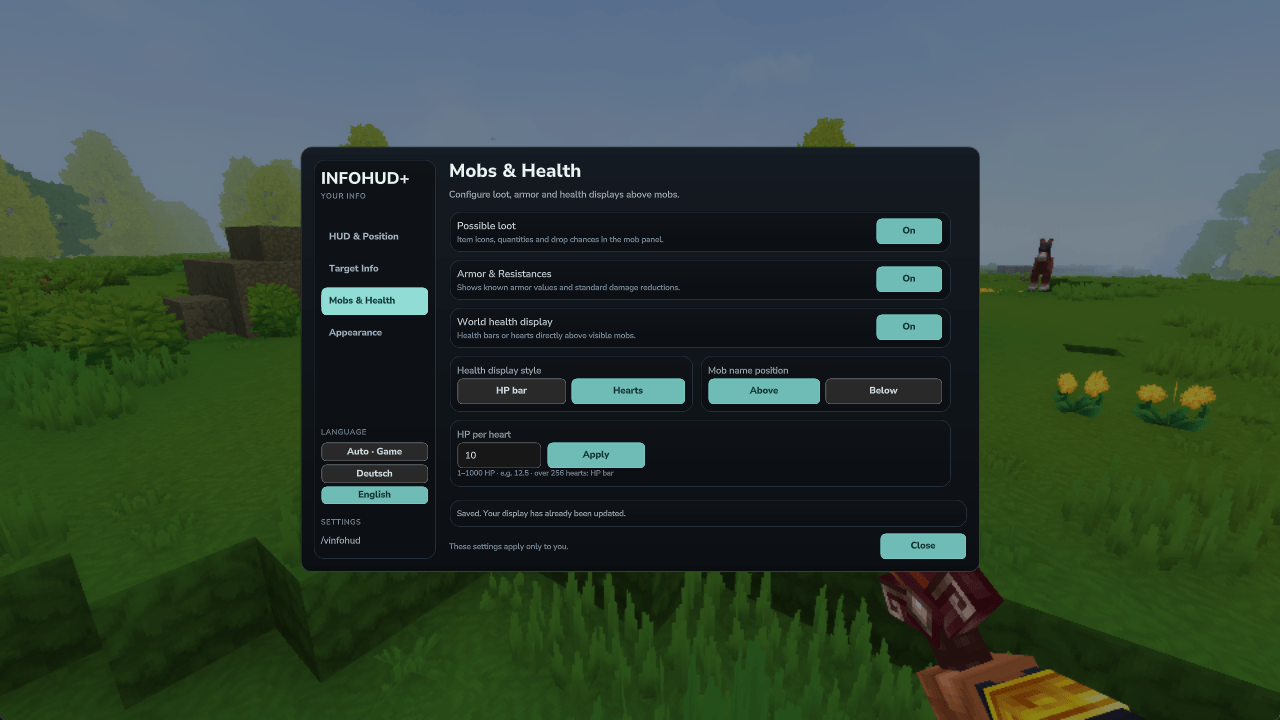
Configure loot, armor, bars or hearts, the mob-name position and HP per heart.
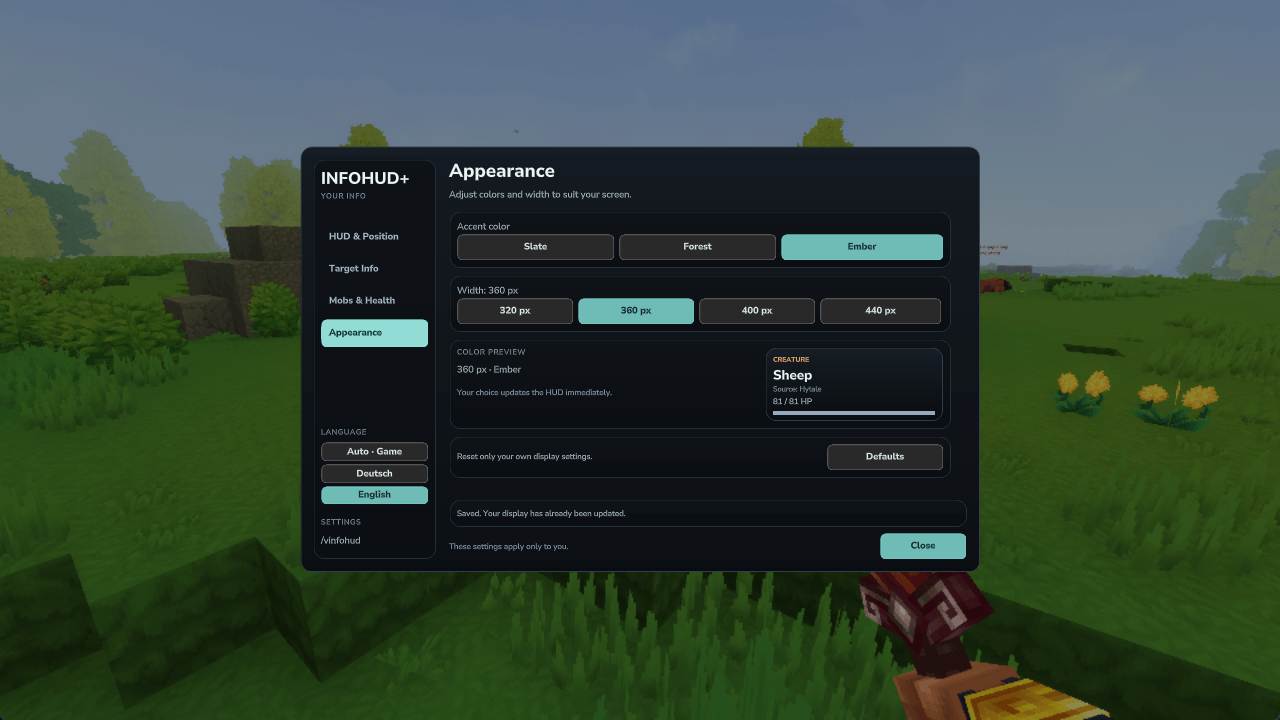
Three accent themes, four panel widths and a live color preview. Settings are saved per player.
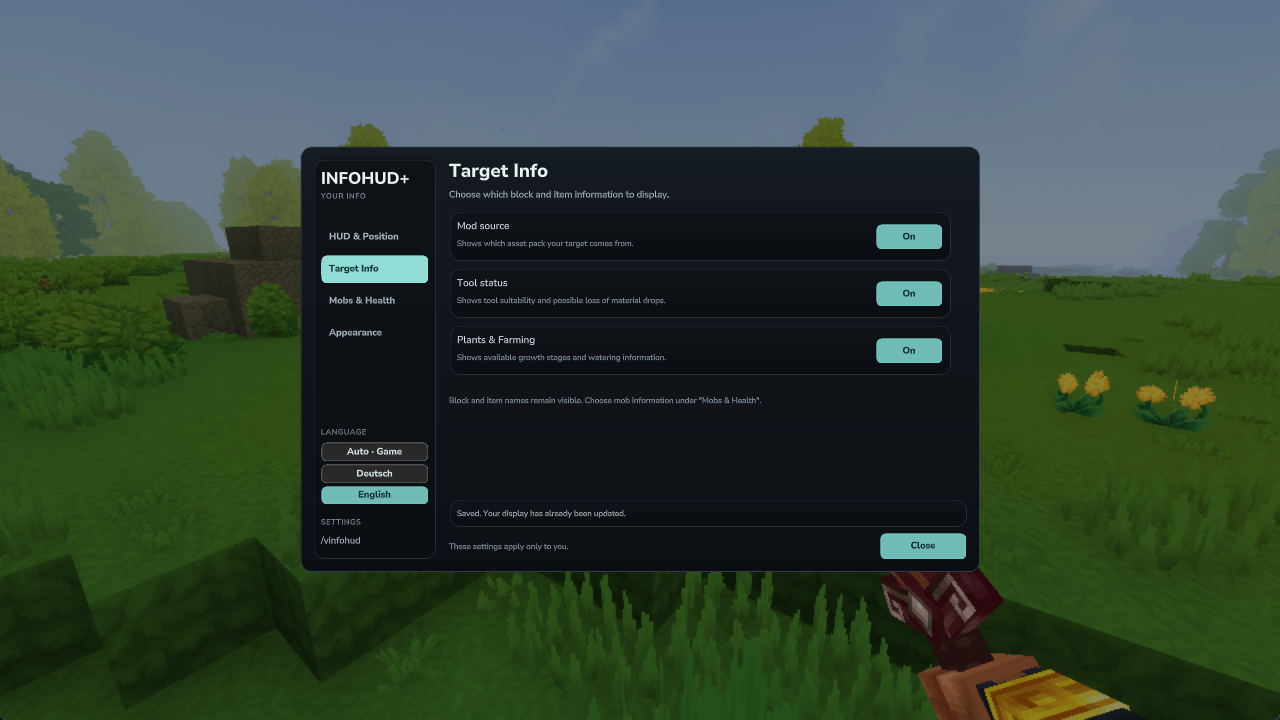
Choose whether to show the asset-pack source, tool status and available farming information.
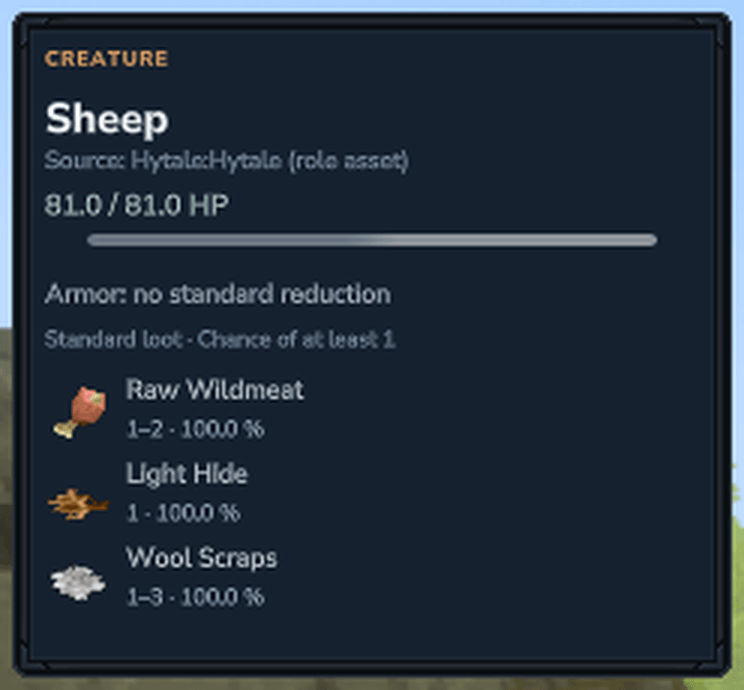
Enlarged crop of the complete sheep screenshot, showing HP, armor information and native loot item icons.
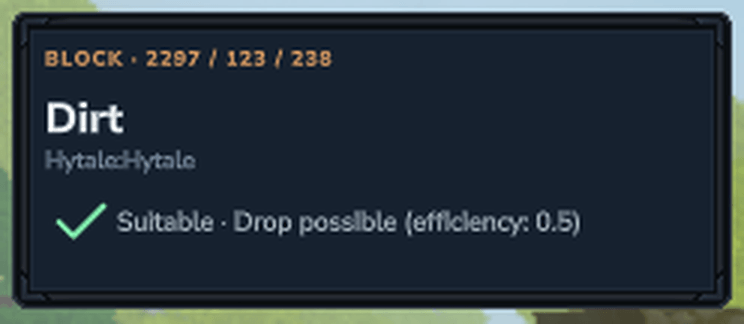
Enlarged crop of the complete shovel screenshot. The green check indicates a suitable tool with the material drop preserved.
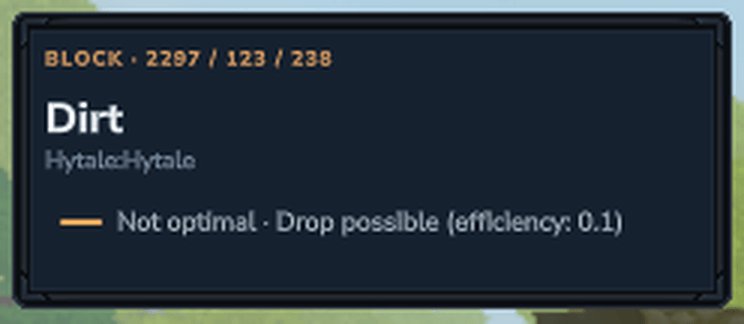
Enlarged crop of the complete dirt screenshot. The orange dash indicates that the material drop remains possible with a suboptimal tool.
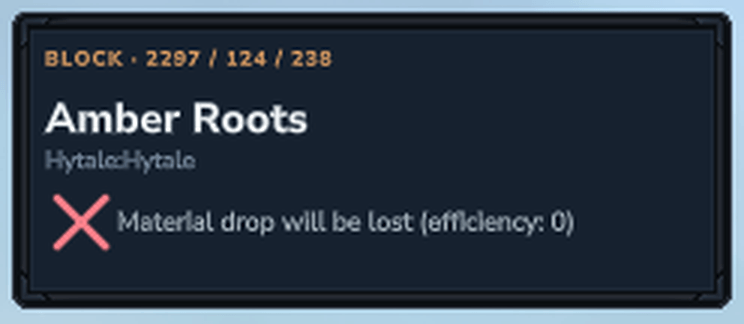
Enlarged crop of the complete Amber Roots screenshot. The red X and text show that the material drop will be lost.