WhisperNest
- By
Instant-messenger style whispers: every conversation opens in its own small window, with history, unread alerts and Battle.net support.
2-one-window-each.png
1-conversation.png
3-minimap.png
4-options.png
Description
WhisperNest
Your whispers, in instant-messenger style windows.
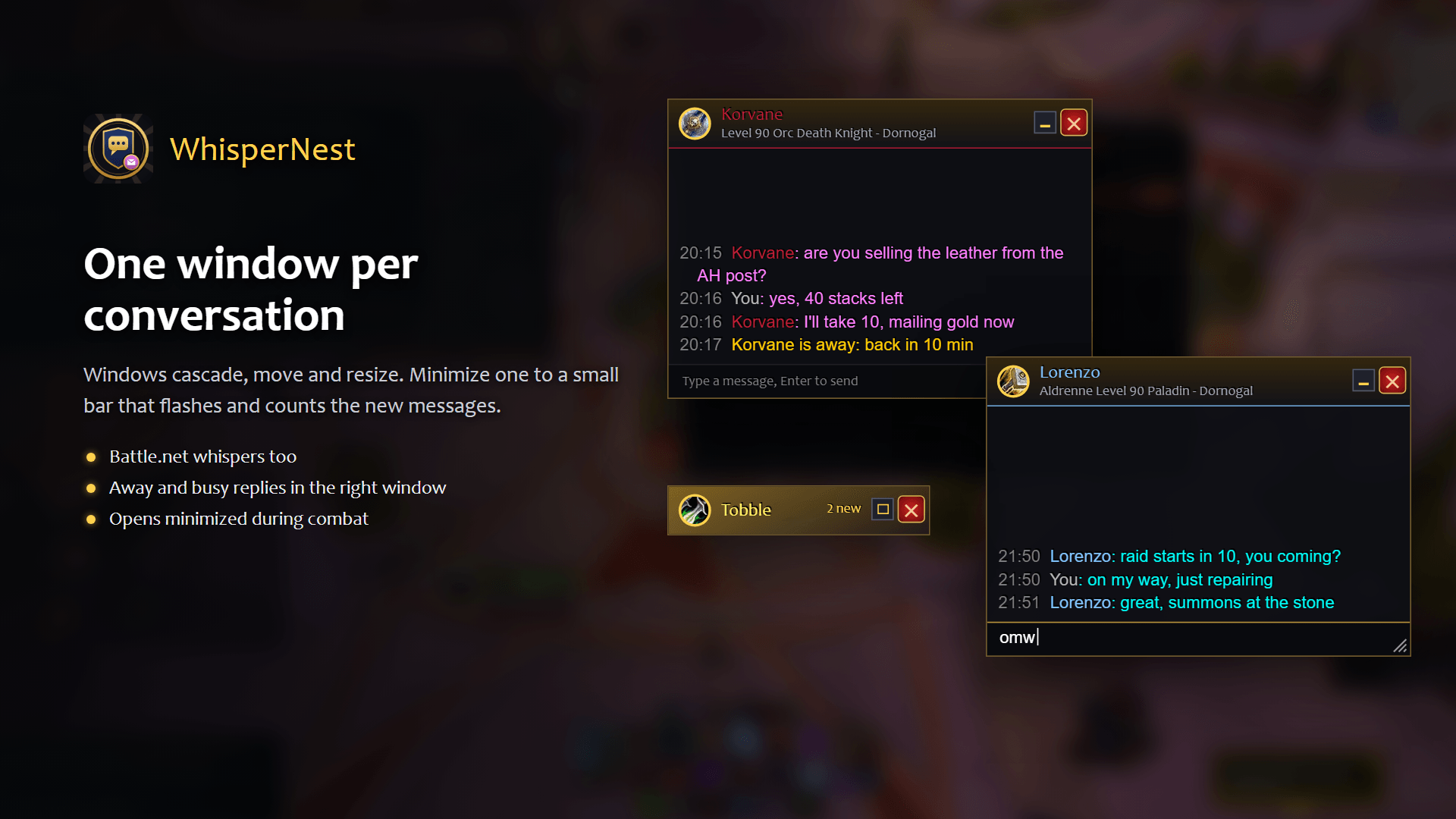
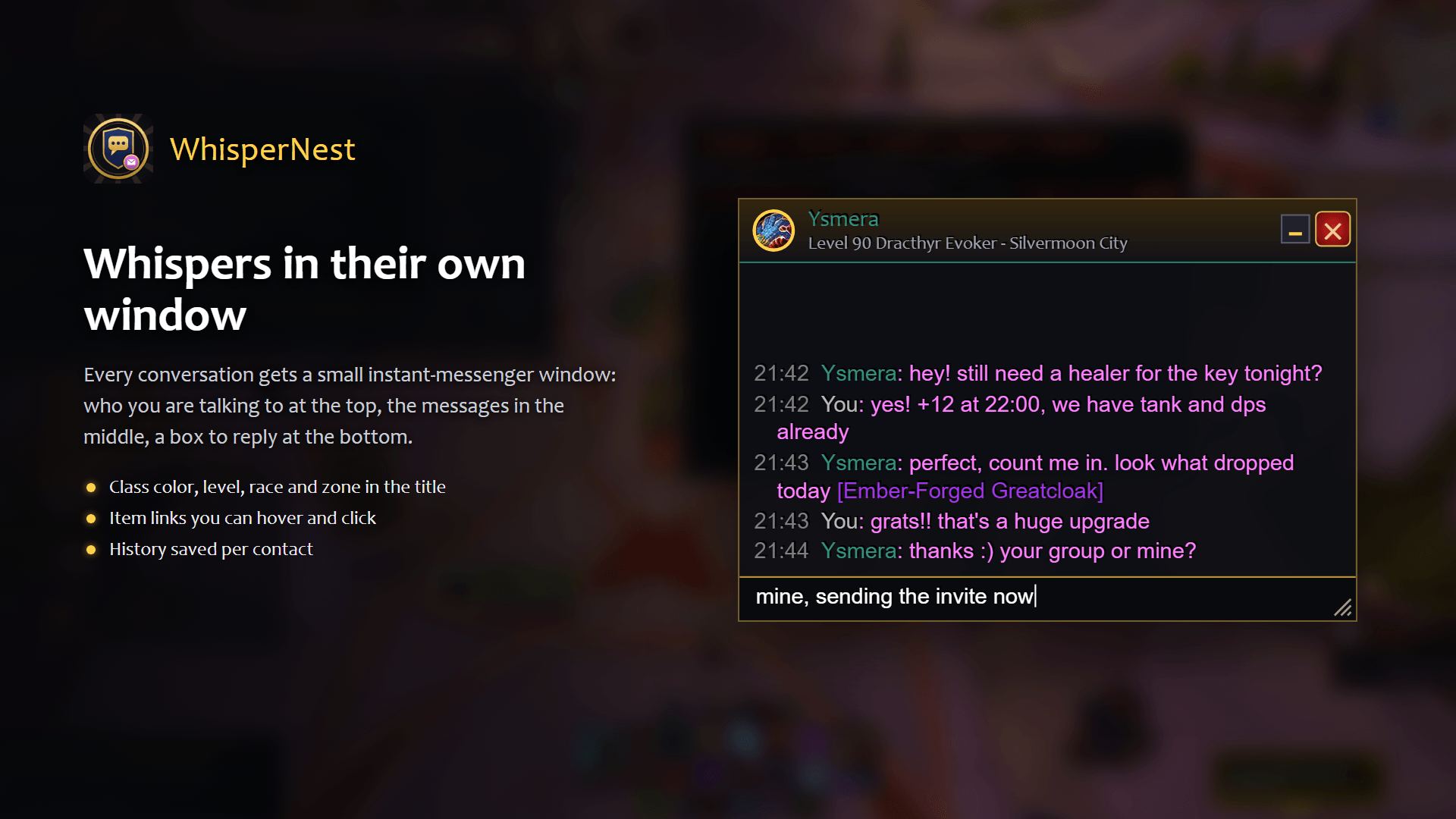
WhisperNest takes whispers out of the busy chat frame and gives every conversation its own small window, like an instant messenger: who you are talking to at the top, the messages in the middle and a box to reply at the bottom.
When someone whispers you, their window pops up (or waits minimized if you are in combat). Close it and the history is kept: the next whisper brings it all back.
Features
- One window per conversation: cascaded, movable and resizable, each one remembers its position.
- Know who is writing: class icon, class-colored name and an info line with level, race, class and zone for friends, guild members and group members.
- Quick replies:
- Enter sends, Tab jumps to the next open window, Up/Down recall what you already sent.
- Shift-click an item to link it, hover links in the window to see their tooltip.
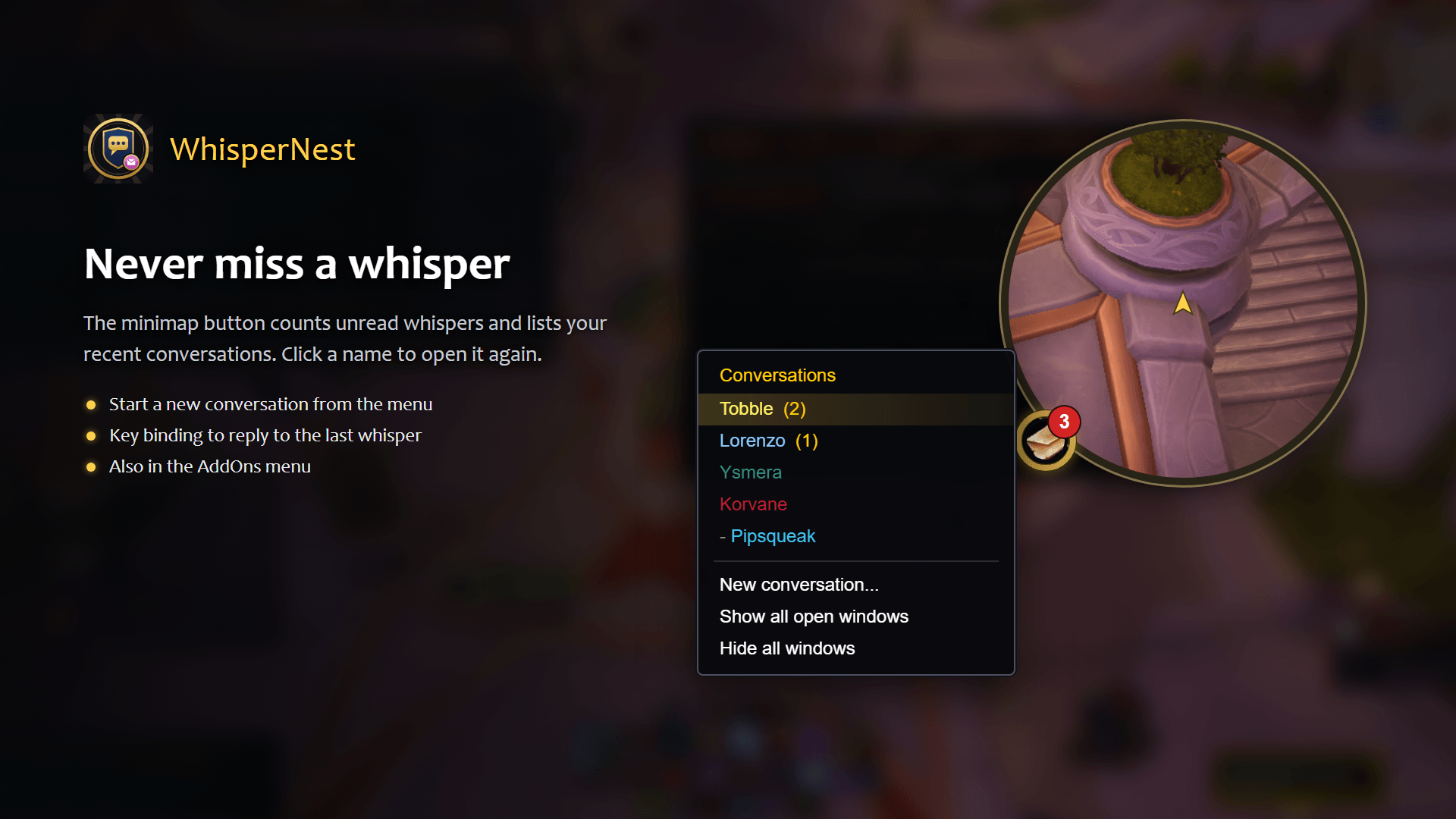
- Key bindings to reply to the last whisper and to show/hide every window.
- Battle.net whispers too, with your friend's character and zone in the title.
- Minimize a window to a small bar: it flashes and counts the new messages until you look at it.
- History saved per contact (50 to 500 lines). Open windows come back after a
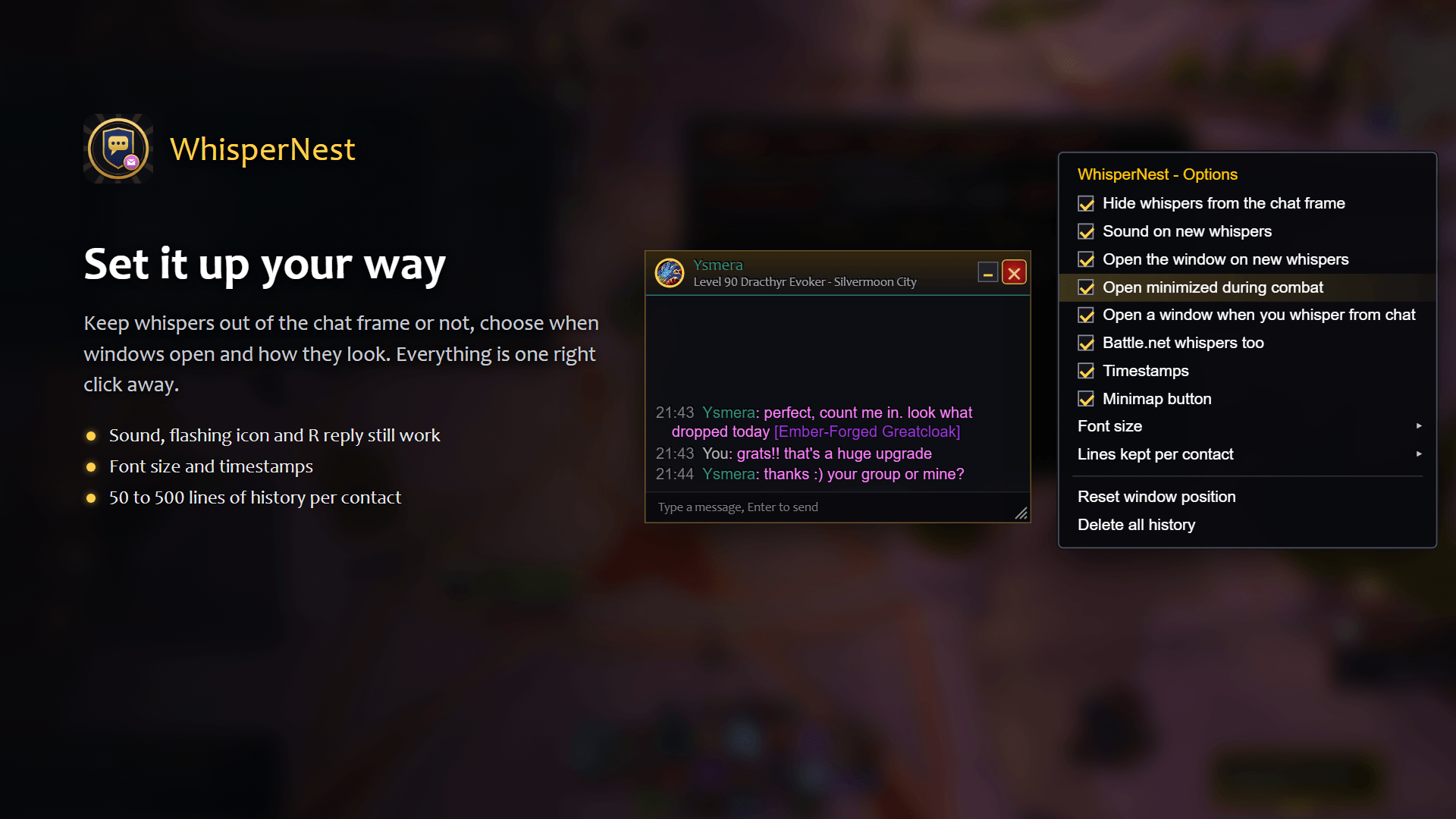
/reload. - Clean chat frame: whispers can be hidden from the normal chat while the whisper sound, the flashing game icon and the R reply key keep working. GM whispers always stay in the chat too.
- Combat friendly: new windows open minimized while you are in combat (optional).
- Away/busy auto-replies and "player not found" errors appear in the right window.
- Minimap button with an unread counter: left click lists your conversations, right click opens the options. Also available from the AddOns menu next to the minimap.
- Adjustable font size and timestamps.
Commands
/wn: list of conversations/wn <name>: open a conversation with that player (NameorName-Realm)/wn show//wn hide: show or hide all windows/wn chat: hide whispers from the chat frame on/off/wn sound: sound on new whispers on/off/wn popup: open the window on new whispers on/off/wn combat: open minimized during combat on/off/wn send: open a window when you whisper from the chat on/off/wn bnet: Battle.net whispers on/off/wn time: timestamps on/off/wn font <8-20>: font size/wn history <10-500>: lines kept per contact/wn minimap: show or hide the minimap button/wn reset: reset the window positions/wn clear: delete all history
/whispernest works too. Every option is also in the right-click menu of the minimap button.
Notes
- During encounters the game hides chat text from addons: whispers received in that moment stay in the normal chat.
- When the game blocks addon messages (for example during a boss fight), WhisperNest tells you to reply from the normal chat.
- Level, race and zone are shown when the game knows them (friends, guild, group, Battle.net friends); for anyone else use "Who is this?" from the right-click menu of the window title.
Support
If you enjoy WhisperNest, you can support its development on Ko-fi. Thank you!
Se WhisperNest ti è utile, puoi supportarne lo sviluppo su Ko-fi. Grazie!

WhisperNest Team