CombatLog
- By
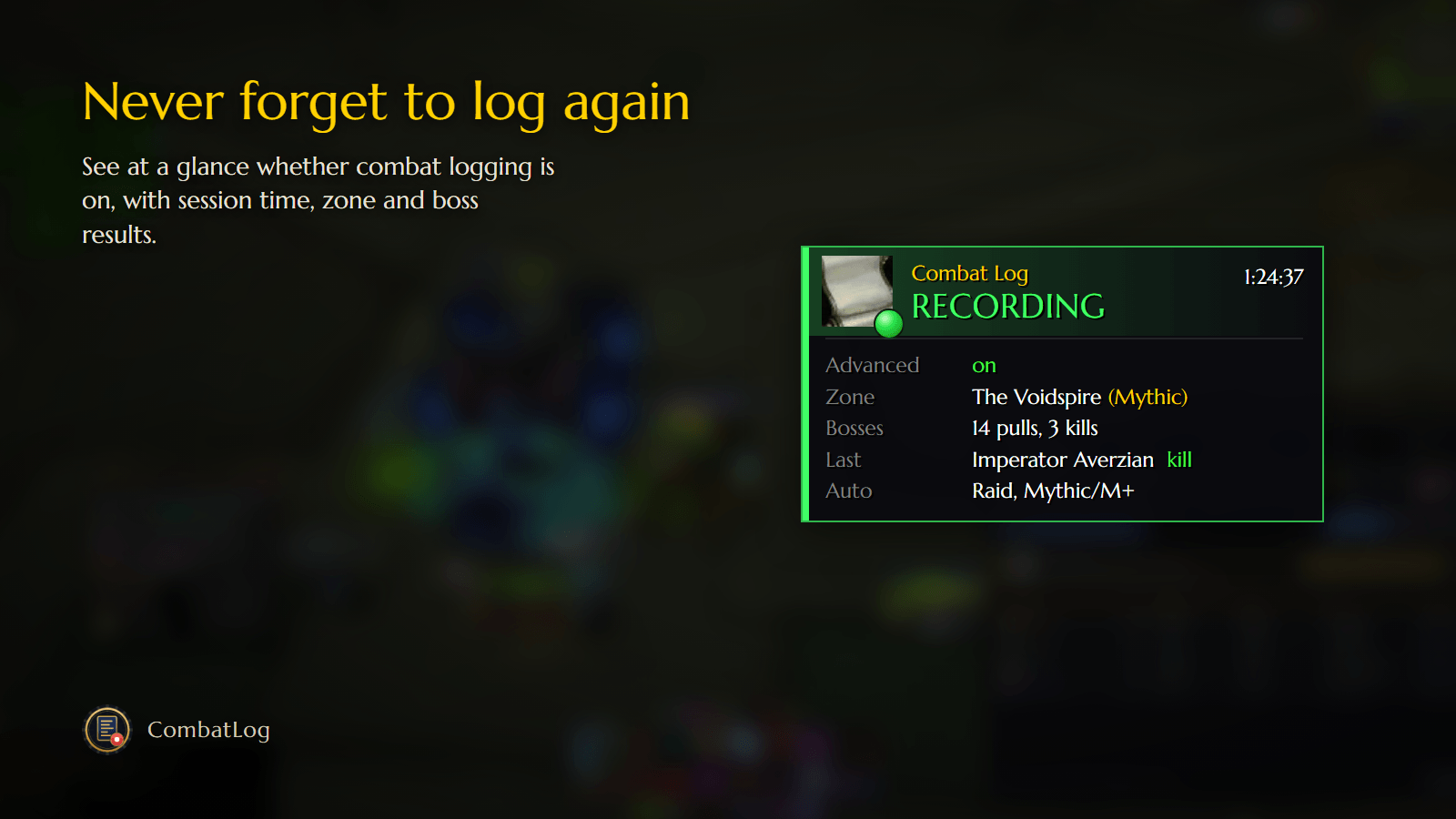
See at a glance whether combat logging is on, toggle it with one click and turn it on automatically in raids and Mythic+.
1-recording.png
2-warning.png
4-compact-or-detailed.png
3-automatic-logging.png
Description
CombatLog
Never forget to turn on combat logging again.
CombatLog adds a small panel that tells you at a glance whether combat logging is on, and lets you turn it on or off with one click. Ideal if you upload your raids and Mythic+ runs to Warcraft Logs.
Features
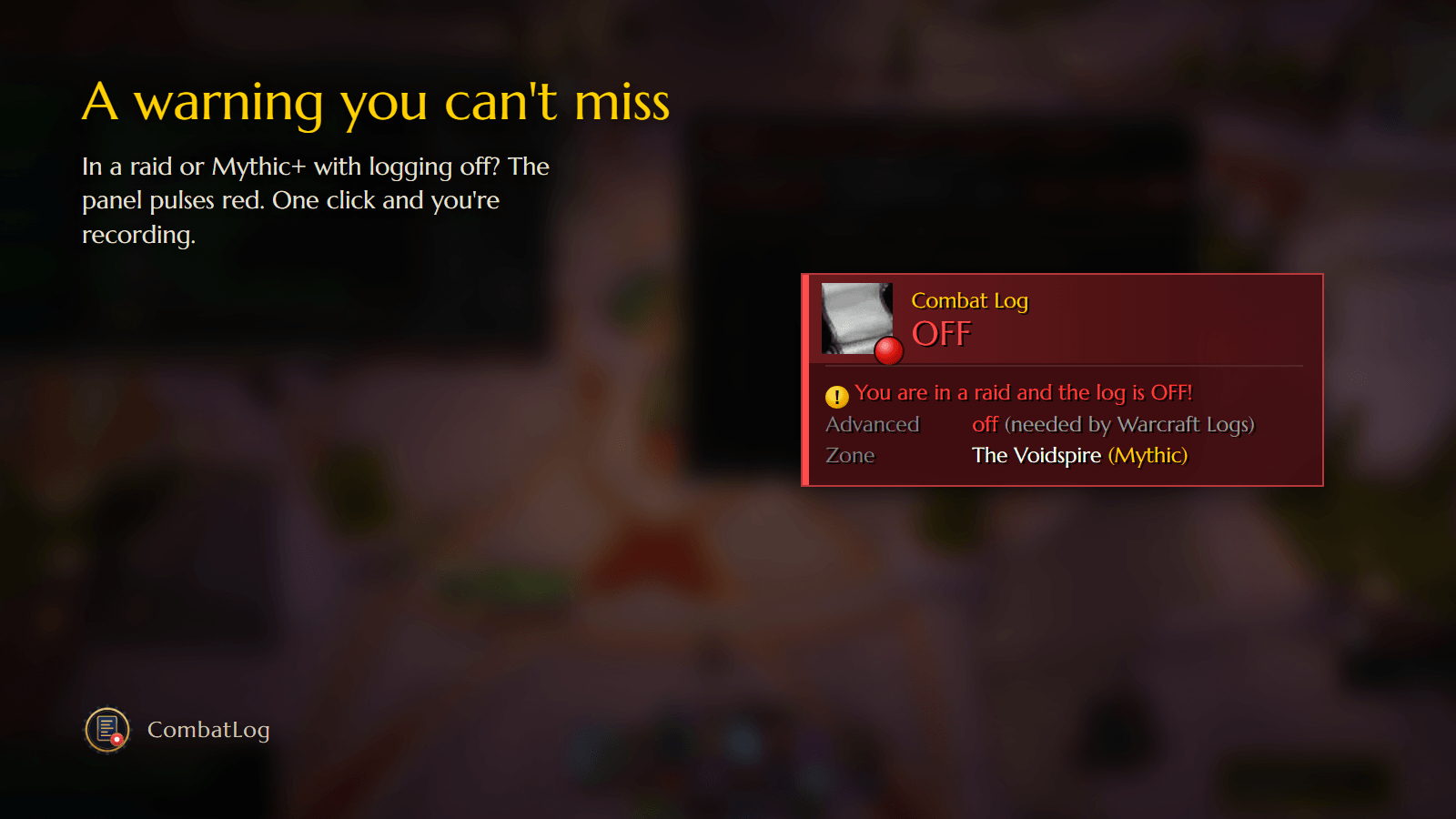
- Status at a glance: green "RECORDING" with a session timer when logging is on, red "OFF" when it isn't.
- One-click toggle: left-click the panel to start or stop logging.
- Advanced Combat Logging: shows whether it is on (Warcraft Logs needs it) and lets you toggle it from the menu.
- Where you are: current zone, difficulty and Mythic+ keystone level.
- Boss tracker: pulls and kills for the current session, plus the result of the last boss.
- Warning you can't miss: the panel pulses red if you are in a raid or Mythic dungeon and logging is off.
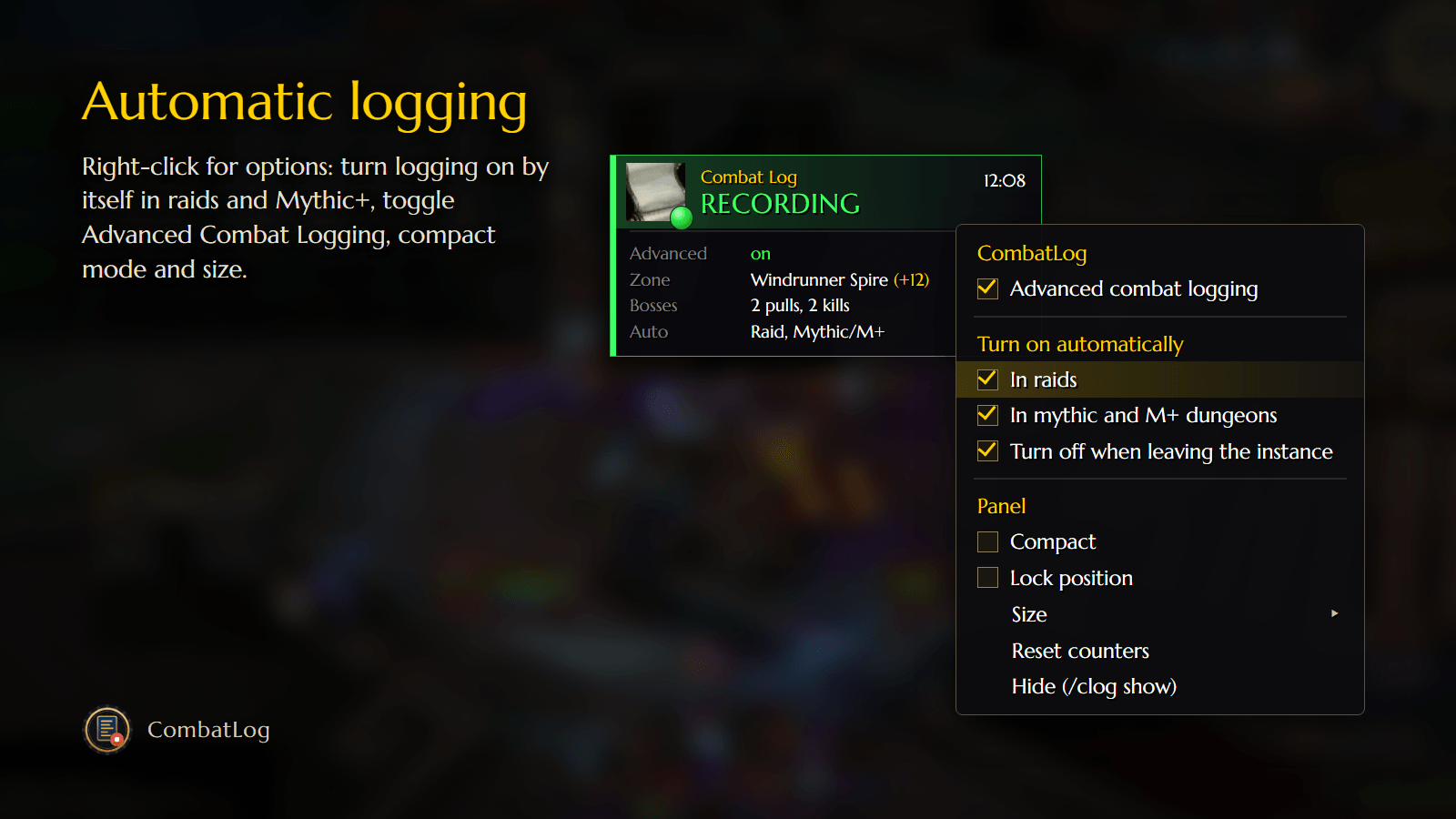
- Automatic logging (optional): turns logging on when you enter a raid and/or a Mythic / Mythic+ dungeon, and off again when you leave.
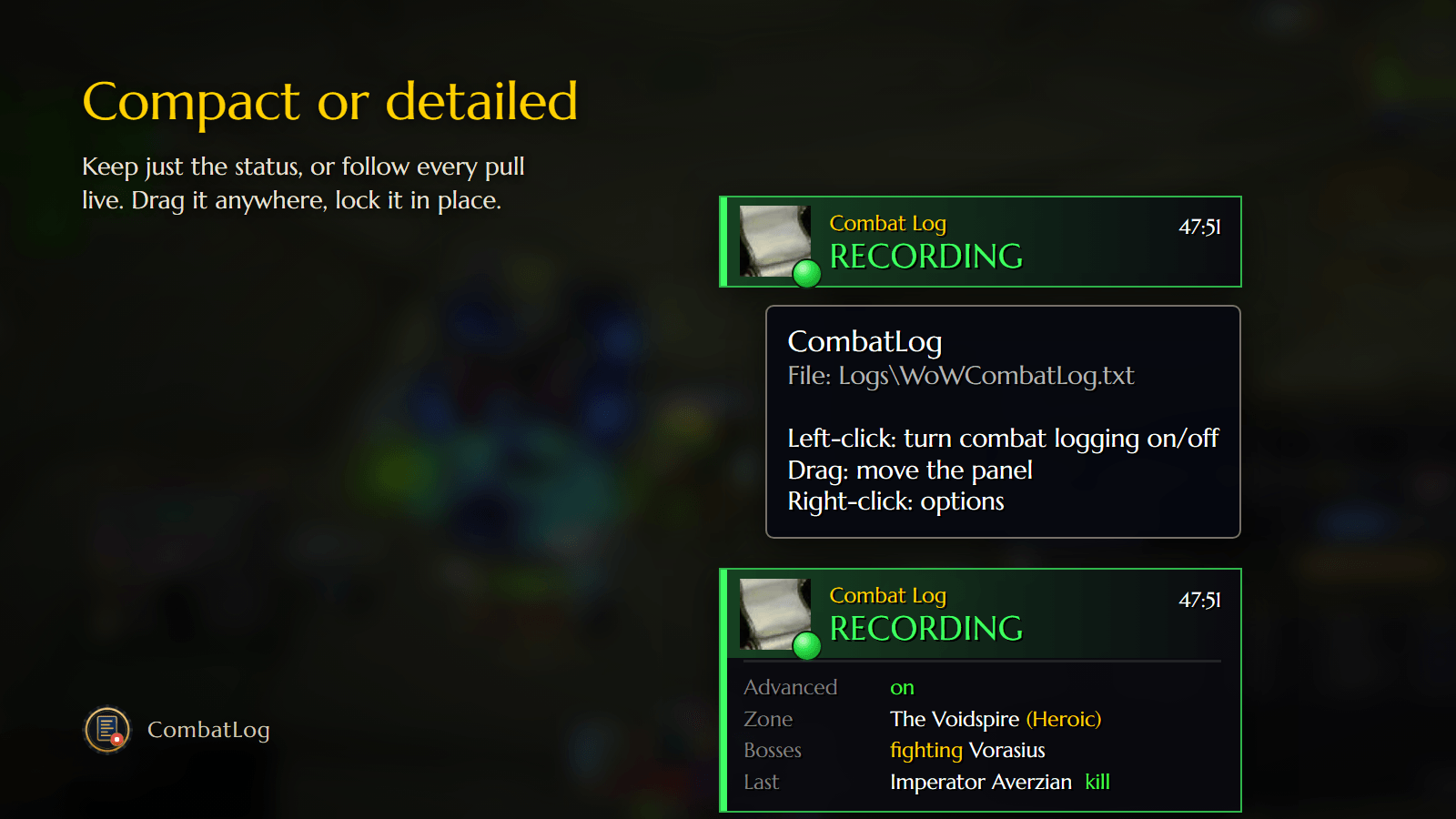
- Customizable: compact mode, lock position, five sizes, hide/show.
- Safe: respects the game's limit on combat log toggles and notices changes made with
/combatlogor other addons.
Usage
- Left-click: turn combat logging on/off
- Drag: move the panel
- Right-click: options
Commands
/clog: turn combat logging on/off/clog on//clog off: turn logging on / off/clog options: open the options menu/clog lock: lock or unlock the panel/clog show//clog hide: show or hide the panel/clog reset: reset position and size
Languages
English and Italian (it follows your game client language).
Notes
- The log is written to
World of Warcraft\_retail_\Logs\WoWCombatLog.txt. - The game allows only a few combat log toggles every few seconds (shared with other addons). If you hit the limit, CombatLog tells you and retries shortly.
Support
If you enjoy CombatLog, you can support its development on Ko-fi. Thank you!

CombatLog Team