GroupItemLevel
- By
See the item level of everyone in your party or raid in a small window and in player tooltips, with the group average and automatic inspection.
1-party.png
2-raid.png
3-tooltip.png
4-minimap.png
Description
Group Item Level
See the item level of everyone in your party or raid at a glance.
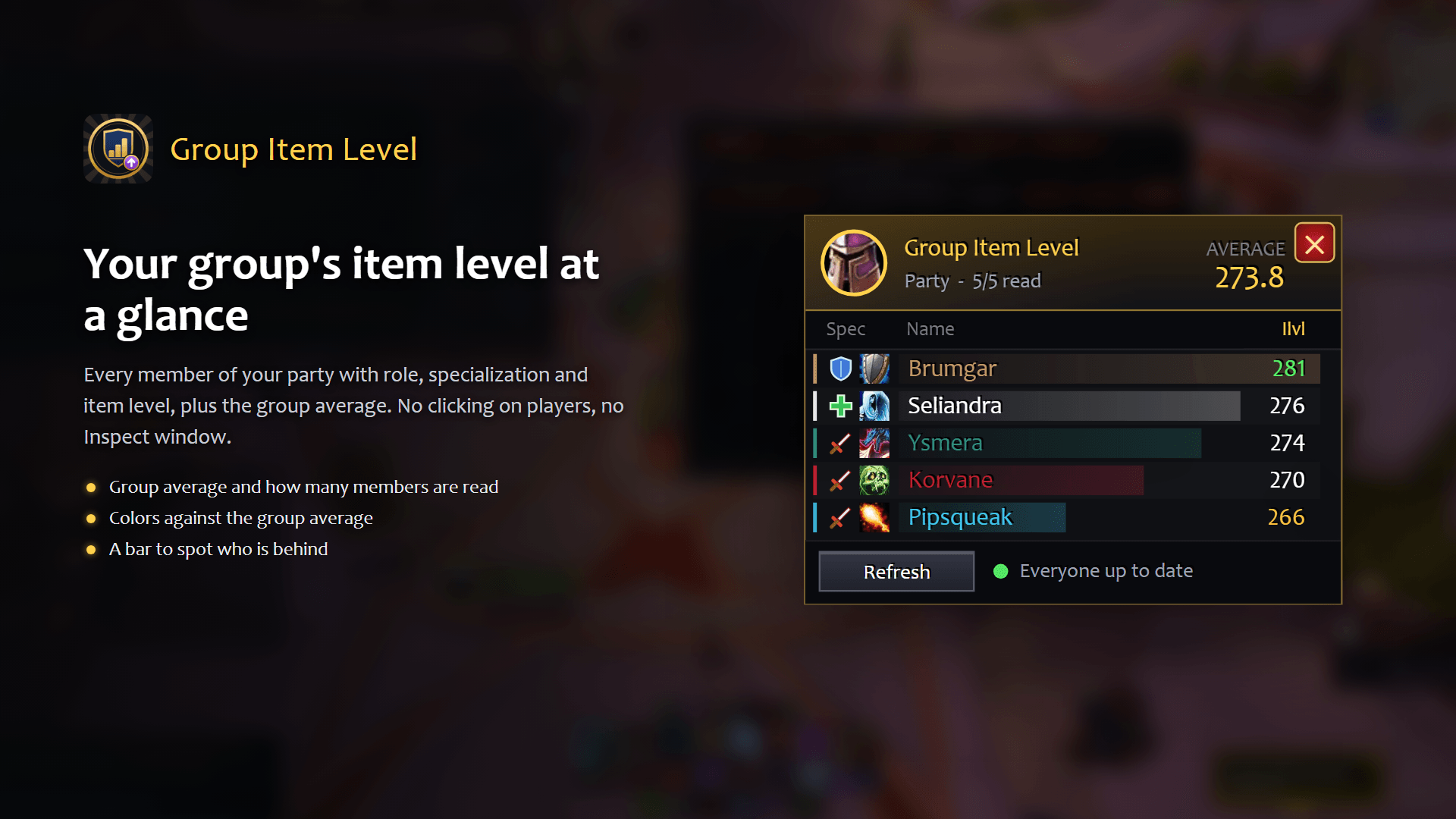
Group Item Level inspects the members of your group for you, one at a time, and shows their item level in a small, clean window together with their role, specialization and the group average. The item level also appears in the tooltip of every player already read.
No clicking on each player, no opening the Inspect window: join a group, type /gil and the list fills up by itself.
Features
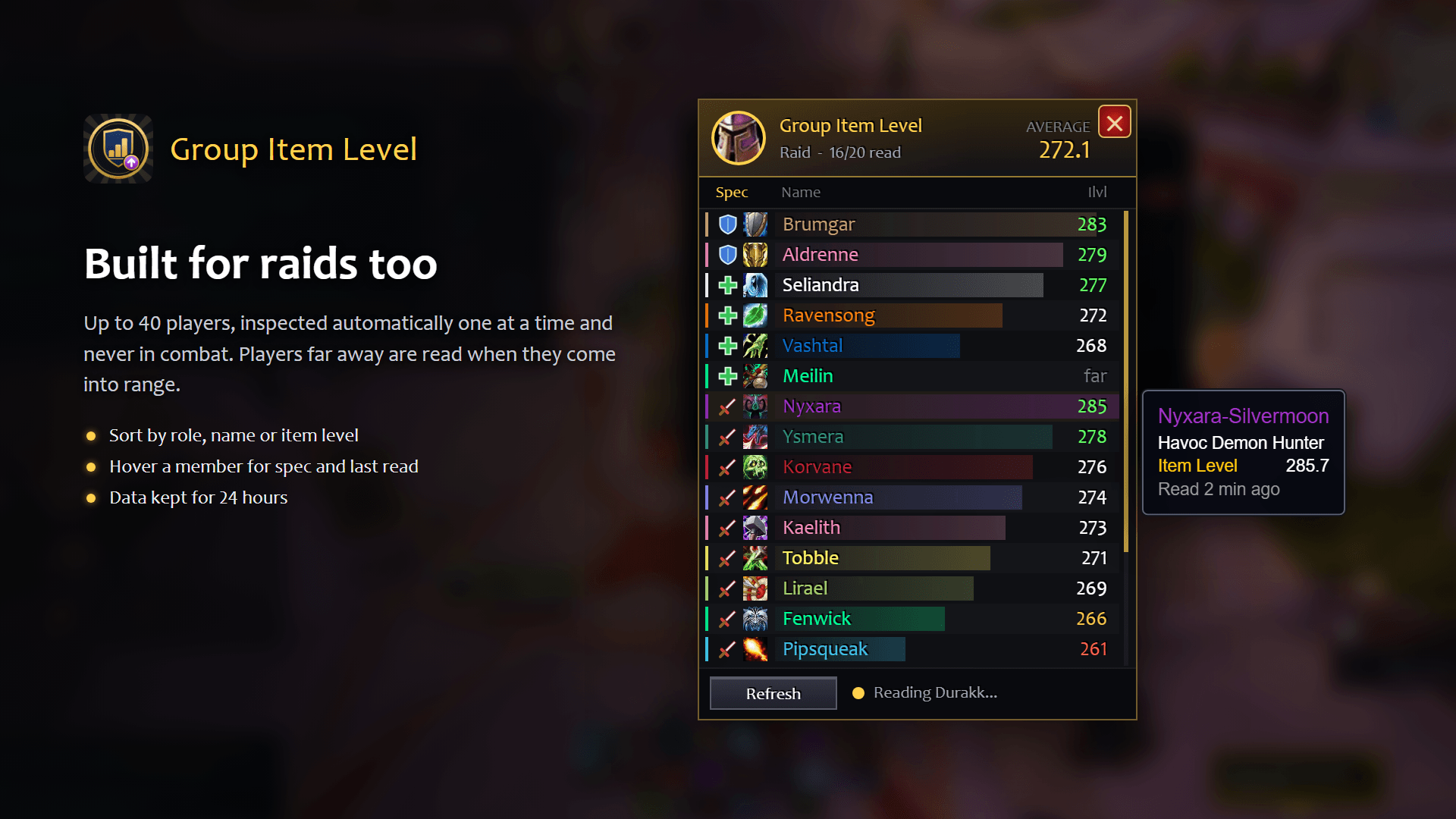
- Group window: role, specialization, class-colored name and item level of every member, for parties and raids up to 40 players (scroll with the mouse wheel).
- Group average: shown large at the top, with how many members have been read.
- Easy to read: item levels are colored against the group average (green above, orange and red below) and a bar behind each name shows who is behind at a glance.
- Sorting: click the column headers to sort by role, name or item level.
- Automatic inspection:
- One player at a time, spaced out, so it never floods the server.
- Paused in combat and while the Inspect window is open.
- Players too far away are read as soon as they come into range.
- Data is refreshed every 5 minutes and kept for 24 hours, so a
/reloaddoes not start from scratch.
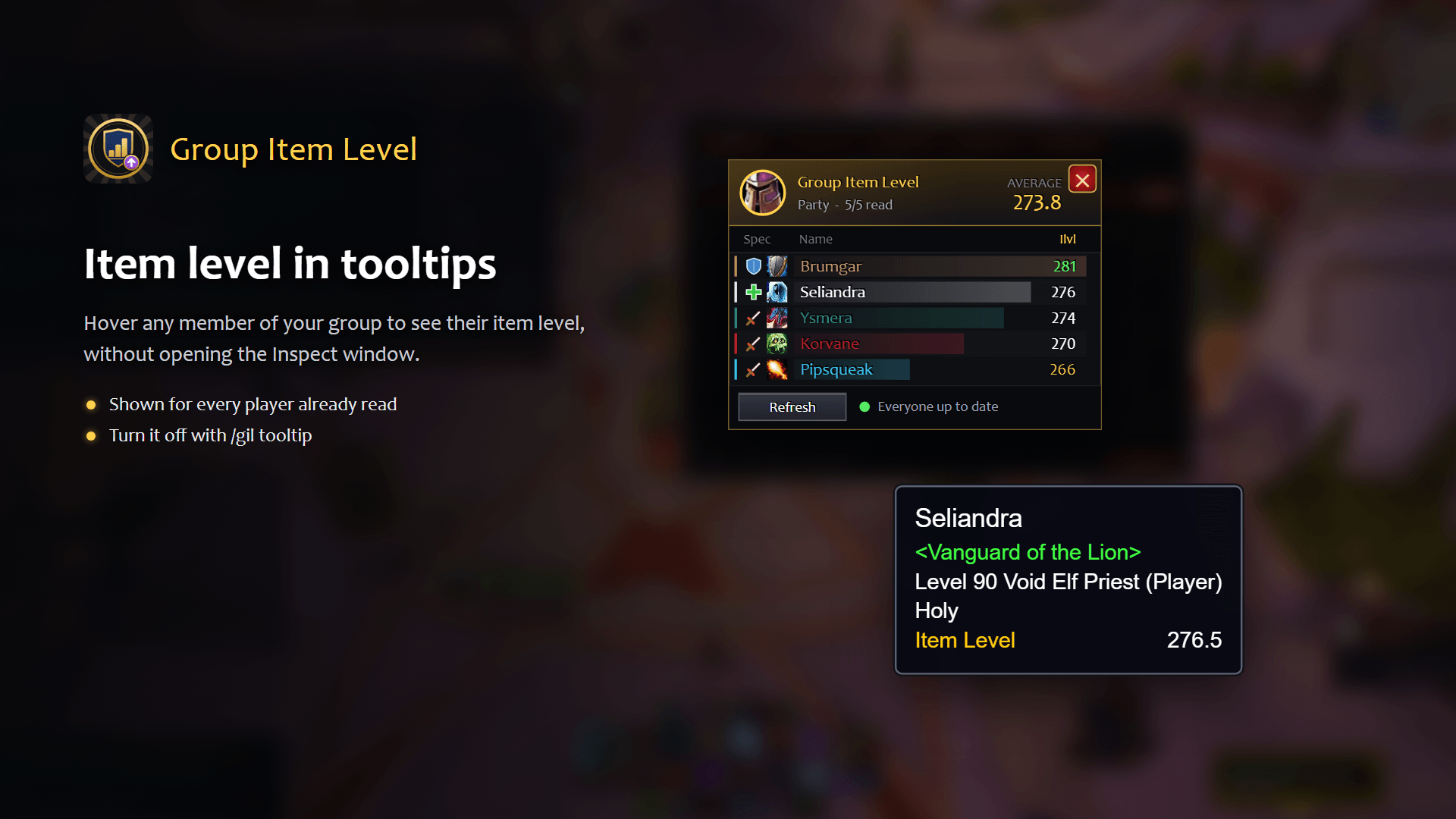
- Tooltips: an "Item Level" line on players already read (can be turned off).
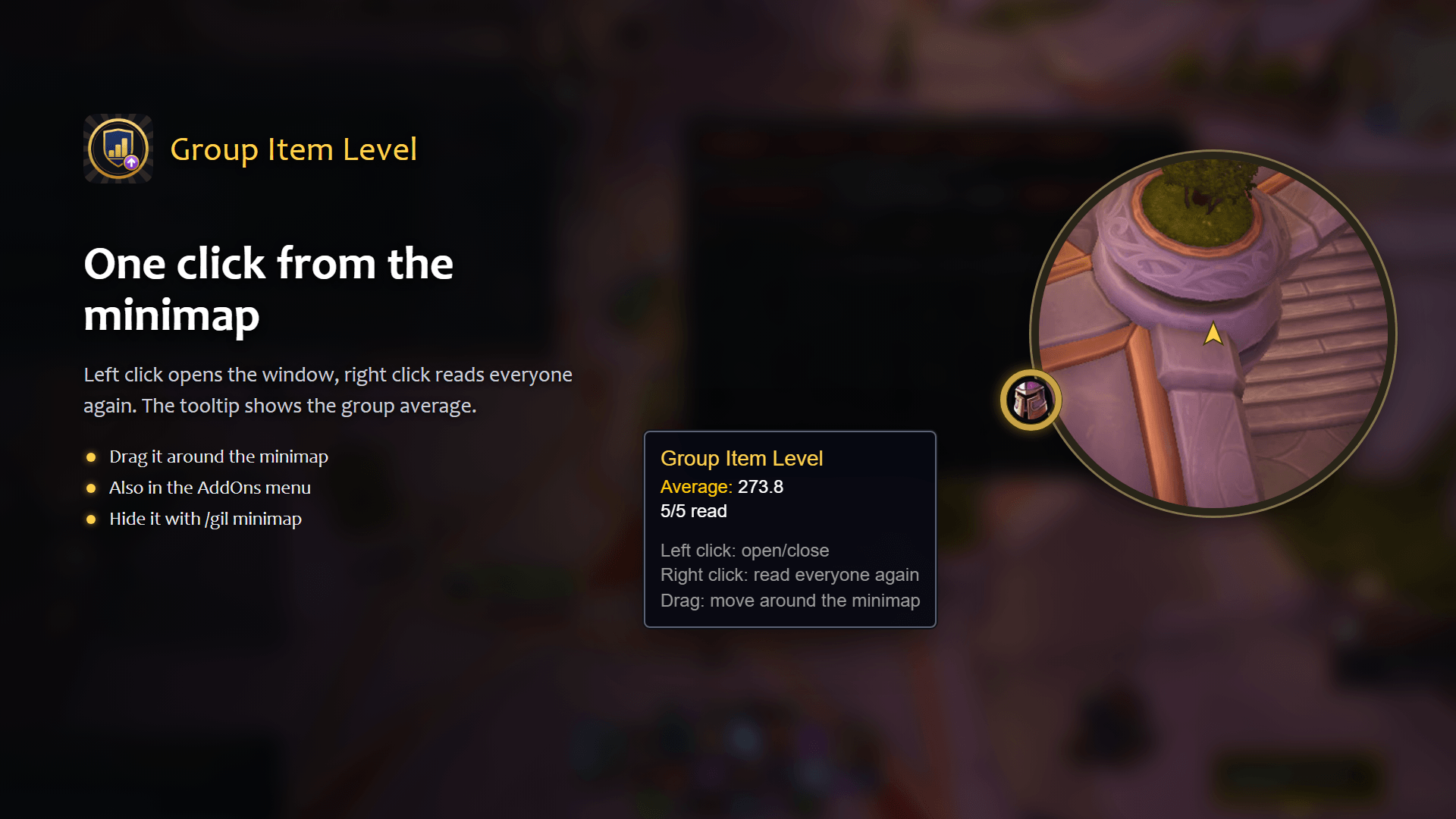
- Minimap button: left click opens the window, right click reads everyone again, drag it around the minimap. Also available from the AddOns menu next to the minimap.
- Optional auto-open when you join a group.
Commands
/gil: open or close the window/gil refresh: read everyone again/gil tooltip: item level in player tooltips on/off/gil auto: open automatically when you join a group on/off/gil minimap: show or hide the minimap button/gil lock: lock or unlock the window position/gil reset: reset the window position
/groupilvl works too.
Notes
- The game only lets addons inspect players that are near you: members far away show "far" until they come into range.
- Your own item level is always live; other players are read through inspection, like the Inspect window does.
Support
If you enjoy Group Item Level, you can support its development on Ko-fi. Thank you!
Se Group Item Level ti è utile, puoi supportarne lo sviluppo su Ko-fi. Grazie!

GroupItemLevel Team