Where's My Trainer
- By
Never hunt for your class trainer again. Where’s My Trainer? highlights your class trainers on the world map, pops up when you enter their area, and sets a waypoint to the nearest. Type /wmt.
wmt.png
wmt3.png
wmt2.png
Description
Where's My Trainer?
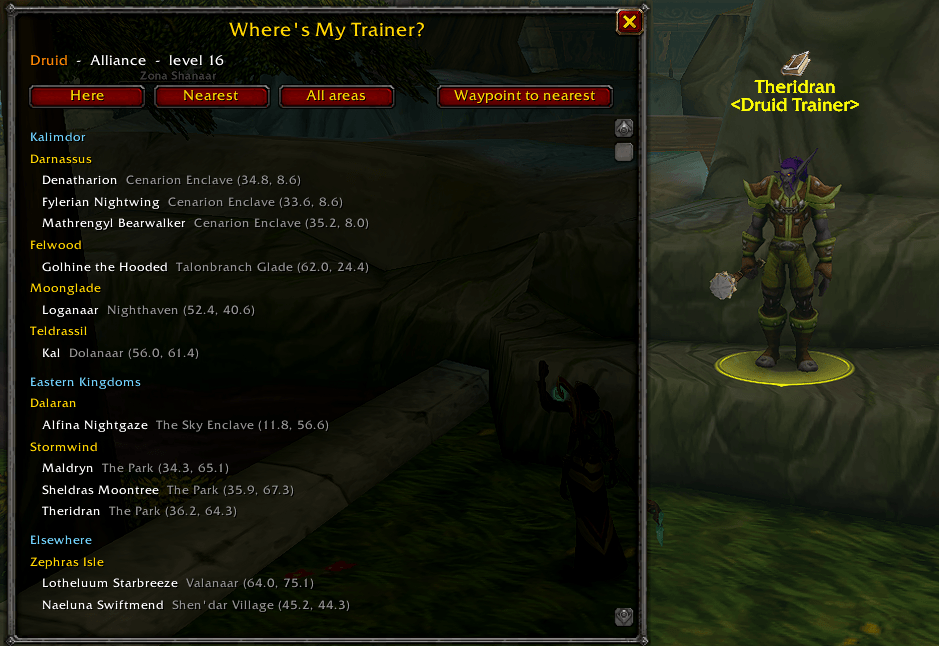
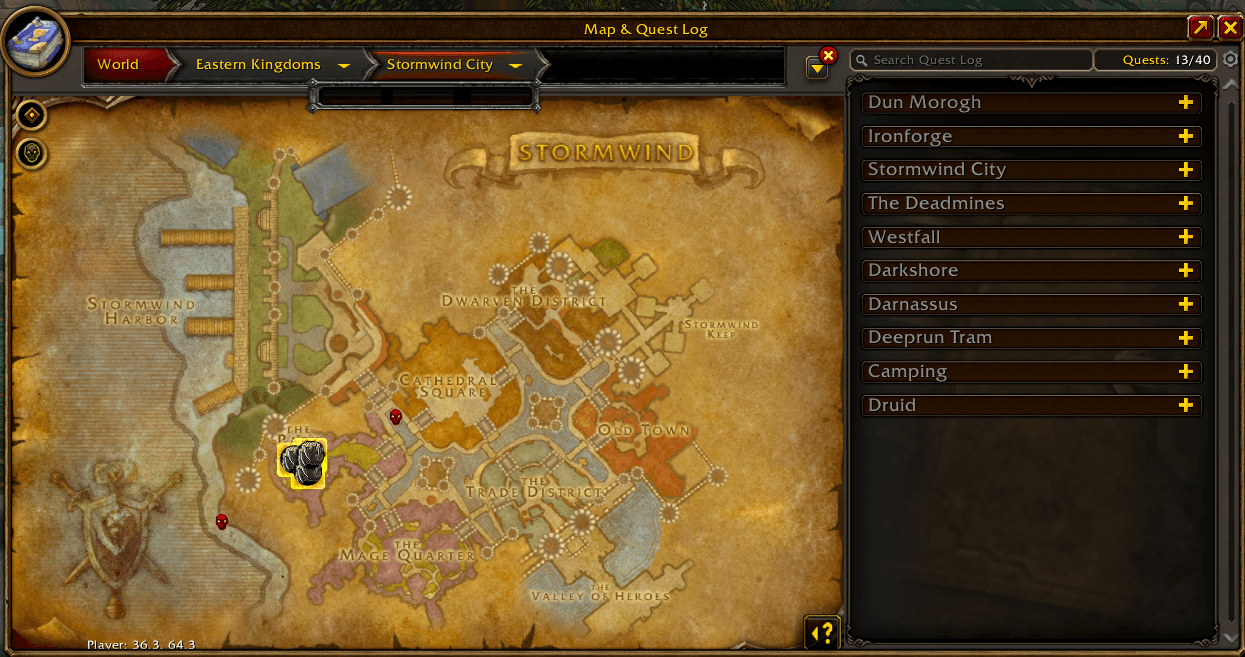
Never hunt for your class trainer again. Where's My Trainer? spotlights the trainers for your class in every area, right on the world map. It pops up when you enter their area and can set a waypoint to the nearest one with a click.
Find the map icon on your minimap, or type /wmt.
What it does
- World map spotlight: open the map to any area, and your class trainers get a glowing gold marker with your class icon. Hover for the name and location, or click to set a waypoint. Pet, demon and portal trainers show as dimmer markers.
- Area popup: when you enter a zone or city, a small popup says your trainer is there, with their names and coordinates. Click one to set a waypoint. It closes on its own and won't nag you for the same area.
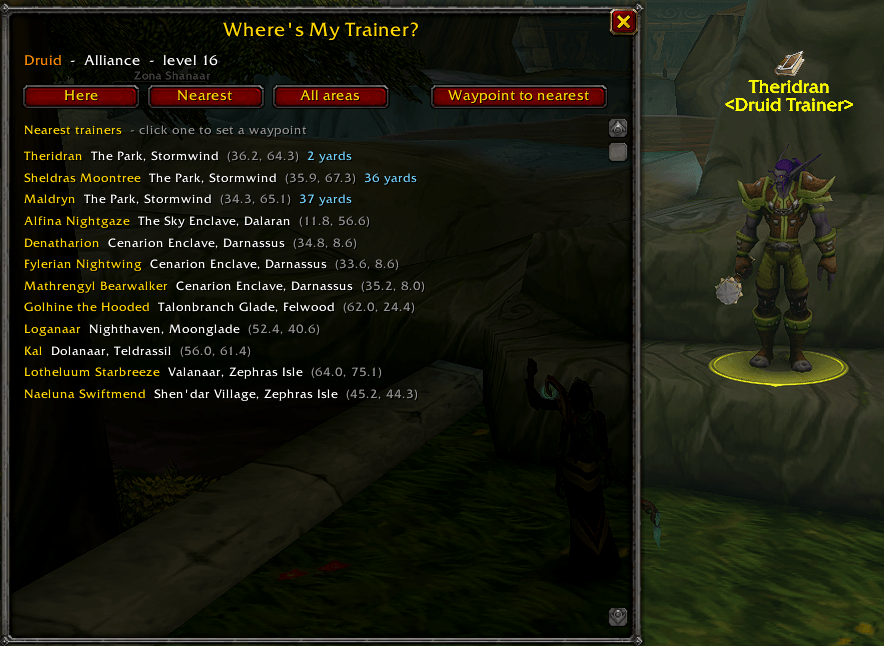
- Nearest trainer: it measures the distance to every trainer for your class and lists the closest, like "Kyra Windblade, Dolanaar - 41 yards". Right-click the minimap button, or type `/wmt go`, to set a waypoint to the nearest one.
- Level-up reminder: on even levels from 4 up, chat tells you that you may have new abilities and where your nearest trainer is.
- Starter trainers handled: trainers in starting zones teach only up to level 6, so they're hidden once you pass level 6. You can show them anyway.
- Every class, both factions: warriors, rogues, hunters, mages, priests, warlocks, druids, paladins and shamans, including the new race and class trainers and the trainers on Zephras Isle.
- Pet, demon and portal trainers too: for hunters, warlocks and mages.
- Look up another class: planning an alt, or helping a friend? Switch to any class or faction with one command.
- Add your own: if a trainer is missing, target them and type `/wmt add` to save them.
The window
| Tab | What it shows |
|---|---|
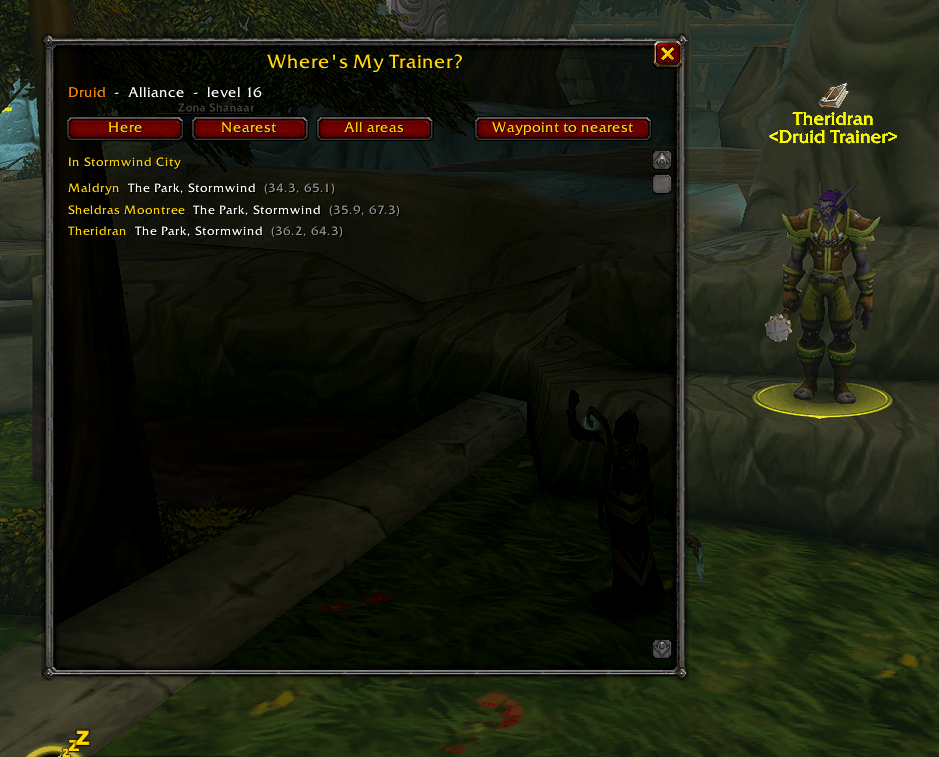
| Here | The trainers for your class in the area you're standing in |
| Nearest | Your closest trainers, nearest first, with distances |
| All areas | Every area with a trainer for your class, grouped by continent |
Click any trainer in the window to set a waypoint to them.
The minimap button
| Action | What it does |
--------------------------
| Left-click | Open or close the window |
| Right-click | Waypoint to your nearest trainer |
| Drag | Move the button |
Commands
| Command | What it does |
------------------------------
| `/wmt` or `/mytrainer` | Open or close the window |
| `/wmt go` | Set a waypoint to your nearest trainer |
| `/wmt near` | List your nearest trainers in chat |
| `/wmt zone [name]` | List trainers in this area, or another |
| `/wmt add` | Save the class trainer you're targeting |
| `/wmt class <class>` | Look up another class (`/wmt class reset` to go back) |
| `/wmt faction alliance/horde/reset` | Look up the other faction |
| `/wmt pins on/off` | Map highlights |
| `/wmt popup on/off` | The popup when you enter an area |
| `/wmt levelup on/off` | The reminder on even levels |
| `/wmt low on/off` | Include starter trainers that stop at level 6 |
| `/wmt minimap on/off` | Show or hide the minimap button |
Good to know
- Trainer locations are built in for WoW Forever version 1.60.1. The list may change as the game is updated, and trainers you save with `/wmt add` are kept.
- Distances need the game to know where you are. Trainers on another continent are listed after the ones with a distance.
- Waypoints use the game's own map pin and arrow. No other addon is needed.
- Where's My Trainer? only reads your location and map. It never changes anything.
Credits
The trainer names and coordinates are compiled from Warcraft Tavern's Class Trainer Locations guide for WoW Forever. Thanks to the Warcraft Tavern team for keeping it up to date.
Feedback and ideas
Where's My Trainer? is new and actively being improved. If a trainer is missing or in the wrong place, please post it in the comments or on the Issues tab, with the trainer's name, the area, your class and faction, and the Lua error text if you got one. Ideas are welcome too.
Where's My Trainer Team