TPerl Extras
- By
ustom backgrounds, borders, auto-sizing containers, buff docking and independent layout controls for TPerl UnitFrames.

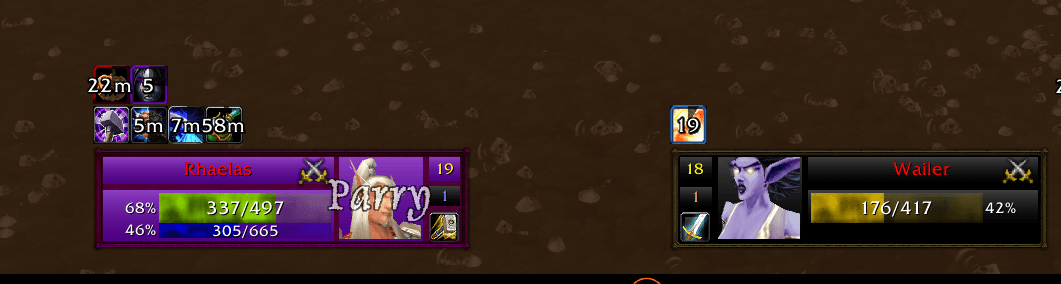
Description
# TPerl Extras
**Give TPerl your layout, not the other way around.**
TPerl Extras adds background and border customization, auto-sizing outer
containers, buff docking and independent layout controls to **TPerl UnitFrames**.
Keep the unit frames you already use, with more control over how they fit together.
**Requires [TPerl UnitFrames by TULOA](https://www.curseforge.com/wow/addons/tperl-unitframes).**
This is a separate companion addon. It does not replace or edit TPerl's files.
## One continuous background around each unit
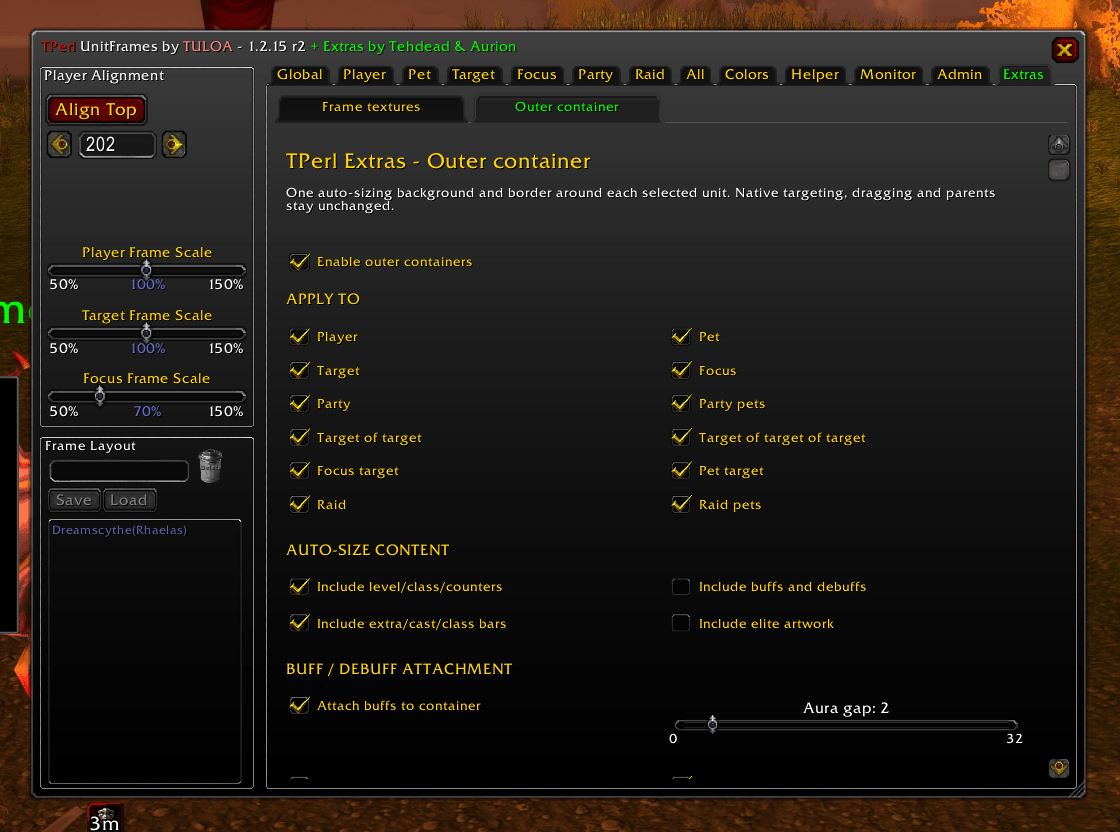
Add an outer container that grows and shrinks around the visible sections of a
unit frame. Choose the unit types it applies to, adjust padding on all four
sides, and set optional minimum dimensions. Each recognized party or raid unit
gets its own container rather than one group-wide background.
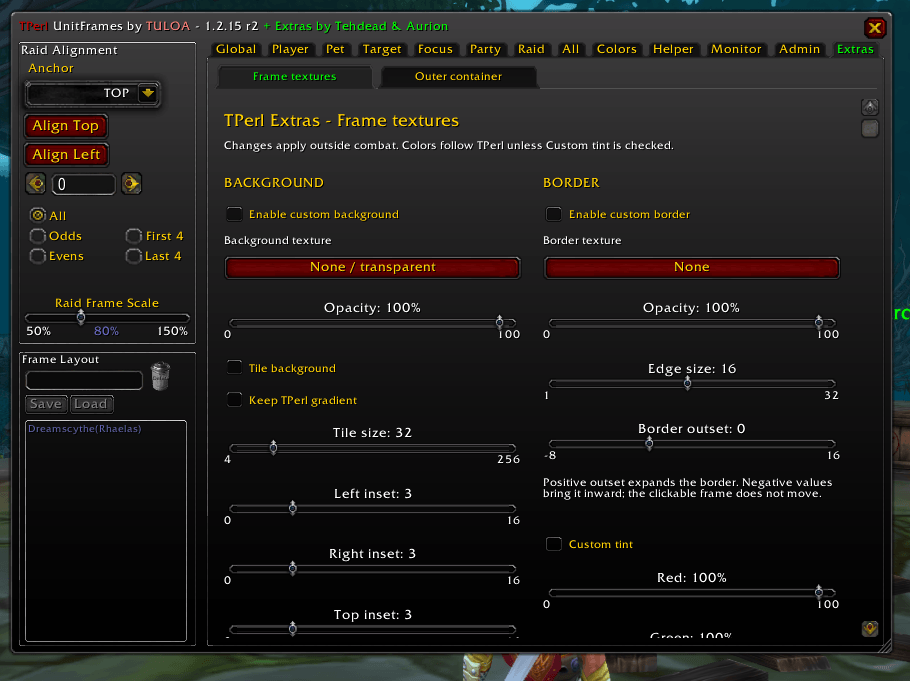
Choose separate background and border textures, opacity and tint. Adjust
background tiling, insets, border thickness and border offset. Optional TPerl
gradient support keeps the outer background consistent with the rest of your UI.
Hide the individual sections' backgrounds and borders for a single-panel look,
or keep them for a layered appearance.
The outer container is decorative and click-through. It follows the existing
unit; it does not replace the protected unit buttons or enlarge their click areas.
## Buffs follow the container
Exterior buff and debuff rows can dock above or below an enabled outer container.
TPerl's existing **Buff Above** option chooses the side, and **Aura gap** controls
spacing from the border. Turn docking off to restore native aura placement.
Docked auras stay outside the container's measured size, even with **Include
buffs and debuffs** selected. This prevents the container and aura rows from
continually pushing one another outward. Embedded raid indicators stay in place.
## Independent frame layouts
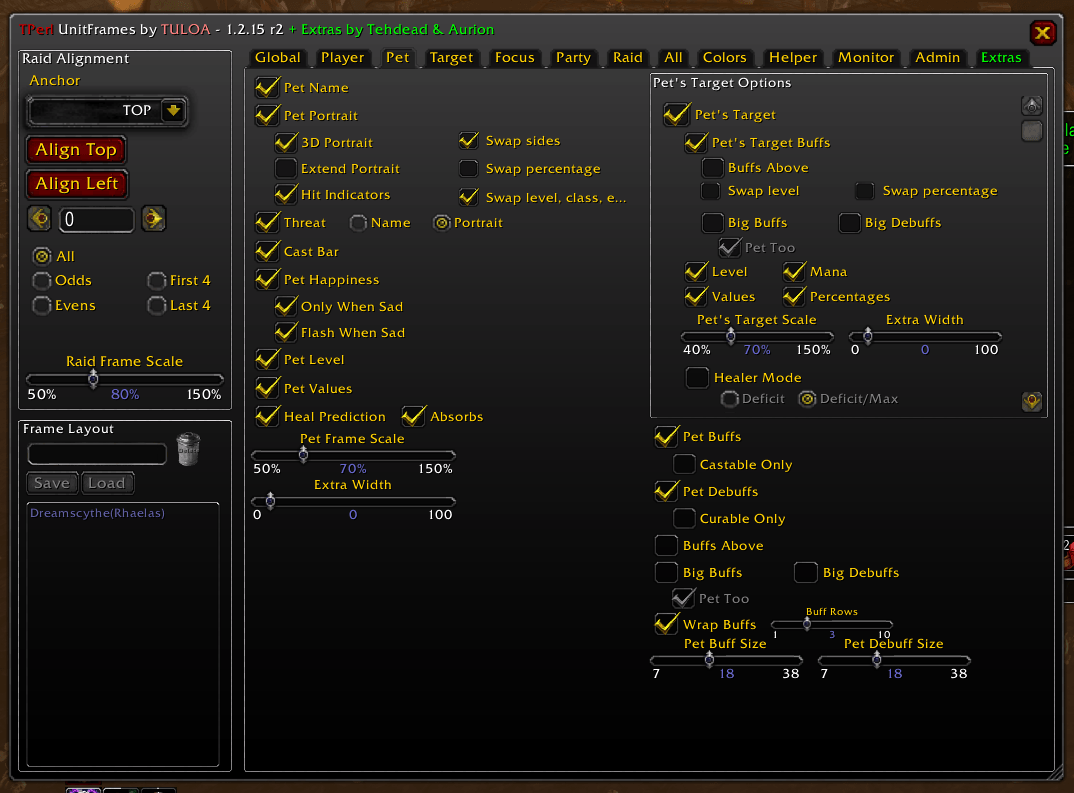
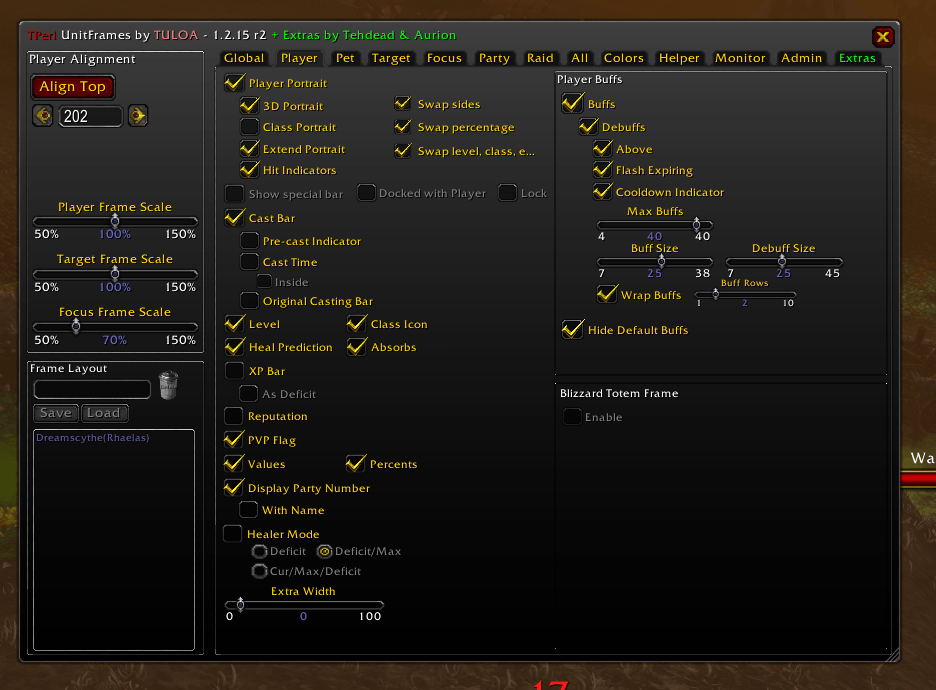
On supported frame sections, move the portrait, percentage column and
level/class/counter indicators independently. Swapping the portrait does not
force the other elements to follow it. Swapped percentages are right-aligned.
Pet's Target, Target's Target and Focus Target also have their own **Swap level**
and **Swap percentage** controls. The existing Target assist counter is repaired
when detached and follows the indicator-swap preference.
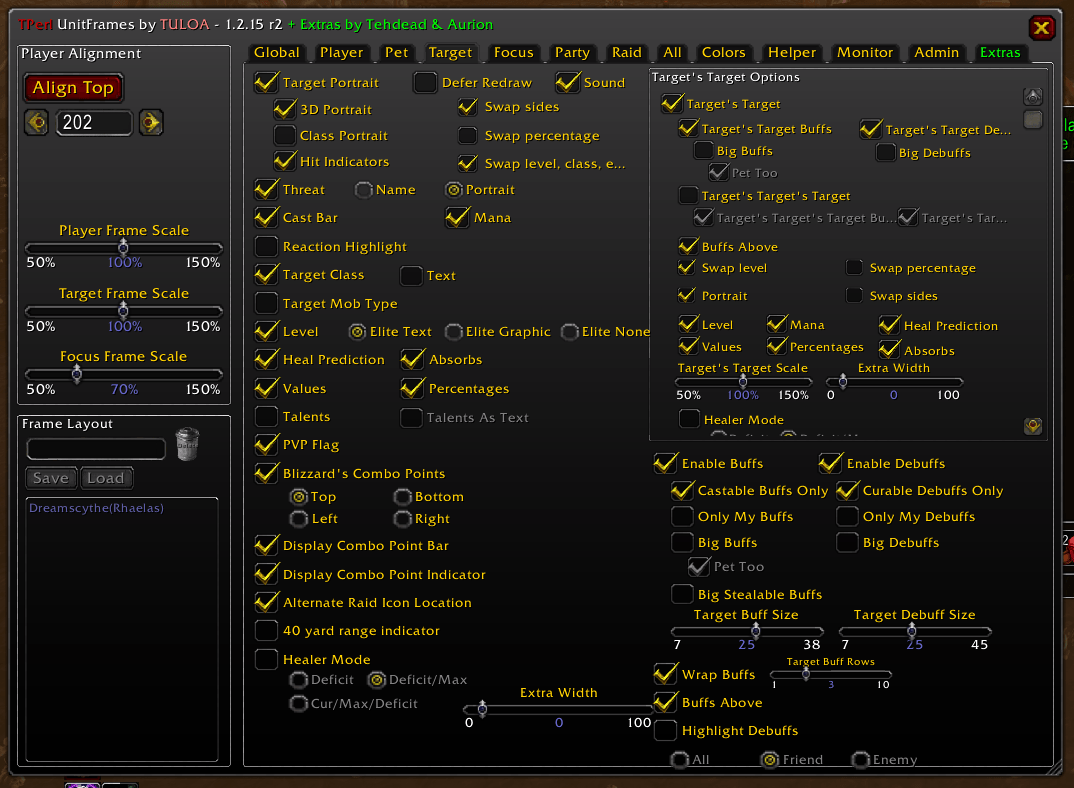
## A portrait for Target's Target
Enable **Portrait** under **Target > Target's Target Options**, then choose its
side with **Swap sides**. The image belongs to your target's target.
It uses the main Target's portrait preferences: **3D Portrait** takes priority;
with 3D off, **Class Portrait** uses a class icon for player units; otherwise it
uses the normal 2D portrait. Unavailable models can fall back to 2D. This added
portrait is specific to Target's Target, not Pet's Target or Focus Target.
## Integrated settings
Open settings with **`/tpe`** or **`/tperlextras`**. The green **Extras** tab contains
**Frame textures** and **Outer container** subtabs. Frame-specific swaps remain
beside the relevant native controls.
The Pet's Target, Target's Target and Focus Target options boxes scroll locally,
keeping their titles and neighboring controls fixed. The full Pet, Target and
Focus pages do not scroll. Mouse-wheel input over a native slider retains its
normal slider adjustment.
Background and border overrides, outer containers and the added portrait start
disabled. The options-layout improvements and assist-button repair are automatic.
Buff docking defaults on, but only takes effect for enabled outer containers.
## Requirements and compatibility
Install TPerl for your WoW flavor and enable the frame modules you use. The
Target's Target portrait needs TPerl's Target and TargetTarget modules. The
assist-counter fix needs its existing RaidHelper counter; Extras does not
create or force-enable a missing counter.
[SharedMedia](https://www.curseforge.com/wow/addons/sharedmedia) and
[LibSharedMedia-3.0](https://www.curseforge.com/wow/addons/libsharedmedia-3-0)
are optional for additional textures. Nothing from those projects is bundled.
The first public listing targets **Burning Crusade Classic**. Use the game-version
tags on the release file for supported clients. Other clients are not advertised
as supported solely because their interface numbers appear in the manifest.
Protected frame and aura-header changes wait until combat ends. A protected aura
row may temporarily lag behind a container that resizes during combat. Feature
availability depends on the installed TPerl modules and their frame structures.
Extras is not intended as a companion for X-Perl or Z-Perl directly.
## Installation and updates
Exit WoW, then place **TPerl_Extras** directly in the matching client's
**Interface/AddOns** folder, alongside TPerl. Enable it and enter `/tpe` outside
combat. Existing Extras users can replace that folder without resetting settings.
Do not install the source archive or release-kit directory as an addon.
Extras keeps its own account-wide settings, separate from TPerl's profiles.
Very early **TPerl_Extensions** users should read the included **UPGRADE.md**
before removing the old folder. Do not enable both companions.
## Troubleshooting
Use **`/tpe status`** for version and frame diagnostics, **`/tpe refresh`** for a
frame refresh, or **`/tpe standalone`** for fallback settings.
**`/tpe reset confirm`** intentionally resets Extras only.
Report issues on this project's comments with your WoW flavor/build, TPerl and
Extras versions, the first complete Lua error, reproduction steps and a screenshot.
Please send Extras-specific reports here rather than to TPerl's author first.
**Credits:** Tehdead & Aurion. TPerl UnitFrames is maintained by TULOA.
This is an independent companion, not an official TULOA or Blizzard release.
**License:** GNU GPL version 3 or later (GPL-3.0-or-later).
TPerl Extras Team