TipAnchor
- By
TipAnchor for WoW Forever: put the tooltip at a fixed spot or by your mouse, restyle its border, hide guild and PvP lines.
TA2.jpg
TA3.jpg
Description
TipAnchor
Put the tooltip where you want it, make it look how you like, and drop the lines you don't need.
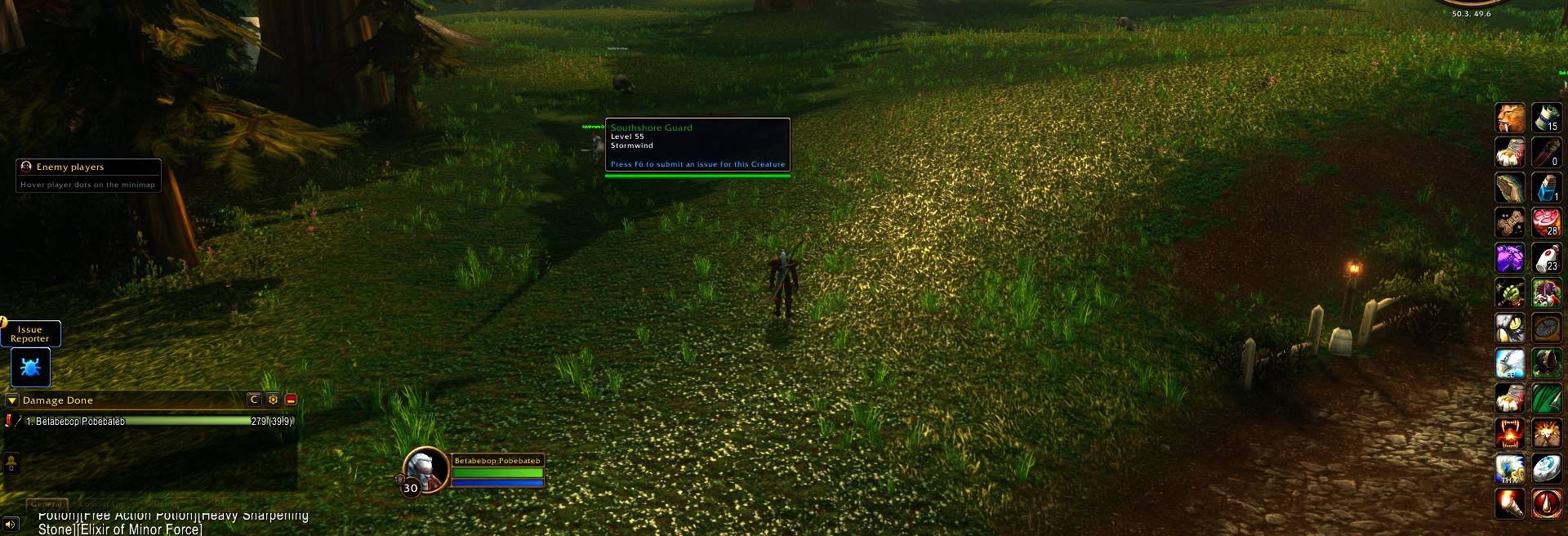
TipAnchor gives you control over the game tooltip on WoW Forever. Pin it to a fixed spot, let it follow your mouse pointer, restyle its border and background, and hide clutter like guild names or the PvP line. It also fixes tooltips getting stuck on screen in combat.
Type /ta to open the options.
Features
Where the tooltip appears
- Blizzard default: leave it where the game puts it.
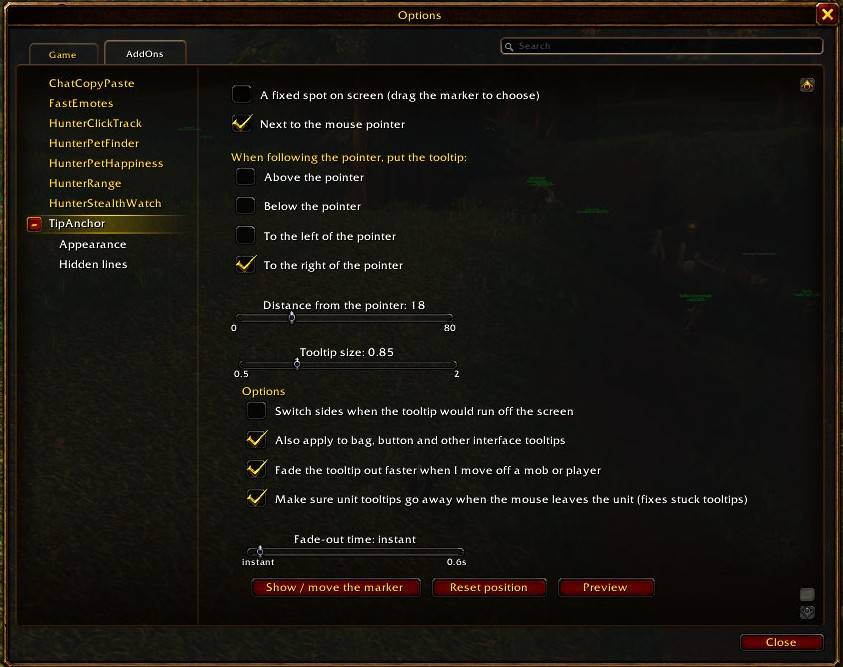
- A fixed spot: drag a marker anywhere on screen, and tooltips appear there. The tooltip grows toward the middle of the screen, so it never runs off the edge.
- Next to the pointer: the tooltip follows your mouse, above, below, left or right of it, at the distance you choose. It switches sides automatically near a screen edge.
- Choose whether this applies only to world and unit tooltips, or to bag, button and interface tooltips too.
Size and fade
- Tooltip size from 0.5x to 2x (item comparison tooltips match).
- Faster fade-out: make the tooltip disappear sooner, or instantly, when you move off a mob or player.
Appearance
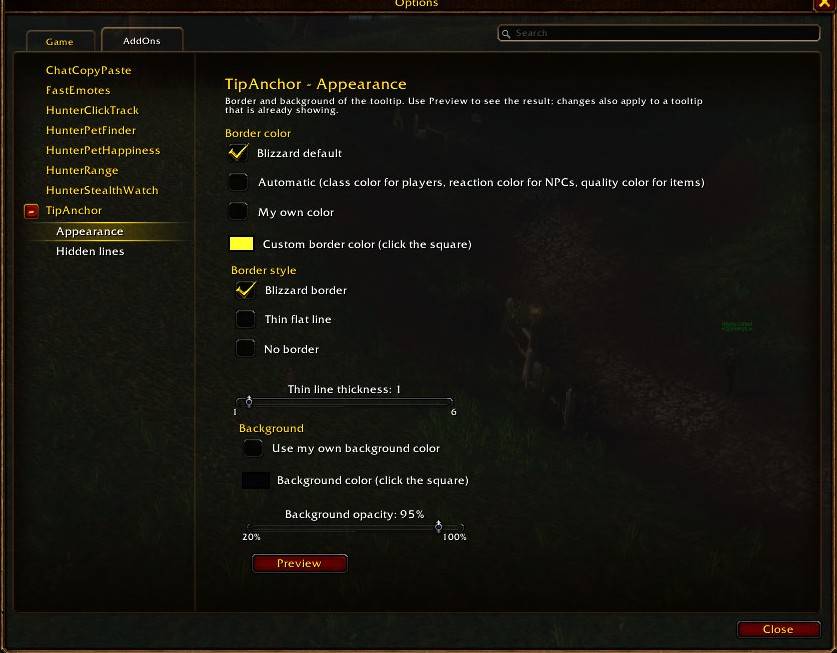
- Border colour: Blizzard default, automatic (class colour for players, reaction colour for NPCs, quality colour for items) or your own colour.
- Border style: Blizzard border, a thin flat line (1-6 px) or no border.
- Background: your own colour and opacity.
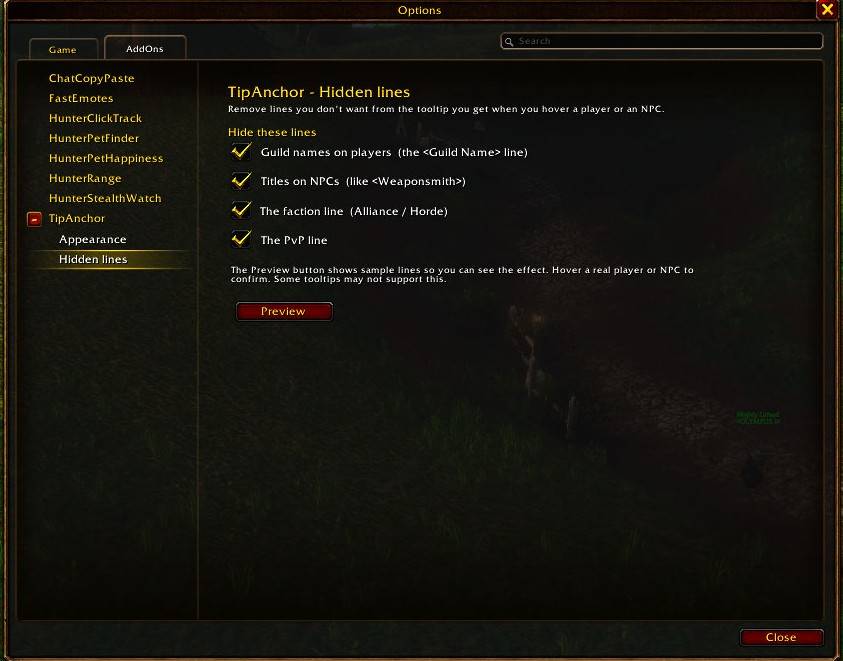
Hidden lines
Remove lines you don't want when you hover a player or NPC:
- Guild names on players
- Titles on NPCs (like <Weaponsmith>)
- The Alliance / Horde line
- The PvP line
Stuck tooltip fix
- On WoW Forever, unit tooltips can stay on screen during combat after you move the mouse off the unit. TipAnchor notices and fades them out. It's on by default and can be turned off in the options.
Commands
| Command | What it does |
|---|---|
/ta |
Open the options |
/ta move / /ta lock |
Show the marker to drag it / hide it again |
/ta mode default \| fixed \| cursor |
Choose where tooltips appear |
/ta side above \| below \| left \| right |
Which side of the pointer |
/ta scale <0.5-2> |
Tooltip size |
/ta fade off \| instant \| <0-0.6> |
How fast the tooltip fades out |
/ta look |
Open the border and background page |
/ta lines |
Open the hidden-lines page |
/ta preview |
Show a sample tooltip |
/ta reset |
Put the fixed spot back where it started |
/ta help |
List the commands |
Getting started
- Type
/taand pick A fixed spot or Next to the mouse pointer. - For a fixed spot, click Show / move the marker, drag the blue marker where you want tooltips, then click it again to finish.
- Use Preview on any page to see your changes.
Notes
- Built for WoW Forever (
## Interface: 16001, 120000). - Settings are saved per account.
More addons by Beleriand
More of my addons for WoW Forever:
- HunterRange: a clear melee / dead zone / ranged bar with yards, swing timers and Auto Shot hints
- HunterPetFinder: which beast to tame for each pet ability, with spawn maps and tracking
- HunterPetHappiness: pet happiness bar, feed timer, warnings and pet buffs/debuffs
- HunterClickTrack: click minimap tracking dots to target them, plus an enemy player list
- HunterStealthWatch: alerts when enemy players appear, rogues vanish or druids prowl
- FastEmotes: one-click emotes on a rainbow wheel, most used first
Credits
- Author: Beleriand
Found a bug? Leave a comment with what happened. /ta dump prints what the current tooltip contains, which helps track problems down.
TipAnchor Team