HunterRange
- By
Hunter range bar for WoW Forever: melee, dead zone and Auto Shot range at a glance, with yards and alert sounds.
HR1.jpg
HR2.jpg
HR3.jpg
Description
HunterRange
Never get caught in the dead zone again.
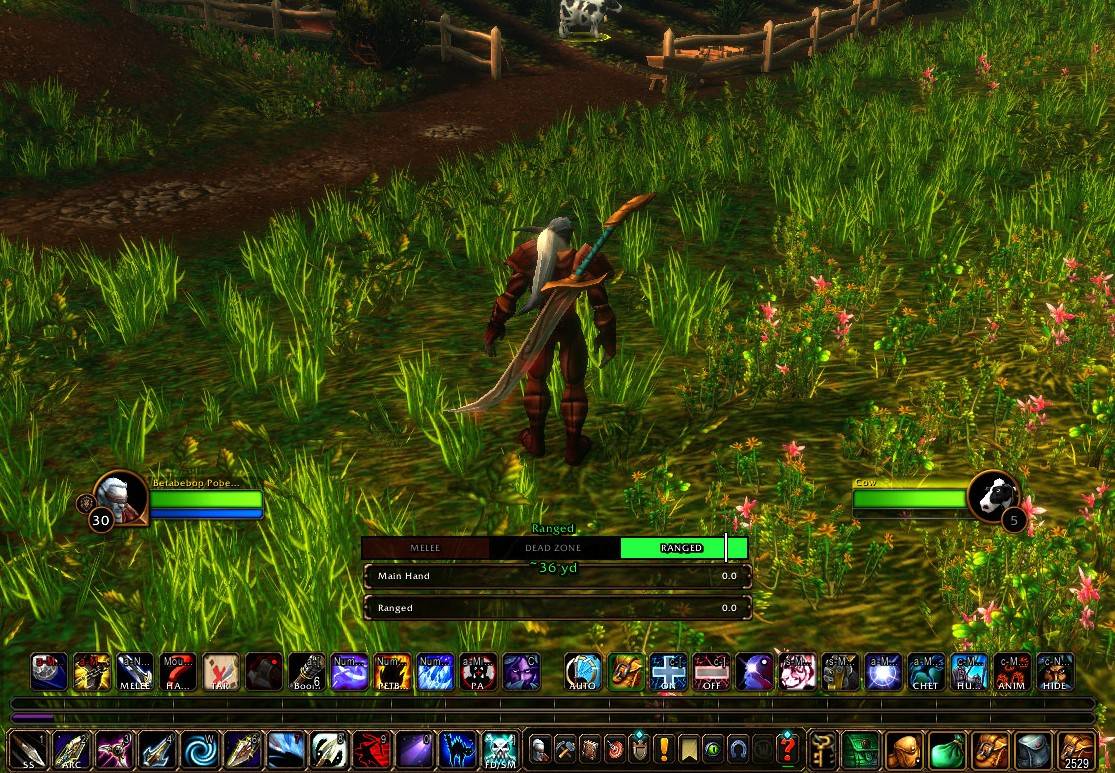
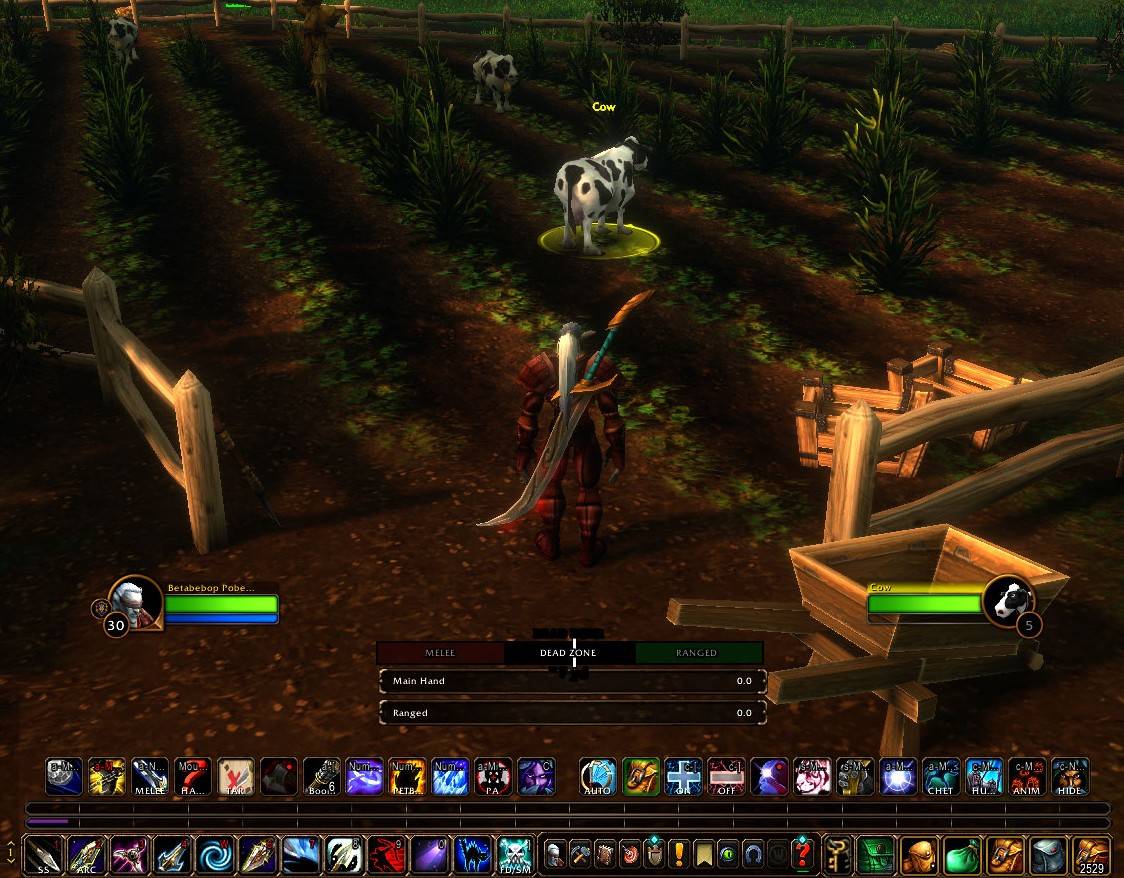
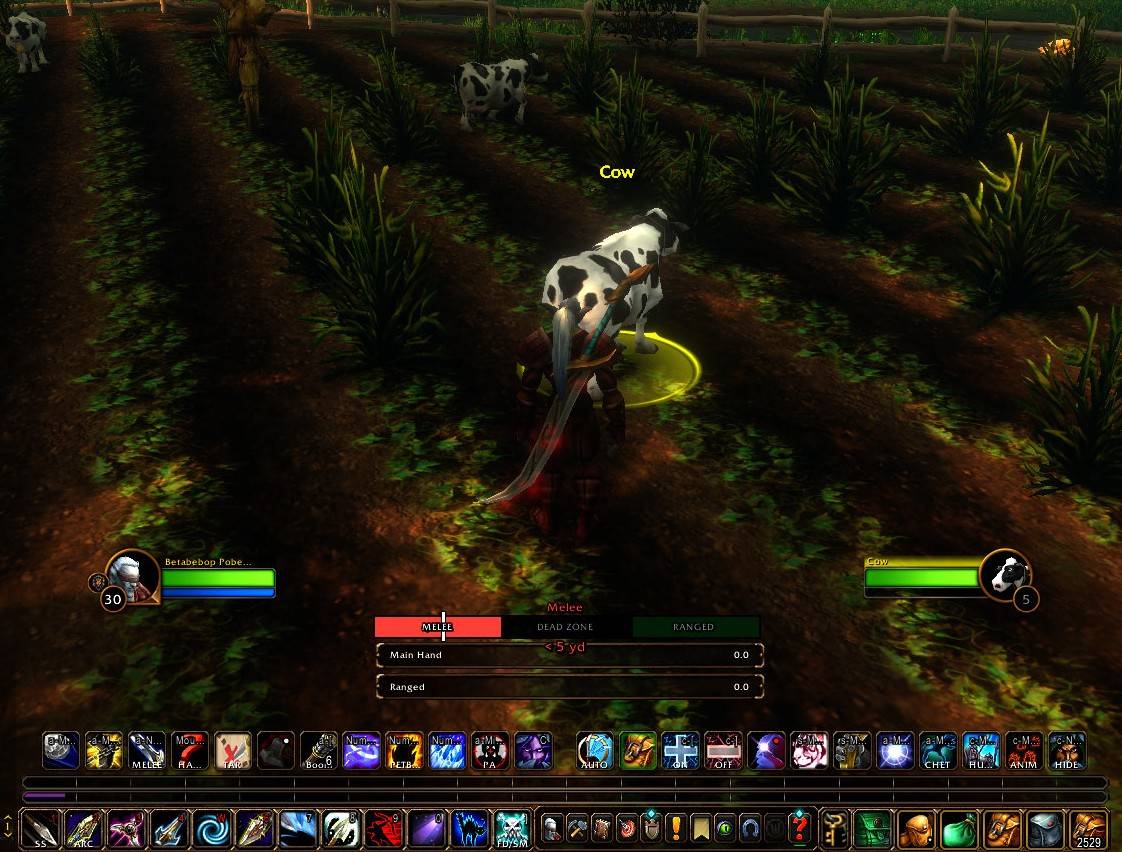
HunterRange is a clean, three-part range bar for hunters on WoW Forever. It shows at a glance whether your target is in Melee, the Dead Zone (too close for Auto Shot, too far for melee) or Ranged, and roughly how many yards away it is.
Open the options with /hr or the minimap button.
Features
The range bar
- Three colored segments, MELEE, DEAD ZONE and RANGED. The band you're in lights up, and the label above the bar changes to match.
- A moving marker slides along the bar to show roughly where your target is within each band.
- A yardage readout under the bar (e.g. "~23 yd").
- Shows Too far when your target is beyond Auto Shot range.
- Hides itself when you have no target (once the bar is locked).
Smarter distance
- WoW doesn't tell addons exactly how far away an enemy is, so HunterRange works it out from the game's range checks and your own movement. Turning and strafing won't throw it off.
- Uses your pet: while your pet is attacking your target, HunterRange measures to your pet for a much more precise reading, and shows "(pet)" next to the yards. If your pet runs off, it's ignored automatically.
- Big mobs, big hitboxes: the game measures ability range to the edge of a mob's hitbox, and so does HunterRange. The bands come straight from the game's own range checks, and the pet reading is corrected each time you cross a band edge, so the yards stay right on large creatures too.
- Hawk Eye support: your maximum range grows by 2 yards per talent point. Set it to auto, or choose 0–3 by hand.
Swing timers
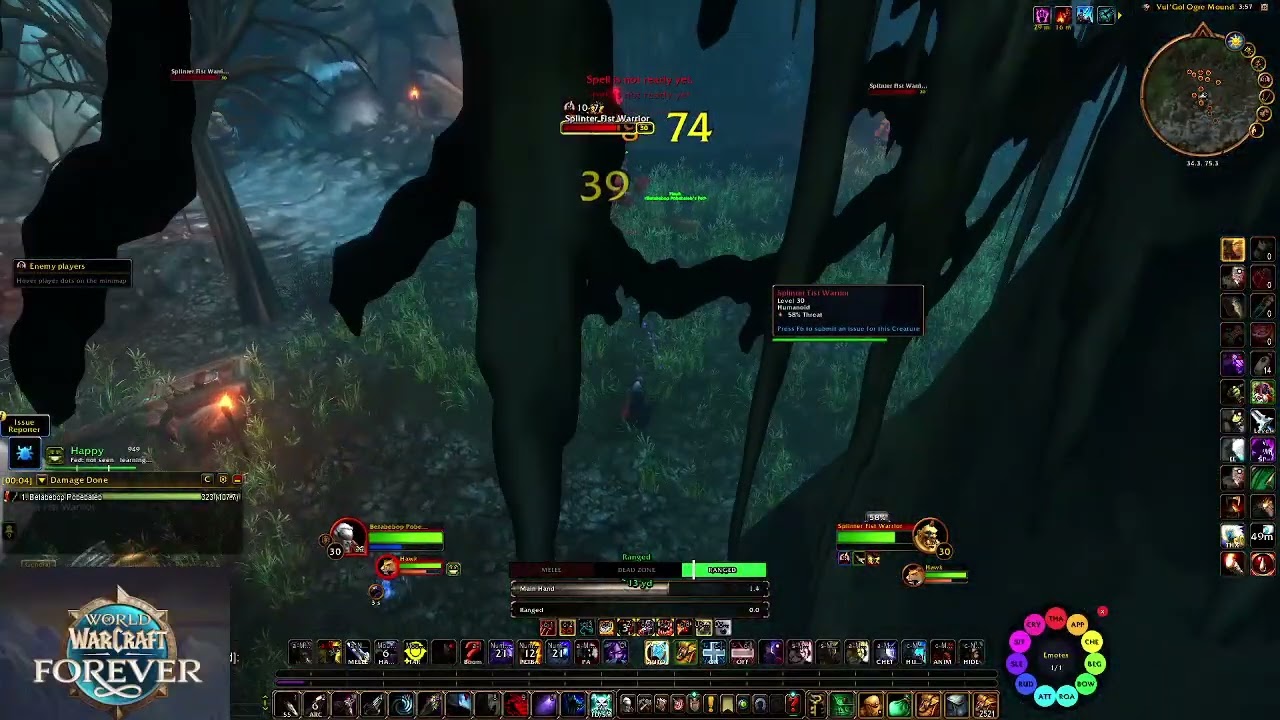
- Auto Shot timer in the RANGED section and a melee swing timer in the MELEE section.
- Each fills left to right in a strong dark colour (green for ranged, red for melee) as the next shot or swing comes round.
- Exact timing: the timers use the same swing information as the game's own swing timer bars, so they match them exactly, with or without Blizzard's bars turned on.
- Turn either one on or off in the options, or both at once with
/hr swing.
Alerts
- Dead-zone flash: the bar flashes when you slip into the dead zone.
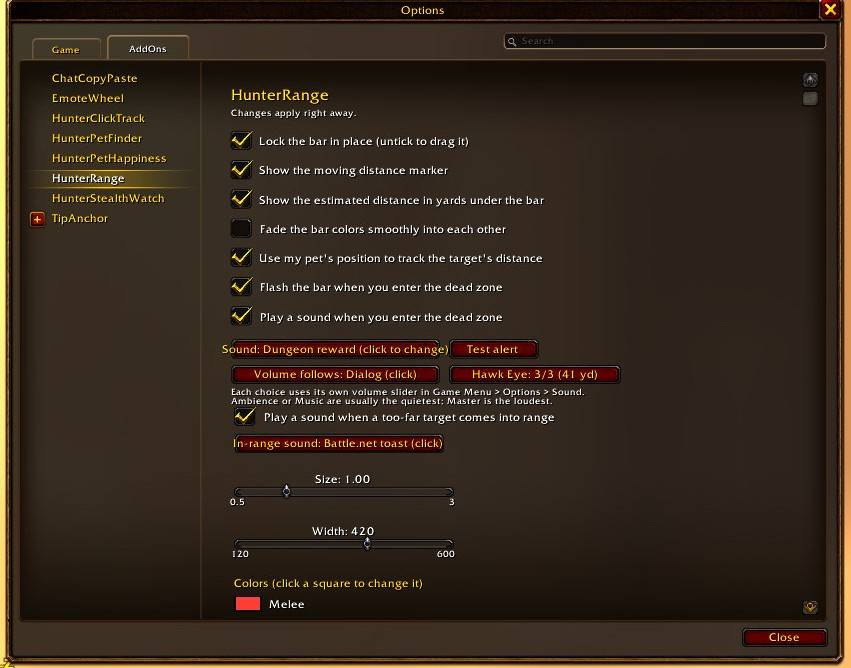
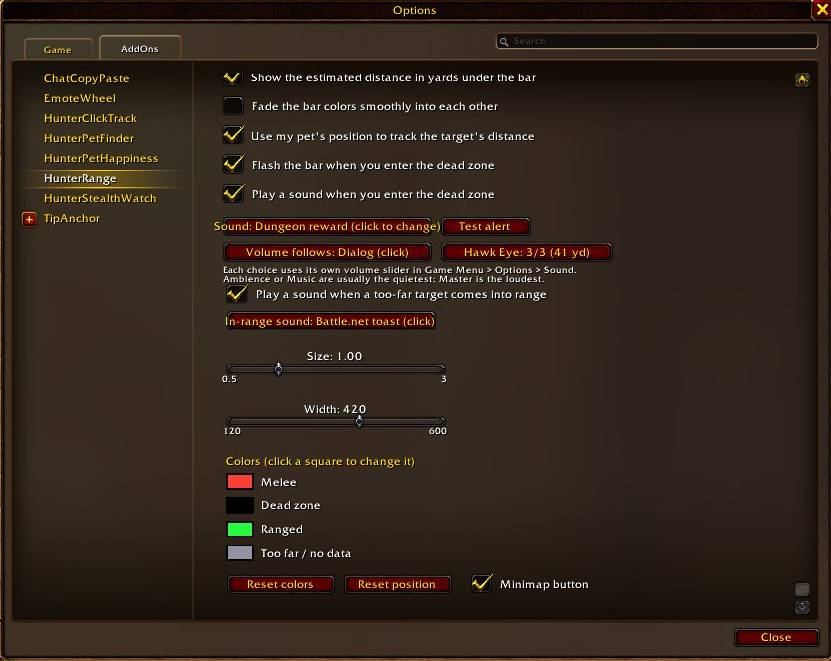
- Dead-zone sound: choose from 21 built-in game sounds, and pick which volume slider it follows (SFX, Dialog, Ambience, Music or Master), so it can be as quiet or loud as you like.
- In-range sound: hear a chime when a target that was too far comes into Auto Shot range.
- A Test alert button lets you preview it.
Make it yours
- Drag the bar anywhere, then lock it in place.
- Change its size and width.
- Pick your own colors for each band, with optional smooth color fades between segments.
- Turn the marker and yardage readout on or off.
Minimap button
- Click: open or close the options
- Drag: move the button around the minimap
- Hide it from the options panel, or with
/hr minimap
Commands
| Command | What it does |
|---|---|
/hr |
Show the list of commands |
/hr config |
Open the options panel |
/hr lock / /hr unlock |
Lock the bar in place, or allow dragging |
/hr scale <0.5-3> |
Change the size |
/hr width <120-600> |
Change the bar width |
/hr marker |
Turn the moving marker on or off |
/hr yards |
Turn the yardage readout on or off |
/hr swing |
Turn both swing timers on or off |
/hr pet |
Turn pet-based distance tracking on or off |
/hr smooth |
Turn smooth color fades on or off |
/hr rangesound |
Turn the in-range sound on or off |
/hr hawkeye 0-3|auto |
Set your Hawk Eye talent points |
/hr reset |
Move the bar back to the middle of the screen |
/hr minimap |
Show or hide the minimap button |
Getting started
- Log in on your hunter. The bar appears in the middle of the screen, unlocked.
- Drag it where you want it, then type
/hr lock(or tick "Lock the bar in place" in the options). - Target something and watch the bar.
Notes
- Built for WoW Forever (
## Interface: 16001, 120000). - Only active on Hunters.
- Distances in the dead zone and ranged band are estimates. The game only tells addons which band a target is in, not the exact distance. Pet tracking makes them much more accurate.
More addons by Beleriand
More of my addons for WoW Forever:
- HunterPetFinder: which beast to tame for each pet ability, with spawn maps and tracking
- HunterPetHappiness: pet happiness bar, feed timer, warnings and pet buffs/debuffs
- HunterClickTrack: click minimap tracking dots to target them, plus an enemy player list
- HunterStealthWatch: alerts when enemy players appear, rogues vanish or druids prowl
Credits
- Author: Beleriand
Found a bug? Leave a comment with what happened. If it's a range problem, /hr debug copies the details into a window you can paste from.
HunterRange Team