FastEmotes
- By
A small addon that puts your favorite emotes at your finger (mouse) tips.
FE2.jpg
Description
FastEmotes
Your favourite emotes, one click away.
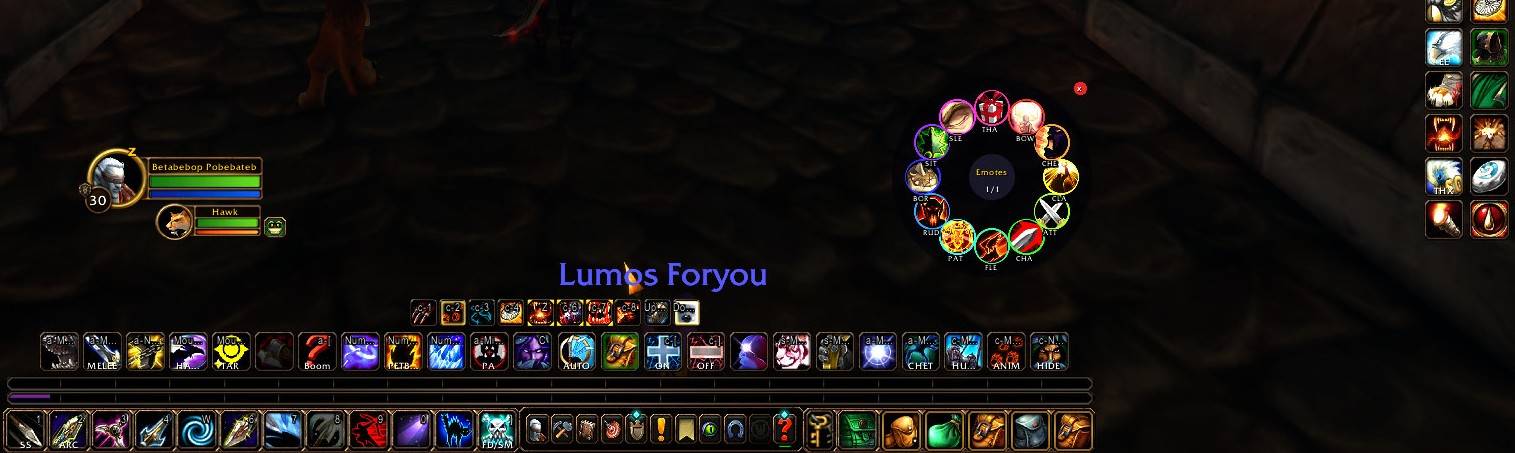
FastEmotes is a small, rainbow-coloured wheel of emotes for WoW Forever. Click a coloured button to wave, bow, cheer, thank, roar or any other emote, with no typing needed. Your most used emotes rise to the top of the wheel by themselves.
Open it with the minimap button or /fe. (Formerly EmoteWheel: your old settings come with you, and /ew still works.)
Features
The wheel
- A ring of round, rainbow-coloured buttons, each with an icon for its emote (a waving hand for /wave, a battle shout for /cheer, a gift for /thank...). Emotes without an icon show their first letters. Hover one to see its full name. Prefer letters? Switch in the options or with
/fe icons. - Up to 24 emotes per page. Scroll the mouse wheel or click the centre to flip pages.
- Drag the dark area to put the wheel anywhere. Close it with the red x, the minimap button or
/fe.
Most used first
- FastEmotes counts how often you use each emote.
- Your most used emote sits at 12 o'clock, and the rest follow clockwise from most to least used.
- The order updates each time you open the wheel, so buttons never jump around while you're clicking.
- Hover a button to see how many times you've used it. Reset the counts any time from the options panel.
Pick your emotes
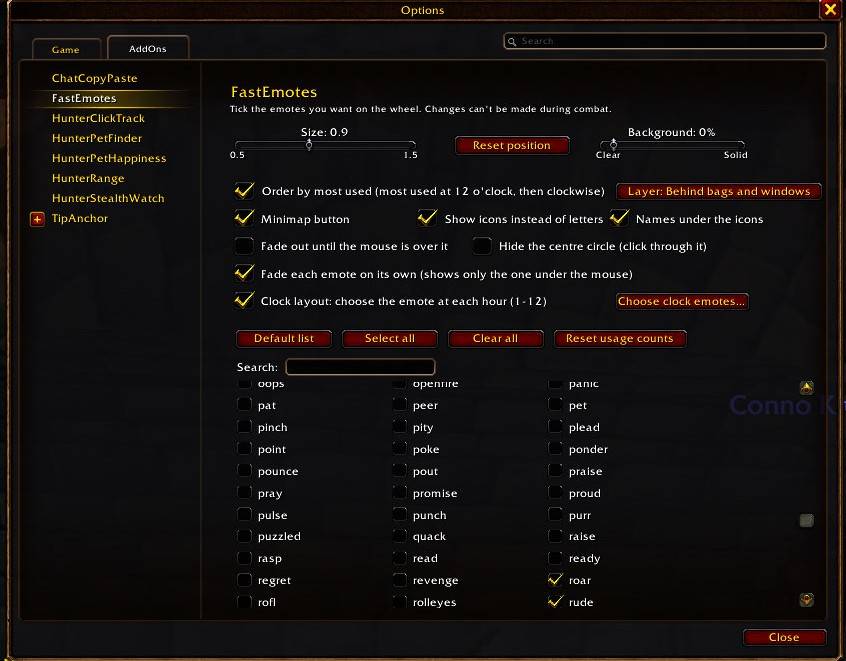
- Clock layout: choose exactly which emote sits at each hour, 1 to 12 (12 at the top). Positions never move, so you always know where your favourites are. Turn it on in the options or with
/fe clock, and start from your current wheel with one click. - The options panel lists every emote the game has (over 250), with a search box.
- Tick the ones you want on the wheel, or use Default list, Select all or Clear all.
- Change the wheel's size with a slider, and its background from solid to completely clear.
- Choose its layer: on top of everything, behind your bags and windows, or behind most of the interface.
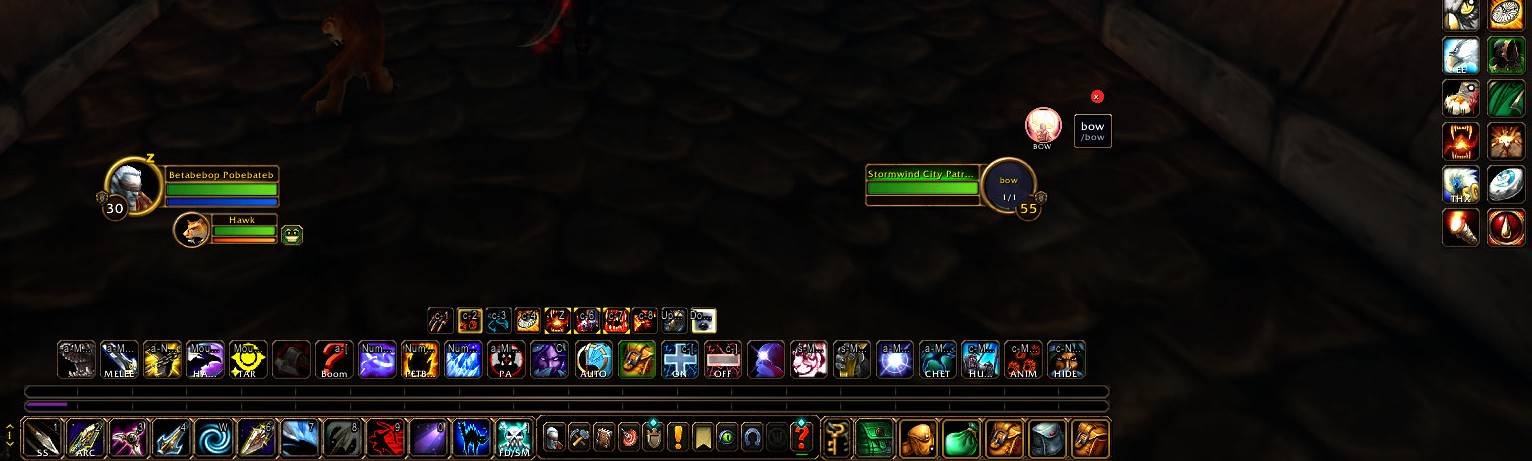
- Wrap it around a portrait: let the wheel fade out until your mouse is over it (the whole wheel, or each emote on its own so only the one under your mouse shows), and hide the centre circle so a portrait (your target's, for example) shows through the middle and can still be clicked.
Thank by name
- Target a player and click THA to thank them by name.
Minimap button
- Left-click: open or close the wheel
- Right-click: open the options
- Drag: move the button around the minimap
- Hide it from the options panel, or with
/fe minimap
Commands
| Command | What it does |
|---|---|
/fe |
Open or close the wheel |
/fe config |
Open the options panel |
/fe all |
Put every emote on the wheel |
/fe default |
Back to the short default list |
/fe scale <0.5-1.5> |
Change the size |
/fe reset |
Move the wheel back to the middle of the screen |
/fe minimap |
Show or hide the minimap button |
/fe resetuse |
Forget the most-used counts |
/fe icons |
Switch between icons and letters |
/fe clock |
Choose the emote at each hour (clock layout) |
/fe help |
List the commands |
Notes
- Built for WoW Forever (
## Interface: 16001, 120000). - The game doesn't let addons open, close or change the wheel during combat. The emote buttons keep working, and anything else waits until the fight ends.
More addons by Beleriand
More of my addons for WoW Forever:
- HunterRange: a clear melee / dead zone / ranged bar with yards
- HunterPetFinder: which beast to tame for each pet ability, with spawn maps and tracking
- HunterPetHappiness: pet happiness bar, feed timer, warnings and pet buffs/debuffs
- HunterClickTrack: click minimap tracking dots to target them, plus an enemy player list
- HunterStealthWatch: alerts when enemy players appear, rogues vanish or druids prowl
Credits
- Author: Beleriand
Found a bug? Leave a comment with what happened.
FastEmotes Team