Thousand Knives – Combo Points for Rogues
- By
Combo points under Forever's own nameplate and in a bar of your own, in three styles. Built-in UI only, so the classic look stays intact.
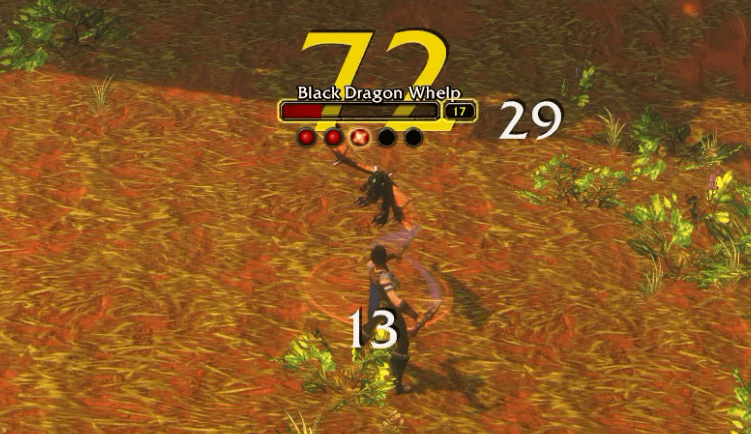
Points being added.png
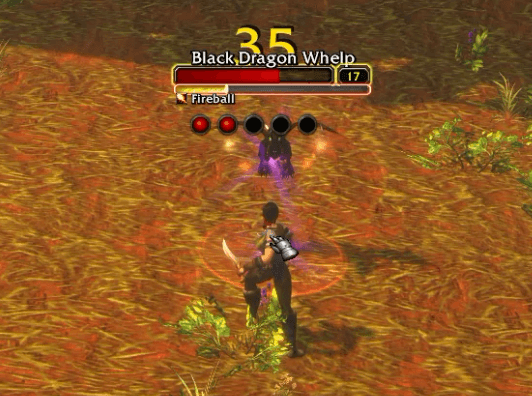
Points with Castbar.png
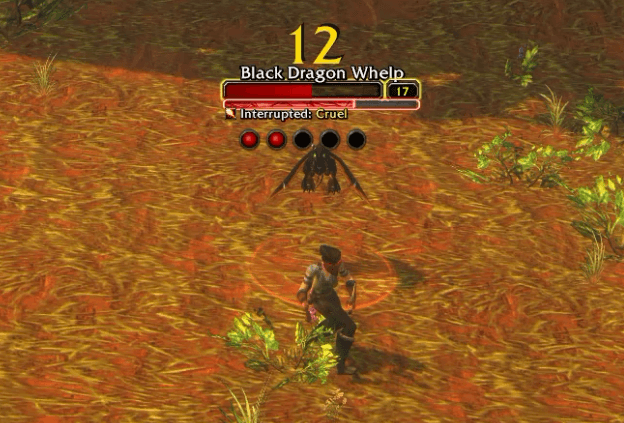
Points with Interupted Cast.png
gallery-1-styles.png
gallery-2-layouts.png
gallery-3-nameplate.png
Settings 1.png
Settings 2.png
Settings 3.png
Settings 4.png
Description
Description
Thousand Knives puts your combo points where your eyes already are, and makes every finisher feel good.
Made only for WoW: Forever's built-in UI. Thousand Knives is for Forever's own frames and nameplates, and only those. It uses the game's own art and sits in the default UI so the classic look stays as close as possible. It is not built for replacement UIs or nameplate addons.
Three styles
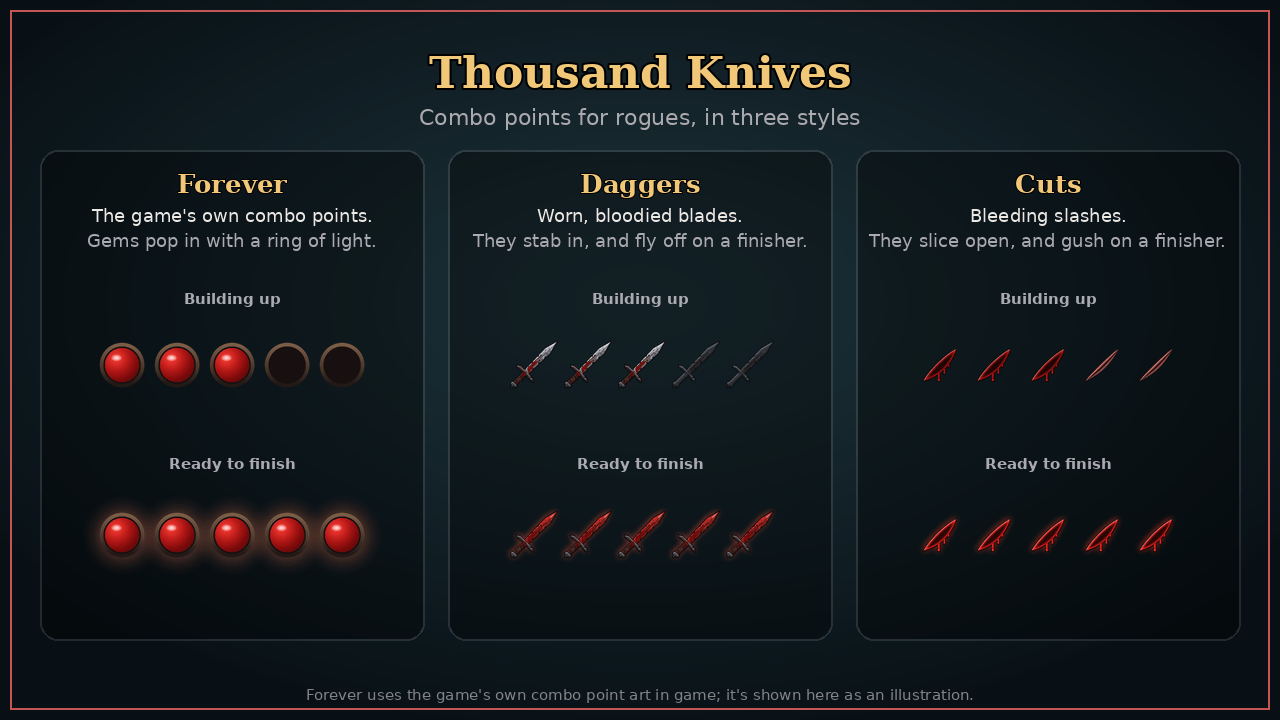
- Forever – the game's own combo point gems. Each point pops in with Blizzard's ring of light and a turning star, and a finisher bursts them off. It looks like part of Forever's UI, because it uses Forever's own art.
- Daggers – worn, chipped, bloodied blades. Each one stabs in along its blade and quivers; on a finisher they fly off toward your target.
- Cuts – bleeding slashes. A glint of wire whips along each one and it slices open; on a finisher they gush.
Right on the nameplate
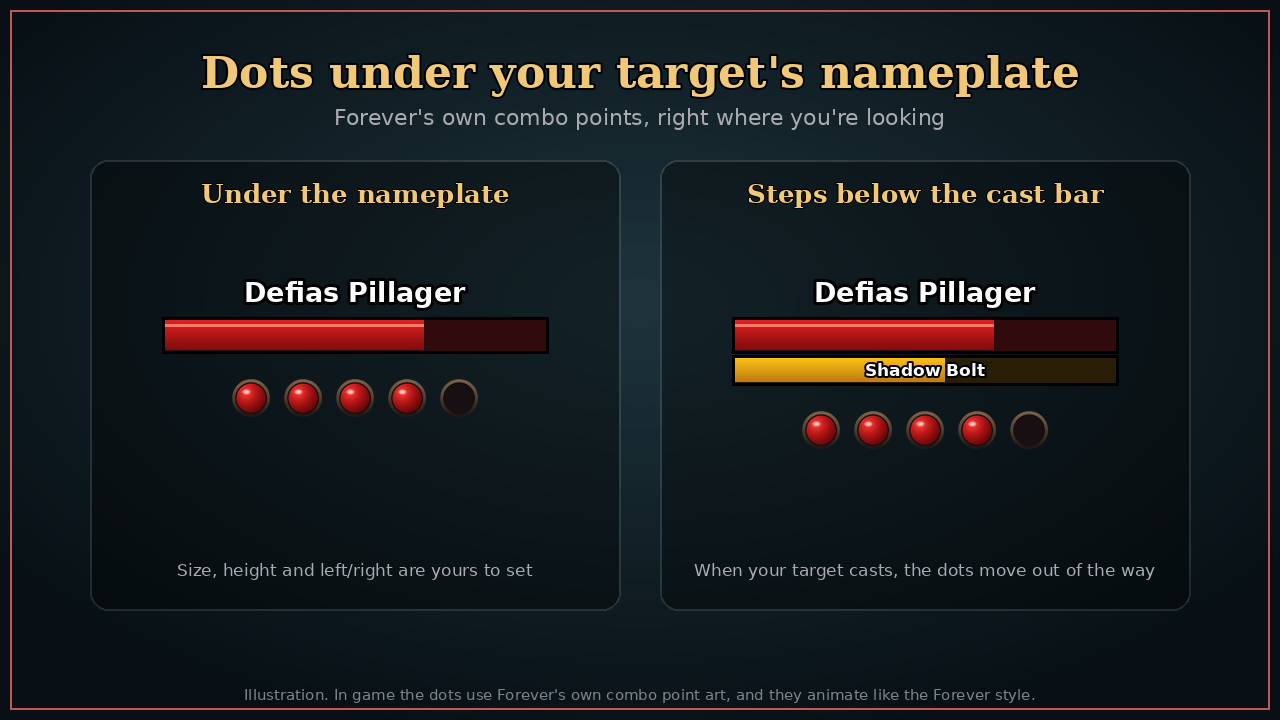
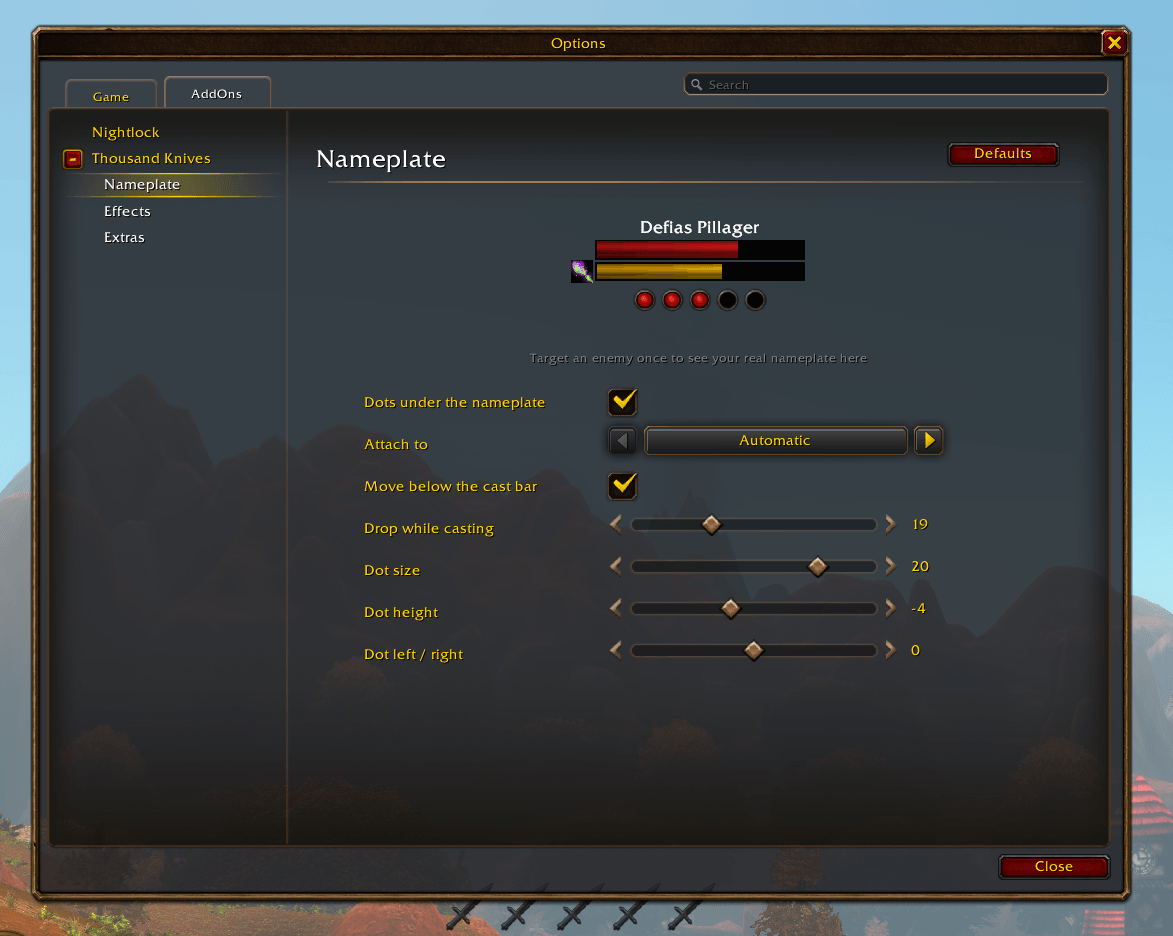
Forever's combo point dots sit just under your target's built-in nameplate, so you never look away from the fight. They step below the enemy's cast bar while it casts, animate just like the Forever style, and you can size and nudge them with a live preview of your real nameplate in the settings.
Built for the fight
- Any finisher counts: Eviscerate, Slice and Dice, Rupture, Kidney Shot, Expose Armor – the burst plays for all of them
- Never waste a point: the bar shakes red if a builder lands while you're already full
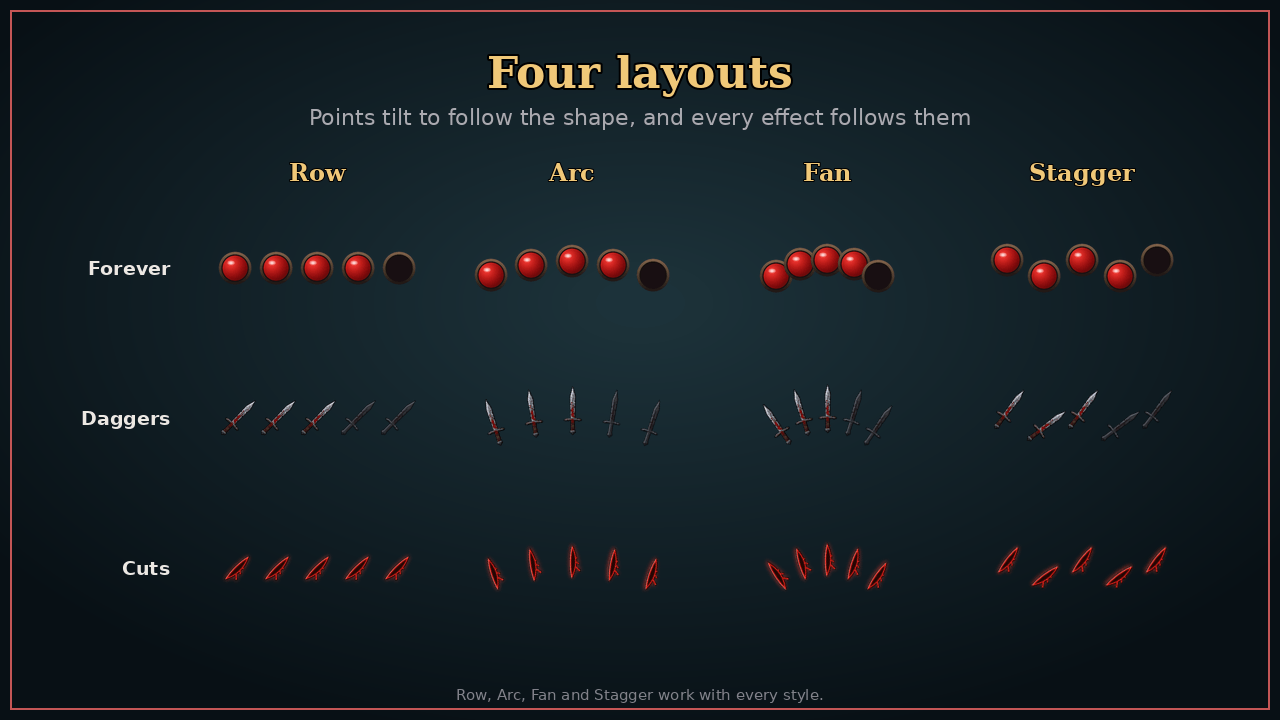
- Four layouts: a Row, a gentle Arc, a Fan of blades, or a loose Stagger – every effect follows the shape
- Works in dungeons and raids, where Forever hides the combo point count from addons: your points still show
- Sneaky: the bar sinks into shadow while you're stealthed
Yours to tune
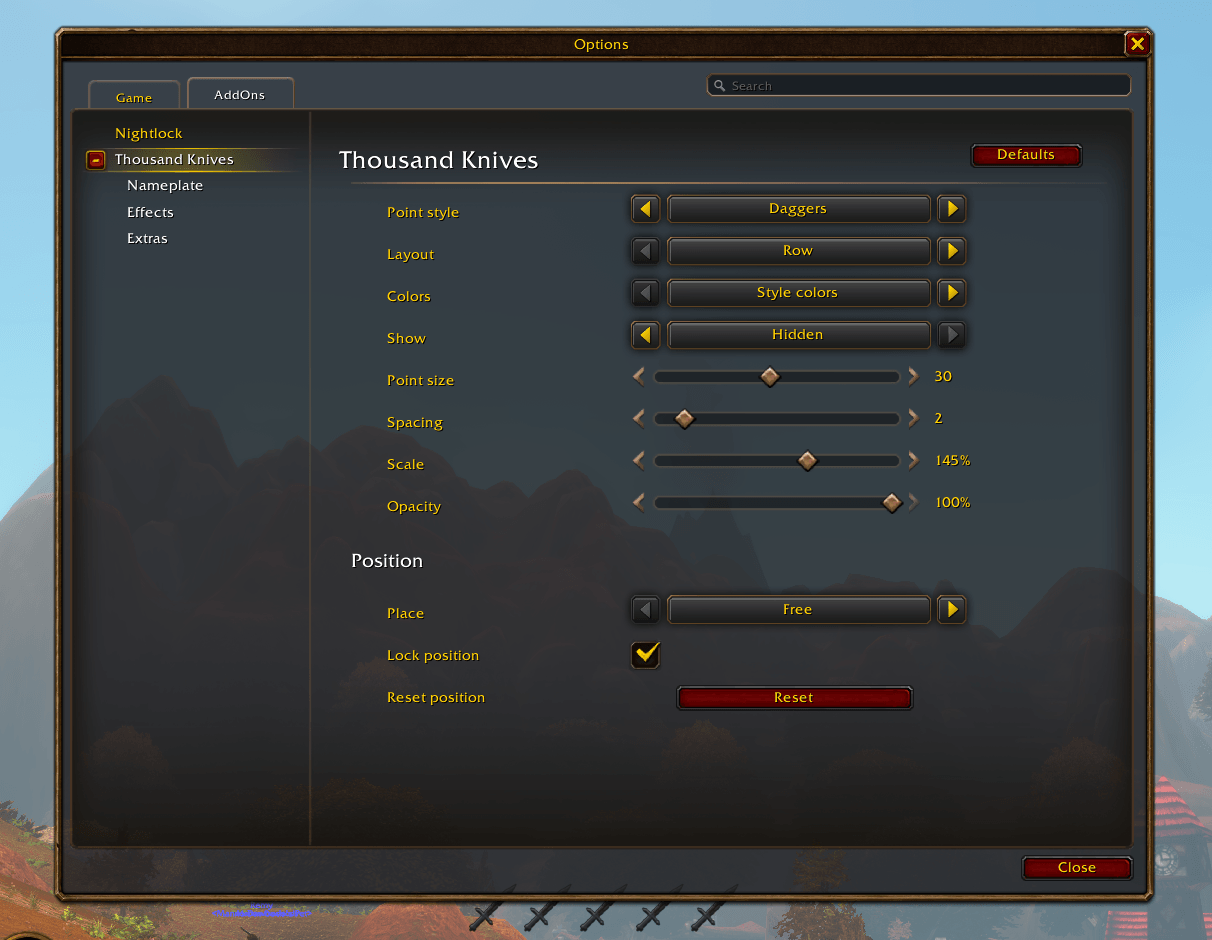
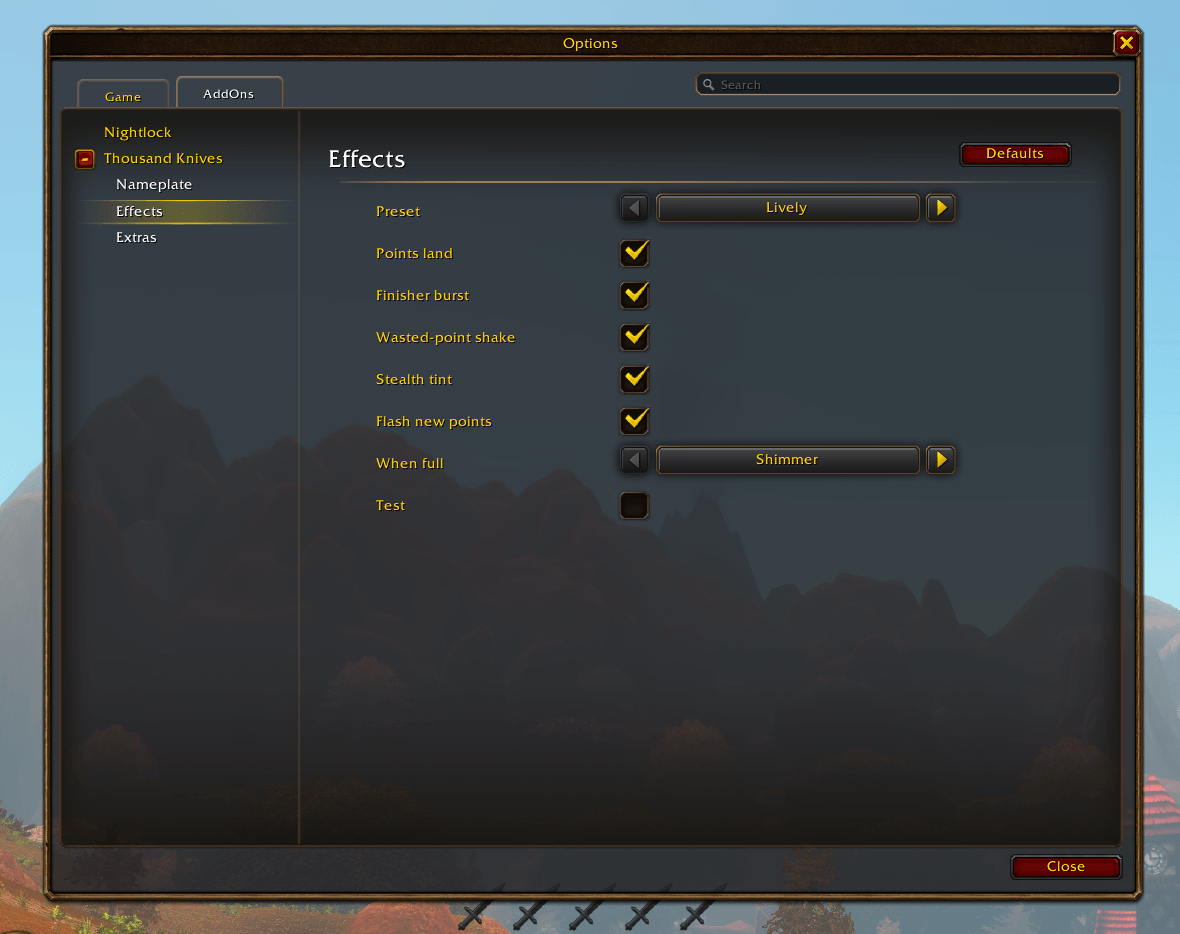
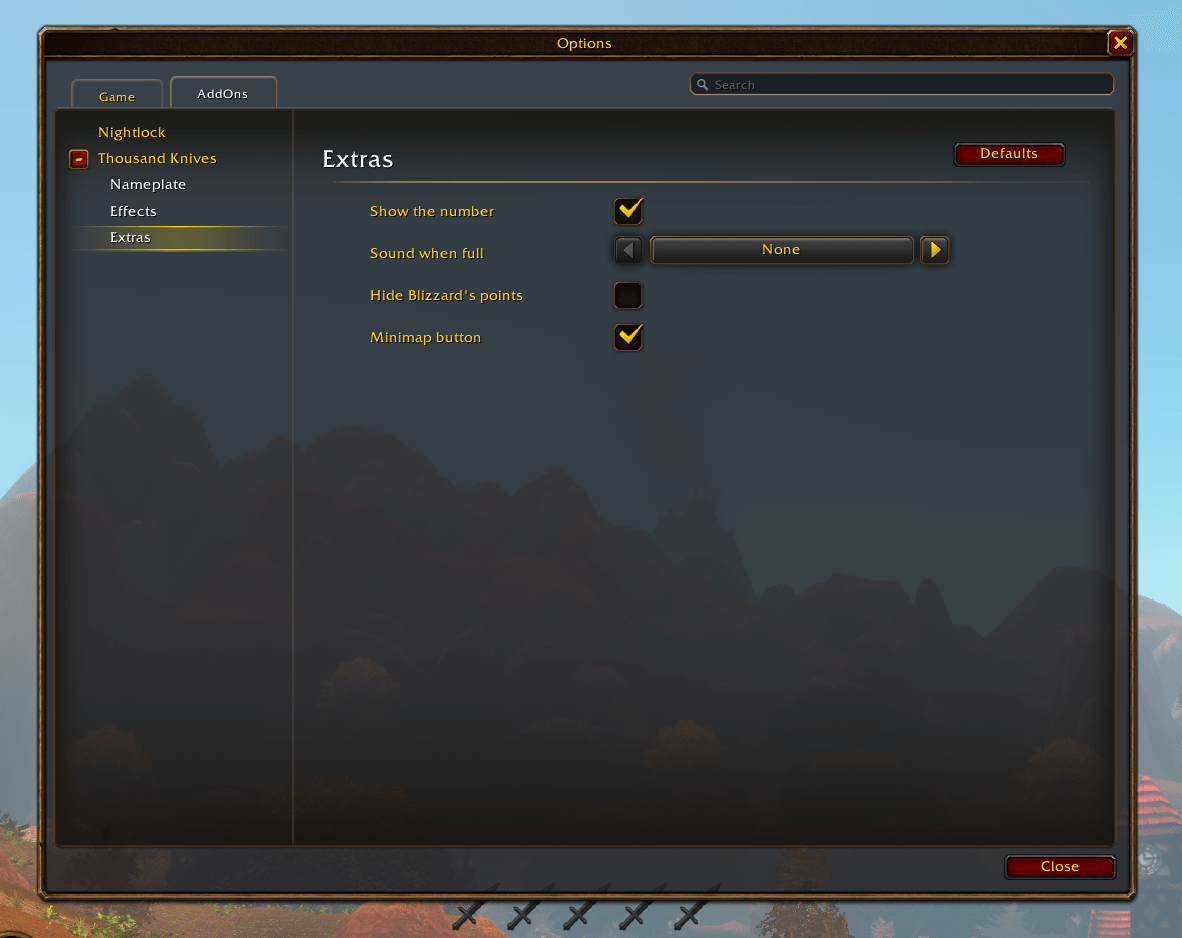
Settings live in Options > AddOns > Thousand Knives, with Nameplate, Effects and Extras pages. Pick a preset (Lively or Calm) or switch each effect yourself; set the size, scale, opacity and place; dock under the Personal Resource Display or the target frame; move it in Edit Mode.
Out of the box you get the nameplate dots under your target's nameplate. Set Show to In combat or Always to add the big bar.
Type /knives (or /tk), or click the minimap button, for settings. /knives test plays the whole show without a target.
Built-in UI only
Thousand Knives works only with World of Warcraft: Forever's built-in UI. That limit is on purpose: the addon is there to keep the classic look, not to restyle a custom interface.
- Nameplate dots sit on Forever's own nameplates. They do not follow nameplate addons (EllesmereUI, Plater, and the like). If you use one of those, leave the dots off. Those addons can show combo points themselves; pick one set, not both.
- The bar docks under Forever's Personal Resource Display or target frame, and moves in Forever's Edit Mode. It is meant to look like part of the default UI, not a piece of a unit-frame suite.
- Other clients (retail, other Classic flavors) are not supported. Use Forever's default nameplates and frames.
Thousand Knives – Combo Points for Rogues Team