Nightlock – Brew, Coat & Track Your Poisons
- By
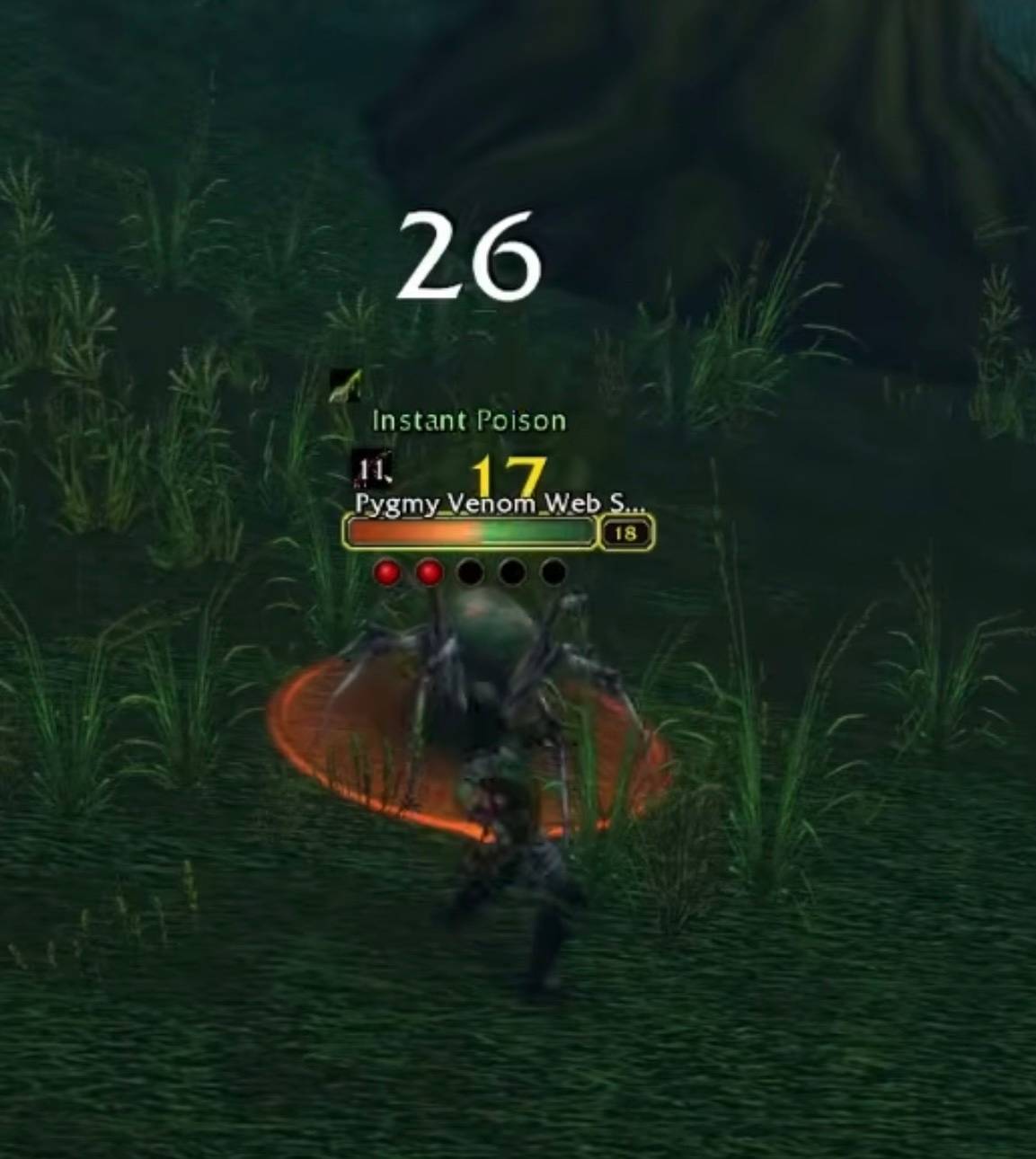
Never fight with a clean blade. Track, recoat, or switch poisons in one click, even in combat, and brew more from a clean rogue bench. On your target, the health bar glows in the poison’s color and its name pops off the nameplate. For WoW: Forever.
IMG_3584.jpeg
IMG_3581.jpeg
Screenshot 2026-10-08 215155.png
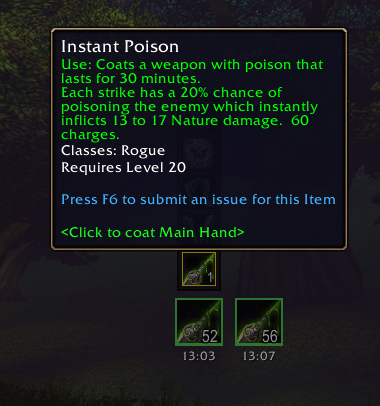
Screenshot 2026-10-08 215142.png
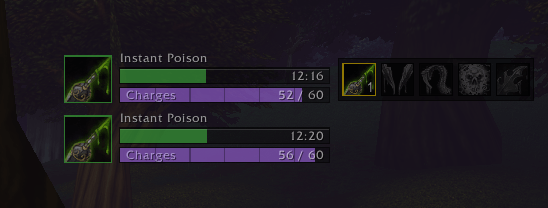
IMG_3573.png
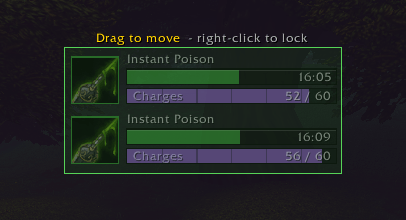
IMG_3572.png
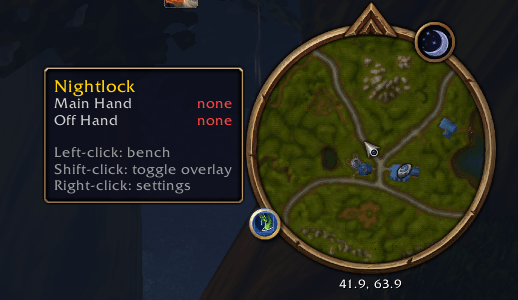
Mini Map Icon.png
Description
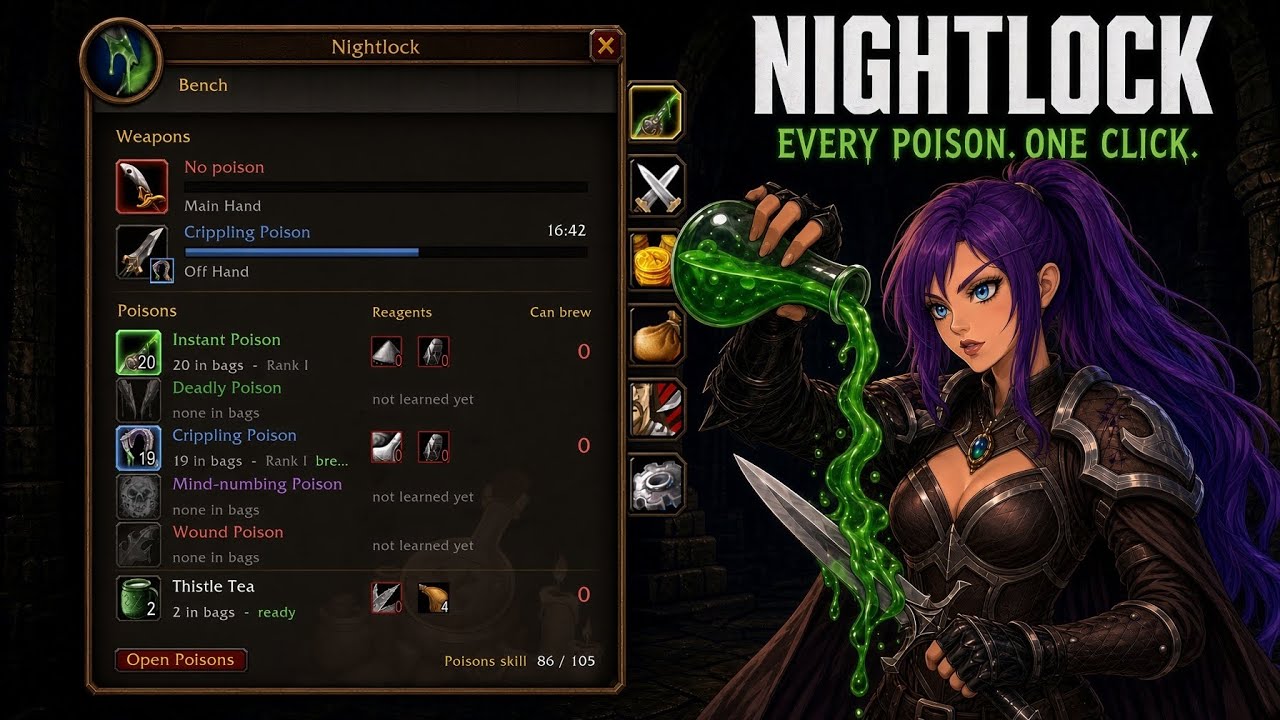
Nightlock is a poison kit for rogues in World of Warcraft: Forever. A small overlay shows exactly what's on your blades, one click coats them again, and a bench window handles your stock and brewing, so you're never caught mid-pull with a clean blade.
Overlay
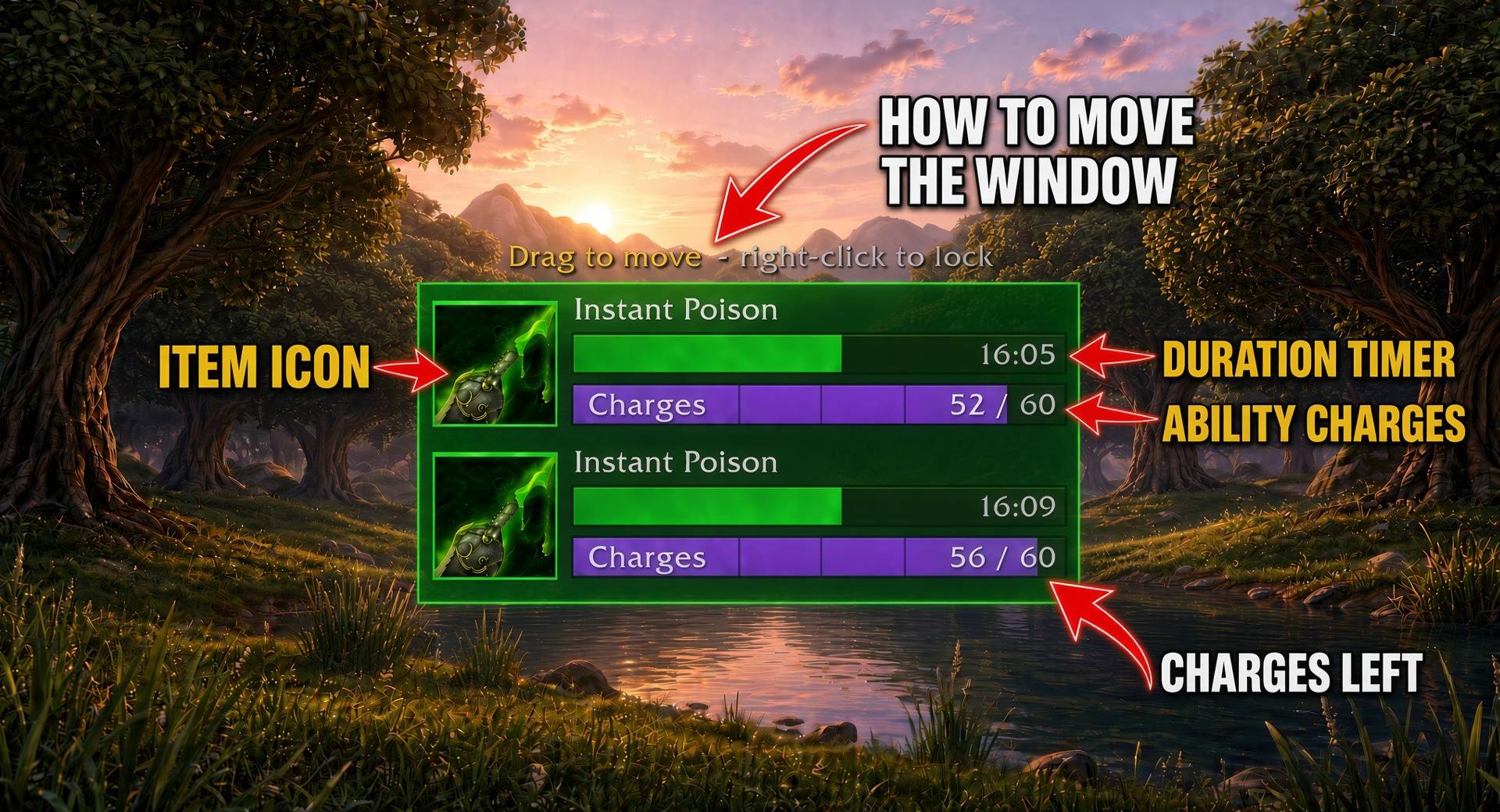
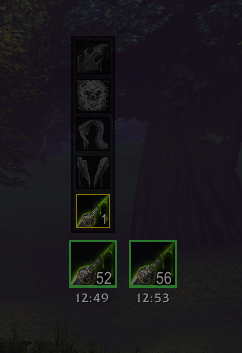
A small tracker for each weapon: the poison's icon and name, a colored bar for time left and a
purple bar for charges left, each with its number on it (12:30, 56 / 60, a faint tick every
10 charges).
- Styles: Bars or Icons (buff-style with a draining swipe)
- Show: Always, In combat only, or Hidden. Optional fade while both poisons are healthy
- Low poison pulses orange; a clean blade pulses red
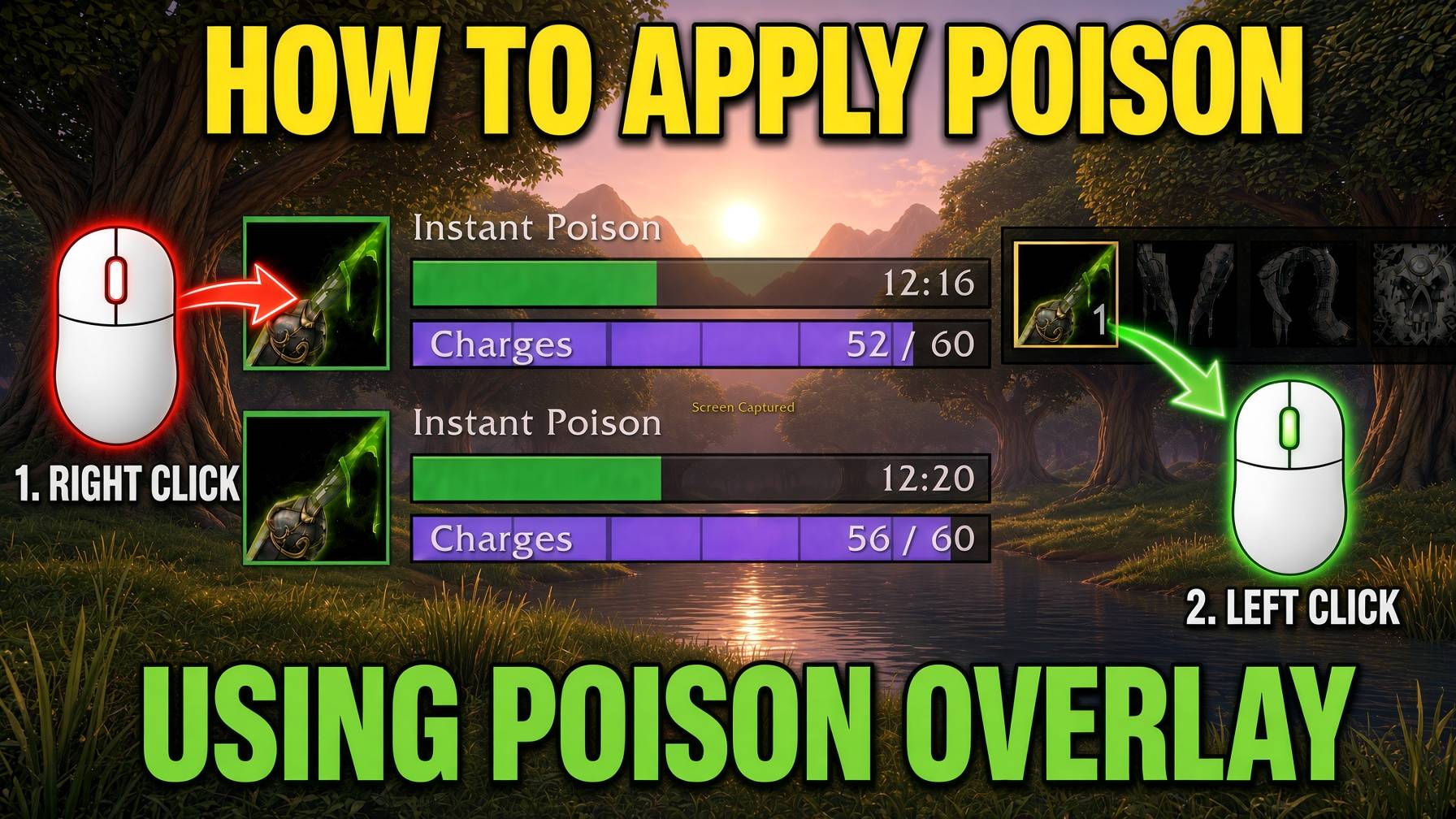
- Left-click a weapon to recoat it with your usual poison (works in combat)
- Right-click a weapon to pick a different poison
- Move it:
/nl lockor untick "Lock overlay position", drag, then right-click to lock
Poison hits
When a poison lands:
- a quick swoosh in its color sweeps across that weapon on the overlay
- your target's health bar glows in the poison's color
- the poison's name pops up over your target's nameplate and floats away
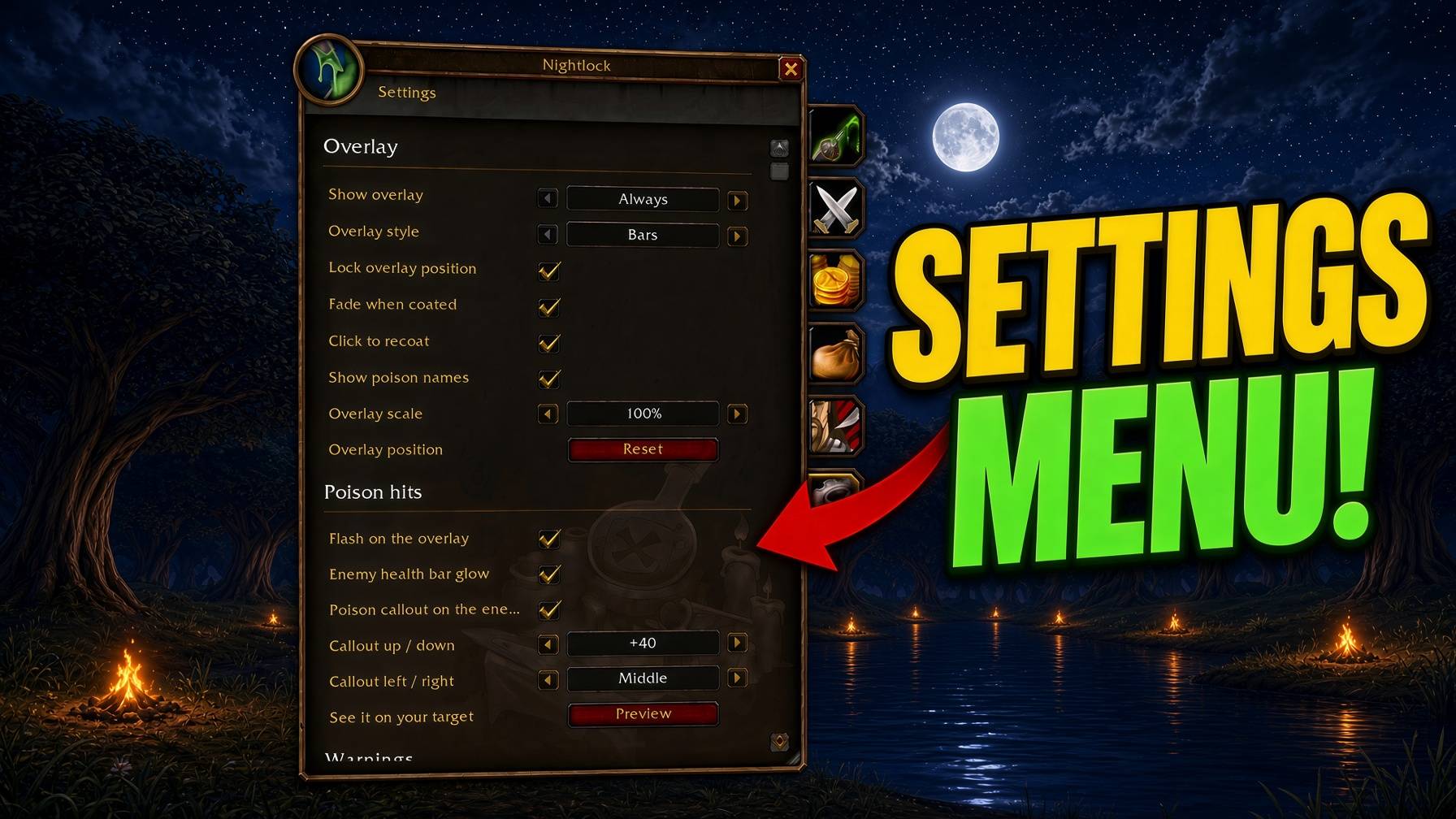
Each can be turned off in Settings, where you can also move the callout up, down, left or right and preview it on your target. The nameplate effects need enemy nameplates on (V).
Bench
/nl or the minimap button. Escape closes it (you can turn that off in Settings). Tabs down the
right side (hover one for its name):
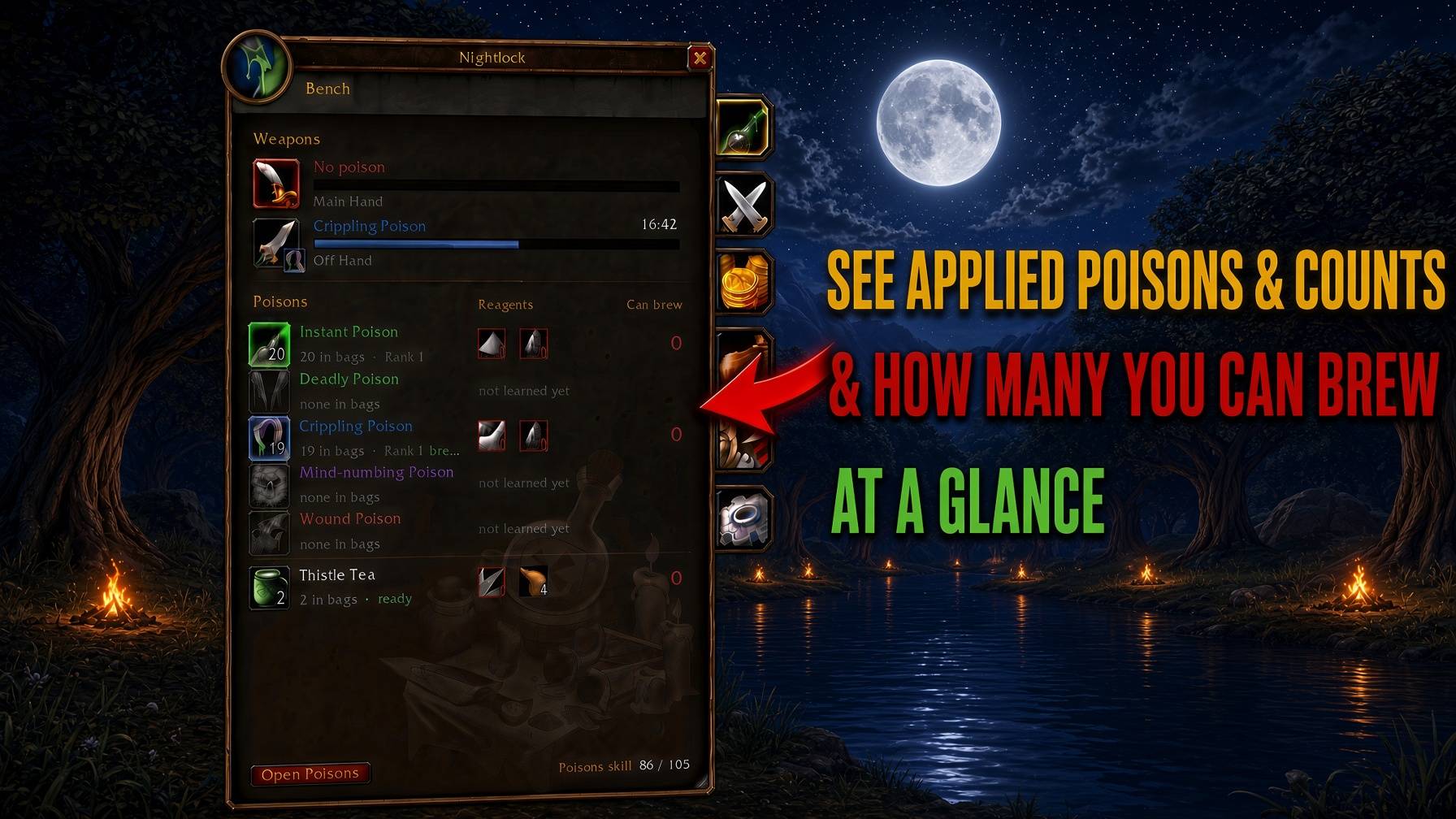
- Bench: your weapons (poison, time, charges; click a row to recoat), then one row per poison: on the left the vial you carry (left-click coats your main hand, right-click your off hand), on the right its reagents with how many you have (red when short) and how many you can brew. Thistle Tea is always the last row: count, cooldown, click to drink (even in combat), and its Swiftthistle and Refreshing Spring Water with how many you can make. Open Poisons opens the game's Poisons window to brew; reagents show up after you open it once. Click a poison's reagents for its costs
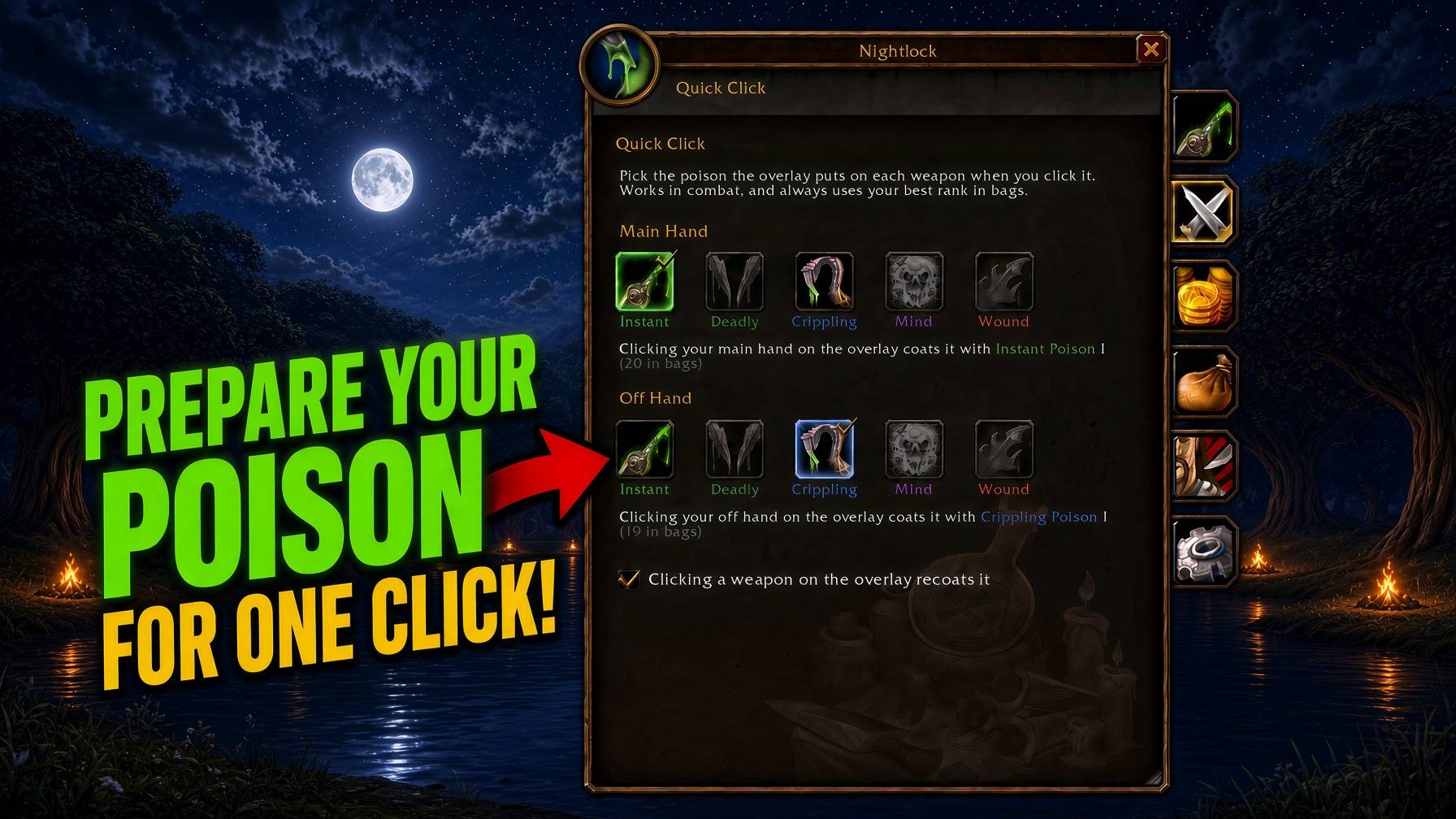
- Quick Click: choose the poison the overlay puts on each weapon when you click it
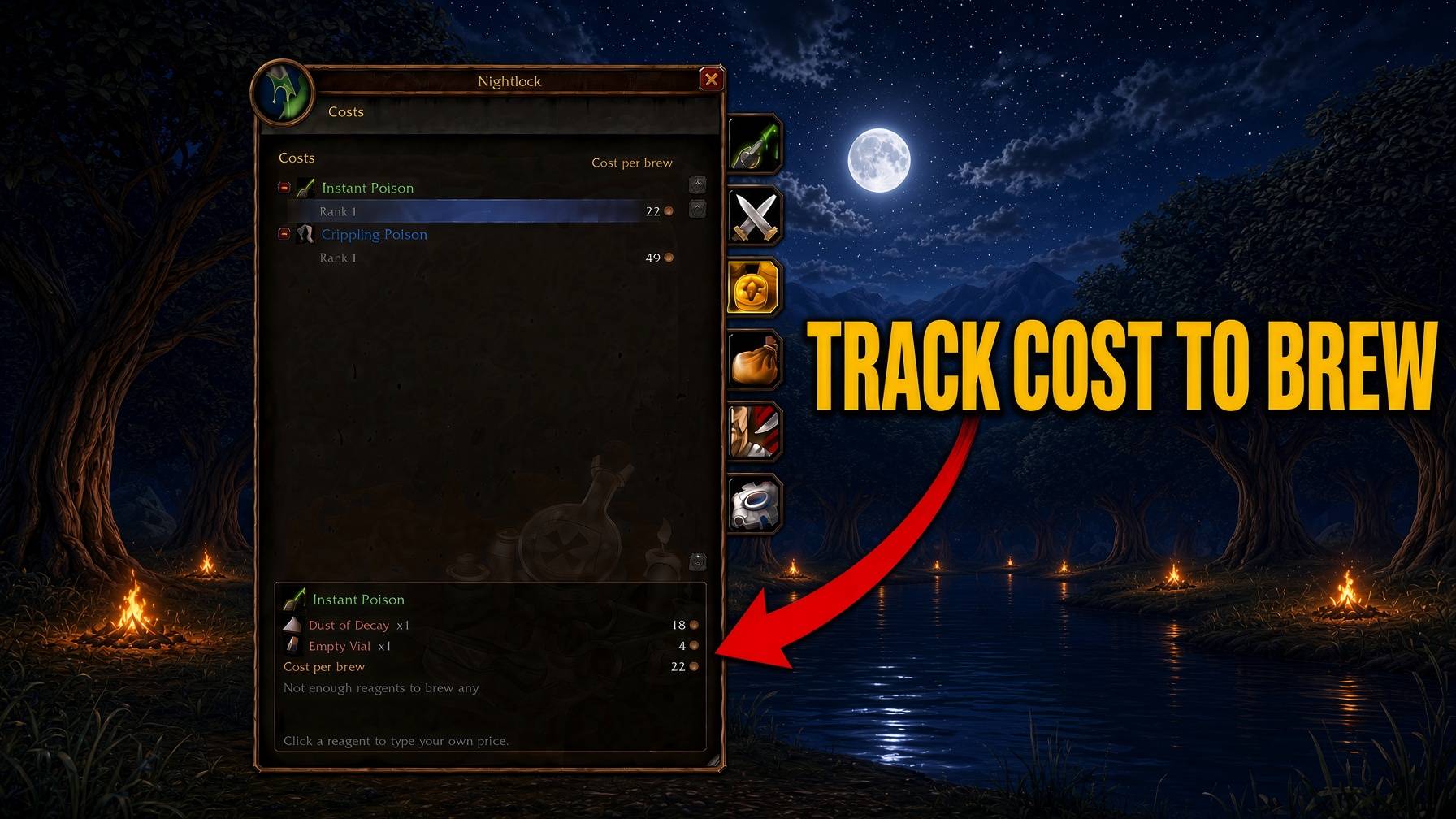
- Costs: your poisons grouped by type with their cost per brew; click one for its reagent prices and what brewing all you can costs. Visit a poison vendor once and the prices fill in; click a reagent to type your own price
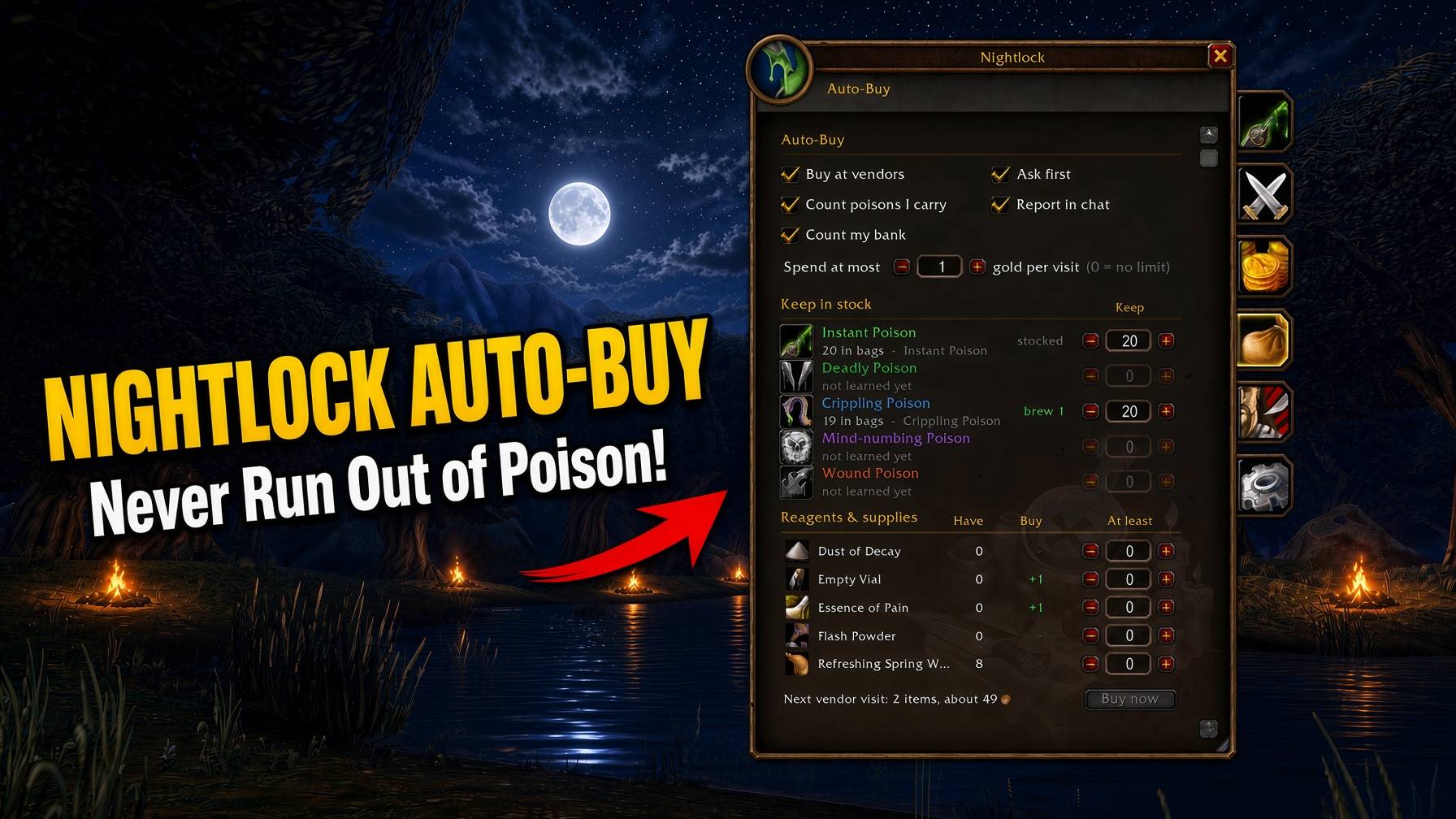
- Auto-Buy: set how many of each poison to keep, and (optionally) a minimum for any reagent. Opening a vendor that sells them buys what's missing, within a gold-per-visit limit and your bag space. Turn on "Ask first" for a Buy / Not now panel instead, or use "Buy now" on the tab
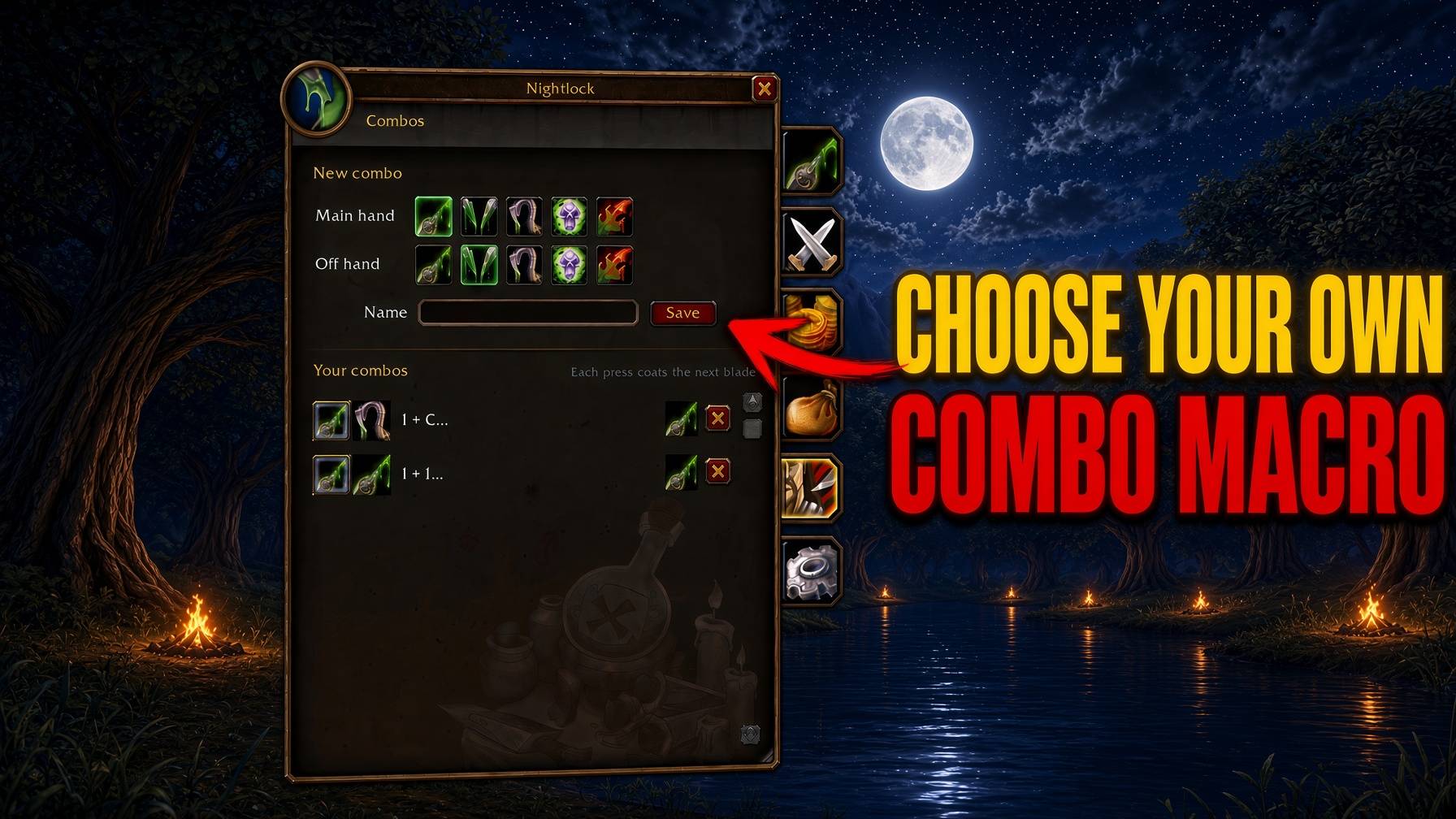
- Combos: save main/off hand pairs. Each press of a combo coats the next blade that needs it (main hand, then off hand) and skips a blade that's already coated. Drag its macro onto an action bar and that key does the same, in combat too; its icon is the poison that goes on next. Each coat is its own 3-second cast and the game needs a key press per cast, so it's one press per blade; after the first lands you're told to press again
- Settings: every option (also
/nl config, or right-click the minimap button)
Open the bench with /nl, the minimap button, an action bar button (Settings > Bench >
Action bar button > Pick up, then drop it on a slot).
Drag the bench's bottom-right corner to make it taller or shorter.
Commands
| Command | What it does |
|---|---|
/nl |
Open the bench |
/nl config |
Settings (the bench's Settings tab) |
/nl overlay |
Show or hide the overlay |
/nl lock |
Unlock the overlay to move it |
/nl reset |
Reset the bench and overlay positions |
/nl testhit |
Preview the poison-hit effects (target an enemy with nameplates on) |
/nl diag |
What the game reports about your weapons, recipes and hit effects (for bug reports) |
/nl help |
List commands in chat |
Minimap button: left-click bench, shift-click overlay, right-click settings, drag to move.
Notes
- Made for rogues in World of Warcraft: Forever. Poisons unlock at level 20.
- On other classes Nightlock stays silent and does nothing.
- Every click that applies a poison is a real click from you. Nightlock never applies anything on its own.
- Nightlock never touches your keybinds.
Found a bug or have an idea? Leave a comment or open an issue.
Nightlock – Brew, Coat & Track Your Poisons Team