Runway
- By
One action button for all your outfits. Left-click to wear it, right-click to swap to any saved outfit.
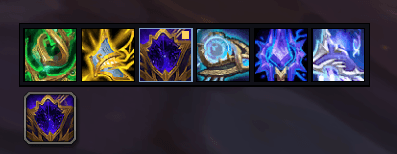
Horizontal Bar.png
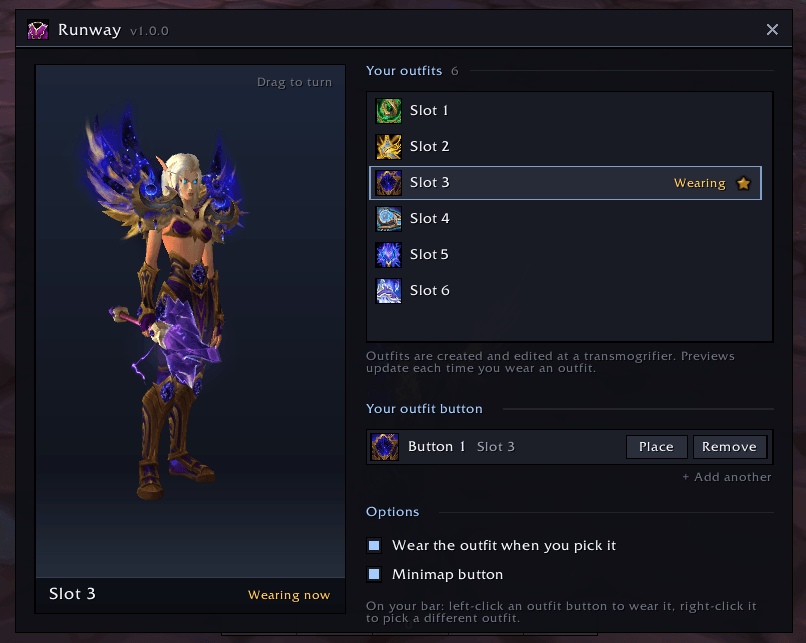
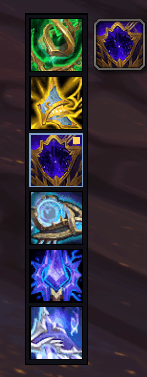
Vertical Bar.png
Description
**Runway** turns a whole bar of outfit buttons into one. Put a Runway button on your action bar, **right-click** it, and a tidy grid of your saved outfits appears beside it. Pick one and the button becomes that outfit, and you change into it. Left-click wears it any time after that.
### Features
- **One button, every outfit.** Stop spending a bar on outfit buttons.
- **Right-click to swap** from a compact grid right next to the button, with your outfits' own icons and names.
- **Wear on pick** (optional): choosing an outfit puts it on straight away.
- **Cooldown shown.** The 3-second outfit-change cooldown sweeps across your buttons, so you know when you can change again.
- **See your outfits.** Settings shows your character wearing each outfit in 3D. The one you have on is live; the rest are remembered from the last time you wore them.
- **Always in sync.** Rename, re-icon, reorder or delete outfits at the transmogrifier and your buttons follow.
- **One button or several** (up to 10), each remembering its own outfit.
- **Clean bars:** no macro name on the button on default action bars.
- Works with **default bars, Bartender4, Dominos and ElvUI**.
- Nothing to configure: two options, key bindings, minimap button and addon compartment entry.
### Getting started
1. Save your outfits at a transmogrifier.
2. Type `/runway new` and drop the button on an action bar.
3. Right-click it and choose an outfit.
### Commands
| Command | What it does |
| --- | --- |
| `/runway` | Settings and your outfit buttons |
| `/runway new` | Pick up a new outfit button |
Requires World of Warcraft: Midnight 12.0.5 or later (the game's outfit system and `/outfit` command).
Found a bug or using a bar addon that isn't supported yet? Leave a comment or open an issue.
The Runway Team