StBu Nesingwarys Petopia | Forever
- By
Ultimate Hunter Pet compendium with interactive 3D models, 740+ tameable beasts with spawn areas on the world map, complete ability & rank progression, real-time search, and modern Blizzard UI.
Description
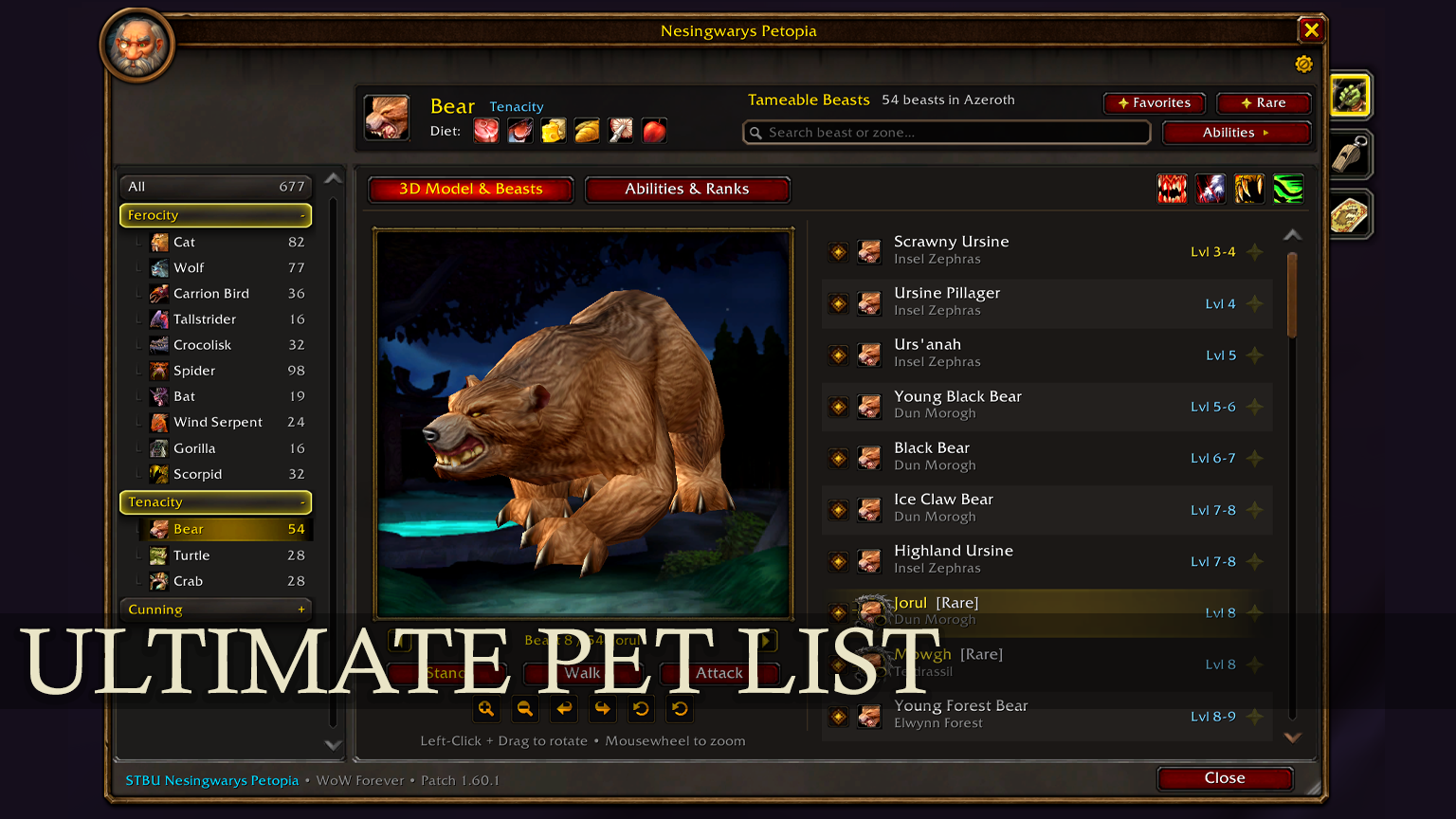
STBU Master Petopia is the ultimate, modern in-game companion guide for Hunters in WoW Forever and WoW Classic. Seamlessly integrated into the native Blizzard interface, it provides complete access to pet families, interactive 3D model previews, real-time search filters, learnable pet abilities across all ranks, and accurate interactive spawn areas with quest-like pins on your World Map.
✨ Key Features
- Full Hunter Pet Compendium: Complete database of all 17 pet families across Ferocity, Tenacity, and Cunning specializations.
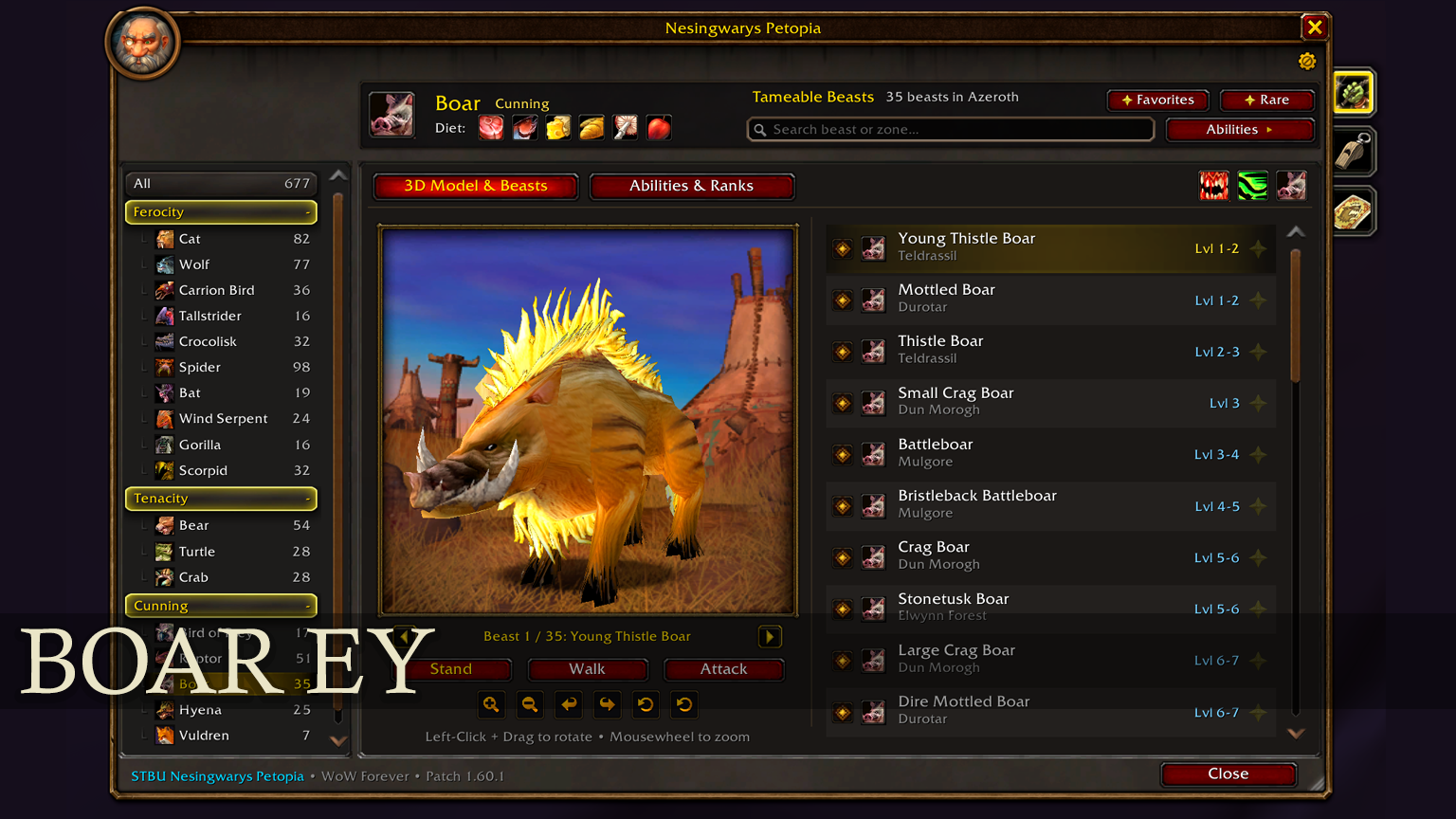
- Interactive 3D Model Viewer: Inspect any beast model in real-time with full 360° mouse rotation, smooth camera zoom, auto-rotation mode, and animation previews (Stand, Walk, Attack).
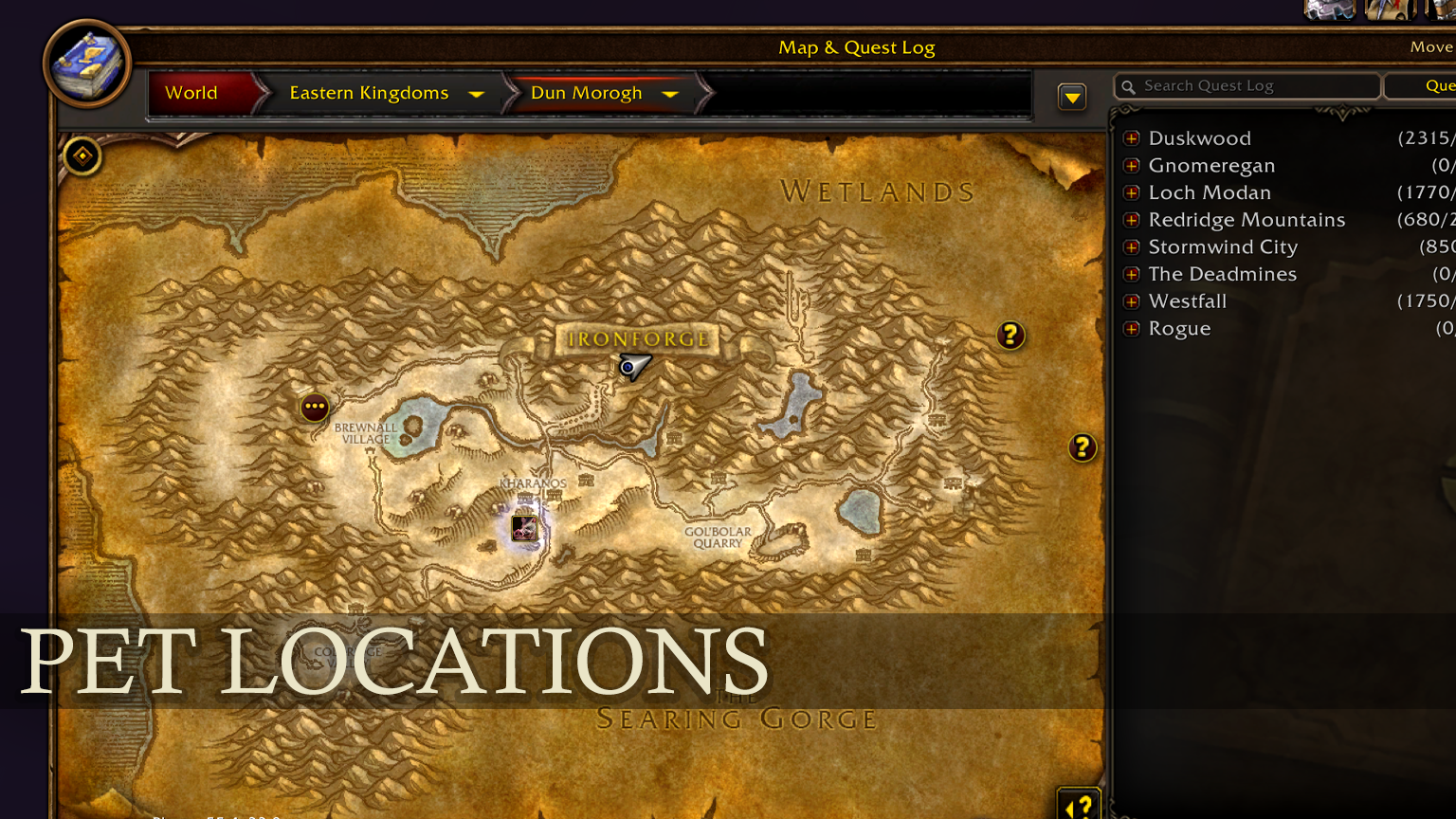
- 740+ Tameable Beasts with Exact Locations: View every tameable beast in Azeroth with accurate level ranges, rare/elite badges, and exact coordinates.
- Interactive World Map Quest Pins: Click the map icon [ 🗺️ ] next to any beast to open the World Map with a glowing, animated spawn circle and a high-strata Hunter pin. Right-click to dismiss at any time.
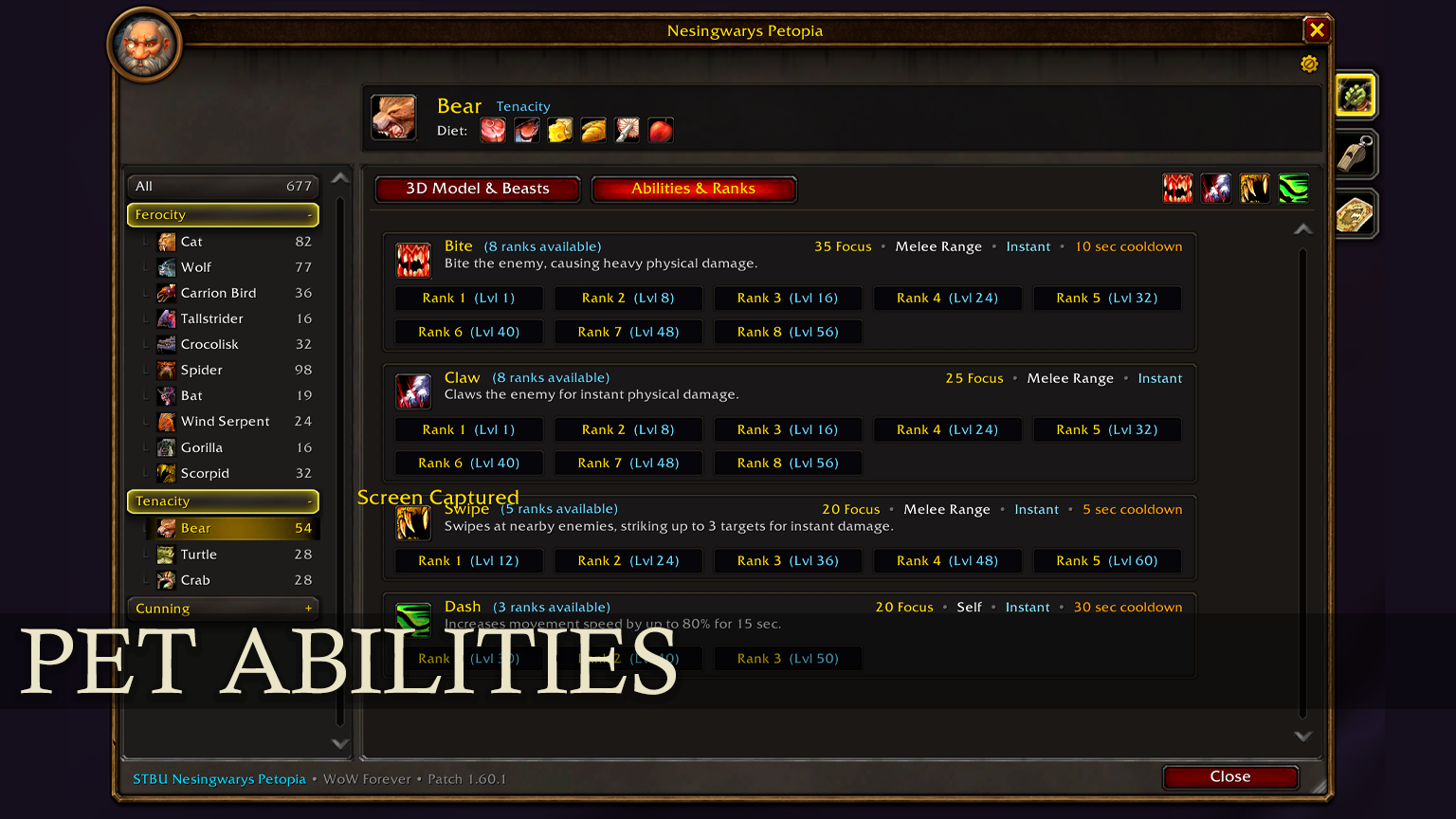
- Complete Pet Abilities & Ranks Guide: Full breakdown of all learnable pet skills (Bite, Claw, Screech, Dash, Prowl, Lightning Breath, Charge, etc.) including required levels, ranks, focus costs, and damage stats.
- Real-Time Search & Quick Filters: Instant search by beast name, zone, or family. Toggle the [★ Rare] filter with a single click to find rare spawn challenges.
- Account-Wide Favorites: Star your favorite pets and filter by them whenever planning your next taming expedition.
- Native Blizzard UI Design: Built using modern NineSlice border frames with adjustable transparency, dark mode tones, fluid scaling (60% – 150%), and draggable positioning.
- Seamless Dual Language Support: Full localization in English (enUS/enGB) and German (deDE), automatically adapting to your game client.
🧭 In-Game Usage & Controls
Opening the Guide
- Type
/petopiaor/stbupetopiain your chat window. - Or left-click the custom circular Bear Minimap Button.
- Or access it directly via Blizzard's Addon Compartment menu.
3D Model Viewer Controls
- Left-Click & Drag: Rotate model horizontally.
- Mousewheel: Zoom in and out.
- Skin Selector (< / >): Cycle through all distinct creature skins for the selected family.
- Stand / Walk / Attack: Trigger real creature animations in the viewer.
- Auto-Rotate: Toggle smooth automatic rotation.
Window Scaling & Movement
- Move Window: Left-click and drag the upper title bar or footer button.
- Scale Window: Drag the bottom-right corner grip to scale between 60% and 150% (right-click grip to reset to 100%).
- Close Window: Press Escape or click the top-right close [X] button.
🗺️ World Map Integration
Never search external databases or tab out of the game again! When clicking the map button on any beast entry:
- The World Map opens automatically centered on the creature's native territory.
- A soft-pulsing quest area blob highlights the valid hunting grounds.
- A high-level Hunter Pin appears with a custom tooltip displaying name, level range, exact coordinates, and pet family.
- Simply Right-Click the pin to clear all markers when you are finished.
⚙️ Options & STBU Addon Suite
Click the golden gear icon directly beneath the [X] close button to access in-game settings:
- Toggle Minimap button visibility.
- Enable/disable 3D model auto-rotation on open.
- Toggle map spawn area pulse effects.
- Discover other popular addons from the STBU family with instant CurseForge link copying.
🌟 Recommended STBU Addons
- STBU Better Auction Find: Advanced client-side search filter for bonus stats and armor attributes on the Auction House.
- STBU CraftBook Forever: Compact profession handbook with difficulty and craftability filters, plus item tooltip reagent details.
- STBU Master Questlog: Double-pane Quest Log replacement featuring zone level guides, gathering nodes, and class trainer directories.
💬 Feedback & Support
If you encounter any issues, missing spawns, or have suggestions for future updates, please leave a comment on CurseForge or reach out via our community channels. Happy hunting in Azeroth!
StBu Nesingwarys Petopia | Forever Team