StBu Master Questlog | Forever
- By
The Ultimate Classic Questing, Leveling & Profession Companion with double Questlog Layout
Description
STBU Master Questlog
The Ultimate Classic Questing, Leveling, Farming & Profession Companion for World of Warcraft.
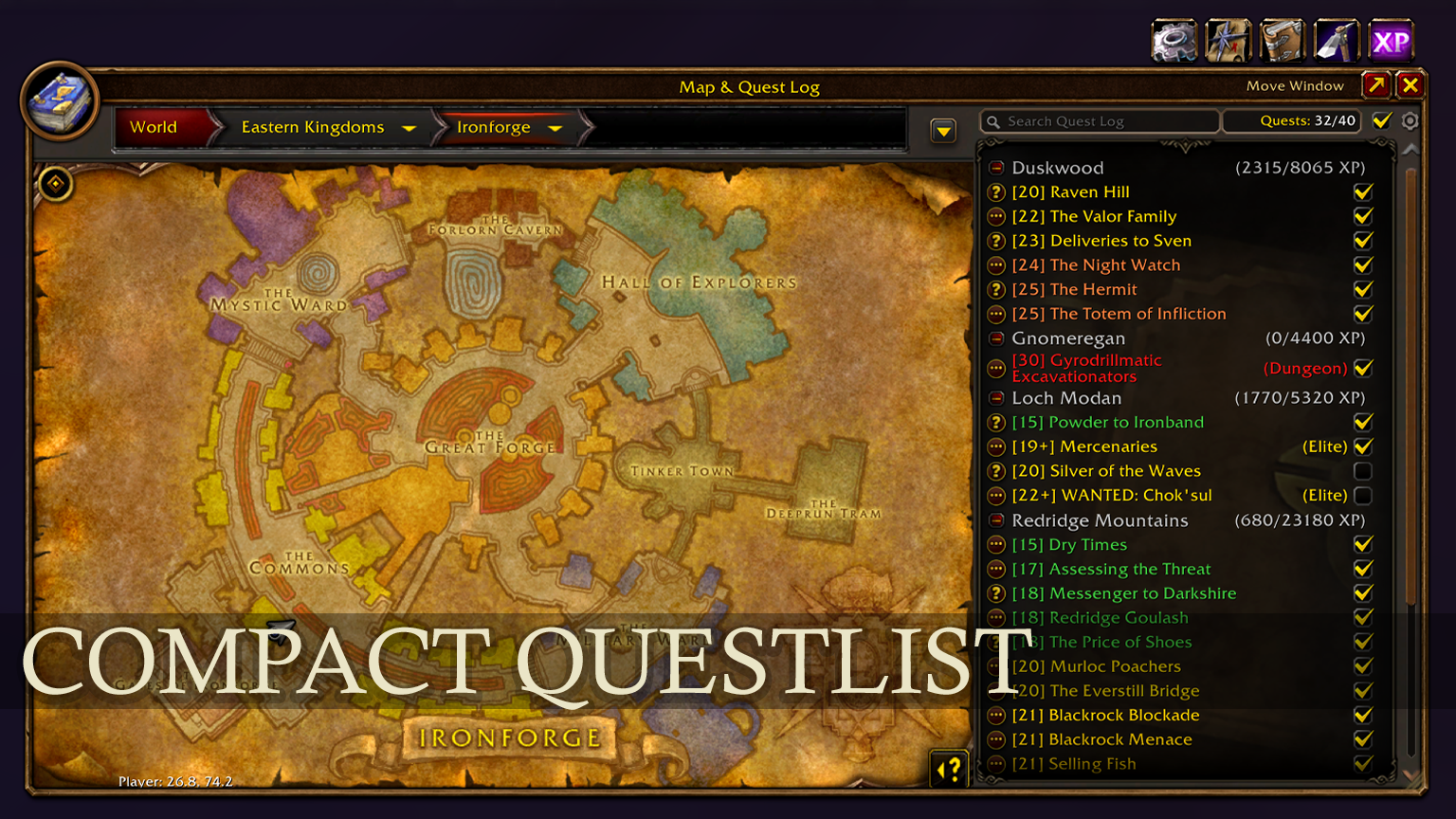
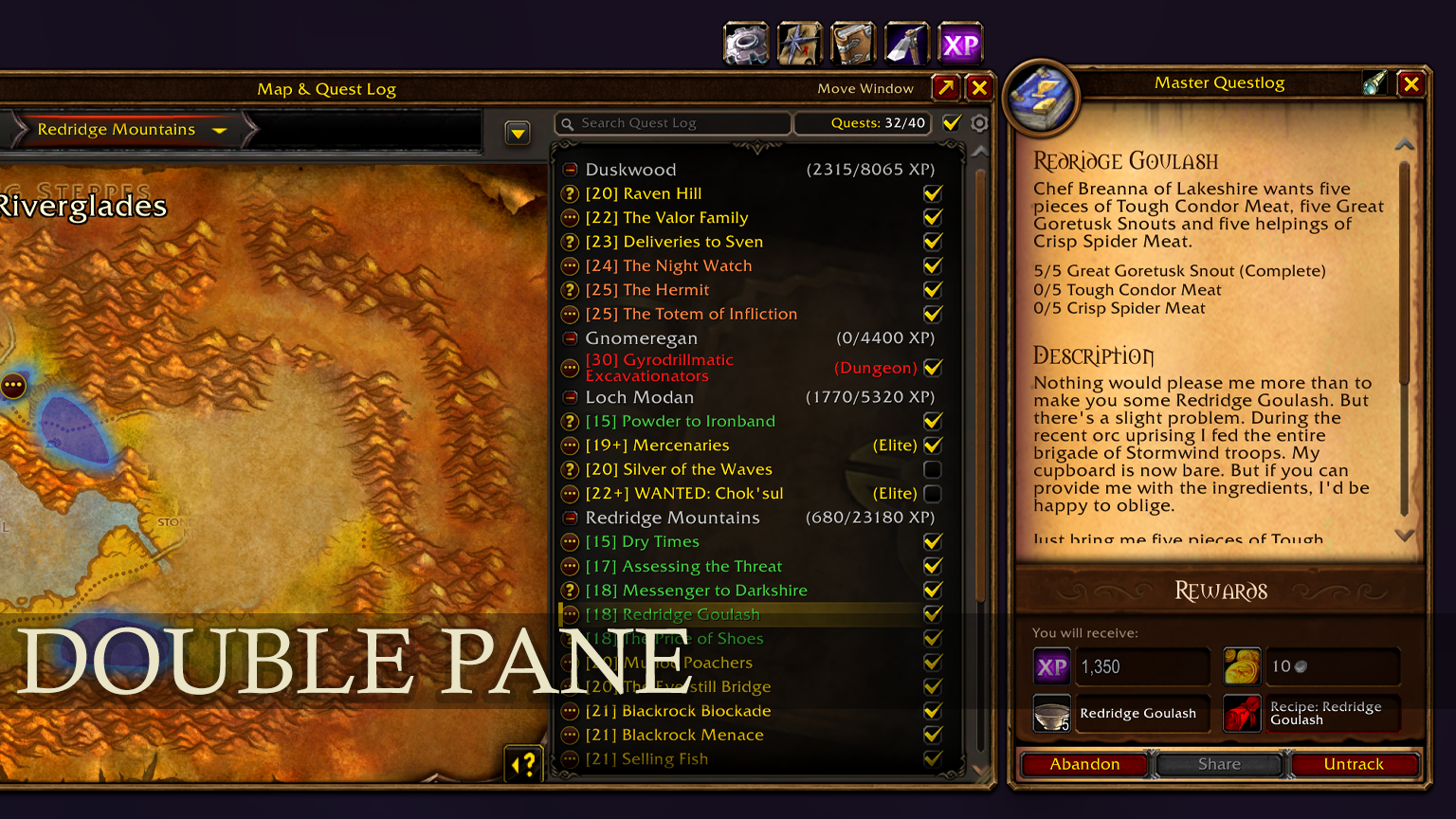
Tired of the cramped default Classic questlog that hides your quest list every time you click on a quest? STBU Master Questlog transforms your quest log into an ergonomic Side-by-Side (Double-Pane) interface, beautifully framed in authentic high-resolution Blizzard gold artwork.
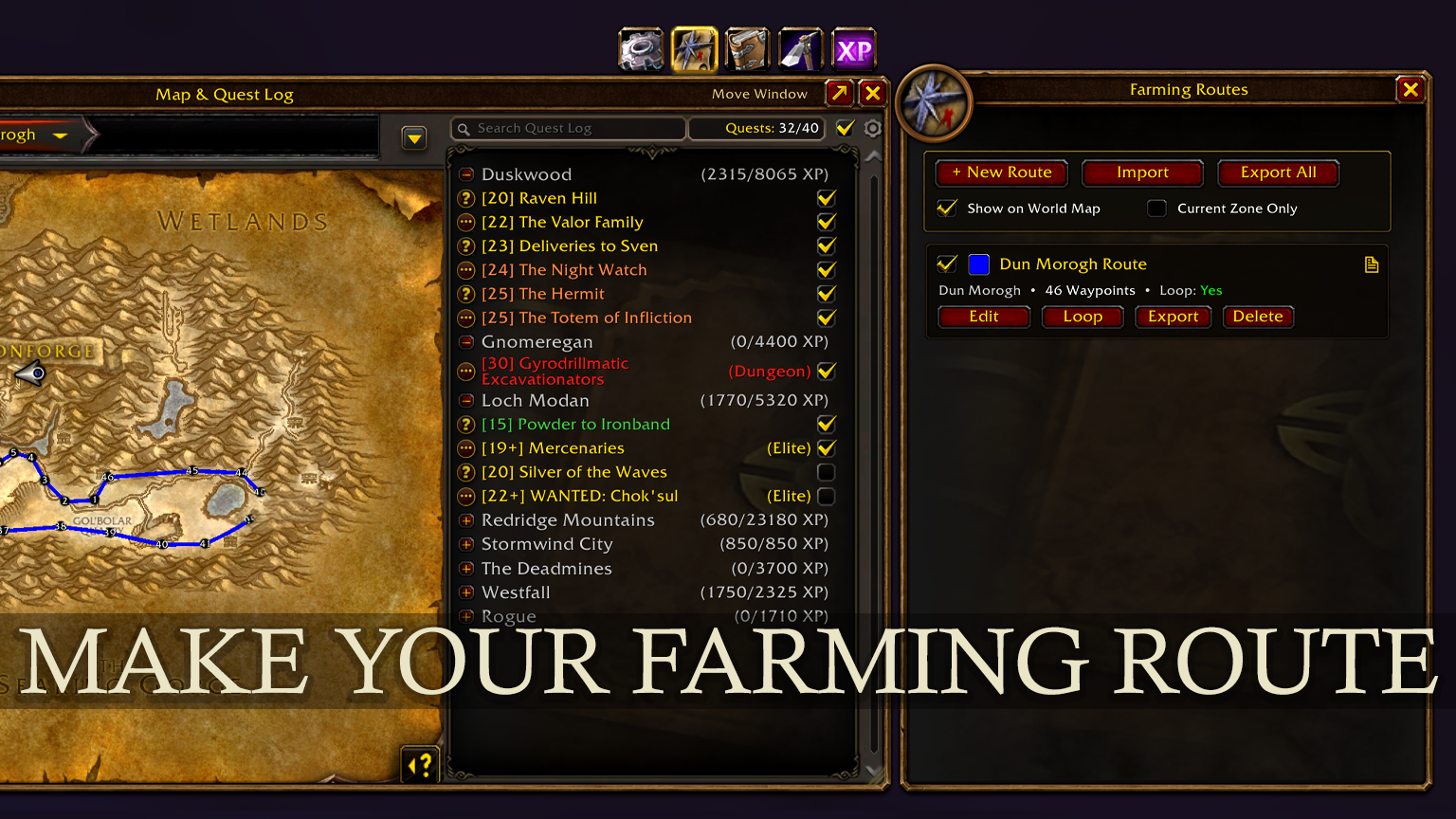
In addition, STBU Master Questlog integrates a complete suite of leveling and farming tools: an interactive in-game Farming Route Editor for both the World Map and Minimap with import/export support, an automatic Gathering Node Tracker, a comprehensive Zone and Dungeon Guide with entrance coordinates and one-click waypoint navigation, a full Profession Trainer Directory, and a smart Kills-to-Level Mob XP Calculator on unit tooltips.
Key Features
1. Side-by-Side Double-Pane Questlog
- Permanent Quest List: Selecting a quest keeps your entire quest list visible on the left side at all times. It is never obscured by quest details.
- Dedicated Details Pane: Quest descriptions, objectives, rewards, experience, and gold rewards render clearly in an attached Blizzard gold-bordered frame on the right.
- Real-Time Updates: Switching quests instantly refreshes the details pane without delay.
- Standalone Close Control: Dedicated close button (X) lets you close only the details pane while keeping your quest log open.
- Window Scaling & Drag Handle: Easily scale the entire interface between 60% and 160% with the bottom-right drag handle. Right-click resets to 100%. Saved per character.
- Master Track-All Quests: A header checkbox allows bulk tracking or untracking of all active quests with a single click without hitting Blizzard watch limits.
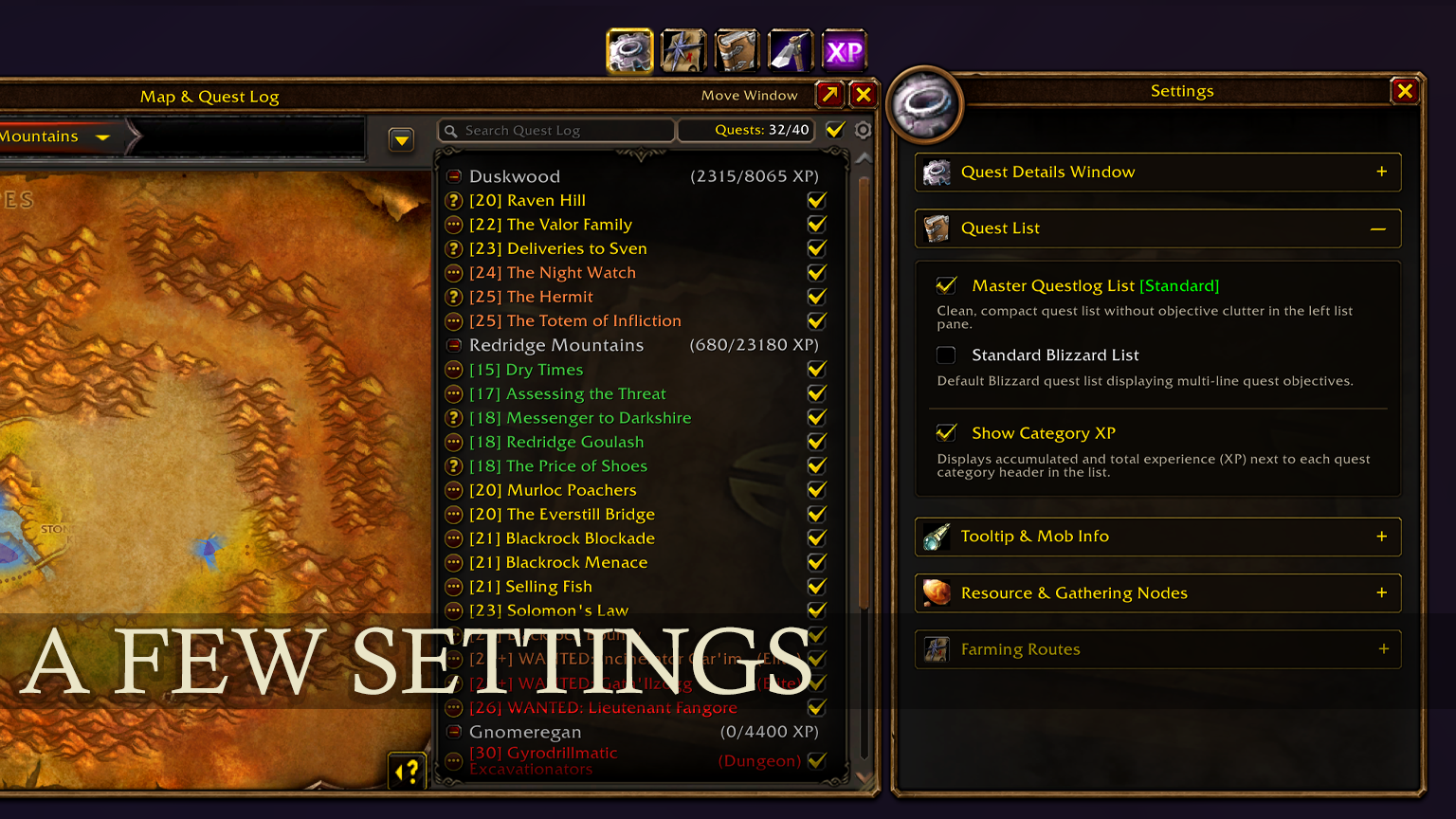
- Category XP Summary: Shows accumulated XP totals per category header.
- Direct Wowhead Links: Copy direct Wowhead quest URLs with one click.
2. Interactive Farming Routes & Map Editor
- World Map Drawing: Left-click on the map to place waypoint nodes. Consecutive nodes are automatically connected with smooth, colored route lines.
- Drag & Drop Waypoints: Freely drag and reposition waypoint pins on the map.
- Delete & Continuous Editing: Right-click any waypoint pin to delete it. The editor remembers the insertion index so your next placed waypoint seamlessly slots into the deleted location.
- Live Minimap Rendering:
- Route lines draw in real time on your minimap, smoothly tracking and rotating with player movement.
- Analytical circular clipping algorithm ensures lines never bleed outside the circular minimap border.
- Hardware-Independent Line Thickness:
- Custom rotated texture quads guarantee pixel-accurate line width from 1 px to 6 px across all DirectX and modern rendering backends.
- Route Import & Export:
- Export single routes or bulk export all stored routes.
- Smart parser supports native STBU format as well as TomTom and Wowhead coordinate lists (e.g.
/way 45.2 61.2or45.2, 61.2).
- Route Renaming: Rename routes anytime via route cards, sidebar editing banner, or floating map HUD.
- Strict Zone Isolation: Routes only render on their matching zone map, cleanly separating routes across different regions.
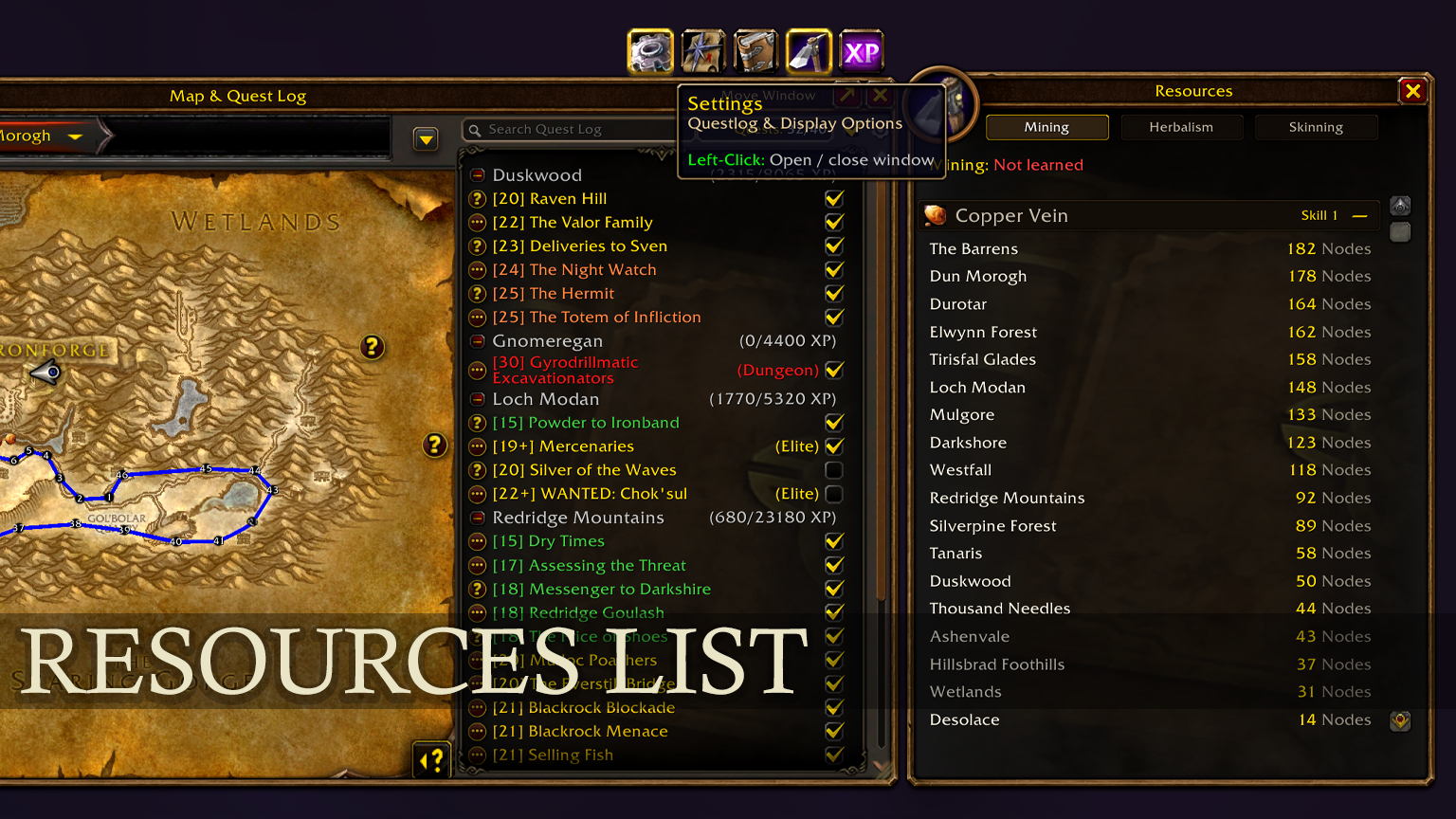
3. Gathering Node Tracker
- Automatic Discovery: Records mining and herbalism nodes upon successful harvest completion, preventing accidental entries on clicks or cancelled casts.
- Calibrated Distance Clustering: Uses real-world yard distances (~22 yards) to cleanly recognize the same node from different approach angles while keeping distinct spawns separate.
- Automatic Deduplication: Merges duplicate nodes within the cluster radius on login and during import, keeping maps tidy and free of overlapping pins.
- Cave-to-Zone Projection: Nodes gathered inside caves or sub-zones are automatically mapped to their parent zone map.
- Proximity Transparency: Minimap icons fade to 30% opacity when within 77 yards, allowing active yellow Blizzard tracking blips to stand out clearly.
- Deletion Protection: Right-clicking any node on the map opens a confirmation prompt to prevent accidental deletions.
- Full Database Management: In-game database export, import, and clearing controls.
- Active Profession Filter: Option to show only nodes matching professions learned by the current character.
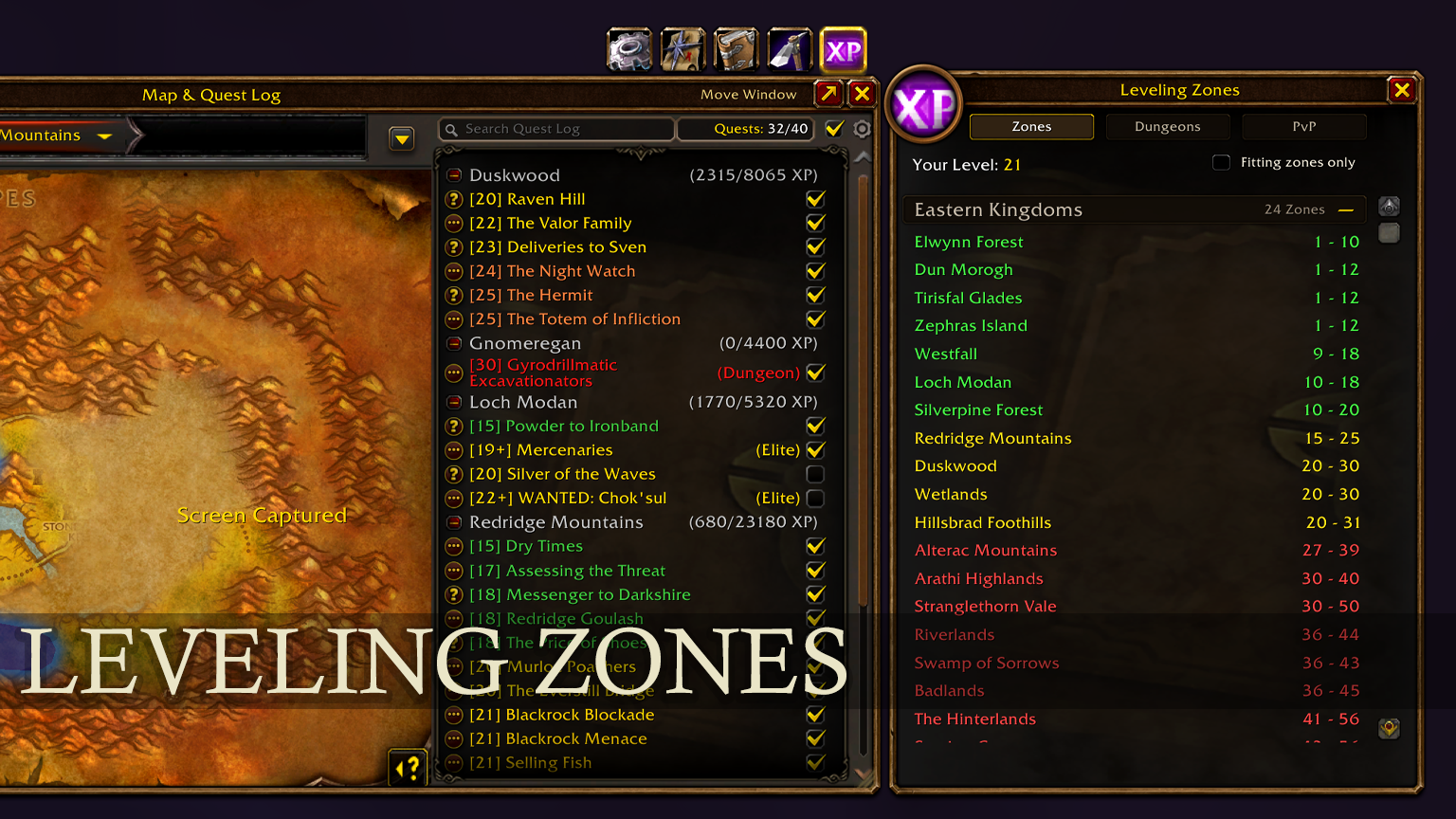
4. Zone & Dungeon Leveling Guide
- 26 Dungeons Synchronized with WoW Forever: Accurate level brackets, minimum required level, and entrance zones.
- Scarlet Monastery split into its 4 distinct wings: Graveyard (30-38), Library (33-41), Armory (35-45), and Cathedral (38-45).
- Precise Entrance Coordinates: Tooltips display exact world coordinates for all 26 instances.
- One-Click Map Waypoints: Clicking any dungeon opens the respective zone map and sets a Blizzard user waypoint with active arrow super-tracking directly to the entrance.
- Color-Coded Level Brackets: Zones organized by continent with green (current), yellow (challenging), orange/red (dangerous), and gray (outleveled) indicators.
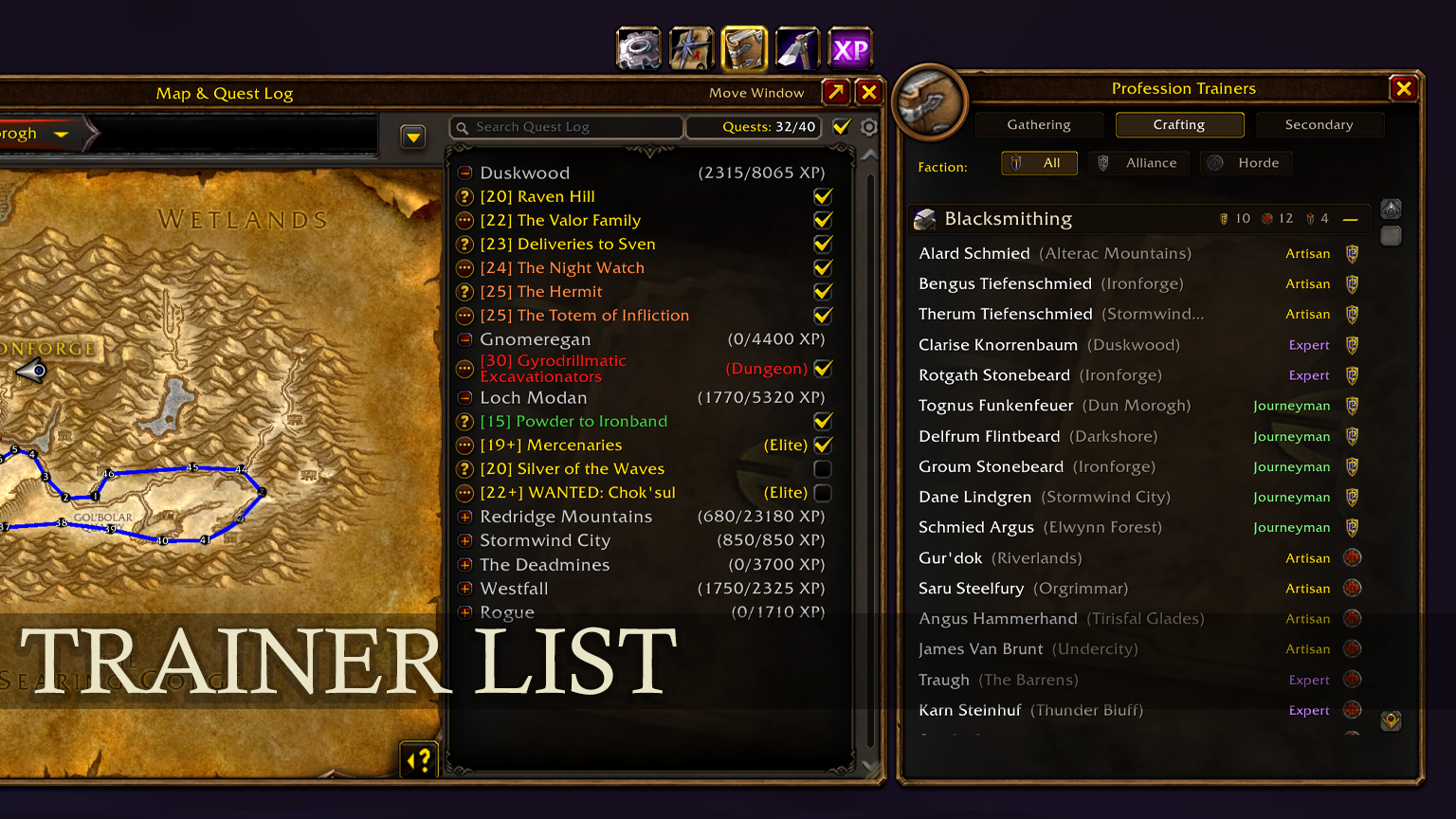
5. Complete Profession & Secondary Trainer Directory
- All 12 Professions: Mining, Herbalism, Skinning, Blacksmithing, Engineering, Leatherworking, Tailoring, Alchemy, Enchanting, Cooking, First Aid, and Fishing.
- Complete Rank Tiers: Apprentice, Journeyman, Expert, and Artisan up to skill level 300.
- Faction Crests & Filtering: Easily filter by Alliance, Horde, or Neutral trainers.
- Coordinates & Waypoints: Exact coordinates and one-click map pin navigation for every trainer.
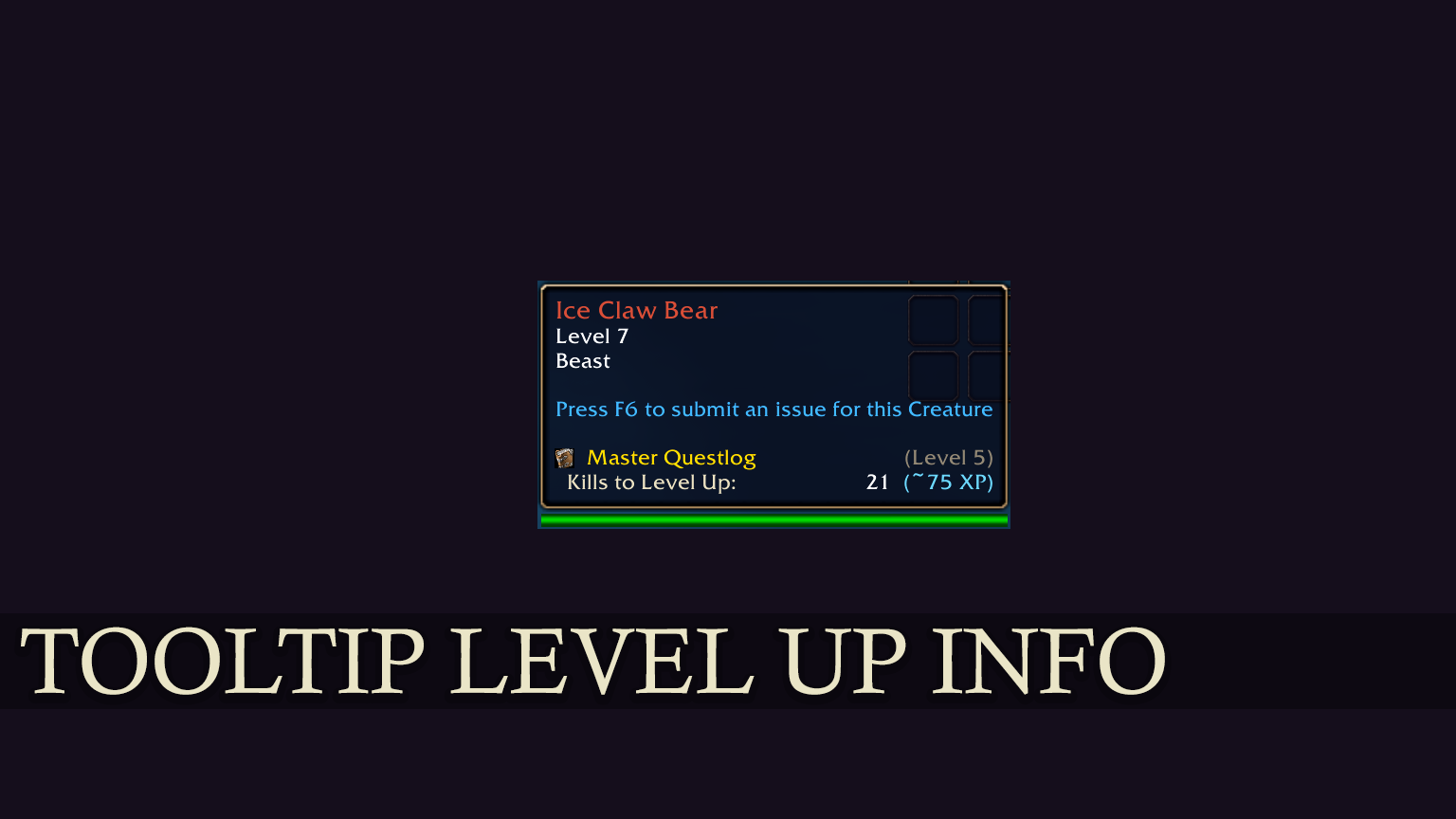
6. Smart Mob XP Tooltip
- Kills to Next Level: Displays exact number of mob kills needed to reach the next character level.
- Accurate XP Calculation: Features Classic level difference scaling, gray-mob zero thresholds, and elite 2x bonuses.
- Elegant Two-Column Layout: Book icon, gold heading, and readable values.
Slash Commands
/stbu– Displays current status and quick help/stbu open(or/stbu log) – Opens or toggles the Quest Log/stbu rl(or/stbu reload) – Quick UI reload (/reload)/stbu debug– Toggles chat debug messages/stbu beta 0//stbu beta 1– Hides (0) or shows (1) the [BETA] tag
Installation
- Download the latest release zip from CurseForge.
- Extract the contents into your World of Warcraft directory:
World of Warcraft\_classic_beta(forever)_\Interface\AddOns\ - Ensure the folder is named
STBU_MasterQuestlog. - Launch World of Warcraft, make sure STBU Master Questlog is enabled in your AddOn list, and press L in-game.
Feedback & Bug Reports
Feedback, ideas, and bug reports are warmly welcome! Please leave a comment on the CurseForge project page.
StBu Master Questlog | Forever Team