AtlasLoot Classic Forever Prettier
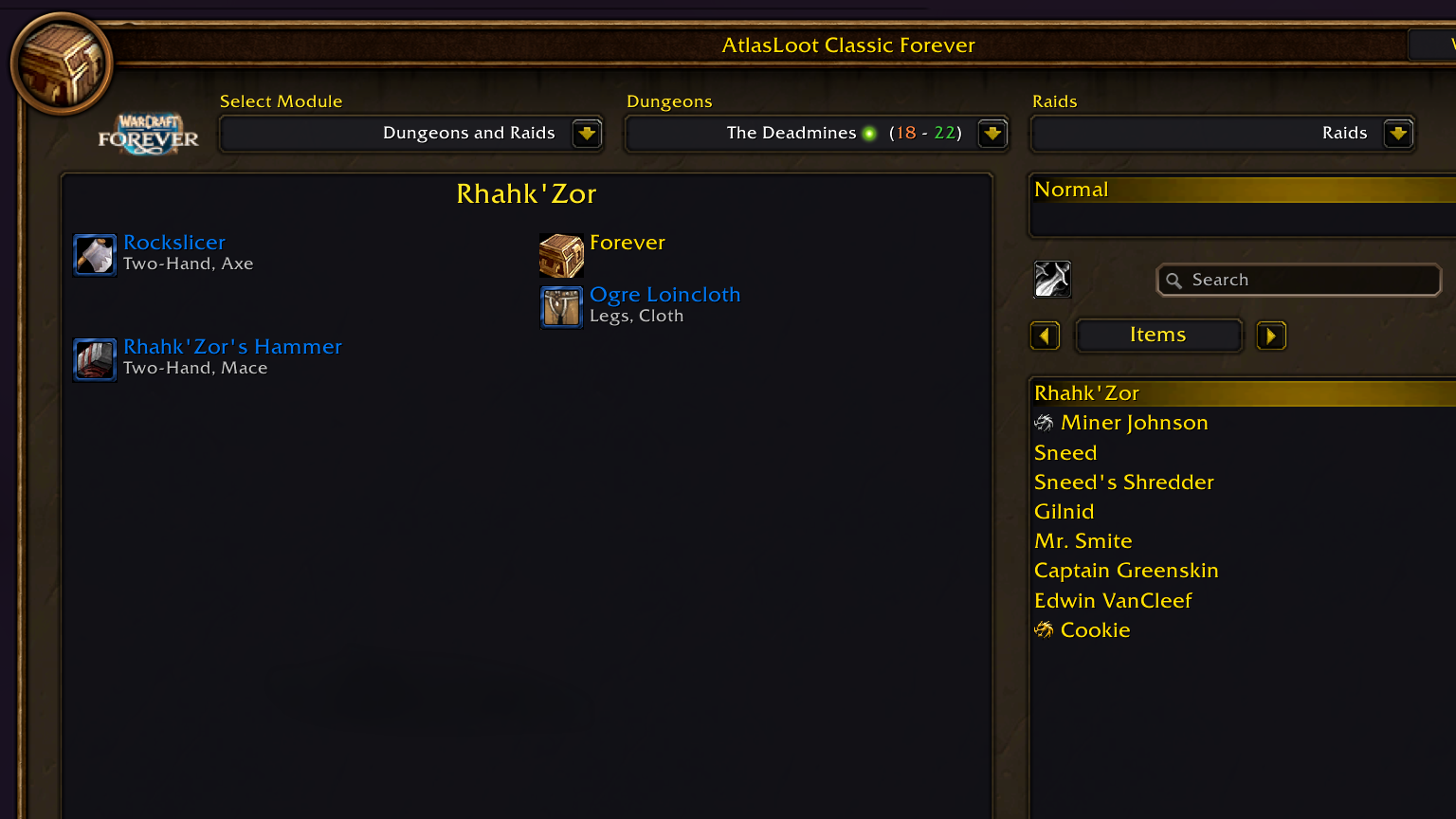
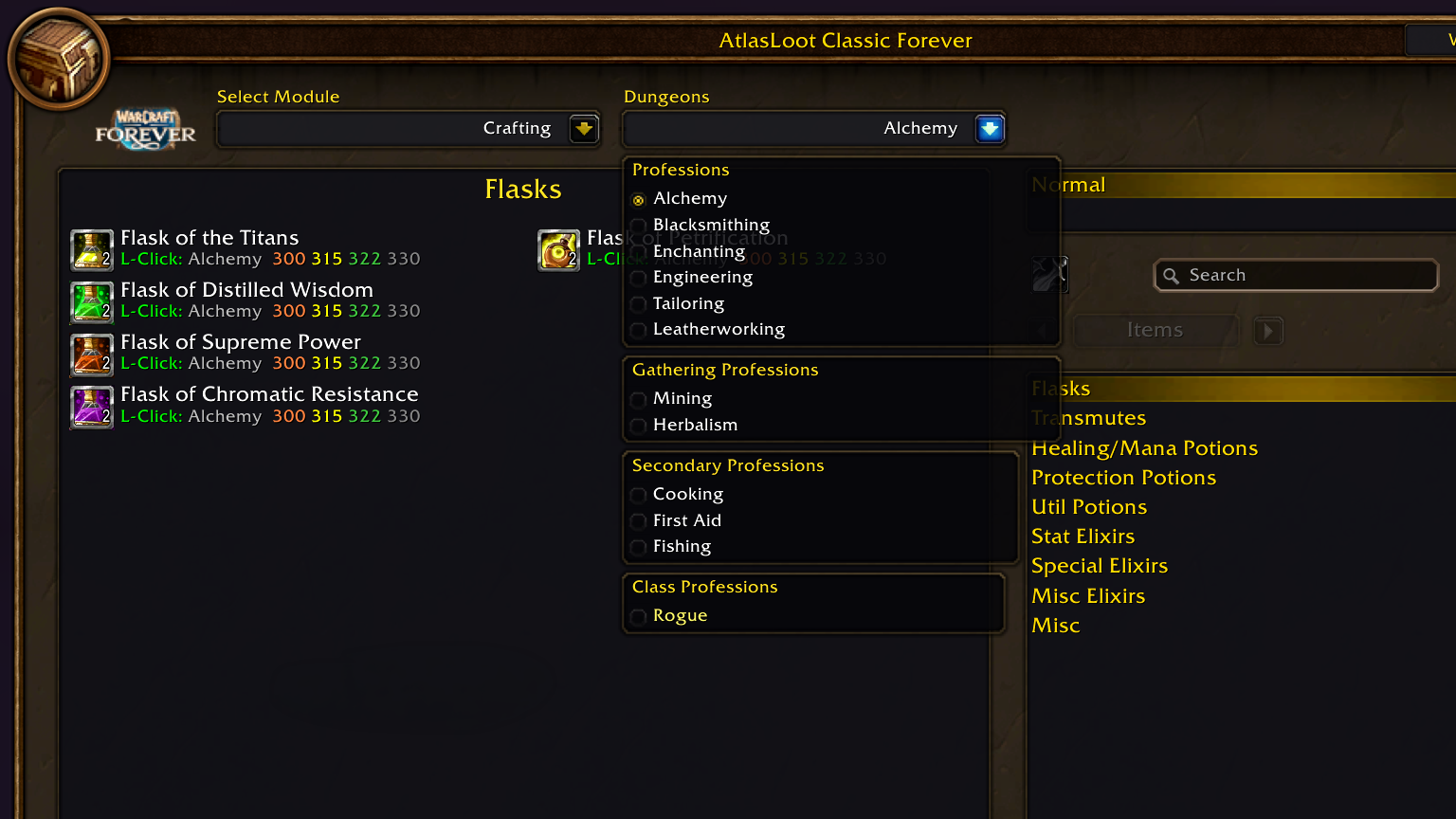
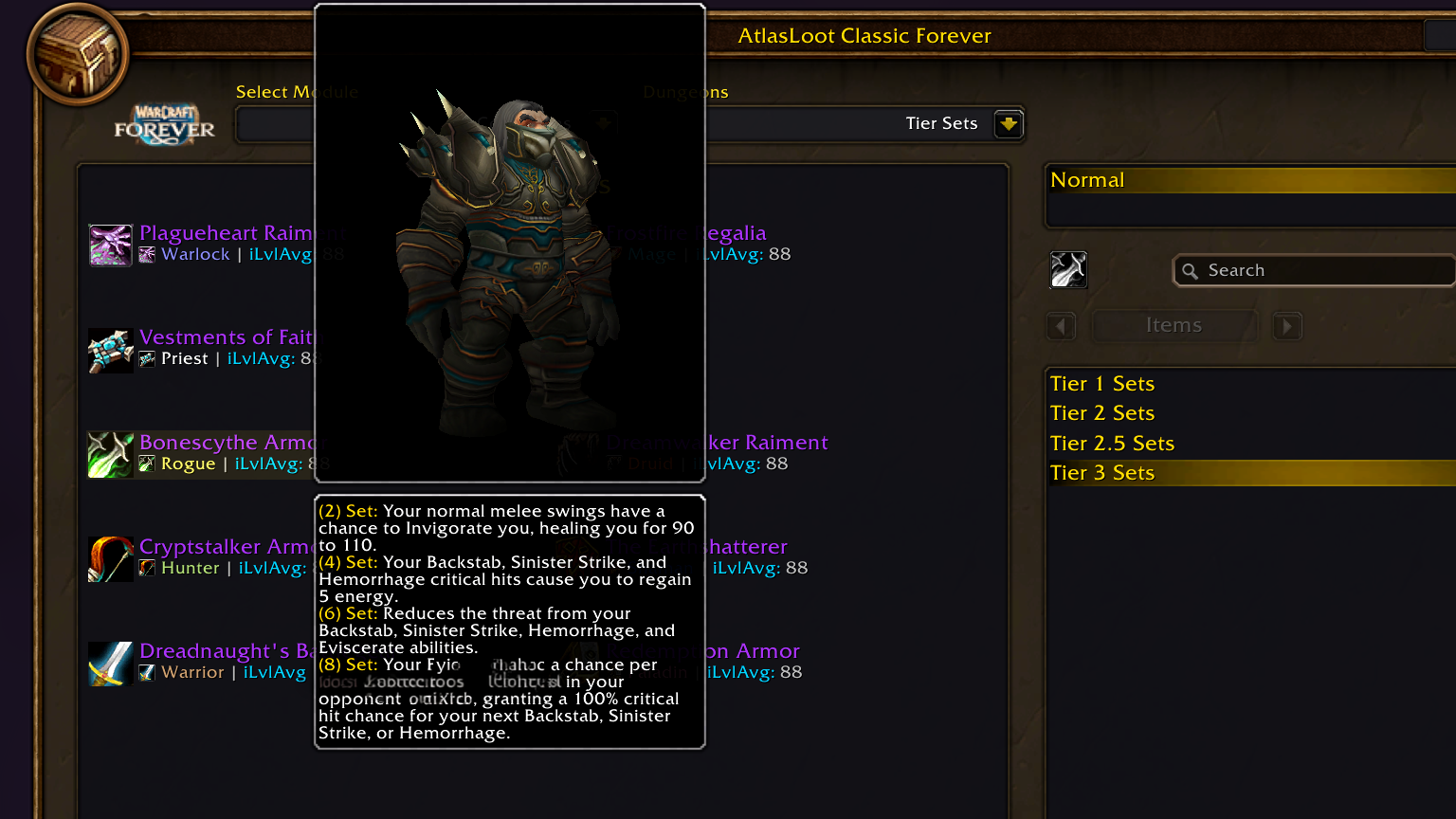
A modern dark skin for AtlasLoot, styled after Blizzard's Professions and CraftBook windows – plus a built-in, per-character wishlist.
Classic Era & Classic & Forever Interface 11506 / 16001 English & Deutsch Taint-free
Requires AtlasLoot Classic
This addon is a skin and wishlist for AtlasLoot and does nothing on its own. Install AtlasLoot Classic Forever and its content modules (e.g. AtlasLootClassic_DungeonsAndRaids) first. |
Your loot, one click away
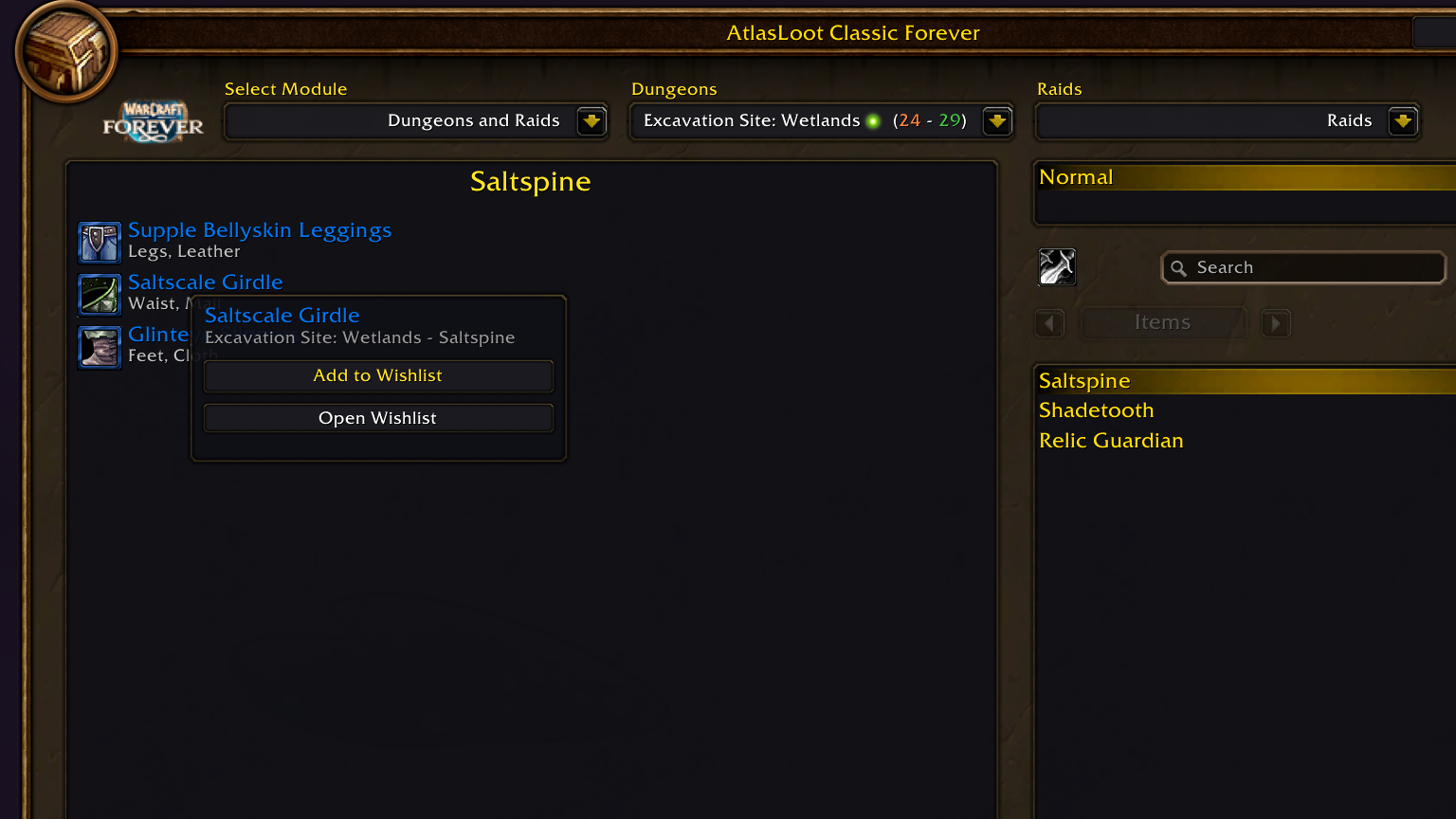
Right-click any item in AtlasLoot and choose Add to Wishlist. Each character keeps its own list.
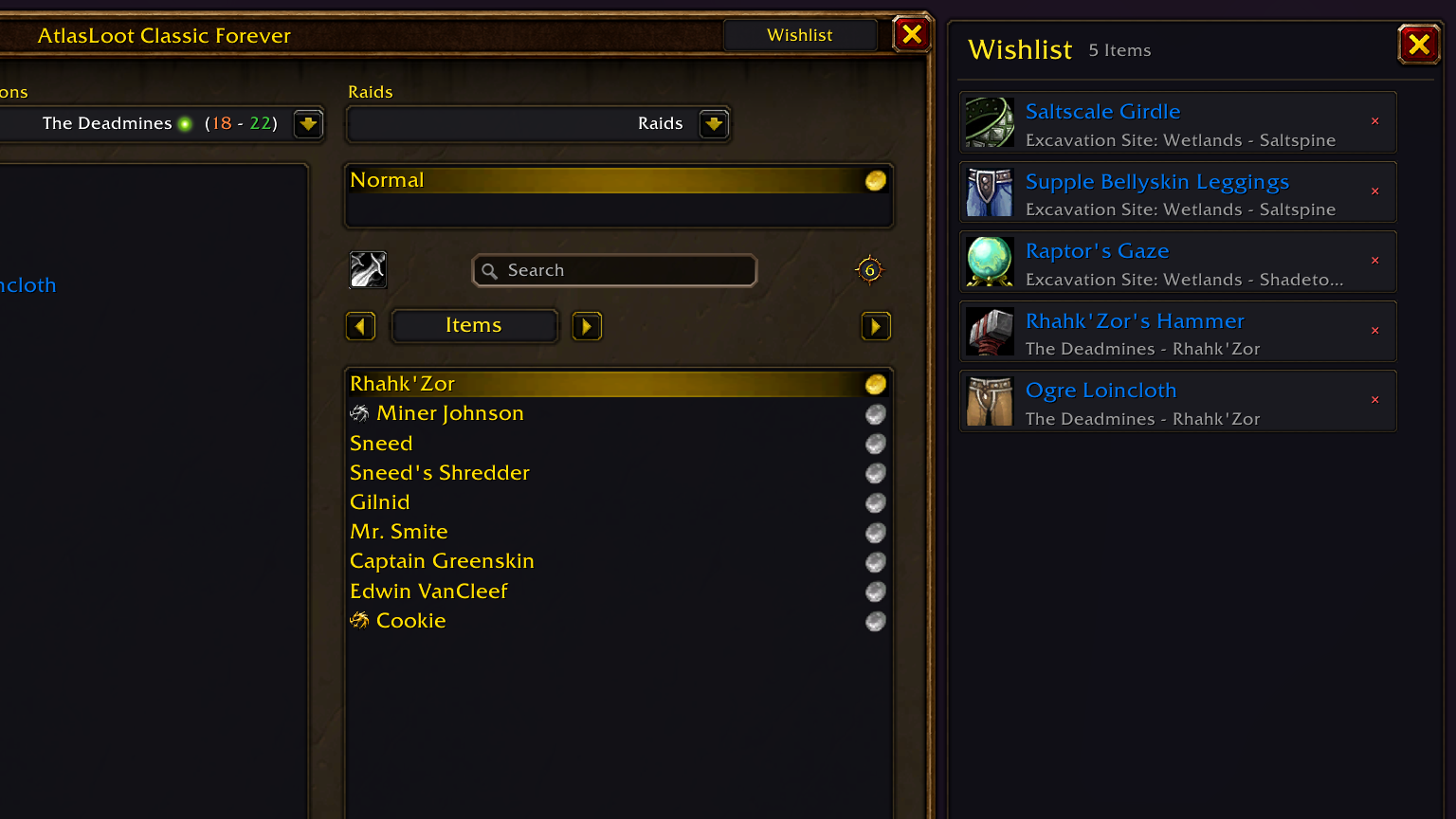
Click an entry and AtlasLoot jumps straight to the instance, difficulty and boss that drops it. Hover for the full tooltip, click the cross to remove it. |
| Wishlist |
×[Ashkandi, Greatsword of the Brotherhood]
Blackwing Lair – Nefarian |
×[Band of Accuria]
Molten Core – Ragnaros |
×[Onslaught Girdle]
Molten Core – Ragnaros |
×[Blackhand's Breadth]
Upper Blackrock Spire – General Drakkisath |
|
Features
Dark charcoal & gold design
Charcoal surfaces, warm Blizzard gold type and bronze borders replace the old textures and cramped frames. |
Integrated wishlist
Side panel via the Wishlist button in the header, with a Blizzard-style scrollbar, quality-colored names, clean drop locations and one-click removal. |
Polished layout
More room around the item grid, boss list flush with the trash loot frame and up to 16 visible bosses, a borderless phase badge and a wider phase dropdown in the BiS footer. |
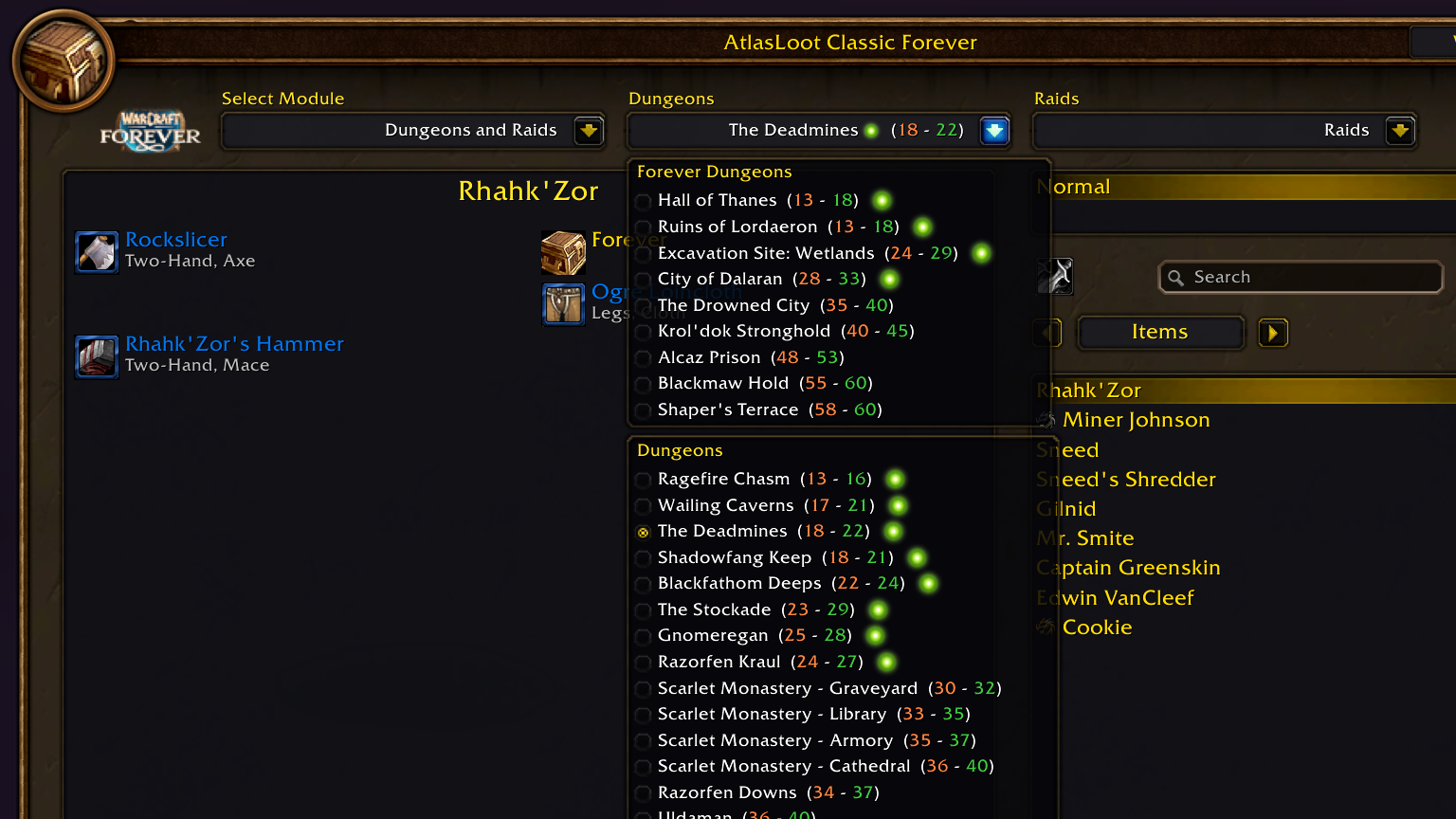
Better class filter
Opens downwards from the class button, with full-opacity icons, class-colored labels and gold active markers. |
Non-intrusive & taint-free
Works only through secure Blizzard UI hooks and skinning layers. AtlasLoot's database, queries and search stay exactly as they are. |
How to use
| 1 |
Open AtlasLoot as usual – minimap button, keybind or /atlasloot. |
| 2 |
Right-click an item and choose Add to Wishlist. |
| 3 |
Click Wishlist in the top-right corner to open or close the side panel. |
| 4 |
Left-click a wishlist item to jump to where it drops. Hover it for the full tooltip. |
Slash commands
/alprettier or /atlasprettier
Re-applies the skin and refreshes anchors – handy after changing UI scale or reloading the interface. |
Requirements
| Required addon |
AtlasLootClassic + content modules |
| Game version |
WoW Classic, Classic Era, Classic Beta (11506 / 16001) |
| Languages |
English, German (deDE); other locales fall back to English |
Changelog
v1.0.00 Initial release
- Core: complete visual overhaul with dark charcoal canvas and bronze/gold borders.
- Wishlist: right-click context menu and collapsible side panel.
- Wishlist: separate, persistent wishlist per character.
- Wishlist: one-click navigation to the boss and instance that drop an item.
- Wishlist: Blizzard-style scrollbar with mousewheel scrolling across the whole panel.
- Wishlist: drop locations cleaned of texture codes, color codes and level ranges.
- Controls: redesigned navigation arrows, page steppers, search bar and module dropdowns.
- Lists: boss list expanded to 16 entries, flush with the trash loot frame.
- Filter: class filter opens downwards with full-opacity icons and class-colored labels.
- BiS: wider phase dropdown and a relocated, cleaner PSA banner.
|
Found a bug or have an idea? Leave a comment or open an issue – feedback is very welcome.
|