STBU CraftBook
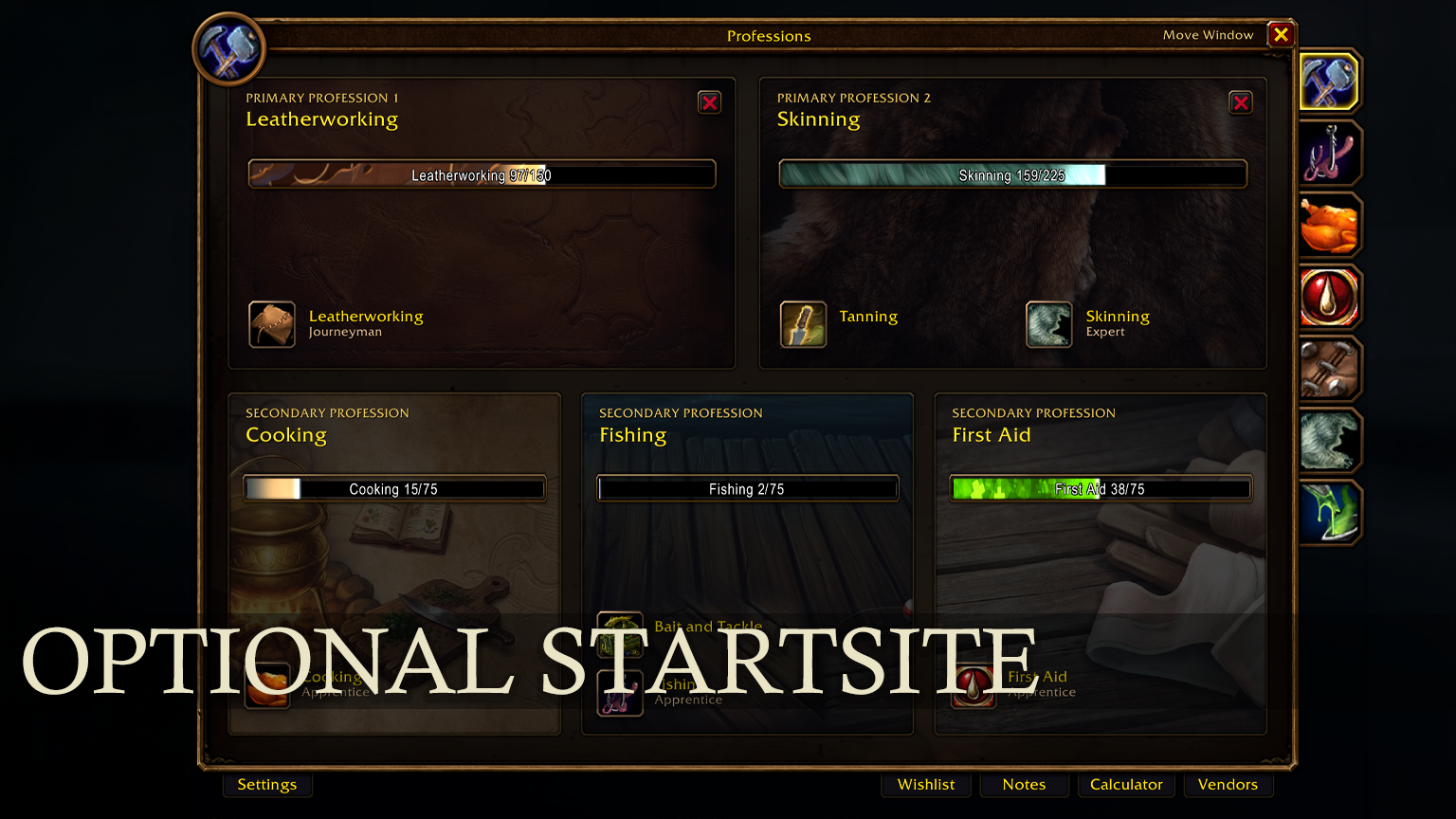
A complete, lightweight overhaul of the default professions window – less scrolling, faster filtering, 1,109 verified recipe sources, nearest trainer/vendor waypoints and a clear view of every material you need, without losing the Blizzard feel.
v1.1.01 • 1,109 Verified Recipes Up to 75% more recipes on screen Trainer & Vendor Map Pins Native Blizzard look 100% Taint-Free
Built for crafters
Whether you are leveling a profession from 1 to 300, hunting down missing recipes across Azeroth or mass-producing raid consumables, CraftBook saves you time: a compact 3-panel recipe list, persistent one-click filters, an interactive sub-material breakdown and a complete Unlearned Recipes & Origin Atlas.
Every single one of the 1,109 Classic recipes across all 9 professions is verified – showing you exactly what is trainable right now, sold by a vendor, rewarded from a quest, locked behind reputation or dropped in dungeons. It plugs straight into the default profession window, so everything stays right where you expect it. |
| Orange Yellow Green Gray Craftable |
| Material Breakdown Runecloth Bag • Expandable [+] / [-] |
| 5× Bolt of Runecloth [+] |
Tailoring (25× Runecloth) |
| 2× Rugged Leather |
Skinning |
| 1× Rune Thread |
Vendor (Map Pin) |
| Unlearned Recipes & Origins Trainable Now! |
| [Trainable Now!] Daryl Riknussun |
Ironforge (Pin) |
| [Vendor] Qia • Runecloth Bag |
Winterspring (Pin) |
| [Reputation] Timbermaw Hold – Honored |
Felwood (Pin) |
|
Core features
Unlearned recipes & 1,109 verified sources
Open the Missing Recipes panel (from the top-left badge next to your skill bar or the bottom tab) to browse every unlearned recipe for your profession:
• Trainable Now! – highlights recipes you can learn at your current skill level right away.
• 100% Verified Classic Sources – distinguishes genuine Trainer spells (386) from Vendor, Quest, Reputation, Dungeon/Raid, World Drop, Holiday and Specialization recipes (717 + Enchanting formulas).
• Shift-click & Dressing Room – Shift-click the icon to link the crafted item, Shift-click the row to link the recipe spell, or Ctrl-click to preview gear on your character. |
14-category equipment slot filter & search
Find the exact upgrade or craft you are looking for inside the Unlearned Recipes browser:
• Quick Slot Bar – one-click filters for All, Head, Chest, Hands, Legs, Feet and Weapon/Shield.
• More... Slot Menu – filter across all 14 inventory slots including Shoulder, Back/Cloak, Wrist, Waist/Belt, Trinket/Ring, Bag/Quiver and Material/Misc with live recipe counts.
• Full-text search – search by recipe name, trainer, vendor NPC, boss, faction or zone. |
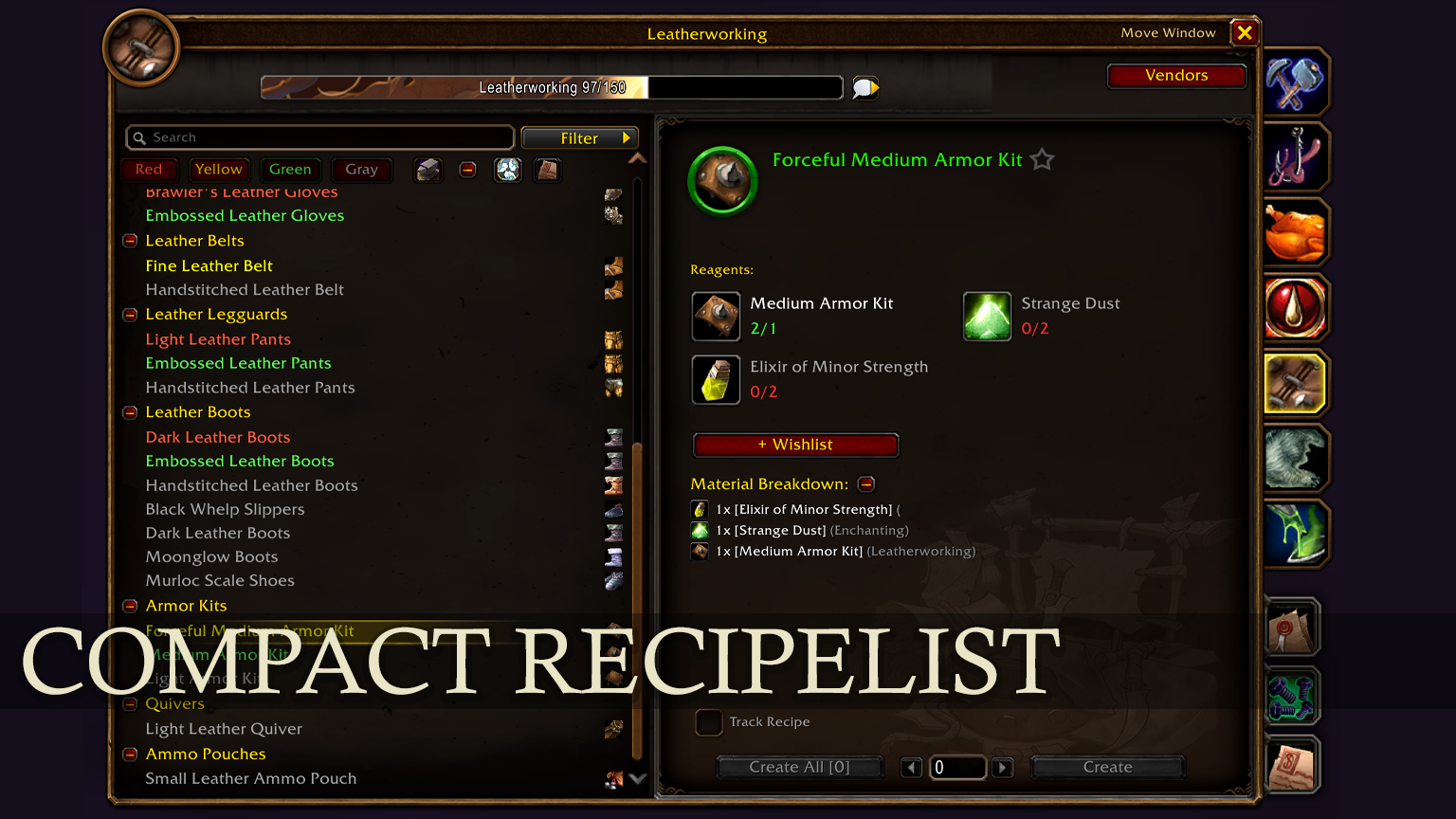
Compact 3-panel recipe view
Transforms the bulky default profession window into a sleek, atmospheric 3-panel workstation. Slimmer rows, custom dark stone/leather artwork and reduced padding let you see up to 75% more recipes at once without endless scrolling. |
Persistent quick-filter toolbar
A toolbar above the recipe list replaces slow dropdown menus:
• Difficulty – toggle red/orange, yellow, green or gray recipes.
• Craftable only – show just what you have materials for right now.
• Session memory – remembers your active filters and last selected recipe per profession when reopening the window. |
Interactive sub-material breakdown
Below the regular reagent list, CraftBook calculates the exact base materials for the selected recipe with expandable [+] / [–] sub-recipe trees (e.g. breaking down Bolt of Runecloth or Cured Rugged Hide) and shows where to get each item (Vendor, Mining, Herbalism, Skinning or Drop). |
Smart regional trainer & vendor map pins
Click the map pin on any reagent slot, recipe origin banner, unlearned recipe card or vendor item to place a World Map waypoint (and TomTom arrow):
• Smart Regional Routing – automatically picks the closest trainer or vendor in your current zone (e.g. Kharanos, Goldshire, Razor Hill, Brill) or nearest regional capital (e.g. Ironforge when in Dun Morogh). |
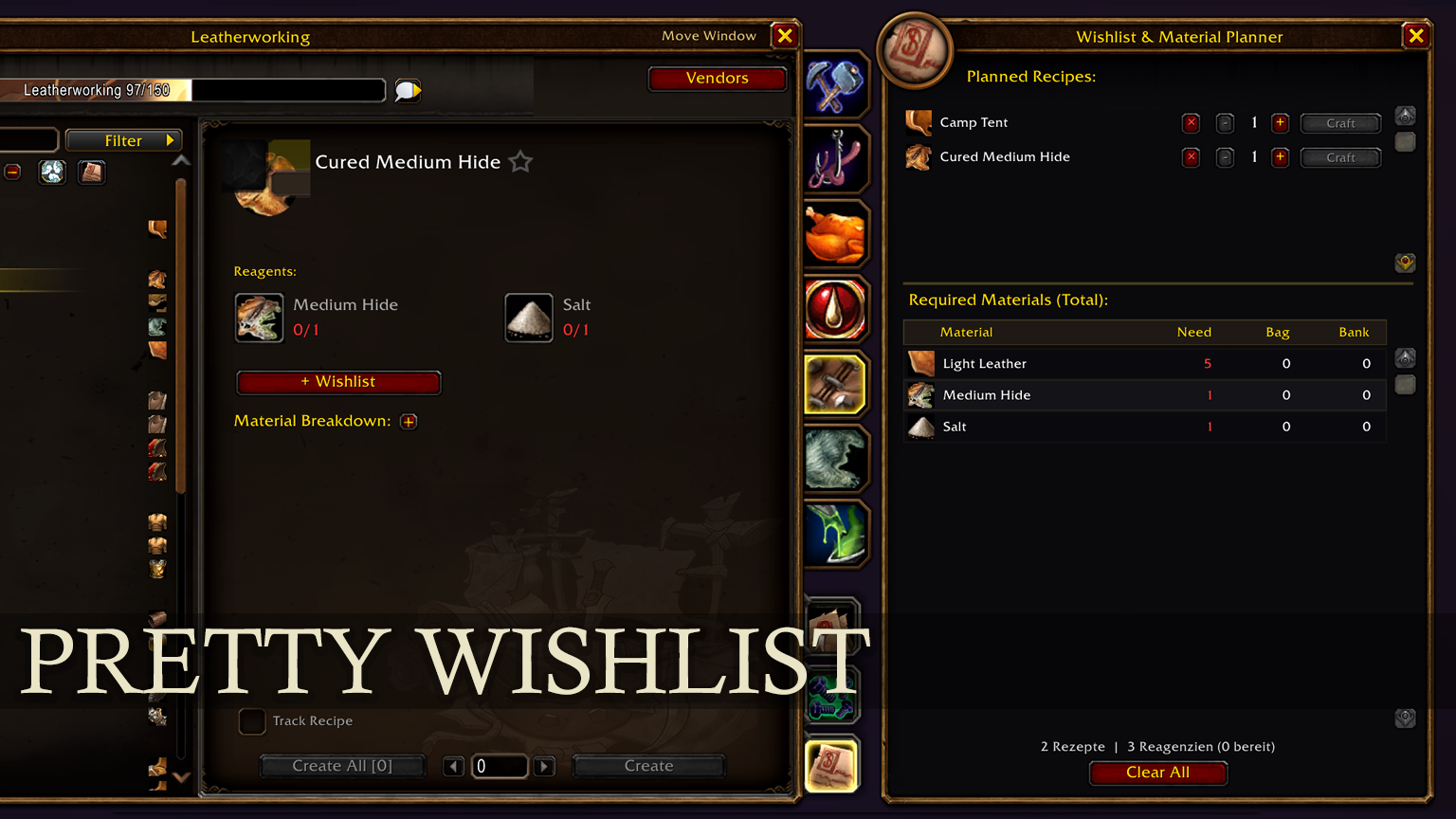
Crafting wishlist, planner & AH sync
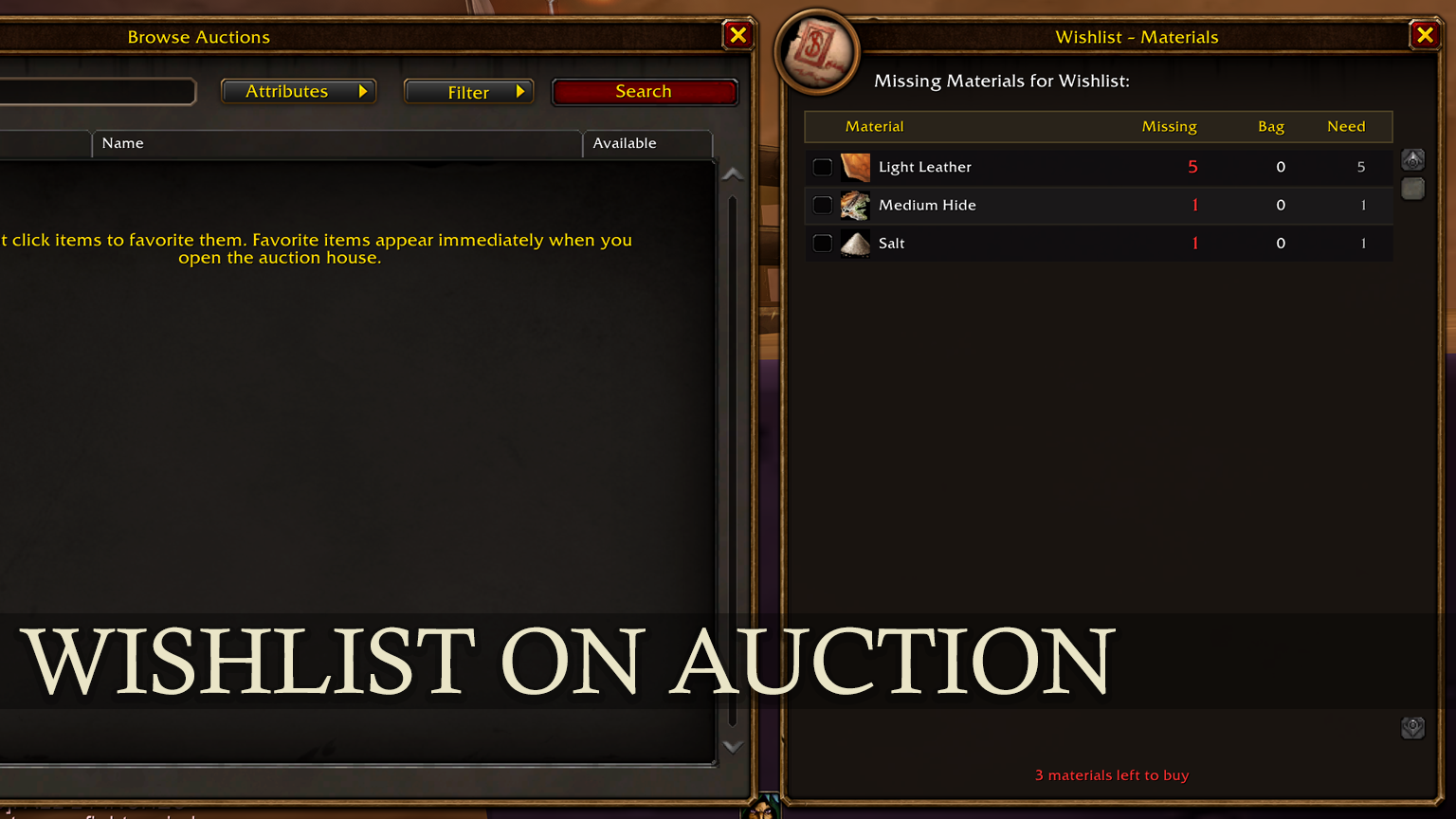
Add learned or unlearned recipes with custom quantities to your wishlist. CraftBook totals every raw material needed across your bags and bank – and while at the Auction House, clicking any missing reagent searches for it immediately. |
Multi-character cooldown tracker
Automatically tracks lucrative profession cooldowns across all your characters: Alchemy Transmutations (Arcanite, Elemental Fire/Water/Earth/Air, Undeath to Water), Tailoring Mooncloth, Leatherworking Salt Shaker and Engineering Snowmaster 9000 – visible on the Profession Book cards, minimap tooltip and via /cb cd. |
1–300 leveling guides & vendor catalog
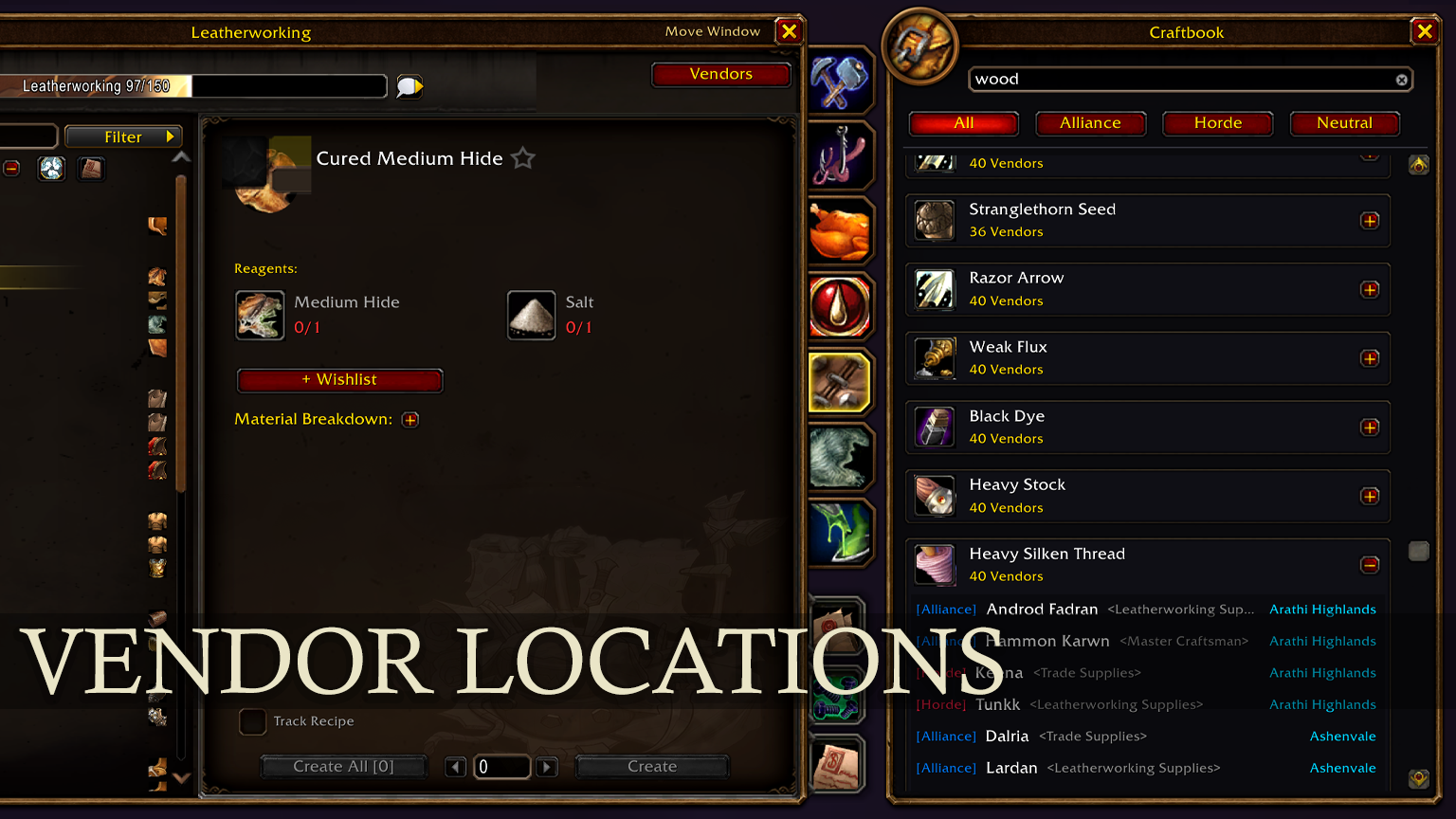
Built-in step-by-step 1–300 Classic leveling guides for every profession that highlight your current skill bracket (with custom guide import/export), plus a dedicated Vendors tab listing unlimited-stock trade supplies with NPC prices and coordinates. |
In-game notepad & crafting calculator
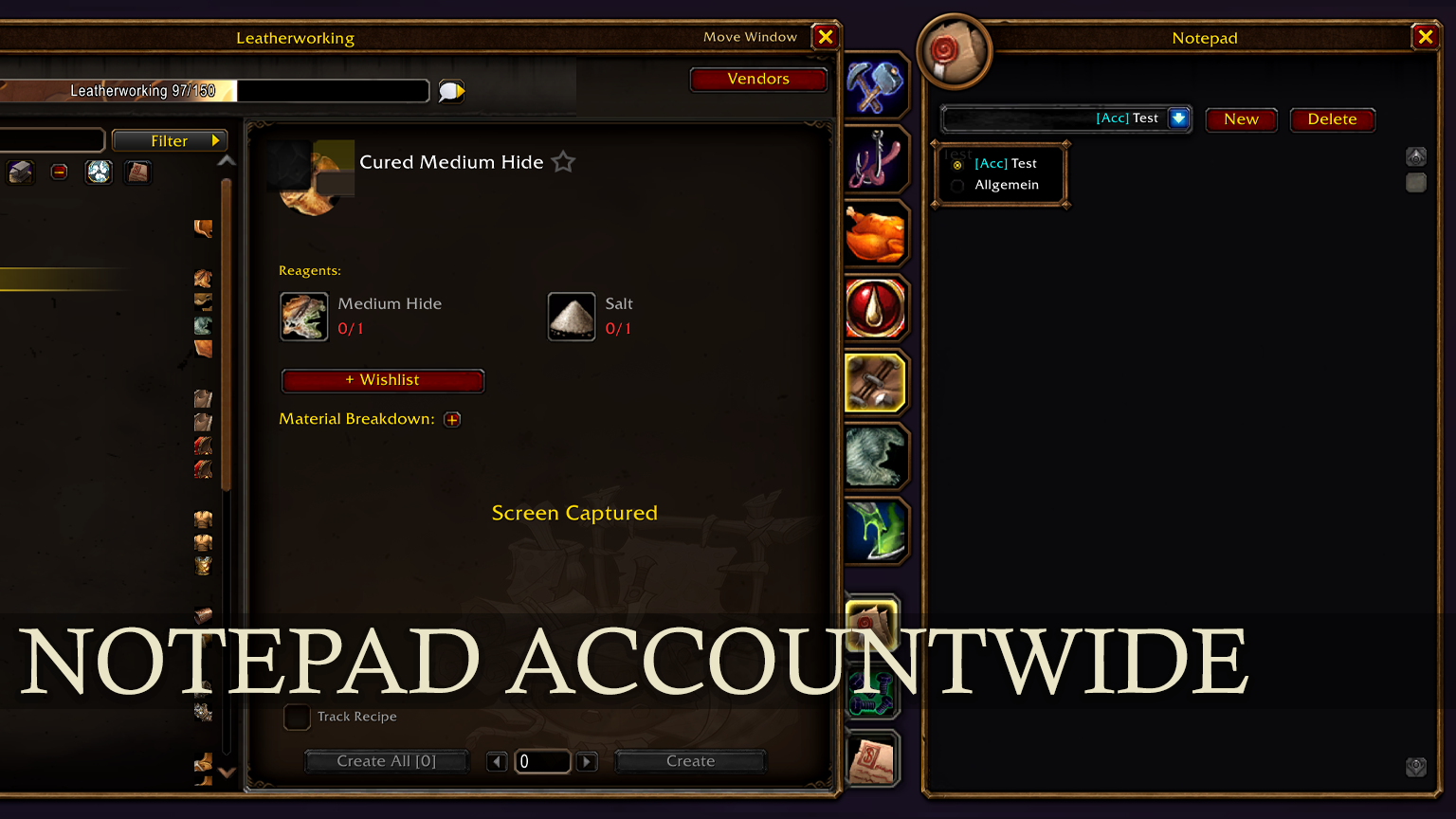
Keep pricing notes, customer orders or farming routes saved per character or across your whole account, and use the built-in crafting calculator & live crafting cost/profit display right inside the profession window – no alt-tabbing. |
Smart reagent & recipe tooltips (with Shift breakdown)
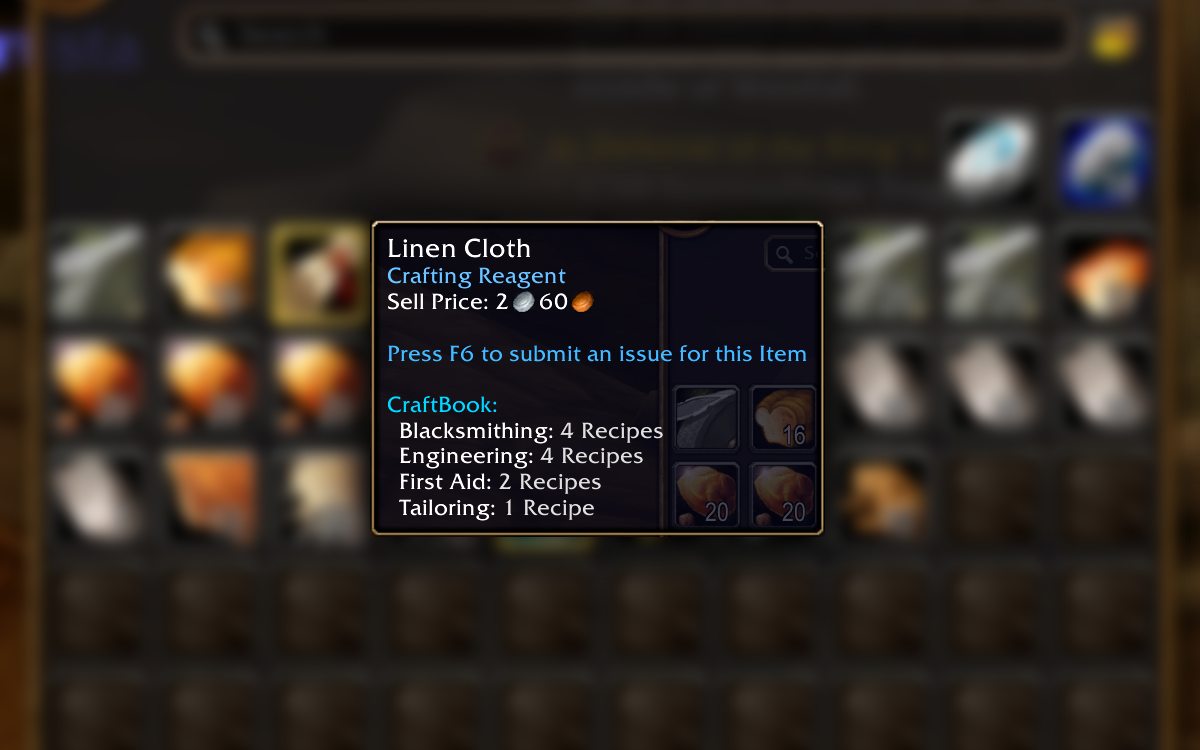
Hover any crafting material in your bags, bank, merchant window or chat links: CraftBook shows which professions use it, your live Wishlist progress (e.g. 4 / 10 • 6 missing) and the official NPC vendor price + nearest seller for standard trade goods. Hold Shift while hovering to expand a full list of recipes using that item, including required skill level, learned checkmarks and recipe origin tags. |
Slash commands
/cb or /craftbook — Toggle the main CraftBook / Professions window.
/cb missing or /cb unlearned — Open or close the Unlearned Recipes & Recipe Sources panel.
/cb wl or /cb wishlist — Open or close the Crafting Wishlist & Material Planner.
/cb vendor — Open or close the Trade Supplies Vendor catalog.
/cb guide — Open or close the 1–300 Profession Leveling Guide.
/cb calc — Open or close the built-in Crafting Calculator.
/cb cd — Print tracked profession cooldowns across all characters to chat.
/cb opt or /cb scale [60-150] — Open settings or adjust the CraftBook window scale. |
Supported in 11 languages (EN, DE, FR, ES, PT, IT, RU, KO, zhCN, zhTW) • Found a bug or have an idea? Leave a comment – feedback is very welcome.
|