STBU Master Control Center
Sound, graphics, atmosphere and camera in one window – with cinematic lighting effects, automatic presets for every time of day and place, and shareable profiles.
5 control tabs Import & export profiles 11 languages, 100% translated UI stays clickable
One window for everything
Stop digging through system menus and console commands. Every setting sits on a real-time slider or toggle, sorted into five tabs.
Then let it run on its own: Dynamic Auto-Switch picks the right preset for day, dusk, night, weather, taverns, indoor areas and each capital city. |
| Sound |
Graphics |
Atmos. |
Char. |
System |
Master 80%
████████████████████████████████████████
Music 45%
████████████████████████████████████████
Ambience 60%
████████████████████████████████████████
Dialog 100%
████████████████████████████████████████ |
Profile !STBU:AC:1:… ✓ valid |
|
Five tabs, full control
TAB 1
Sound
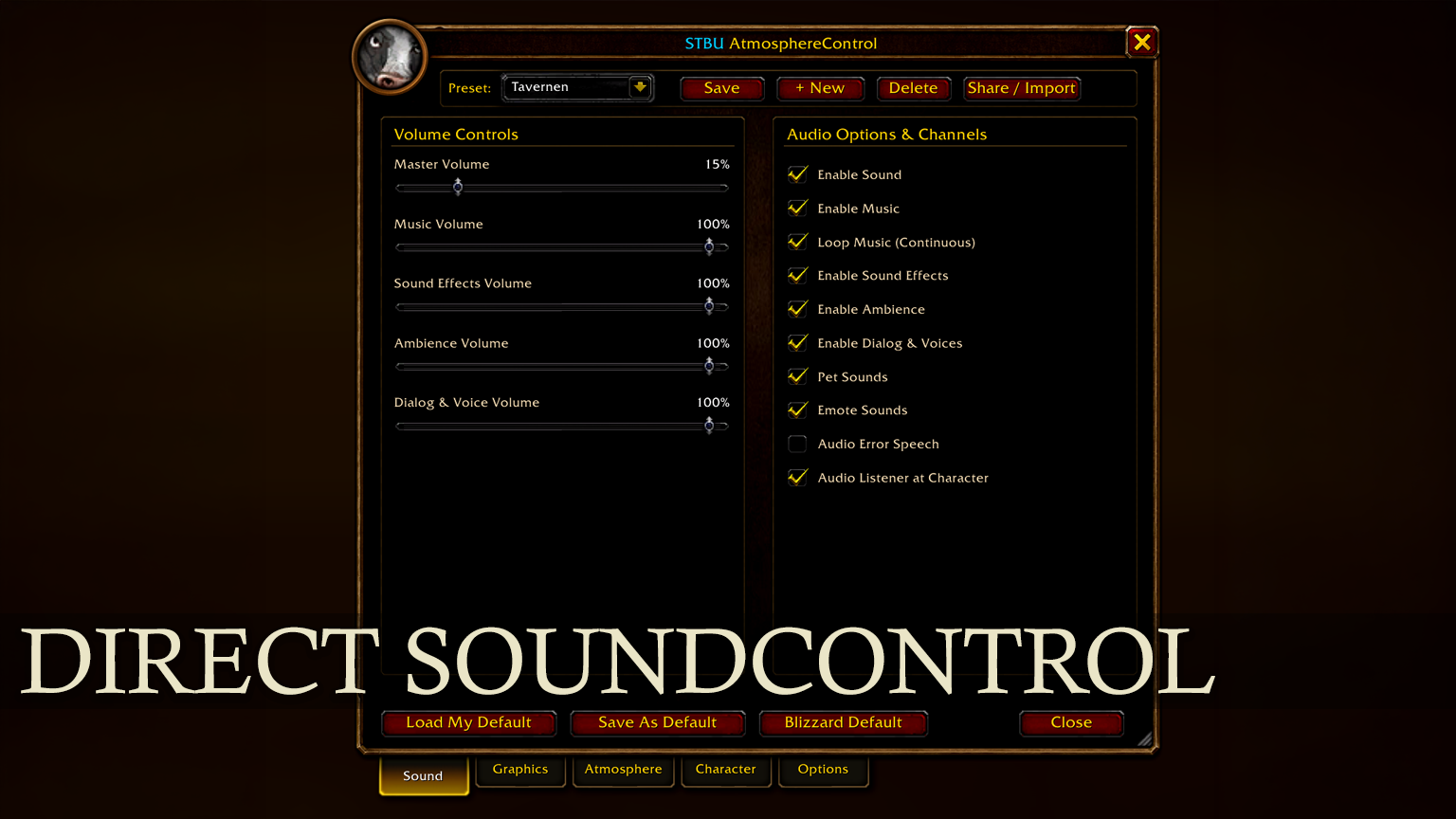
Real-time sliders for Master, Music, Sound Effects, Ambience and Dialog. Toggles for sound, music, continuous music loop, pet sounds, emote voices, error speech and 3D audio centered on your character. |
TAB 2
Graphics
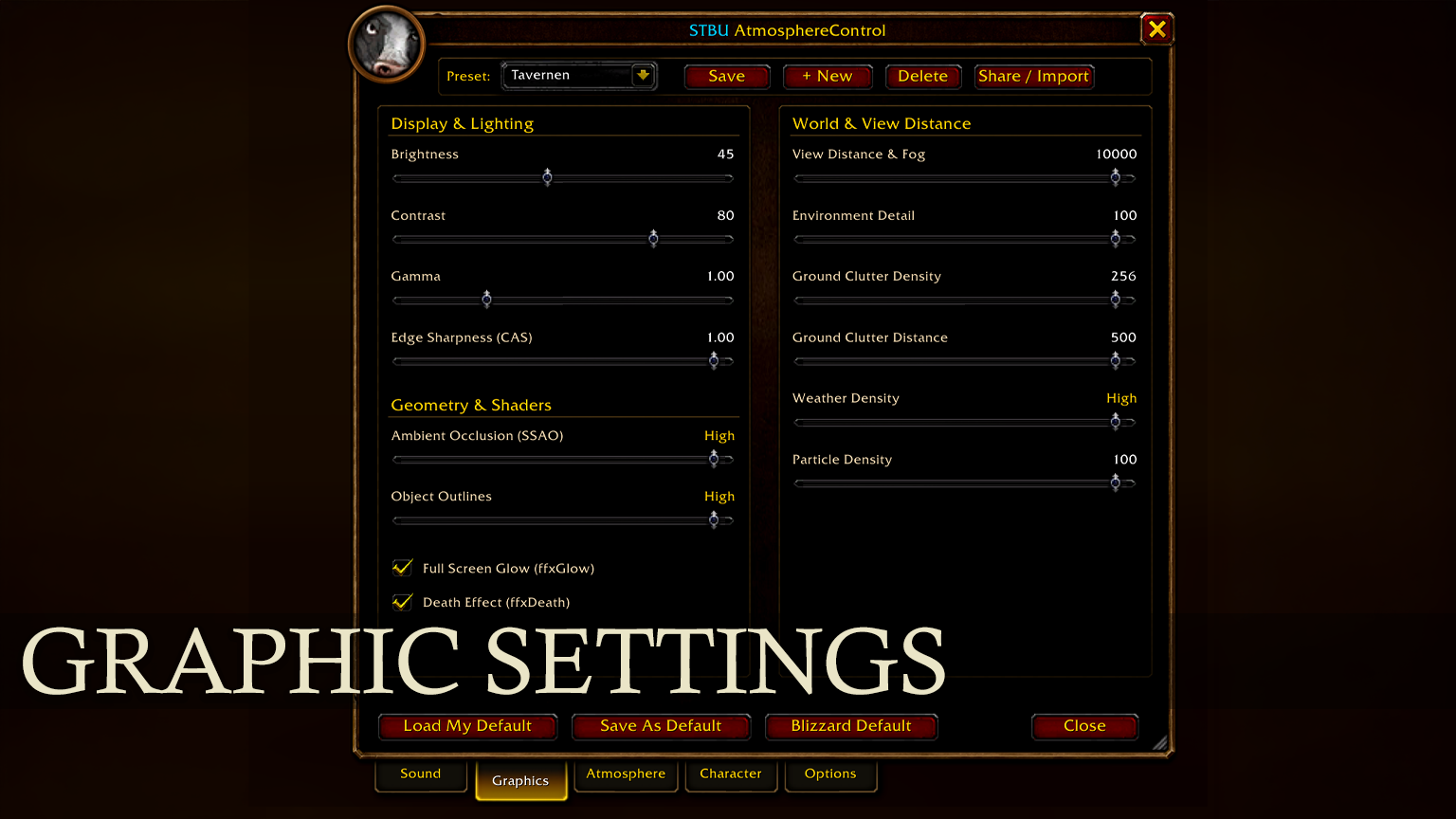
• Image: brightness, contrast, gamma, edge sharpness (CAS)
• Shaders: SSAO, outline mode, fullscreen glow, death desaturation
• World: view distance up to 10,000, environment detail, ground clutter, weather and particle density |
TAB 3
Atmosphere
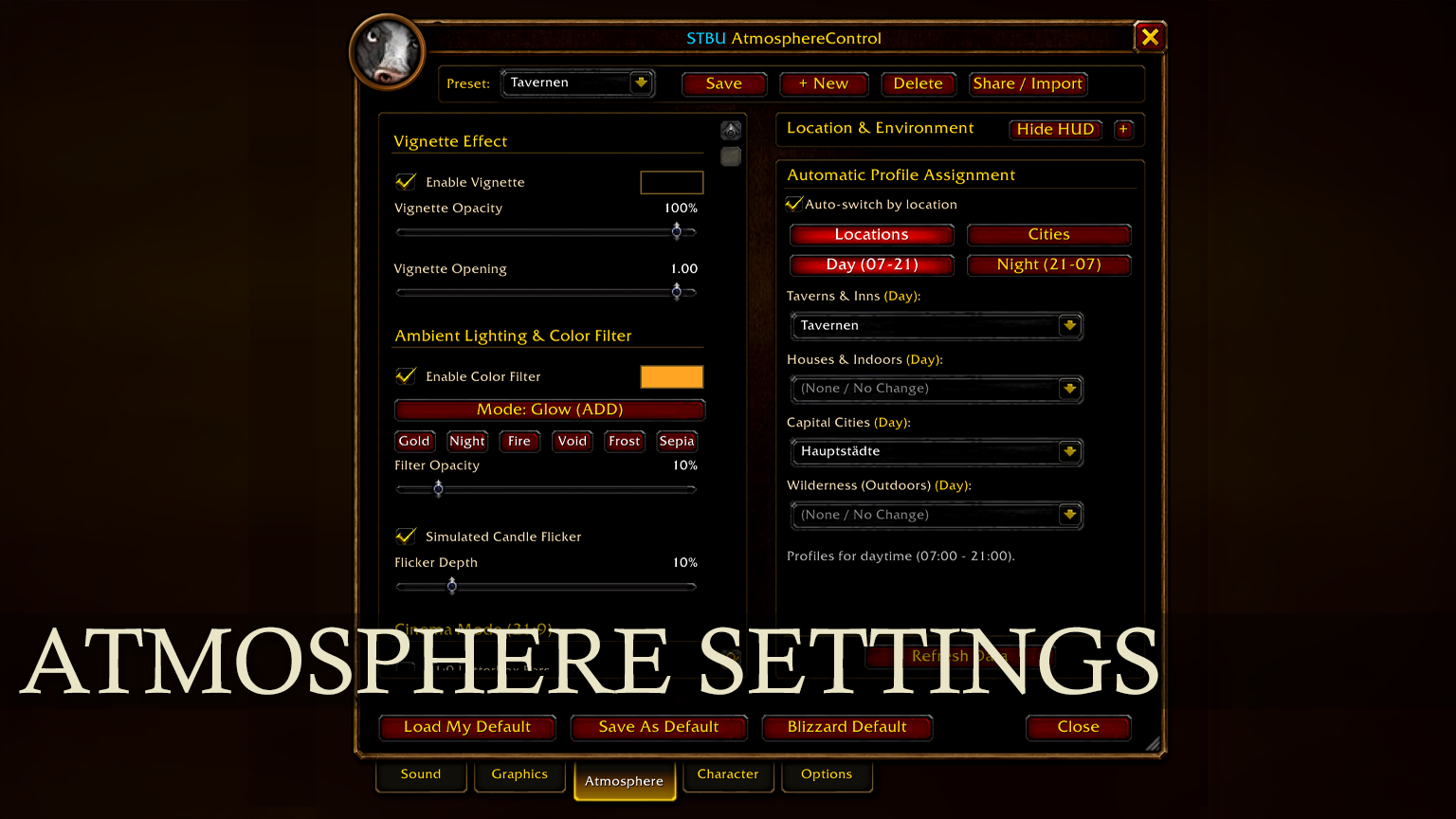
A cinematic multi-layer vignette with adjustable opacity, center radius and color tint. Ambient light grading in glow or blend mode, a living candle flicker, cozy tavern lighting and 21:9 cinema letterbox bars. |
TAB 4
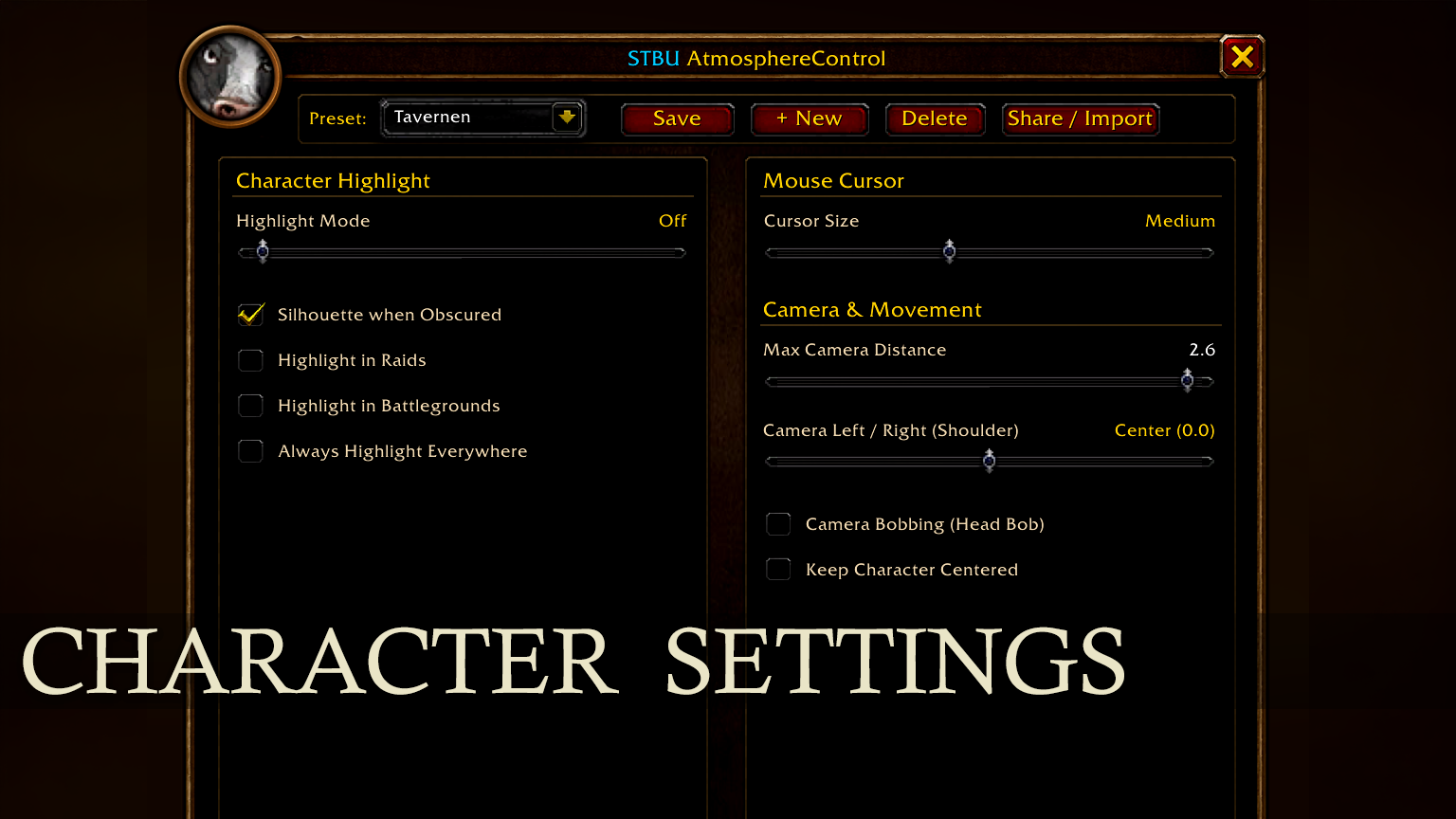
Character & Context
• Highlight: outline your character through walls – in raids, battlegrounds or everywhere
• Cursor: scaling for high-resolution displays
• Camera Studio: up to 2.6× zoom, ActionCam shoulder offset, head bobbing
• Auto-Switch: presets by time of day, weather, inns, indoors and capital city |
TAB 5
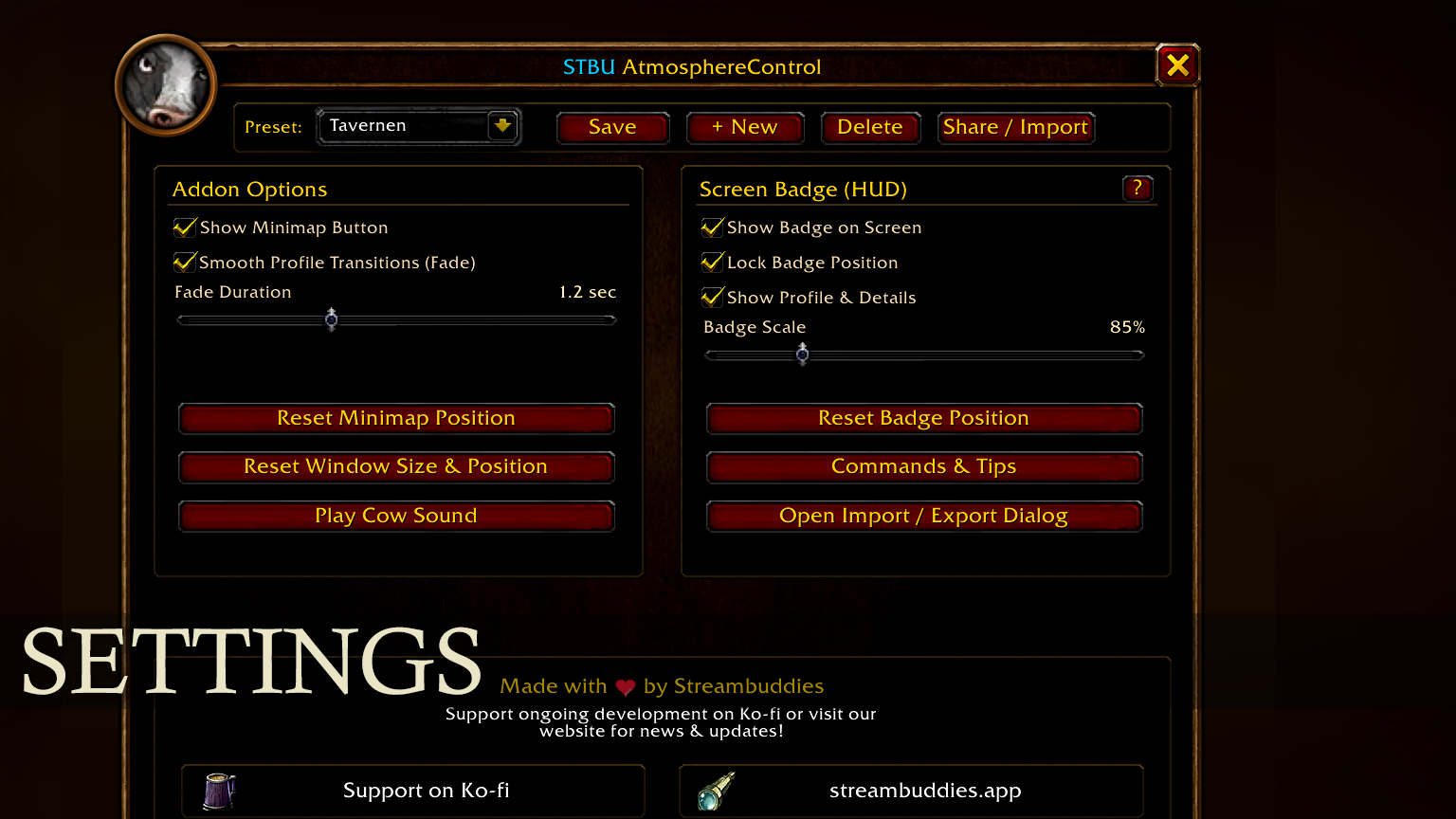
Options & System
Smooth fades between profiles (0.3–3.0 s), a floating HUD badge with live location and resting status that you can pin and scale, plus window scaling and reset. And yes – click the portrait and a cow will moo at you. 🐄 |
Profiles & presets
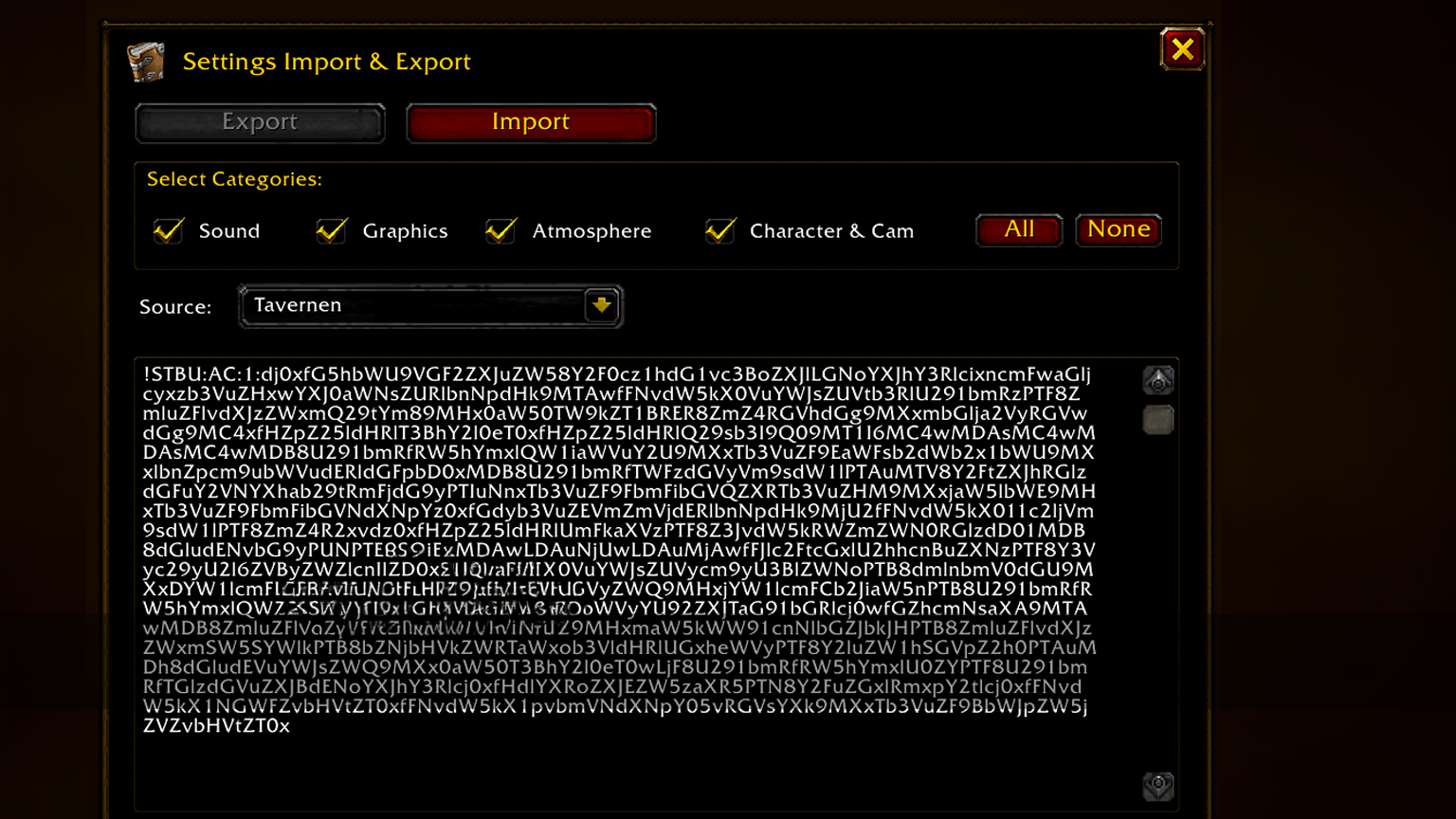
Import & export
Share your setup as a compact, validated code. Export everything or just the categories you want (Sound, Graphics, Atmosphere, Character & Cam). Copy with one click, see live validation while pasting, then save it as a preset or apply it right away. |
Presets
• Blizzard Default: protected baseline for a clean factory reset
• My Default: your personal profile, restored in one click
• Custom: create, name and delete as many presets as you like |
Non-destructive by design
All visual layers sit in the background and let mouse clicks pass through, so your UI and unit frames stay fully responsive. |
Languages
All 348 texts are translated into every official Blizzard locale:
English Deutsch Français Español (ES & MX) Italiano Português (BR) Русский 한국어 简体中文 繁體中文
Commands & shortcuts
/stbu or /ac |
Open or close the Master Control Center |
/ac standard |
Load My Default |
/ac reset |
Restore Blizzard Default |
/ac import |
Open the import dialog |
/ac export |
Open the export dialog |
| Right-click a slider |
Reset it to its default value |
| Right-click the minimap button |
Load My Default instantly |
| Drag the bottom-right corner |
Scale the window (65–150%) |
Made by Streambuddies
Enjoying the addon? Support links (Ko-fi, website, CurseForge) are right in the Options tab. Bugs and ideas are welcome in the comments. |
|