StatCoach
- By
Live stat-priority, cap coach and cap-aware gear compare for all classes and specs.
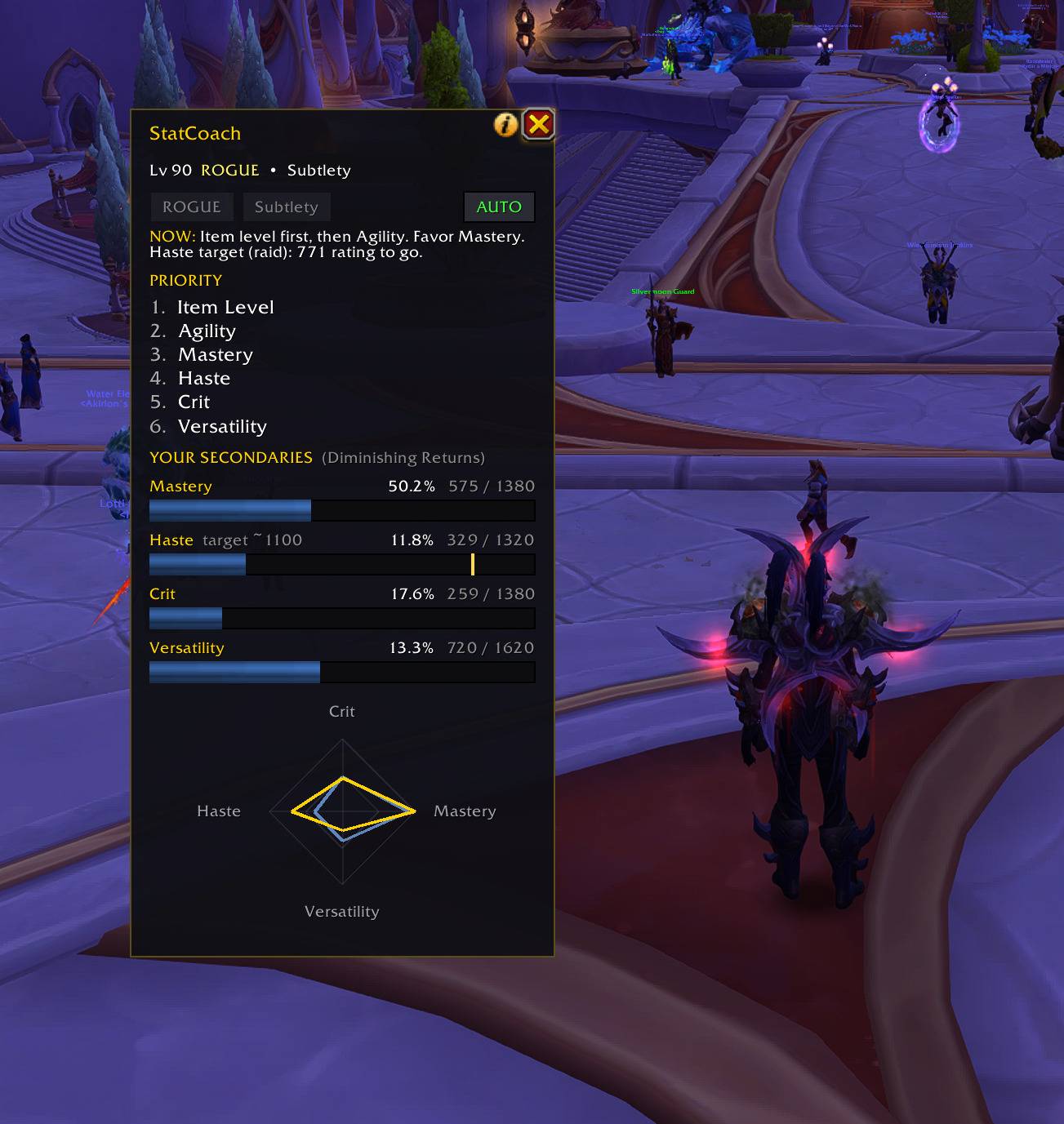
Each secondary is shown as rating against the point where it starts losing value - blue under the line, gold past it. The tick marks the guide's haste target for Subtlety, and the NOW line says how much rating is left to reach it.
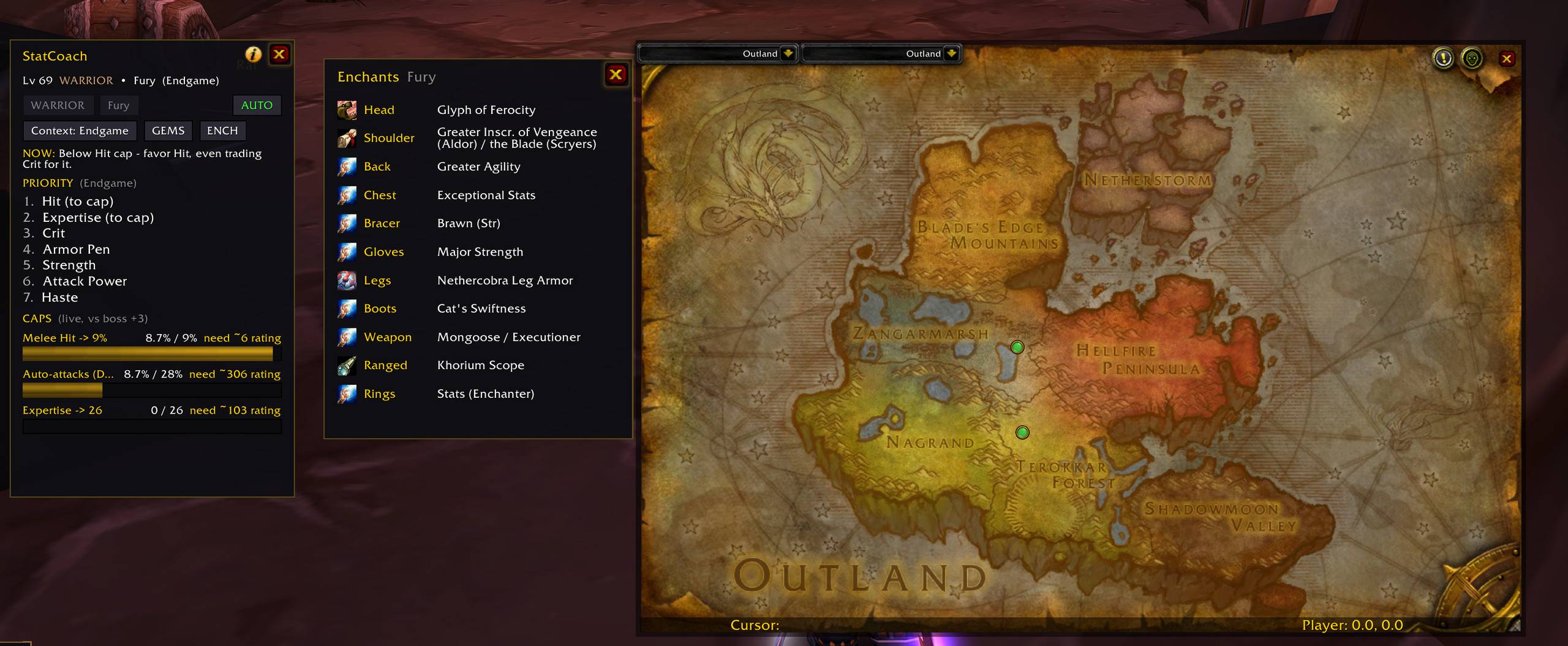
Your spec's priorities and live cap bars on the left, the enchant it wants in every slot in the middle. Click a row and a waypoint lands on the vendor who sells it. Hovering says whether your reputation is high enough to buy it yet.
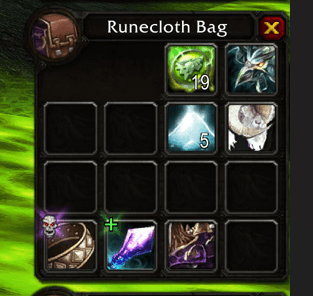
Easy spot an upgrade item in backpack
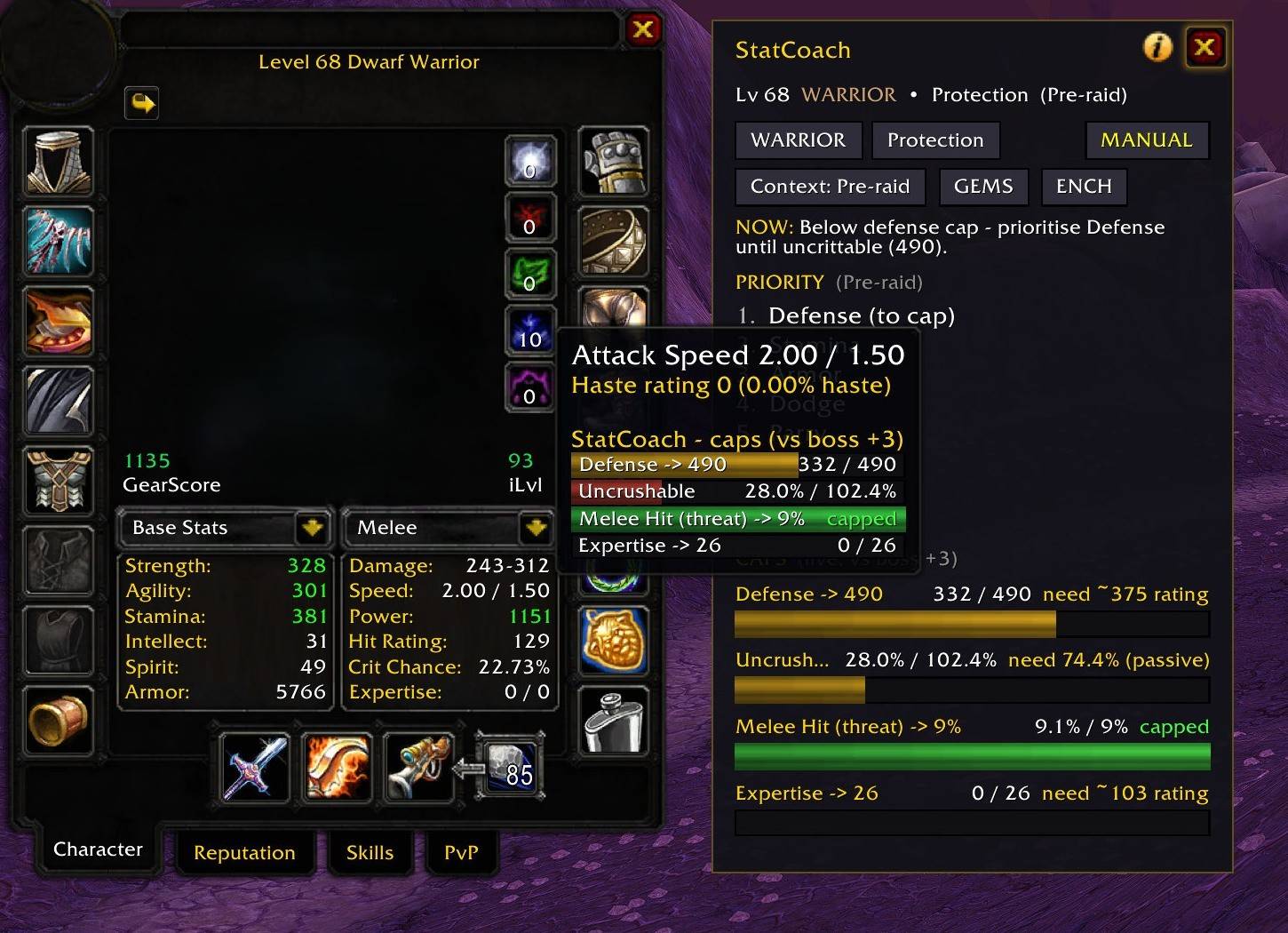
Hover any combat stat and StatCoach shows your caps as live progress bars, right in the tooltip. Green = capped, red = work to do - against a +3 raid boss, with racials and talents counted.
Description
StatCoach tells you which stats to prioritize right now - live, for your class, spec and level - how far you are from the caps that actually matter, and whether the item under your cursor is a real upgrade. Works on Classic Era, Burning Crusade Classic (Anniversary), Mists of Pandaria Classic, Retail and World of Warcraft: Forever.
WHAT IT DOES - CLASSIC ERA
- A hit bar against raid bosses, worked out from the weapon skill in your hands: 9% at 300 skill, 6% at 305. Casters get spell hit to 16%, with Arcane Focus, Elemental Precision, Suppression and Shadow Focus counted in.
- Your weapon skill against its maximum and what the missing points cost you in crit, plus Defense against 440 for tanks.
- Stat priority from Wowhead's Classic guides for every talent tree they cover, read from where your talent points are, with your current value next to each stat.
- Season of Discovery shows the caps only, since runes change what each spec wants. Item verdicts, gems and enchants are not on Classic Era yet.
WHAT IT DOES - TBC CLASSIC
- Live stat-priority list for all 9 classes and 27 specs, context-aware (Leveling / Pre-raid / Endgame). All priorities cross-checked against Wowhead, Icy Veins and Warcraft Tavern.
- Cap coach with LIVE talent, racial and Draenei-aura hit reading: Melee/Ranged special hit (9%), Spell hit (16%), Expertise (26) and Tank Defense (490). The "to cap" number is true for your build, not a generic table.
- Dual-wield aware: a White Hit (24%) bar appears when you actually dual-wield, and surplus hit keeps its white-swing value in the gear score instead of counting as zero.
- Trade advisor: a one-line "NOW:" call on what to favour or trade toward this moment.
- Cap-aware gear compare on the item tooltip. It only speaks up on upgrades, counts socketed gems and Equip effects, is armor-type aware, and scores weapon DPS by role. Two-handers are compared against main-hand + off-hand combined, so a 2H is never shown as an upgrade for a dual-wielding spec.
- Bag upgrade badge (green + / gold ++) for Baganator, Bagnon and the default bags.
- Gems and Enchants popups with real in-game icons and the recommended choice per socket colour and slot.
WHAT IT DOES - MISTS OF PANDARIA CLASSIC
- Auto-detects your specialization and shows the stat priority for all 34 specs, with your current value next to each stat.
- Hit and expertise bars against a raid boss, worked out the way the game's own character sheet does it: 7.5% miss, 7.5% dodge and 7.5% parry to take away. Tanks get a parry bar too, since they face the boss and need 15% expertise.
- Casters get one spell hit bar with their expertise counted in, as it is in combat - the character sheet leaves it out.
- A one-line "NOW:" call: how much hit or expertise rating you are short and which stat to reforge it from, or how much you have past the cap and where to put it instead.
- Item verdicts, gems and enchants are not on Mists yet.
WHAT IT DOES - RETAIL
- Auto-detects your specialization and shows the stat priority for all 39 specs: Item Level first, then your primary stat, then the secondary order (Crit / Haste / Mastery / Versatility).
- Live readout of your current secondary percentages.
- Item-level-aware gear compare on tooltips and bags - upgrades only, weighted by your spec's secondary priority.
- Retail has no caps, so the advice is priority-based; sim on Raidbots for exact weights.
WHAT IT DOES - WORLD OF WARCRAFT: FOREVER
- A hit bar on the game's own numbers: the hit it takes to never miss a target of your level, and from five levels below the level cap the raid boss numbers.
- The weapon in your hands and what every missing weapon skill point costs you in crit, plus Defense.
- Your live crit, haste, expertise, armor penetration, dodge, parry and block.
- Your talent tree, read from where your points are, with its stat order and your own number next to each stat - and upgrade lines on item tooltips and in your bags. Until Forever's own level-60 guides are out, the order is the Classic one for your tree; Protection paladins get Forever's own tank guide list.
WHY IT IS DIFFERENT FROM PAWN
Pawn multiplies each stat by a fixed weight. StatCoach knows your caps and your live character, so once you are hit-capped, more hit is worth about zero and the score reflects that instantly. It answers "which stat should I favour or trade toward now" - a question a flat weight cannot. The two work well side by side.
USAGE
/statcoach or /stc toggles the window. Left-click the minimap button to toggle it, right-click for settings. ESC closes it. The window is movable and scalable.
Requires an English client. Everything it needs is bundled (LibStub, CallbackHandler, LibDataBroker and LibDBIcon for the minimap button) - nothing to install alongside it. Files for Classic Era, TBC Classic, Mists of Pandaria Classic, Retail and Forever are all under this one project - download the one for your client.
StatCoach is free and stays free. If you would like to support the work: https://ko-fi.com/adam5288
StatCoach Team

Owner