SlickTalents
- By
SlickTalents is a compact, customizable talent and spellbook window replacement for WoW Retail with specialization switching, Hero and PvP talents, loadout import and sharing, and a searchable three-column spellbook.
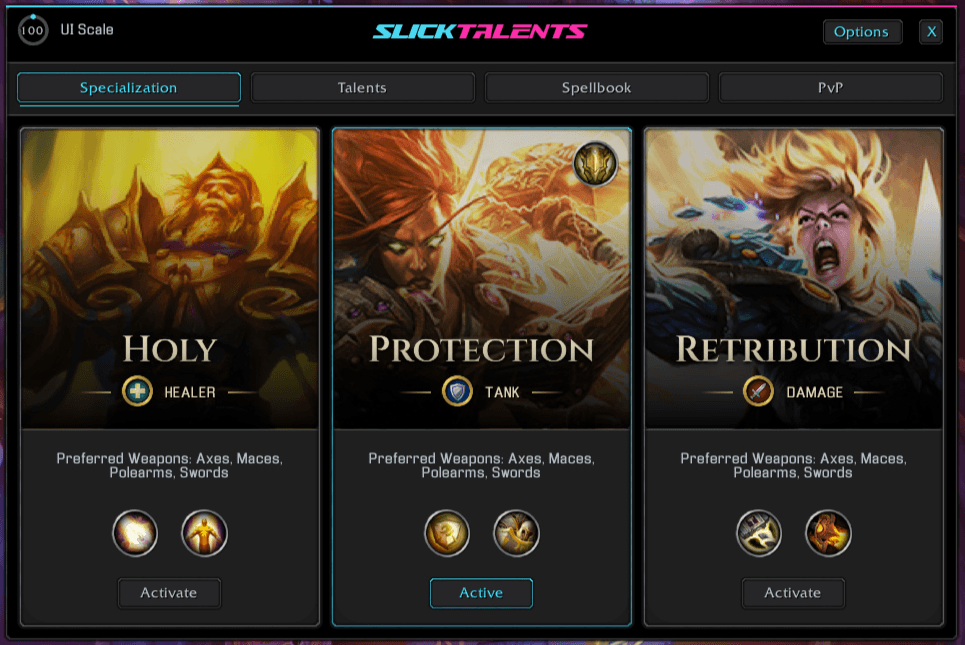
An example of Specialization Page.
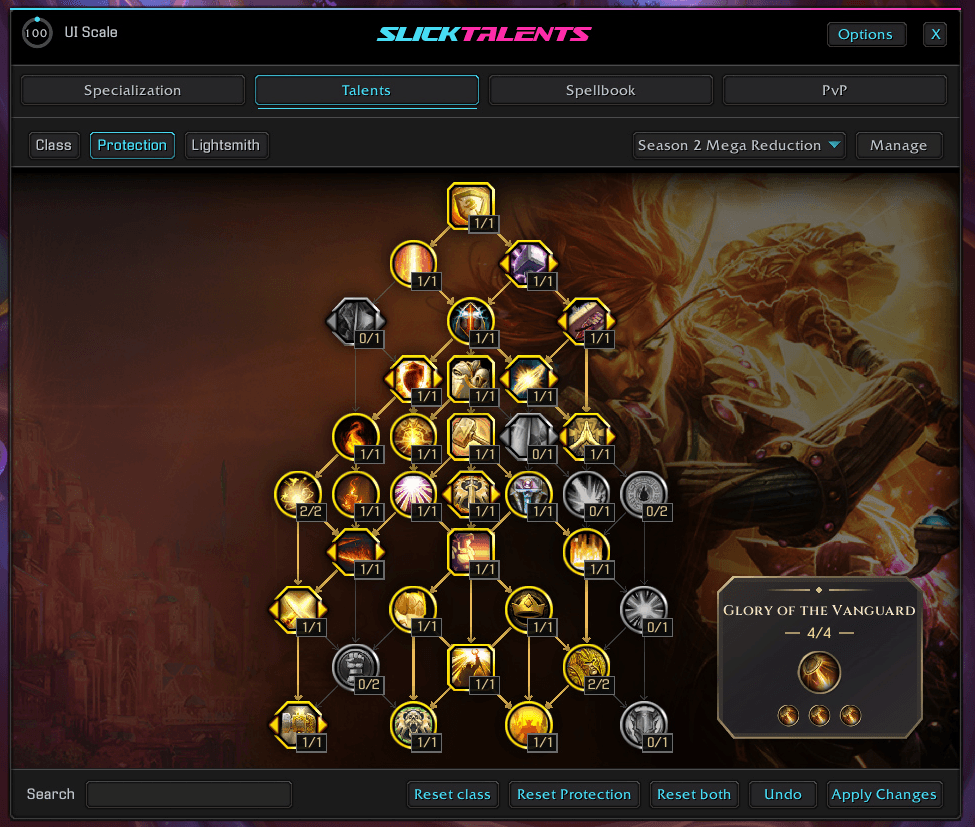
An example of the Talents Page.
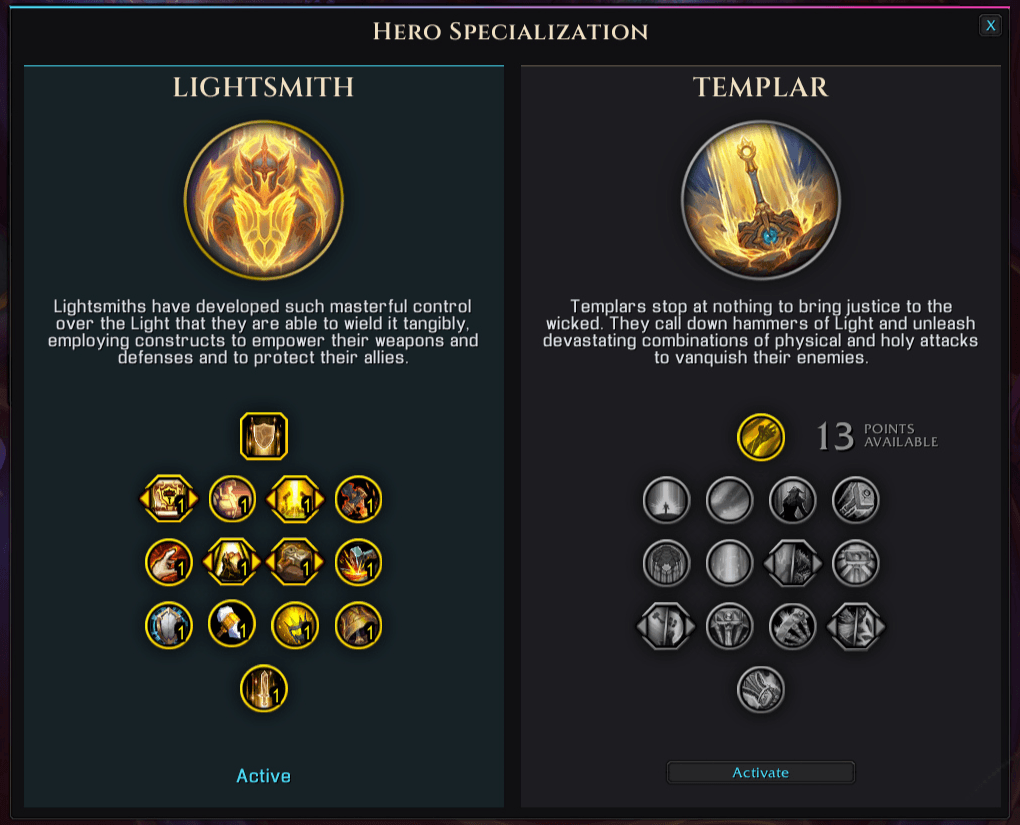
An example of the Hero Specialization Page.
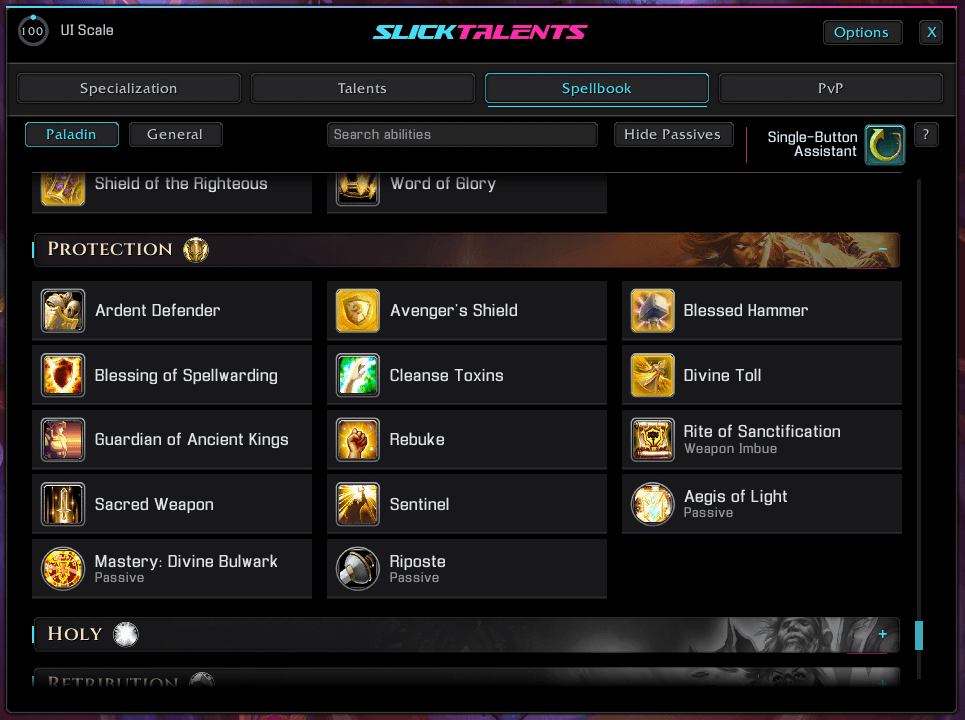
An example of the Spellbook Page.
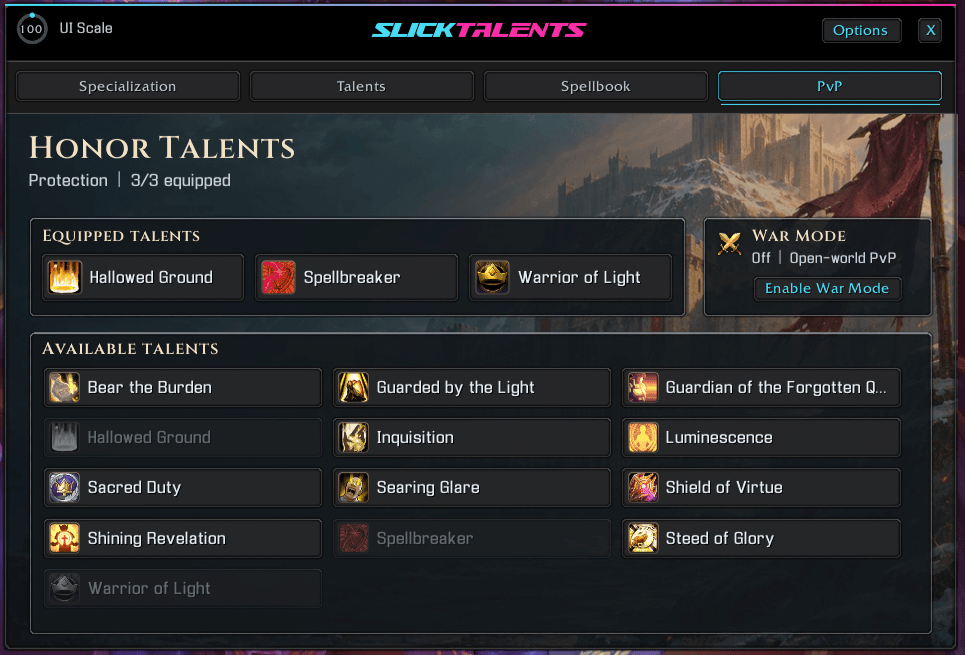
An example of the PvP Page
Description
SlickTalents
Less screen space. Easier access to your builds and spells.
SlickTalents replaces WoW Retail’s talents and spellbook window with a smaller, easier-to-use layout. Blizzard’s talent window spreads your trees across the screen. SlickTalents gives each tree its own tab and puts specs, loadouts, spells, and PvP talents a click away.


Pick a spec at a glance
Compare roles, weapons, and signature abilities on compact cards. Activate the spec you want right there.
Spend points and switch builds faster
Class, Spec, and Hero each get their own tab. Point badges show where you still have points to spend, and the footer jumps straight to the relevant tree. Pick a saved build or import and share one from the same toolbar.
Click your hero emblem to compare both Hero Specializations side by side and switch from the chooser.
Find spells with less scrolling
A three-column Spellbook puts more spells on screen. Search to highlight matches, collapse sections, and hide passives when you only want to see active abilities.
Set up PvP in one place
See your equipped slots alongside the available Honor Talents. Click or drag a talent into a slot, and manage War Mode from the same page.
Make it yours
- Resize the window with the UI Scale dial.
- Set the Spellbook and PvP font style, size, and color.
- Save your preferences in profiles.
Open Options from the window header or type /stalents.
Commands
| Command | Action |
|---|---|
/stalents - /st - /slicktalents |
Open SlickTalents options. |
N Key - /stalents open |
Open the SlickTalents window. |
Support and more from WizardsPotion
Like knobs to turn, buttons to push, and pretty lights on things?
Explore the rest of the Slick Family of World of Warcraft addons from WizardsPotion.
If SlickTalents makes it easier to manage your builds and find your spells, you can help support its continued development by buying me a coffee. Every bit is appreciated, but never expected.

SlickTalents Team