SlickFPS
- By
SlickFPS is a minimal, draggable performance display tracking FPS and latency with color-coded bars. Features customizable themes & bar styles, a wide selection of fonts, and a scalable UI.
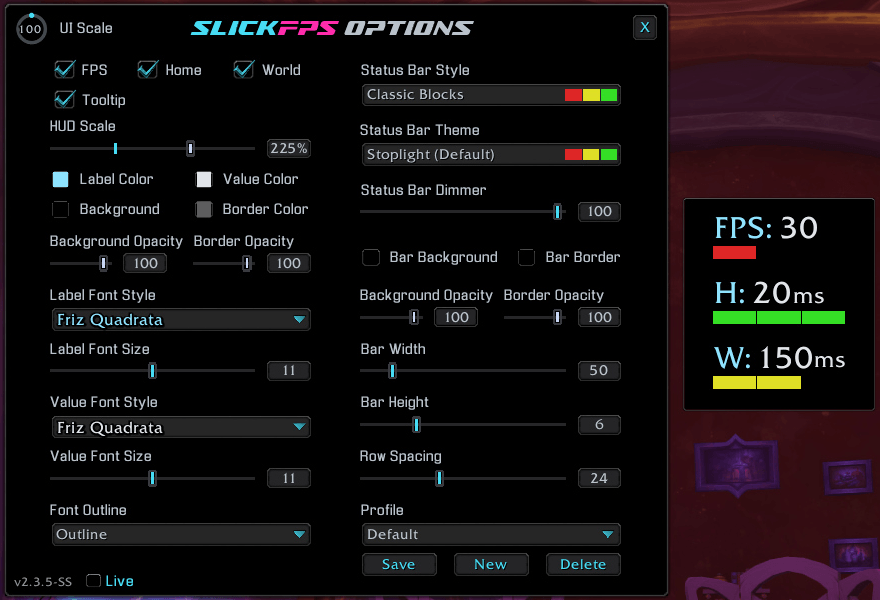
Default Frame and Options Window with an Example of how the Bars change color based on Low FPS, Great Home Latency and Medium World Latency. (Hud Scale maxed for good screenshot visibility)
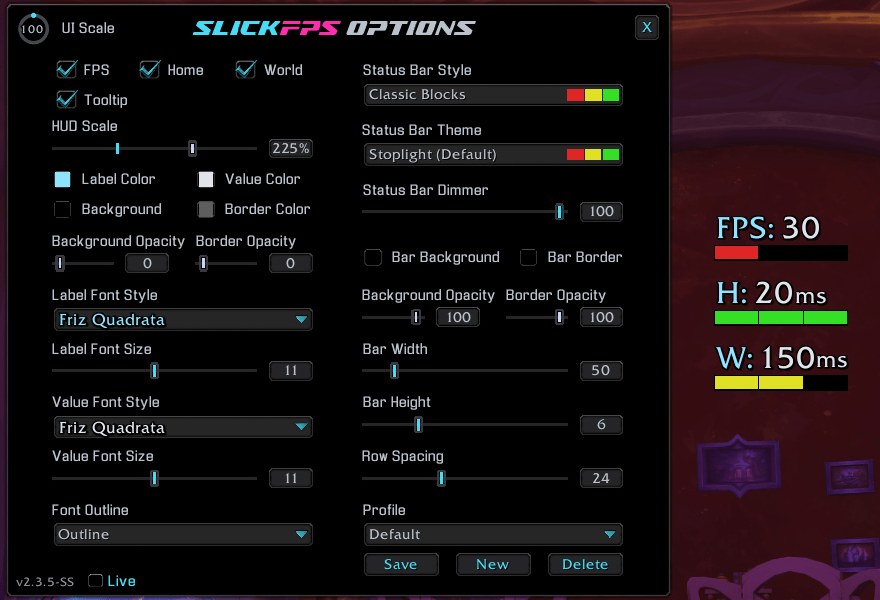
Default Frame with no background + Options Window with an Example of how the Bars change color based on Low FPS, Great Home Latency and Medium World Latency. (Hud Scale maxed for good screenshot visibility)
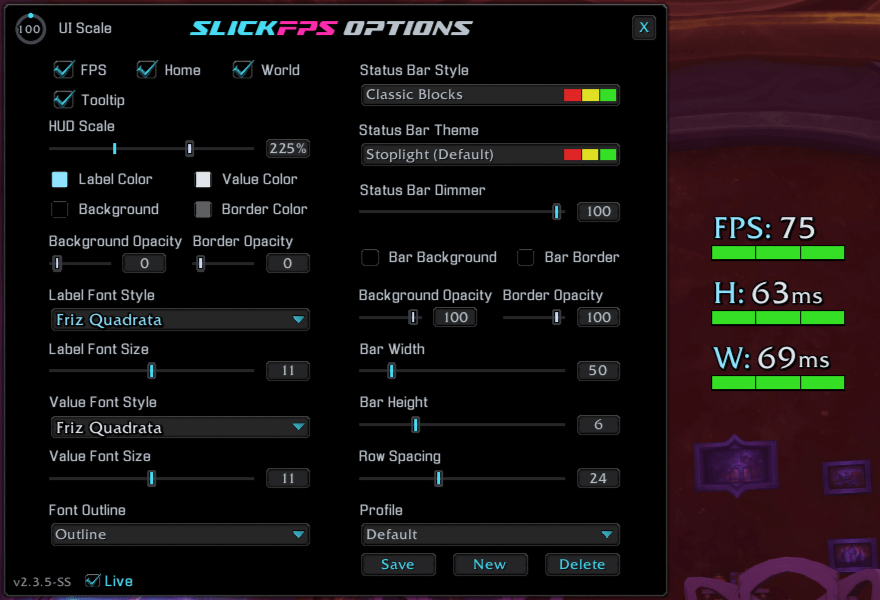
Default Frame and Options Window with an Example of how the Bars change color based on Great FPS, Home Latency and World Latency. (Hud Scale maxed for good screenshot visibility)
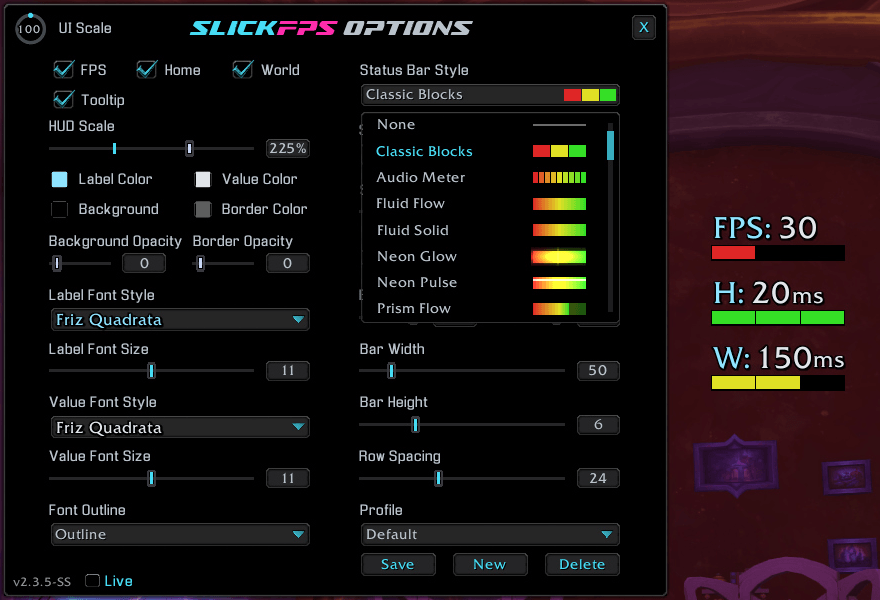
An example of the style menu. Default theme "Classic Blocks" and the default font. (Hud Scale maxed for good screenshot visibility)
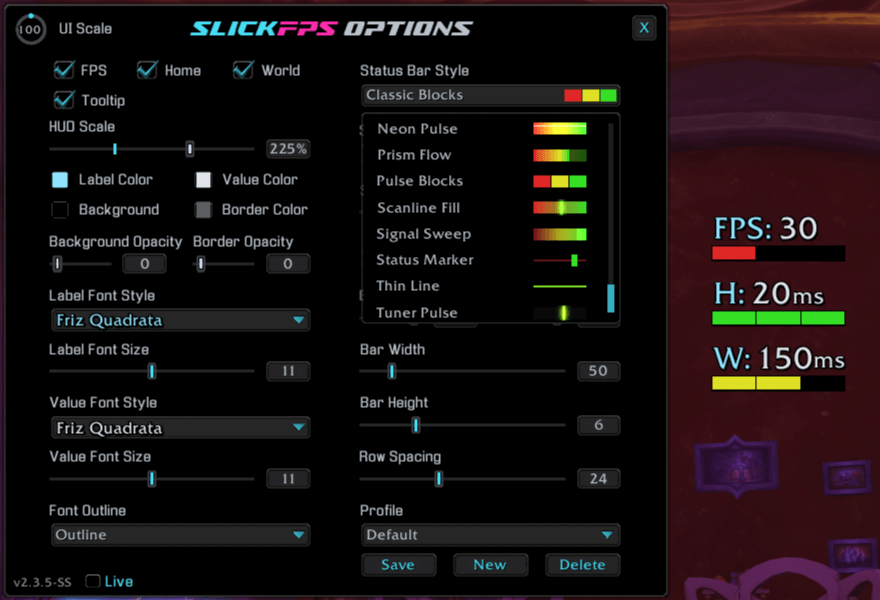
An additional example of the style menu. Default theme "Classic Blocks" and the default font. (Hud Scale maxed for good screenshot visibility)
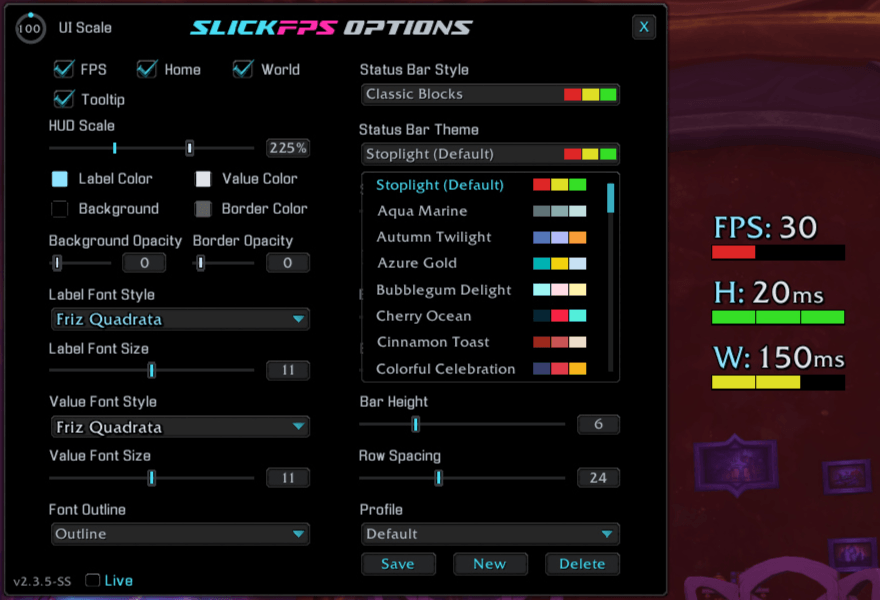
An example of the theme menu and default theme "Classic Blocks" and default font. (Hud Scale Maxed for good screenshot visibility)
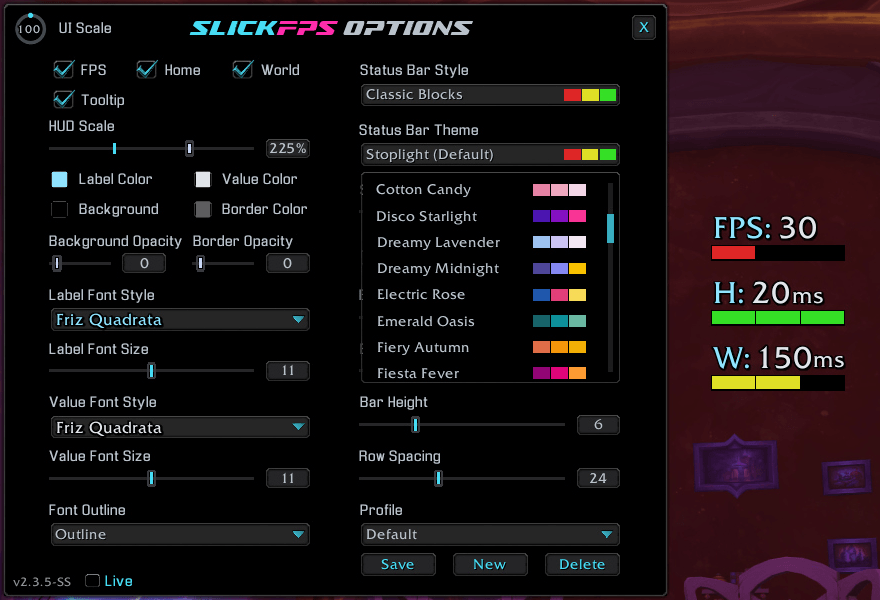
An example of the theme menu. Default style "Classic Blocks" and the default font. (Hud Scale Maxed for good screenshot visibility)
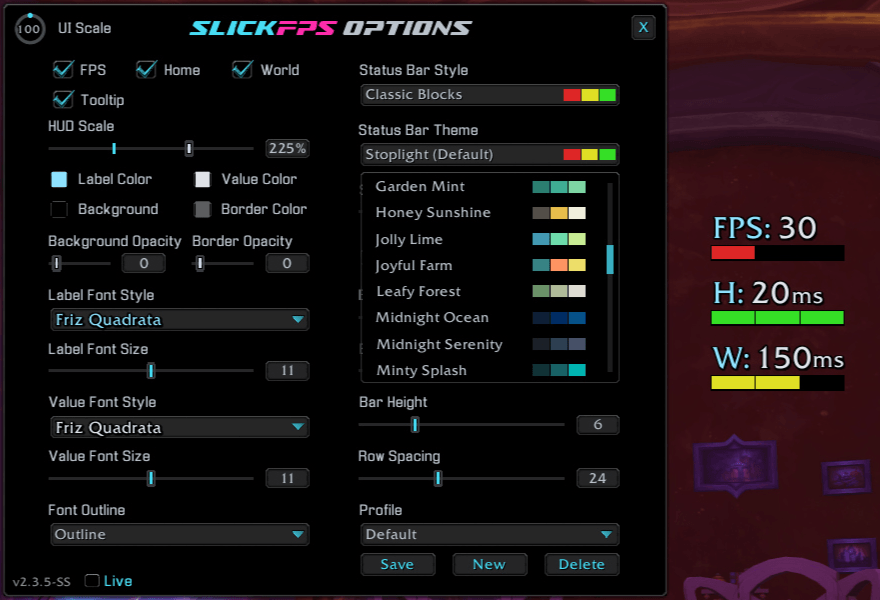
Another example of the theme menu. Default theme "Classic Blocks" and the default font. (Hud Scale maxed for good screenshot visibility)
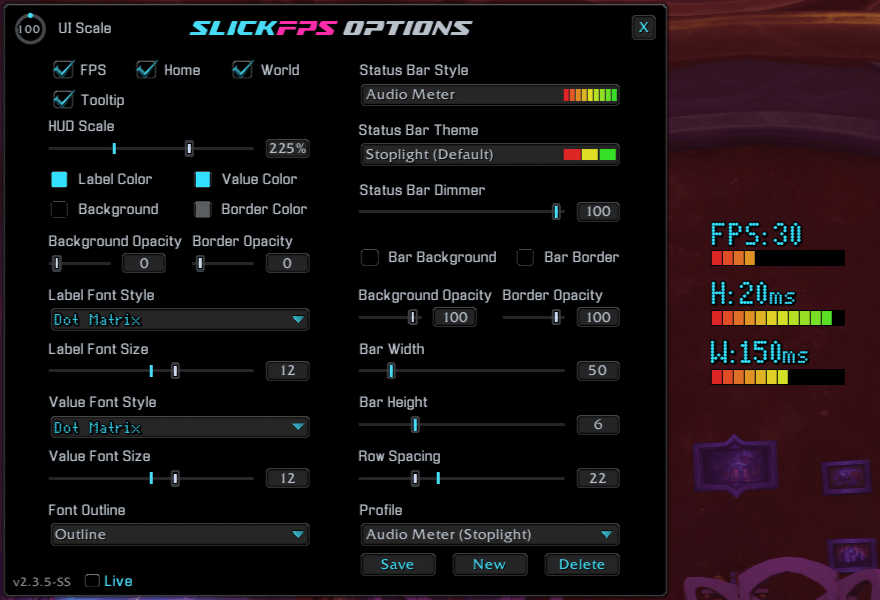
An example of a custom theme called "Audio Meter" with low FPS, great Home latency and medium World latency. (Hud Scale maxed for good screenshot visibility)
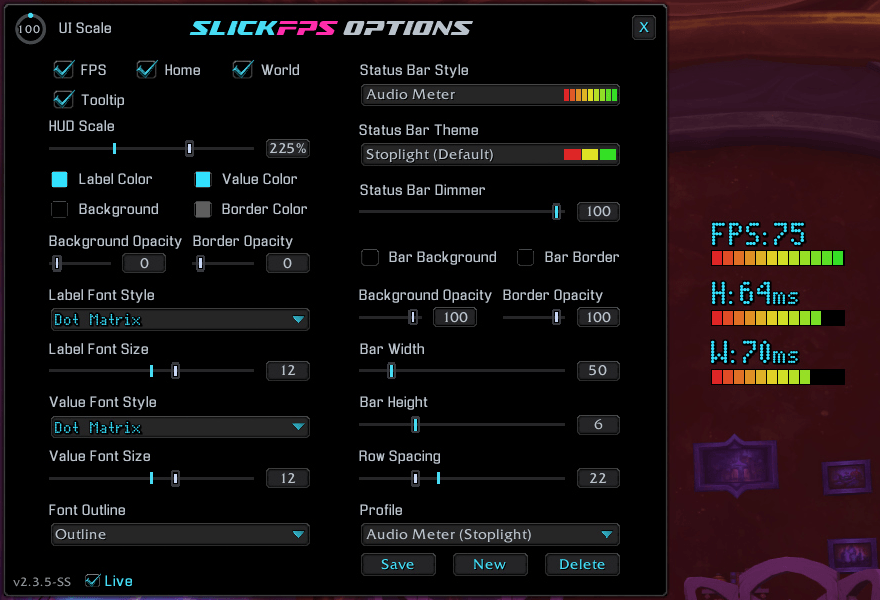
An example of a custom theme called "Audio Meter" with good FPS and Latency. (Hud Scale maxed for good screenshot visibility)
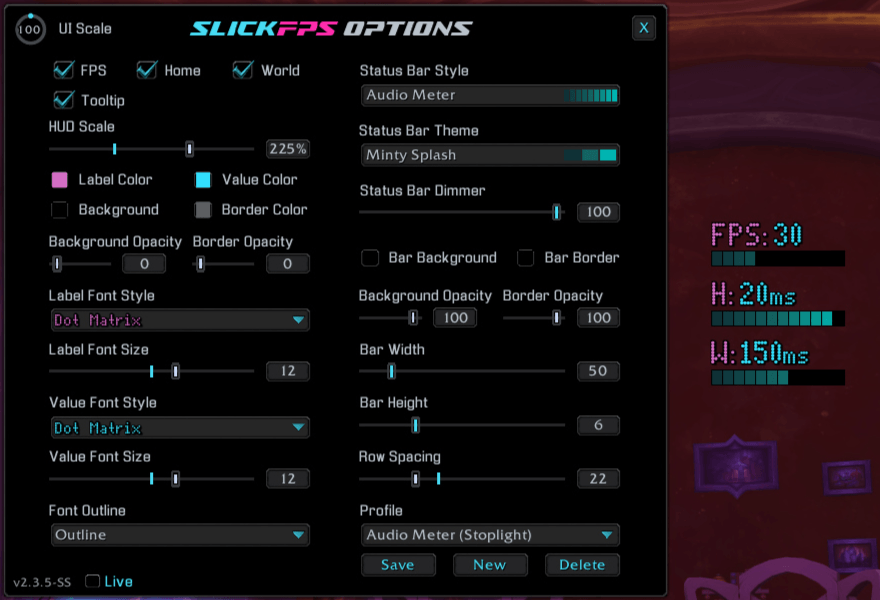
An example of the Audio Meter style, Minty Splash theme and Dot Matrix font with no frame. (Hud Scale maxed for good screenshot visibility)
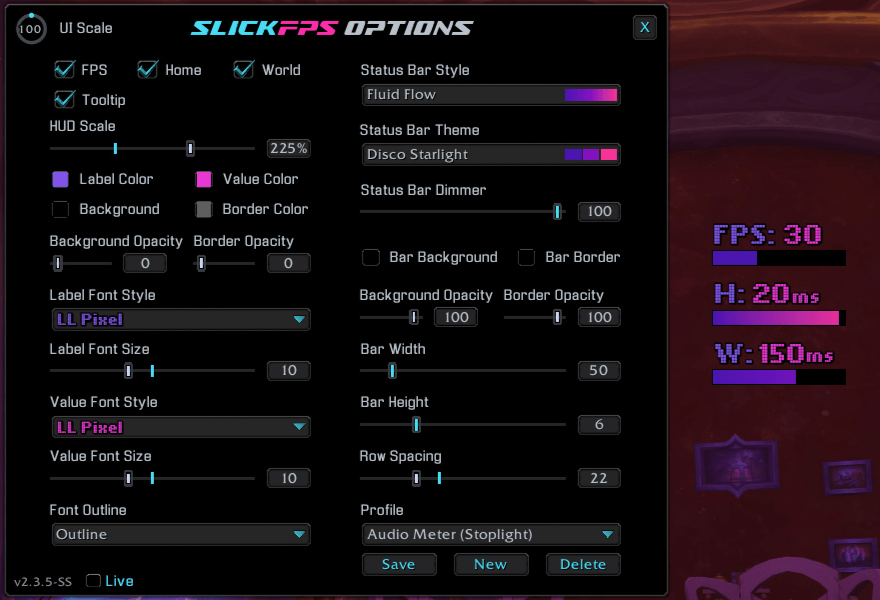
An example of the Fluid Flow style, Disco Starlight theme and LL Pixel font with no frame. (Hud Scale maxed for good screenshot visibility)
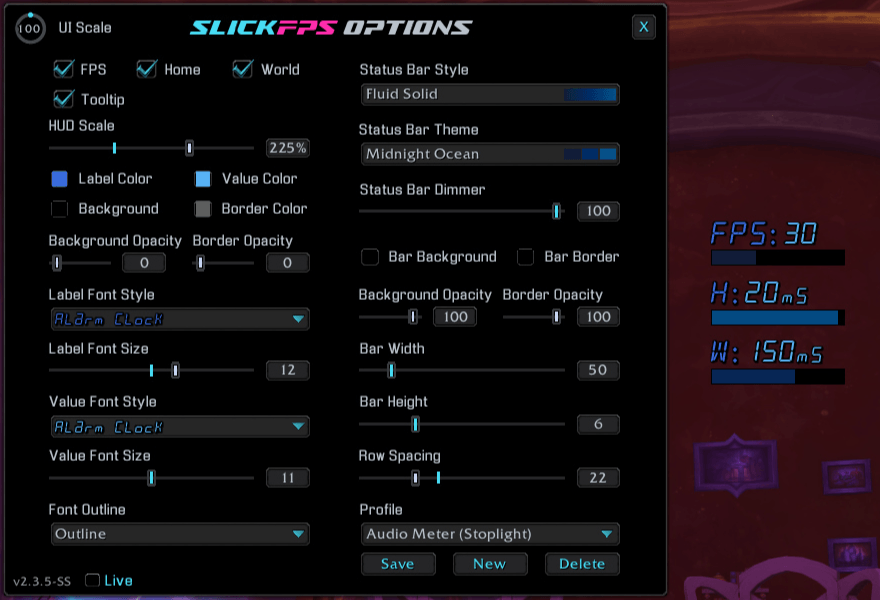
An example of the Fluid Solid style, Midnight Ocean theme and Alaram Clock font with no frame. (Hud Scale maxed for good screenshot visibility)
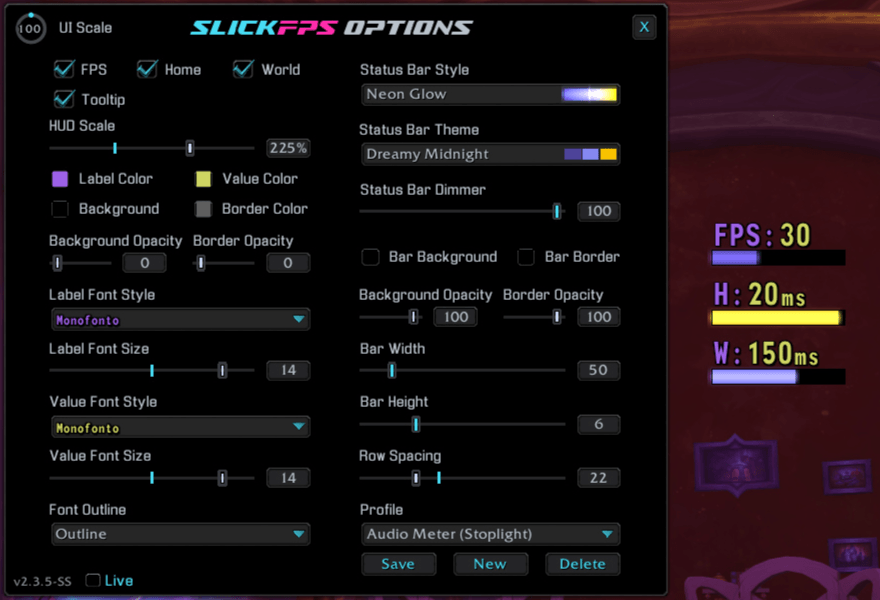
An example of the Neon Glow style, Dreamy Midnight theme and MonoFonto font with no frame. (Hud Scale maxed for good screenshot visibility)
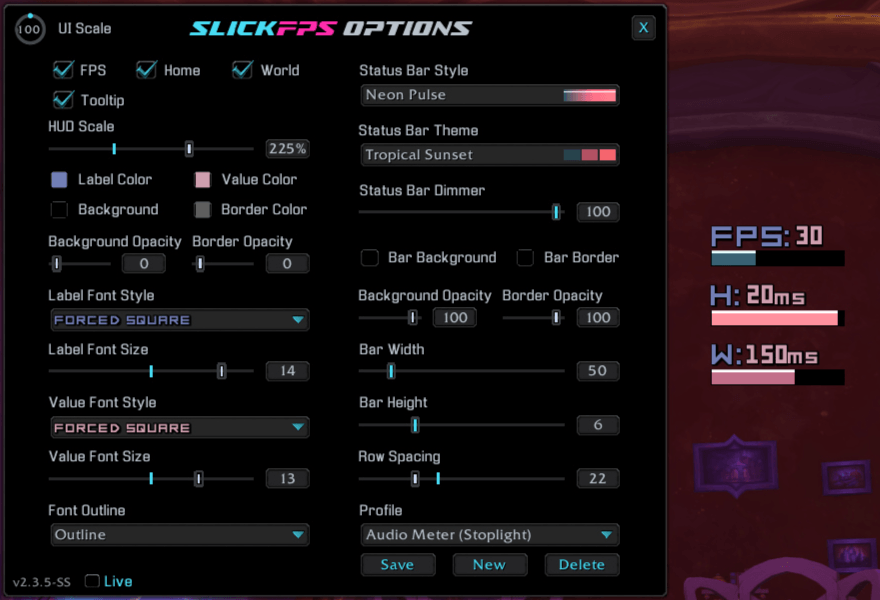
An example of the Neon Pulse style, Tropical Sunset theme and Forced Square font with no frame. (Hud Scale maxed for good screenshot visibility)
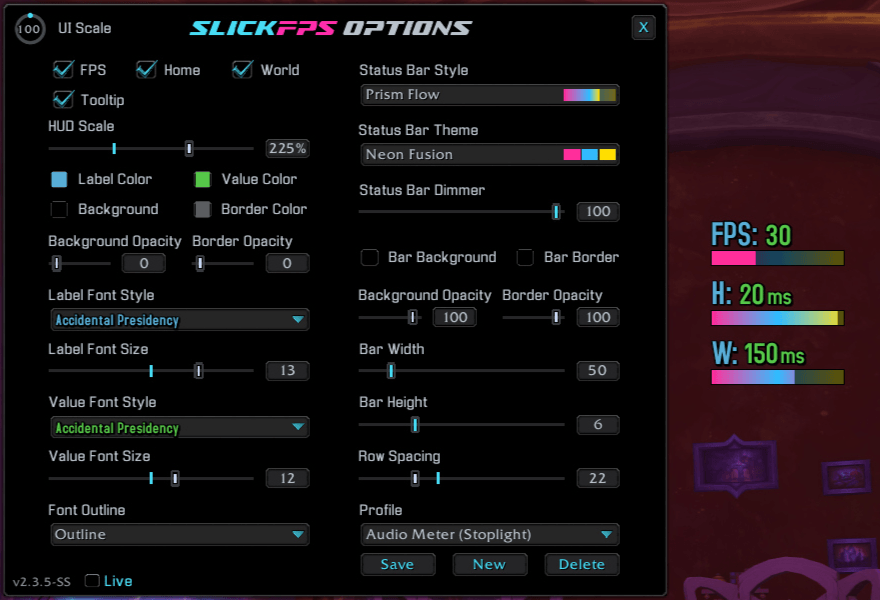
An example of the Prism Flow Bars style, Neon Fusion theme and Accidental Presidency font with no frame. (Hud Scale maxed for good screenshot visibility)
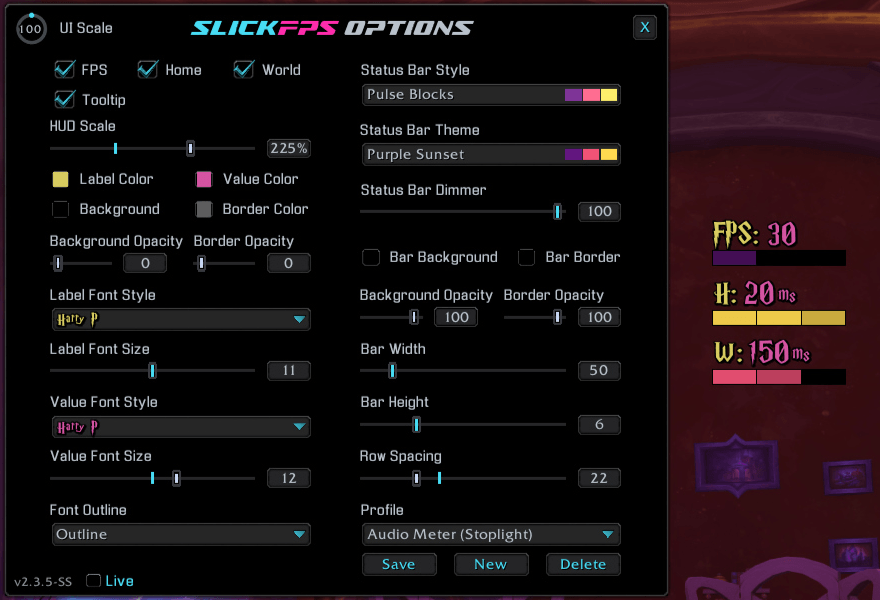
An example of the Pulse Blocks style, Purple Sunset theme and Harry P font with no frame. (Hud Scale maxed for good screenshot visibility)
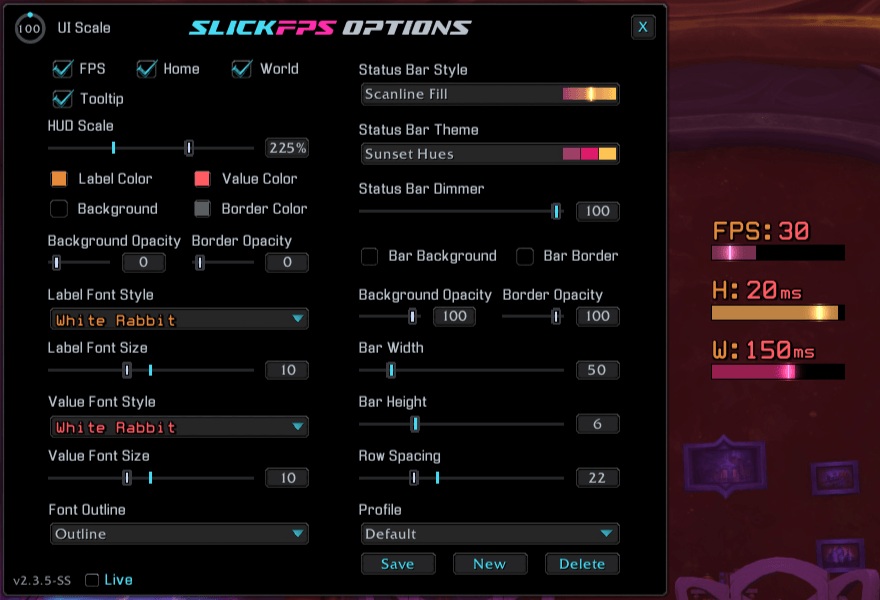
An example of the Scanline Fill style, Sunset Hues theme and White Rabbit font with no frame. (Hud Scale maxed for good screenshot visibility)
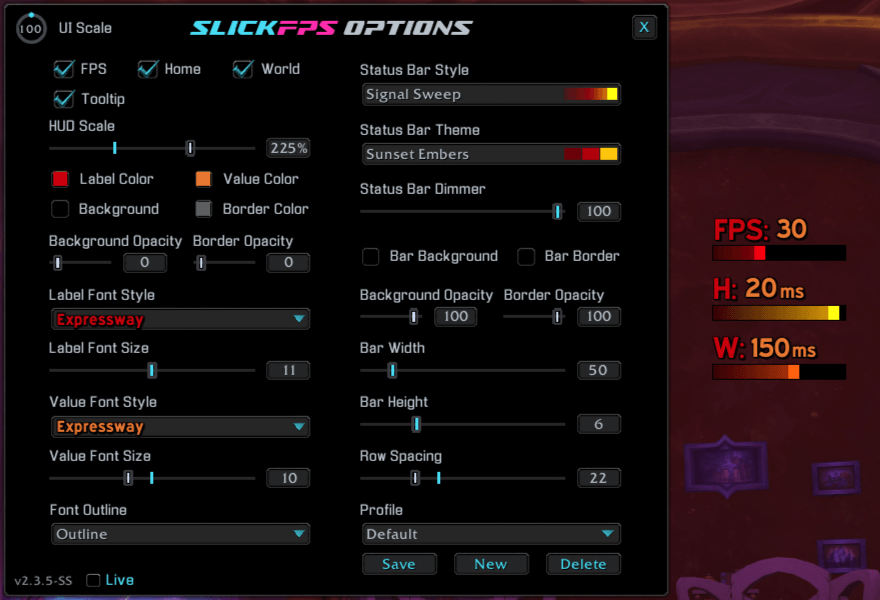
An example of the Signal Sweep style, Sunset Embers theme and Expressway font with no frame. (Hud Scale maxed for good screenshot visibility)
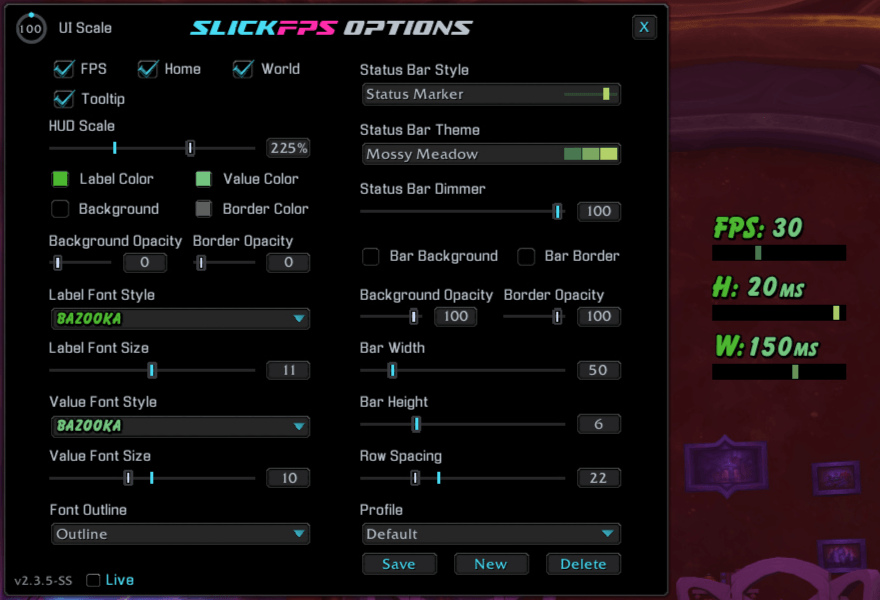
An example of the Status Marker style, Mossy Meadow theme and Bazooka font with no frame. (Hud Scale maxed for good screenshot visibility)
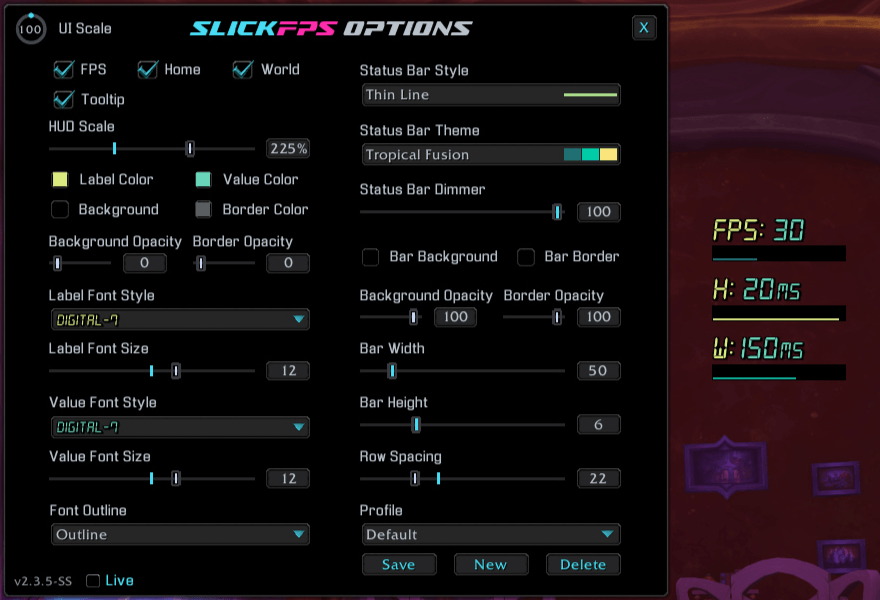
An example of the Thin Line style, Tropical Fusion theme and Digital-7 font with no frame. (Hud Scale maxed for good screenshot visibility)
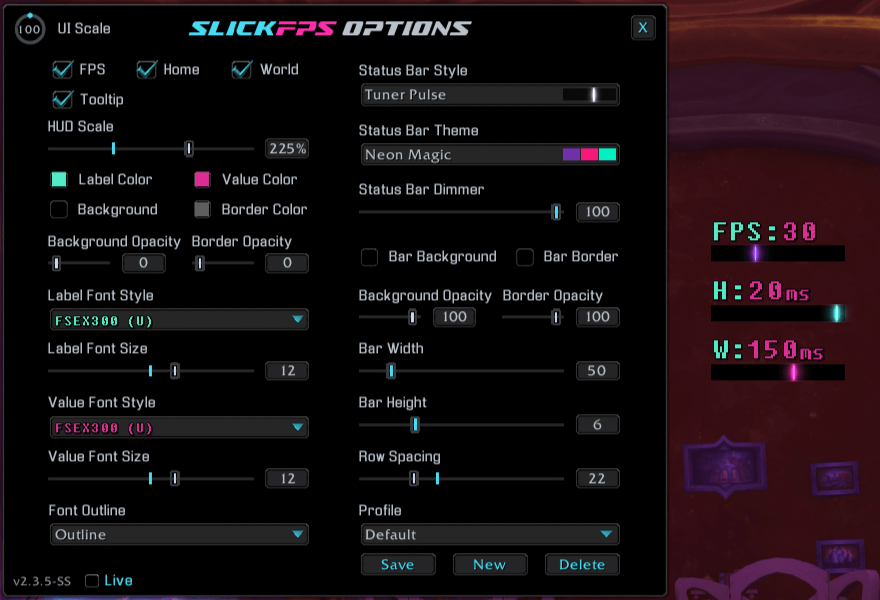
An example of the Tuner Pulse style, Neon Magic theme and FSEX300 (U) font with no frame. (Hud Scale maxed for good screenshot visibility)
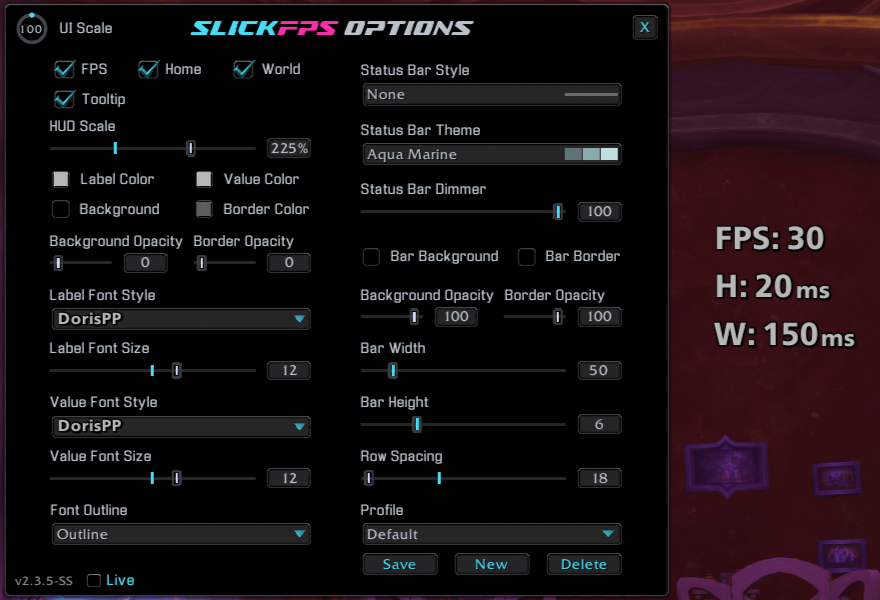
An example of the No style, No theme and DorisPP font with no frame. (Hud Scale maxed for good screenshot visibility)
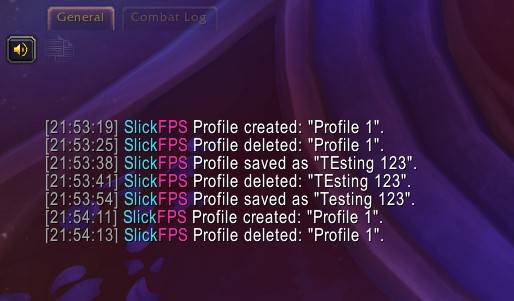
An example of the chat output when you create, delete or save a profile.
Description
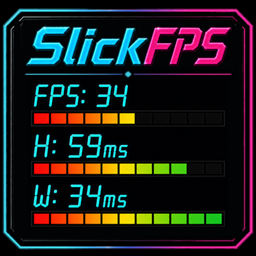
SlickFPS
Live FPS and latency, styled to fit your UI
SlickFPS is a lightweight, draggable performance HUD for World of Warcraft. It keeps your current FPS, Home latency, and World latency visible through responsive status bars, then gives you the styles, themes, fonts, profiles, and layout controls to make the display feel at home in your interface.


Read performance at a glance
See live frame rate and both latency paths without opening another window. Each row combines a clear numeric value with a status bar that changes color and fill as performance changes.
📊 Clear live feedback
- Track FPS, Home latency, and World latency in one compact HUD.
- Let FPS bars follow WoW's configured target while latency bars react to connection quality.
- Show or hide the FPS, Home, and World rows individually.
- Hover over the HUD for its lock status and quick control reminders, or disable the tooltip when you no longer need it.
- Left-drag the unlocked HUD into place, then right-click to lock it.
Rename note: SlickFPS was formerly FPSView. If both FPSView and SlickFPS appear in your AddOns list after updating, disable or remove FPSView to avoid duplicate HUDs.
Make performance data part of your UI
Go clean and minimal, bright and animated, segmented like an audio meter, or remove the bars entirely. SlickFPS separates bar style from color theme so you can mix the look you want instead of settling for a single preset design.
✨ Fourteen bar styles
- Choose Classic Blocks, Audio Meter, Fluid Flow, Fluid Solid, Neon Glow, Neon Pulse, Prism Flow, Pulse Blocks, Scanline Fill, Signal Sweep, Status Marker, Thin Line, Tuner Pulse, or None.
- Pair any style with 55 color themes, from the default Stoplight palette to soft, vivid, neon, earthy, and seasonal combinations.
- Fine-tune bar width, height, spacing, background, border, opacity, and brightness.
- Use separate label and value fonts, sizes, colors, and outline styles.
- Choose from 15 bundled fonts, with additional fonts available through LibSharedMedia.
Keep your favorite looks ready
Appearance profiles let you build different HUD designs and switch between them without recreating every setting. Save a new look, rename it, update it, or remove it while the protected Default profile always gives you a clean starting point.
💾 Profiles that travel with your setup
- Save complete HUD appearances, including styles, themes, fonts, colors, sizing, visibility, and position.
- Switch profiles from the options window and keep character-specific placement and appearance choices.
- Create, rename, save, and delete custom profiles with clear chat confirmation.
- Return to the protected Default profile whenever you want the original look.
Make it yours
- Scale the entire HUD and adjust bar width, height, and row spacing.
- Customize frame background, border, opacity, label color, and value color.
- Set bar background and border colors, opacity, and dimmer level independently.
- Choose separate fonts and sizes for labels and values, with None, Outline, or Thick Outline.
- Toggle the FPS, Home, World, and mouseover-tooltip elements individually.
- Keep the options window above the surrounding UI while you tune the result.
Type /slickfps to open the options window. You can also Shift + Right-Click the HUD to open or close it, Left-Drag to move an unlocked HUD, and Right-Click to lock or unlock it.
Commands
| Command | Action |
|---|---|
/slickfps |
Open or close the options window. |
/fpsv |
Open or close the options window with the legacy FPSView shortcut. |
/slickfps reset |
Reset the HUD position and all settings to their defaults, then reload the UI. |
Latest update
2.3.9 - 2026-09-30
- Improved: TOC version is now updated for WoW 12.1.5.
- Fixed: HUD FPS bar now uses WoW's configured Target FPS value when no foreground limit or display refresh value is available and remains full within two FPS of that target without learning a false limit from temporary low FPS.
Support and more from WizardsPotion
Like knobs to turn, buttons to push, and pretty lights on things?
Explore the rest of the Slick Family of World of Warcraft addons from WizardsPotion.
If SlickFPS keeps the performance numbers you care about visible without cluttering your UI, you can help support its continued development by buying me a coffee. Every bit is appreciated, but never expected.

SlickFPS Team